Best Cal.com Alternatives in 2026: Top Scheduling Tools
Cal.com is a strong open-source scheduler, but it is not the only option. Compare the best Cal.com alternatives for 2026 on price, features, and fit.
Cal.com earned its reputation as the open-source answer to Calendly: self-hostable, developer-friendly, and flexible. But "open-source and flexible" is not the same as "right for your team." If you are evaluating Cal.com alternatives in 2026, you are probably bumping into one of three walls — setup complexity, missing native features, or pricing that scales awkwardly as your team grows.
This guide compares the strongest Cal.com alternatives on the attributes that actually decide a purchase: hosting model, free tier, team features, integrations, and total cost. No fluff, no "it depends." Just a clear breakdown so you can pick and move on.
TL;DR#
- Best for non-technical teams: Calendly — the most polished UX and the widest integration list, but the priciest at scale.
- Best self-hosted Cal.com replacement: there isn't a true one — Cal.com is already the open-source leader, so most "alternatives" are hosted SaaS tools.
- Best for appointment-heavy businesses: Acuity Scheduling (Squarespace) for intake forms, packages, and payments.
- Best for thoughtful scheduling: SavvyCal — ranked overlays and one-click booking that respect the recipient's time.
- The missing piece: a scheduler books the meeting, but it can't find the prospect. Pair any tool here with an email finder so your calendar fills with the right people.
Why look for a Cal.com alternative at all?#
Cal.com is genuinely good. The reason people search for alternatives usually comes down to friction, not quality.
The most common triggers:
- Self-hosting overhead — Cal.com's open-source edition is powerful, but standing up your own instance, handling updates, and managing the database is real engineering work. Many teams want a scheduler, not a side project.
- Feature gaps on lower tiers — routing forms, workflows, and certain integrations sit behind paid plans or require technical configuration.
- Team and admin controls — fast-growing sales teams need round-robin routing, managed event types, and centralized billing out of the box.
- Support expectations — open-source community support is excellent, but some buyers want a phone number and an SLA.
If none of those apply to you, Cal.com may still be the answer. If one or more does, keep reading.
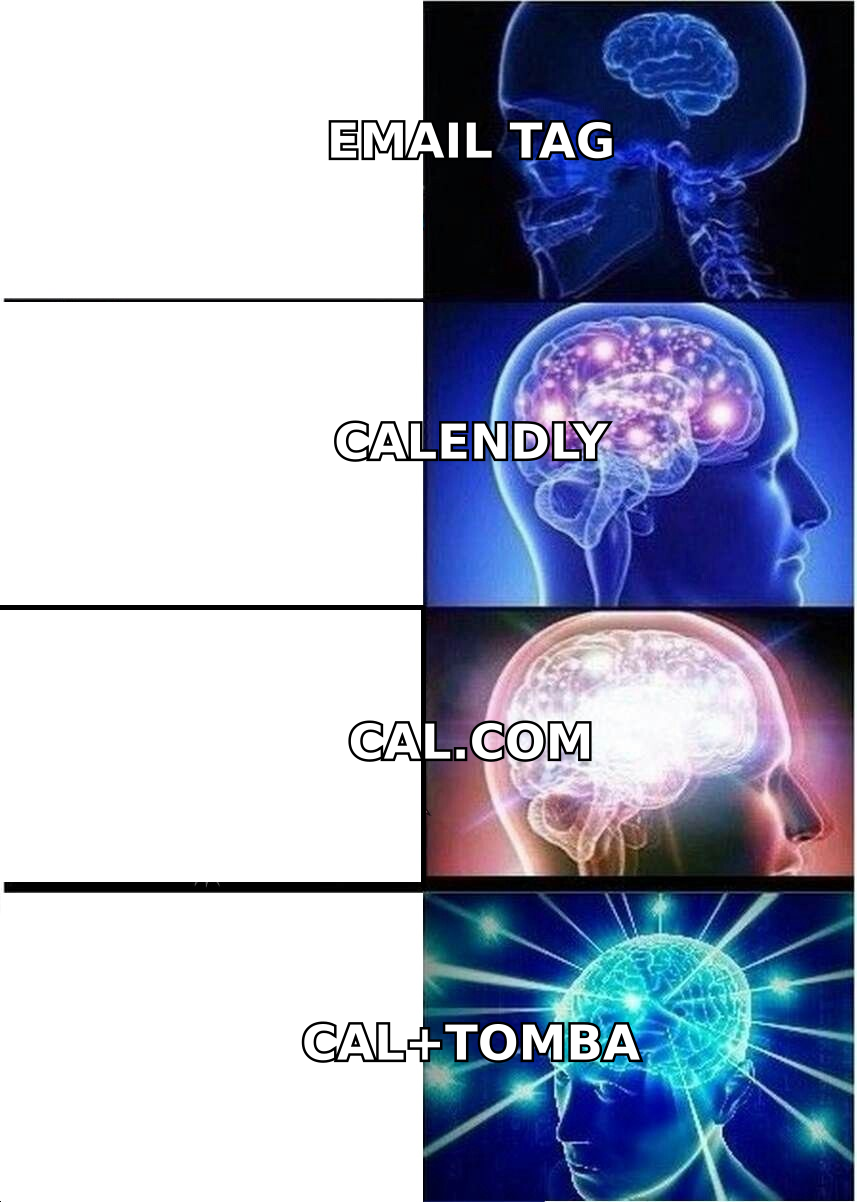
What are the best Cal.com alternatives in 2026?#
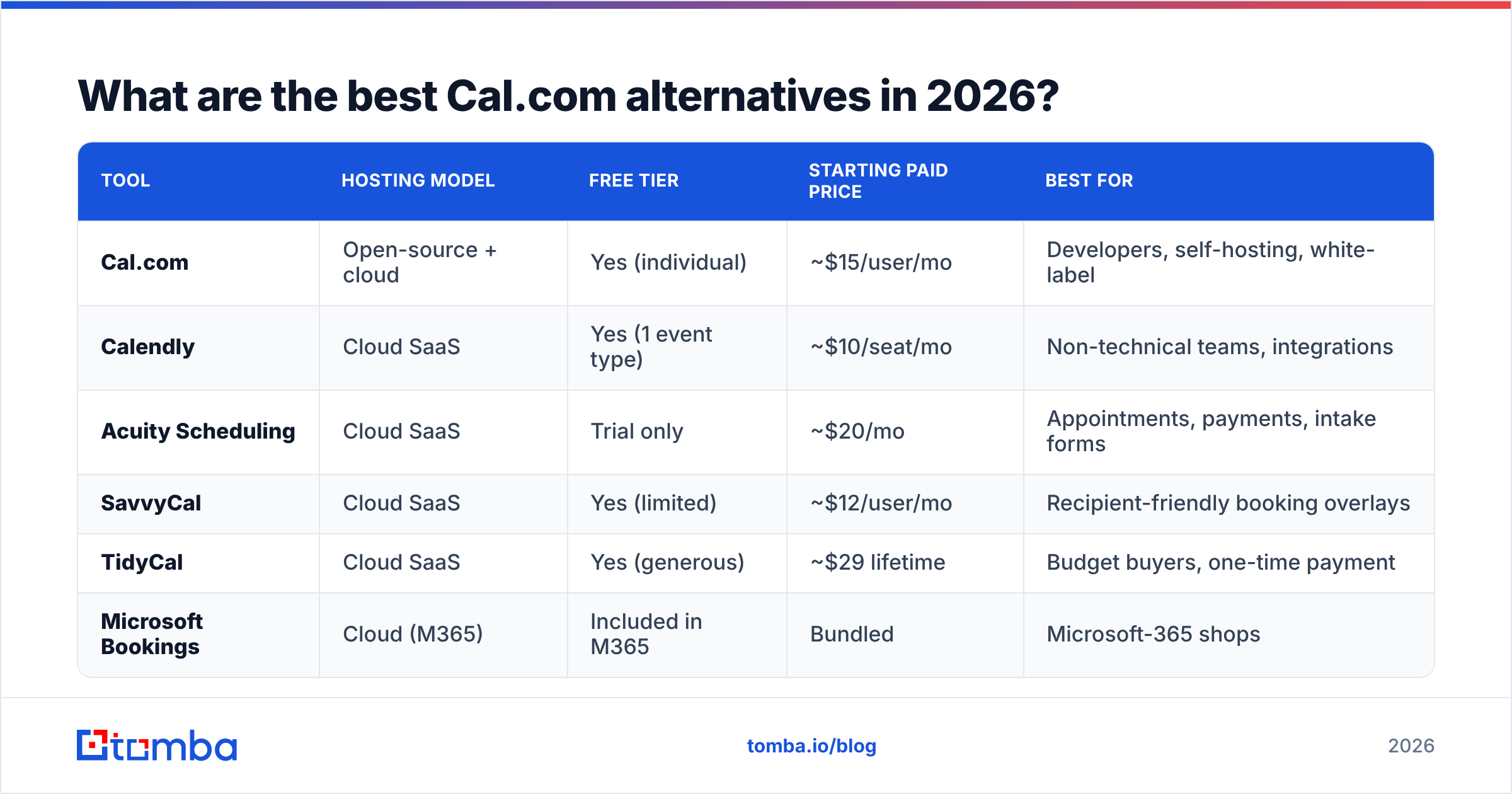
Here is the head-to-head. Prices reflect publicly listed plans as of 2026 and can change — always confirm on the vendor's pricing page before committing.
| Tool | Hosting model | Free tier | Starting paid price | Best for |
|---|---|---|---|---|
| Cal.com | Open-source + cloud | Yes (individual) | ~$15/user/mo | Developers, self-hosting, white-label |
| Calendly | Cloud SaaS | Yes (1 event type) | ~$10/seat/mo | Non-technical teams, integrations |
| Acuity Scheduling | Cloud SaaS | Trial only | ~$20/mo | Appointments, payments, intake forms |
| SavvyCal | Cloud SaaS | Yes (limited) | ~$12/user/mo | Recipient-friendly booking overlays |
| TidyCal | Cloud SaaS | Yes (generous) | ~$29 lifetime | Budget buyers, one-time payment |
| Microsoft Bookings | Cloud (M365) | Included in M365 | Bundled | Microsoft-365 shops |
A few notes on reading this table: "starting paid price" is the entry tier, not the price you'll likely pay with a full team and add-ons. And "best for" is the honest center of gravity — most tools can technically do most things, but each one is good at a narrower slice.
Calendly#
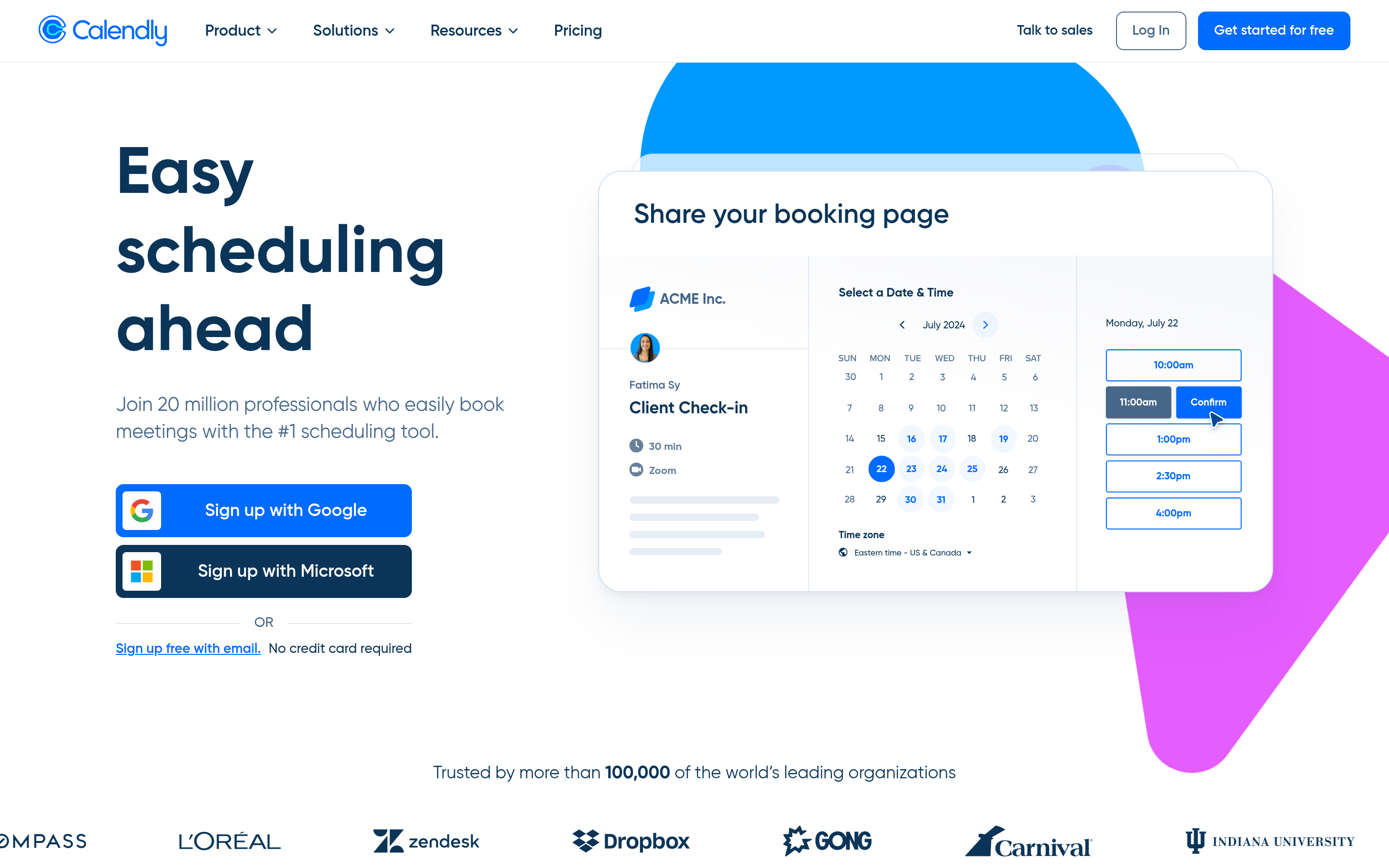
The default for a reason. Calendly's interface is the cleanest in the category, its integration library is the deepest, and round-robin plus collective scheduling work without configuration headaches. The tradeoff is cost: per-seat pricing climbs quickly for larger teams, and the most useful routing and workflow features live on higher tiers.
Choose it if: you want zero setup friction and your team lives in tools like HubSpot, Salesforce, and Zoom.
Acuity Scheduling#
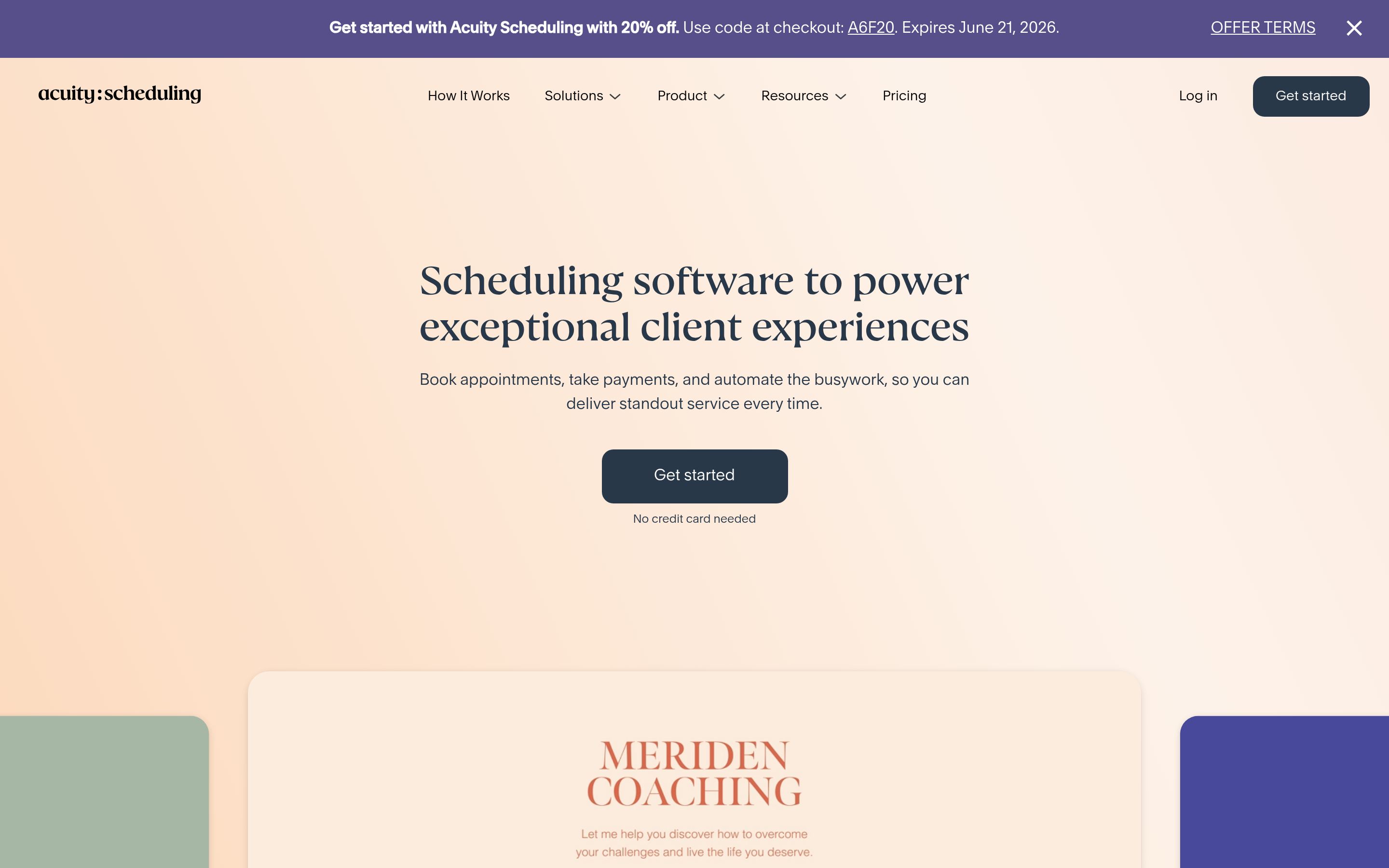
Acuity (owned by Squarespace) is built for businesses that sell time — consultants, clinics, studios, coaches. It handles intake forms, appointment packages, memberships, and payments natively, which generic schedulers bolt on awkwardly.
Choose it if: your bookings involve paid appointments, custom intake questions, or recurring packages.
SavvyCal#
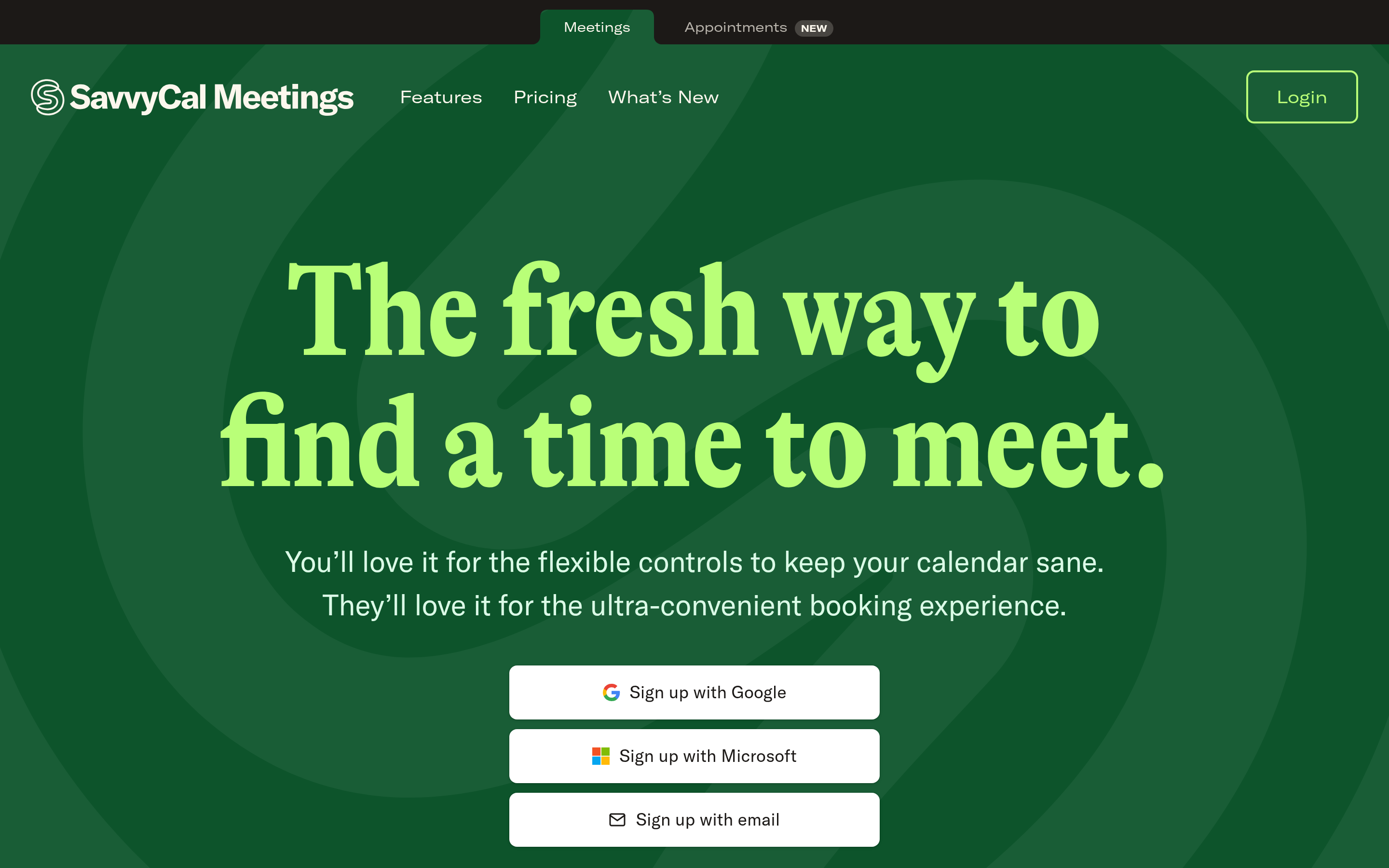
SavvyCal's signature feature is letting recipients overlay their calendar on your booking page, so picking a time is genuinely fast. It also supports ranked availability — you nudge people toward your preferred slots without hiding the rest. It is a smaller player but beloved by people who book a lot of external meetings.
Choose it if: you care about the experience your invitees have, not just your own convenience.
TidyCal#
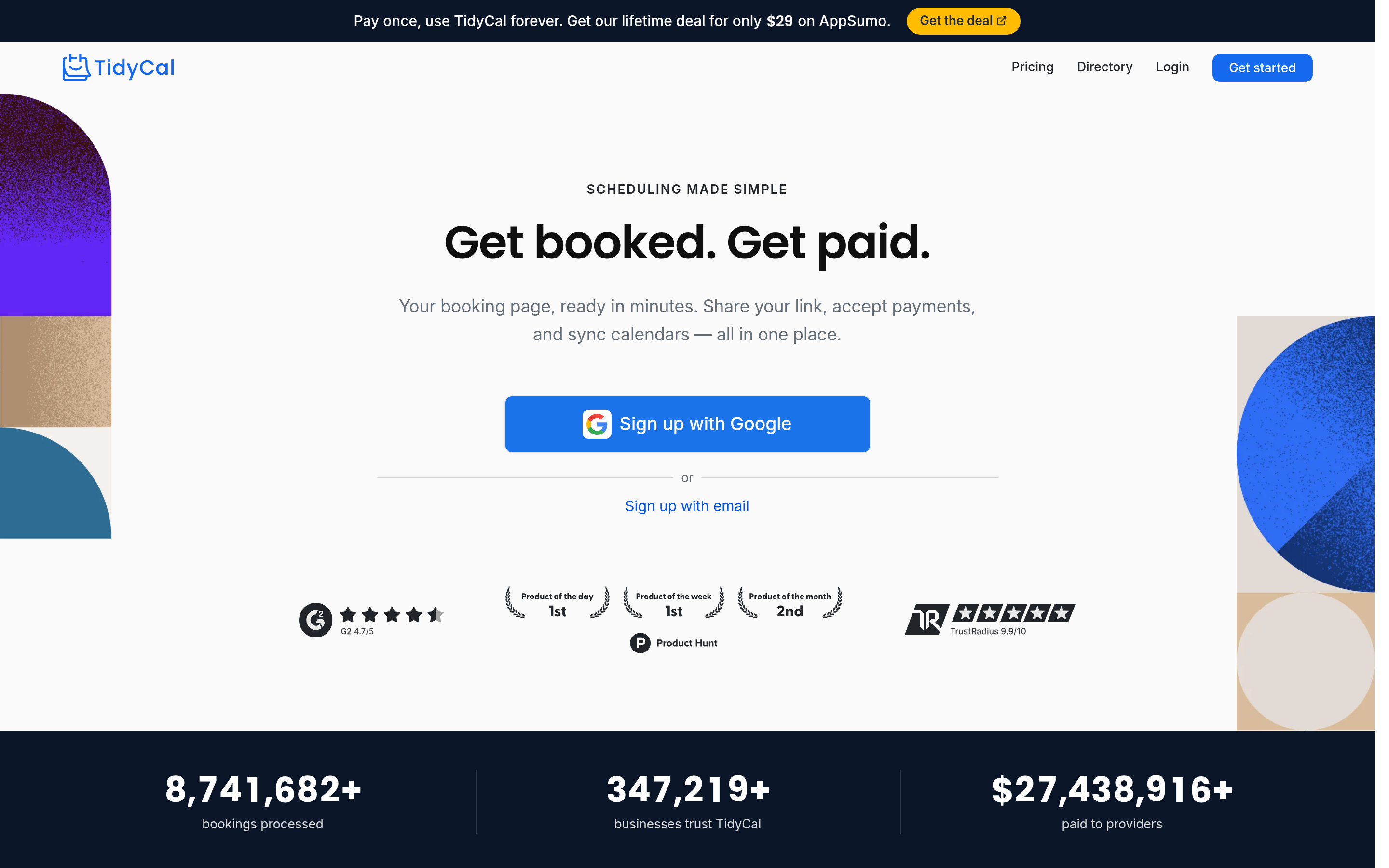
The budget champion. TidyCal offers a generous free tier and a one-time lifetime deal that undercuts every subscription on this list. It won't match Calendly's polish or enterprise routing, but for solo operators and small teams it covers the essentials.
Choose it if: you want a capable scheduler without a recurring bill.
Microsoft Bookings#
If your organization already pays for Microsoft 365, Bookings is effectively free and integrates tightly with Outlook and Teams. It is less flexible than purpose-built schedulers, but the price (bundled) and native ecosystem fit are hard to argue with.
Choose it if: you're an M365 shop and want to consolidate vendors.
How do you choose between Cal.com alternatives?#
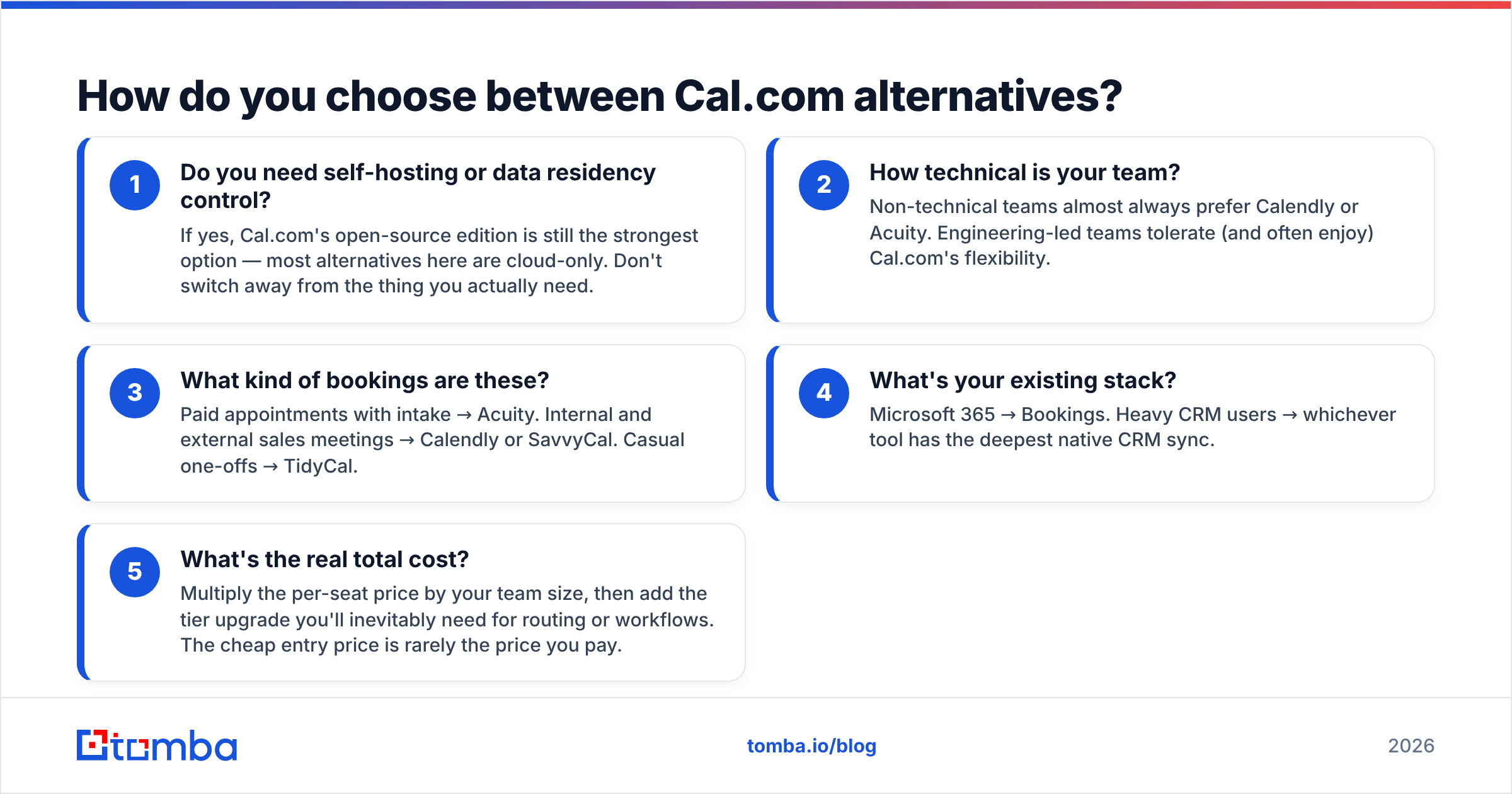
Match the tool to your actual constraint, not to a feature checklist. Run through these five questions in order:
- Do you need self-hosting or data residency control? If yes, Cal.com's open-source edition is still the strongest option — most alternatives here are cloud-only. Don't switch away from the thing you actually need.
- How technical is your team? Non-technical teams almost always prefer Calendly or Acuity. Engineering-led teams tolerate (and often enjoy) Cal.com's flexibility.
- What kind of bookings are these? Paid appointments with intake → Acuity. Internal and external sales meetings → Calendly or SavvyCal. Casual one-offs → TidyCal.
- What's your existing stack? Microsoft 365 → Bookings. Heavy CRM users → whichever tool has the deepest native CRM sync.
- What's the real total cost? Multiply the per-seat price by your team size, then add the tier upgrade you'll inevitably need for routing or workflows. The cheap entry price is rarely the price you pay.
Notice what none of these questions ask: "which has the most features?" Feature count is a vanity metric. The tool that solves your one binding constraint wins.
Where scheduling tools stop — and your pipeline stalls#
Here's the uncomfortable truth every scheduling comparison skips: a booking link is useless if the right person never sees it.
Cal.com, Calendly, and the rest are conversion tools. They turn an interested prospect into a booked meeting. But they do nothing to find that prospect in the first place. If you're in sales or outbound, the bottleneck is almost never "people can't book a time with me" — it's "I don't have verified contact details for the accounts I want to reach."

That's the gap a scheduler can't close on its own. Your booking page sits at the bottom of the funnel. The top still needs feeding: accurate emails, verified domains, and enriched contact records that route the right people into your calendar.
This is where pairing your scheduler with prospecting data changes the math:
- Find the decision-maker's email by name and company with an email finder, instead of guessing or scraping.
- Verify before you send using an email verifier, so booking invites don't bounce and torch your sender reputation.
- Map an entire company with domain search to find every relevant contact at a target account.
- Enrich your CRM records with data enrichment so routing and personalization actually have data to work with.
A scheduler answers "when." A data platform answers "who." You need both, and they live in different categories — which is exactly why "Cal.com alternatives" comparisons feel incomplete on their own.
How do scheduling tools fit into a sales workflow?#
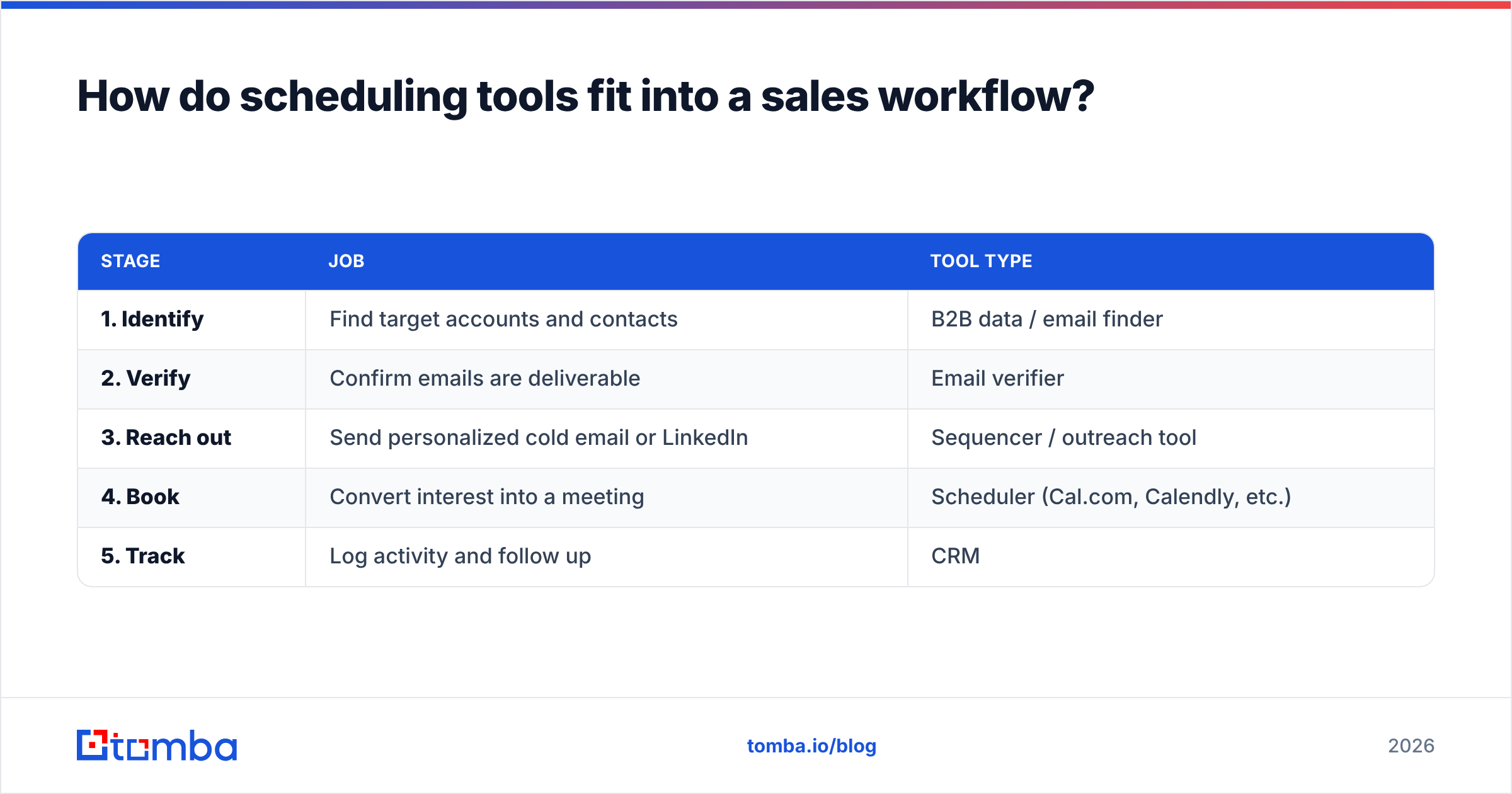
Think of your outbound motion as a relay race. Each tool runs one leg and hands off to the next:
| Stage | Job | Tool type |
|---|---|---|
| 1. Identify | Find target accounts and contacts | B2B data / email finder |
| 2. Verify | Confirm emails are deliverable | Email verifier |
| 3. Reach out | Send personalized cold email or LinkedIn | Sequencer / outreach tool |
| 4. Book | Convert interest into a meeting | Scheduler (Cal.com, Calendly, etc.) |
| 5. Track | Log activity and follow up | CRM |
Most teams over-invest in stage 4 — endlessly comparing schedulers — while stage 1 leaks the most revenue. A polished booking page can't fix an empty top of funnel.
The integration glue matters too. Whatever scheduler you pick, check that it connects to your CRM and your data tools. Tomba, for example, plugs into HubSpot, Salesforce, and dozens of other apps via native integrations, so the contact you find flows straight into the workflow that books the meeting.
Is Cal.com better than Calendly?#
For developers and self-hosting, yes. For everyone else, it's a closer call than the open-source hype suggests.
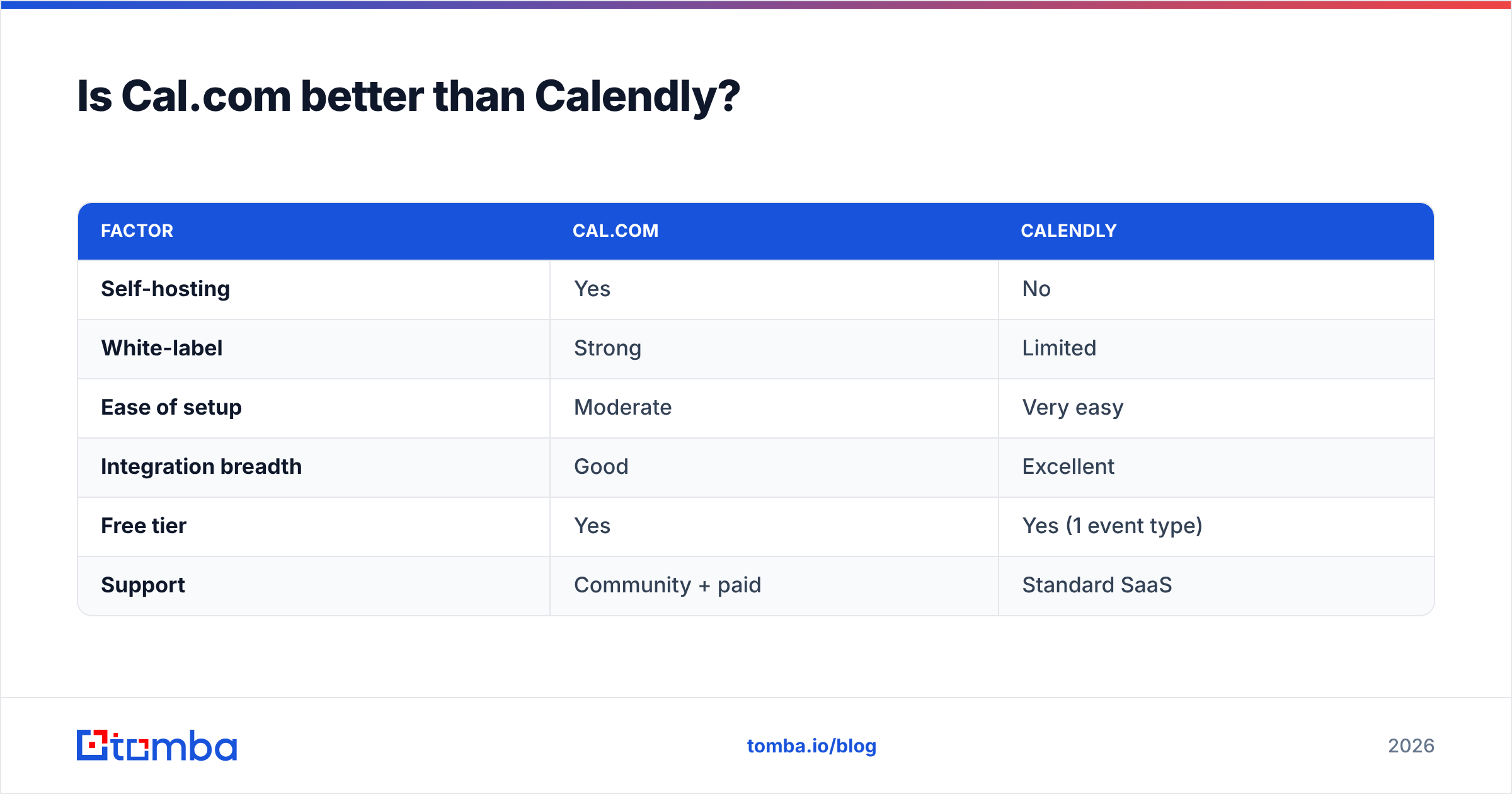
Cal.com wins on flexibility, white-labeling, and the option to control your own data. Calendly wins on out-of-the-box polish, support, and the sheer number of integrations that work on day one without configuration.
| Factor | Cal.com | Calendly |
|---|---|---|
| Self-hosting | Yes | No |
| White-label | Strong | Limited |
| Ease of setup | Moderate | Very easy |
| Integration breadth | Good | Excellent |
| Free tier | Yes | Yes (1 event type) |
| Support | Community + paid | Standard SaaS |
If you'd describe your team as "we have engineers and we like owning our stack," Cal.com. If you'd describe it as "we just want meetings on the calendar by lunch," Calendly. Both are defensible. Neither is universally "better" — that framing is a trap.
For broader vendor research, sites like G2 aggregate verified reviews across all of these tools and are worth a scan before you commit budget.
What about free Cal.com alternatives?#
Three real options if budget is the constraint:
- Cal.com self-hosted — free as in software, but you pay in setup and maintenance time.
- TidyCal free tier — genuinely usable for solo operators and small teams.
- Microsoft Bookings — free if you already have a qualifying Microsoft 365 subscription.
The catch with "free" schedulers is the same as with any free tool: the limits hit exactly when you start to grow. Free is perfect for validating that you need a scheduler at all. Once meetings become core to your revenue, the upgrade cost is trivial compared to the deals you'd lose to a clunky booking experience.
If you want to compare the budget end of the spectrum honestly, weigh the lifetime-deal tools against per-seat subscriptions over a three-year horizon — that's usually where the math flips.
The bottom line#
There's no single "best" Cal.com alternative — there's a best one for your constraint. Pick Calendly for polish, Acuity for appointments, SavvyCal for invitee experience, TidyCal for budget, and Microsoft Bookings if you're already in the M365 world. Stay on Cal.com if self-hosting is the whole point.
But remember which problem the scheduler actually solves. It converts known prospects into meetings. It does not find them. If your calendar isn't filling up, the fix usually lives one stage earlier — in your prospecting data, not your booking page.
That's the piece Tomba handles. Use the Tomba Email Finder to find verified, professional emails for the exact decision-makers you want on your calendar, then let your scheduler do what it does best: close the loop. Start free with 25 searches a month, and check Tomba pricing when you're ready to scale your outbound. Fill the top of the funnel first — the bookings follow.
// get started
Find, verify and enrich your first contacts today
Start on the free plan with 25 searches a month, then scale when your team is ready.
Free plan · No credit card required · GDPR & CCPA
// about the author