9 Best Calendly Alternatives in 2026 (Free & Paid Compared)
Calendly is the default, but it isn't the cheapest, the most flexible, or the most open. Here are 9 Calendly alternatives for 2026 — compared on price, features, and fit.

Calendly works. That's exactly why most teams never question whether it's the right tool — they hit a paywall, shrug, and add another seat. But "good enough and already installed" is not the same as "the best scheduler for how your team actually books meetings in 2026."
This guide breaks down nine real Calendly alternatives — free, open-source, and paid — and shows you which one fits your stack, your budget, and your routing logic.
TL;DR#
- Best free/open-source: Cal.com — self-hostable, API-first, no per-seat tax on small teams.
- Best for HubSpot/Salesforce-heavy teams: the native scheduler inside your CRM beats bolting Calendly on top.
- Best for high-volume inbound routing: Chili Piper and RevenueHero win on lead-to-rep assignment.
- Cheapest "just book a call": TidyCal and SavvyCal undercut Calendly on flat pricing.
- The real bottleneck isn't the scheduler — it's whether the contact data behind the booking is correct. A booked meeting with the wrong email or no enrichment is a no-show waiting to happen.
Why look for a Calendly alternative at all?#
The honest answer: price, lock-in, and routing. Calendly is excellent at the simple job of "share a link, pick a slot." Once you need team routing, CRM-native logic, or self-hosting, the value-per-dollar drops fast. Here's where teams typically hit the wall:
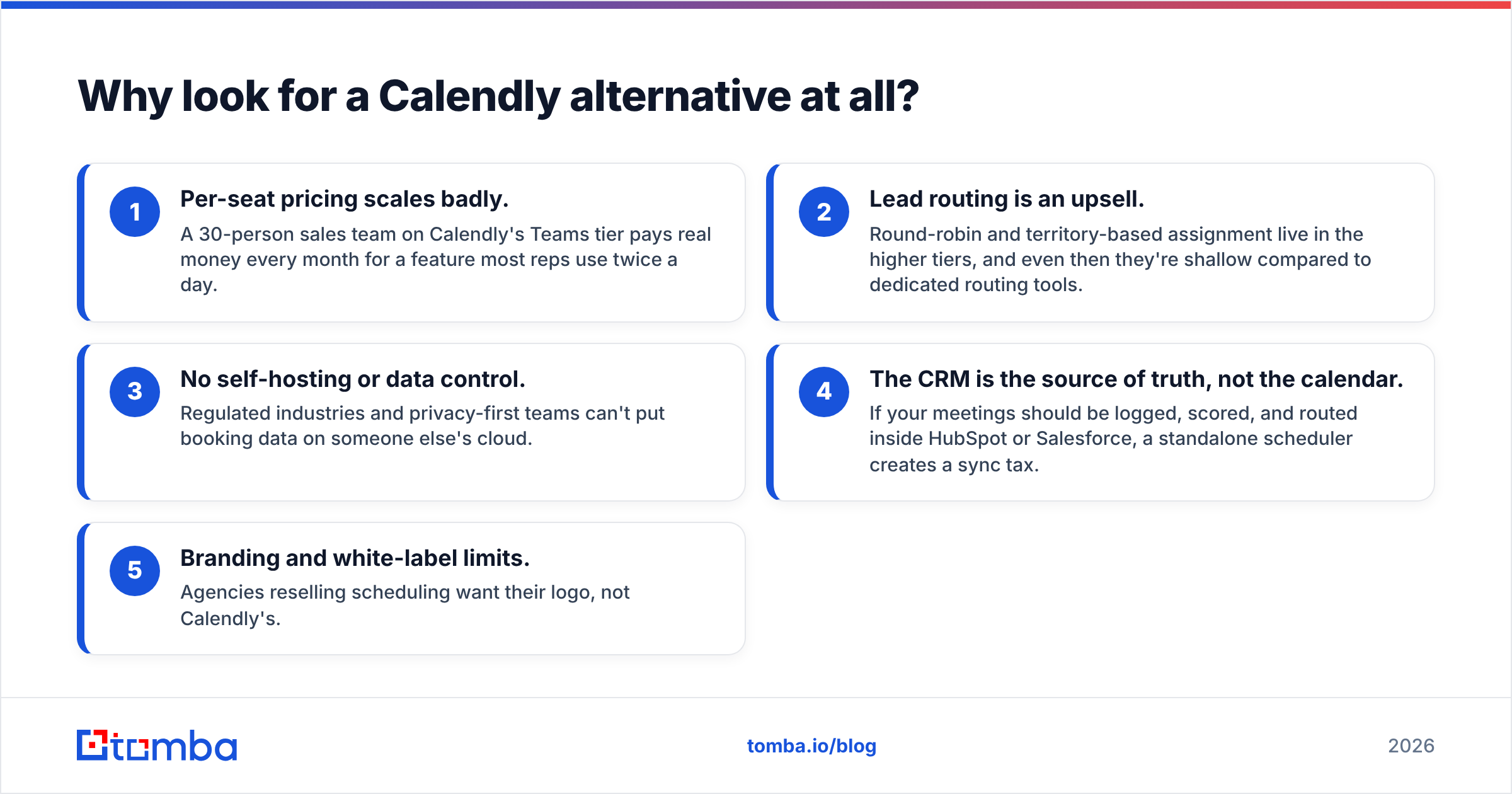
- Per-seat pricing scales badly. A 30-person sales team on Calendly's Teams tier pays real money every month for a feature most reps use twice a day.
- Lead routing is an upsell. Round-robin and territory-based assignment live in the higher tiers, and even then they're shallow compared to dedicated routing tools.
- No self-hosting or data control. Regulated industries and privacy-first teams can't put booking data on someone else's cloud.
- The CRM is the source of truth, not the calendar. If your meetings should be logged, scored, and routed inside HubSpot or Salesforce, a standalone scheduler creates a sync tax.
- Branding and white-label limits. Agencies reselling scheduling want their logo, not Calendly's.
If none of those apply to you, stay on Calendly — it's a fine product. If two or more do, keep reading.
What are the best Calendly alternatives in 2026?#
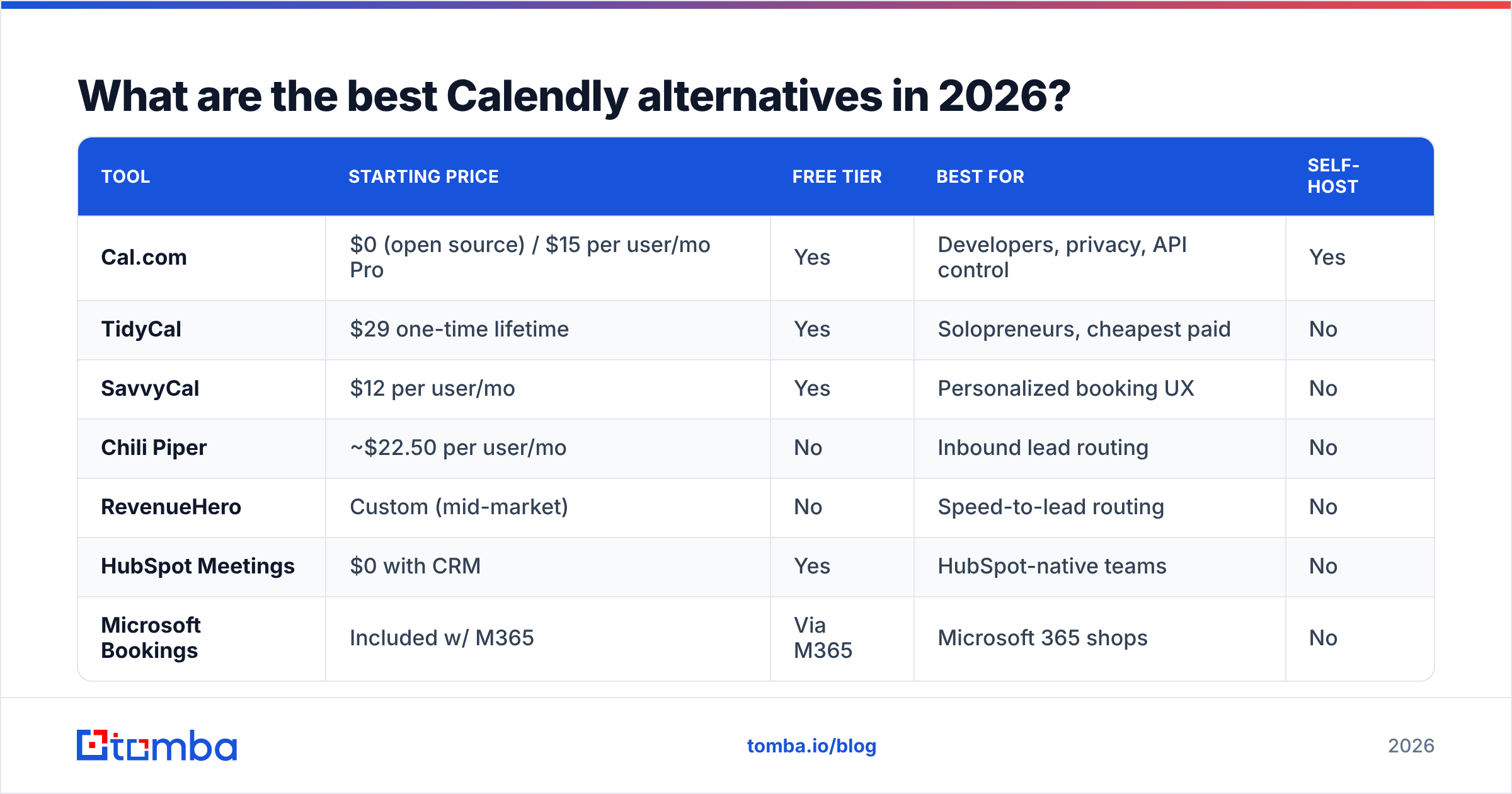
Here's the shortlist, then the detail. Each tool is rated for the job it's actually best at, not as a like-for-like Calendly clone.
| Tool | Starting price | Free tier | Best for | Self-host |
|---|---|---|---|---|
| Cal.com | $0 (open source) / $15 per user/mo Pro | Yes | Developers, privacy, API control | Yes |
| TidyCal | $29 one-time lifetime | Yes | Solopreneurs, cheapest paid | No |
| SavvyCal | $12 per user/mo | Yes | Personalized booking UX | No |
| Chili Piper | ~$22.50 per user/mo | No | Inbound lead routing | No |
| RevenueHero | Custom (mid-market) | No | Speed-to-lead routing | No |
| HubSpot Meetings | $0 with CRM | Yes | HubSpot-native teams | No |
| Microsoft Bookings | Included w/ M365 | Via M365 | Microsoft 365 shops | No |
| Zoho Bookings | $6 per user/mo | Yes | Zoho ecosystem | No |
| Doodle | $6.95 per user/mo | Yes | Group polls & consensus | No |
Cal.com — the open-source default#
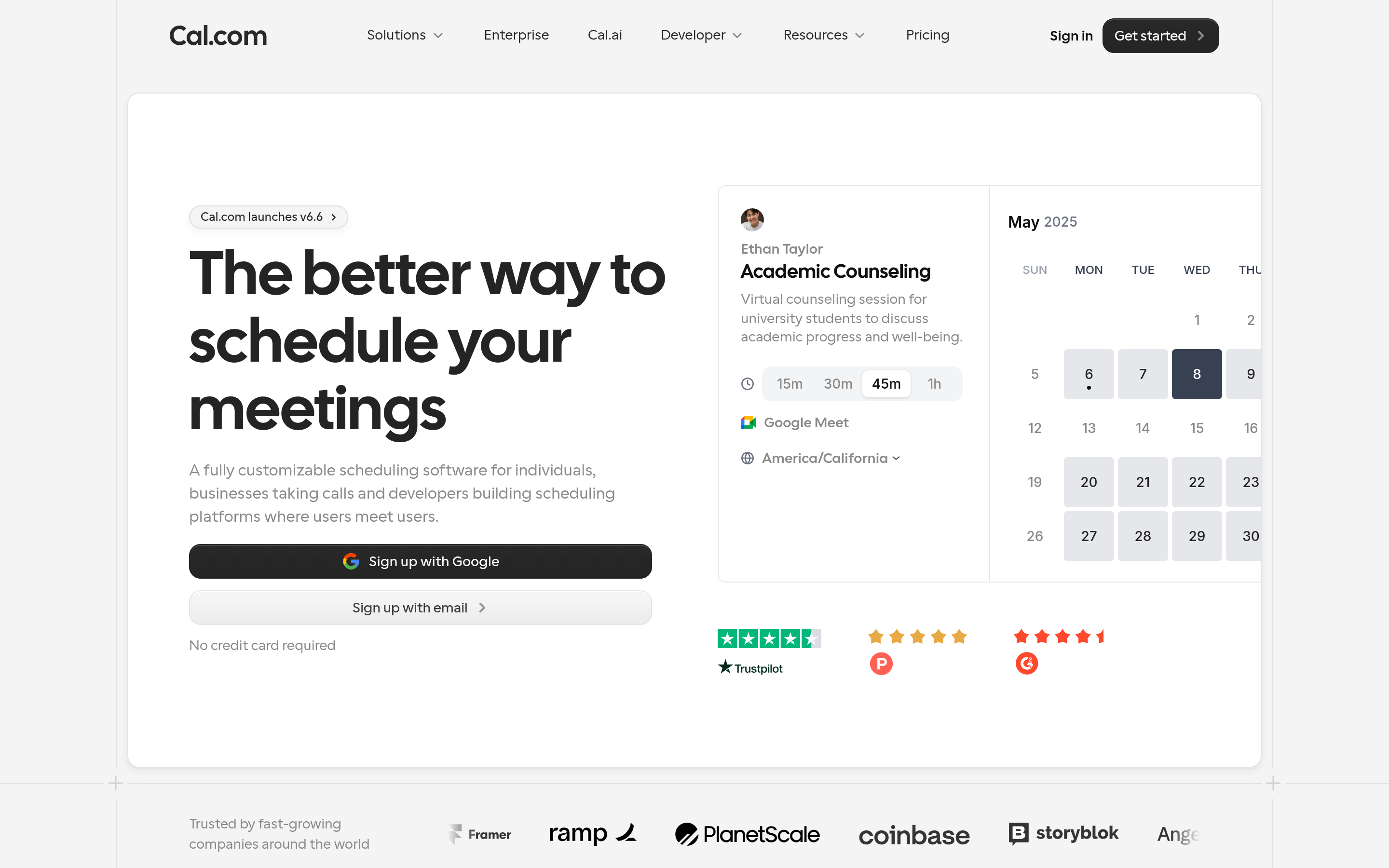
Cal.com is the answer most "I want to leave Calendly" threads converge on. It's open source, so you can self-host the whole thing and keep booking data on your own infrastructure. The hosted Pro plan starts around $15 per user/mo, but the open-source core is genuinely free if you run it yourself.
Why it wins: API-first design, workflows, routing forms, and round-robin without a punitive enterprise jump. Why it might not: self-hosting is real engineering work, and the hosted tiers aren't dramatically cheaper than Calendly for non-technical teams.
TidyCal — cheapest if you book a lot of calls#
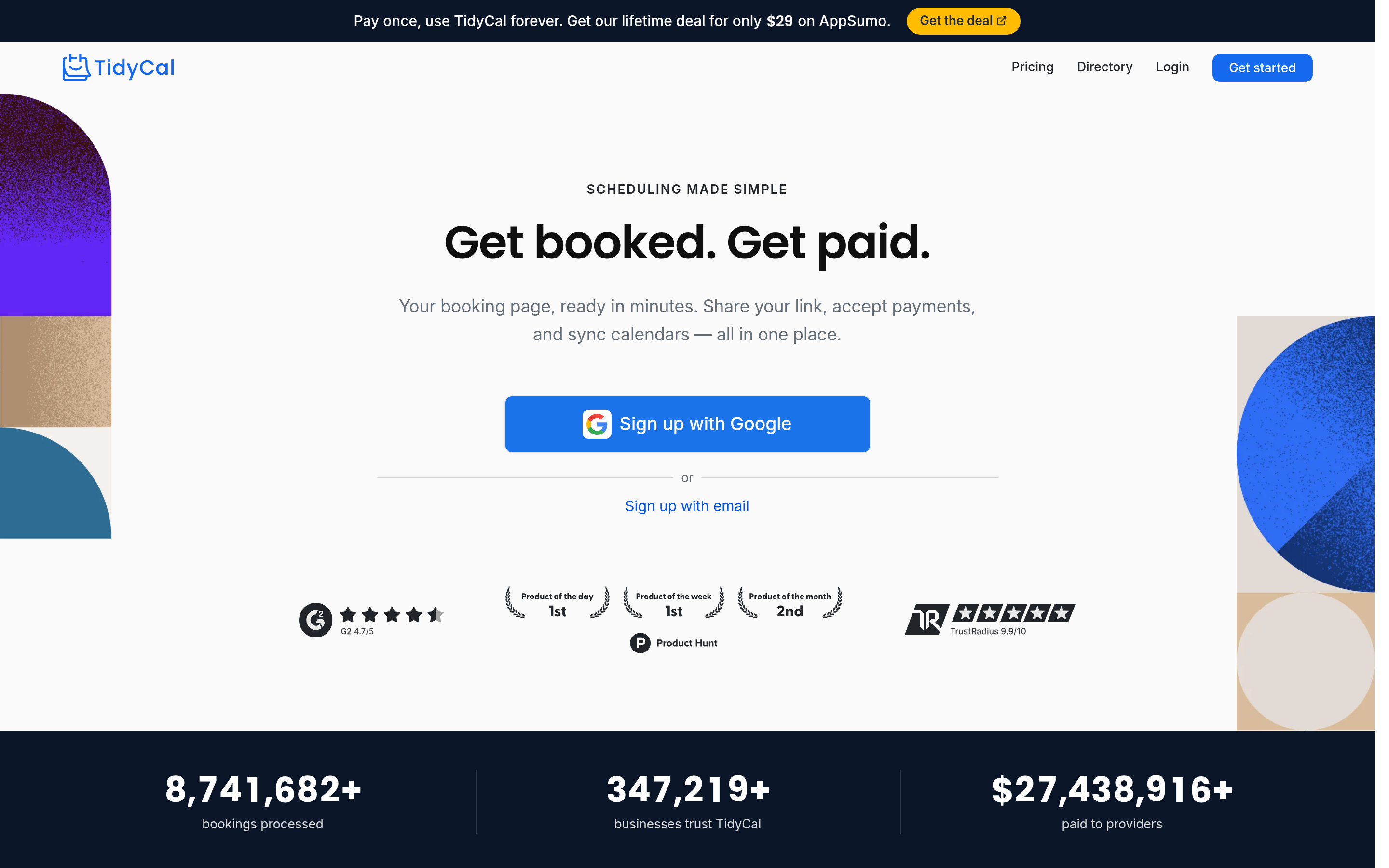
TidyCal's pitch is a one-time lifetime deal instead of a monthly subscription. For a freelancer or a small founder-led sales motion, paying once and never seeing a scheduling invoice again is hard to argue with. It covers the 90% case: booking pages, multiple meeting types, payment collection, basic integrations. It does not try to be a routing engine.
SavvyCal — the prettier booking experience#
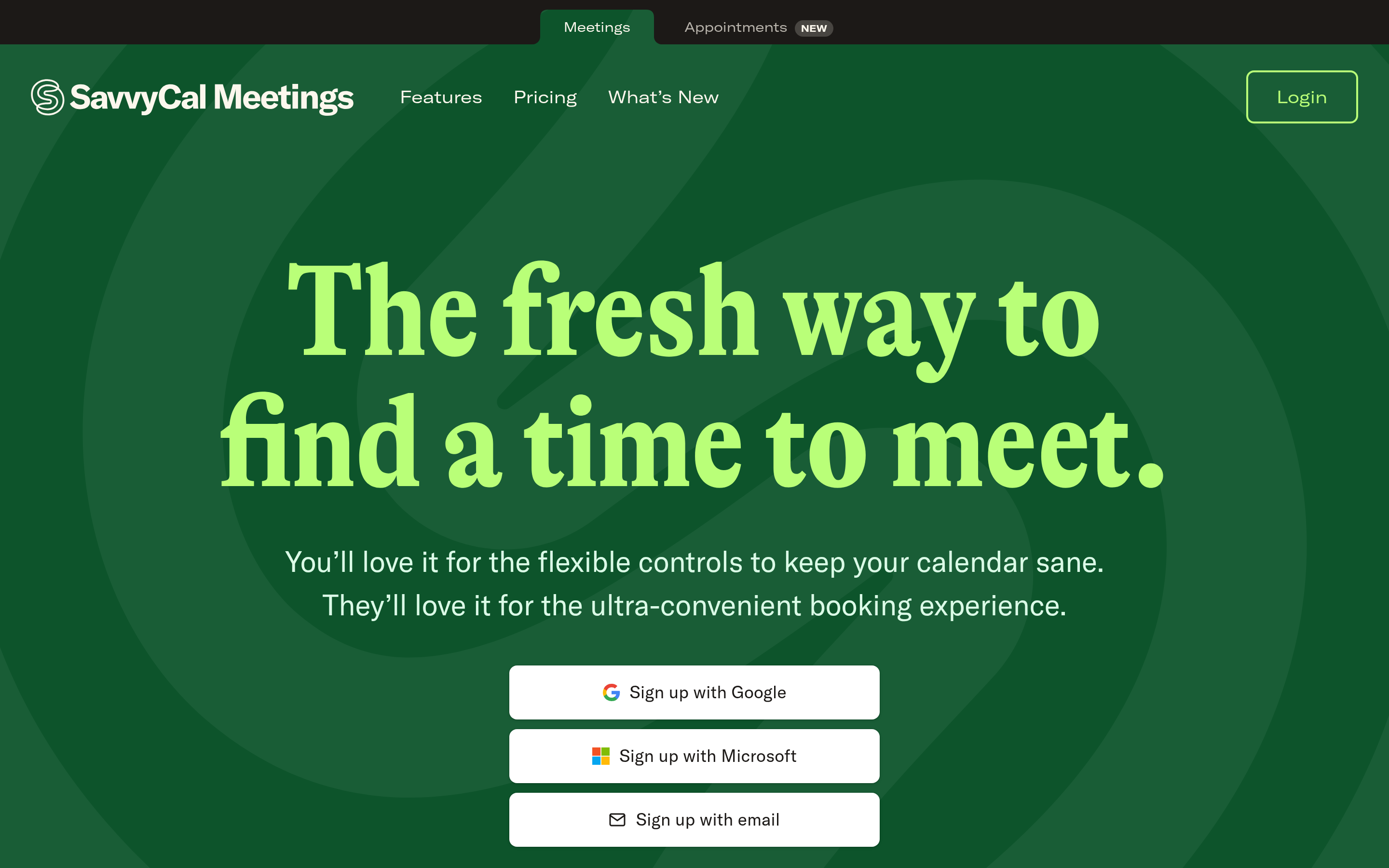
SavvyCal's differentiator is the recipient experience: people you send a link to can overlay their own calendar to find mutual availability, which kills the back-and-forth. It's priced sanely at $12 per user/mo and is a genuine upgrade if your bookings come from relationship-driven outreach rather than mass inbound.
Chili Piper & RevenueHero — when routing is the whole point#
If you run paid inbound and need a demo request to instantly qualify, route, and book with the right rep, a flat scheduler is the wrong category entirely. Chili Piper and RevenueHero are built for speed-to-lead: form capture, real-time qualification, round-robin with territory and account ownership, and instant handoff. They cost more and they're worth it only if you have the lead volume to justify them.
CRM-native schedulers — HubSpot, Zoho, Microsoft#
The quietest alternative is the one you already own. HubSpot Meetings is free with the CRM and logs everything automatically. Microsoft Bookings ships with Microsoft 365. Zoho Bookings is $6 per user/mo inside the Zoho suite. If your team lives in one of these ecosystems, a third-party scheduler is often solving a problem your platform already solved — and you can wire data in through native integrations instead of another standalone subscription.
How do you choose the right Calendly alternative?#
Match the tool to your booking motion, not to a feature checklist. Use this decision filter:
- Solo / founder-led: TidyCal or SavvyCal. Flat or one-time pricing, zero routing overhead.
- Developer / privacy-first: Cal.com self-hosted. You control the data and the API.
- High inbound volume: Chili Piper or RevenueHero. The routing engine is the product.
- CRM-centric team: your CRM's native scheduler. Don't pay twice for meeting logging.
- Group scheduling: Doodle. Polls beat one-on-one links when you're coordinating many people.
A useful gut check: write down how a meeting actually gets booked at your company today — who sends the link, where the meeting gets logged, and what has to happen after. The tool that removes the most manual steps from that sentence is your answer. Everything else is comparison-table noise.

What do most "best scheduler" comparisons get wrong?#
They obsess over the booking widget and ignore the data behind it. A scheduler's only job is to convert intent into a calendar event. But the conversion rate of your booking links — and the show rate of the meetings they produce — depends far more on the quality of the contact and account data feeding the process than on whether the slot picker has rounded corners.
Three places where data, not the scheduler, decides the outcome:
- Wrong email = no confirmation. If your outbound sequence books a prospect using a guessed or stale address, the calendar invite bounces and the meeting evaporates. Verifying contacts up front with an email verifier prevents booked-but-unreachable meetings.
- No enrichment = bad routing. Round-robin and territory rules only work if you know the lead's company size, role, and region. That's data enrichment, not a scheduling feature.
- No phone number = no rescue for no-shows. When someone misses a booked call, a quick SMS or call recovers it — but only if you captured a valid number. A phone finder closes that gap.
Put bluntly: switching schedulers improves your booking experience. Fixing your contact data improves your booking outcomes. Most teams over-invest in the first and ignore the second.
How does pricing really compare?#
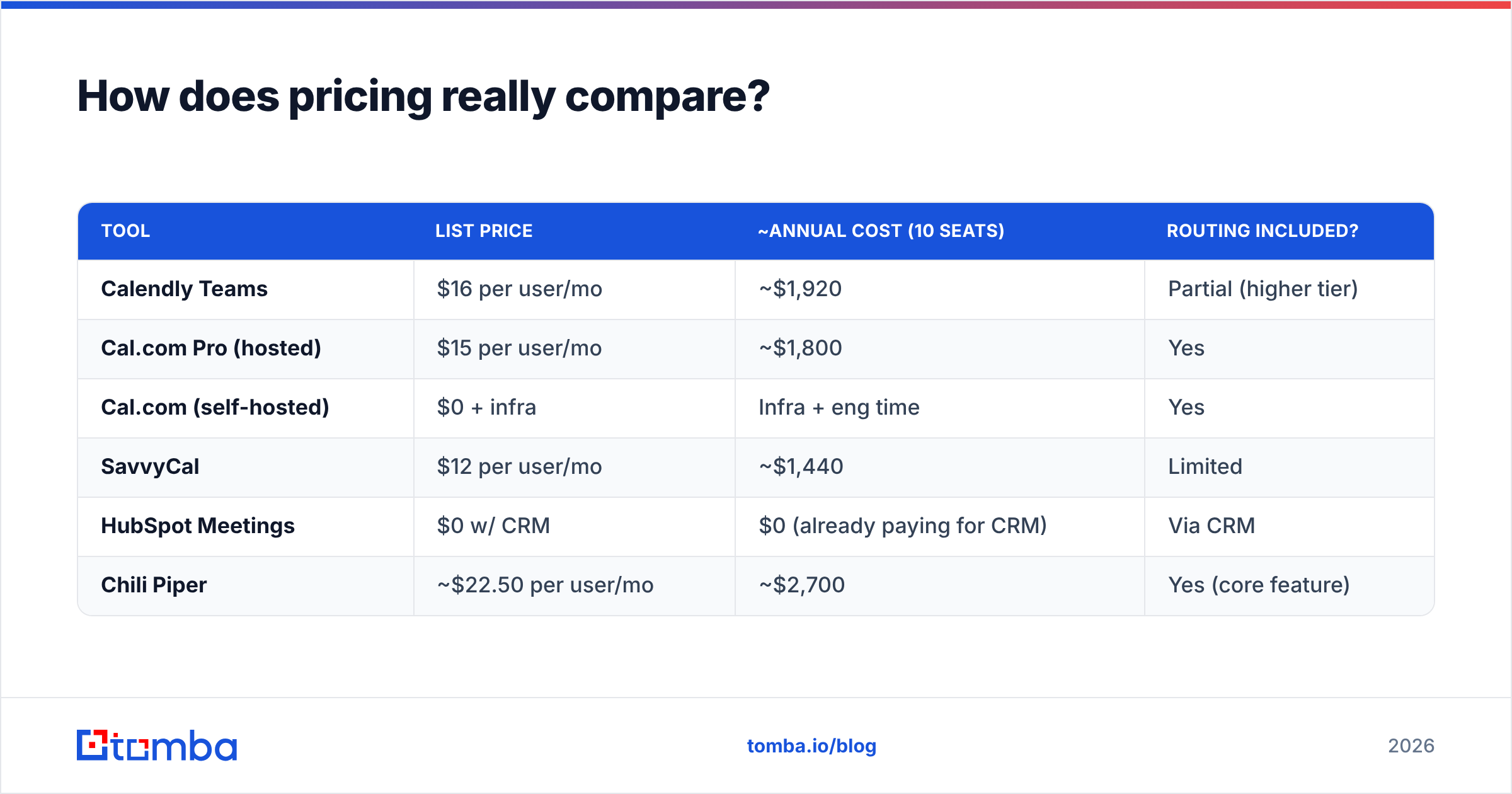
Sticker prices hide the real cost, which is per-seat-times-headcount-times-twelve. Here's a more honest annual view for a hypothetical 10-person team.
| Tool | List price | ~Annual cost (10 seats) | Routing included? |
|---|---|---|---|
| Calendly Teams | $16 per user/mo | ~$1,920 | Partial (higher tier) |
| Cal.com Pro (hosted) | $15 per user/mo | ~$1,800 | Yes |
| Cal.com (self-hosted) | $0 + infra | Infra + eng time | Yes |
| SavvyCal | $12 per user/mo | ~$1,440 | Limited |
| HubSpot Meetings | $0 w/ CRM | $0 (already paying for CRM) | Via CRM |
| Chili Piper | ~$22.50 per user/mo | ~$2,700 | Yes (core feature) |
Two takeaways. First, the "free with your CRM" options are almost always the cheapest real total cost if you're already paying for the platform. Second, dedicated routing tools cost more than Calendly on purpose — you buy them for revenue lift, not to save on scheduling. Compare that against Tomba's pricing philosophy on the data side: a Free tier with 25 searches, Starter at $49/mo, Growth at $99/mo, and Pro at $249/mo — priced by usage, not by how many reps touch the tool.
Do you actually need to leave Calendly?#
Stay if: you're a small team, the simple link covers your use case, and per-seat cost isn't yet painful. Calendly's reliability and ubiquity are real advantages — your prospects already know the interface, and that lowers booking friction.
Switch if: you need self-hosting (Cal.com), you live inside a CRM that already schedules (HubSpot, Zoho, Microsoft), you run high-volume inbound that demands routing (Chili Piper, RevenueHero), or you simply refuse to pay monthly forever (TidyCal). The migration cost is mostly updating links in your email signatures and sequences — a half-day project, not a quarter.
For a deeper look at how scheduling fits the broader pipeline, it helps to think of the meeting as one node in your CRM workflow rather than a standalone event. The scheduler that integrates cleanly with where you already track deals will always beat the one with a slightly nicer slot picker.
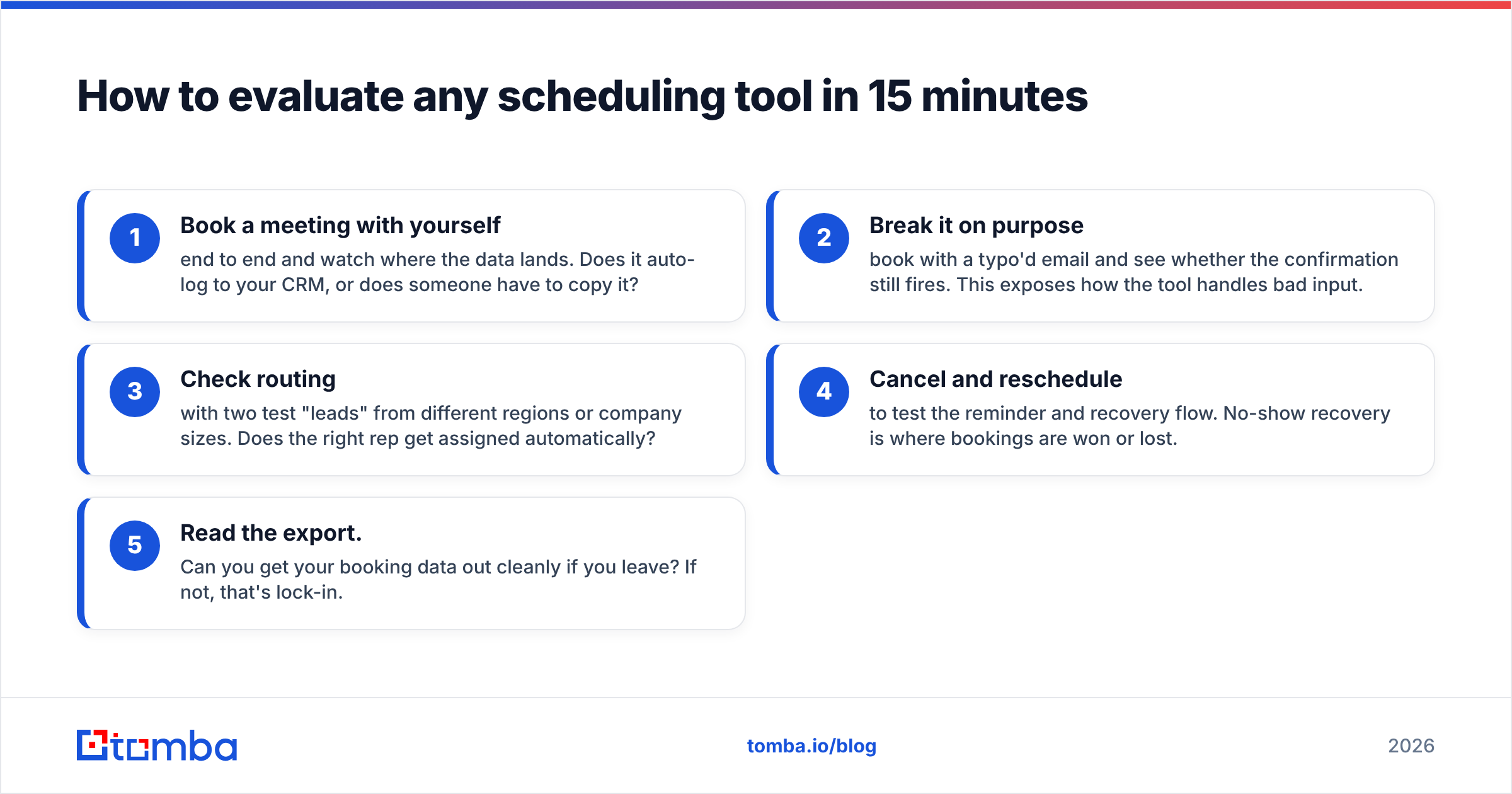
How to evaluate any scheduling tool in 15 minutes#
Before you commit, run this fast test on your shortlist of two or three:
- Book a meeting with yourself end to end and watch where the data lands. Does it auto-log to your CRM, or does someone have to copy it?
- Break it on purpose — book with a typo'd email and see whether the confirmation still fires. This exposes how the tool handles bad input.
- Check routing with two test "leads" from different regions or company sizes. Does the right rep get assigned automatically?
- Cancel and reschedule to test the reminder and recovery flow. No-show recovery is where bookings are won or lost.
- Read the export. Can you get your booking data out cleanly if you leave? If not, that's lock-in.
Whichever tool survives all five with the fewest manual steps is the one to standardize on.
The bottom line#
There is no single best Calendly alternative — there's a best one for your booking motion. Cal.com for control, TidyCal for thrift, CRM-native for teams already paying for a platform, and routing tools for inbound at scale. Pick based on how meetings actually get booked at your company, not on a feature matrix.
But remember the part the comparison posts skip: the scheduler is downstream of your data. The cleanest booking widget in the world can't fix a calendar invite sent to the wrong address or a lead routed to the wrong rep. That's where the leverage really is.
Before your next campaign fills those calendars, make sure the contacts behind the bookings are real, verified, and enriched. Start with the Tomba Email Finder to source and validate professional email addresses by name, domain, or company — so every meeting you book actually connects. You can cross-check vendor ratings on G2 and try Tomba's Free tier (25 searches/month) before you commit a credit card. The right scheduler gets the meeting on the calendar; the right data gets the prospect in the room.
// get started
Find, verify and enrich your first contacts today
Start on the free plan with 25 searches a month, then scale when your team is ready.
Free plan · No credit card required · GDPR & CCPA
// about the author