Calendly vs Mixmax 2026: Scheduling vs Sales Engagement
Calendly books meetings; Mixmax runs the whole outreach engine. Here's the honest 2026 breakdown of features, pricing, and which one actually fits your sales motion.
Calendly and Mixmax get lumped together because both live in your inbox and both touch meetings. That's where the similarity ends. One is a focused scheduling utility. The other is a full Gmail-based sales engagement platform that happens to include scheduling. Picking the wrong one means either paying for power you'll never use, or hitting a wall the moment your outreach scales.
This is the practical 2026 breakdown: what each tool actually does, where the pricing bites, and which workflow each one fits.
TL;DR — Calendly vs Mixmax at a glance#
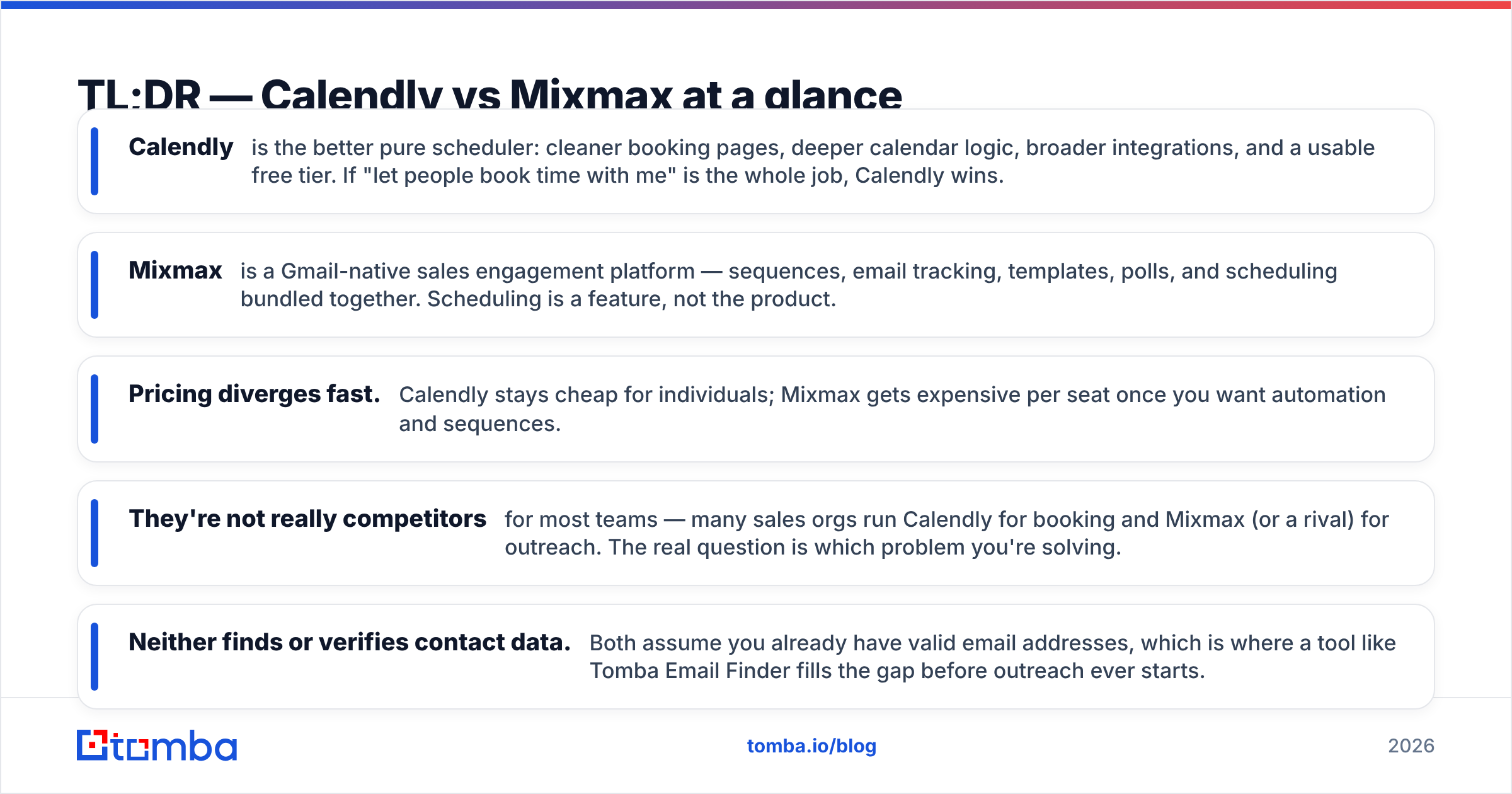
- Calendly is the better pure scheduler: cleaner booking pages, deeper calendar logic, broader integrations, and a usable free tier. If "let people book time with me" is the whole job, Calendly wins.
- Mixmax is a Gmail-native sales engagement platform — sequences, email tracking, templates, polls, and scheduling bundled together. Scheduling is a feature, not the product.
- Pricing diverges fast. Calendly stays cheap for individuals; Mixmax gets expensive per seat once you want automation and sequences.
- They're not really competitors for most teams — many sales orgs run Calendly for booking and Mixmax (or a rival) for outreach. The real question is which problem you're solving.
- Neither finds or verifies contact data. Both assume you already have valid email addresses, which is where a tool like Tomba Email Finder fills the gap before outreach ever starts.
What is Calendly and who is it for?#
Calendly is a scheduling-automation tool. You connect your calendar, define availability rules, and share a link. Invitees pick a slot, the event lands on both calendars, and reminders go out automatically. No back-and-forth "does Tuesday work?" email chains.
The product is deliberately narrow, and that focus is its strength. Calendly handles the genuinely hard parts of scheduling well: time-zone detection, buffer times between meetings, daily meeting caps, round-robin distribution across a team, collective availability for panel interviews, and routing forms that send qualified leads to the right rep. It integrates with Zoom, Google Meet, Microsoft Teams, Salesforce, HubSpot, Stripe, and hundreds of apps through native connectors and Zapier.
Calendly fits anyone whose bottleneck is booking — recruiters, customer success managers, consultants, founders running sales calls, support teams. If your day is a string of meetings and you just want them to schedule themselves cleanly, this is the tool.

What is Mixmax and who is it for?#
Mixmax is a sales engagement platform built directly inside Gmail. It started as an email-productivity layer and grew into a lightweight alternative to heavier tools like Outreach or Salesloft. Its core jobs are email tracking (open and click notifications), multi-step sequences with automated follow-ups, shared templates, mail merge for personalized mass sends, and — yes — one-click meeting scheduling.
The pitch is that a rep can live in one tab. You write an email, drop in a template, insert your availability inline so the prospect books without leaving the thread, fire it into a sequence, and watch engagement in real time. Mixmax also adds interactive elements — polls, surveys, and embedded calendars — directly in the email body, which can lift reply rates for certain audiences.
Mixmax fits SDRs, account executives, and small revenue teams who send a lot of outbound email and want tracking plus follow-up automation without standing up a full enterprise platform. Scheduling is bundled in, but you're really buying the sales automation layer.
Calendly vs Mixmax: how do the features compare?#
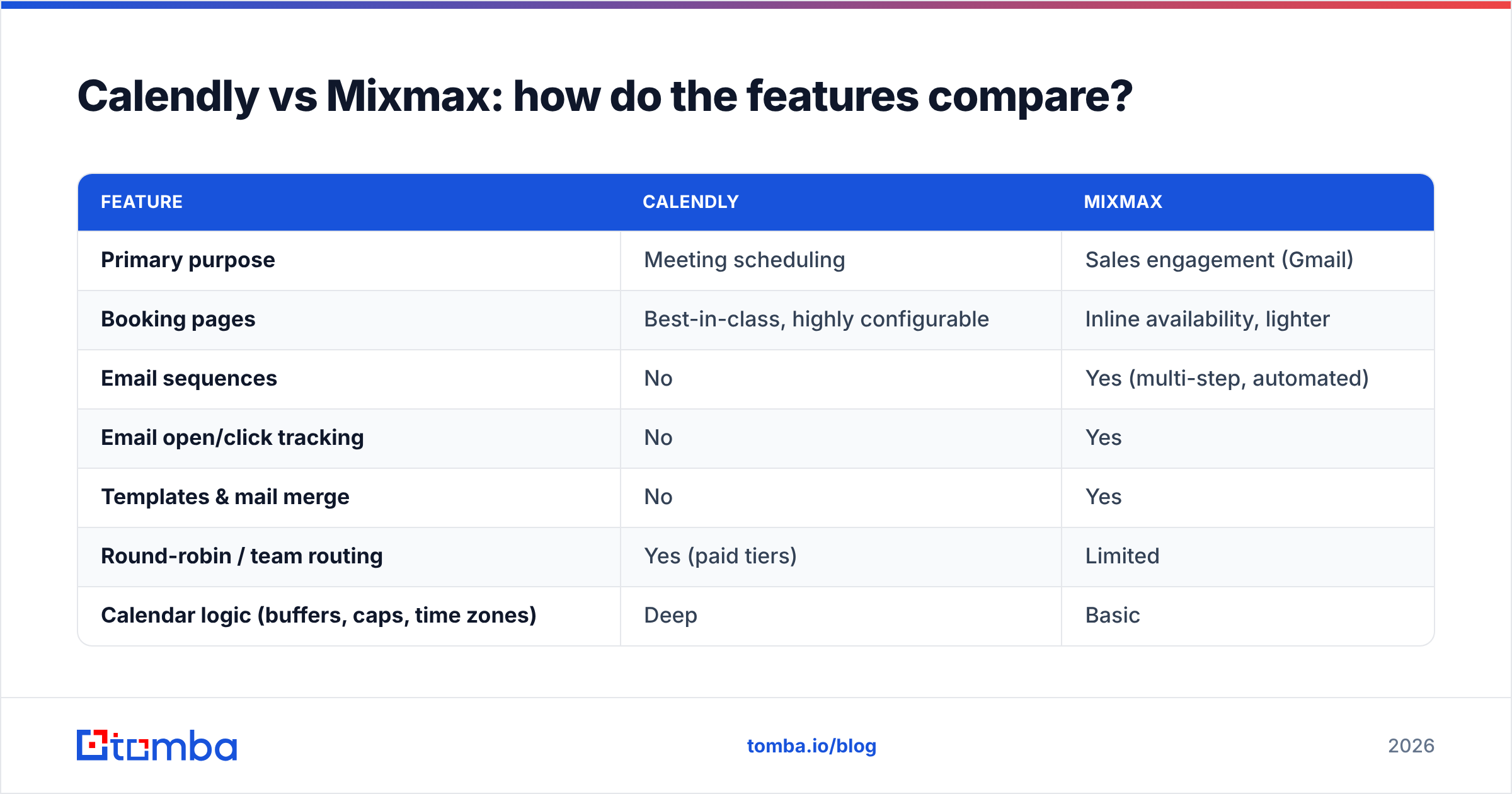
The cleanest way to see the gap is feature by feature. Calendly goes deep on scheduling; Mixmax goes wide across the outreach workflow.
| Feature | Calendly | Mixmax |
|---|---|---|
| Primary purpose | Meeting scheduling | Sales engagement (Gmail) |
| Booking pages | Best-in-class, highly configurable | Inline availability, lighter |
| Email sequences | No | Yes (multi-step, automated) |
| Email open/click tracking | No | Yes |
| Templates & mail merge | No | Yes |
| Round-robin / team routing | Yes (paid tiers) | Limited |
| Calendar logic (buffers, caps, time zones) | Deep | Basic |
| Native CRM sync | Salesforce, HubSpot | Salesforce, others |
| Works outside Gmail | Yes (platform-agnostic) | Gmail / Google Workspace focused |
| Free tier | Yes (1 event type) | Limited trial-style free plan |
| Best for | Booking-heavy roles | Outbound sales reps |
Read the table as a decision tree. If your needs sit in the top half — booking pages, routing, calendar logic — Calendly is purpose-built for them and Mixmax is a compromise. If your needs sit in the middle — sequences, tracking, templates — Calendly simply doesn't do those things, and you'd need a second tool anyway.
That's the honest framing most "X vs Y" posts skip: these products barely overlap. The overlap is one feature (scheduling), and on that single feature Calendly is stronger. Everything else Mixmax does, Calendly doesn't attempt.
Is Calendly or Mixmax better for scheduling specifically?#
Calendly, clearly — if scheduling is the metric.
Calendly's booking experience is more polished, its availability rules are more granular, and it works regardless of which email client your invitees use. You can build separate event types (15-min intro, 60-min demo, group webinar), each with its own rules, questions, and routing. Collective and round-robin scheduling are mature. The reminder and reschedule flows are frictionless for the person booking, which matters more than teams realize — every point of friction on a booking page is a lost meeting.
Mixmax's scheduling is convenient but shallow. Its advantage is context: the calendar lives inside the email you're already writing, so a prospect books without a context switch. For a rep mid-conversation, that inline insertion genuinely converts better than pasting a link. But if you need panel scheduling, complex buffers, or branded standalone booking pages for inbound traffic, Mixmax will frustrate you.
So the rule of thumb: inline, in-conversation booking → Mixmax is fine. Standalone, high-volume, rules-heavy booking → Calendly.
How do Calendly and Mixmax pricing compare in 2026?#
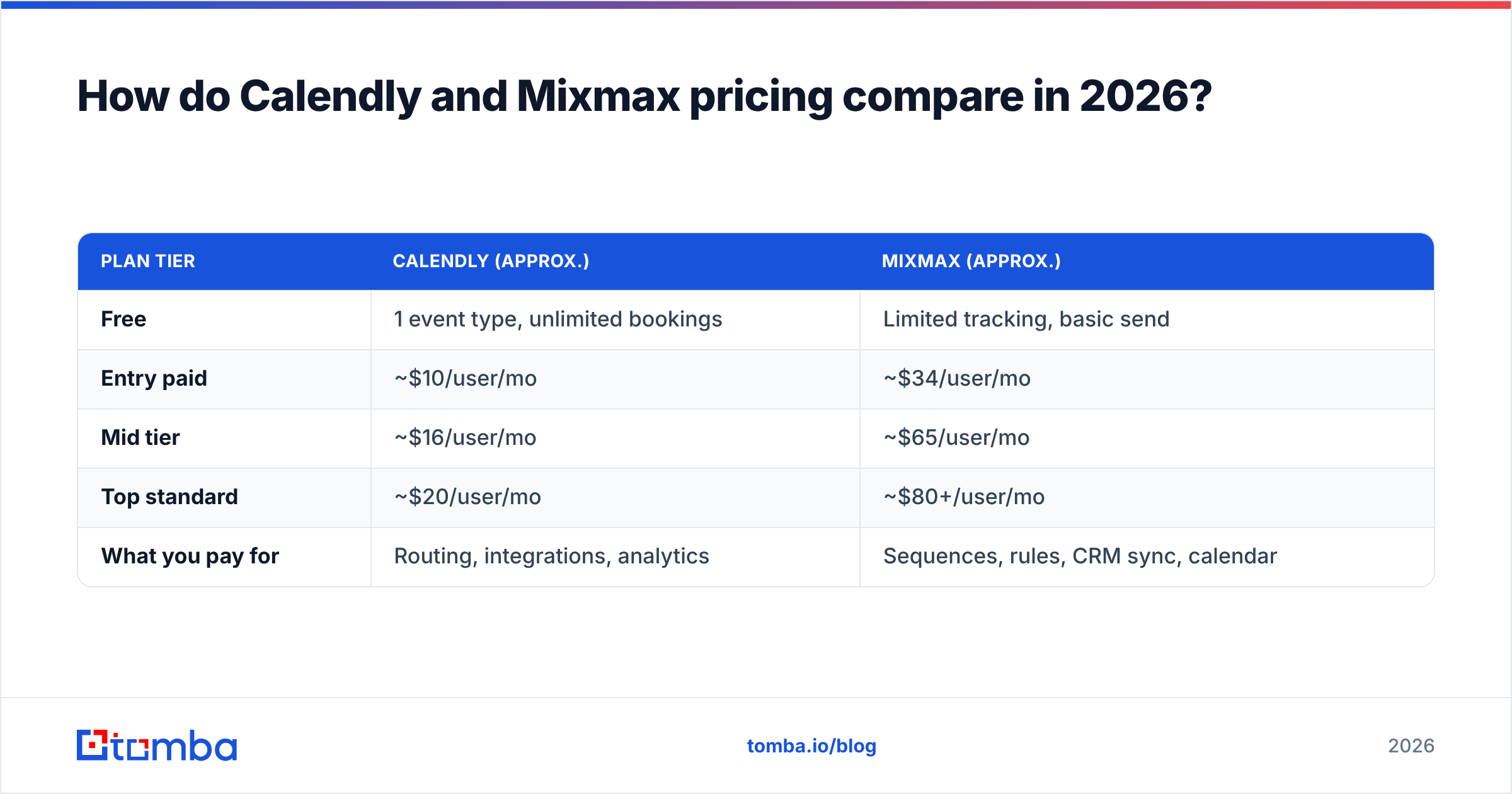
Pricing is where the two diverge hardest, because you're paying for fundamentally different scope. Calendly charges for scheduling depth; Mixmax charges for engagement automation per seat.
| Plan tier | Calendly (approx.) | Mixmax (approx.) |
|---|---|---|
| Free | 1 event type, unlimited bookings | Limited tracking, basic send |
| Entry paid | ~$10/user/mo | ~$34/user/mo |
| Mid tier | ~$16/user/mo | ~$65/user/mo |
| Top standard | ~$20/user/mo | ~$80+/user/mo |
| What you pay for | Routing, integrations, analytics | Sequences, rules, CRM sync, calendar |
Always confirm current numbers on the official Calendly pricing and Mixmax pricing pages — both vendors adjust tiers and feature gating regularly, and annual billing changes the math.
The takeaway: Calendly stays affordable for individuals and small teams, and its free tier is genuinely usable. Mixmax climbs quickly because each seat unlocks automation that compounds in value for a sales team — but for a solo founder who just needs a booking link, paying Mixmax's entry price for scheduling alone makes no sense.

Do you need Calendly, Mixmax, or both?#
For a lot of teams, the answer is both, or neither-as-a-pair — because they solve different problems.
A common stack looks like this:
- Calendly handles inbound booking — the demo-request button on your site, the link in your email signature, recruiter scheduling.
- Mixmax (or a competing engagement tool) handles outbound — sequences, follow-ups, and tracking for cold and warm prospecting.
- A CRM like HubSpot or Salesforce sits underneath both, recording every meeting and email.
If you only do inbound and live in meetings, you may never need Mixmax. If you're a pure outbound SDR who books via inline links, Mixmax alone might cover you. The teams that run both simply have two distinct jobs and use the right tool for each rather than forcing one product to do everything.
One thing both tools share, though, is a blind spot.
What neither Calendly nor Mixmax solves#
Both tools assume the contact already exists. Calendly waits for someone to click a link. Mixmax fires sequences at addresses you feed it. Neither one finds the prospect, and neither one tells you whether the email address is real.
That matters more than it sounds. Outbound performance collapses when your list is full of guessed or stale addresses — bounces wreck your sender reputation, and even the best Mixmax sequence dies if it lands in the void. Mixmax will happily send to a bad address and report it as "sent." Calendly never even enters the picture if the prospect never got a valid invite.
This is the upstream layer both tools depend on but neither provides:
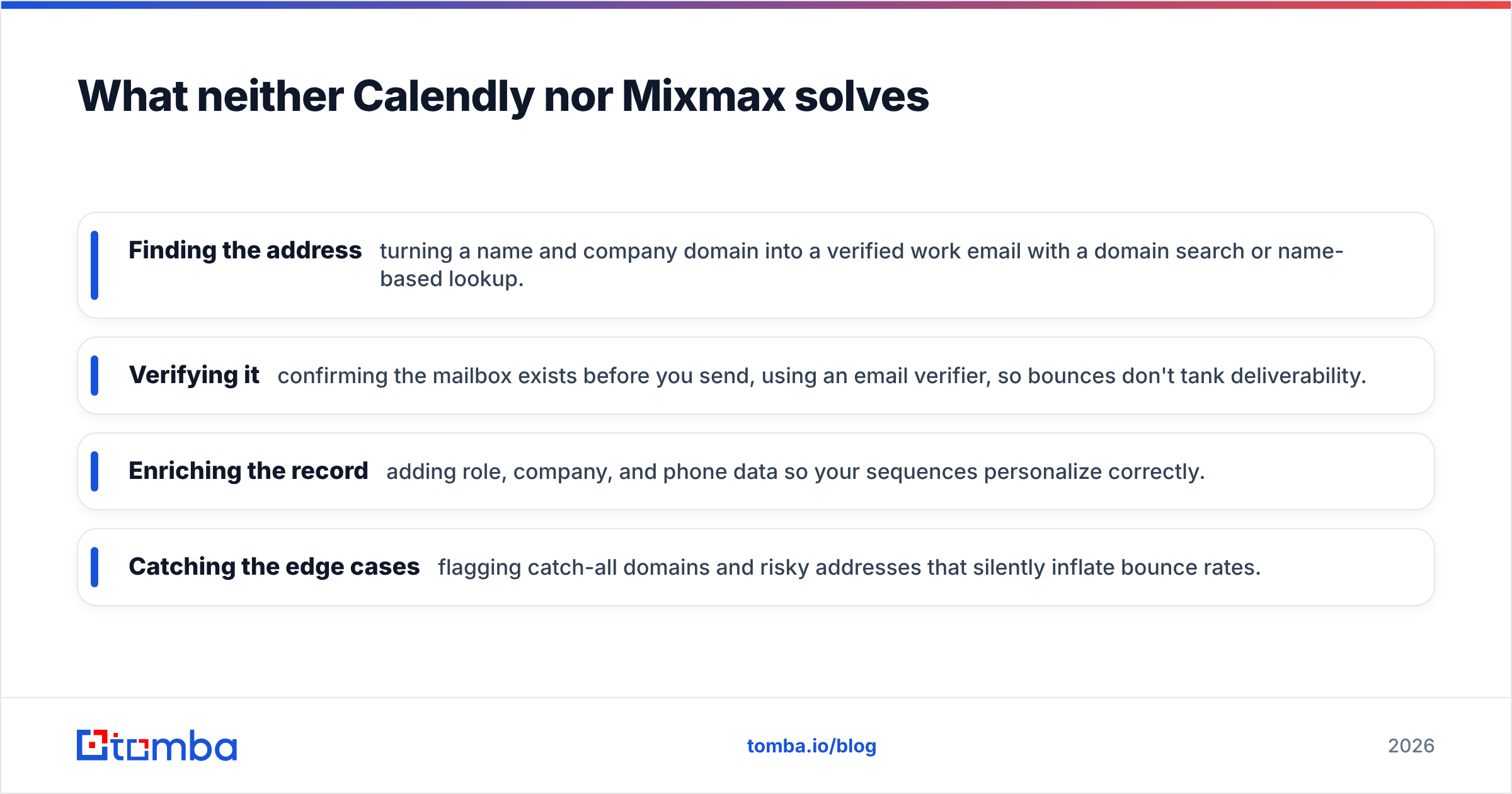
- Finding the address — turning a name and company domain into a verified work email with a domain search or name-based lookup.
- Verifying it — confirming the mailbox exists before you send, using an email verifier, so bounces don't tank deliverability.
- Enriching the record — adding role, company, and phone data so your sequences personalize correctly.
- Catching the edge cases — flagging catch-all domains and risky addresses that silently inflate bounce rates.
Plug that layer in before Mixmax sends or before a Calendly invite goes out, and both tools perform better because they're working from clean data. Skip it, and you're automating outreach to addresses that may not exist — fast, scalable, and pointed at nothing.
Calendly vs Mixmax: which should you choose?#
Here's the decision in one paragraph each.
Choose Calendly if booking is your bottleneck. You run a meeting-heavy role — sales calls, demos, interviews, consulting — and you want clean, rules-rich scheduling that works for any invitee on any platform. The free tier lets you start at zero cost, and the paid tiers stay reasonable. You do not need email sequences or tracking, or you already get those elsewhere.
Choose Mixmax if you live in Gmail and your job is outbound email at volume. You want sequences, open and click tracking, shared templates, and inline scheduling in a single tab, and you're willing to pay a per-seat premium for that automation. You can tolerate weaker standalone scheduling because your booking happens inside live conversations.
Choose both if you have separate inbound-booking and outbound-engagement motions and want each handled by a specialist tool rather than a jack-of-all-trades.
And whichever you choose, fix the data layer first. The most reliable sequence and the slickest booking page still need a real, verified person on the other end.
Start with data that actually reaches someone#
Before you spend a dollar on Calendly or Mixmax, make sure your outreach has somewhere to land. Tomba Email Finder turns names and company domains into verified professional email addresses, with built-in verification so bad addresses get caught before they bounce. Run your prospect list through it, push the clean contacts into Mixmax sequences or your CRM, and let Calendly close the loop on booking — outreach tools work best when the addresses underneath them are real. Start free with 25 searches a month, then scale on Tomba pricing when your pipeline grows. Tools schedule and send; data decides whether any of it matters.
// get started
Find, verify and enrich your first contacts today
Start on the free plan with 25 searches a month, then scale when your team is ready.
Free plan · No credit card required · GDPR & CCPA
// about the author