Calendly vs SavvyCal 2026: Which Scheduler Wins for Sales?
Calendly vs SavvyCal in 2026: a hands-on breakdown of pricing, features, round-robin routing, and the recipient experience so you can pick the right meeting scheduler for your sales team.
Booking a meeting should be the easy part of a deal. Yet the tool you pick to do it shapes how prospects feel about your brand, how fast leads reach the right rep, and how clean your pipeline data stays. Calendly and SavvyCal are the two names that come up most when sales and RevOps teams shop for a modern scheduler — and they take very different approaches.
This is a practical, side-by-side look at Calendly vs SavvyCal for 2026: what each one does well, where the pricing bites, and which workflow each is actually built for.
TL;DR — Calendly vs SavvyCal in one minute#
- Calendly is the mature, enterprise-grade default: deeper integrations, stronger routing forms, team round-robin at scale, and an ecosystem nearly every tool already connects to.
- SavvyCal is the recipient-first challenger: calendar overlays, personalized named links, and ranked availability that make the person booking feel in control.
- Pricing is close at the entry tier, but Calendly charges per seat as teams grow, while SavvyCal stays simpler for small teams and solo operators.
- Pick Calendly if you run a large sales org with complex routing and a packed integration stack. Pick SavvyCal if booking experience and a premium feel matter more than enterprise breadth.
- Neither tool finds or verifies the contacts you book — that still happens upstream with a dedicated email finder.
What is the core difference between Calendly and SavvyCal?#
The fastest way to understand the matchup: Calendly optimizes for the host, SavvyCal optimizes for the guest.
Calendly grew up as the scheduling layer for entire go-to-market teams. Its design priorities are control, scale, and routing — getting an inbound lead to the correct rep, enforcing buffers and limits, and plugging into a CRM so nothing falls through. It is the sales automation workhorse that most of your stack already integrates with.
SavvyCal, launched in 2020, started from a complaint: scheduling links feel cold and one-sided. Its signature feature is the overlay — the person you send a link to can drop their own calendar on top of yours and instantly see where the two of you actually line up. Add personalized link names (savvycal.com/yourname/coffee), ranked time suggestions, and single-use links, and the booking flow feels less like a kiosk and more like a conversation.
Here is the same split as a quick reference:
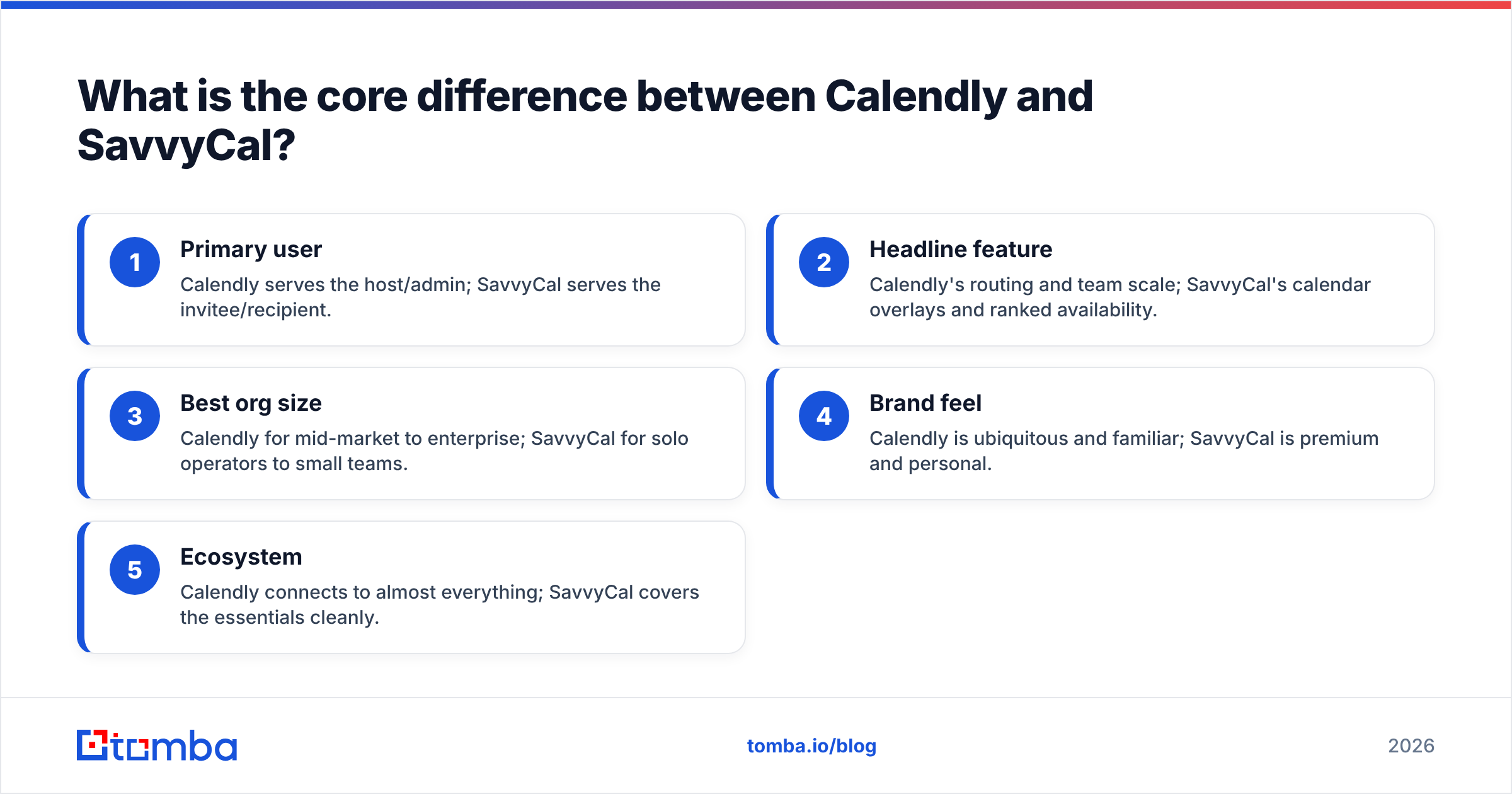
- Primary user — Calendly serves the host/admin; SavvyCal serves the invitee/recipient.
- Headline feature — Calendly's routing and team scale; SavvyCal's calendar overlays and ranked availability.
- Best org size — Calendly for mid-market to enterprise; SavvyCal for solo operators to small teams.
- Brand feel — Calendly is ubiquitous and familiar; SavvyCal is premium and personal.
- Ecosystem — Calendly connects to almost everything; SavvyCal covers the essentials cleanly.
Replace the comparison above with the meme placeholder:

How do Calendly and SavvyCal compare on features?#
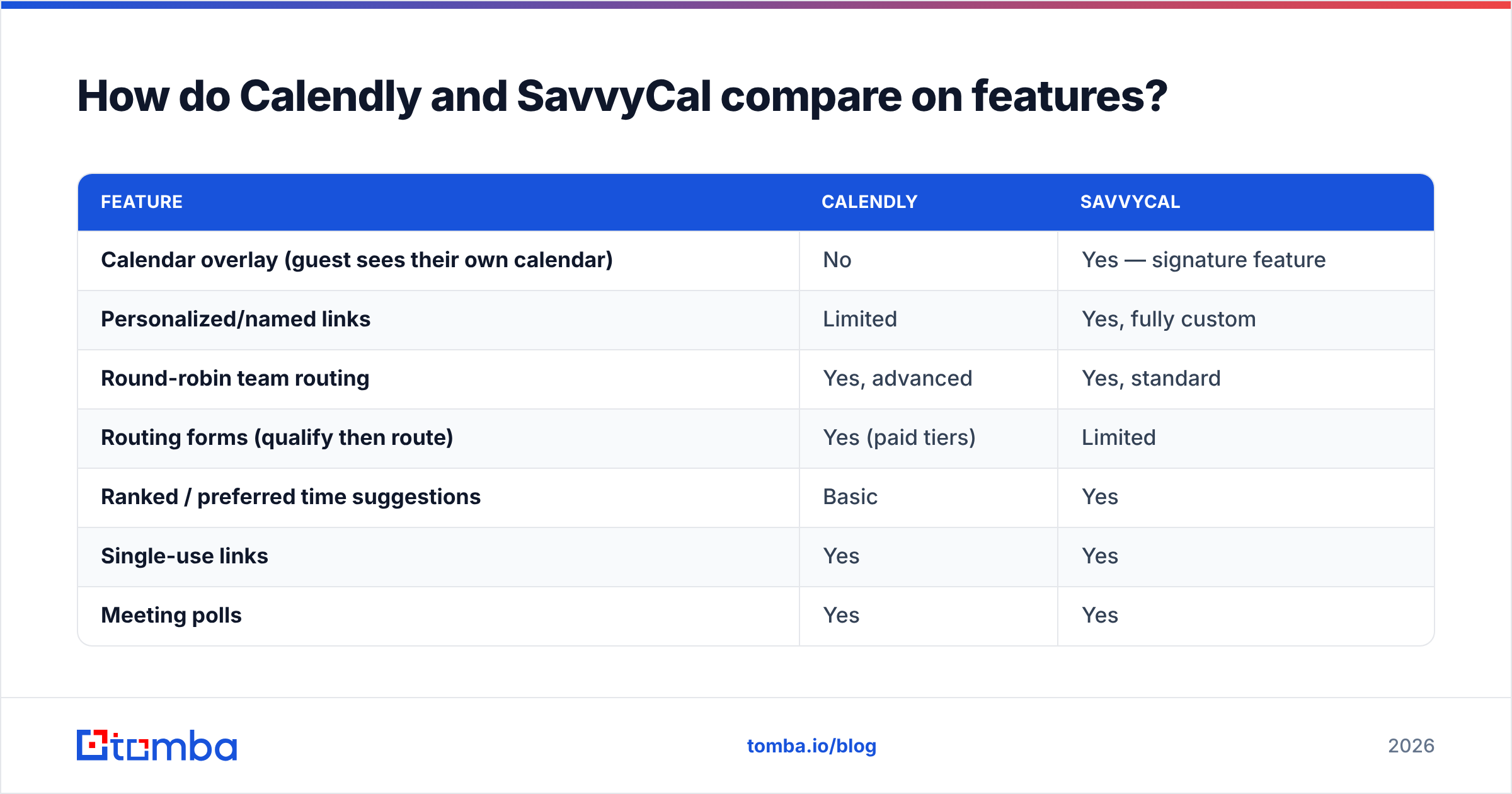
Feature parity is closer than the marketing suggests — both handle one-off meetings, round-robin, group events, and reminders. The differences are in depth and polish.
| Feature | Calendly | SavvyCal |
|---|---|---|
| Calendar overlay (guest sees their own calendar) | No | Yes — signature feature |
| Personalized/named links | Limited | Yes, fully custom |
| Round-robin team routing | Yes, advanced | Yes, standard |
| Routing forms (qualify then route) | Yes (paid tiers) | Limited |
| Ranked / preferred time suggestions | Basic | Yes |
| Single-use links | Yes | Yes |
| Meeting polls | Yes | Yes |
| Native integrations | 100+ | Core set (Google, Zoom, Stripe, HubSpot, etc.) |
| Remove branding | Higher tiers | Most paid plans |
| Best fit | Large sales orgs, complex routing | Founders, consultants, small teams |
If your bottleneck is getting inbound leads to the right rep with qualifying questions, Calendly's routing forms are the stronger engine. If your bottleneck is reply rates and booking friction on outbound, SavvyCal's overlay and personalization tend to convert a notch higher because the prospect does less mental math.
For sales teams, the routing question usually decides it. A high-volume inbound motion with territory rules, lead scoring, and account ownership leans Calendly. A founder-led or boutique outbound motion where every meeting is personal leans SavvyCal.
Is Calendly or SavvyCal cheaper in 2026?#
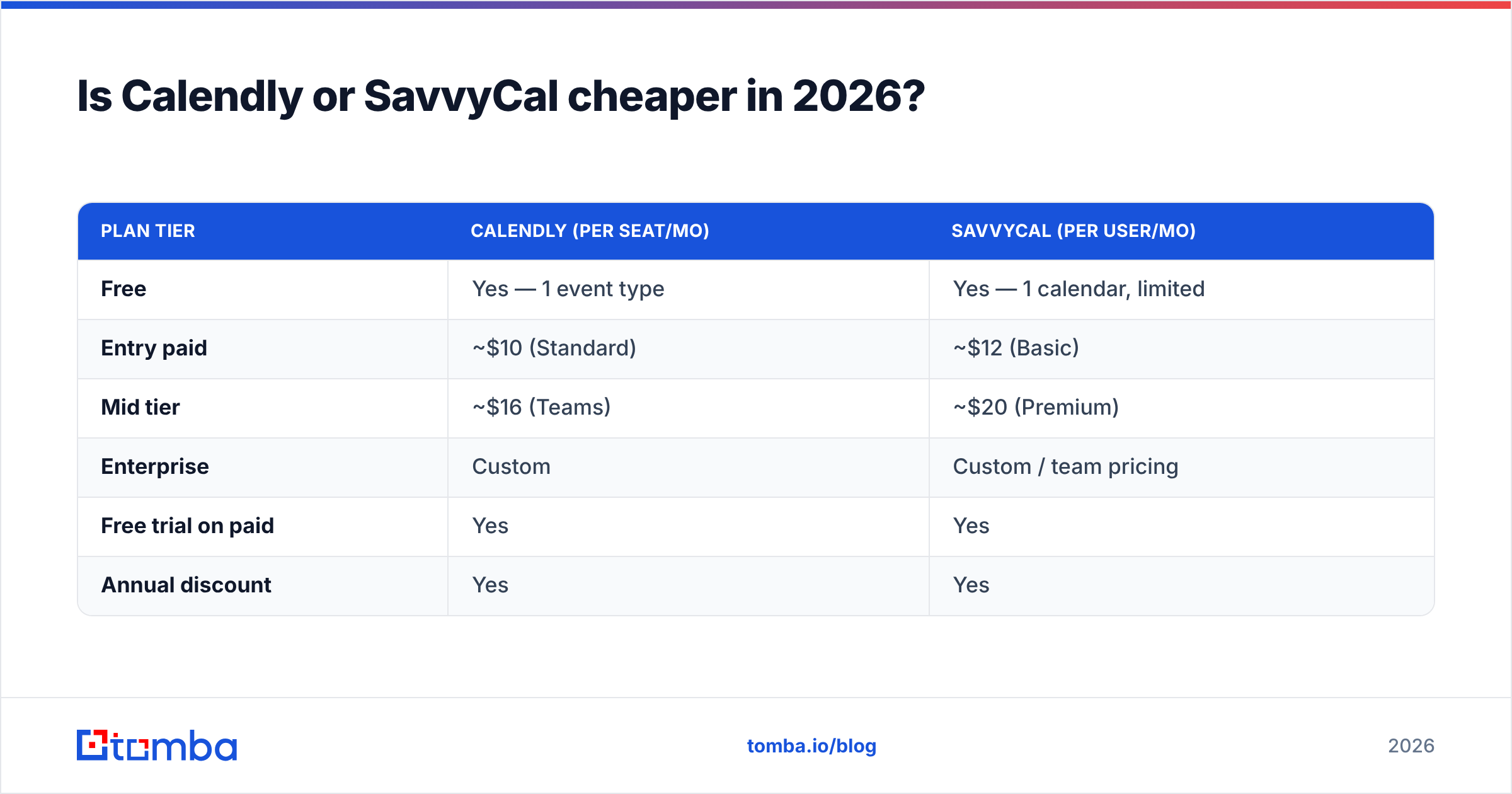
Both start free and stay affordable at the low end. The divergence shows up as you add seats.
| Plan tier | Calendly (per seat/mo) | SavvyCal (per user/mo) |
|---|---|---|
| Free | Yes — 1 event type | Yes — 1 calendar, limited |
| Entry paid | ~$10 (Standard) | ~$12 (Basic) |
| Mid tier | ~$16 (Teams) | ~$20 (Premium) |
| Enterprise | Custom | Custom / team pricing |
| Free trial on paid | Yes | Yes |
| Annual discount | Yes | Yes |
Pricing shifts over time, so confirm current numbers on calendly.com and savvycal.com before you commit. The structural point holds regardless of the exact dollars: Calendly's per-seat model scales cost linearly with headcount, which adds up fast for a 30-person SDR team. SavvyCal's simpler team pricing tends to be friendlier for small groups, while its premium features (overlays, removed branding) sit on lower tiers than Calendly's equivalents.
A useful gut check from review sites like G2: teams rate Calendly higher on integrations and admin control, while SavvyCal scores higher on ease of use and the booking experience. Match the score that maps to your actual pain.
Which scheduler is better for a sales team?#
It depends on your motion — but for most structured sales orgs, Calendly wins on routing and SavvyCal wins on outbound conversion.
Think of scheduling like a restaurant host. Calendly is the host with a seating chart, a reservation system, and a headset coordinating the whole floor — great when there are a hundred tables and ten servers. SavvyCal is the host who walks you to your table, remembers your name, and asks where you'd like to sit — great when the experience itself is the product.
Where this matters in practice:
- Inbound demo requests at scale → Calendly. Routing forms qualify the lead, then assign by territory or product line automatically.
- Founder-led or AE-led outbound → SavvyCal. The overlay and named link make a cold meeting feel warm, which nudges reply-to-booking rates up.
- Round-robin for a large team → Calendly's distribution rules and priority weighting are more mature.
- High-touch, low-volume deals → SavvyCal. When every meeting counts, the premium feel earns its keep.
Whichever you choose, remember the scheduler is the last step. It only fires once you already have a verified, deliverable contact and a reason to meet. That part of the funnel — sourcing and validating the people you want on the calendar — is a separate job entirely.
Where does contact data fit into the scheduling stack?#
A scheduler books meetings; it does not generate the pipeline that fills those meetings. This is the gap teams forget when they obsess over Calendly vs SavvyCal.
Before a single link gets sent, you need:
- Accurate contact emails for the decision-makers you're targeting — sourced with a domain search across the company, not guessed.
- Verified deliverability so your invites land instead of bouncing and torching your sender reputation.
- Enriched records so routing rules (by company size, industry, role) actually have fields to act on.
That is where a data layer like Tomba sits — upstream of the scheduler. You find the right person, verify the address, enrich the lead with firmographic detail, then push a clean record into your CRM. Only after that does Calendly's routing form or SavvyCal's personalized link do its job. Wire it together through a HubSpot integration or Tomba API and the meeting that lands on a rep's calendar already has context attached.
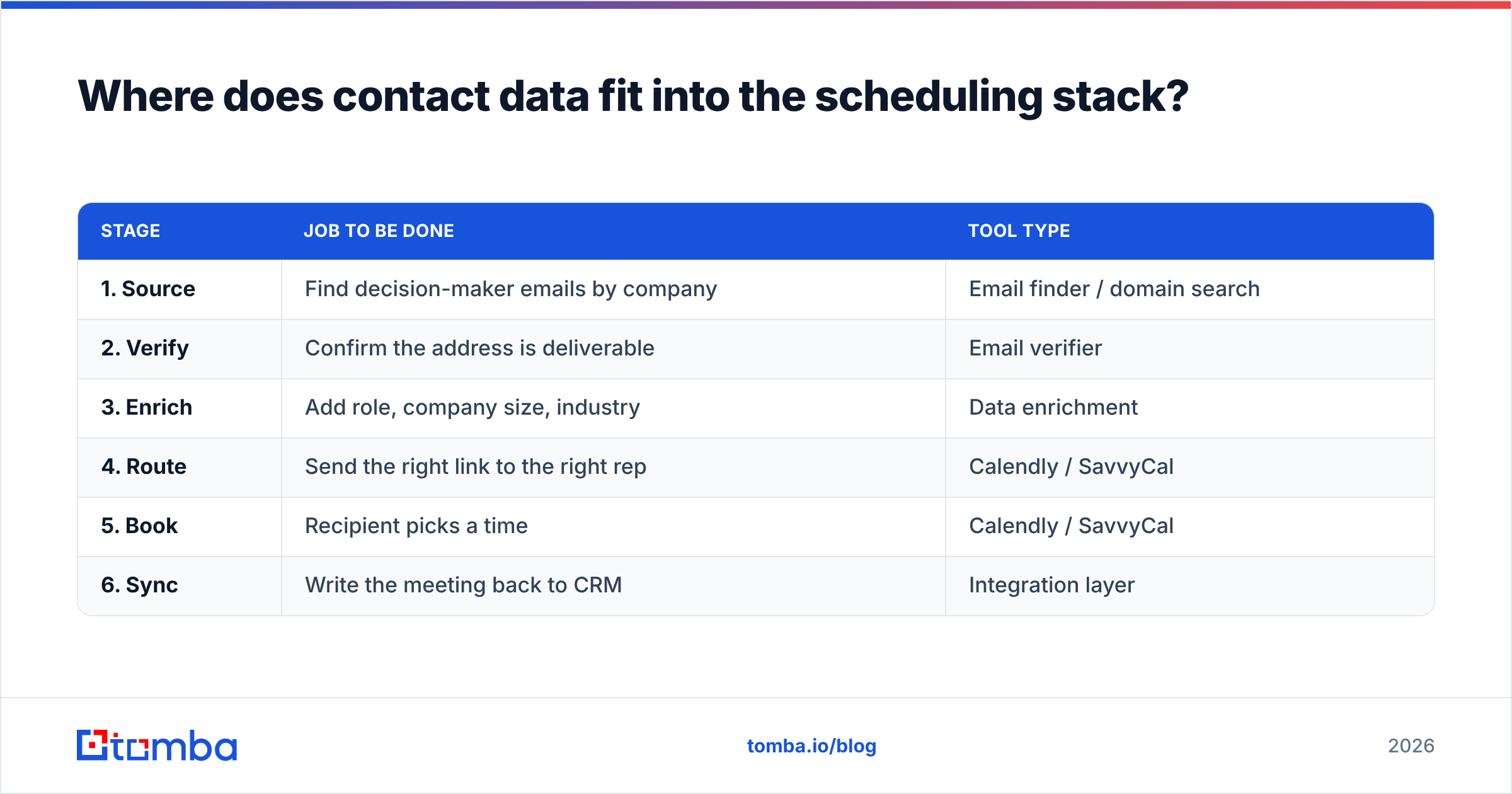
Here is the full flow, end to end:
| Stage | Job to be done | Tool type |
|---|---|---|
| 1. Source | Find decision-maker emails by company | Email finder / domain search |
| 2. Verify | Confirm the address is deliverable | Email verifier |
| 3. Enrich | Add role, company size, industry | Data enrichment |
| 4. Route | Send the right link to the right rep | Calendly / SavvyCal |
| 5. Book | Recipient picks a time | Calendly / SavvyCal |
| 6. Sync | Write the meeting back to CRM | Integration layer |
Stages 1–3 are not optional. A perfectly designed booking page sent to a stale or unverifiable address converts nobody. Run your list through an email verifier before the invite goes out, and you protect both your booking rate and your deliverability.
What are the pros and cons of each tool?#
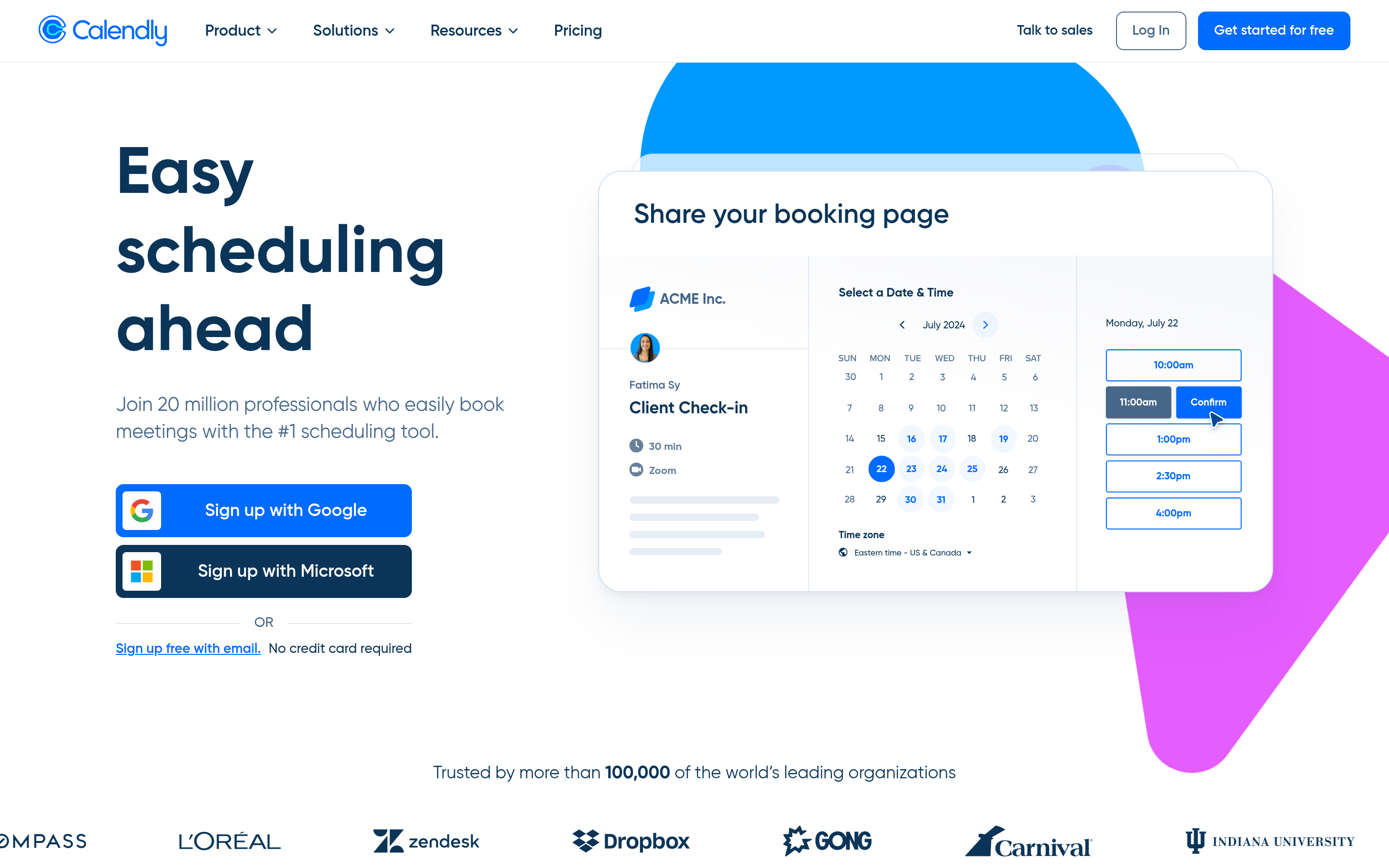
Calendly — pros and cons#
Pros
- Deepest integration ecosystem of any scheduler; whatever your stack, it likely connects.
- Powerful routing forms and round-robin for large teams.
- Familiar to prospects — most people have booked a Calendly link before, so there's zero learning curve.
- Strong admin controls, analytics, and security for enterprise.
Cons
- Per-seat pricing scales expensively for big teams.
- The booking experience is functional but generic; it can feel impersonal.
- Advanced features (routing, removed branding) sit behind higher tiers.
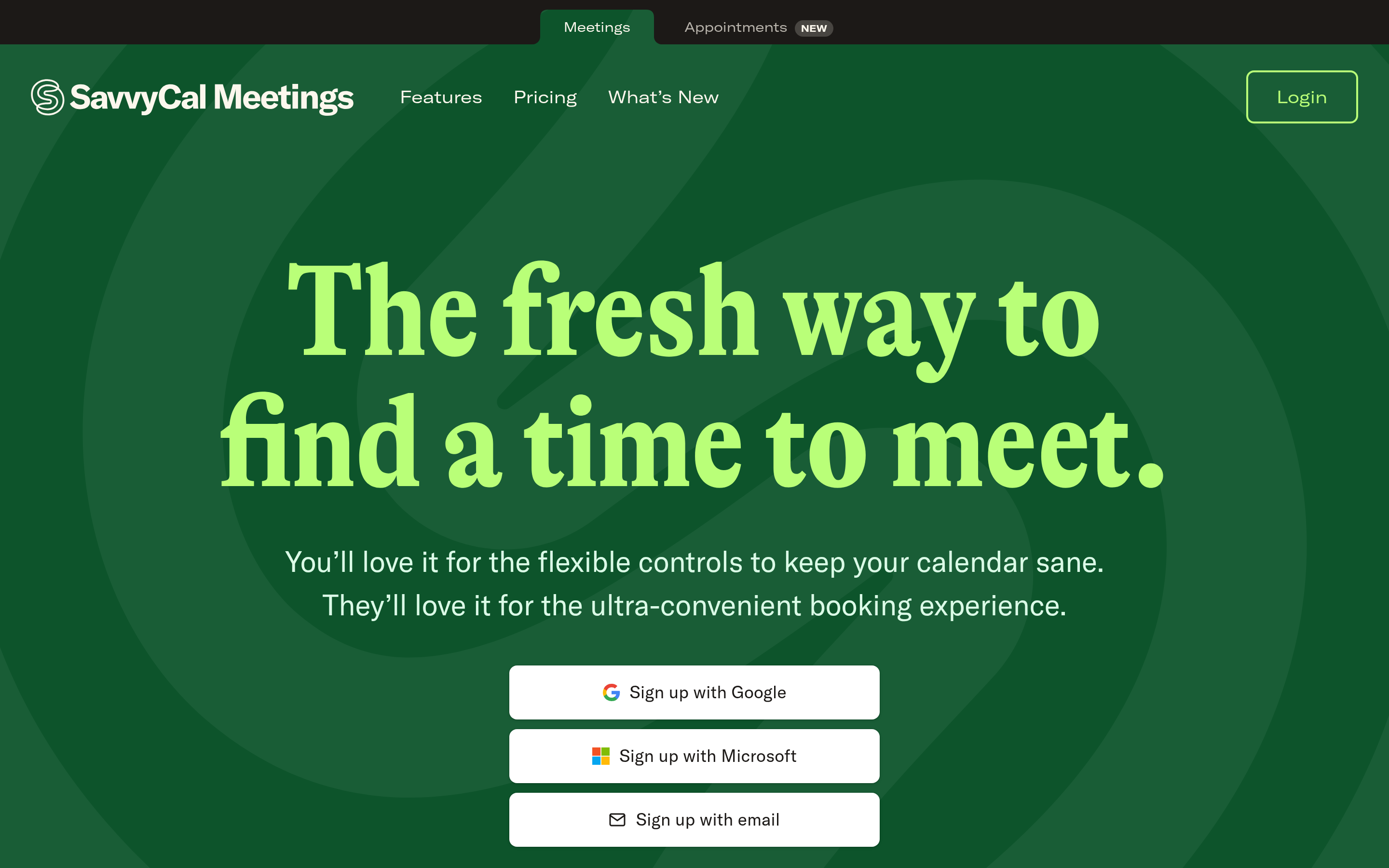
SavvyCal — pros and cons#
Pros
- Calendar overlay genuinely improves the recipient experience and reduces back-and-forth.
- Personalized named links feel premium and on-brand.
- Ranked availability nudges guests toward times that work best for you.
- Simpler, team-friendly pricing at the small end.
Cons
- Smaller integration catalog than Calendly.
- Lighter on enterprise-grade routing and admin depth.
- Less brand recognition, so a few recipients may hesitate on an unfamiliar link.
Calendly vs SavvyCal: which should you choose?#
Make the call on three questions:
- How big is your team, and how complex is your routing? Large and complex → Calendly. Small and personal → SavvyCal.
- What's your bottleneck — admin control or booking conversion? Control → Calendly. Conversion and experience → SavvyCal.
- How married is your stack to a specific integration? If a critical tool only connects to Calendly, that often decides it.
There's no universally "better" scheduler here — there's the one that matches your motion. A 40-rep inbound machine and a two-founder consultancy should not pick the same tool, and the marketing pages won't tell you that.
What both teams share is the upstream need: a steady supply of accurate, verified, enriched contacts to put on those calendars in the first place. A beautiful booking link is wasted on a bad email.
That's the part Tomba handles. Use the Tomba Email Finder to source decision-maker emails by name, company, or domain, verify them so invites actually land, and enrich each record before it hits your scheduler. Start on the free tier (25 searches a month), and when you're ready to scale, the Tomba pricing runs from $49/mo. Get the contact data right first — then let Calendly or SavvyCal do what it does best.
// get started
Find, verify and enrich your first contacts today
Start on the free plan with 25 searches a month, then scale when your team is ready.
Free plan · No credit card required · GDPR & CCPA
Get the Tomba newsletter
Product and data updates
// about the author