Calendly vs TidyCal 2026: Which Scheduling Tool Wins?
Calendly's polished subscription versus TidyCal's one-time deal. We break down pricing, features, integrations, and which scheduling tool actually fits a B2B sales motion in 2026.
Booking a meeting should be the easy part of selling. Picking the tool that schedules it is where teams stall — usually between Calendly, the category default, and TidyCal, the budget challenger that sells a lifetime license instead of a monthly bill. This guide settles the Calendly vs TidyCal question with concrete numbers, not vibes.
TL;DR — Calendly vs TidyCal in 30 seconds#
- Calendly is the mature, polished standard: deep integrations, team routing, and enterprise admin controls — billed per seat, every month.
- TidyCal is the value play: a one-time license (often ~$29 lifetime via AppSumo) that covers the booking essentials most solo founders and small teams actually use.
- Pick Calendly if you need round-robin routing, Salesforce-grade integrations, SSO, or a recognizable brand on client-facing links.
- Pick TidyCal if you book meetings solo or on a small team, want to stop paying subscriptions, and can live with a thinner integration list.
- Either way, a calendar link is worthless without qualified people to send it to — that pipeline problem is separate from the scheduler you choose.
What is Calendly?#
Calendly is the scheduling tool most buyers already recognize. You connect your calendar, define availability rules, and share a link; invitees pick a slot and the event lands on both calendars with conferencing details attached. Its reputation comes from reliability and breadth — it handles one-on-one calls, group events, collective and round-robin team meetings, and routing forms that send the right prospect to the right rep.
For revenue teams, Calendly's strength is the ecosystem around the booking itself. It pushes data into your CRM, fires off reminder workflows, and supports the admin guardrails larger orgs demand. You can read more about the product on the official Calendly site.

What is TidyCal?#
TidyCal, built by AppSumo, is the answer to subscription fatigue. Its pitch is simple: pay once, schedule forever. The core experience mirrors Calendly — booking pages, multiple meeting types, calendar sync, buffer times, and paid bookings — but the business model flips. Instead of a recurring per-seat charge, most users grab a lifetime deal for a small one-time fee.
TidyCal won't match Calendly's depth of enterprise routing or its long integration catalog. What it does is cover the 80% of scheduling needs that a solo consultant, coach, or lean startup actually touches, at a price that pays for itself in a month or two. See the current offer on the TidyCal homepage.
Calendly vs TidyCal: the core comparison#
Here is the head-to-head on the attributes that decide most purchases. Pricing reflects publicly listed plans at the time of writing; always confirm current rates before you buy.
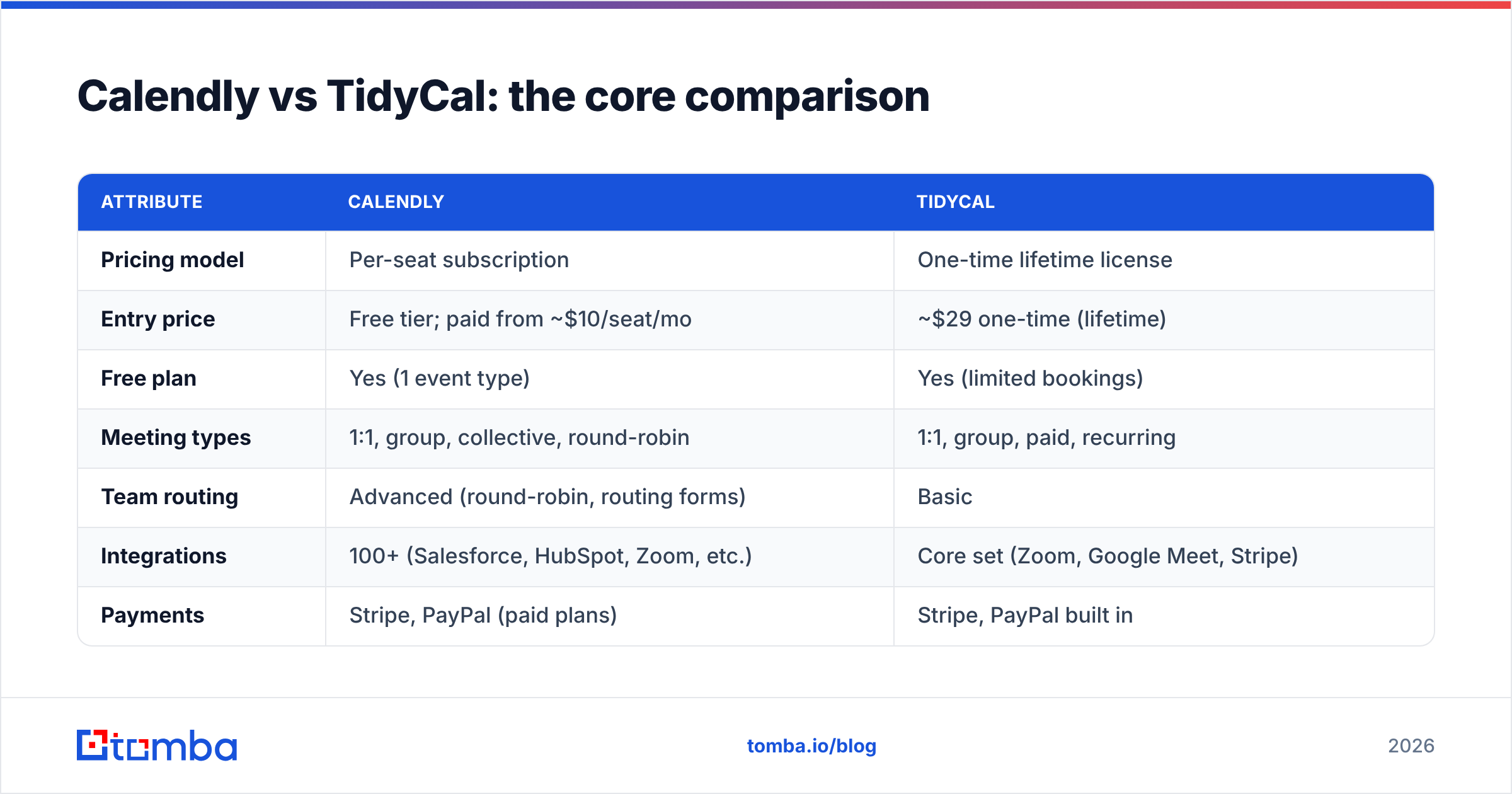
| Attribute | Calendly | TidyCal |
|---|---|---|
| Pricing model | Per-seat subscription | One-time lifetime license |
| Entry price | Free tier; paid from ~$10/seat/mo | ~$29 one-time (lifetime) |
| Free plan | Yes (1 event type) | Yes (limited bookings) |
| Meeting types | 1:1, group, collective, round-robin | 1:1, group, paid, recurring |
| Team routing | Advanced (round-robin, routing forms) | Basic |
| Integrations | 100+ (Salesforce, HubSpot, Zoom, etc.) | Core set (Zoom, Google Meet, Stripe) |
| Payments | Stripe, PayPal (paid plans) | Stripe, PayPal built in |
| Admin / SSO | Yes (higher tiers) | Limited |
| Best for | Teams, enterprises, heavy integrators | Solo founders, coaches, lean teams |
The table makes the trade obvious: Calendly buys you scale and ecosystem; TidyCal buys you cost certainty.
Is Calendly better than TidyCal?#
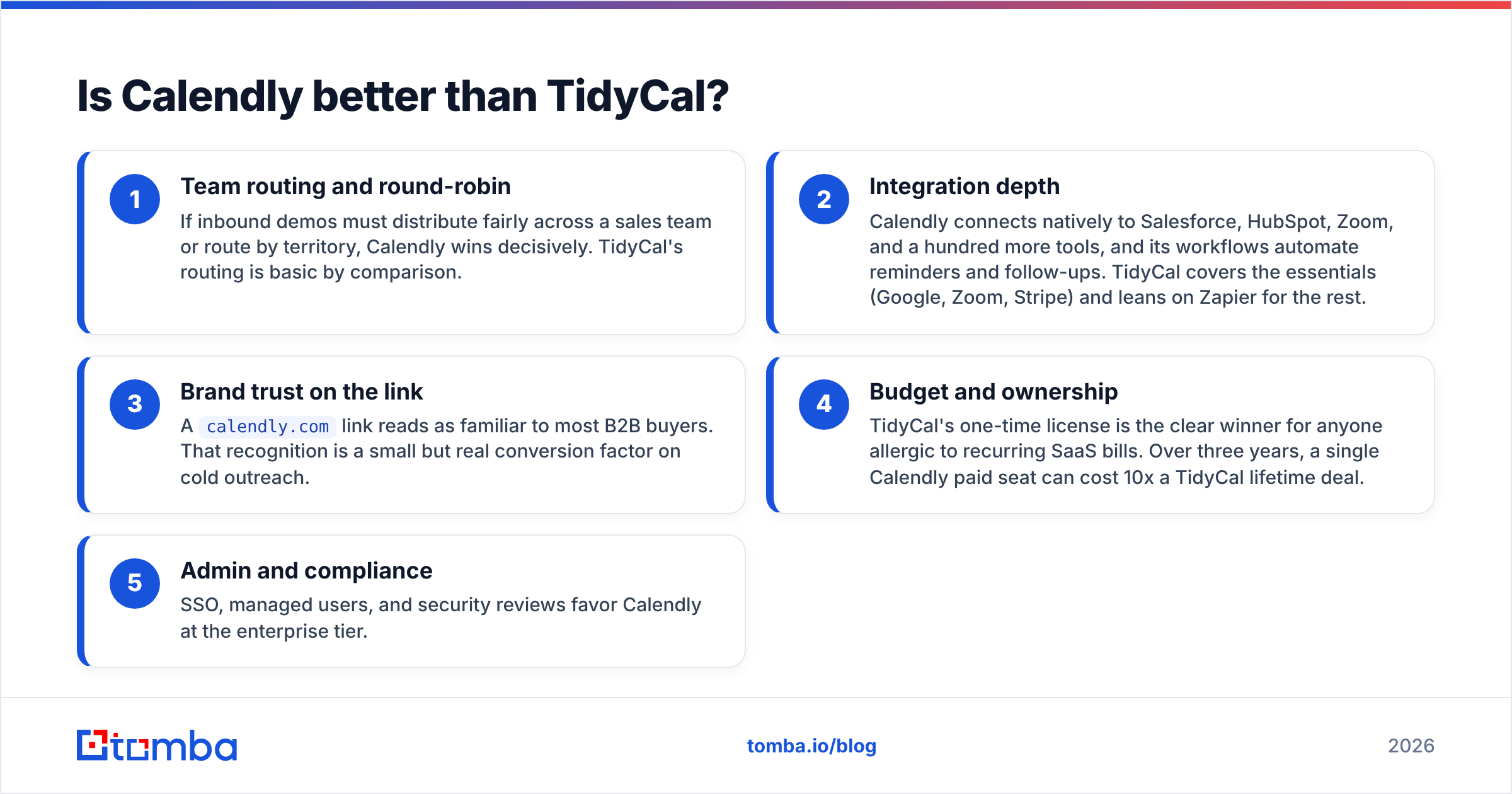
Better for whom is the only honest framing. Calendly is the stronger product on raw capability — but capability you never use is just a higher invoice. Walk through the decision by what you actually need:
- Team routing and round-robin — If inbound demos must distribute fairly across a sales team or route by territory, Calendly wins decisively. TidyCal's routing is basic by comparison.
- Integration depth — Calendly connects natively to Salesforce, HubSpot, Zoom, and a hundred more tools, and its workflows automate reminders and follow-ups. TidyCal covers the essentials (Google, Zoom, Stripe) and leans on Zapier for the rest.
- Brand trust on the link — A
calendly.comlink reads as familiar to most B2B buyers. That recognition is a small but real conversion factor on cold outreach. - Budget and ownership — TidyCal's one-time license is the clear winner for anyone allergic to recurring SaaS bills. Over three years, a single Calendly paid seat can cost 10x a TidyCal lifetime deal.
- Admin and compliance — SSO, managed users, and security reviews favor Calendly at the enterprise tier.
If three or more of those points describe your situation toward the Calendly side, pay the subscription. If you're a one-person revenue engine or a startup watching every dollar, TidyCal is the smarter buy.

How does pricing really compare over time?#
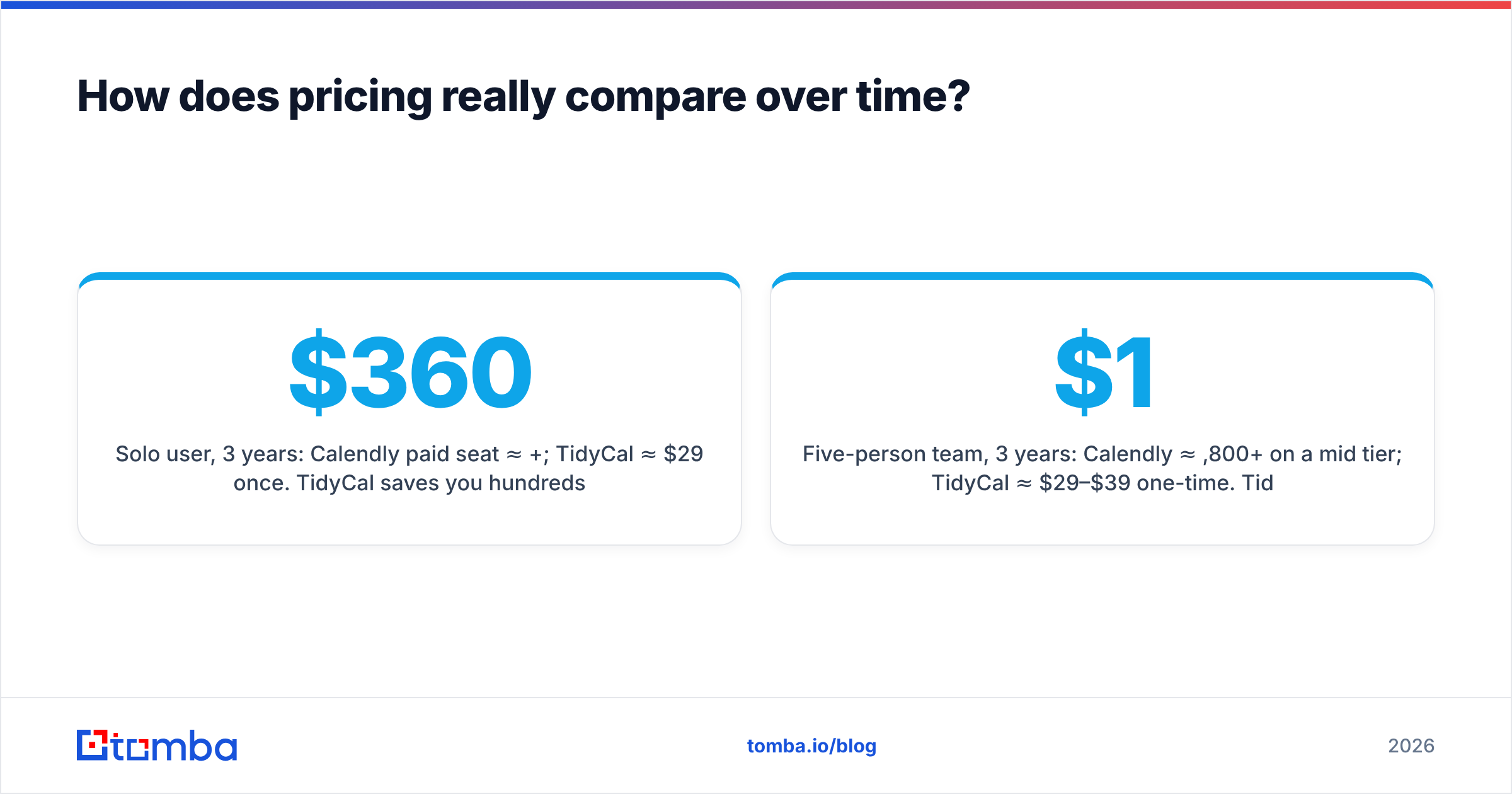
Sticker price hides the real story, which is total cost over the life of the tool. Calendly's per-seat model scales with headcount; TidyCal's flat license doesn't move.
- Solo user, 3 years: Calendly paid seat ≈ $360+; TidyCal ≈ $29 once. TidyCal saves you hundreds.
- Five-person team, 3 years: Calendly ≈ $1,800+ on a mid tier; TidyCal ≈ $29–$39 per user one-time. TidyCal still wins on cash, but you give up team routing.
- Enterprise, 20+ seats: Calendly's admin controls, SSO, and routing typically justify the spend; TidyCal isn't built for this tier.
The crossover point is roughly where team coordination features start mattering more than the monthly bill. Below that line, TidyCal's economics are hard to argue with. Above it, Calendly earns its price.
What about integrations and workflow fit?#
This is where Calendly's lead is widest. Scheduling rarely lives alone — it sits inside a stack of CRM, conferencing, and outreach tools. Calendly's native connectors mean a booked meeting can auto-create a CRM record, trigger a Slack ping, and enroll the contact in a sequence without you touching anything.
TidyCal handles the basics natively and routes everything else through automation platforms. For a lean operation that just needs "meeting booked → calendar event → Zoom link," that's plenty. For a RevOps team orchestrating multi-step plays, the gaps add friction.
But here's the part both tools quietly depend on and neither solves: the contact data feeding the calendar in the first place. A scheduling link converts only when it reaches a real, reachable decision-maker. That's a data problem, not a calendar problem — which is why scheduling tools sit downstream of your prospecting stack. If your booking rate is low, the scheduler is rarely the culprit; your list usually is.
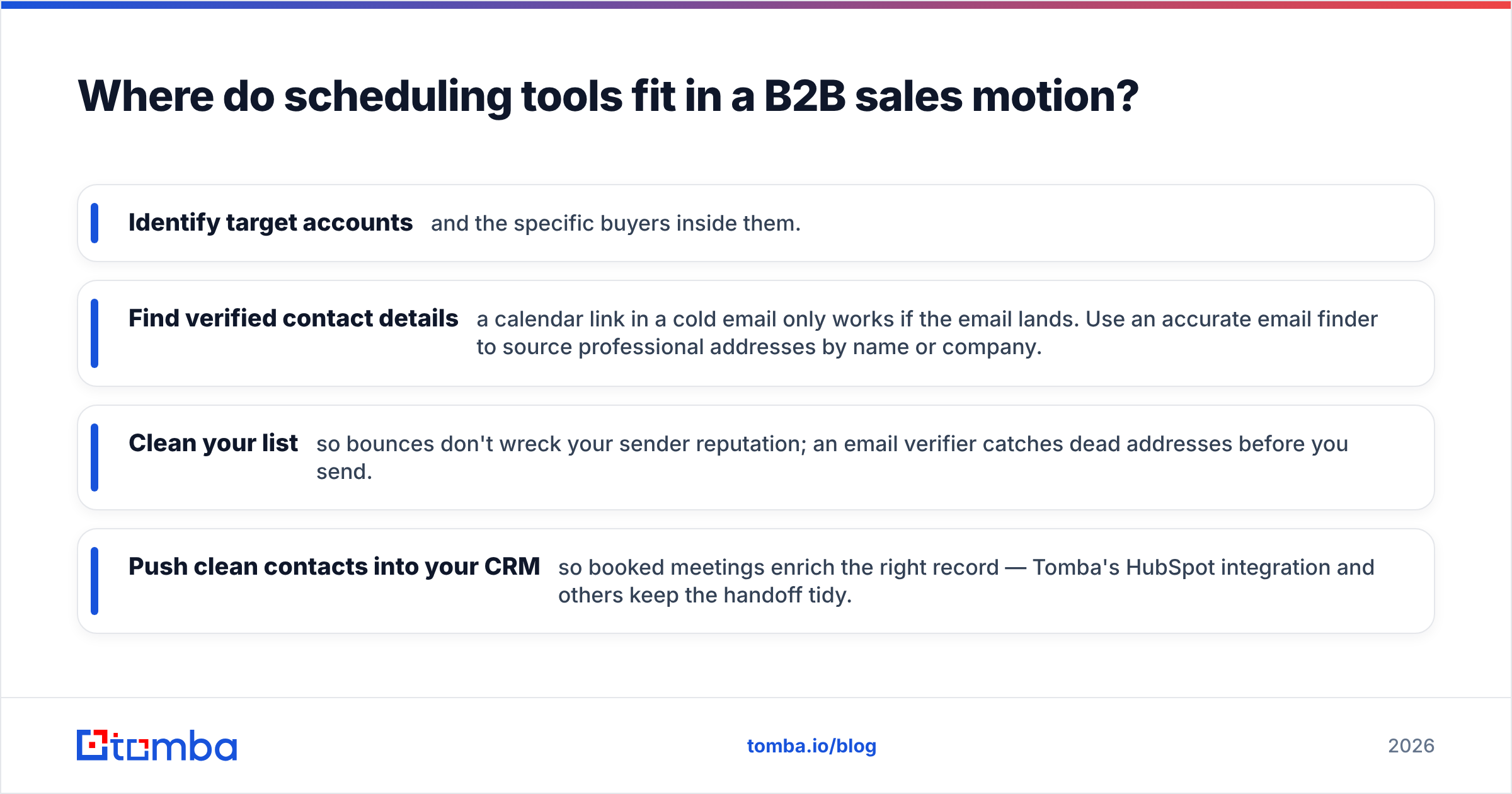
Where do scheduling tools fit in a B2B sales motion?#
Think of your outbound engine like a restaurant. The scheduler is the host who seats guests — smooth and important. But if no one walks through the door, the best host in the world stands idle. Filling the door is prospecting: finding the right companies, the right people, and verified ways to reach them.
That's the layer that determines whether your Calendly or TidyCal link ever gets clicked. Before scheduling, you need to:
- Identify target accounts and the specific buyers inside them.
- Find verified contact details — a calendar link in a cold email only works if the email lands. Use an accurate email finder to source professional addresses by name or company.
- Clean your list so bounces don't wreck your sender reputation; an email verifier catches dead addresses before you send.
- Push clean contacts into your CRM so booked meetings enrich the right record — Tomba's HubSpot integration and others keep the handoff tidy.
Get that pipeline right and the scheduler — whichever you pick — simply does its small job well. Tomba's data enrichment tools round out the contact records so your meetings start with context, not a blank slate.
Calendly vs TidyCal: pros and cons#
A quick scan of where each tool earns and loses points.
Calendly — pros
- Best-in-class team routing and round-robin
- Massive integration catalog and workflow automation
- Strong admin, SSO, and security for enterprises
- Widely recognized, trust-building booking links
Calendly — cons
- Recurring per-seat cost compounds fast
- Advanced features gated behind higher tiers
- More tool than a solo user needs
TidyCal — pros
- One-time lifetime pricing; no subscription
- Covers core scheduling needs cleanly
- Built-in paid bookings via Stripe/PayPal
- Excellent value for solos and small teams
TidyCal — cons
- Basic team routing
- Shorter native integration list
- Not designed for enterprise admin needs
Which should you choose in 2026?#
Match the tool to the motion, not to the hype.
- Choose Calendly if you run a team that routes inbound demos, lives inside Salesforce or HubSpot, and needs admin controls. The subscription buys coordination you can't easily replicate.
- Choose TidyCal if you're a founder, consultant, coach, or small team that books meetings without complex routing. The lifetime license is one of the better deals in the scheduling space.
Compare current feature sets and verified user reviews on a neutral source like G2 before committing, since both products ship updates frequently.
And remember the order of operations: the scheduler is the last step, not the first. Most teams obsessing over Calendly vs TidyCal would move more pipeline by fixing the contact data that feeds the link than by switching booking tools.
Fill the calendar before you optimize it#
Pick whichever scheduler fits your budget and team — that decision matters less than whether qualified prospects are clicking the link. Tomba's Email Finder sources verified professional emails by name, domain, or company, so your outreach reaches real buyers instead of bouncing. Start on the free plan (25 searches a month), then scale to Starter at $49/mo when your pipeline demands it. Get the prospecting right, and your calendar — Calendly or TidyCal — fills itself.
// get started
Find, verify and enrich your first contacts today
Start on the free plan with 25 searches a month, then scale when your team is ready.
Free plan · No credit card required · GDPR & CCPA
// about the author