Calendly vs Zcal: The Honest 2026 Scheduling Showdown
Calendly vs Zcal in 2026: pricing, free tiers, branding, and which scheduling tool actually wins for B2B sales teams. A neutral, side-by-side breakdown.
Picking a scheduling tool feels trivial until you have ten reps, three time zones, and a no-show rate eating your pipeline. Calendly is the category default. Zcal is the scrappy free-first challenger people keep recommending in sales Slacks. So which one should you actually run your booking links on in 2026?
This is a neutral teardown — pricing, free tiers, branding, integrations, and the real-world edge cases that bite sales teams. No fluff.
TL;DR — Calendly vs Zcal at a glance#
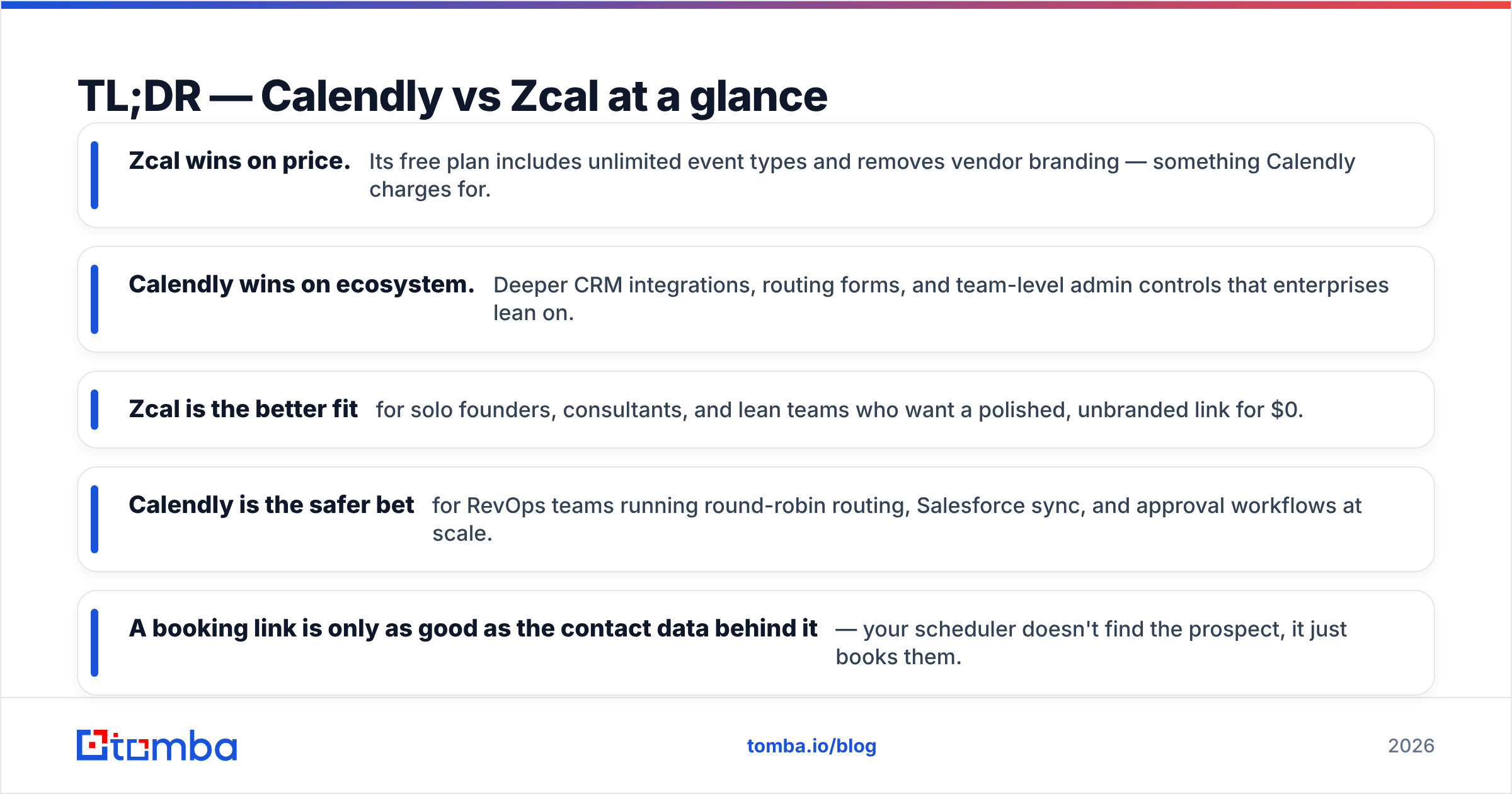
- Zcal wins on price. Its free plan includes unlimited event types and removes vendor branding — something Calendly charges for.
- Calendly wins on ecosystem. Deeper CRM integrations, routing forms, and team-level admin controls that enterprises lean on.
- Zcal is the better fit for solo founders, consultants, and lean teams who want a polished, unbranded link for $0.
- Calendly is the safer bet for RevOps teams running round-robin routing, Salesforce sync, and approval workflows at scale.
- A booking link is only as good as the contact data behind it — your scheduler doesn't find the prospect, it just books them.
What is Calendly?#
Calendly is the incumbent. Launched in 2013, it turned "let me send you my availability" into a one-link reflex for millions of professionals. You connect your calendar, define event types (15-min intro, 30-min demo, 60-min strategy call), and share a link. Invitees pick a slot, it lands on both calendars, and reminders go out automatically.
Its strength is breadth. Calendly handles round-robin team scheduling, collective availability, routing forms that qualify leads before booking, and native sync with HubSpot, Salesforce, and Zoom. If you've ever booked a SaaS demo, odds are Calendly powered it. You can see the full feature set on calendly.com.

The trade-off is cost. Calendly's free plan is deliberately limited — one event type, basic features, and Calendly branding stamped on your page. To unlock the things sales teams actually need, you're on a paid tier.
What is Zcal?#
Zcal (stylized zcal.co) is the free-first newcomer that built its reputation on a simple pitch: give away what Calendly charges for. Its free plan includes unlimited event types, unlimited bookings, and no Zcal watermark on your scheduling page. For a consultant or founder, that combination is genuinely hard to beat at $0.
Zcal also leans into design. Booking pages look clean and modern out of the box, with customizable branding, cover images, and a polished invitee experience that doesn't scream "free tool." It integrates with Google Calendar, Zoom, and Google Meet, and offers booking-page analytics so you can see where invitees drop off. Check the current plans at zcal.co.
Where Zcal is still maturing: enterprise-grade routing, deep CRM write-back, and the long tail of integrations Calendly accumulated over a decade. It's catching up fast, but it's not yet a like-for-like swap for a 200-seat RevOps deployment.
Calendly vs Zcal: full feature comparison#
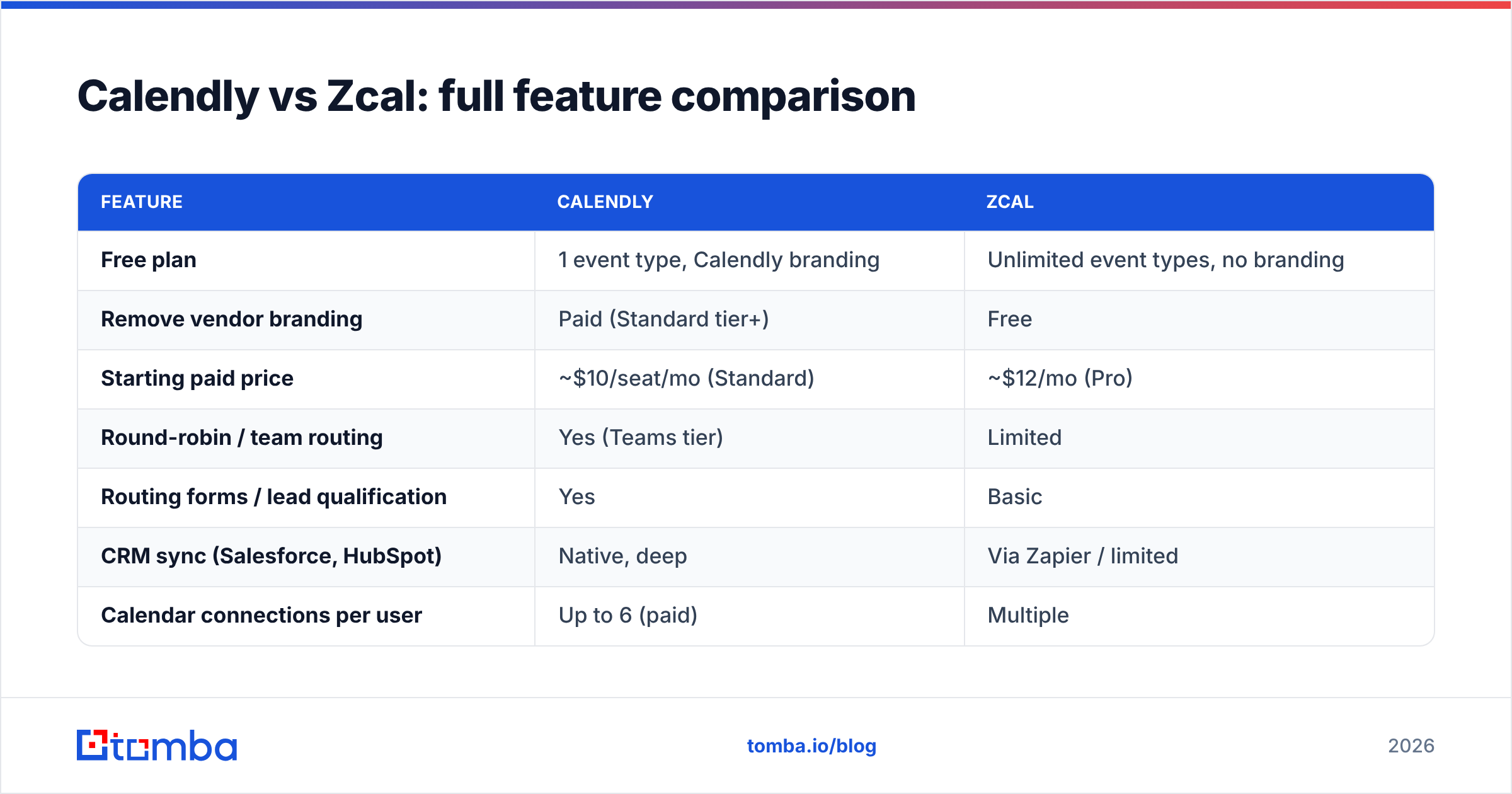
Here's the side-by-side that matters when you're choosing. Pricing reflects publicly listed plans as of 2026 — always confirm on the vendor site before you buy.
| Feature | Calendly | Zcal |
|---|---|---|
| Free plan | 1 event type, Calendly branding | Unlimited event types, no branding |
| Remove vendor branding | Paid (Standard tier+) | Free |
| Starting paid price | ~$10/seat/mo (Standard) | ~$12/mo (Pro) |
| Round-robin / team routing | Yes (Teams tier) | Limited |
| Routing forms / lead qualification | Yes | Basic |
| CRM sync (Salesforce, HubSpot) | Native, deep | Via Zapier / limited |
| Calendar connections per user | Up to 6 (paid) | Multiple |
| Booking-page analytics | Paid tiers | Free |
| Best for | Scaling sales & RevOps teams | Solo, consultants, lean teams |
The headline: Zcal gives away branding removal and unlimited event types, which are paywalled in Calendly. Calendly gives you depth — routing, admin governance, and a battle-tested integration catalog — that Zcal hasn't fully matched.
Is Zcal better than Calendly for sales teams?#
It depends on team size and how much routing you need.
For a solo seller or two-person startup, Zcal is often the smarter pick. You get an unbranded, professional booking link for free, unlimited meeting types, and analytics — no credit card. Spending $120+/year per seat on Calendly to remove a watermark makes little sense when Zcal removes it at no cost.
For a growing sales org, the math flips. Once you need round-robin distribution across an SDR pod, collective availability for panel interviews, routing forms that score and assign inbound leads, and clean write-back into Salesforce, Calendly's maturity earns its price. Those workflows are where deals quietly leak, and Calendly has spent a decade closing those leaks.

A useful rule: if your scheduling needs fit on one screen, Zcal. If your scheduling needs have an org chart, Calendly.
How much do Calendly and Zcal cost in 2026?#
Both use freemium models, but the free tiers are philosophically opposite.
- Calendly Free — One event type, unlimited 1:1 meetings, Calendly branding. A gateway, not a destination.
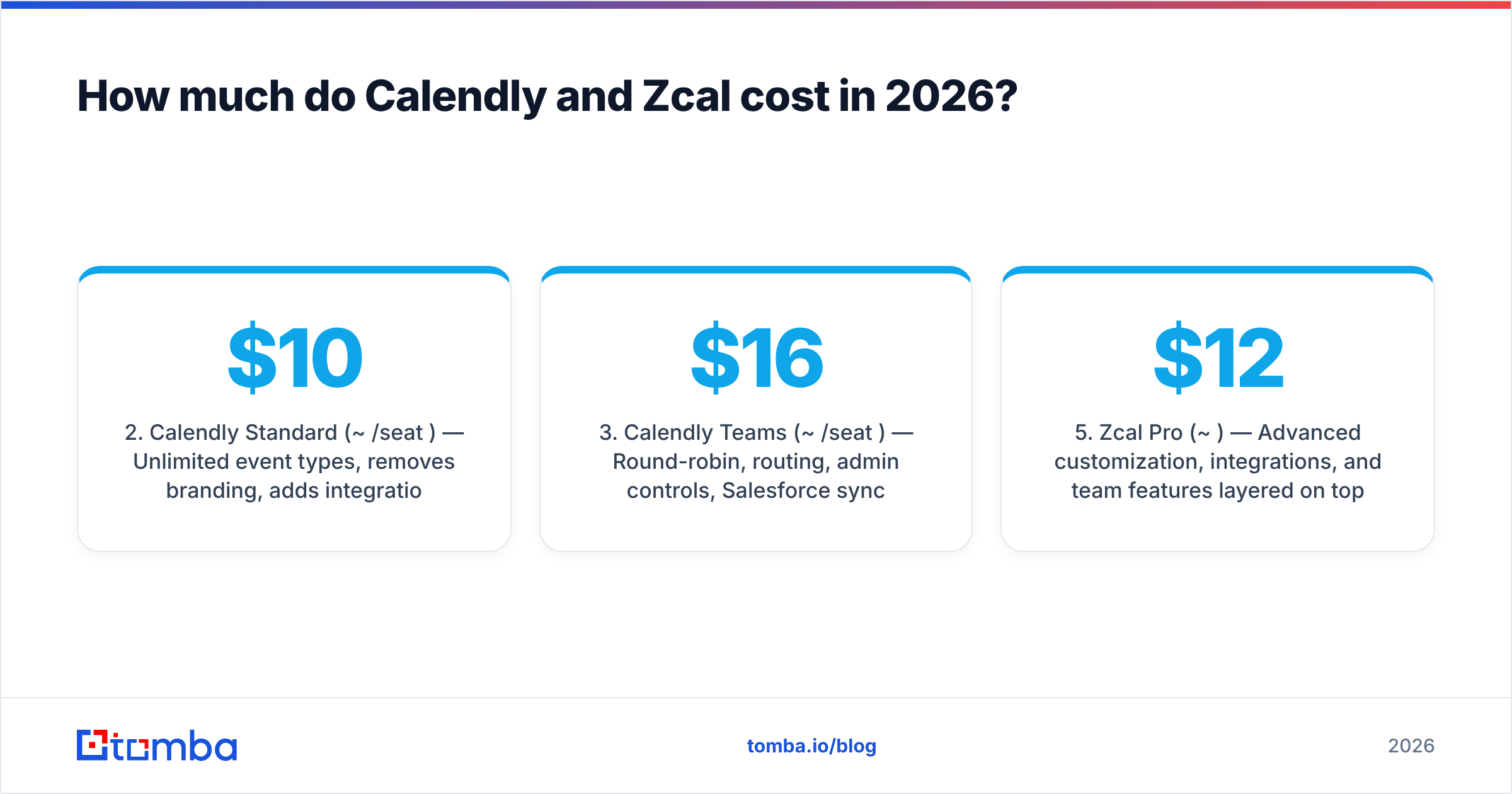
- Calendly Standard (~$10/seat/mo) — Unlimited event types, removes branding, adds integrations and reminders.
- Calendly Teams (~$16/seat/mo) — Round-robin, routing, admin controls, Salesforce sync.
- Zcal Free — Unlimited event types and bookings, no branding, analytics, custom booking pages.
- Zcal Pro (~$12/mo) — Advanced customization, integrations, and team features layered on top.
The practical difference: Zcal's free tier is something a professional can live on indefinitely. Calendly's free tier is designed to push you toward Standard the moment you take it seriously. Neither is "wrong" — they're betting on different customers.
Where does the scheduling tool fit in your sales stack?#
A booking link is the last mile of outbound, not the first. Think of your scheduler as the restaurant's reservation desk — it's excellent at seating guests, but it doesn't go out and find hungry people. That part is on you.
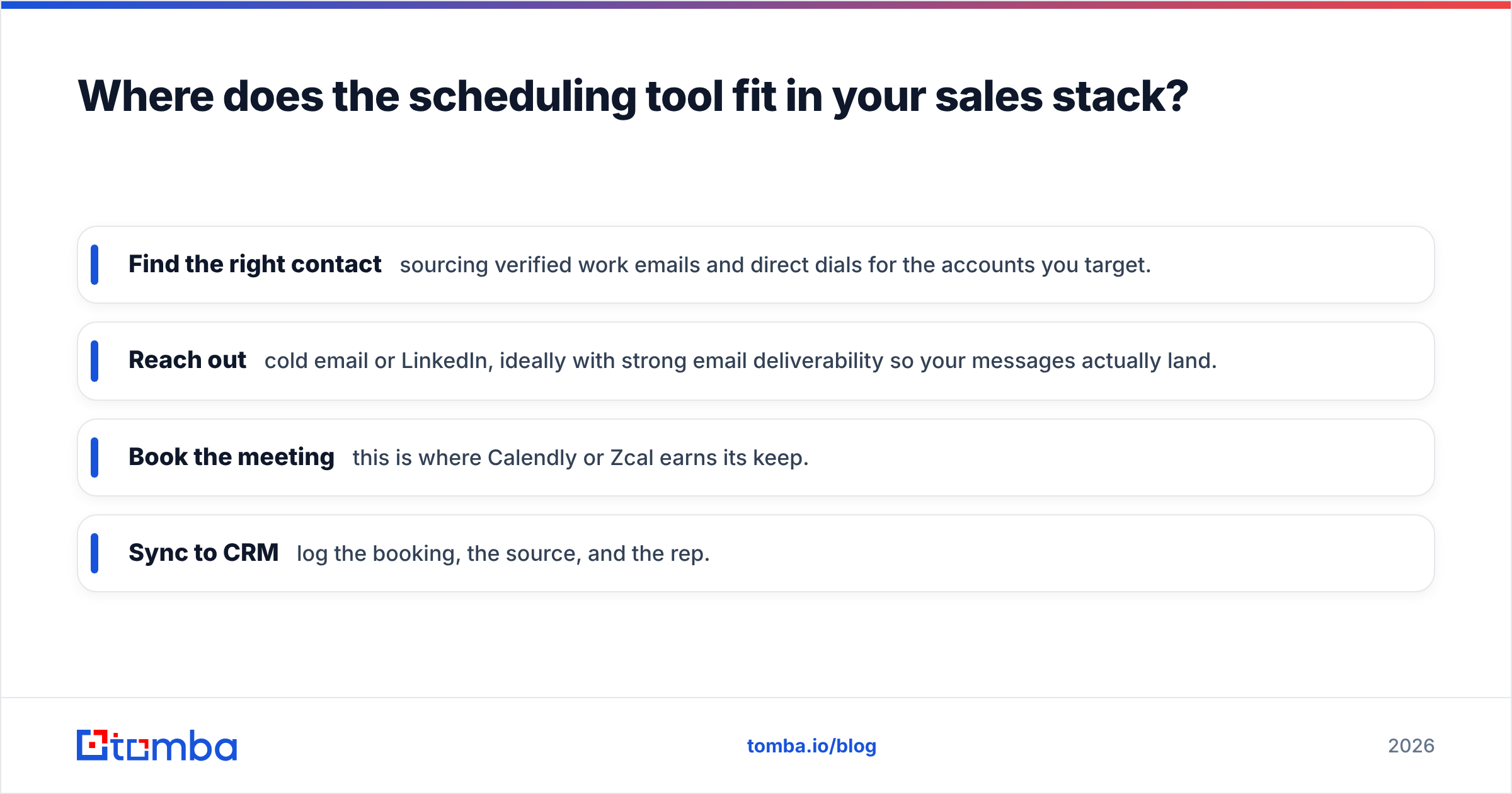
Here's the honest sequence most B2B teams run:
- Find the right contact — sourcing verified work emails and direct dials for the accounts you target.
- Reach out — cold email or LinkedIn, ideally with strong email deliverability so your messages actually land.
- Book the meeting — this is where Calendly or Zcal earns its keep.
- Sync to CRM — log the booking, the source, and the rep.
The booking tool only matters if steps one and two work. If your prospecting list is full of bounced addresses, the slickest Zcal page in the world books nobody. This is why teams pair a scheduler with a data layer: a tool to find email addresses and an email verifier to scrub the list before a single invite goes out. You can search by company with domain search to build the target list, then let the scheduler close the loop.
What about no-shows and reminders?#
This is where both tools converge — and where contact quality decides the outcome.
Calendly and Zcal both send automated email and SMS reminders, support buffer times between meetings, and let you add intake questions to qualify before the call. Calendly's workflow automation is more granular (multi-step reminder sequences, follow-up emails), while Zcal keeps it simpler but covers the essentials.
But reminders only reach people whose contact details are correct. A reminder sent to a typo'd address is a guaranteed no-show. Verifying the invitee's email — and capturing a phone number via a phone finder for high-value calls — does more to cut no-shows than any reminder cadence either platform offers. The tooling assumes good data; you have to supply it.
Pros and cons summary#
Calendly pros: mature integrations, advanced routing, team admin controls, trusted brand, deep Salesforce/HubSpot sync. Calendly cons: branding and key features paywalled, per-seat cost adds up, free tier intentionally thin.
Zcal pros: genuinely usable free tier, no watermark at $0, unlimited event types, clean design, free analytics. Zcal cons: lighter enterprise routing, fewer native integrations, younger product with a shorter track record.
Cross-check current ratings on G2 before you commit — both tools update plans and limits frequently, and review trends will tell you where each is investing.
Which should you choose?#
Choose Zcal if you're a solo operator, consultant, or small team that wants a professional, unbranded booking link without paying for it. The free tier is the most generous in the category, and for most individual sellers it's all you'll ever need.
Choose Calendly if you're scaling a sales org that depends on round-robin routing, lead qualification forms, and tight CRM integration. The maturity is worth the per-seat cost once your scheduling has real operational complexity.
And remember the part neither tool solves: the meeting only happens if you found and verified the right person first. Your scheduler books the call — it doesn't source the lead.
Build the pipeline before you book the meeting#
Calendly and Zcal both do their job well; the better question is what feeds them. Empty calendars come from empty pipelines, and empty pipelines come from bad contact data. Before you obsess over which booking link to use, make sure the people you're inviting are real, reachable, and verified.
That's where Tomba's Email Finder fits. Source accurate, verified work emails by name or domain, scrub them with built-in verification, and hand a clean list to whichever scheduler you pick. Start free with 25 searches a month, scale up on the Starter plan at $49/mo, and let your booking tool do what it's actually good at — closing the loop on meetings you've already earned.
// get started
Find, verify and enrich your first contacts today
Start on the free plan with 25 searches a month, then scale when your team is ready.
Free plan · No credit card required · GDPR & CCPA
// about the author