Call Logic Pricing, Reviews, Pros and Cons (2026 Guide)
Call Logic promises smarter outbound calling, but is the dialer worth it in 2026? Here's an honest look at pricing, real reviews, pros, and cons—and what to pair it with for better connect rates.
TL;DR
- Call Logic is a cloud-based auto-dialer and call-management platform built for outbound sales and appointment-setting teams that live on the phone.
- Pricing is quote-based rather than fully self-serve; reported plans typically land in the low-to-mid tens of dollars per user per month, with onboarding and call-recording add-ons affecting the real total.
- Reviewers praise the call automation, callback scheduling, and TCPA-minded compliance tools; complaints cluster around dated UI, integration gaps, and a learning curve.
- A dialer is only as good as the list you feed it. Bad phone and email data quietly destroys connect rates no matter which platform you buy.
- Pair any dialer with verified contact data (a phone finder plus a phone validator) so reps dial real, reachable people instead of dead numbers.
What is Call Logic?#
Call Logic is outbound calling software that automates the boring parts of phone-based selling: dialing, logging, scheduling callbacks, and keeping a rep moving through a list. Think of it like a GPS for a sales rep's day—instead of manually deciding who to call next and punching in numbers, the system routes you straight to the next live conversation.
It targets teams that make high volumes of outbound calls: inside sales, insurance and financial agents, real estate, home services, and appointment setters. The pitch is simple: cut the dead time between calls, never forget a follow-up, and stay on the right side of telemarketing rules.
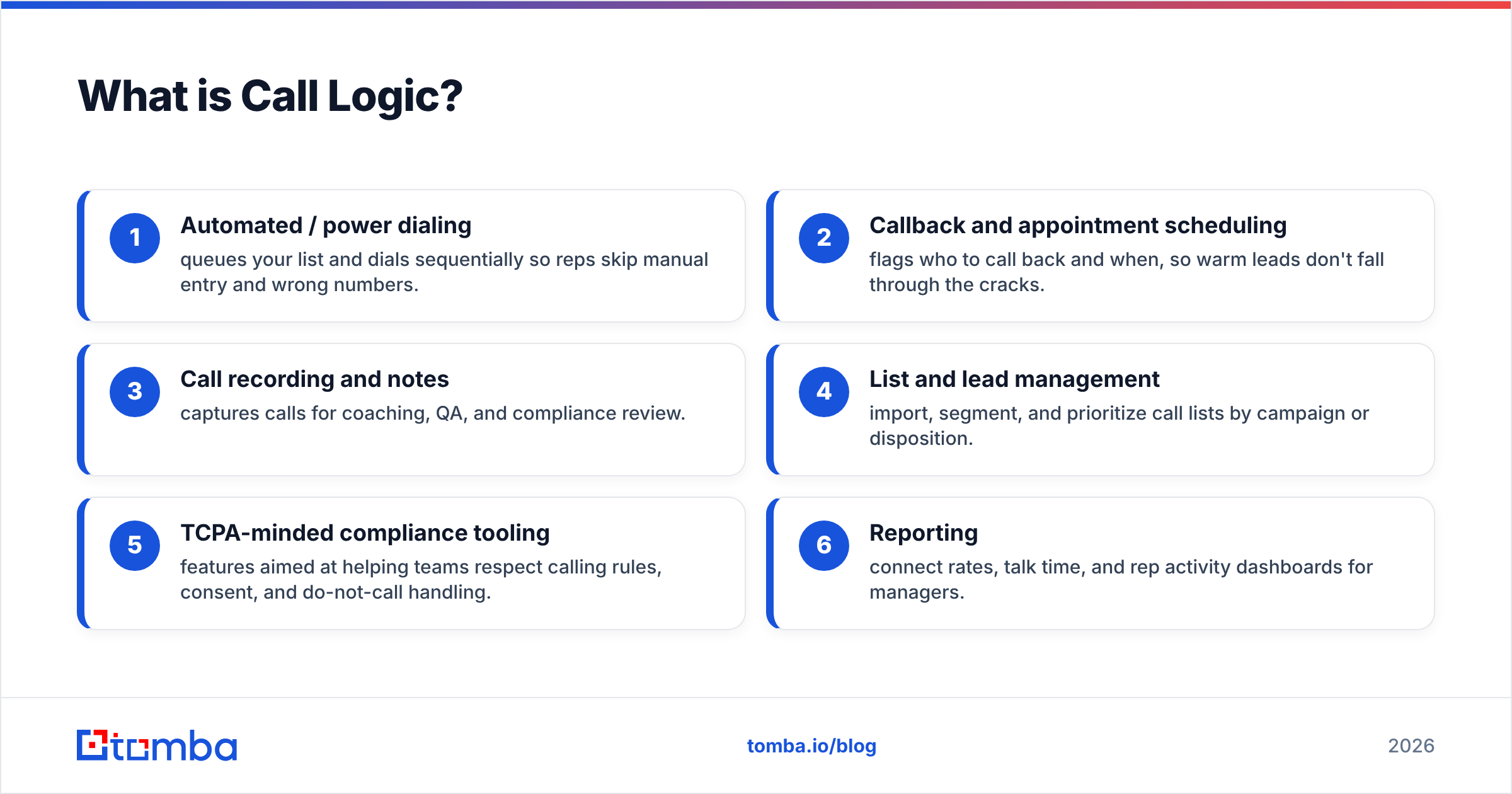
Core capabilities most reviewers mention:
- Automated / power dialing — queues your list and dials sequentially so reps skip manual entry and wrong numbers.
- Callback and appointment scheduling — flags who to call back and when, so warm leads don't fall through the cracks.
- Call recording and notes — captures calls for coaching, QA, and compliance review.
- List and lead management — import, segment, and prioritize call lists by campaign or disposition.
- TCPA-minded compliance tooling — features aimed at helping teams respect calling rules, consent, and do-not-call handling.
- Reporting — connect rates, talk time, and rep activity dashboards for managers.
How much does Call Logic cost in 2026?#
Short answer: Call Logic uses quote-based pricing, so the public number you'll find is a starting point, not the whole bill. Unlike fully self-serve tools that publish every tier, Call Logic typically routes serious buyers through a demo and a custom quote. Independent listings on review sites have historically reported entry pricing in the low-to-mid tens of dollars per user per month, but the figure that lands on your invoice depends on seat count, contract length, call recording, and onboarding.
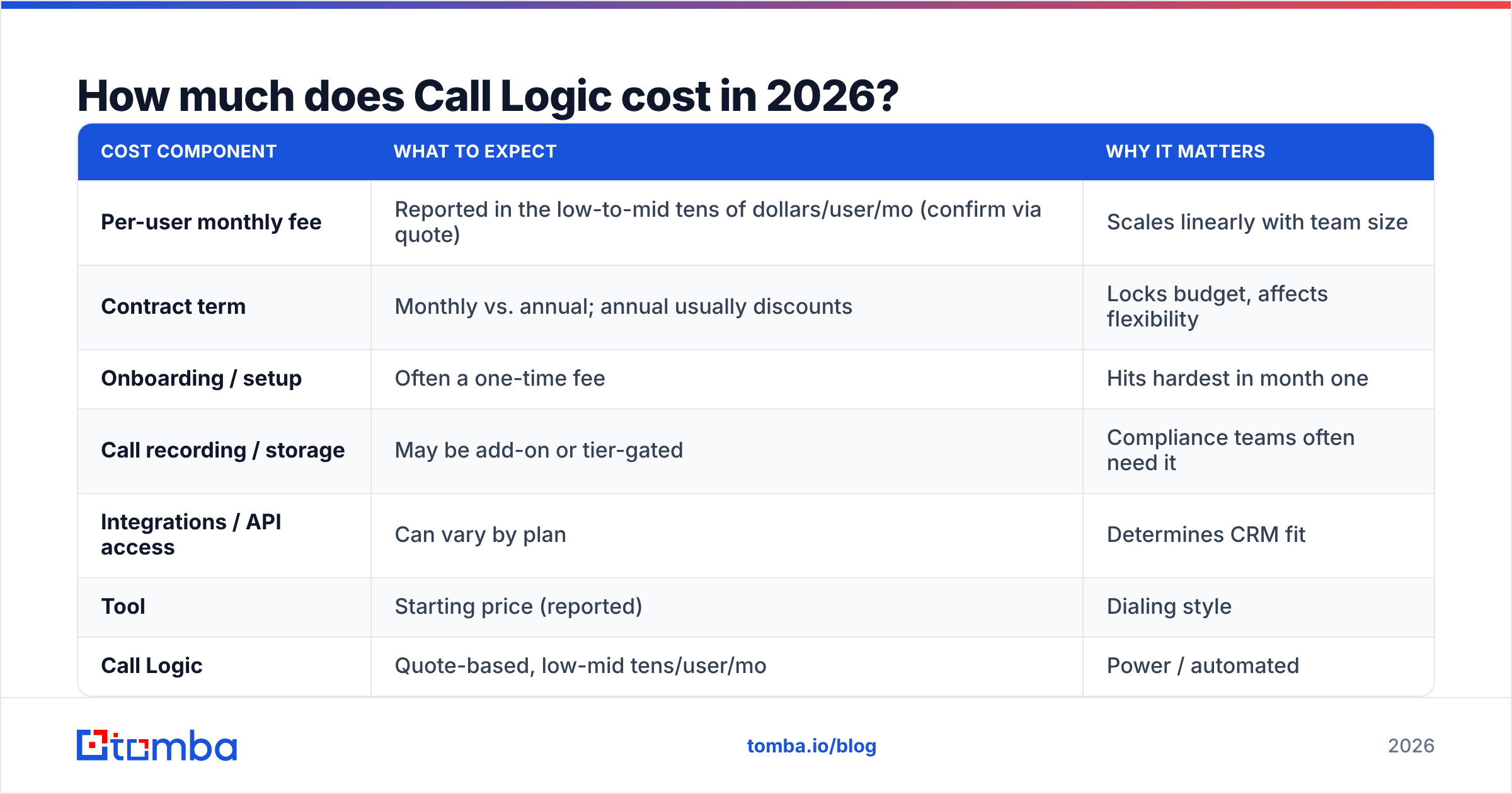
Because the vendor doesn't publish a fully transparent tier sheet, treat any single number with caution and confirm directly. Here's how the cost picture generally breaks down:
| Cost component | What to expect | Why it matters |
|---|---|---|
| Per-user monthly fee | Reported in the low-to-mid tens of dollars/user/mo (confirm via quote) | Scales linearly with team size |
| Contract term | Monthly vs. annual; annual usually discounts | Locks budget, affects flexibility |
| Onboarding / setup | Often a one-time fee | Hits hardest in month one |
| Call recording / storage | May be add-on or tier-gated | Compliance teams often need it |
| Integrations / API access | Can vary by plan | Determines CRM fit |
For comparison, here is how Call Logic's model stacks up against other well-known outbound dialers. Prices below are publicly reported starting points and change often—always verify on the vendor's own site before buying.
| Tool | Starting price (reported) | Dialing style | Best fit |
|---|---|---|---|
| Call Logic | Quote-based, low-mid tens/user/mo | Power / automated | SMB outbound & appointment setting |
| PhoneBurner | ~$149/user/mo | Power dialer | High-volume outbound teams |
| Kixie | ~$35/user/mo + plans | Power dialer + SMS | Sales teams wanting CRM-native dialing |
| Aircall | ~$30/user/mo | Cloud phone + dialer | Support + sales blended teams |
The takeaway: Call Logic positions itself as an accessible, SMB-friendly option rather than a premium enterprise dialer. That's a real advantage if your budget is tight—just budget for onboarding and confirm whether call recording sits inside your plan or beside it.
What do Call Logic reviews say?#
Reviews skew positive on automation and support, and negative on polish and integrations. Across public listings on G2 and Capterra, the pattern is consistent enough to trust the themes even when individual star counts move around.
What reviewers consistently like:
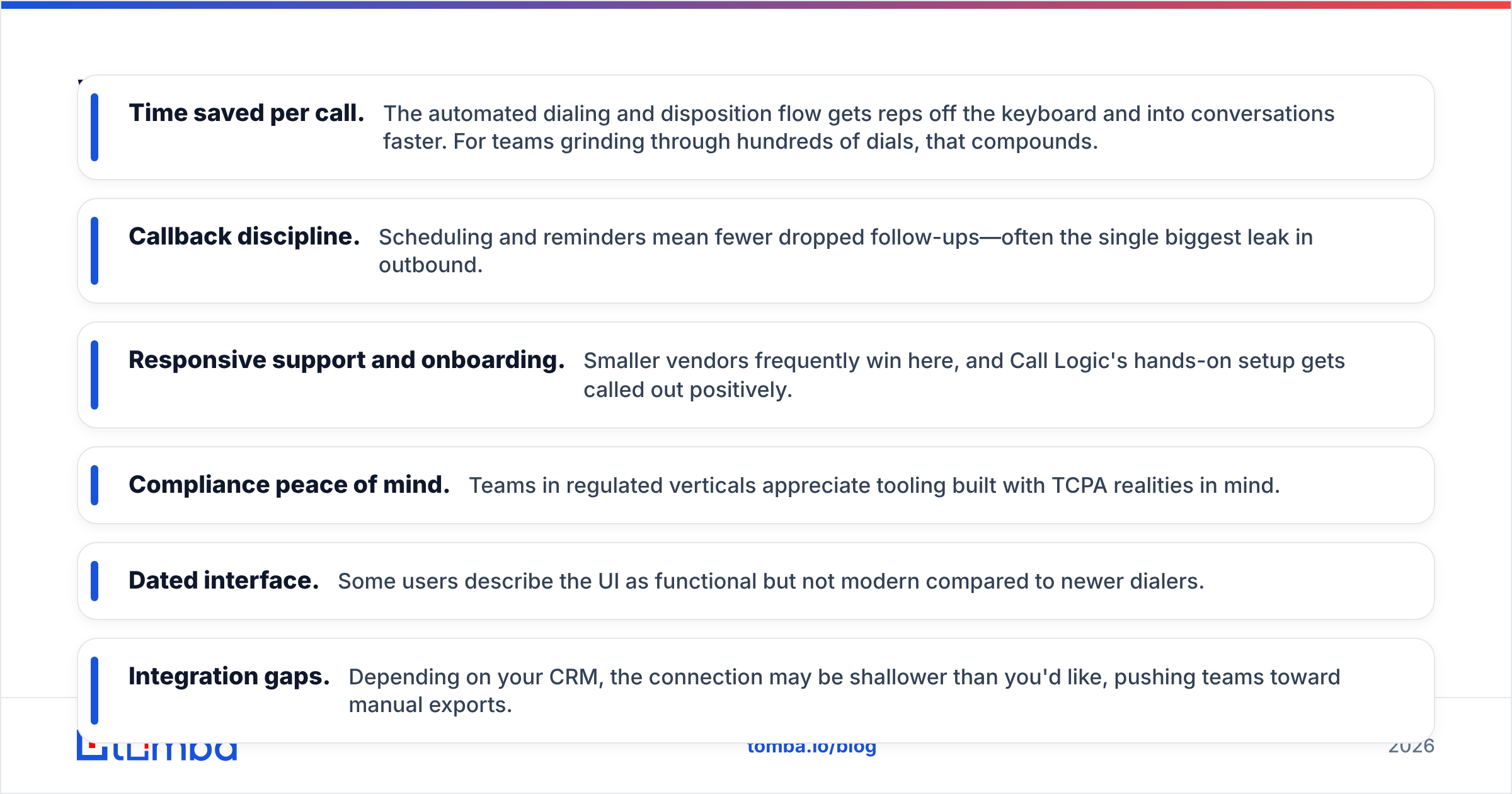
- Time saved per call. The automated dialing and disposition flow gets reps off the keyboard and into conversations faster. For teams grinding through hundreds of dials, that compounds.
- Callback discipline. Scheduling and reminders mean fewer dropped follow-ups—often the single biggest leak in outbound.
- Responsive support and onboarding. Smaller vendors frequently win here, and Call Logic's hands-on setup gets called out positively.
- Compliance peace of mind. Teams in regulated verticals appreciate tooling built with TCPA realities in mind.
What reviewers complain about:
- Dated interface. Some users describe the UI as functional but not modern compared to newer dialers.
- Integration gaps. Depending on your CRM, the connection may be shallower than you'd like, pushing teams toward manual exports.
- Learning curve. The automation is powerful, but a few reviewers note it takes time to configure campaigns and dispositions well.
- Data is your problem, not theirs. Like every dialer, Call Logic dials what you load. If your list is full of stale numbers, no feature fixes that.
That last point is the one most buyers underestimate, so it deserves its own section.
Is Call Logic worth it, or is the problem your data?#
A dialer optimizes the call; it can't fix the list. You can buy the slickest power dialer on the market and still watch connect rates crater if 30% of your numbers are wrong, disconnected, or belong to someone who left the company two years ago. The dialer just helps you reach bad data faster.
This is where most outbound stalls. Reps blame the script, managers blame the reps, and everyone ignores the spreadsheet of decayed contacts underneath it all. B2B data goes stale fast—people change jobs, companies rebrand, direct lines get reassigned. A 2024 list is a liability in 2026.
So before judging whether Call Logic (or any dialer) is "worth it," ask two questions:
- Are these phone numbers real and current? Run them through a phone validator so reps stop burning hours on dead lines.
- Do you even have direct dials and emails for your target accounts? If you're working from a thin list, a phone finder and data enrichment fill the gaps before the dialing starts.
Feed a good dialer clean, enriched data and the math changes completely. The same number of dials produces more conversations, which produces more pipeline—without spending another dollar on the dialer itself.
What are the pros and cons of Call Logic?#
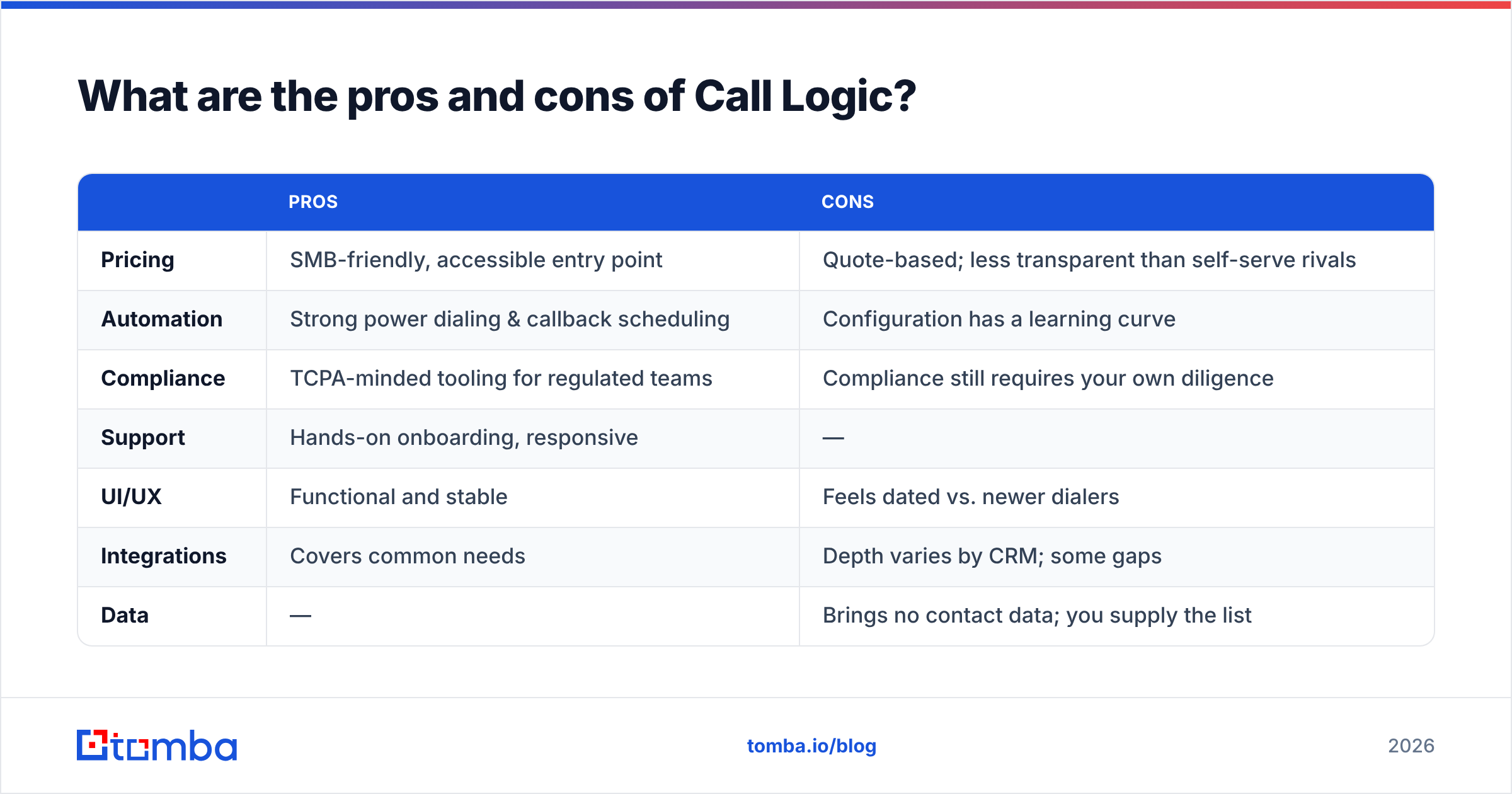
Here's the honest balance sheet for 2026.
| Pros | Cons | |
|---|---|---|
| Pricing | SMB-friendly, accessible entry point | Quote-based; less transparent than self-serve rivals |
| Automation | Strong power dialing & callback scheduling | Configuration has a learning curve |
| Compliance | TCPA-minded tooling for regulated teams | Compliance still requires your own diligence |
| Support | Hands-on onboarding, responsive | — |
| UI/UX | Functional and stable | Feels dated vs. newer dialers |
| Integrations | Covers common needs | Depth varies by CRM; some gaps |
| Data | — | Brings no contact data; you supply the list |
Who Call Logic fits: SMB and mid-market outbound teams, appointment setters, and agents in insurance, real estate, or financial services who want affordable automation and don't need a premium enterprise telephony stack.
Who should look elsewhere: Teams needing deep, native integration with a specific modern CRM, very high-volume call centers wanting advanced predictive dialing, or anyone expecting the tool to also source contact data.
How do you get more out of Call Logic (or any dialer)?#
Treat the dialer as the last mile, and invest upstream in data quality. The highest-leverage improvements to outbound performance almost never come from the dialer itself—they come from who you're calling and whether you can actually reach them.
A practical stack looks like this:
- Source the right contacts. Use an email finder and phone finder to build target lists with direct contact details instead of generic switchboards.
- Verify before you dial. Clean numbers with a validator and clean emails with an email verifier so bounces and dead lines drop.
- Enrich what's thin. Append titles, company data, and direct lines so reps personalize instead of guessing.
- Then dial. Now Call Logic's automation works on a list that's actually worth dialing.
- Follow up across channels. Pair calls with email so a missed connect isn't a dead end—check Tomba pricing to see how affordable the data layer is.
Most teams discover that the dialer was never the bottleneck. Connect rates double not because the software got better, but because the list did.
Frequently asked questions#
Does Call Logic publish its pricing? Not fully. It uses quote-based pricing routed through a demo, with reported starting figures in the low-to-mid tens of dollars per user per month. Confirm directly on calllogic.com for your seat count and term.
Is Call Logic good for TCPA compliance? It includes tooling designed with telemarketing rules in mind, which regulated teams appreciate—but compliance is ultimately your responsibility, not a feature you can fully outsource.
Does Call Logic provide phone numbers or leads? No. Like nearly all dialers, it dials the list you load. You supply the contact data, which is exactly why a verified data source matters so much.
What's the biggest hidden cost? Bad data. Wrong and disconnected numbers waste rep hours regardless of how good the dialer is—validate and enrich your list first.
The bottom line#
Call Logic is a solid, SMB-friendly outbound dialer in 2026: strong automation, disciplined callbacks, compliance-minded tooling, and responsive support, held back by a dated interface and variable integration depth. For the right team at the right budget, it earns its place.
But the dialer is only half the equation. The fastest, cheapest way to lift outbound results is to stop dialing dead numbers. Start by building and cleaning your list with the Tomba Email Finder—find verified emails and direct contacts by domain, name, or company, then layer in phone finding and validation so every dial through Call Logic reaches a real, reachable buyer. Better data in, more conversations out. Try Tomba's free tier (25 searches/month) and see how much your connect rate improves before you blame the dialer.
Ready to find emails that actually work?
Join 150,000+ professionals who stopped guessing and started sending. Free credits on signup — no credit card required.
Get the Tomba newsletter
Practical outbound tactics and product updates — once every two weeks.
About the author