CapitalConnectorAI vs Nymeria: Which Wins in 2026?
CapitalConnectorAI vs Nymeria compared on accuracy, pricing, data depth, and compliance — plus where a dedicated email finder beats both for cold outreach.
Choosing between CapitalConnectorAI and Nymeria comes down to one question: do you need an AI-flavored prospecting layer, or do you need raw, verified contact data that actually lands in inboxes? Both promise to put decision-maker emails in front of you. They get there very differently, and the gap shows up the moment you launch a real campaign.
This guide breaks down both tools on the attributes that decide deliverability and ROI — match rate, verification, pricing, coverage, and compliance — and tells you where a purpose-built email finder beats either one.
TL;DR — CapitalConnectorAI vs Nymeria at a glance#
- CapitalConnectorAI leans on AI-assisted lookups and investor/network angles; it's newer, with thinner public benchmarks and less transparent verification.
- Nymeria is an established contact-enrichment and email-finding tool with a Chrome extension, bulk lookups, and LinkedIn-centric workflows.
- Accuracy is the deciding factor. An AI label means nothing if 30% of emails bounce. Verified-at-send-time data wins every time.
- Pricing favors transparency. Per-credit math and bounce rates matter more than the sticker price.
- For most outbound teams, a dedicated, verification-first tool like Tomba delivers a cleaner list at a lower true cost-per-valid-email than either contender.

What is CapitalConnectorAI?#
CapitalConnectorAI positions itself as an AI-driven connector — built to surface contacts, investors, and decision-makers using machine-learning matching rather than a static directory. The pitch is automation: describe who you want, and the platform assembles a contact path.
That's appealing on paper. In practice, "AI matching" is only as good as the underlying data it draws from. If the source pool is small or stale, the AI confidently hands you a plausible-looking email that was deactivated 18 months ago. Newer entrants also tend to publish fewer independent accuracy numbers, which makes it hard to verify claims before you spend credits.
The honest read: CapitalConnectorAI is interesting for networking and warm-intro discovery, but you should treat its email output as a starting hypothesis, not a verified list.
What is Nymeria?#
Nymeria is a well-known contact-enrichment and email-finding platform. Its core strengths are a browser extension that pulls contact details while you browse LinkedIn, bulk enrichment, and an API for programmatic lookups. It's been around long enough to earn real reviews on G2, and it fits people who live inside LinkedIn prospecting.
Where Nymeria gets criticized is consistency. Match rates vary a lot by region and seniority, catch-all domains slip through as "valid," and credits get consumed on results you can't actually use. It's a capable generalist — but a generalist, not a verification specialist.
CapitalConnectorAI vs Nymeria: the core comparison#
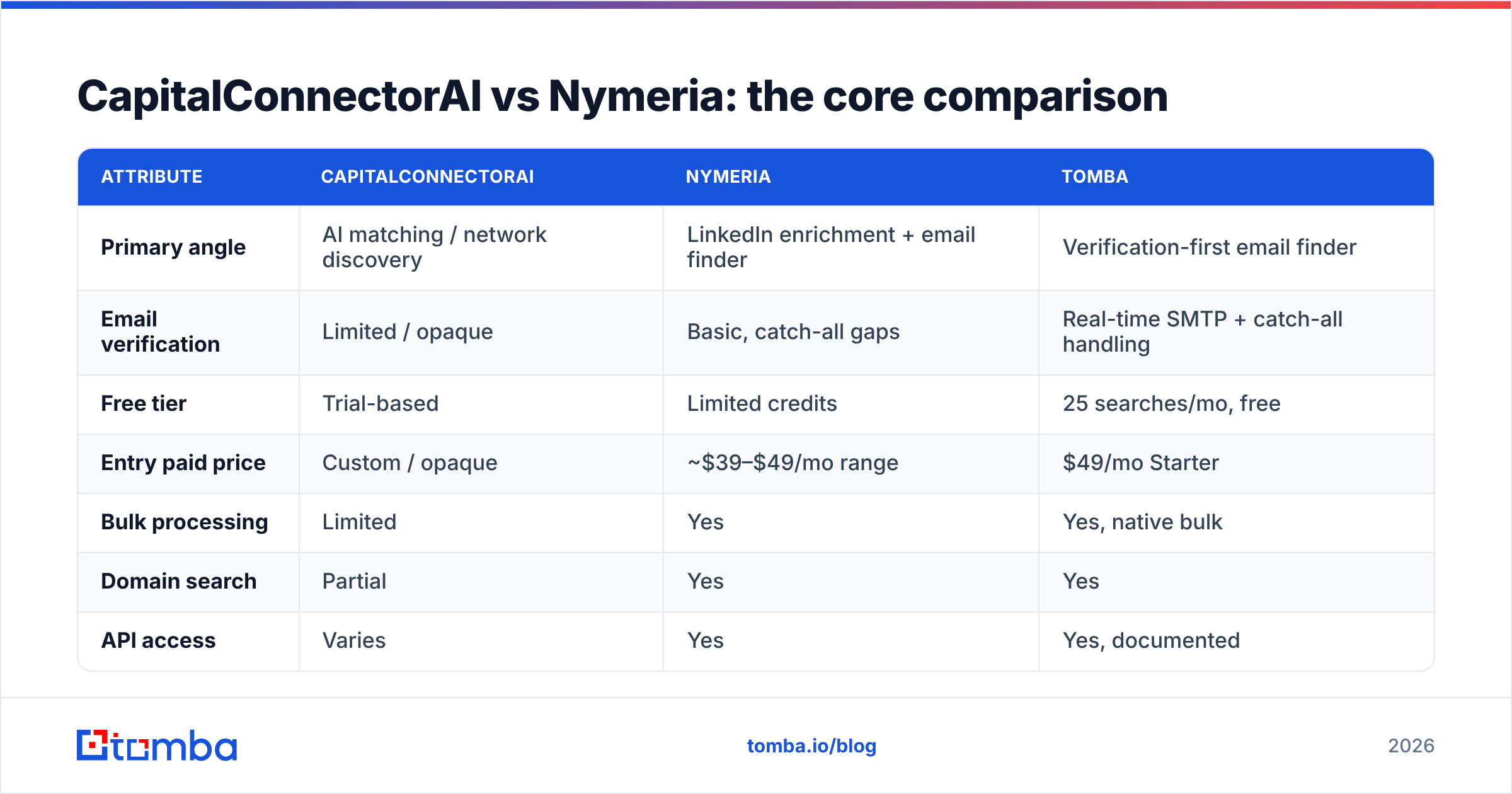
Here's how the two stack up on the attributes that actually affect campaign performance. Tomba is included as a verification-first reference point.
| Attribute | CapitalConnectorAI | Nymeria | Tomba |
|---|---|---|---|
| Primary angle | AI matching / network discovery | LinkedIn enrichment + email finder | Verification-first email finder |
| Email verification | Limited / opaque | Basic, catch-all gaps | Real-time SMTP + catch-all handling |
| Free tier | Trial-based | Limited credits | 25 searches/mo, free |
| Entry paid price | Custom / opaque | ~$39–$49/mo range | $49/mo Starter |
| Bulk processing | Limited | Yes | Yes, native bulk |
| Domain search | Partial | Yes | Yes |
| API access | Varies | Yes | Yes, documented |
| Compliance posture | Less documented | Standard | GDPR-aware, transparent sources |
The pattern is clear: CapitalConnectorAI wins on novelty, Nymeria wins on workflow familiarity, and a dedicated finder wins on the thing that pays your bills — valid emails that send.
Which is more accurate for cold outreach?#
Accuracy is the whole game, and it's where the AI-versus-directory framing misleads people. Your deliverability depends on two numbers: match rate (did the tool find an email?) and validity rate (does that email actually exist and accept mail?). A tool can ace the first and fail the second, and you won't know until your bounce rate tanks your sender reputation.

CapitalConnectorAI's AI matching optimizes for finding something. That's a recall strategy, and recall without verification produces guesses. Nymeria verifies, but its catch-all detection is where many bounces originate — a catch-all domain accepts every address at the SMTP layer, so a naive check marks junk as "valid."
This is why a dedicated email verifier with proper catch-all verification changes outcomes. The workflow that protects email deliverability is: find the address, verify it in real time, and flag catch-alls separately instead of pretending they're confirmed. Tools that skip the middle step trade your domain reputation for a higher headline match rate.
How do they compare on pricing and true cost?#
Sticker price is a trap. The number that matters is cost per valid email — what you pay divided by the emails that actually reach a human.
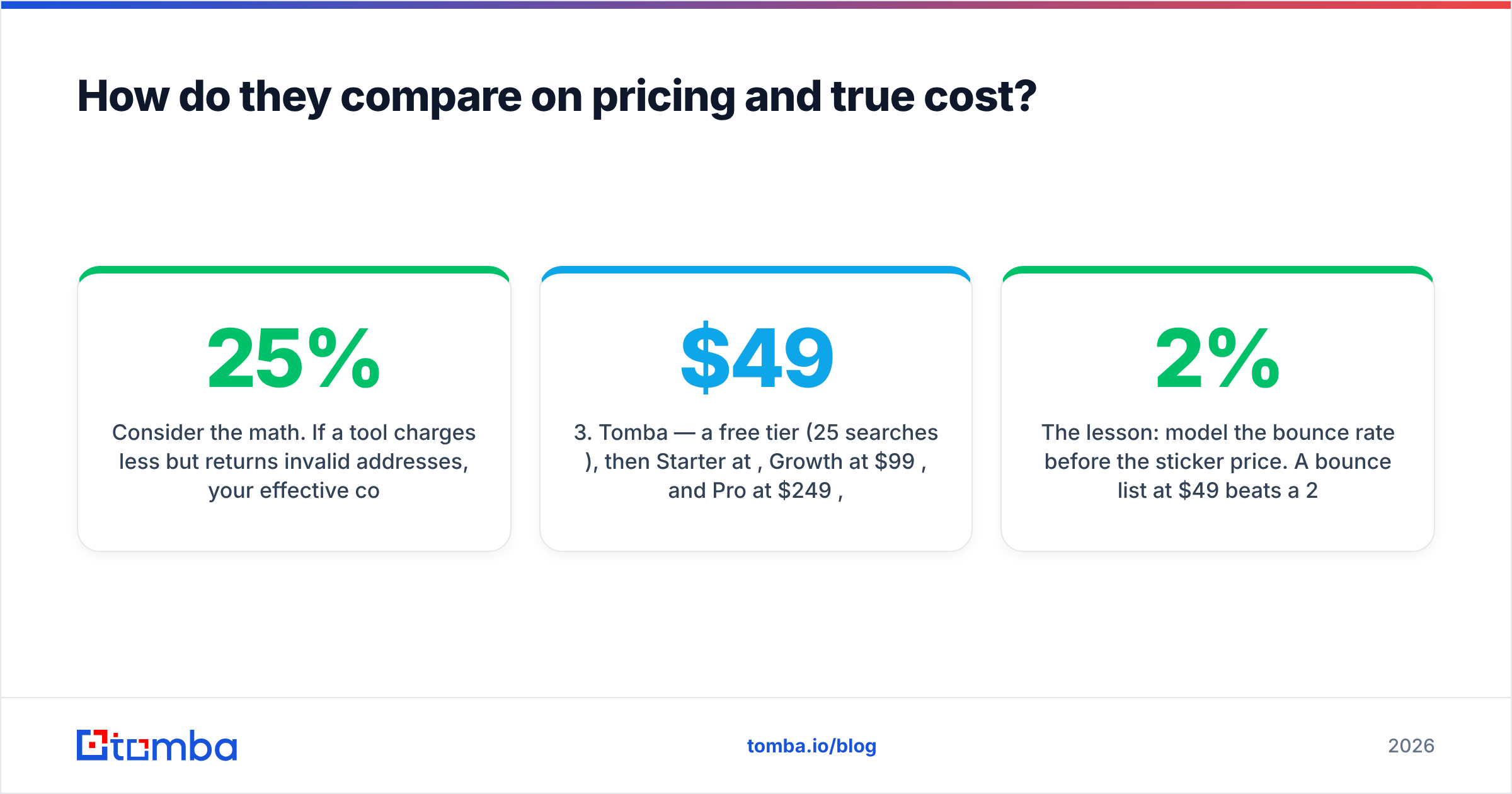
Consider the math. If a tool charges less per credit but returns 25% invalid addresses, your effective cost per usable contact is higher than a slightly pricier tool with a 3% bounce rate. You also pay a hidden tax: bounces erode sender reputation, which suppresses deliverability on every future send.
- CapitalConnectorAI — opaque, often quote-based pricing. Hard to model cost-per-valid-email before committing, which is a risk for budget-conscious teams.
- Nymeria — transparent monthly tiers, but credits burn on catch-alls and unverifiable results, inflating your real cost.
- Tomba — a free tier (25 searches/mo), then Starter at $49/mo, Growth at $99/mo, and Pro at $249/mo, with verification built into the find step so fewer credits are wasted. See full Tomba pricing for credit breakdowns.
The lesson: model the bounce rate before the sticker price. A 2% bounce list at $49/mo beats a 20% bounce list at $29/mo every single time.

Which tool fits which use case?#
Neither tool is universally "best" — fit depends on your motion.
- Investor and warm-network discovery — CapitalConnectorAI's matching angle can surface paths a flat directory misses. Use it for research, then verify any email before you send.
- LinkedIn-native prospecting — Nymeria's extension is convenient if your reps already work inside LinkedIn all day. Pair it with external verification.
- High-volume cold outreach — You need a verification-first pipeline. Bounces here are catastrophic, so a dedicated email finder plus bulk email finder is the safer engine.
- Filling CRM gaps at scale — Data enrichment that appends verified emails and firmographics beats one-off lookups.
If your revenue depends on emails landing, the AI label and the LinkedIn extension are conveniences, not the core requirement. Verified data is the core requirement.
What about compliance and data sourcing?#
Compliance is the quiet differentiator in 2026. Buyers — and regulators — increasingly ask where contact data comes from. A tool that can't explain its sourcing exposes you to GDPR and CAN-SPAM risk you can't see until a complaint lands.
Established tools like Nymeria document standard practices. Newer AI-forward platforms sometimes obscure sourcing behind the "our model finds it" framing, which is exactly the answer a privacy officer doesn't want. When you evaluate any vendor, ask for a plain-English explanation of where the data comes from and how opt-outs are honored. Transparency isn't a nice-to-have; it's your liability shield.
CapitalConnectorAI vs Nymeria: pros and cons#
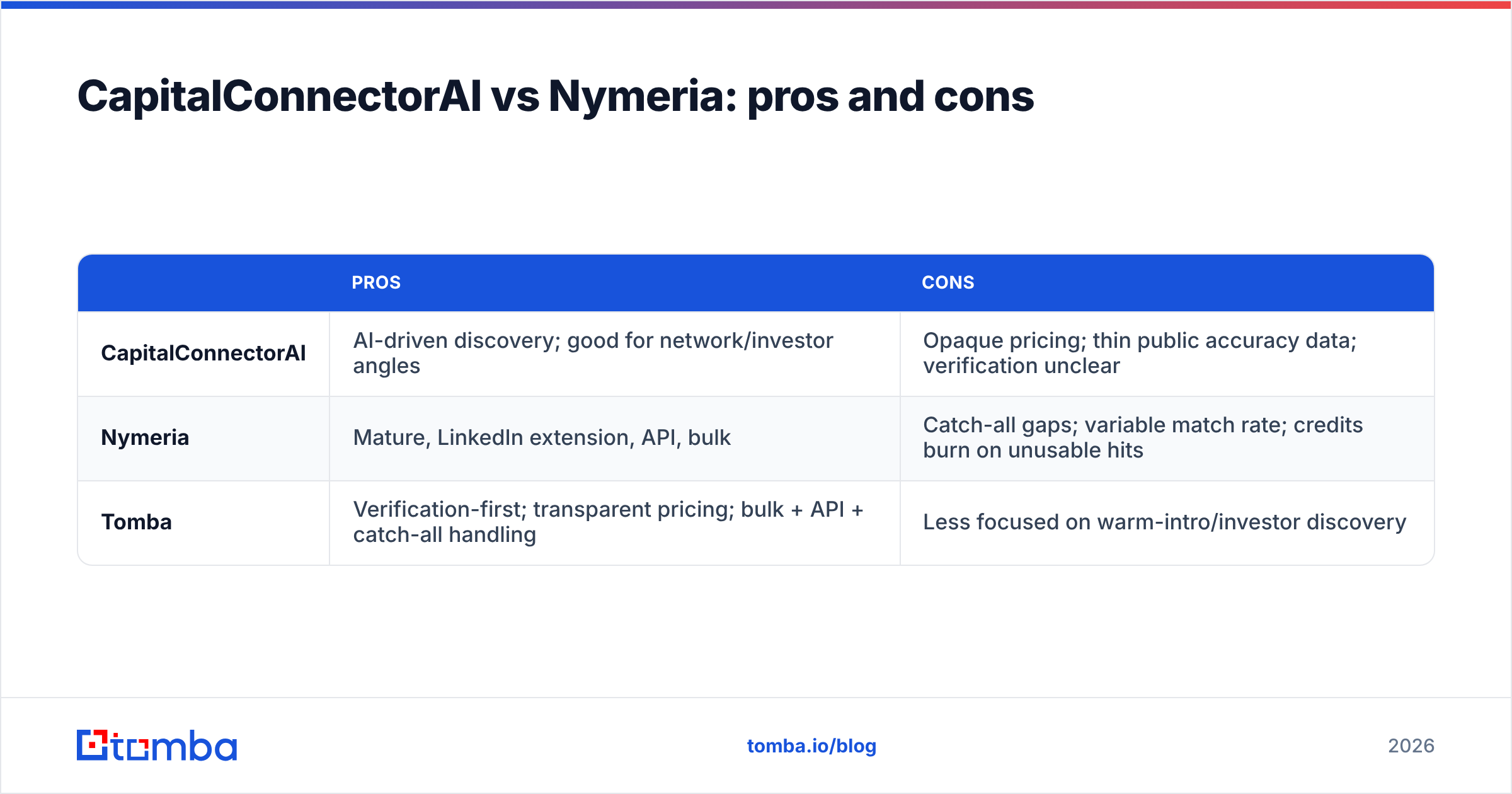
| Pros | Cons | |
|---|---|---|
| CapitalConnectorAI | AI-driven discovery; good for network/investor angles | Opaque pricing; thin public accuracy data; verification unclear |
| Nymeria | Mature, LinkedIn extension, API, bulk | Catch-all gaps; variable match rate; credits burn on unusable hits |
| Tomba | Verification-first; transparent pricing; bulk + API + catch-all handling | Less focused on warm-intro/investor discovery |

How should you actually decide?#
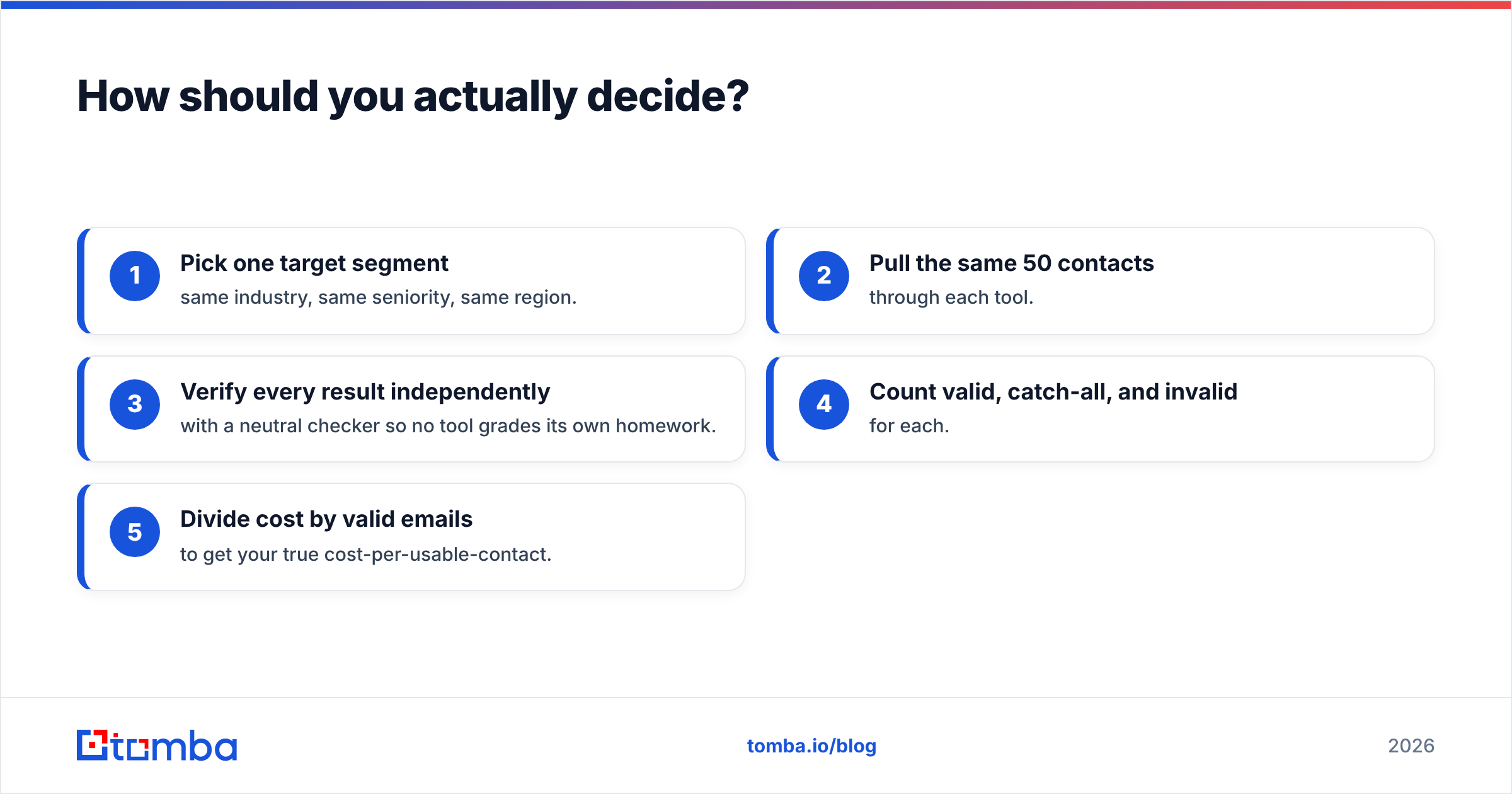
Run a 50-contact bake-off. It costs almost nothing and ends the debate in an afternoon:
- Pick one target segment — same industry, same seniority, same region.
- Pull the same 50 contacts through each tool.
- Verify every result independently with a neutral checker so no tool grades its own homework.
- Count valid, catch-all, and invalid for each.
- Divide cost by valid emails to get your true cost-per-usable-contact.
Whichever tool wins that test wins your budget. Don't decide on the marketing page; decide on your own bounce data. Most teams that run this honestly find that a verification-first finder produces the cleanest list, because it's optimized for the exact metric the test measures.
The verdict#
CapitalConnectorAI and Nymeria are both legitimate tools for the right job. CapitalConnectorAI is worth a look for AI-assisted network and investor discovery. Nymeria is a solid pick if your team is glued to LinkedIn and wants enrichment in the flow. But for the outcome most outbound teams care about — verified emails that don't bounce — both leave gaps you'll pay for in deliverability.
If your priority is a clean, verified list at a predictable cost, start with a tool built around verification rather than discovery. The Tomba Email Finder finds professional emails by name, domain, or company and verifies them in real time — including proper catch-all handling — so more of your sends actually reach a human. Try it free with 25 searches a month, then scale on a transparent plan when the bounce math proves it out. Your sender reputation will thank you.
// get started
Find, verify and enrich your first contacts today
Start on the free plan with 25 searches a month, then scale when your team is ready.
Free plan · No credit card required · GDPR & CCPA
// about the author