CapitalConnectorAI vs Wiza: Best Prospecting Tool in 2026?
CapitalConnectorAI vs Wiza compared head-to-head on data accuracy, pricing, and workflow fit — plus where Tomba beats both on cost-per-verified-email.
Choosing between CapitalConnectorAI and Wiza usually comes down to one question your finance team never asks out loud: how much are you paying per email that actually lands? Both tools promise verified B2B contacts. Both pull from LinkedIn-shaped data. But they price, verify, and export very differently — and the gap matters once you scale past a few hundred leads a month.
This is a neutral, hands-on comparison. We'll look at accuracy, pricing tiers, export limits, and the workflows each tool fits best. Where a third option (Tomba) is genuinely cheaper or more accurate, we'll say so — and where Wiza or CapitalConnectorAI win, we'll say that too.
TL;DR#
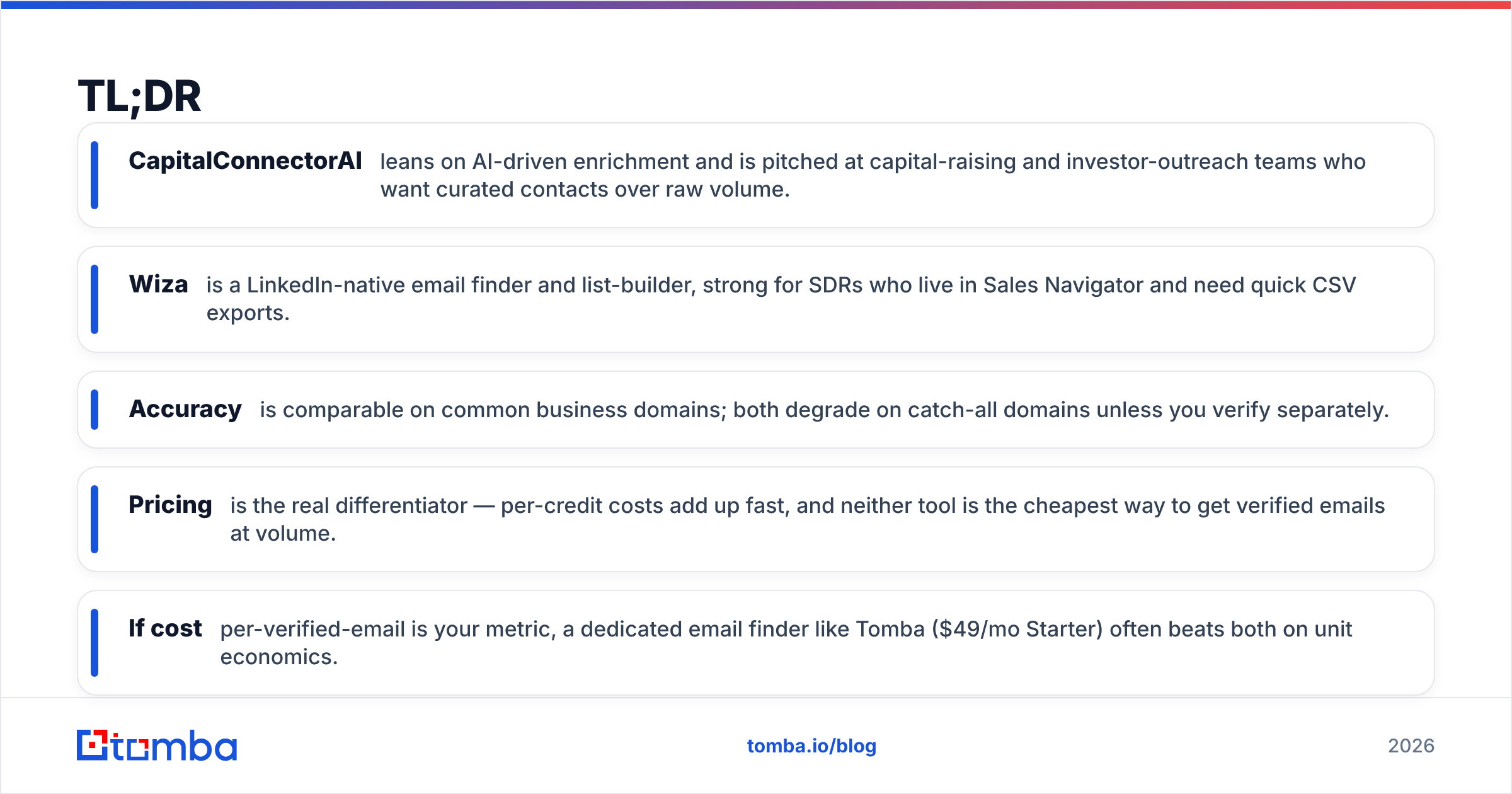
- CapitalConnectorAI leans on AI-driven enrichment and is pitched at capital-raising and investor-outreach teams who want curated contacts over raw volume.
- Wiza is a LinkedIn-native email finder and list-builder, strong for SDRs who live in Sales Navigator and need quick CSV exports.
- Accuracy is comparable on common business domains; both degrade on catch-all domains unless you verify separately.
- Pricing is the real differentiator — per-credit costs add up fast, and neither tool is the cheapest way to get verified emails at volume.
- If cost-per-verified-email is your metric, a dedicated email finder like Tomba ($49/mo Starter) often beats both on unit economics.
What is CapitalConnectorAI?#
CapitalConnectorAI is an AI-assisted prospecting and enrichment tool aimed at teams doing relationship-driven outreach — think founders raising capital, BD reps targeting investors, and partnership teams. Instead of dumping thousands of rows, it emphasizes curated, context-rich contacts: who to reach, why they're relevant, and a suggested angle.
That curation is the selling point. If your motion is 50 high-value conversations a quarter rather than 5,000 cold emails, the "fewer but smarter" framing fits. The trade-off is throughput and transparency — AI scoring is helpful, but you still need to verify deliverability before you hit send, because a confident-looking suggestion is not the same as a confirmed mailbox.
What is Wiza?#
Wiza is a LinkedIn-native email finder built around Sales Navigator and regular LinkedIn search. You run a search, Wiza scrapes the result set, finds and verifies emails, and exports a clean CSV (or pushes to your CRM). For SDRs who build lists straight off a Sales Nav filter, it's fast and familiar.
Wiza's strength is workflow proximity: the data comes from where you're already prospecting. Its limits show up in two places — per-credit pricing that climbs with volume, and catch-all domains, where any LinkedIn-sourced tool struggles to confirm a single mailbox. You can read more about how catch-all domains break verification in our catch-all verifier guide.

CapitalConnectorAI vs Wiza: how do they compare?#
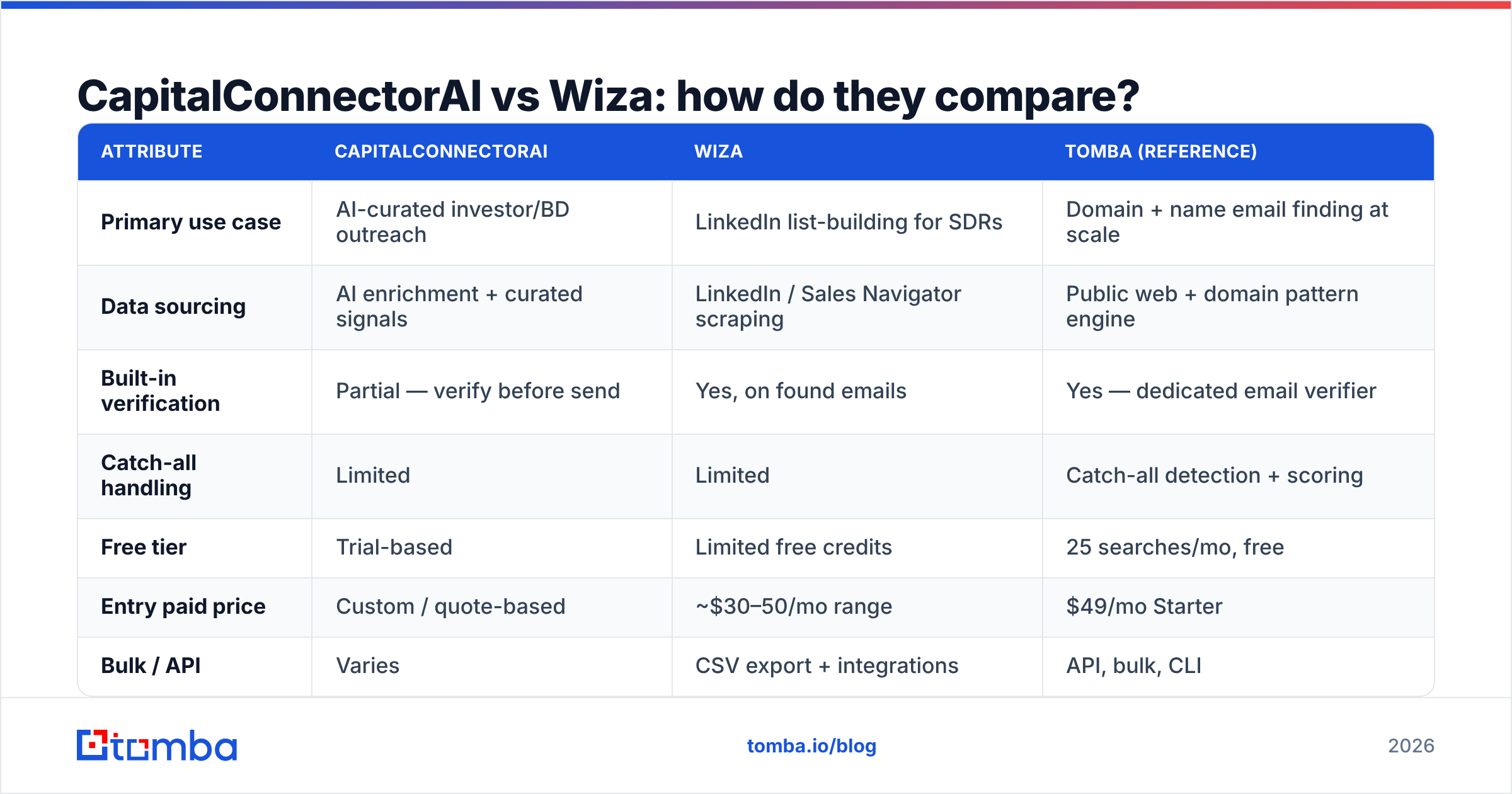
Here's the head-to-head on the attributes that actually change your results. Pricing reflects publicly listed plans at time of writing; always confirm on the vendor's own page before buying.
| Attribute | CapitalConnectorAI | Wiza | Tomba (reference) |
|---|---|---|---|
| Primary use case | AI-curated investor/BD outreach | LinkedIn list-building for SDRs | Domain + name email finding at scale |
| Data sourcing | AI enrichment + curated signals | LinkedIn / Sales Navigator scraping | Public web + domain pattern engine |
| Built-in verification | Partial — verify before send | Yes, on found emails | Yes — dedicated email verifier |
| Catch-all handling | Limited | Limited | Catch-all detection + scoring |
| Free tier | Trial-based | Limited free credits | 25 searches/mo, free |
| Entry paid price | Custom / quote-based | ~$30–50/mo range | $49/mo Starter |
| Bulk / API | Varies | CSV export + integrations | API, bulk, CLI |
| Best for | Relationship-led raising | Sales Nav power users | Cost-per-verified-email at volume |
The pattern is clear: CapitalConnectorAI optimizes for relevance, Wiza optimizes for LinkedIn workflow speed, and a dedicated finder optimizes for unit cost and coverage. None of these is "best" in the abstract — they're best for different jobs.
Which tool is more accurate?#
Accuracy splits by domain type, not by brand. On standard corporate domains (a company running its own MX records on Google Workspace or Microsoft 365), both CapitalConnectorAI and Wiza return verifiable emails at a high rate. The divergence happens on:
- Catch-all domains — servers that accept any address, so SMTP verification can't confirm a specific mailbox. Both tools mark these as risky or guess the pattern.
- Small or rebranded companies — where LinkedIn data lags the actual email format.
- Generic roles — info@, sales@, contact@ — which inflate "found" counts but rarely belong to a real person.
Because of this, the smart workflow is the same regardless of which tool you pick: find, then verify with a second source. Treat any single tool's "verified" flag as a first opinion, not a guarantee. Running found addresses through an independent email verification pass is the cheapest insurance against bounce-driven domain damage.

If you're evaluating accuracy claims, ignore the marketing percentage and run your own 100-contact test against a domain you can confirm. A tool that's 95% accurate on Fortune 500 domains and 40% accurate on SMBs in your ICP is the wrong tool, no matter the headline number.
How does pricing actually compare?#
Pricing is where CapitalConnectorAI vs Wiza gets decided for most buyers. The trap is comparing monthly sticker price instead of cost per usable email.
- CapitalConnectorAI typically uses custom or quote-based pricing tied to curation and enrichment value. Great if each contact is worth thousands; expensive if you need raw volume.
- Wiza uses credit-based pricing. The monthly fee looks modest, but credits are consumed on found emails, and high-volume prospecting burns through them faster than the entry tier covers.
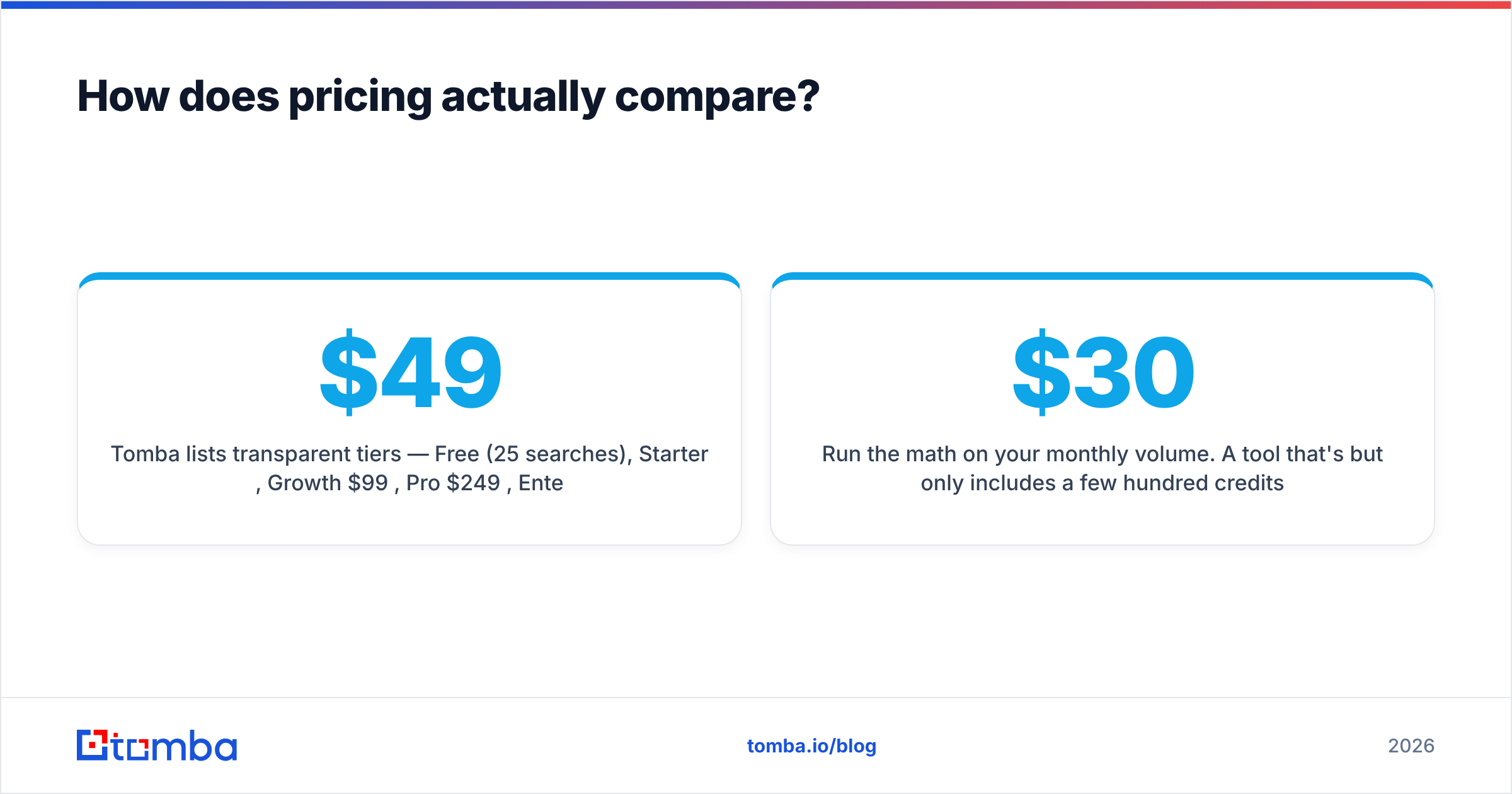
- Tomba lists transparent tiers — Free (25 searches), Starter $49/mo, Growth $99/mo, Pro $249/mo, Enterprise custom — so you can model cost-per-email before you commit. See full Tomba pricing for credit breakdowns.
Run the math on your monthly volume. A tool that's $30/mo but only includes a few hundred credits can cost more per usable email than a $49/mo plan with a larger, transparent allowance — especially once you subtract unverified and role-based hits.

CapitalConnectorAI vs Wiza: pros and cons#
A quick honest scorecard before you decide.
CapitalConnectorAI — pros
- Curated, context-rich contacts suited to high-value, relationship-led outreach.
- AI scoring reduces the "who do I even contact?" overhead.
CapitalConnectorAI — cons
- Quote-based pricing makes cost-per-email hard to predict.
- Lower throughput; not built for high-volume list building.
Wiza — pros
- Tight LinkedIn / Sales Navigator workflow — fast for SDRs.
- Clean CSV exports and common CRM integrations.
Wiza — cons
- Credit costs scale steeply with volume.
- Catch-all and SMB coverage is inconsistent, like all LinkedIn-sourced tools.
Where does a dedicated email finder fit?#
If your bottleneck is cost and coverage at volume, neither an AI-curation tool nor a LinkedIn-scraper is the most efficient engine — a dedicated finder is. Tomba's domain search takes a company domain and returns every discoverable email with the pattern and a confidence score, which is the opposite of the one-contact-at-a-time LinkedIn flow.
For teams already committed to LinkedIn prospecting, this isn't an either/or. A common stack is: build the target list in Sales Nav, enrich at scale with a finder + verifier, then reserve a curation tool for your top-tier accounts. If you're specifically weighing Wiza, our Wiza alternative breakdown covers the migration math in detail.
The key principle: separate finding from verifying. Tools that bundle both into one "verified" flag give you no way to audit the verification step. A two-pass workflow — find anywhere, verify independently — keeps bounce rates low and protects your sender reputation, which is the asset that actually determines whether your campaigns reach inboxes.
Which should you choose?#
Match the tool to the motion, not the hype:
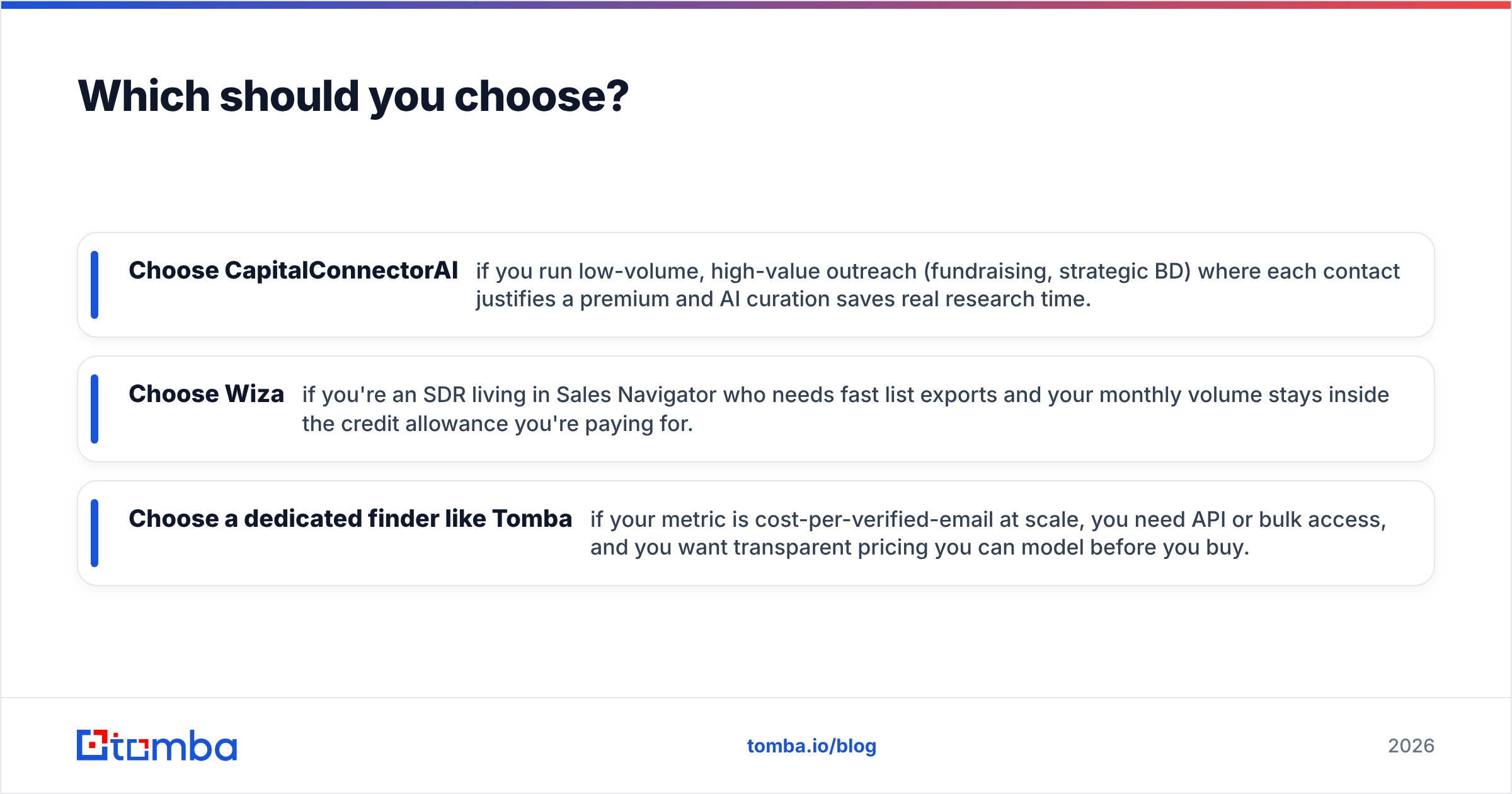
- Choose CapitalConnectorAI if you run low-volume, high-value outreach (fundraising, strategic BD) where each contact justifies a premium and AI curation saves real research time.
- Choose Wiza if you're an SDR living in Sales Navigator who needs fast list exports and your monthly volume stays inside the credit allowance you're paying for.
- Choose a dedicated finder like Tomba if your metric is cost-per-verified-email at scale, you need API or bulk access, and you want transparent pricing you can model before you buy.
Most real-world stacks end up blended. The mistake is paying premium per-contact rates for volume work, or forcing a high-touch capital-raising motion through a bulk-export tool that strips the context you need.
Before you commit to any of them, do the same 100-contact test on a domain you can verify, divide the cost by the count of emails that actually pass an independent verifier, and compare that number. The winner on sticker price is rarely the winner on cost-per-usable-email.
The bottom line#
CapitalConnectorAI and Wiza solve different halves of the prospecting problem — relevance versus throughput — and both leave verification as something you should double-check yourself. If your priority is predictable cost and broad coverage at scale, start with a dedicated finder and layer the others on for the accounts that deserve white-glove research.
Ready to test cost-per-verified-email for yourself? Try the Tomba Email Finder free — 25 searches a month, no card required. Run your own ICP domains through it, verify the results, and compare the unit cost against your current CapitalConnectorAI or Wiza spend. The numbers, not the marketing, should pick your tool.
External references: Wiza, independent reviews on G2, and category research on Capterra.
// get started
Find, verify and enrich your first contacts today
Start on the free plan with 25 searches a month, then scale when your team is ready.
Free plan · No credit card required · GDPR & CCPA
// about the author