Capsule CRM vs HubSpot 2026: Which CRM Wins for SMBs?
Capsule CRM vs HubSpot in 2026: a hands-on comparison of pricing, features, automation, and data quality to help you pick the right CRM for your team.
Choosing between Capsule CRM and HubSpot usually comes down to one tension: do you want something lightweight and cheap that you can run in an afternoon, or a sprawling growth platform that does everything but costs more and takes longer to learn? This guide cuts through the marketing and shows you exactly where each tool wins.
TL;DR — Capsule CRM vs HubSpot at a glance#
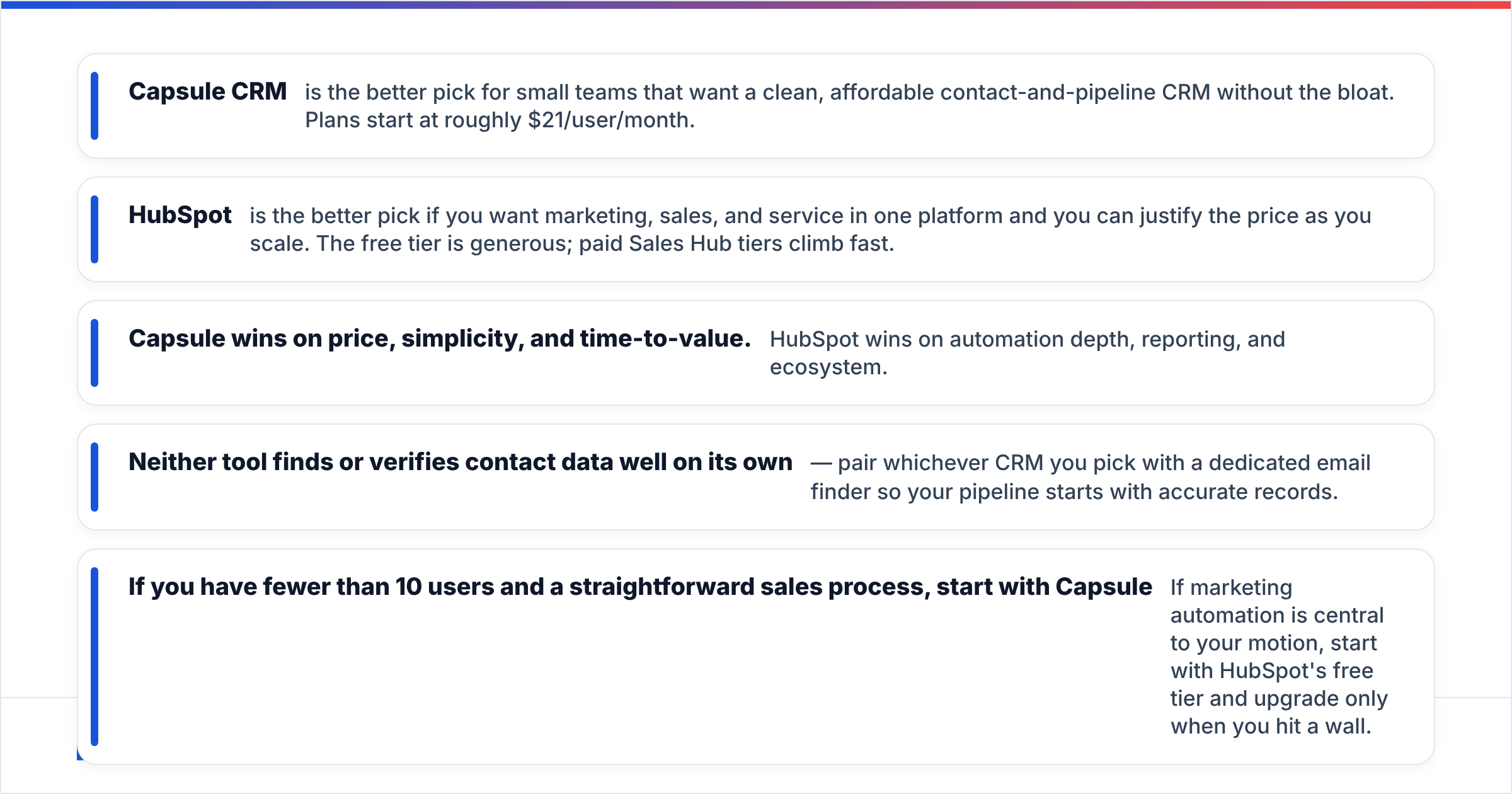
- Capsule CRM is the better pick for small teams that want a clean, affordable contact-and-pipeline CRM without the bloat. Plans start at roughly $21/user/month.
- HubSpot is the better pick if you want marketing, sales, and service in one platform and you can justify the price as you scale. The free tier is generous; paid Sales Hub tiers climb fast.
- Capsule wins on price, simplicity, and time-to-value. HubSpot wins on automation depth, reporting, and ecosystem.
- Neither tool finds or verifies contact data well on its own — pair whichever CRM you pick with a dedicated email finder so your pipeline starts with accurate records.
- If you have fewer than 10 users and a straightforward sales process, start with Capsule. If marketing automation is central to your motion, start with HubSpot's free tier and upgrade only when you hit a wall.
What is Capsule CRM and who is it for?#
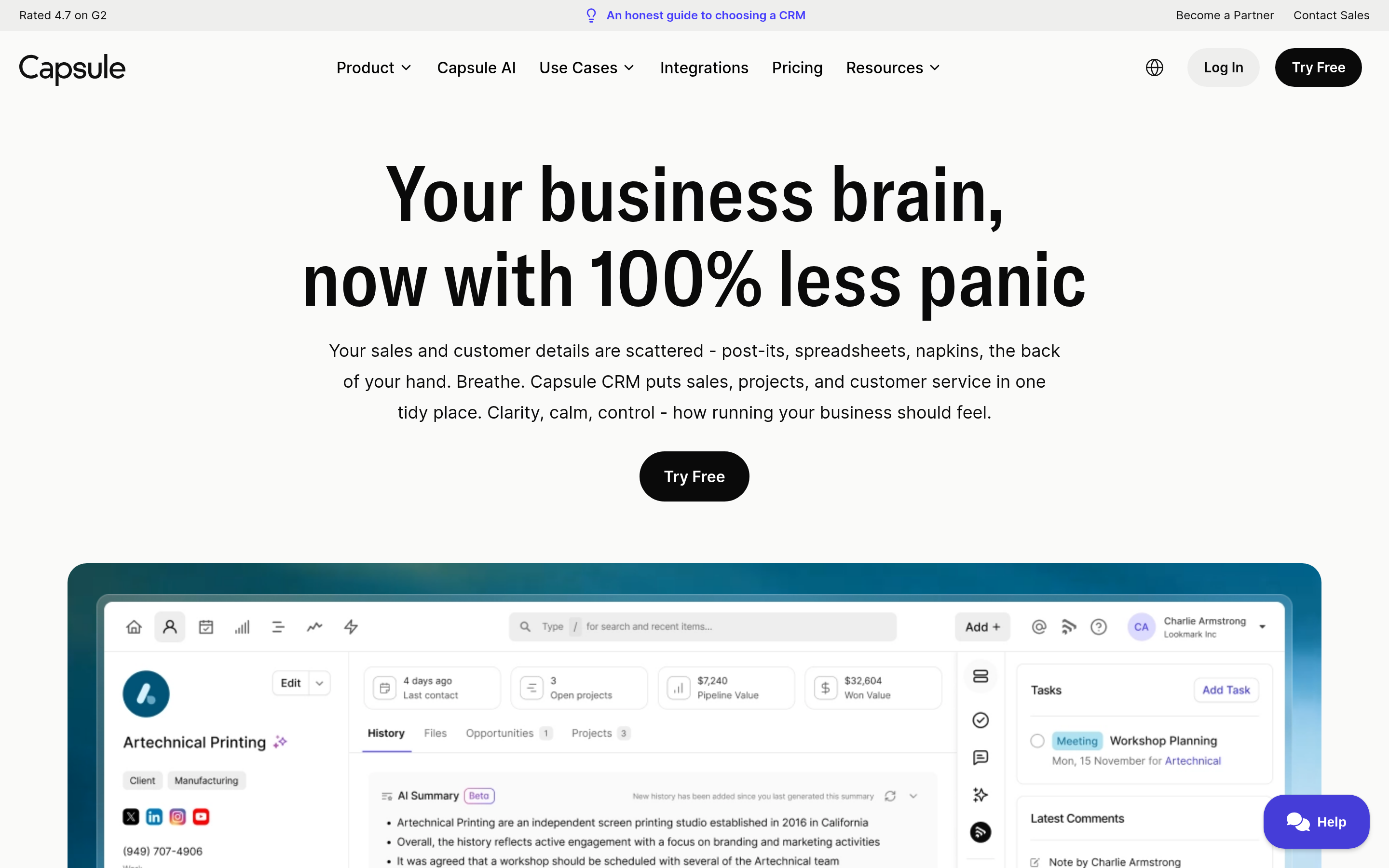
Capsule CRM is a lightweight, contact-centric CRM built for small and mid-sized businesses that found Salesforce and HubSpot overkill. Think of it like a well-organized filing cabinet with a sales pipeline bolted on: it tracks people, companies, deals, and tasks without burying you in modules you'll never touch.
Its core strengths are speed and clarity. You can import contacts, build a pipeline, and start logging activity within an hour. There's no steep onboarding, no certification courses, and no "implementation partner" upsell. For a 5-person agency or a bootstrapped SaaS, that simplicity is the whole point.
Where Capsule shows its limits is depth. Marketing automation is basic, native reporting is lighter than enterprise buyers expect, and the integration catalog — while solid — is smaller than HubSpot's. Capsule is honest about this; it's a CRM, not a growth suite.

What is HubSpot and who is it for?#
HubSpot is an all-in-one customer platform spanning marketing, sales, service, content, and operations "Hubs." It started as a marketing-automation tool and grew outward, so its DNA is inbound marketing, lead nurturing, and reporting at scale.
The appeal is consolidation. Instead of stitching together a CRM, an email marketing tool, a landing-page builder, and a ticketing system, you get one record of truth. HubSpot's free CRM tier is genuinely useful and a big reason teams adopt it — you can run real pipelines without paying a cent.
The catch is cost and complexity once you grow. Paid Sales Hub and Marketing Hub seats add up quickly, contact-tier pricing on the marketing side can surprise you, and the feature surface area means a longer ramp. HubSpot is built for teams that will use the automation and reporting depth — if you won't, you're paying for runway you don't need.
Capsule CRM vs HubSpot: the core comparison#
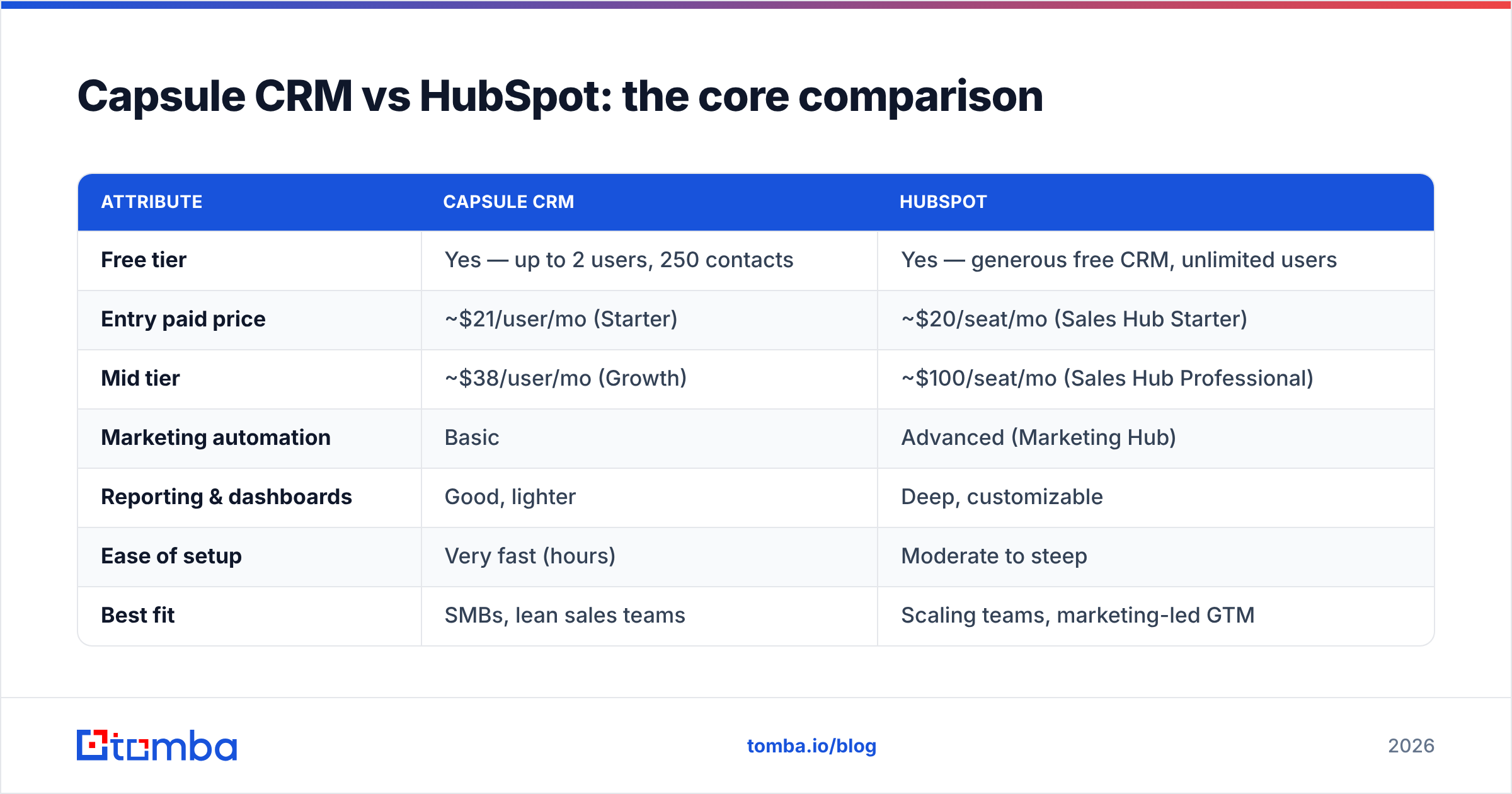
Here's the head-to-head on the attributes that actually drive a buying decision.
| Attribute | Capsule CRM | HubSpot |
|---|---|---|
| Free tier | Yes — up to 2 users, 250 contacts | Yes — generous free CRM, unlimited users |
| Entry paid price | ~$21/user/mo (Starter) | ~$20/seat/mo (Sales Hub Starter) |
| Mid tier | ~$38/user/mo (Growth) | ~$100/seat/mo (Sales Hub Professional) |
| Marketing automation | Basic | Advanced (Marketing Hub) |
| Reporting & dashboards | Good, lighter | Deep, customizable |
| Ease of setup | Very fast (hours) | Moderate to steep |
| Best fit | SMBs, lean sales teams | Scaling teams, marketing-led GTM |
| Ecosystem & integrations | ~90+ integrations | 1,500+ app marketplace |
The pattern is consistent: Capsule trades depth for simplicity and price, HubSpot trades simplicity and price for depth. Neither is "better" in the abstract — it depends on what your team will actually use.
)
Is Capsule cheaper than HubSpot?#
Yes — for most growing teams, Capsule is meaningfully cheaper, and the gap widens as you add marketing features. The two entry prices look similar on paper (~$21 vs ~$20), but they diverge fast.
Consider the real-world cost drivers:
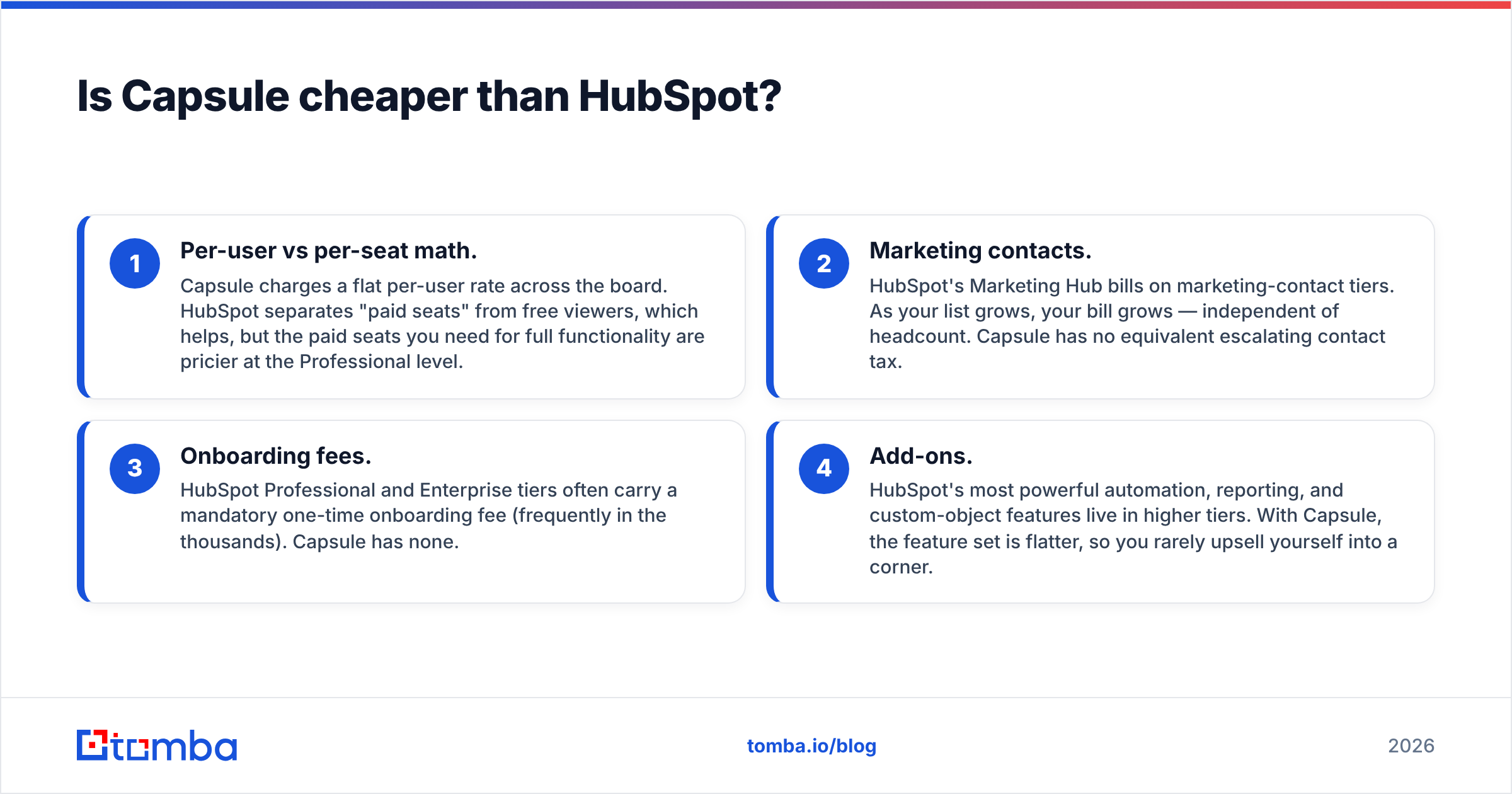
- Per-user vs per-seat math. Capsule charges a flat per-user rate across the board. HubSpot separates "paid seats" from free viewers, which helps, but the paid seats you need for full functionality are pricier at the Professional level.
- Marketing contacts. HubSpot's Marketing Hub bills on marketing-contact tiers. As your list grows, your bill grows — independent of headcount. Capsule has no equivalent escalating contact tax.
- Onboarding fees. HubSpot Professional and Enterprise tiers often carry a mandatory one-time onboarding fee (frequently in the thousands). Capsule has none.
- Add-ons. HubSpot's most powerful automation, reporting, and custom-object features live in higher tiers. With Capsule, the feature set is flatter, so you rarely upsell yourself into a corner.
If budget predictability matters — and for SMBs it almost always does — Capsule is the safer financial bet. HubSpot becomes cost-justified when marketing automation directly generates pipeline you can attribute to the spend.
Is HubSpot better than Capsule for automation and reporting?#
Yes, clearly — automation and reporting are HubSpot's home turf. If your go-to-market motion depends on nurturing sequences, lead scoring, attribution reporting, and cross-team workflows, HubSpot is in a different weight class.
HubSpot gives you visual workflow builders, behavioral triggers, multi-touch attribution, custom report builders, and forecasting. Capsule offers pipeline automation, task automation, and clean activity reporting — enough for a focused sales team, but not a replacement for a marketing-automation platform.
That said, "better" only counts if you'll use it. Plenty of teams buy HubSpot for the automation, then run it like a glorified contact list — paying premium prices for features that sit idle. Be honest about your maturity. If you can't yet describe your nurture flow on a whiteboard, you don't need HubSpot's automation yet.
For a deeper look at where automation fits into your stack, the concept of sales automation is worth understanding before you commit to either platform.
How do Capsule and HubSpot handle data quality?#
Neither one fixes the problem that breaks most CRMs: garbage contact data going in. This is the part vendors gloss over. A CRM is a system of record, not a system of truth — it stores whatever you feed it, accurate or not.
Both Capsule and HubSpot let you import contacts, dedupe (HubSpot more aggressively), and enrich records. HubSpot's built-in enrichment is better out of the box, but it's still limited and gated behind higher tiers. Capsule leans on integrations for enrichment. In both cases, the emails and phone numbers you import are only as good as the source you pulled them from.
This is where a dedicated data layer earns its keep. Before a contact ever lands in your CRM, you want a verified, deliverable email attached to it. Tools like the Tomba email verifier and data enrichment API let you validate and complete records at the point of entry — so your reps aren't bouncing emails off dead addresses six months later.
)
The rule of thumb: pick your CRM for workflow fit, then pick your data tooling separately. Don't expect either Capsule or HubSpot to be your source of accurate contact information.
Capsule CRM vs HubSpot: pros and cons#
Capsule CRM#
Pros:
- Fast setup — productive in hours, not weeks.
- Predictable pricing — flat per-user, no contact-tier surprises.
- Clean UI — low learning curve, high adoption.
- Right-sized for SMBs and lean sales teams.
Cons:
- Lighter automation — not a marketing platform.
- Smaller integration catalog than HubSpot.
- Reporting depth trails enterprise needs.
HubSpot#
Pros:
- All-in-one — marketing, sales, service unified.
- Best-in-class automation and reporting.
- Generous free tier to start.
- Huge ecosystem — 1,500+ integrations.
Cons:
- Cost scales steeply at Professional and above.
- Onboarding fees on higher tiers.
- Complexity can outpace small-team needs.
- Marketing-contact billing can surprise growing lists.
Which CRM should you choose in 2026?#
Choose Capsule CRM if you're a small or mid-sized team with a defined, sales-led process, you want to be live this week, and you value a bill that won't balloon. It's the pragmatic choice for agencies, consultancies, and lean B2B teams that need organization, not a growth engine.
Choose HubSpot if marketing automation is central to how you generate revenue, you have (or will have) the team to operate it, and you want a single platform spanning marketing, sales, and service. The free tier is a smart on-ramp — start there, validate the workflows, and upgrade only when you've outgrown it.
A practical middle path: many teams start on HubSpot's free CRM, realize they only need the sales pipeline, and find Capsule does that job for less. Others start on Capsule and graduate to HubSpot when marketing matures. Both are reasonable migrations.
You can compare current plan details directly on G2 and each vendor's own pricing page before committing. And whichever way you lean, remember the third leg of the stool: data. Review how Tomba's pricing and email-finding tools slot in alongside either CRM so your records start clean.
How to make either CRM perform better#
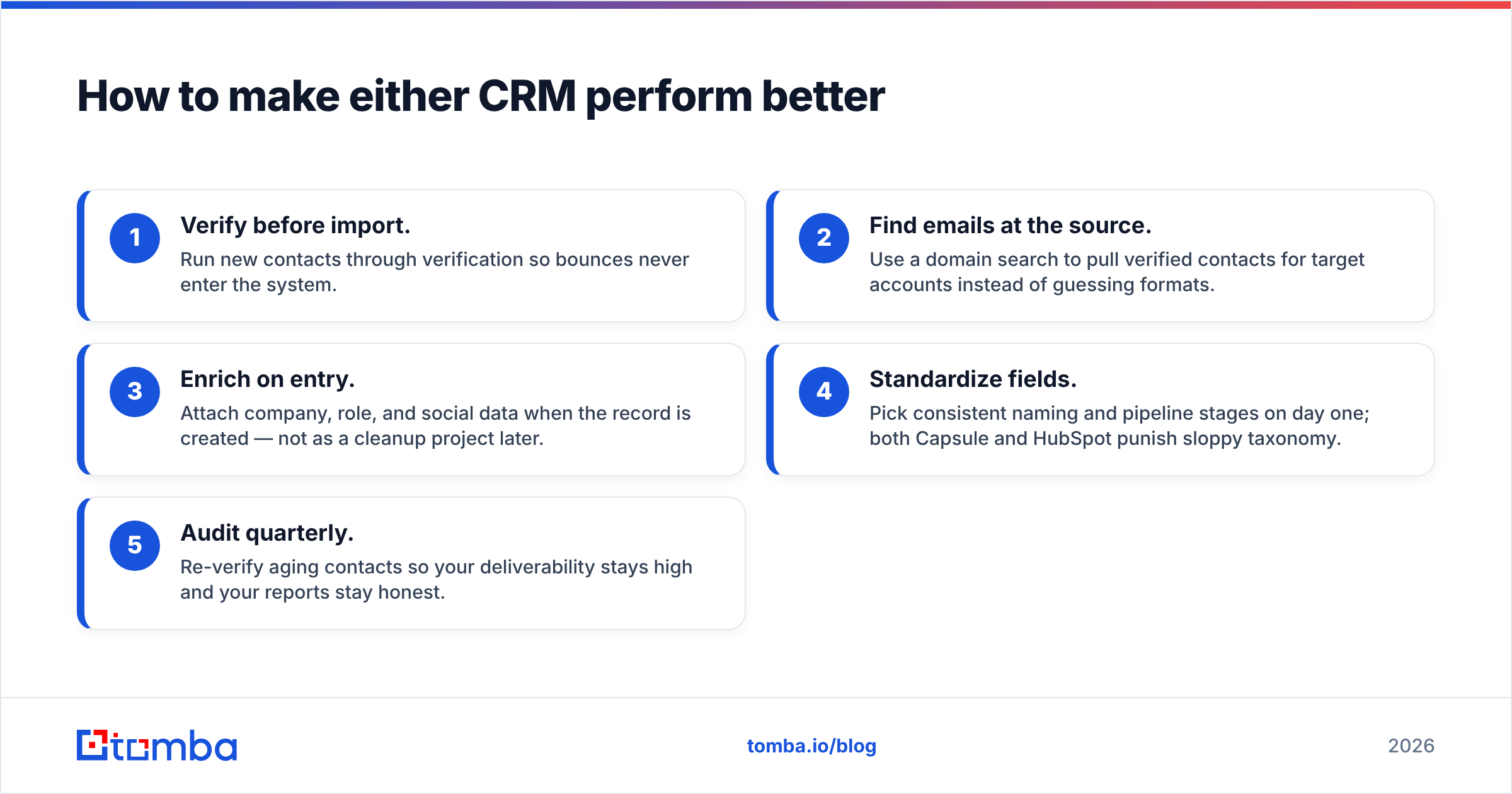
The CRM you pick matters less than the data you put in it. A few habits that pay off regardless of platform:
- Verify before import. Run new contacts through verification so bounces never enter the system.
- Find emails at the source. Use a domain search to pull verified contacts for target accounts instead of guessing formats.
- Enrich on entry. Attach company, role, and social data when the record is created — not as a cleanup project later.
- Standardize fields. Pick consistent naming and pipeline stages on day one; both Capsule and HubSpot punish sloppy taxonomy.
- Audit quarterly. Re-verify aging contacts so your deliverability stays high and your reports stay honest.
Do these and a $21/month Capsule setup can outperform a poorly-fed HubSpot deployment costing ten times more.
The bottom line#
Capsule CRM and HubSpot solve different problems. Capsule is the lean, affordable, fast-to-deploy CRM for teams that want focus. HubSpot is the all-in-one platform for teams that need automation and reporting depth and can fund it. Match the tool to your actual process — not the demo's aspirational version of it.
Whatever you choose, your CRM is only as valuable as the contacts inside it. Start every record with a real, deliverable address: the Tomba Email Finder finds and verifies professional emails by name, company, or domain — so your Capsule or HubSpot pipeline begins with data you can trust, not bounces you'll clean up later. Try the free tier with 25 searches a month and feed your CRM something worth selling to.
// get started
Find, verify and enrich your first contacts today
Start on the free plan with 25 searches a month, then scale when your team is ready.
Free plan · No credit card required · GDPR & CCPA
// about the author