Capsule CRM vs Salesforce (2026): Which CRM Wins for You?
Capsule CRM vs Salesforce, compared honestly: pricing, features, ease of use, and who each one actually fits. Skip the sales pitch and pick the right CRM.
Choosing between Capsule CRM and Salesforce is really a choice between two philosophies: a lightweight contact-first tool you can run in an afternoon, or a configurable enterprise platform you build a business process around. Both are good. They are good at very different things, and picking the wrong one wastes either money or growth headroom.
This guide cuts through the marketing on both sides and tells you which one fits your team, your budget, and your stage.
TL;DR#
- Capsule CRM wins for small teams (1–30 users) that want a clean, affordable contact and pipeline tool live in a day. Plans run roughly $18–$72 per user/month.
- Salesforce wins for mid-market and enterprise teams that need deep customization, complex automation, and a sprawling app ecosystem — at a price (and setup cost) to match.
- Salesforce is more powerful; Capsule is more usable. The "better" CRM is the one your reps actually log into.
- Both have weak native prospecting data, so pair either one with a dedicated email finder to keep records fresh.
- If you're under 20 reps and don't have a RevOps admin, start with Capsule. If you have a dedicated admin and multi-stage processes, Salesforce earns its complexity.
What is Capsule CRM?#
Capsule is a UK-built CRM aimed at small and growing businesses. Think of it as a well-organized address book that grew a sales pipeline, task manager, and light automation on top. The core idea is simplicity: contacts, opportunities, tasks, and a Kanban-style sales board, all without a steep learning curve.
You can import your contacts, set up a pipeline, and start tracking deals the same morning you sign up. There's no implementation project, no certified consultant required, and no six-week onboarding. That's the entire pitch — and for a lot of teams, it's exactly enough.
Placeholder: Capsule CRM sales pipeline board
Capsule's strengths are contact management, a visual pipeline, email integration (Gmail and Outlook), basic workflow automation, and a tidy mobile app. Its weaknesses show up when you need heavy customization, advanced forecasting, or deeply branching automation — that's not the product it's trying to be.
What is Salesforce?#
Salesforce is the category-defining CRM and the largest by market share. Rather than a single tool, it's a platform: Sales Cloud, Service Cloud, Marketing Cloud, a giant marketplace (AppExchange), and a customization layer that lets you reshape almost anything. According to Gartner, Salesforce has led the CRM market for over a decade.
The analogy: Capsule is a well-built sedan you drive off the lot. Salesforce is a chassis and a parts catalog — you (or a partner) assemble the vehicle your business needs. That flexibility is the reason enterprises love it and the reason small teams drown in it.
Placeholder: Salesforce Sales Cloud dashboard
Salesforce excels at custom objects and fields, complex automation (Flow), advanced reporting and forecasting, territory management, and integrations with virtually everything. The trade-offs are cost, complexity, and the near-requirement of a dedicated admin once you scale.

Capsule CRM vs Salesforce: how do they compare?#
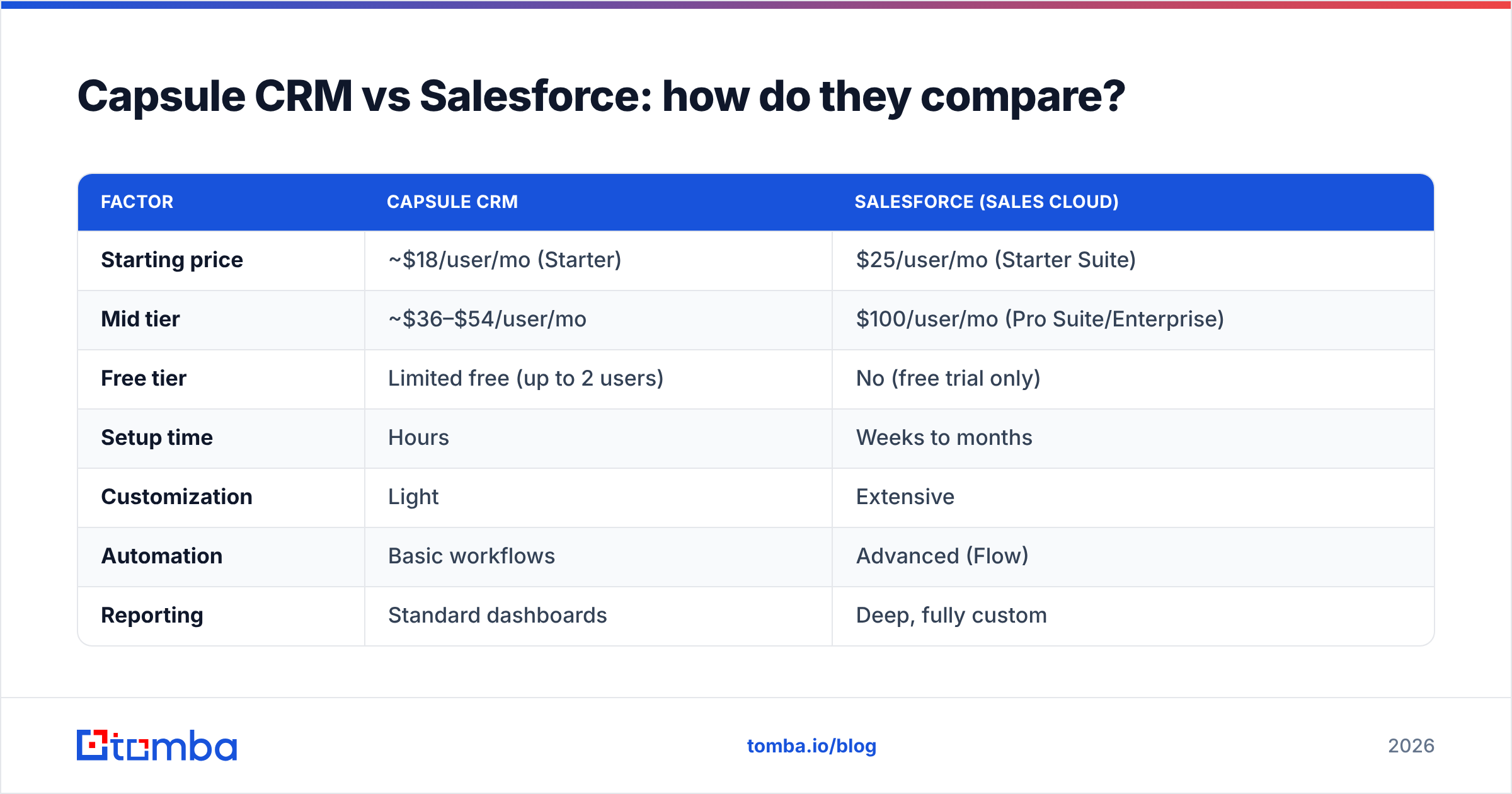
Here's the side-by-side that matters most when you're deciding.
| Factor | Capsule CRM | Salesforce (Sales Cloud) |
|---|---|---|
| Starting price | ~$18/user/mo (Starter) | $25/user/mo (Starter Suite) |
| Mid tier | ~$36–$54/user/mo | $100/user/mo (Pro Suite/Enterprise) |
| Free tier | Limited free (up to 2 users) | No (free trial only) |
| Setup time | Hours | Weeks to months |
| Customization | Light | Extensive |
| Automation | Basic workflows | Advanced (Flow) |
| Reporting | Standard dashboards | Deep, fully custom |
| Admin required | No | Practically yes at scale |
| Best for | 1–30 user teams | Mid-market to enterprise |
| App ecosystem | Modest | Massive (AppExchange) |
A few notes on that table. Salesforce's headline $25 Starter price is real, but most growing sales teams land on Enterprise ($165/user/mo at list) once they need custom objects and advanced automation. Capsule's pricing ceiling is far lower, which is the whole point.
Pricing reality check#
- Capsule: Free (2 users), then paid tiers commonly in the $18–$72/user/month range depending on contacts, automation, and AI features. Predictable, no implementation fees.
- Salesforce: $25 entry, but real-world cost includes higher tiers, add-ons (CPQ, Inbox, extra storage), and often a consultant. Budget well beyond the sticker.
For a deeper breakdown of how usage-based tools price contacts and credits, the way you'd evaluate Tomba pricing tiers is a useful mental model: look past the entry price to what your actual volume costs.
Is Salesforce better than Capsule CRM?#
Better at what? That's the only honest framing.
Salesforce is better if you need:
- Complex, multi-team processes — separate sales, service, and marketing workflows under one roof.
- Heavy customization — custom objects, validation rules, and branching automation that mirror a unique business model.
- Advanced forecasting and analytics — pipeline math, territory rollups, and AI-assisted insights (Einstein).
- A large app ecosystem — thousands of vetted integrations on AppExchange.
- Scale — hundreds or thousands of users with role hierarchies and granular permissions.
Capsule is better if you need:
- Speed to value — a working CRM today, not next quarter.
- Low total cost — no implementation budget, no admin headcount.
- Usability — reps who'll actually update records because the UI isn't intimidating.
- Clean contact management — the fundamentals done well without bloat.
If you tried Salesforce and found it heavy, you're not alone — that's the most common reason teams downsize. But if you outgrew a simple tool and keep hitting walls, that's the signal to move up. The mistake is buying for the company you imagine being in five years instead of the one you run today.
Which CRM is easier to use?#
Capsule wins on ease of use, decisively. Onboarding is self-serve, the interface is uncluttered, and adoption rarely stalls. Salesforce is powerful but has a real learning curve; many orgs hire or contract an admin just to keep it running well.
This matters more than feature lists suggest. A CRM only returns value when reps log activity consistently. A simpler tool with 90% adoption beats a powerful one with 40% adoption every time. If your team has historically resisted CRM hygiene, weight ease of use heavily.
What about data quality and prospecting?#
Here's the gap neither vendor fixes well: neither Capsule nor Salesforce is a prospecting or contact-data tool by default. Salesforce can bolt on data via paid add-ons; Capsule largely leaves it to integrations. Either way, your CRM is only as good as the contact records you feed it.
That's where a dedicated data layer matters. Use an email verifier to keep bounce rates low before campaigns, and run data enrichment to fill in missing job titles, companies, and phone numbers on records that came in thin. Both Capsule and Salesforce connect to outside data sources through their integration layers, so you can keep a clean CRM regardless of which platform you pick.
A practical workflow:
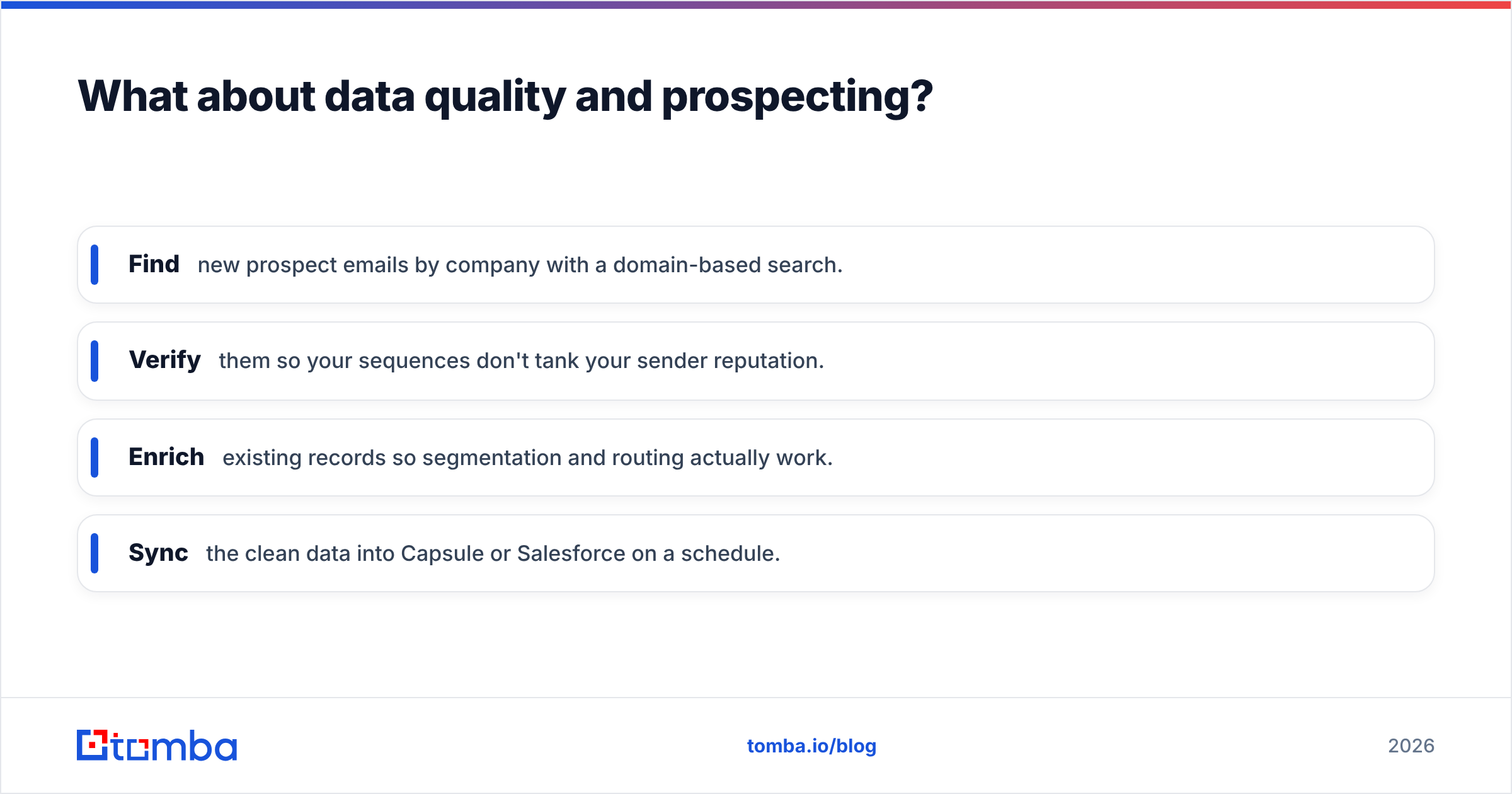
- Find new prospect emails by company with a domain-based search.
- Verify them so your sequences don't tank your sender reputation.
- Enrich existing records so segmentation and routing actually work.
- Sync the clean data into Capsule or Salesforce on a schedule.
This keeps the comparison honest: the CRM is your system of record, not your source of contact data.
Capsule CRM vs Salesforce: pros and cons#
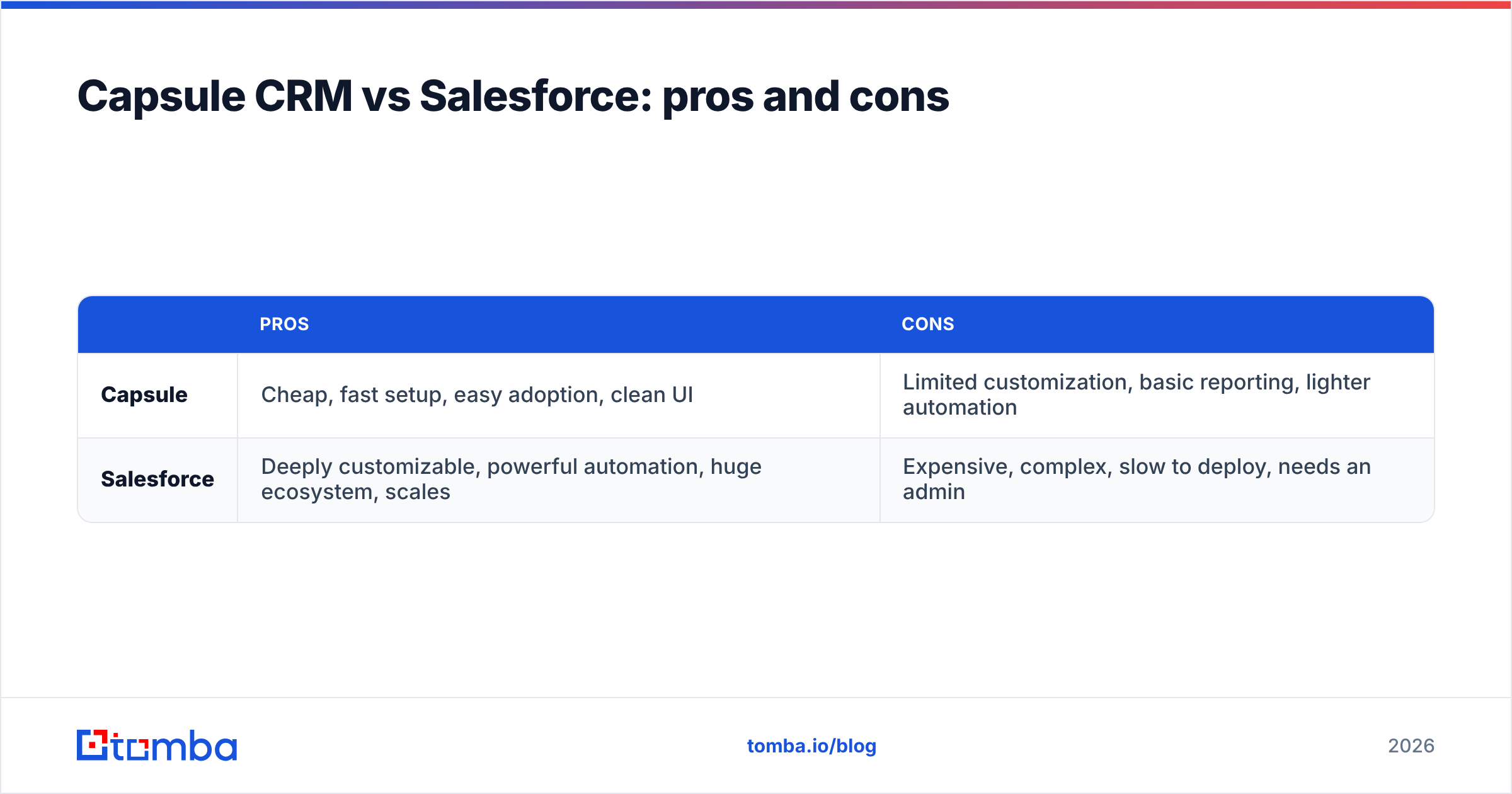
| Pros | Cons | |
|---|---|---|
| Capsule | Cheap, fast setup, easy adoption, clean UI | Limited customization, basic reporting, lighter automation |
| Salesforce | Deeply customizable, powerful automation, huge ecosystem, scales | Expensive, complex, slow to deploy, needs an admin |
Who should choose which?#
Choose Capsule CRM if you're a startup, small business, agency, or sales team under ~30 people who values simplicity and a low, predictable cost. You want a CRM that works without a project plan.
Choose Salesforce if you're mid-market or enterprise, run complex or multi-department processes, have (or will hire) admin support, and need a platform that bends to your exact workflow. You're buying flexibility and scale, and you're prepared to invest to unlock them.
Consider neither if your real problem is prospecting volume rather than deal organization — in that case fix your data pipeline first, then layer a CRM on top.
A quick decision rule: count your seats and your admin capacity. Under 20 seats with no admin → Capsule. Dedicated admin plus branching processes → Salesforce. In the messy middle, default to the simpler tool and upgrade only when a concrete limitation blocks you, not when you imagine it might.
How do you migrate or switch between them?#
If you're moving up from Capsule to Salesforce, export your contacts, opportunities, and notes as CSVs, map fields carefully, and plan a parallel-run period. If you're moving down from Salesforce to Capsule (more common than vendors admit), simplify ruthlessly — leave the custom objects behind and keep only the fields your team uses.
Either direction, clean your data before importing. Migrating duplicate, stale, or unverified records just moves the mess. Run a dedupe and a verification pass first; a bulk email finder and verifier can re-validate large lists before they land in the new system. For broader CRM context, both HubSpot's CRM guides and peer reviews on G2 are worth a read before you commit.
The bottom line#
Capsule and Salesforce aren't really competitors so much as tools for different stages. Capsule is the right answer for most small and growing teams: affordable, usable, and live immediately. Salesforce is the right answer when complexity is the point and you have the resources to tame it.
Whichever you choose, your results depend on the quality of the contacts inside it. Tomba's Email Finder helps you find and verify professional email addresses by domain, name, or company — so your pipeline starts with accurate, deliverable data instead of guesses. Start free with 25 searches a month, then scale on the Starter plan at $49/mo as your outreach grows. Pick the CRM that fits your stage, and feed it clean data from day one.
// get started
Find, verify and enrich your first contacts today
Start on the free plan with 25 searches a month, then scale when your team is ready.
Free plan · No credit card required · GDPR & CCPA
// about the author