Captain Verify Alternatives: 7 Best Tools Compared (2026)
Captain Verify is cheap and simple, but the per-verification model and missing finder tools leave gaps. Here are 7 alternatives ranked on accuracy, catch-all handling, and price for 2026.

Captain Verify does one thing and does it cheaply: it scrubs dead addresses out of an email list. That is enough for plenty of teams. But the moment you need catch-all resolution you can trust, an API that holds up under load, or a verifier bolted onto an actual email finder, the cracks show. This guide ranks seven Captain Verify alternatives so you can match the tool to how you actually work.
TL;DR#
- Captain Verify is a budget, pay-as-you-go verifier with no built-in email finder and weak catch-all confidence — fine for occasional list cleaning, thin for outbound at scale.
- Best all-in-one alternative: Tomba pairs a real-time email verifier with an email finder and catch-all verifier, so you find and validate in one place.
- Best pure verifier: ZeroBounce and Bouncer score highest on raw accuracy if verification is all you need.
- Watch the pricing model: per-verification credits punish you for re-checking; subscription tiers reward steady volume.
- Pick on three things: catch-all handling, finder integration, and how the pricing model maps to your monthly volume.
What is Captain Verify and where does it fall short?#
Captain Verify is a French email verification service that checks whether an address is deliverable before you send to it. You upload a list or call the API, and it returns statuses — valid, invalid, risky, unknown. Pricing is credit-based and genuinely cheap, which is the main reason people choose it.
The shortfalls are structural, not cosmetic:
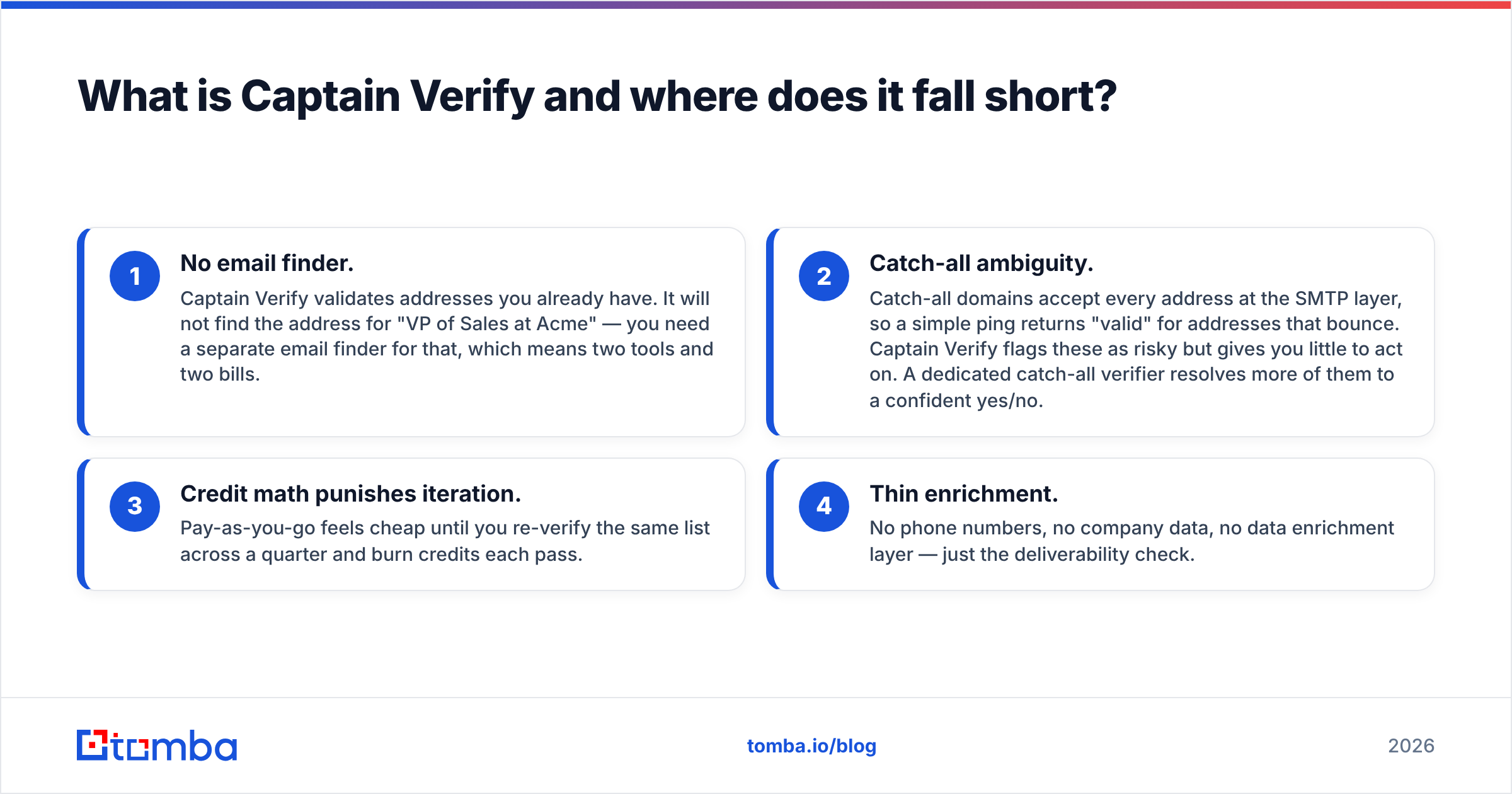
- No email finder. Captain Verify validates addresses you already have. It will not find the address for "VP of Sales at Acme" — you need a separate email finder for that, which means two tools and two bills.
- Catch-all ambiguity. Catch-all domains accept every address at the SMTP layer, so a simple ping returns "valid" for addresses that bounce. Captain Verify flags these as risky but gives you little to act on. A dedicated catch-all verifier resolves more of them to a confident yes/no.
- Credit math punishes iteration. Pay-as-you-go feels cheap until you re-verify the same list across a quarter and burn credits each pass.
- Thin enrichment. No phone numbers, no company data, no data enrichment layer — just the deliverability check.
None of that makes Captain Verify bad. It makes it narrow. If your workflow is "clean a list once a month," you may not need to switch. If verification sits inside a live prospecting motion, the narrowness costs you.

How should you choose a Captain Verify alternative?#
Conclusion first: choose on the gap Captain Verify leaves for you, not on a generic "best verifier" list. Three axes decide it.
- Verification accuracy and catch-all handling. The headline bounce-rate number matters, but the real differentiator is how a tool treats catch-all and role-based addresses. Anyone can mark
info@risky; the value is in resolving the genuinely ambiguous ones. - Finder + verifier in one stack. If you prospect, a combined platform removes the export-import shuffle. You find an address, it is verified in the same flow, and it lands in your CRM clean. According to HubSpot, dirty data is one of the top causes of CRM decay — fewer handoffs means fewer ways to reintroduce bad records.
- Pricing model fit. Per-verification credits suit spiky, occasional use. Monthly subscriptions suit steady volume. Mapping the model to your real cadence usually saves more money than chasing a lower unit price.
A practical rule: if you verify more than you find, a pure verifier wins. If you find more than you verify, an integrated platform wins — and most outbound teams find far more than they re-verify.
Which tools are the best Captain Verify alternatives in 2026?#
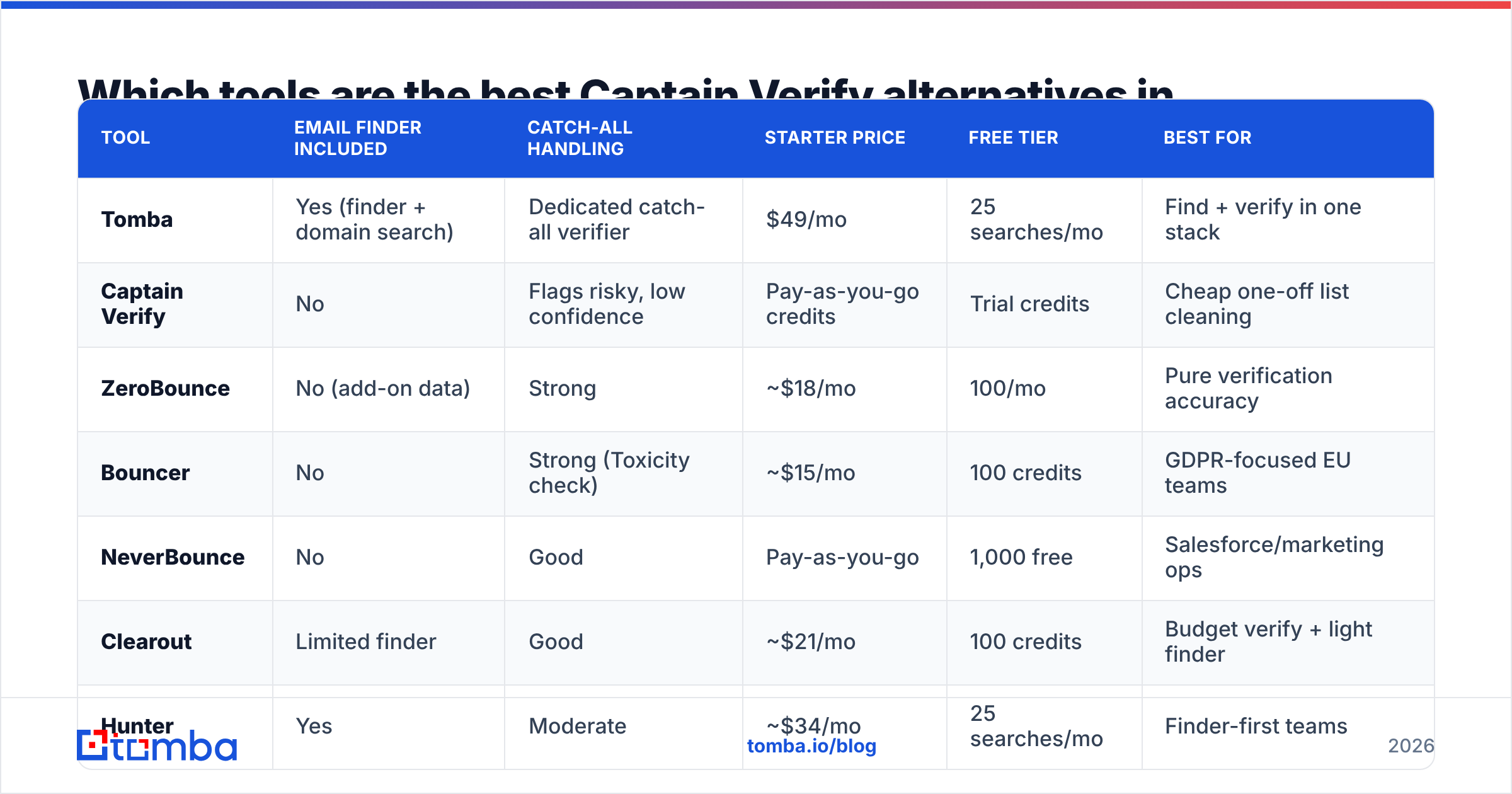
Here is the head-to-head. Prices are entry paid tiers at publication; check each vendor for current numbers.
| Tool | Email finder included | Catch-all handling | Starter price | Free tier | Best for |
|---|---|---|---|---|---|
| Tomba | Yes (finder + domain search) | Dedicated catch-all verifier | $49/mo | 25 searches/mo | Find + verify in one stack |
| Captain Verify | No | Flags risky, low confidence | Pay-as-you-go credits | Trial credits | Cheap one-off list cleaning |
| ZeroBounce | No (add-on data) | Strong | ~$18/mo | 100/mo | Pure verification accuracy |
| Bouncer | No | Strong (Toxicity check) | ~$15/mo | 100 credits | GDPR-focused EU teams |
| NeverBounce | No | Good | Pay-as-you-go | 1,000 free | Salesforce/marketing ops |
| Clearout | Limited finder | Good | ~$21/mo | 100 credits | Budget verify + light finder |
| Hunter | Yes | Moderate | ~$34/mo | 25 searches/mo | Finder-first teams |
A few reads on this table:
- If you only verify, ZeroBounce and Bouncer are the purest upgrades over Captain Verify on accuracy and catch-all confidence. See independent reviews on G2 before committing to volume.
- If you find and verify, Tomba and Hunter collapse two tools into one. Tomba's free tier and $49/mo Starter plan include both the finder and the verifier, where Hunter's finder-first pricing climbs faster on verification volume.
- If you live in Salesforce, NeverBounce's native integrations reduce glue work.
Is Tomba a good Captain Verify alternative?#
Yes — and specifically when verification is one step in a prospecting workflow rather than the whole job. Captain Verify hands you a clean/dirty verdict on addresses you already own. Tomba covers the step before that too: it finds the address, then verifies it.
What you get beyond a standalone verifier:
- Email finder by name and company, so you stop pasting addresses in from elsewhere.
- Domain search to pull every public address on a company domain with detected patterns.
- Catch-all verifier that pushes more catch-all domains to a confident answer instead of a shrug.
- Bulk processing for lists, plus an email verification API when you want it inside your own app.
- Transparent data sourcing so you understand where results come from — relevant for GDPR posture.
The honest caveat: if you genuinely never need to find an address and only ever scrub purchased lists, a single-purpose verifier like ZeroBounce may edge Tomba on raw verification price-per-check. Tomba's advantage is the combined workflow, not being the cheapest possible bounce-checker in isolation. Match the tool to the job.

How do the pricing models actually compare?#
The sticker price lies; the model tells the truth. Two patterns dominate, and they reward opposite behaviors.
Pay-as-you-go credits (Captain Verify, NeverBounce, Clearout): you buy a block of verifications and draw them down. Great when usage is unpredictable or seasonal. Painful when you re-verify the same list repeatedly — each pass spends credits — or when you forget you have a balance and it sits idle.
Subscription tiers (Tomba, ZeroBounce, Hunter): you pay monthly for a volume bucket of searches and verifications. Great when volume is steady and you want predictable cost. Wasteful if you only run a list once a quarter and the allowance expires.
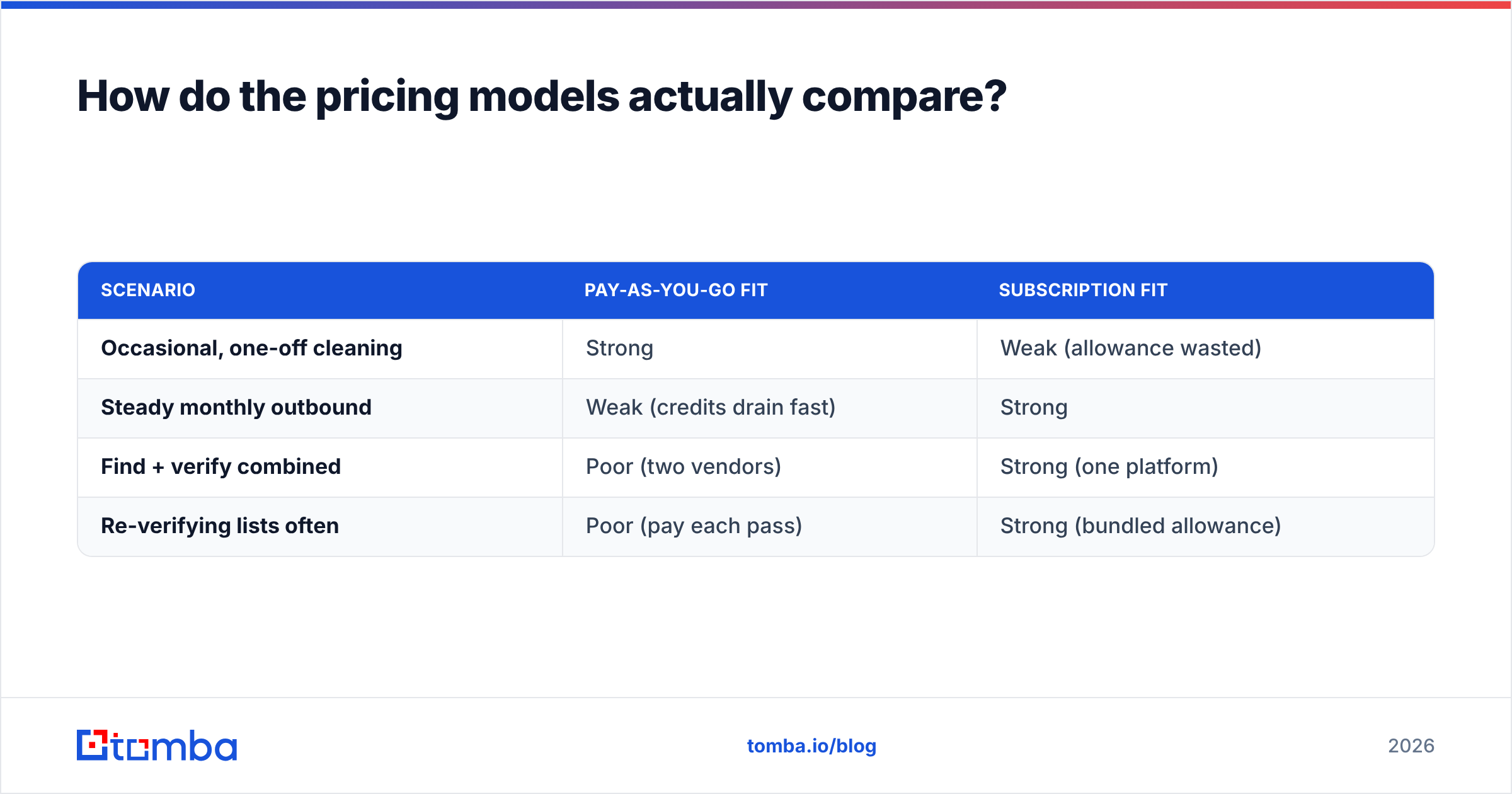
Here is the same workload — say 5,000 verifications a month plus 1,000 finds — viewed through both lenses:
| Scenario | Pay-as-you-go fit | Subscription fit |
|---|---|---|
| Occasional, one-off cleaning | Strong | Weak (allowance wasted) |
| Steady monthly outbound | Weak (credits drain fast) | Strong |
| Find + verify combined | Poor (two vendors) | Strong (one platform) |
| Re-verifying lists often | Poor (pay each pass) | Strong (bundled allowance) |
For a steady outbound team that both finds and verifies, a single subscription like Tomba's Growth plan at $99/mo usually beats stacking a finder vendor on top of Captain Verify credits — and it removes the second invoice and the second export step.
What about accuracy and catch-all domains specifically?#
Catch-all is where most verifiers, Captain Verify included, get vague. A catch-all server accepts mail for any local part, so a basic SMTP probe returns "exists" for addresses that will later bounce or route to a black hole. Marking everything on those domains "risky" is technically safe and practically useless — it dumps the decision back on you.
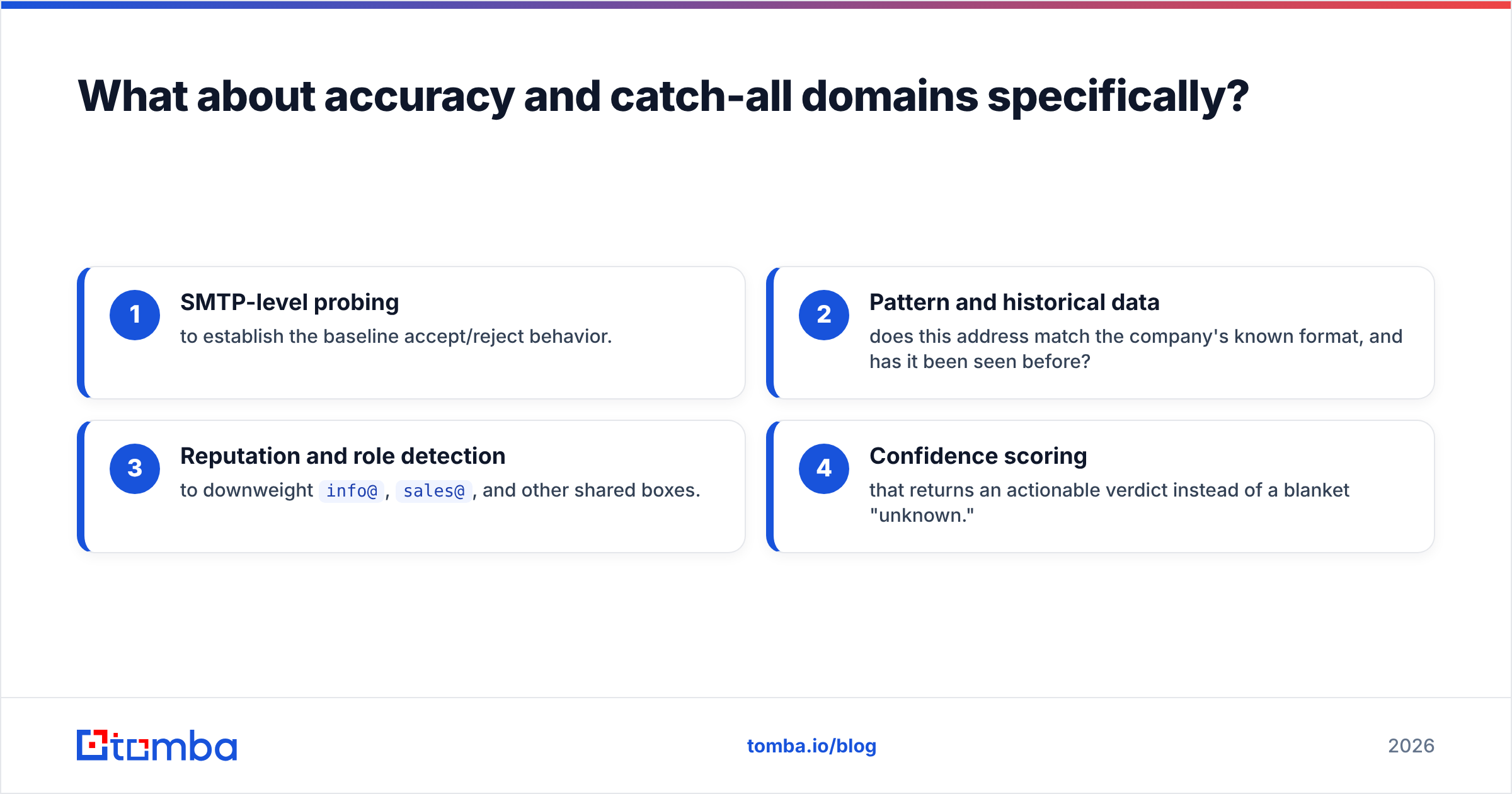
Better tools attack this with layered signals:
- SMTP-level probing to establish the baseline accept/reject behavior.
- Pattern and historical data — does this address match the company's known format, and has it been seen before?
- Reputation and role detection to downweight
info@,sales@, and other shared boxes. - Confidence scoring that returns an actionable verdict instead of a blanket "unknown."
The payoff is a lower bounce rate, which protects your sender reputation and your email deliverability. Even a couple of percentage points of avoided bounces compounds across a quarter of sending — mailbox providers read bounces as a spam signal, so a tighter verifier directly buys you inbox placement.
If catch-all resolution is your main pain with Captain Verify, prioritize tools that publish a real catch-all methodology — Tomba's catch-all verifier, Bouncer, and ZeroBounce all do — over tools that simply relabel the problem as "risky."
When should you just stay on Captain Verify?#
Staying put is the right call more often than switch-everything guides admit. Keep Captain Verify if:
- You verify occasionally — a quarterly list scrub, not a daily pipeline.
- You never need to find addresses, only validate existing ones.
- Budget is the hard constraint and pay-as-you-go matches your spiky usage.
- You are happy treating catch-all domains as "skip" rather than trying to resolve them.
Switch when any of these become true: you start prospecting and need a finder, your catch-all skip pile gets too expensive to ignore, you want verification inside your own app via API, or you are paying two vendors to do what one platform does. That last one is the most common trigger — the second invoice is what finally moves teams.
How do you migrate off Captain Verify cleanly?#
Move in four steps, lowest risk first:
- Run a parallel test. Take a sample list, verify it on both Captain Verify and your chosen alternative, and compare verdicts on the catch-all and risky segments specifically. That is where tools diverge.
- Check the finder gap. If you are adopting an integrated tool, run a batch of finds and confirm hit rate on your target domains using domain search.
- Wire the integration. Connect the verifier to your CRM or sequencer — most teams route through Zapier or a native HubSpot connection so clean addresses flow without manual export.
- Reconcile cost. Compare your real monthly volume against the new tier and confirm the math beats credits-plus-a-finder.
Do the parallel test before you cancel anything. Verifier verdicts on the ambiguous middle are the whole reason to switch, so prove the difference on your own data rather than trusting a marketing benchmark.
The bottom line#
Captain Verify is a fine narrow tool and a poor wide one. If list cleaning is a side task, keep it. If finding and verifying contacts is core to how you sell, an integrated platform removes the second vendor, the export step, and the catch-all guesswork in one move.
If that is you, start with Tomba's free tier — 25 searches a month, finder and email verifier included — and run it head-to-head against your current Captain Verify list. You will see the catch-all and finder difference on your own data within an afternoon. When it holds up, the $49/mo Starter plan covers a real outbound cadence without stacking a separate finder bill on top. Find the address and verify it in the same place: try the Tomba Email Finder.
// get started
Find, verify and enrich your first contacts today
Start on the free plan with 25 searches a month, then scale when your team is ready.
Free plan · No credit card required · GDPR & CCPA
// about the author