Captain Verify vs Cufinder: 2026 Email Tool Comparison
Captain Verify cleans lists; Cufinder finds and enriches contacts. See which one fits your 2026 workflow — and where a combined finder-plus-verifier wins.
Captain Verify vs Cufinder
TL;DR
- They solve different problems. Captain Verify is an email verification service — you bring a list, it tells you what bounces. Cufinder is a B2B data platform — it finds emails, phone numbers, and company records you don't already have.
- Pick Captain Verify if you mostly need cheap, accurate list cleaning before sending.
- Pick Cufinder if your bottleneck is sourcing net-new contacts and enriching CRM records.
- The catch: running one without the other leaves a gap — found data that isn't verified, or a clean list with nowhere to grow.
- A combined finder-plus-verifier (like Tomba) closes that gap in one workflow, often at a lower blended cost.
Most "Captain Verify vs Cufinder" comparisons treat these tools as direct rivals. They aren't. One is a scalpel for dirty lists; the other is a net for catching new leads. The real question is which job is blocking your pipeline, and whether you should buy two tools or one that does both. This guide answers that.
What is Captain Verify?#
Captain Verify is a French-built email verification platform. Its core job is simple: take a list of email addresses you already have and flag which ones are valid, invalid, risky, or catch-all. It runs syntax checks, MX-record lookups, and SMTP handshakes to predict deliverability before you hit send.
Where it shines:
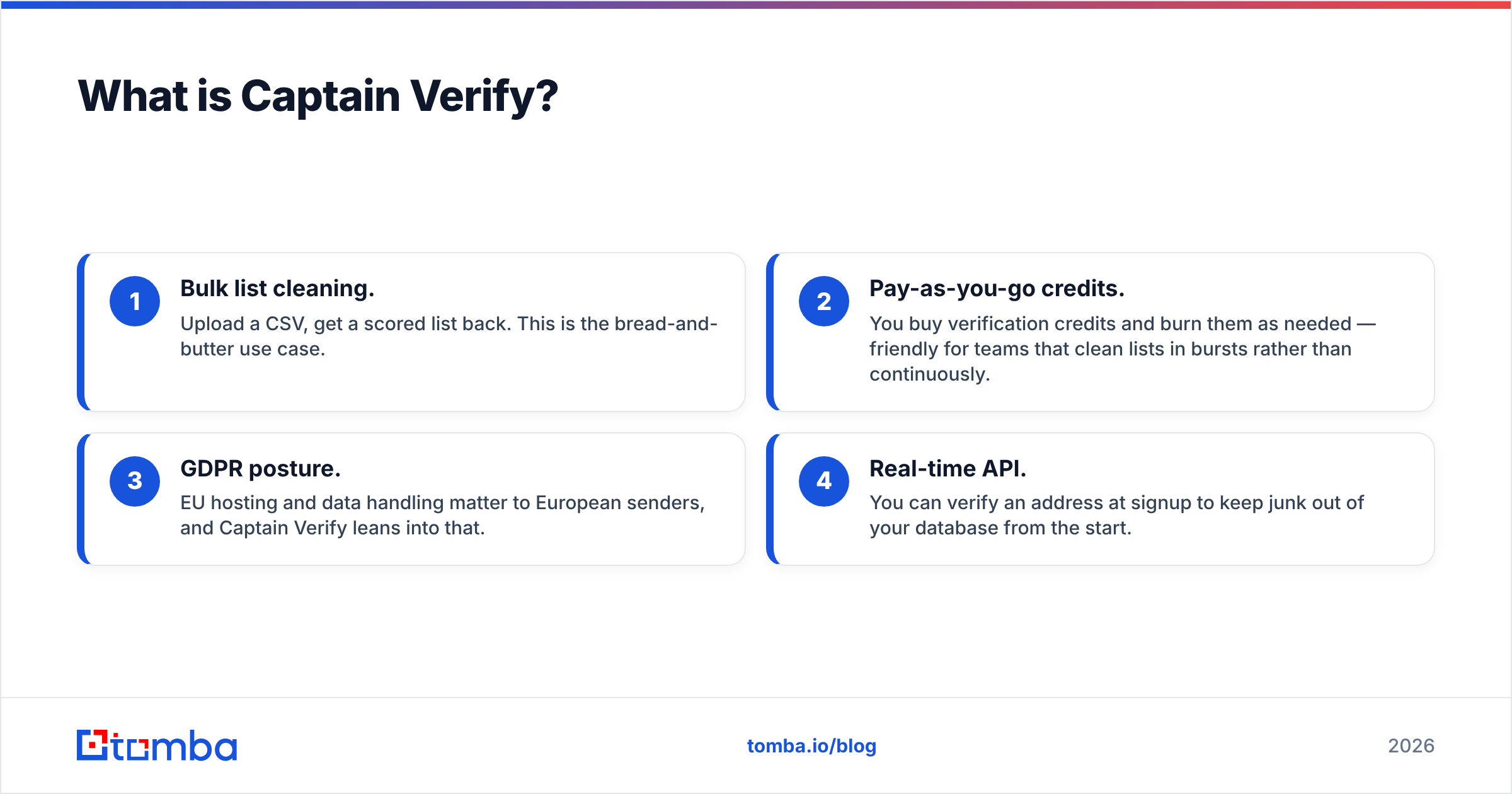
- Bulk list cleaning. Upload a CSV, get a scored list back. This is the bread-and-butter use case.
- Pay-as-you-go credits. You buy verification credits and burn them as needed — friendly for teams that clean lists in bursts rather than continuously.
- GDPR posture. EU hosting and data handling matter to European senders, and Captain Verify leans into that.
- Real-time API. You can verify an address at signup to keep junk out of your database from the start.
What it does not do: find emails. If you have a name and a company but no address, Captain Verify can't help. It assumes you already have the contact.
)
What is Cufinder?#
Cufinder is a B2B lead-generation and enrichment platform. Instead of cleaning lists you own, it helps you build them. Give it a company domain, a person's name, or a LinkedIn profile, and it returns business emails, phone numbers, and firmographic data.
Cufinder's positioning is closer to a data provider than a deliverability tool. Its strengths:
- Company-to-contact discovery. Find decision-makers at a target account from the domain alone.
- Enrichment APIs. Push partial records in, get fuller records back — job titles, company size, industry, social profiles.
- Bulk lookups. Process large account lists to expand them into named, reachable contacts.
- Some built-in verification. Cufinder validates the emails it surfaces, though verification is a feature, not the product.
The trade-off mirrors Captain Verify's in reverse: Cufinder is excellent at finding but verification depth is secondary. A dedicated verifier will almost always catch more risky and catch-all addresses than a finder's bundled check.
Captain Verify vs Cufinder: how do they compare?#
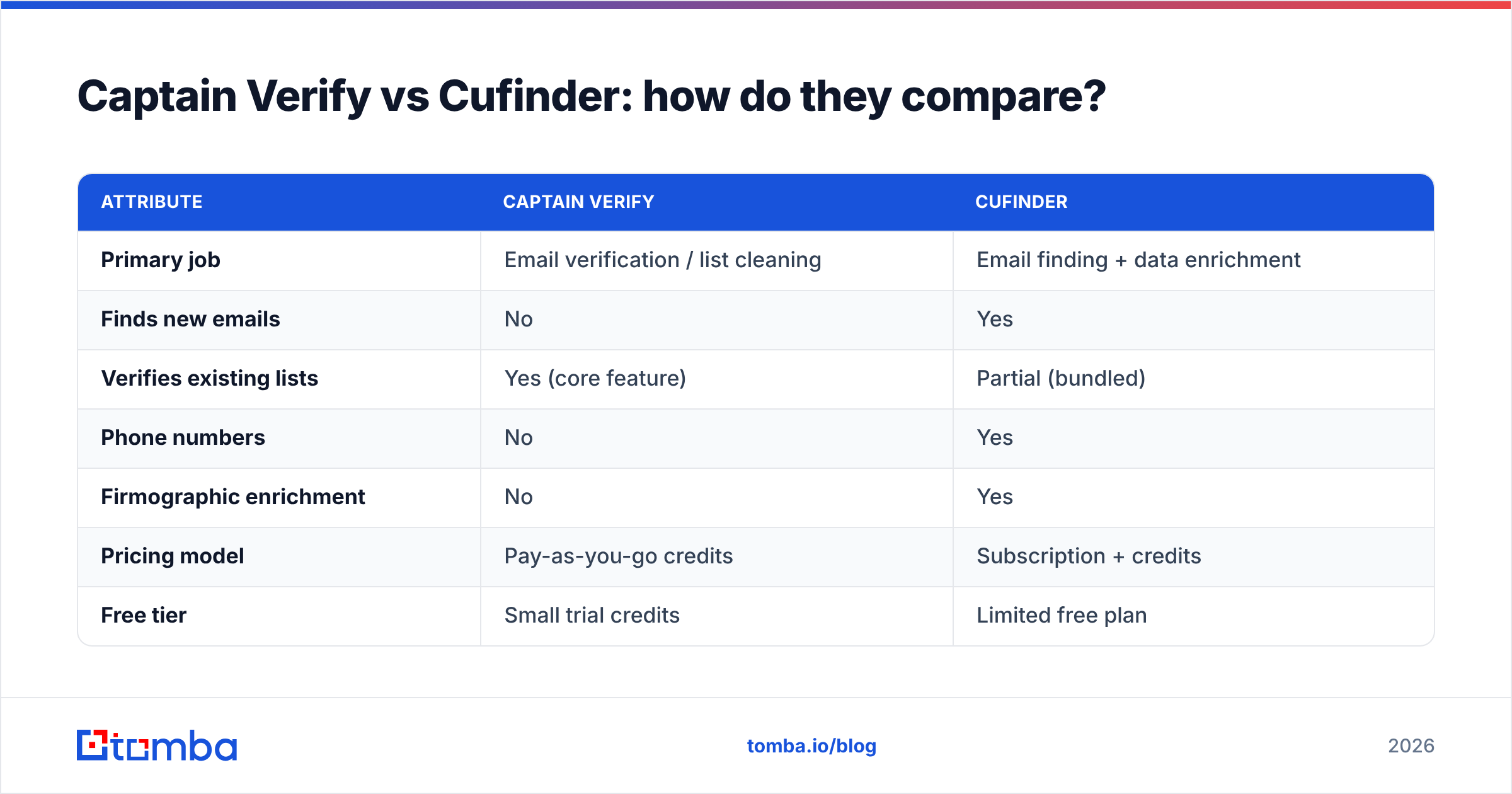
Here's the head-to-head on the attributes that actually change your buying decision. Treat the pricing as indicative — both vendors revise tiers, so confirm on their sites before committing.
| Attribute | Captain Verify | Cufinder |
|---|---|---|
| Primary job | Email verification / list cleaning | Email finding + data enrichment |
| Finds new emails | No | Yes |
| Verifies existing lists | Yes (core feature) | Partial (bundled) |
| Phone numbers | No | Yes |
| Firmographic enrichment | No | Yes |
| Pricing model | Pay-as-you-go credits | Subscription + credits |
| Free tier | Small trial credits | Limited free plan |
| Best for | Senders cleaning owned lists | SDRs sourcing net-new accounts |
| API | Verification API | Finder + enrichment API |
| Data residency | EU-focused | Global |
The pattern is clear: these are complementary, not competing. If you only buy one, you're choosing which half of the prospecting problem to solve.
When Captain Verify wins#
- Your list already exists (newsletter, CRM export, event leads) and you need it clean.
- Bounce rate is your pain, not lead volume.
- You want EU data handling and simple per-credit billing.
- You verify in occasional batches rather than continuously.
When Cufinder wins#
- You're starting from a target-account list with no contact details.
- You need phones and firmographics, not just emails.
- Enrichment to fill CRM gaps is a recurring workflow.
- You'd rather expand a list than just trim one.
Why do most teams end up needing both?#
Because a found email that bounces is worthless, and a clean list you can't grow is a dead end.
Think of it like a kitchen. Cufinder is the grocery run — it stocks the fridge with ingredients (new contacts). Captain Verify is washing and trimming before you cook (removing what's spoiled). You need both steps, or dinner is either empty or contaminated. The problem with buying two specialist tools is the handoff: you export from one, import to the other, reconcile credits across two billing cycles, and maintain two integrations.
That friction is the entire argument for a unified platform. When the same system finds the address and verifies it in one pass, you skip the export-import dance and you don't pay twice for the same record.
)
This is where it's worth looking at a finder-and-verifier built as one product. Tomba's email finder sources business addresses by name, domain, or company, and every result runs through its email verifier before it reaches you — so you get Cufinder's discovery and Captain Verify's cleaning in a single step. For accuracy nuances like catch-all domains, a dedicated catch-all verifier closes the gap that bundled checks usually miss.
How accurate are these tools, really?#
Accuracy is the metric everyone quotes and nobody defines the same way. For verifiers, it means correctly classifying valid vs invalid vs risky. For finders, it means returning the right address for the right person, then confirming it's live.
A few honest caveats before you trust any vendor's headline number:
- Catch-all domains break simple checks. A catch-all server accepts every address, so SMTP probes can't confirm a specific mailbox. Tools that flag these honestly are more trustworthy than ones that mark everything "valid."
- Finder accuracy degrades on thin data. If a company has no public footprint, any finder — Cufinder included — will guess or return nothing. That's not a flaw; it's physics.
- Verification has a shelf life. An address valid today can bounce next quarter after someone leaves. Re-verify before big sends.

The takeaway: don't buy on a single accuracy percentage. Buy on how the tool handles the hard cases — catch-alls, role accounts, and stale data — because that's where bounce rates actually come from. For more on this, G2's email verification category aggregates real-user accuracy reviews across vendors.
What does each tool cost in 2026?#
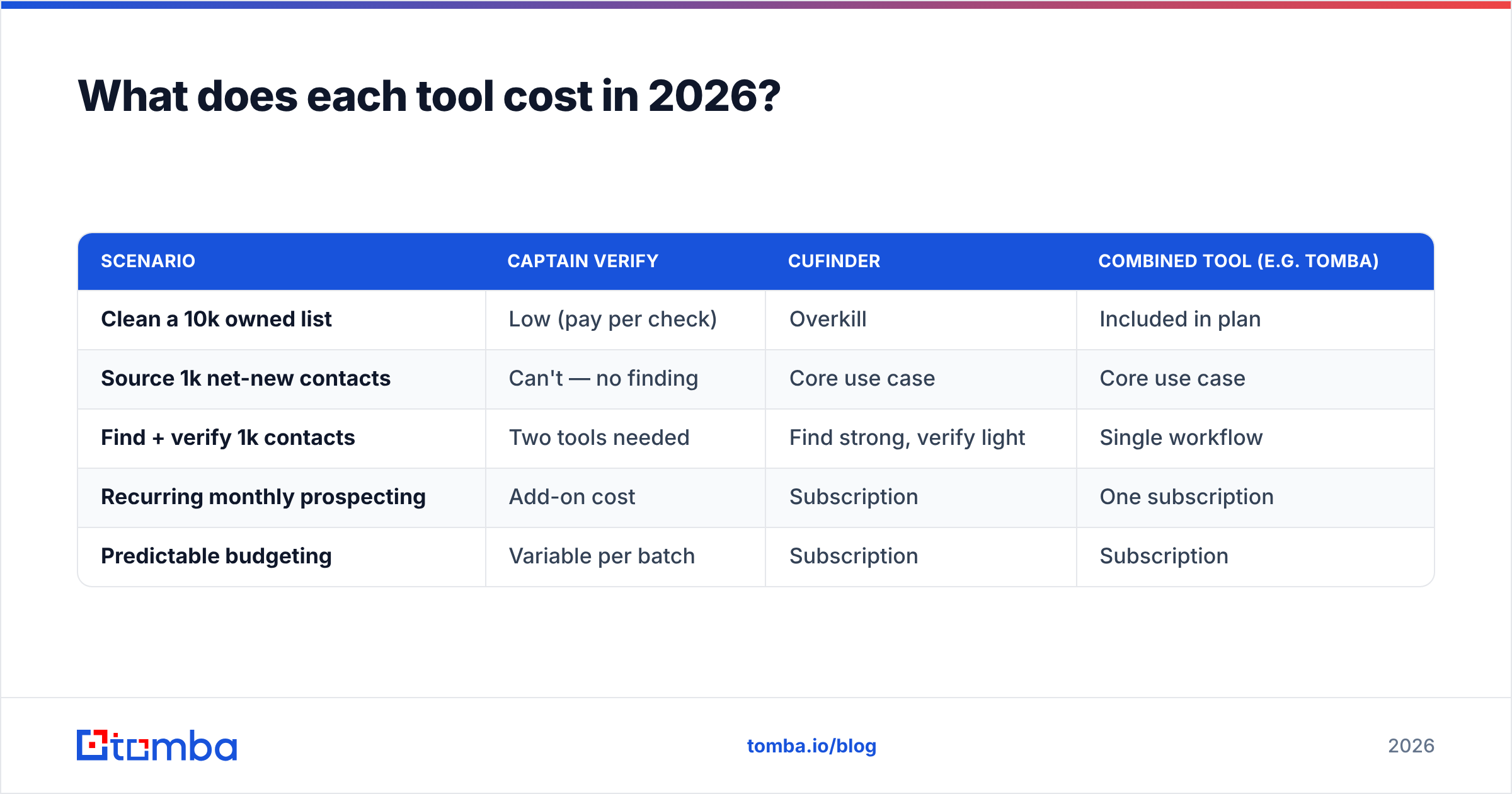
Cost comparison is tricky because the two tools price different units. Captain Verify charges per verification. Cufinder charges per credit consumed across finding and enrichment, usually inside a subscription. So a like-for-like number doesn't exist — but here's how to think about total spend.
| Scenario | Captain Verify | Cufinder | Combined tool (e.g. Tomba) |
|---|---|---|---|
| Clean a 10k owned list | Low (pay per check) | Overkill | Included in plan |
| Source 1k net-new contacts | Can't — no finding | Core use case | Core use case |
| Find + verify 1k contacts | Two tools needed | Find strong, verify light | Single workflow |
| Recurring monthly prospecting | Add-on cost | Subscription | One subscription |
| Predictable budgeting | Variable per batch | Subscription | Subscription |
For reference, a unified platform like Tomba runs a Free tier (25 searches/month), then Starter at $49/mo, Growth at $99/mo, and Pro at $249/mo, with Enterprise custom — full Tomba pricing is public. The point isn't that one is cheapest in isolation; it's that buying two specialist tools usually costs more than one platform that covers both jobs, once you count two subscriptions and the labor of moving data between them.
Which should you choose?#
Decide by your actual bottleneck, not by feature counts.
- Choose Captain Verify if you already have plenty of contacts and your only problem is bounce rate. It's focused, affordable per check, and EU-friendly.
- Choose Cufinder if your problem is finding people and enriching records, and you're comfortable with lighter built-in verification.
- Choose a combined finder-plus-verifier if you do both regularly and want to stop maintaining two tools, two bills, and a CSV bridge between them.
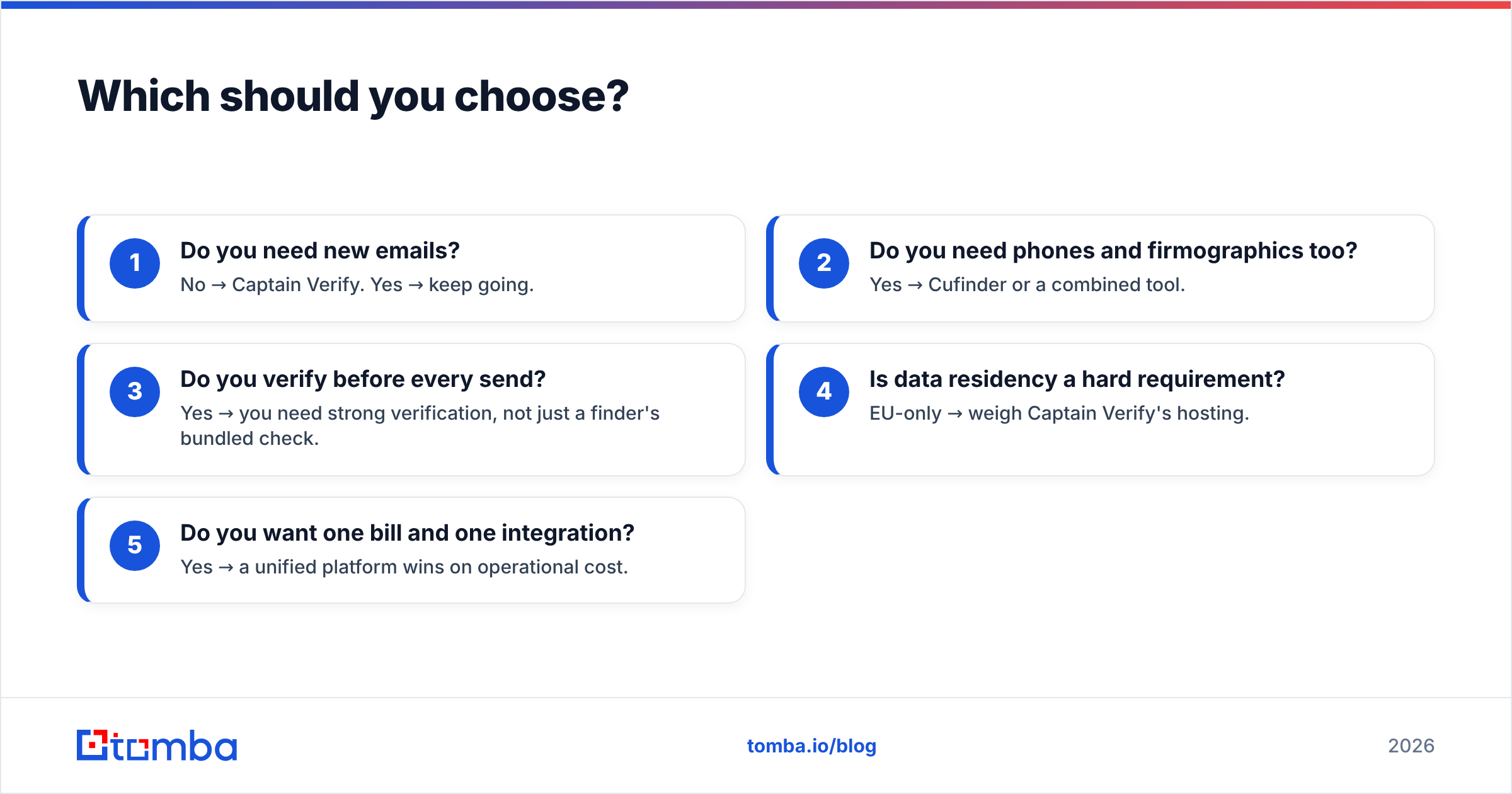
Here's the decision in five quick checks:
- Do you need new emails? No → Captain Verify. Yes → keep going.
- Do you need phones and firmographics too? Yes → Cufinder or a combined tool.
- Do you verify before every send? Yes → you need strong verification, not just a finder's bundled check.
- Is data residency a hard requirement? EU-only → weigh Captain Verify's hosting.
- Do you want one bill and one integration? Yes → a unified platform wins on operational cost.
If you want to test the "find and verify in one pass" approach against your own target accounts, run a batch through a tool that does both. You can pull contacts by company with domain search, then let the built-in verification score them — no export, no second subscription, no reconciliation.
For deeper validation of the methodology behind email checks, Wikipedia's overview of email verification is a neutral primer, and Cufinder's own product site documents its finding and enrichment features if you want the vendor's framing.
The bottom line#
Captain Verify and Cufinder aren't really competitors — they're two halves of the same job. Captain Verify cleans what you have; Cufinder finds what you don't. If your pipeline is blocked on dirty lists, Captain Verify is the leaner buy. If it's blocked on lead volume, Cufinder earns its place. But if you're doing both — and most growing teams are — paying two vendors to hand data back and forth is the expensive path.
That's the case for consolidating. Tomba's email finder sources verified business emails by name, domain, or company in one workflow, with bulk processing, an email finder API, and native CRM integrations — so you find, verify, and enrich without stitching two tools together. Start on the free tier, run your toughest target account through it, and compare the verified-yield against your current two-tool setup before you renew either subscription.
// get started
Find, verify and enrich your first contacts today
Start on the free plan with 25 searches a month, then scale when your team is ready.
Free plan · No credit card required · GDPR & CCPA
// about the author