Captain Verify vs DiscoverOrg: 2026 B2B Data Showdown
Captain Verify cleans your list; DiscoverOrg builds it. Here's which B2B data tool fits your stack in 2026 — and where a cheaper hybrid wins.
Most people who type "Captain Verify vs DiscoverOrg" into a search bar are comparing the wrong two things — and that confusion costs them money. One scrubs the list you already have. The other sells you a list you don't. Knowing which problem you actually have decides which tool (if either) belongs in your budget.
TL;DR#
- They solve different problems. Captain Verify is an email verification tool. DiscoverOrg (now folded into ZoomInfo) is a B2B data and intelligence platform that supplies contacts in the first place.
- Captain Verify wins on price and simplicity for teams that already have a list and just need it cleaned before sending.
- DiscoverOrg/ZoomInfo wins on data depth — org charts, intent signals, technographics — but contracts routinely run $15,000+/year.
- Accuracy isn't apples-to-apples: Captain Verify measures bounce protection; DiscoverOrg measures contact coverage and freshness.
- A hybrid stack is usually cheaper. Pair an email finder plus verifier (like Tomba) and you cover both jobs for a fraction of an enterprise data contract.
What is Captain Verify?#
Captain Verify is a French email-verification service that checks whether an address is real, deliverable, and safe to send to before you hit send. Think of it as the bouncer at the door of your email campaign — it inspects every address, turns away the fakes, the typos, and the spam traps, and lets the valid ones through.
It works on three levels: syntax (is this even a valid format?), domain (does the mail server exist and accept mail?), and mailbox (does this specific inbox exist?). It also flags disposable addresses, role accounts like info@ and sales@, and known complainers. The output is a simple status — valid, invalid, risky, or unknown — that you can filter your list against.
What Captain Verify is not is a source of new contacts. It cannot tell you the CFO's email at a company you've never contacted. You bring the list; it cleans the list. That single distinction is the whole reason this comparison confuses people.
What is DiscoverOrg?#
DiscoverOrg is a B2B sales-intelligence database that was acquired by and merged into ZoomInfo in 2019. Where Captain Verify checks data you own, DiscoverOrg generates it: company profiles, verified direct dials, org charts, departmental budgets, technographics (what software a company runs), and buying-intent signals.
If Captain Verify is a bouncer, DiscoverOrg is the entire guest list plus dossiers on every guest. Sales and marketing teams use it to build target account lists, route leads, and time outreach around intent spikes. It's an enterprise platform with enterprise pricing and an annual-contract sales motion to match.
Because DiscoverOrg now lives inside ZoomInfo, "buying DiscoverOrg" in 2026 means buying a ZoomInfo plan. That matters for pricing, onboarding, and the negotiation you'll have with a sales rep.
Captain Verify vs DiscoverOrg: how do they actually compare?#
Here's the side-by-side that the search query implies but rarely gets answered honestly:
| Attribute | Captain Verify | DiscoverOrg (ZoomInfo) |
|---|---|---|
| Primary job | Email verification | Contact + company data sourcing |
| Gives you new leads? | No | Yes |
| Cleans your existing list? | Yes | Partially (data refresh) |
| Pricing model | Pay-as-you-go credits | Annual contract, seat-based |
| Entry cost | ~$7 per 1,000 verifications | ~$15,000+/year typical |
| Best for | Cleaning before send | Building target account lists |
| Data extras | None | Org charts, intent, technographics |
| Contract lock-in | None | 12-month minimum common |
| Time to value | Minutes | Days (onboarding + training) |
The table makes the real decision obvious: you're not choosing between two competitors, you're choosing which stage of the pipeline to spend on. Verification is a finishing step. Intelligence is a starting step. Treating them as rivals is like asking whether you'd rather own a washing machine or a clothing store.

Which problems does each tool actually solve?#
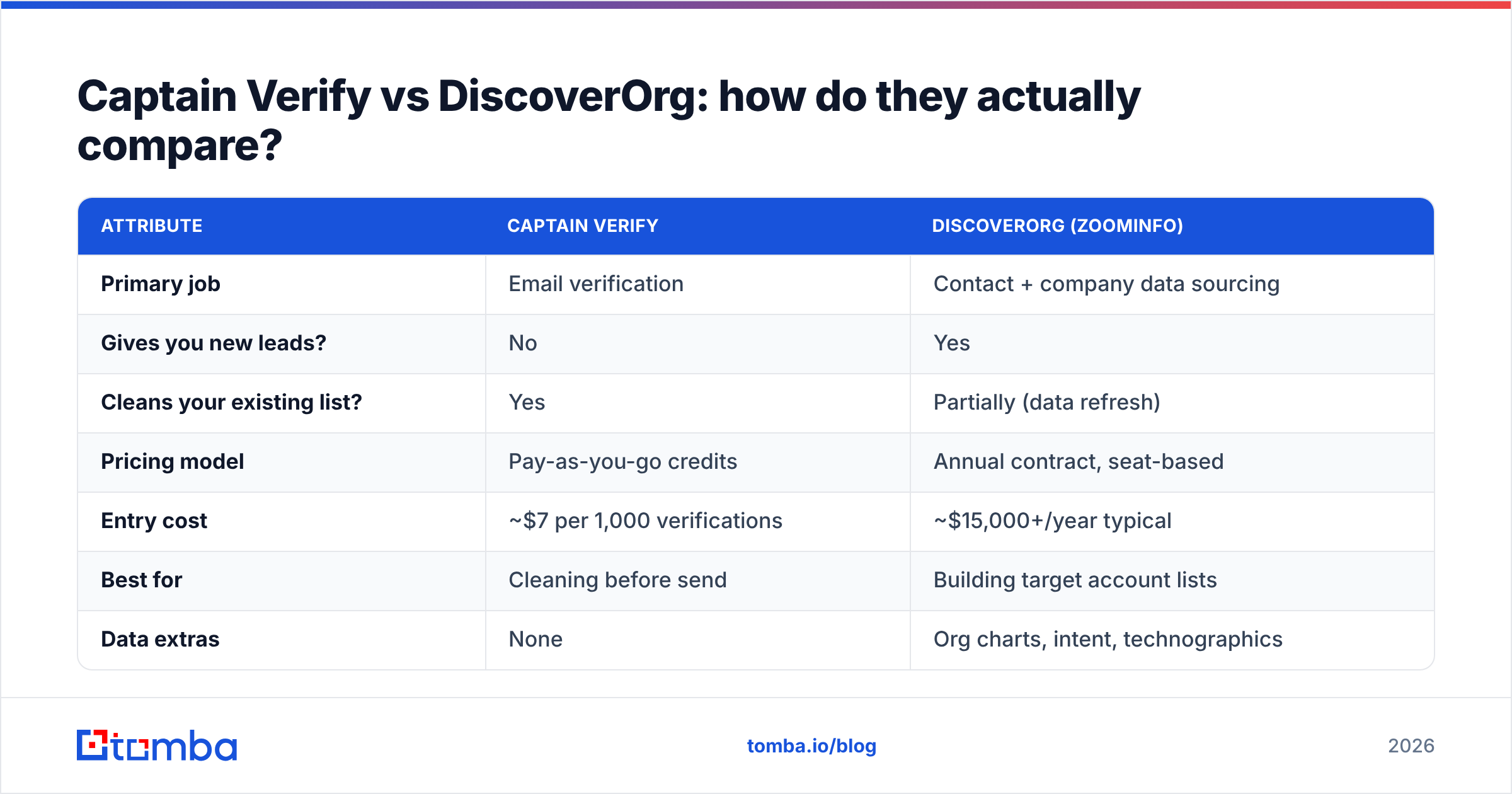
To cut through the marketing, map each tool to the job you're trying to do. Here are the four most common scenarios and the honest answer for each:
- **"I have a list and it's bouncing." ** You need verification, full stop. Captain Verify — or an email verifier built into your finder — fixes this. DiscoverOrg is overkill and won't even address the symptom directly.
- "I don't have a list yet." You need a data source. DiscoverOrg/ZoomInfo or an email finder is the right category. Captain Verify has nothing to verify until you've sourced contacts.
- "I have a list but it's stale." You need enrichment and re-verification. A data enrichment layer refreshes job titles and emails; verification then confirms deliverability. This is a two-step job.
- "I sell into named enterprise accounts and need org charts." This is DiscoverOrg's home turf and where the premium price can pay off. Captain Verify and most lightweight finders can't map reporting structures or budgets.
Notice that three of the four scenarios don't actually require a $15,000 platform. That's the practical headline for most small and mid-market teams.
How accurate is each one?#
Accuracy is the most abused word in this category because the two tools measure different things.
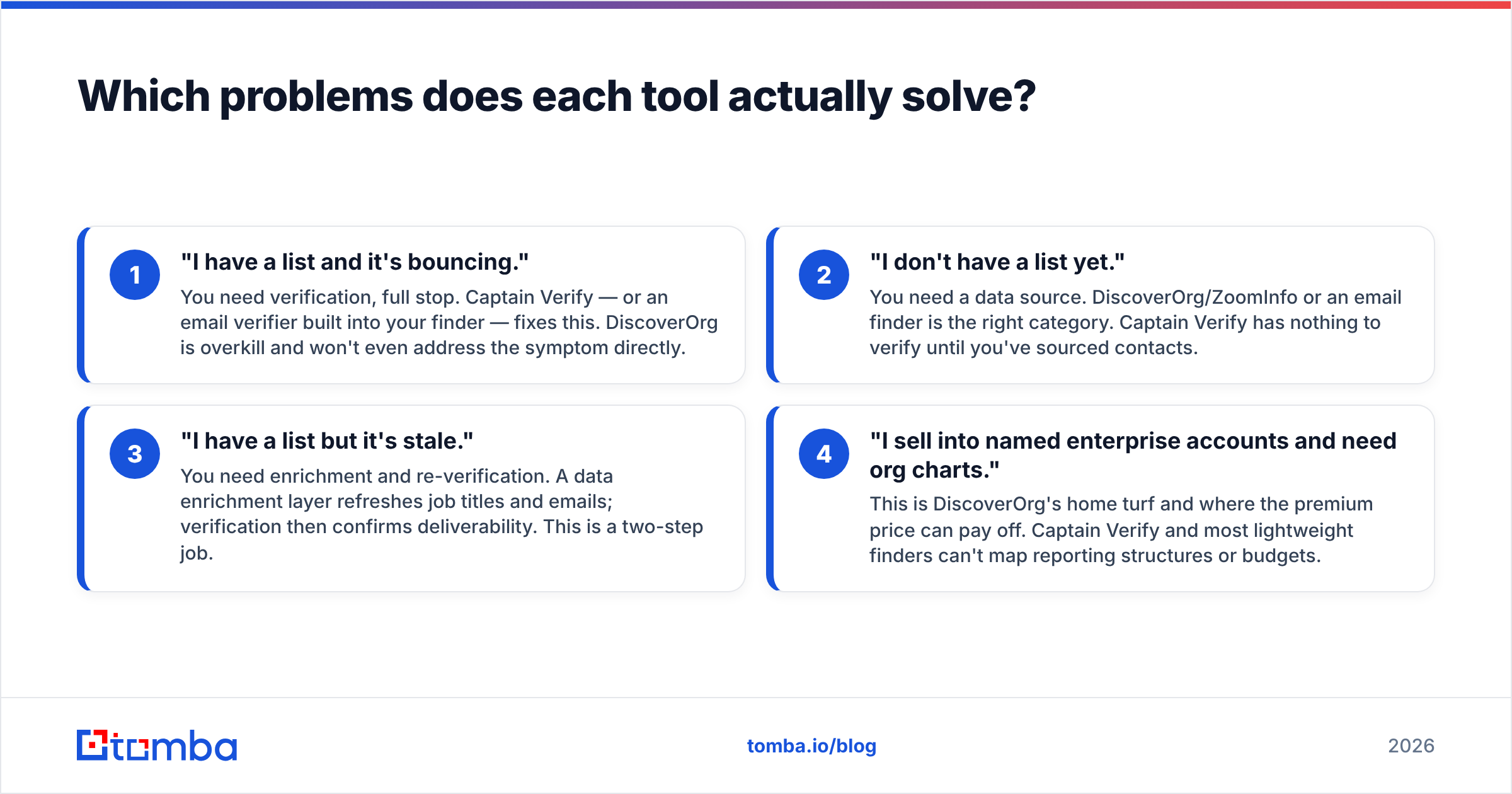
Captain Verify's accuracy is about bounce protection — what percentage of addresses it correctly classifies as deliverable or not. Independent reviews on G2 generally put quality verifiers in the 95–99% range on clean syntax checks, though every verifier struggles with catch-all domains, where the server accepts all mail regardless of whether the box exists.
DiscoverOrg's accuracy is about data coverage and freshness — how many of your target contacts it has, and how recently those records were updated. A database can be "98% accurate" on the records it holds and still miss half the people you actually want. Coverage and accuracy are separate axes, and enterprise vendors love to quote whichever number looks better.
The catch-all problem deserves a flag. Roughly 20–30% of B2B domains are catch-alls, and most verifiers mark these "unknown" or "risky." If a big chunk of your list sits behind catch-all servers, you'll want a dedicated catch-all verifier rather than relying on a single status flag. This is exactly where a generic verifier or a generic database leaves you guessing.
What does each one cost in 2026?#
Pricing is where these two tools live in different universes.
Captain Verify runs on pay-as-you-go credits — you buy a block of verifications and burn them down, typically a few dollars per thousand checks. No contract, no seat fees, no sales call. For a team verifying a list once a quarter, the annual spend can be under $100.
DiscoverOrg, as part of ZoomInfo, sells annual contracts negotiated per seat with data-credit caps. Public reporting and buyer reviews consistently land starting points in the $15,000/year and up range, climbing fast with seats, intent data, and API access. There's real value in that data — but the floor price excludes most startups and solo operators outright.

This gap is why so many teams end up building a hybrid stack instead of buying one expensive everything-platform.
Is there a better middle path?#
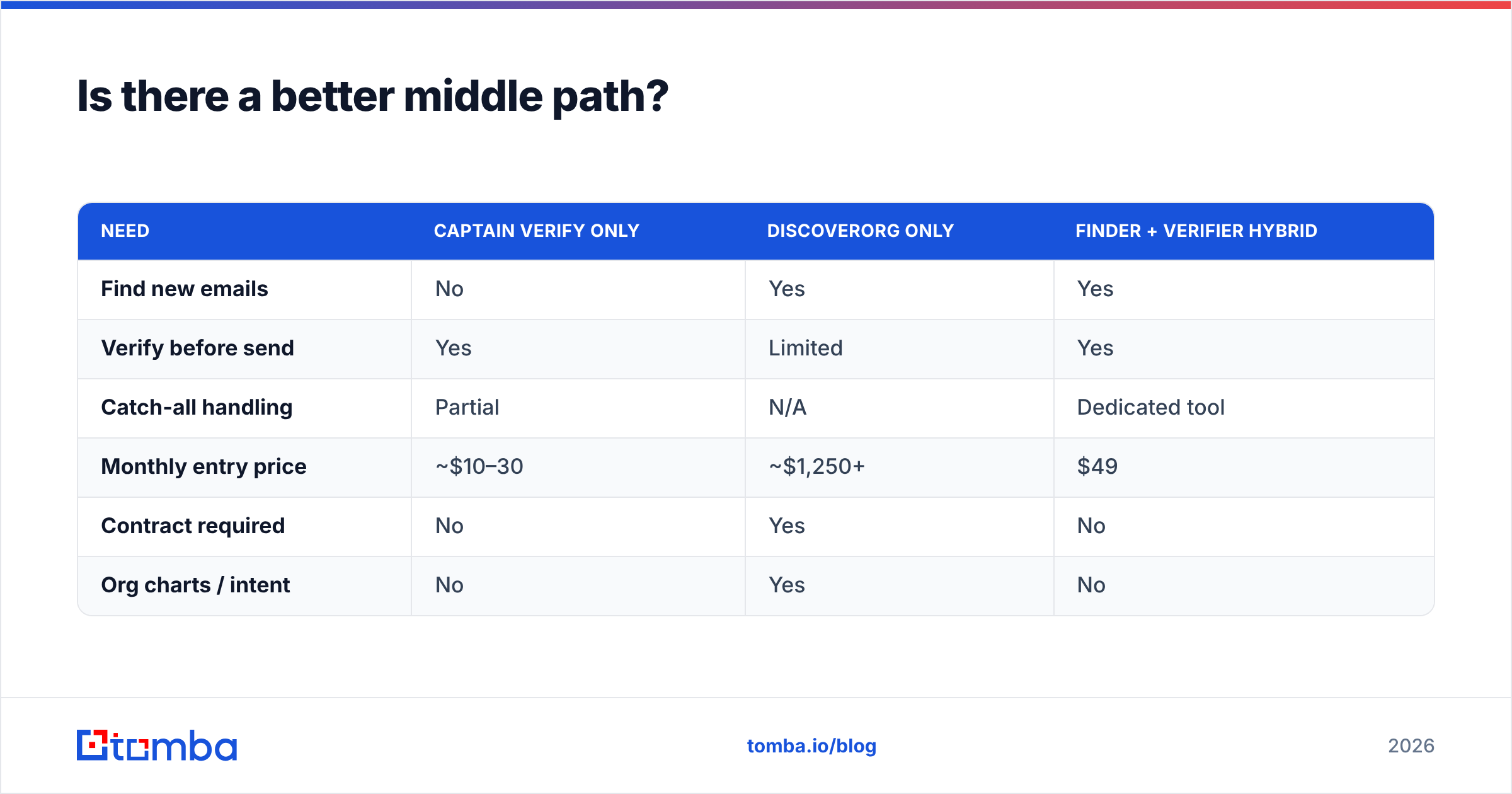
Yes — for most teams under enterprise scale, pairing a focused email finder with built-in verification beats buying either tool alone. You get the sourcing job DiscoverOrg does and the cleaning job Captain Verify does, without an annual contract.
Here's how a hybrid stack compares to picking just one of the two:
| Need | Captain Verify only | DiscoverOrg only | Finder + Verifier hybrid |
|---|---|---|---|
| Find new emails | No | Yes | Yes |
| Verify before send | Yes | Limited | Yes |
| Catch-all handling | Partial | N/A | Dedicated tool |
| Monthly entry price | ~$10–30 | ~$1,250+ | $49 |
| Contract required | No | Yes | No |
| Org charts / intent | No | Yes | No |
The hybrid column is where a tool like Tomba fits. You can find email addresses by name, domain, or company, run them through verification in the same workflow, and handle catch-alls — all on transparent monthly plans. The trade-off is honest: you don't get DiscoverOrg's org charts and intent signals. If mapping a 40-person buying committee is your core motion, pay for the enterprise platform. If you mainly need accurate, deliverable contacts at a sane price, the hybrid wins.
For reference, Tomba pricing starts with a free tier of 25 searches per month, then Starter at $49/mo, Growth at $99/mo, and Pro at $249/mo — a different order of magnitude from a five-figure annual data contract.
Which should you choose?#
Decide by answering one question: do you have a list, or do you need one?
- You have a list and just need it clean: Captain Verify (or any solid verifier) is the cheapest fix. Don't overbuy.
- You sell into named enterprise accounts and need deep org intelligence: DiscoverOrg/ZoomInfo earns its price if you'll use the org charts and intent data daily.
- You need to both find and verify contacts on a real budget: skip the false choice and run a hybrid finder-plus-verifier stack.
The "Captain Verify vs DiscoverOrg" framing assumes a head-to-head that doesn't really exist. One is a finishing tool, one is a starting tool, and most teams quietly need a bit of both. Match the tool to the stage of your pipeline that's actually leaking, and you'll stop paying for capability you don't use.
Ready to find and verify in one place?#
If your real problem is "I need accurate contacts I can actually reach," start with the Tomba Email Finder. Search by domain, name, or company, get verified professional emails, and clean catch-alls before you send — without an enterprise contract or a sales call. The free tier gives you 25 searches a month to test it against your own target accounts, and paid plans start at $49/mo. Build the list and verify it in the same workflow, then point your saved budget at the campaigns that actually convert.
Ready to find emails that actually work?
Join 150,000+ professionals who stopped guessing and started sending. Free credits on signup — no credit card required.
Get the Tomba newsletter
Practical outbound tactics and product updates — once every two weeks.
About the author