Captain Verify vs Finalscout (2026): Which Tool Wins?
Captain Verify verifies emails; Finalscout finds them on LinkedIn. We compare accuracy, pricing, and workflow fit in 2026 — plus where a single all-in-one platform beats both.
You typed "Captain Verify vs Finalscout" into a search bar because you want one tool to fix your outbound list. Here is the problem nobody states up front: these two products do different jobs. Comparing them head-to-head is like comparing a smoke detector to a moving truck. One verifies email addresses you already have. The other finds new email addresses from LinkedIn. Pick the wrong one and you either have a clean list of zero new leads, or a pile of fresh contacts that bounce.
This post breaks down what each tool actually does, where each one is strong, and why most teams end up paying for a third product to cover the gap.
TL;DR#
- Captain Verify is an email verification and cleaning tool. It checks whether addresses you already own are valid, catch-all, or risky. It does not find new contacts.
- Finalscout is a LinkedIn-focused email finder powered by AI. It extracts and guesses business emails from profiles. Its verification layer is thinner than a dedicated verifier.
- They solve opposite halves of the same workflow, so "vs" is misleading — many users would need both.
- If you want finding and verification under one roof, an all-in-one platform like Tomba Email Finder covers both for one price.
- Below: a full feature table, pricing reality check, accuracy notes, and a decision guide.
What is Captain Verify?#
Captain Verify is a French email verification service that has been around since the mid-2010s. Its core job is hygiene: you upload a list of email addresses, and it tells you which ones are deliverable, which are invalid, which are disposable, and which sit on catch-all domains that accept everything.
Think of it as a bouncer at the door of your email campaign. It does not bring guests. It only decides who gets in. Captain Verify also offers bulk list cleaning, an API, and a SMTP check. It is genuinely good at the one thing it does — reducing your bounce rate before you hit send.
What it is not: a prospecting tool. You cannot point Captain Verify at a company and ask "who works here and what is their email?" That is a finder's job.

What is Finalscout?#
Finalscout is an AI-assisted email finder built primarily around LinkedIn. You browse profiles or run searches, and Finalscout surfaces a likely business email for each person, often using a ChatGPT-style assistant to draft outreach on top. It markets itself on "100% valid email addresses," which leans on a built-in verification step.
The catch: finder accuracy is only as good as the underlying data and the verification behind it. LinkedIn-only sourcing is powerful for individual prospecting but narrower than a tool that also crawls company domains, public web pages, and a B2B database. And a finder's bundled verification is rarely as rigorous as a standalone verifier like Captain Verify.
So you can already see the shape of the problem. Finalscout finds but verifies lightly. Captain Verify verifies but never finds.
Captain Verify vs Finalscout: the core difference#
Here is the cleanest way to think about the two products and where each fits.
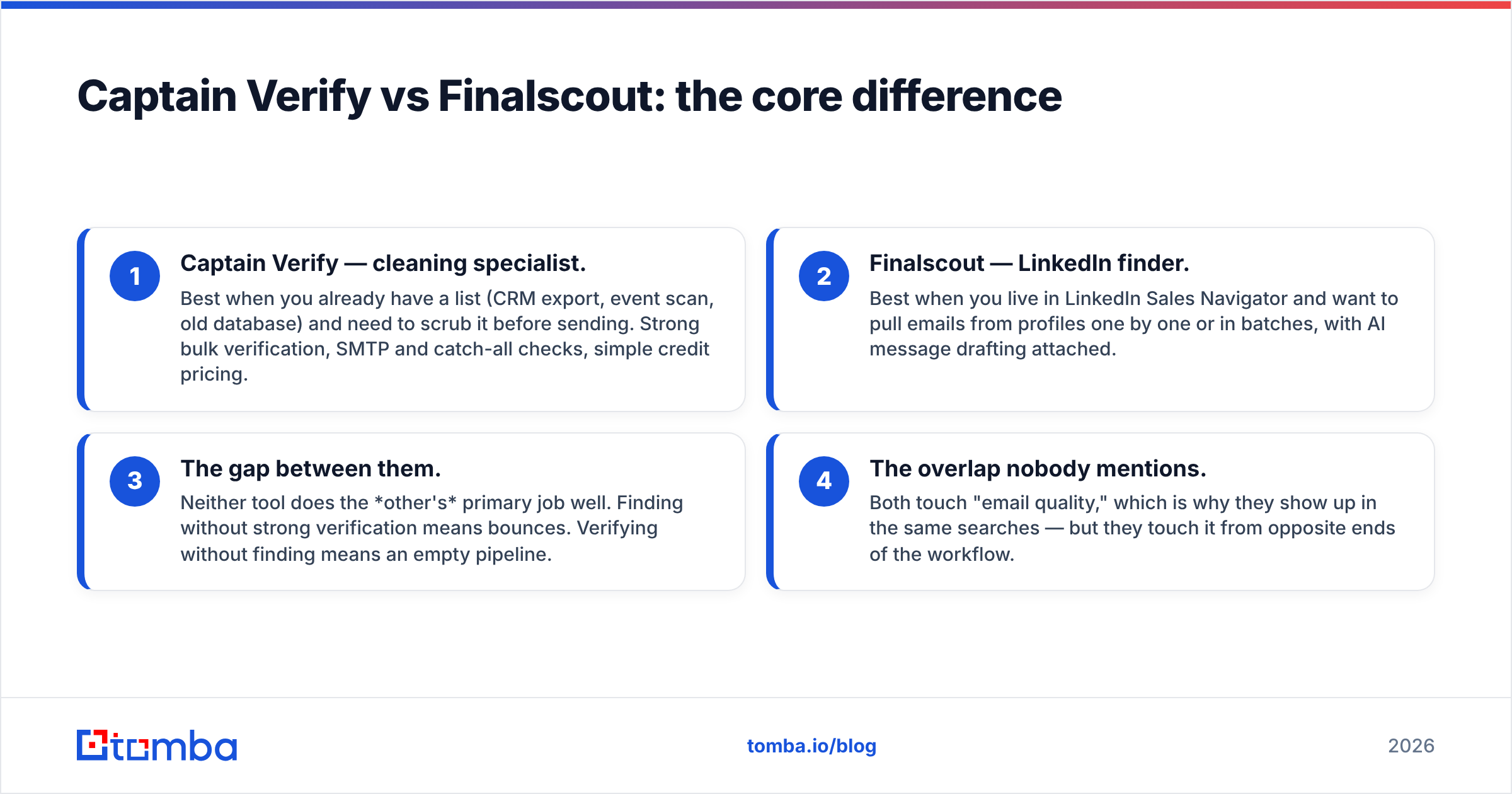
- Captain Verify — cleaning specialist. Best when you already have a list (CRM export, event scan, old database) and need to scrub it before sending. Strong bulk verification, SMTP and catch-all checks, simple credit pricing.
- Finalscout — LinkedIn finder. Best when you live in LinkedIn Sales Navigator and want to pull emails from profiles one by one or in batches, with AI message drafting attached.
- The gap between them. Neither tool does the other's primary job well. Finding without strong verification means bounces. Verifying without finding means an empty pipeline.
- The overlap nobody mentions. Both touch "email quality," which is why they show up in the same searches — but they touch it from opposite ends of the workflow.
This is the trap behind the "vs" framing. You are usually not choosing between them. You are discovering you need the capabilities of both.
)
How do they compare on features and pricing?#
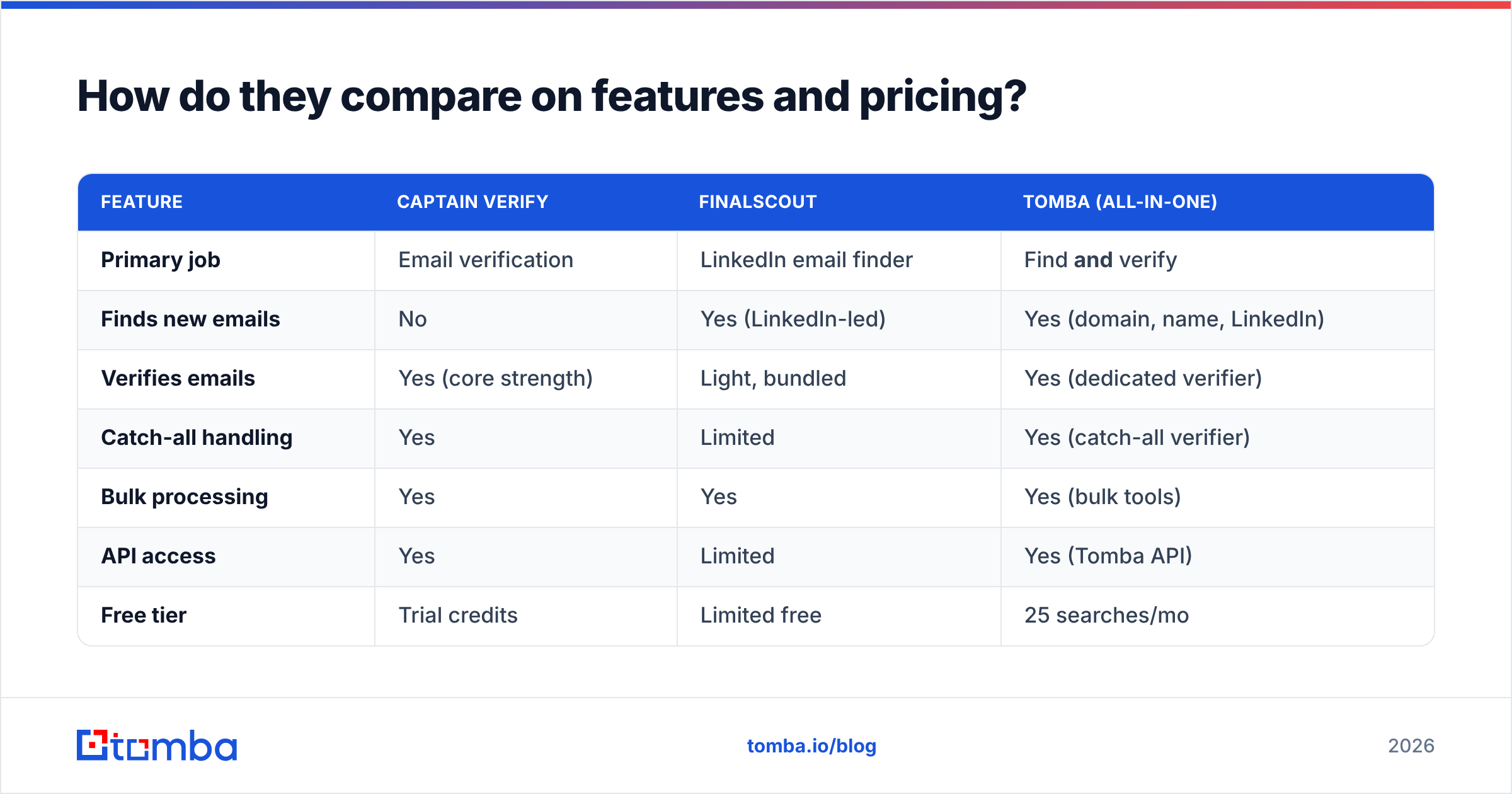
The table below lines up the two tools on the attributes that actually drive a buying decision. Pricing moves over time, so treat these as directional — always confirm on each vendor's own page.
| Feature | Captain Verify | Finalscout | Tomba (all-in-one) |
|---|---|---|---|
| Primary job | Email verification | LinkedIn email finder | Find and verify |
| Finds new emails | No | Yes (LinkedIn-led) | Yes (domain, name, LinkedIn) |
| Verifies emails | Yes (core strength) | Light, bundled | Yes (dedicated verifier) |
| Catch-all handling | Yes | Limited | Yes (catch-all verifier) |
| Bulk processing | Yes | Yes | Yes (bulk tools) |
| API access | Yes | Limited | Yes (Tomba API) |
| Free tier | Trial credits | Limited free | 25 searches/mo |
| Entry paid price | Credit packs | ~$35+/mo | $49/mo Starter |
| Best for | List hygiene | LinkedIn prospecting | End-to-end outbound |
A few honest notes on the table. Captain Verify's credit model is genuinely flexible if your only need is occasional list cleaning — you buy what you use. Finalscout's per-seat subscription makes sense if LinkedIn is your single channel and AI drafting matters to you. Neither covers the full find-then-verify loop on its own, which is the column on the right.
For current numbers on the all-in-one option, see the Tomba pricing page; the Starter plan is $49/mo, not the $39 figure that floats around in older roundups.
Which tool is more accurate?#
Accuracy means two different things here, so answer the right question.
For verification accuracy — does this address exist and accept mail — a dedicated verifier wins. That is Captain Verify's home turf, and it is also what a standalone email verifier is built for. Finalscout's bundled check is fine for a first pass but is not designed to be your final hygiene gate before a big send.
For finding accuracy — is this the right person's real, current email — the answer depends on data breadth. A LinkedIn-only finder like Finalscout can be very good on people with rich, active profiles and weaker on everyone else. A finder that also reads company domains, the public web, and pattern data tends to fill more rows, especially for SMB and non-LinkedIn-active contacts. You can sanity-check any tool's claims against independent reviews on G2 rather than vendor copy alone.
The practical move: never trust a finder's "valid" label blindly. Run found emails through a real verifier before launch. Bounce rate is what your inbox provider watches, and it does not care which tool sourced the address.

When should you pick each one?#
Use this quick decision guide based on the job in front of you.
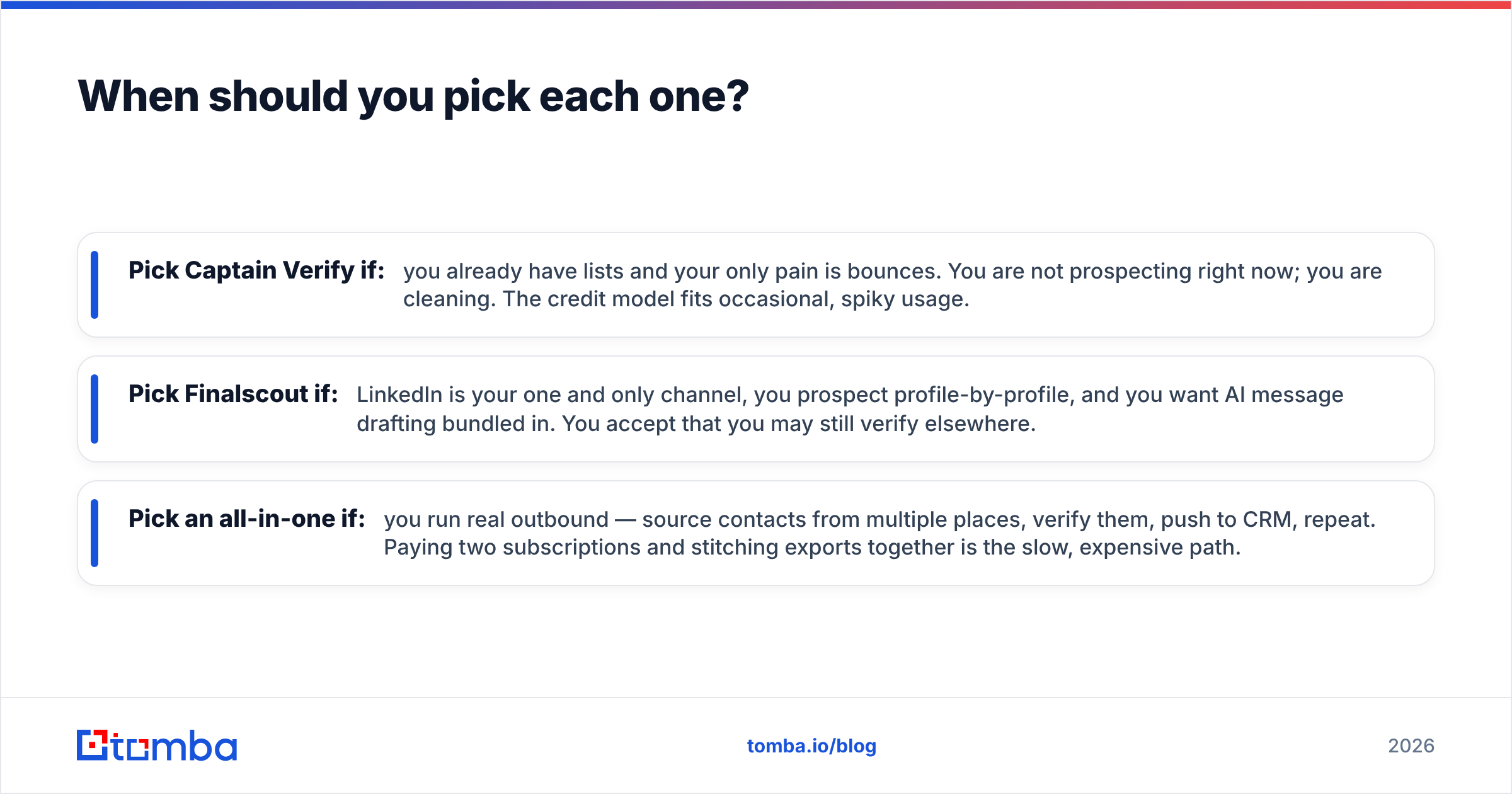
- Pick Captain Verify if: you already have lists and your only pain is bounces. You are not prospecting right now; you are cleaning. The credit model fits occasional, spiky usage.
- Pick Finalscout if: LinkedIn is your one and only channel, you prospect profile-by-profile, and you want AI message drafting bundled in. You accept that you may still verify elsewhere.
- Pick an all-in-one if: you run real outbound — source contacts from multiple places, verify them, push to CRM, repeat. Paying two subscriptions and stitching exports together is the slow, expensive path.
Most growing sales and marketing teams land in that third bucket. The workflow of "find a contact, confirm it is real, enrich it, send" wants to live in one system, not three browser tabs and two CSV round-trips.
)
What does an all-in-one alternative look like?#
If the "vs" question keeps leading you back to "I think I need both," that is the signal to look at a platform that bundles finding and verification.
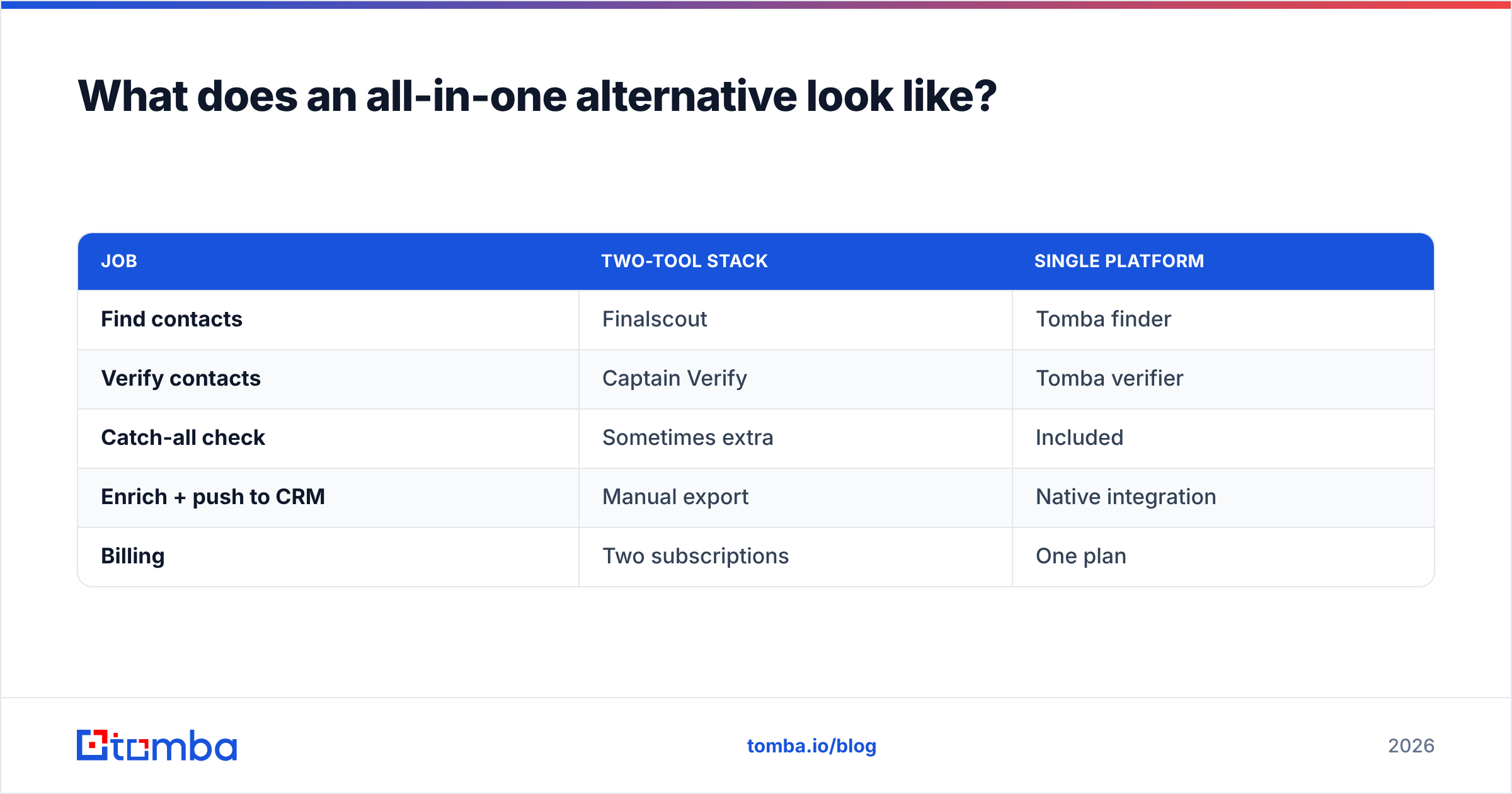
Tomba is built around exactly that loop. The email finder sources addresses by name, company, or domain search — not just LinkedIn — and the built-in verifier and catch-all finder handle the hygiene step Captain Verify would otherwise own. You also get data enrichment, a LinkedIn finder, and bulk tools for list-scale work, plus native integrations into HubSpot, Salesforce, and Pipedrive.
| Job | Two-tool stack | Single platform |
|---|---|---|
| Find contacts | Finalscout | Tomba finder |
| Verify contacts | Captain Verify | Tomba verifier |
| Catch-all check | Sometimes extra | Included |
| Enrich + push to CRM | Manual export | Native integration |
| Billing | Two subscriptions | One plan |
This is not a claim that Captain Verify or Finalscout are bad at their jobs — both are competent specialists. It is a claim about workflow math. Two specialists plus the manual glue between them often costs more time and money than one tool that does the whole sequence.
You can read how a vendor sources its records — a fair question to ask any provider — on the data sources page, and compare its positioning against other tools through Tomba's Findymail alternative and related comparison pages. For broader category context, vendor-neutral directories like Capterra list every option side by side.
Common questions#
Can Captain Verify find emails? No. It verifies existing addresses. For finding, you need a finder such as Finalscout or an all-in-one platform.
Is Finalscout's verification enough on its own? For low-stakes, low-volume sends, often yes. For large campaigns where bounce rate decides whether you keep landing in the inbox, run a dedicated verifier as the final gate. You can check sender risk separately with a sender reputation tool too.
Do I have to choose just one? No, and that is the point. The realistic alternatives are: run both specialists, or run one platform that does both. The second is usually simpler to operate and easier to budget.
What about non-LinkedIn contacts? A LinkedIn-only finder will miss people who are not active there. A domain- and web-based finder fills more of those rows.
The bottom line#
Captain Verify and Finalscout are not really rivals — they are two halves of one outbound motion. Captain Verify keeps your existing lists clean. Finalscout pulls fresh emails from LinkedIn. If your work needs only one of those jobs, buy the specialist that nails it. If your work needs both — which is most real outbound — running two subscriptions is the long way around.
Want one place to find, verify, and enrich contacts without the CSV shuffle? Start with the Tomba Email Finder. The free tier gives you 25 searches a month to test accuracy on your own target accounts, and paid plans start at $49/mo with verification and catch-all checks built in — so the "find vs verify" question simply stops being a question.
// get started
Find, verify and enrich your first contacts today
Start on the free plan with 25 searches a month, then scale when your team is ready.
Free plan · No credit card required · GDPR & CCPA
// about the author