Captain Verify vs GetProspect (2026): Which Email Tool Wins?
Captain Verify vs GetProspect compared on accuracy, finder coverage, pricing, and API. See which email tool actually fits your 2026 outbound workflow.
You are choosing between two tools that look similar on a pricing page but solve different halves of the same problem. Captain Verify cleans lists. GetProspect builds them. Picking the wrong one means you either pay for verification you can't feed, or finding you can't trust. Here is the honest breakdown.
TL;DR — Captain Verify vs GetProspect#
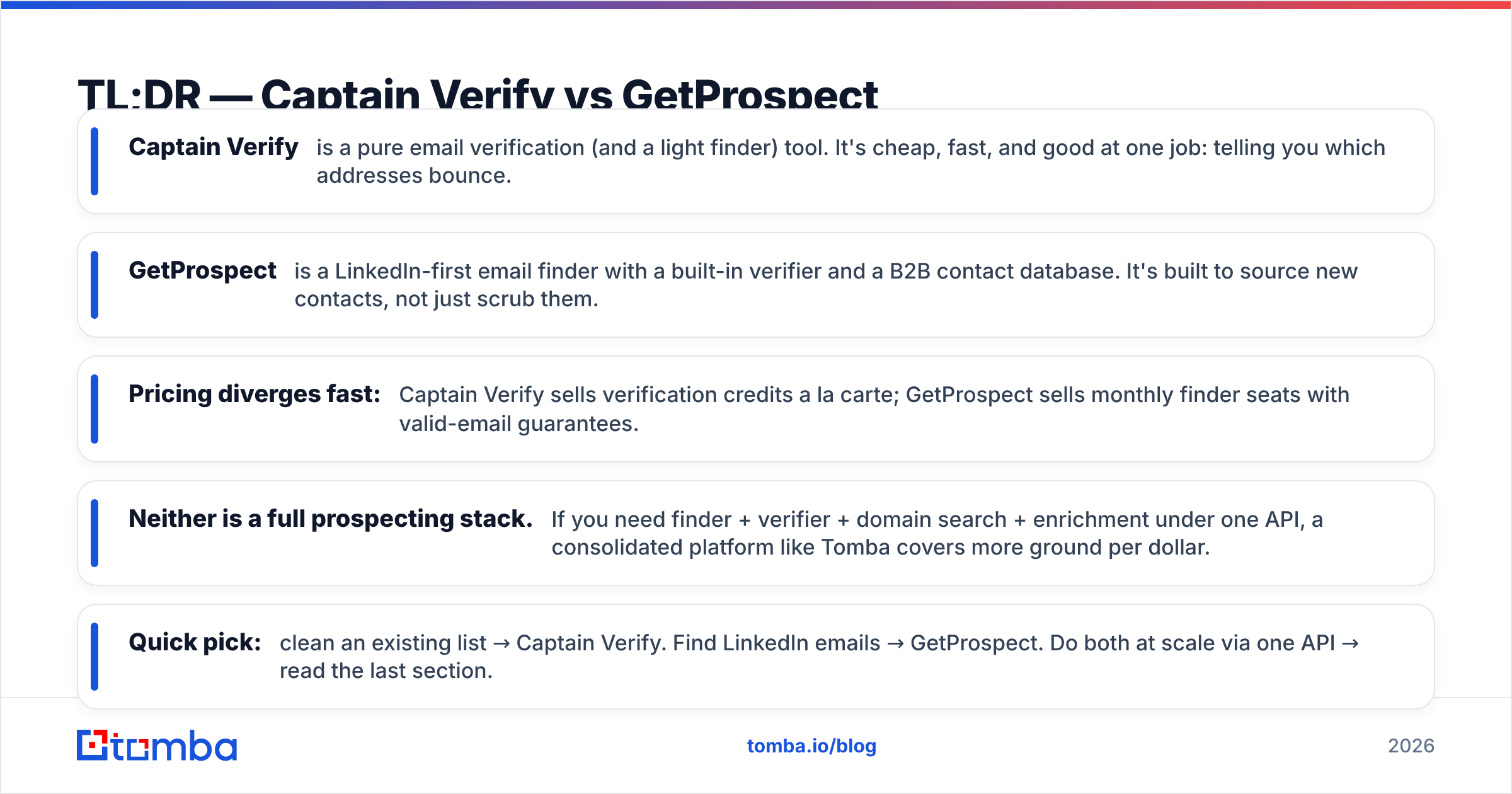
- Captain Verify is a pure email verification (and a light finder) tool. It's cheap, fast, and good at one job: telling you which addresses bounce.
- GetProspect is a LinkedIn-first email finder with a built-in verifier and a B2B contact database. It's built to source new contacts, not just scrub them.
- Pricing diverges fast: Captain Verify sells verification credits a la carte; GetProspect sells monthly finder seats with valid-email guarantees.
- Neither is a full prospecting stack. If you need finder + verifier + domain search + enrichment under one API, a consolidated platform like Tomba covers more ground per dollar.
- Quick pick: clean an existing list → Captain Verify. Find LinkedIn emails → GetProspect. Do both at scale via one API → read the last section.
What is Captain Verify and what is GetProspect?#
Think of it like a kitchen. Captain Verify is the dishwasher — it takes what you already have and makes it usable again. GetProspect is the grocery run — it brings new ingredients into the building. Both matter, but they are not interchangeable.
Captain Verify launched as a bulk email verification service. You upload a CSV or hit the API, and it runs syntax, MX, SMTP, and known-bounce checks, then returns deliverable / risky / undeliverable verdicts. It later bolted on a single-email finder, but verification is the core competency and where its accuracy reputation lives.
GetProspect comes at it from the opposite direction. It is primarily an email finder tied to a B2B database and a LinkedIn Chrome extension. You browse a profile or a company, and GetProspect returns the work email plus enrichment fields (title, company size, location). Verification is included so the emails it hands you are pre-scrubbed, but you would not buy GetProspect just to clean a list someone else built.
So the real question behind "captain verify vs getprospect" is: do you have a list, or do you need one?

How do they compare on core features?#
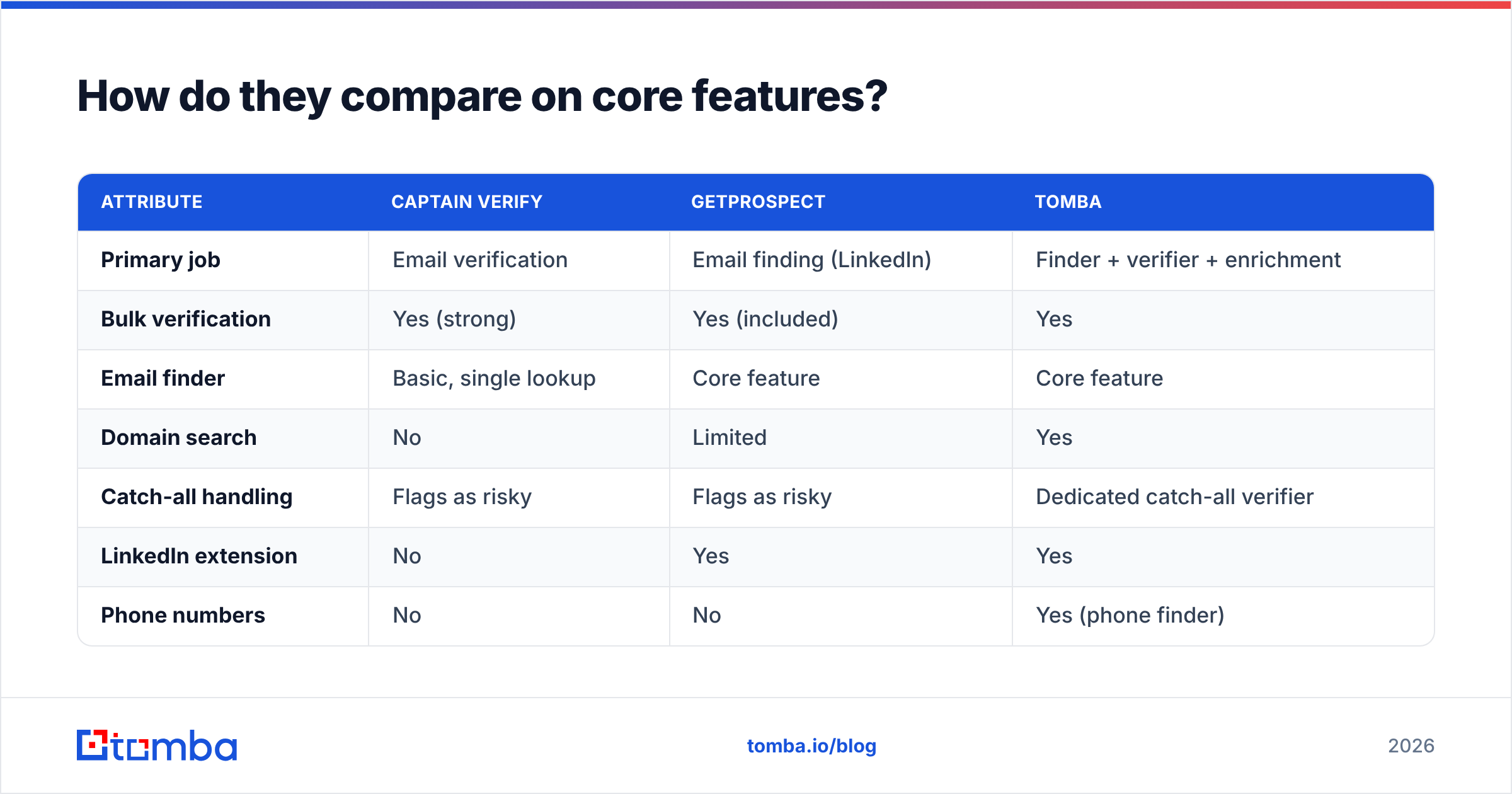
Here is the side-by-side that actually matters when money is on the line.
| Attribute | Captain Verify | GetProspect | Tomba |
|---|---|---|---|
| Primary job | Email verification | Email finding (LinkedIn) | Finder + verifier + enrichment |
| Bulk verification | Yes (strong) | Yes (included) | Yes |
| Email finder | Basic, single lookup | Core feature | Core feature |
| Domain search | No | Limited | Yes |
| Catch-all handling | Flags as risky | Flags as risky | Dedicated catch-all verifier |
| LinkedIn extension | No | Yes | Yes |
| Phone numbers | No | No | Yes (phone finder) |
| Public API | Yes | Yes | Yes |
| Free tier | Trial credits | 50 valid emails/mo | 25 searches/mo |
The pattern is clear. Captain Verify wins the "is this address real" column. GetProspect wins the "what is this person's address" column. Each has a gap exactly where the other is strong.
A practical example: you scrape 5,000 companies and have names but no emails. Captain Verify can't help you — there is nothing to verify yet. You need a finder. Run it through GetProspect or a domain search first, then verification has something to chew on.
Which is more accurate?#
Accuracy splits into two separate questions, and conflating them is how people pick wrong.
Verification accuracy — does the tool correctly predict bounces? Captain Verify is competitive here. Pure-play verifiers tend to score well on standard deliverability benchmarks because that single SMTP-handshake pipeline is all they optimize. GetProspect's bundled verifier is solid but secondary; it exists to back the finder, not to win clean-list contests.
Finder accuracy — when the tool returns an email, is it the right one? This is GetProspect's home turf, and its LinkedIn-sourced matches are generally reliable for mid-market and enterprise targets. Captain Verify's finder is thin by comparison and shouldn't be your sourcing engine.
The catch every buyer hits: catch-all domains. When a server accepts all mail, SMTP verification can't confirm a specific mailbox. Both tools will mark these "risky" or "accept-all" and leave you guessing. This is where a dedicated catch-all verifier earns its keep, because catch-alls can be 20-40% of a B2B list and writing them all off tanks your usable volume.
)
One more honest note on accuracy claims: every vendor publishes a "98% accuracy" figure measured on their own sample. Treat those numbers as marketing until you run your own seed list of known-good and known-bad addresses through each tool. A 100-email control test costs you an hour and beats any pricing-page badge.
How does pricing compare in 2026?#
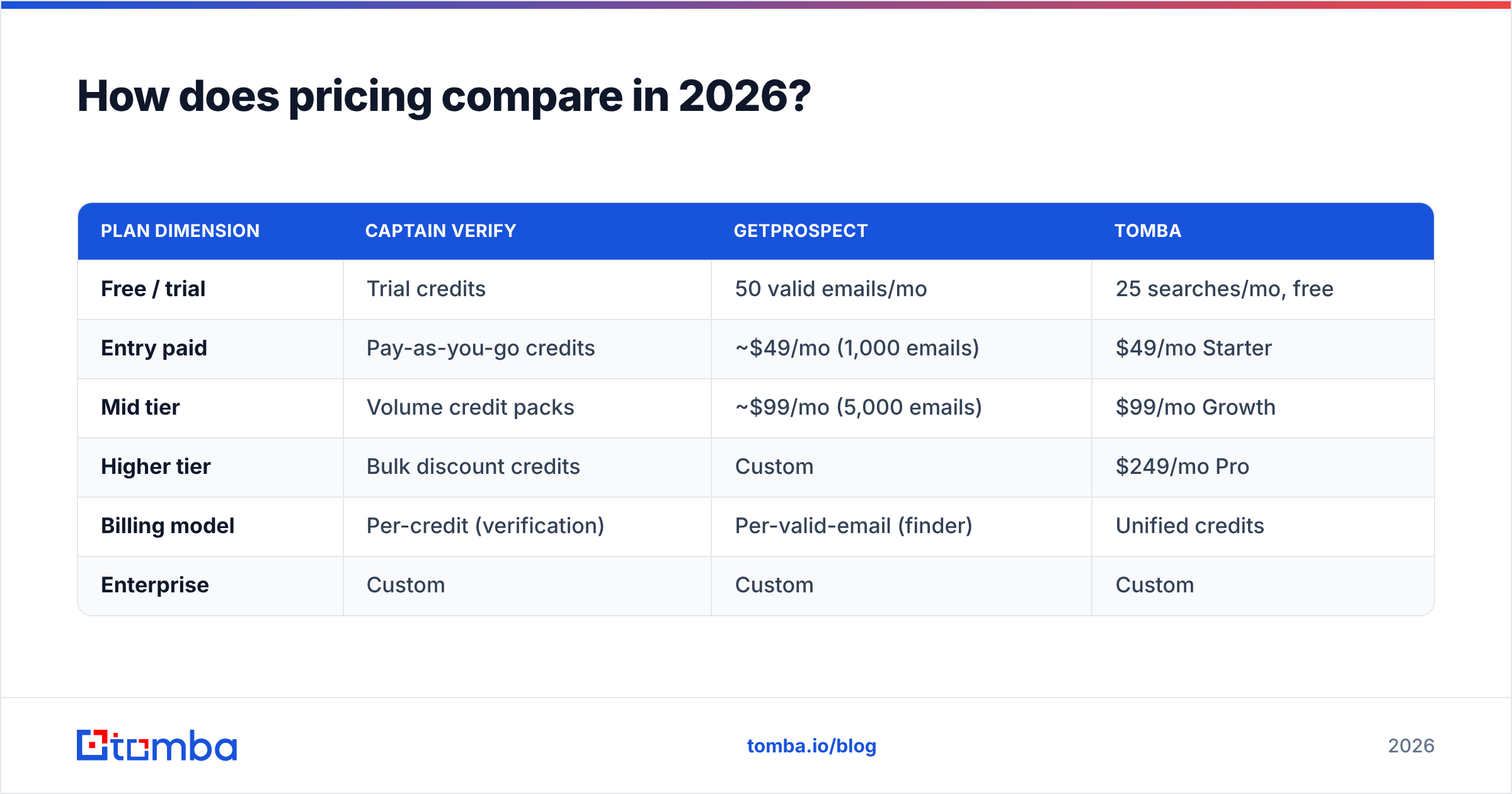
This is where the two tools stop looking similar. Captain Verify sells verification credits — you buy a bucket, you spend it, it doesn't expire on the higher tiers. GetProspect sells monthly subscriptions measured in valid emails found. Comparing them dollar-for-dollar requires normalizing to your actual workflow.
| Plan dimension | Captain Verify | GetProspect | Tomba |
|---|---|---|---|
| Free / trial | Trial credits | 50 valid emails/mo | 25 searches/mo, free |
| Entry paid | Pay-as-you-go credits | ~$49/mo (1,000 emails) | $49/mo Starter |
| Mid tier | Volume credit packs | ~$99/mo (5,000 emails) | $99/mo Growth |
| Higher tier | Bulk discount credits | Custom | $249/mo Pro |
| Billing model | Per-credit (verification) | Per-valid-email (finder) | Unified credits |
| Enterprise | Custom | Custom | Custom |
A few buying rules fall out of this:
- If you only verify, Captain Verify's pay-as-you-go is hard to beat for occasional cleanups. No subscription, no waste.
- If you only find, GetProspect's valid-email guarantee means you don't pay for unverified guesses — a fair model for steady prospecting.
- If you do both, you'll be paying two vendors, reconciling two credit systems, and stitching two APIs. That overhead is the real cost, and it's why a unified pricing model often comes out cheaper at the same volume.
Watch the unit definitions. "1,000 emails found" and "1,000 verifications" are not the same spend, and a catch-all that one tool charges for and another doesn't will quietly change your effective price by double digits.
What about the API and integrations?#
Both ship REST APIs, and both are usable. The difference is scope.
Captain Verify's API is verification-centric: submit addresses, poll for results, get verdicts. Clean and narrow. GetProspect's API leans on search-by-domain and search-by-name plus enrichment payloads. If you're wiring a tool into your own product or a data pipeline, match the API shape to the job — don't bend a verifier API into a finder role.
Where consolidation pays off is the email finder API: one set of credentials and one response schema for find, verify, domain search, and enrichment means less glue code and fewer failure points. If your engineering team is going to maintain this, every extra vendor is another auth flow, another rate limit, and another status page to watch.
For no-code users, check the native connectors before you commit. A HubSpot integration or a Zapier integration that already exists saves you from building a middleware layer you'll have to babysit.
)
Captain Verify vs GetProspect: pros and cons#
Captain Verify — pros
- Excellent at its one job: bulk verification
- Pay-as-you-go means zero waste for occasional use
- Simple, fast, low learning curve
- Credits that don't expire on bigger packs
Captain Verify — cons
- Weak finder; can't source new contacts at scale
- No LinkedIn extension, no phone data, no real enrichment
- You'll need a second tool the moment you need new emails
GetProspect — pros
- Strong LinkedIn-based finder with good enrichment fields
- Verification bundled, so emails arrive pre-scrubbed
- Valid-email billing aligns cost with results
- Chrome extension fits a manual prospecting motion
GetProspect — cons
- Verification is secondary, not a list-cleaning specialist
- Database depth varies by region and seniority
- Subscription model wastes spend in slow months
- Catch-all and harder domains still leave gaps
When should you choose each tool?#
Use this as a decision shortcut:
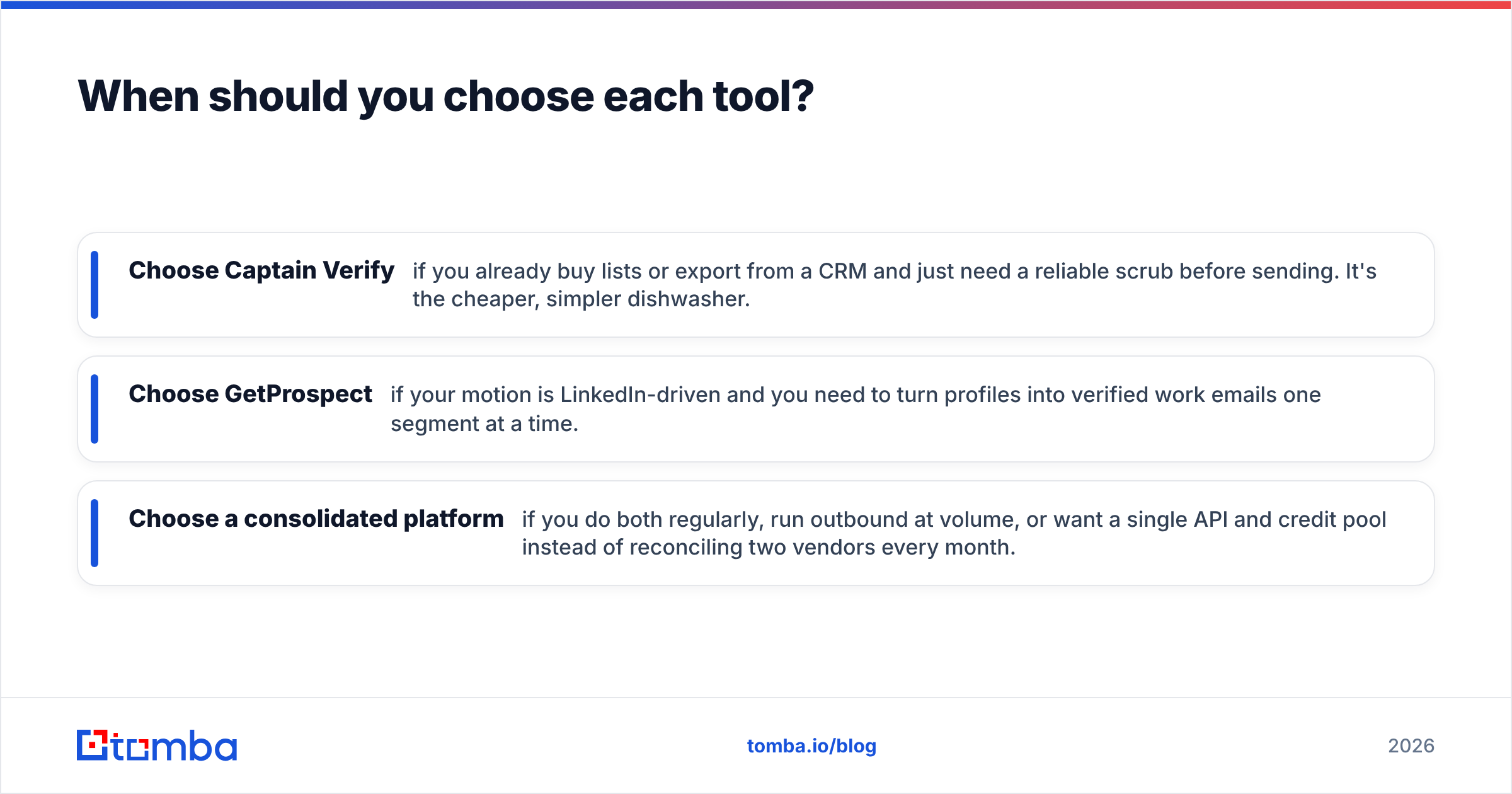
- Choose Captain Verify if you already buy lists or export from a CRM and just need a reliable scrub before sending. It's the cheaper, simpler dishwasher.
- Choose GetProspect if your motion is LinkedIn-driven and you need to turn profiles into verified work emails one segment at a time.
- Choose a consolidated platform if you do both regularly, run outbound at volume, or want a single API and credit pool instead of reconciling two vendors every month.
That third path is worth a serious look because the seam between "find" and "verify" is exactly where leads leak. When the finder and verifier are the same system, a found email is checked in the same pass — no export, no re-upload, no credit double-count. You can see how the underlying data sources drive that accuracy rather than relying on a single LinkedIn scrape.
For broader context on how these tools rank against the rest of the market, third-party review sites like G2 and Capterra aggregate real user feedback on both Captain Verify and GetProspect — useful for sanity-checking vendor claims against actual usage. And if you want the email-deliverability fundamentals these tools all rest on, HubSpot's guide to email deliverability is a solid primer on why verification matters before you ever hit send.

Is there a better all-in-one alternative?#
Yes — if your real need is "find and verify B2B contacts at scale through one system," a consolidated platform beats running Captain Verify and GetProspect side by side. You stop paying two subscriptions, you stop reconciling two credit ledgers, and a found email gets verified in the same call instead of being shuttled between tools.
That is where Tomba fits. The Tomba Email Finder sources professional addresses by name, company, or domain, and every result is checked by the same engine that powers the standalone email verifier — plus domain search, catch-all verification, phone finder, and enrichment under one email finder API. Start free with 25 searches a month, move to Starter at $49/mo or Growth at $99/mo when volume grows, and skip the two-vendor tax entirely. If you've been comparing Captain Verify vs GetProspect because neither quite covers the whole job, that's exactly the gap Tomba was built to close — find the contact and trust the address in a single workflow.
// get started
Find, verify and enrich your first contacts today
Start on the free plan with 25 searches a month, then scale when your team is ready.
Free plan · No credit card required · GDPR & CCPA
// about the author