Captain Verify vs Kaspr: 2026 Data & Verification Guide
Captain Verify cleans email lists; Kaspr pulls B2B contacts from LinkedIn. They solve different problems. Here is the honest 2026 breakdown of where each wins and what to pair them with.
Captain Verify vs Kaspr: Which One Does What You Actually Need?
People type "Captain Verify vs Kaspr" into Google as if they're picking between two versions of the same product. They aren't. One scrubs email lists. The other scrapes contact data off LinkedIn. Comparing them head-to-head is like comparing a dishwasher to a grocery store — both touch your kitchen, but only one fills the fridge.
This guide untangles the two, shows where each genuinely wins, and explains why most teams end up needing a third piece anyway.
TL;DR#
- Captain Verify is an email verification tool. It tells you whether an address you already have is deliverable. It does not find new contacts.
- Kaspr is a B2B prospecting tool. It pulls emails, phone numbers, and profile data — mostly from LinkedIn — to build new lead lists. Its verification is shallow by comparison.
- They are complementary, not competitors. The real question is "find contacts or clean contacts?" — and the honest answer for most teams is both.
- Pricing: Captain Verify is pay-as-you-go credits; Kaspr runs a limited free plan plus seat-based subscriptions that get expensive fast.
- If you want finding and verification in one place at a flat price, a combined platform like Tomba usually beats running two narrow tools side by side.
What Is Captain Verify?#
Captain Verify is a French email verification service. You upload a list — or hit the API — and it runs each address through syntax checks, MX record lookups, SMTP pings, role-account detection, and disposable-domain filtering. The output is a verdict: valid, invalid, risky, or unknown.
That's the whole job, and it does it competently. Verification is a defensive play: you run it before you send so your bounce rate stays low and your sender reputation survives. If you've ever watched a campaign get throttled because 18% of the list bounced, you already understand the value of a clean verifier.
What Captain Verify does not do is generate leads. Feed it an empty spreadsheet and it has nothing to chew on. It assumes you already sourced the addresses somewhere else.

What Is Kaspr?#
Kaspr is a prospecting and contact-data tool, best known for its Chrome extension that overlays LinkedIn profiles. Open someone's profile, click the widget, and Kaspr surfaces their email and phone number drawn from its database and third-party sources. You can also build lists, push contacts to a CRM, and run light outreach sequences.
Kaspr's center of gravity is acquisition — turning a LinkedIn search into a list of reachable humans. Phone-number coverage is one of its selling points, which matters if your motion is cold-calling rather than pure email.
The trade-off: data freshness and accuracy vary, and Kaspr's built-in verification is thin. The emails it returns aren't guaranteed deliverable, which is exactly why people who use Kaspr often run the output through a dedicated verifier — sometimes Captain Verify. That alone tells you these tools sit on the same assembly line, not in the same slot.
Captain Verify vs Kaspr: The Core Difference#
Here's the cleanest way to think about it. Sourcing a B2B contact has three jobs, and each tool only covers part of the line:
- Find — discover a person and their contact details from a name, company, or LinkedIn profile. Kaspr does this. Captain Verify does not.
- Enrich — attach phone, title, company size, and other firmographics. Kaspr does some of this. Captain Verify does none.
- Verify — confirm the email is real and deliverable before you send. Captain Verify does this well. Kaspr does it shallowly.
A complete workflow needs all three. Captain Verify owns step 3. Kaspr owns step 1 and part of step 2. Neither covers the whole chain, which is the single most important thing to understand before you pay for either.
How Do Captain Verify and Kaspr Compare on Features and Price?#
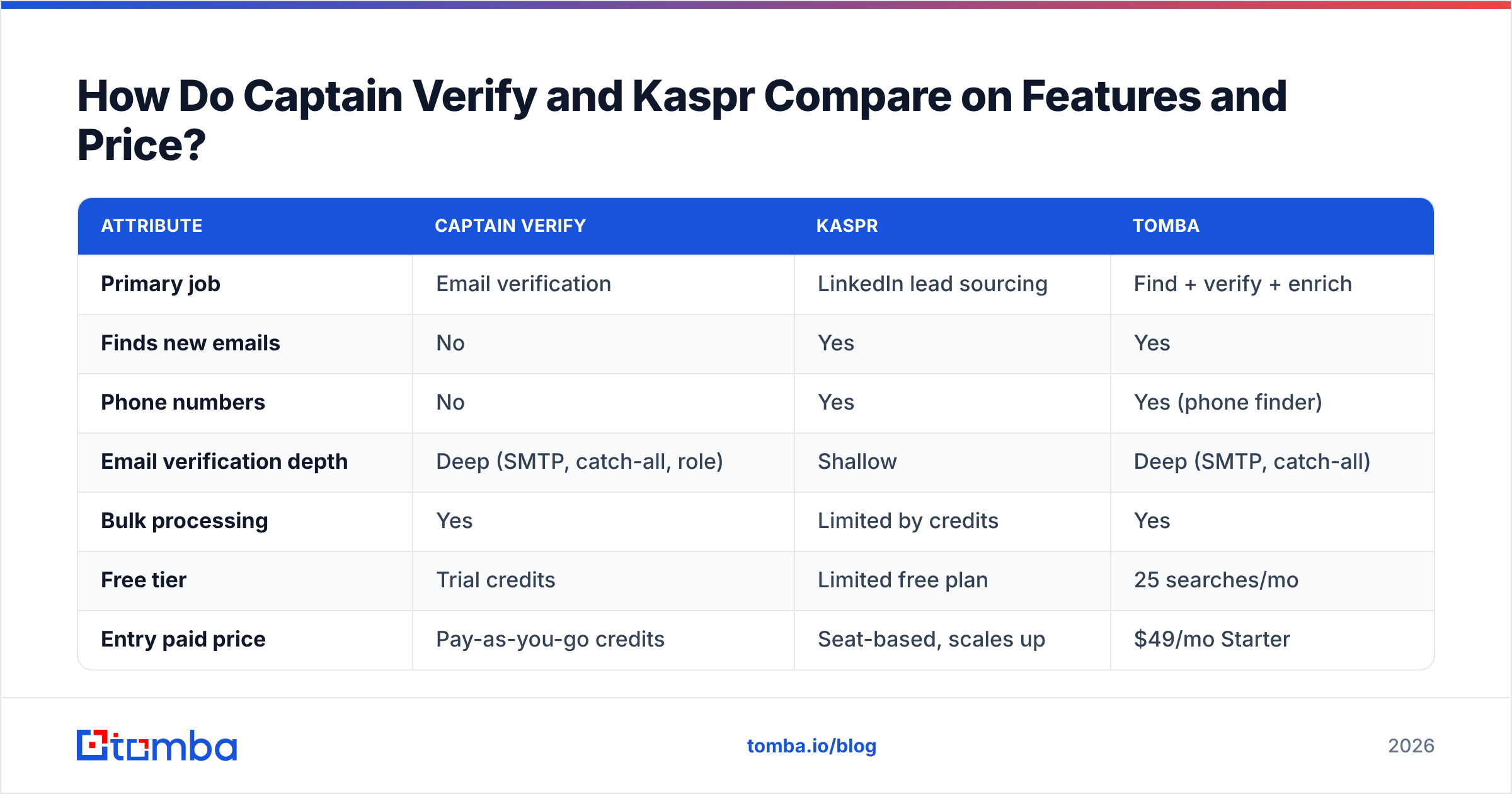
| Attribute | Captain Verify | Kaspr | Tomba |
|---|---|---|---|
| Primary job | Email verification | LinkedIn lead sourcing | Find + verify + enrich |
| Finds new emails | No | Yes | Yes |
| Phone numbers | No | Yes | Yes (phone finder) |
| Email verification depth | Deep (SMTP, catch-all, role) | Shallow | Deep (SMTP, catch-all) |
| Bulk processing | Yes | Limited by credits | Yes |
| Free tier | Trial credits | Limited free plan | 25 searches/mo |
| Entry paid price | Pay-as-you-go credits | Seat-based, scales up | $49/mo Starter |
| API access | Yes | Yes | Yes |
| Best for | Cleaning existing lists | Calling LinkedIn leads | End-to-end pipeline |
A few honest notes on that table. Captain Verify's pay-as-you-go model is genuinely good if verification is all you need and your volume is bursty — you don't pay a monthly seat to clean a list once a quarter. Kaspr's seat-based pricing, on the other hand, climbs quickly when you add reps, and its credit limits can throttle a team mid-sprint. And if you're juggling both tools, you're now paying two bills and stitching two exports together.

When Should You Choose Captain Verify?#
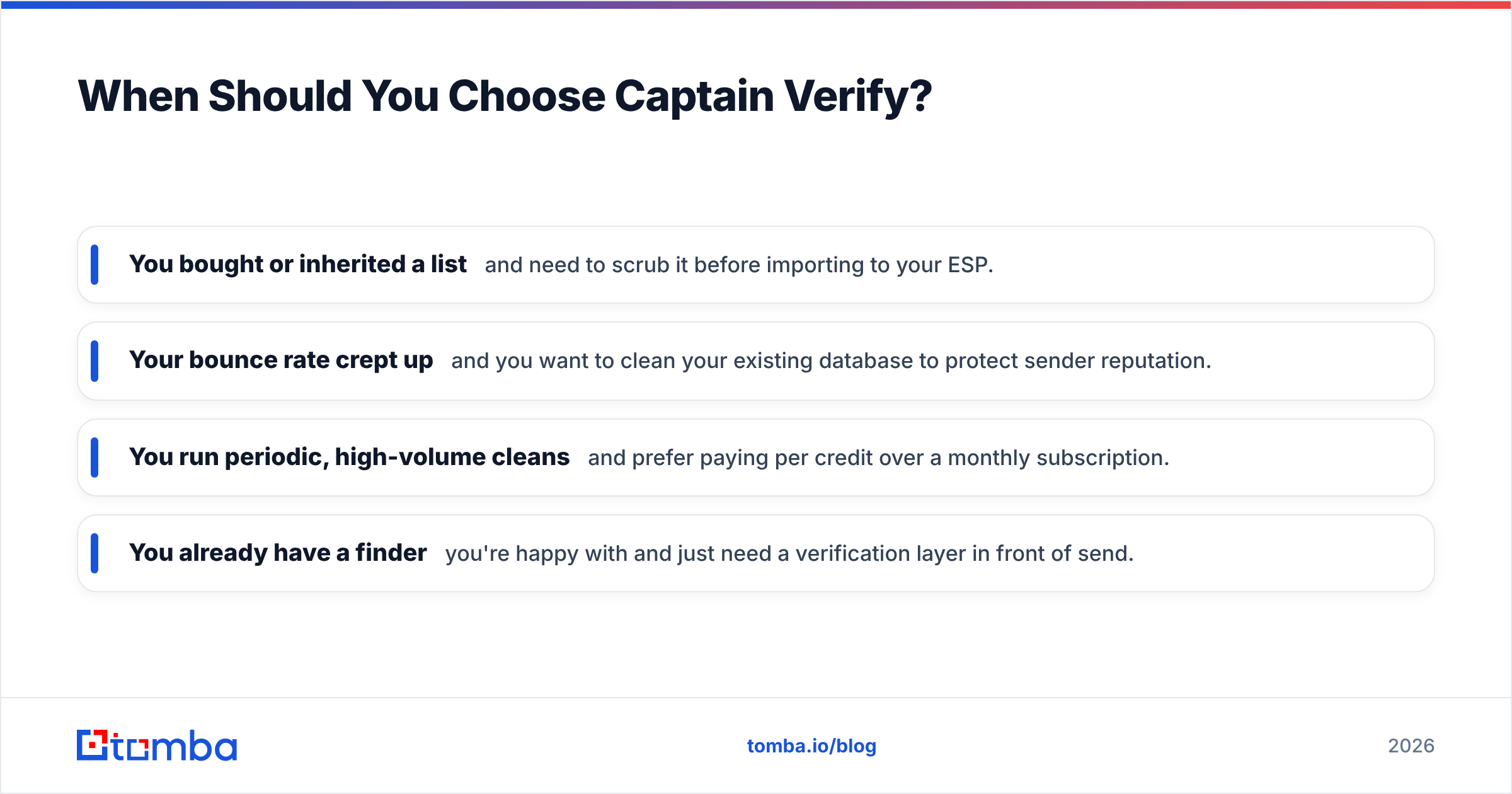
Pick Captain Verify when finding contacts is already solved and your only problem is list hygiene. Concretely:
- You bought or inherited a list and need to scrub it before importing to your ESP.
- Your bounce rate crept up and you want to clean your existing database to protect sender reputation.
- You run periodic, high-volume cleans and prefer paying per credit over a monthly subscription.
- You already have a finder you're happy with and just need a verification layer in front of send.
Captain Verify is a specialist. Specialists are great when the rest of your stack already covers the other jobs. If you want to compare verification engines more broadly, an independent directory like G2's email verification category is a reasonable starting point.
When Should You Choose Kaspr?#
Pick Kaspr when your bottleneck is getting contacts, and especially phone numbers, out of LinkedIn:
- You're an SDR living in LinkedIn Sales Navigator and want one-click contact reveal.
- Cold calling is part of your motion and you need mobile numbers, not just emails.
- You build small, targeted lists rather than scrubbing huge databases.
- You want light sequencing without buying a separate outreach platform.
Just go in clear-eyed: budget for a verification step afterward, because Kaspr's emails will include risky and stale addresses. Sending to them unverified is how you torch your email deliverability. You can read Kaspr's own positioning on kaspr.io, but treat any vendor's accuracy claims as marketing until you test against your own data.
What's the Catch With Running Both?#
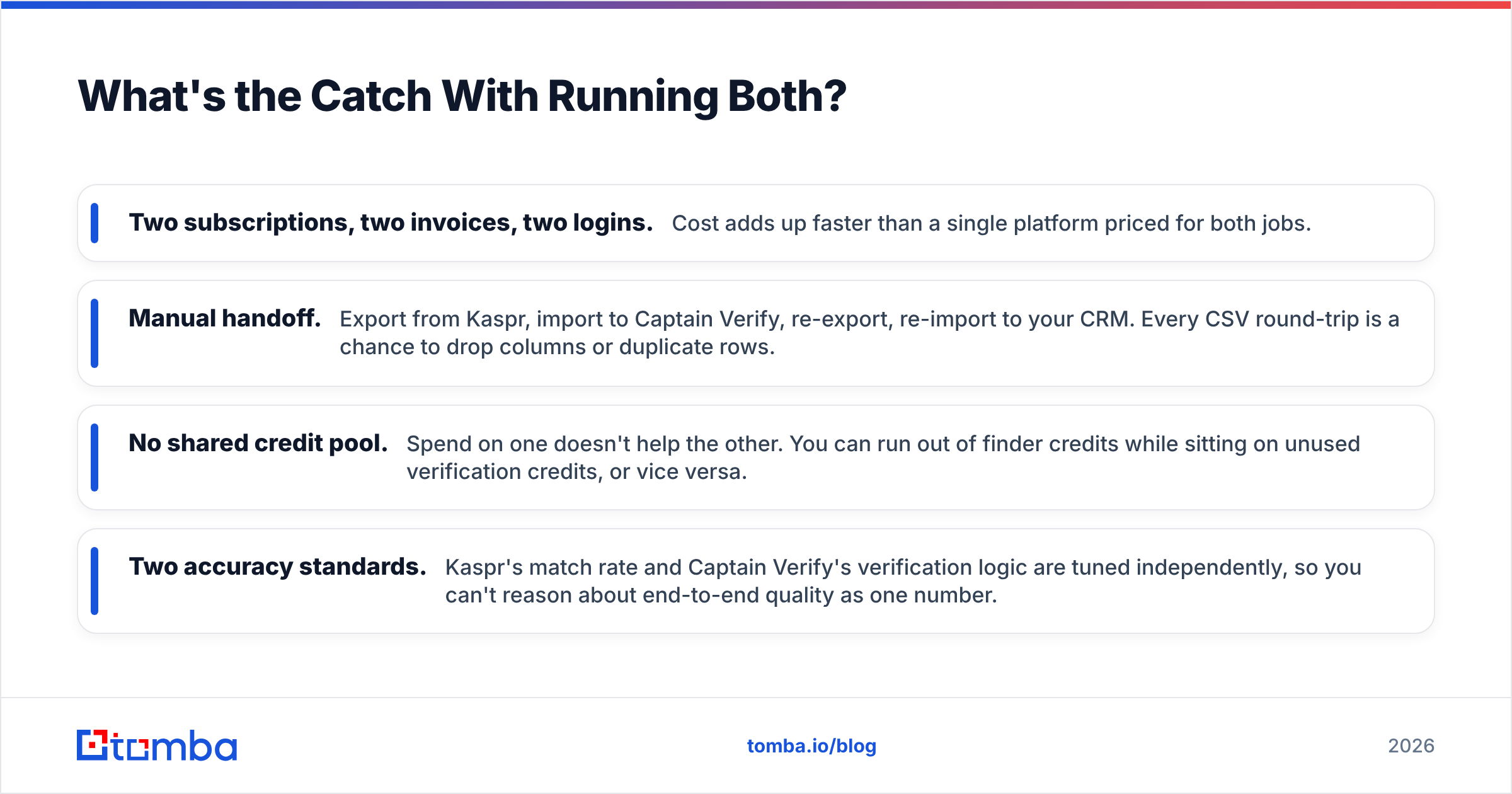
The "use Kaspr to find, Captain Verify to clean" combo works — plenty of teams do exactly that. But it has real friction:
- Two subscriptions, two invoices, two logins. Cost adds up faster than a single platform priced for both jobs.
- Manual handoff. Export from Kaspr, import to Captain Verify, re-export, re-import to your CRM. Every CSV round-trip is a chance to drop columns or duplicate rows.
- No shared credit pool. Spend on one doesn't help the other. You can run out of finder credits while sitting on unused verification credits, or vice versa.
- Two accuracy standards. Kaspr's match rate and Captain Verify's verification logic are tuned independently, so you can't reason about end-to-end quality as one number.
This is the gap that all-in-one platforms exist to close. If you'd rather find an address and confirm it's deliverable in the same step, that's worth weighing against the two-tool setup.
Where Does Tomba Fit In This Comparison?#
Tomba is built to cover the whole assembly line — find, enrich, and verify — under one account and one price. Instead of pairing a finder with a separate verifier, you get both natively:
- The email finder sources professional addresses by name, company, or domain.
- The email verifier runs deep SMTP and catch-all checks on everything you find — so addresses are validated before they ever reach your sequence.
- The LinkedIn finder covers the LinkedIn-sourcing use case Kaspr is known for, and the phone finder handles mobile numbers for callers.
- Bulk processing, a Chrome extension, and an API mean it scales from one-off lookups to full list builds.
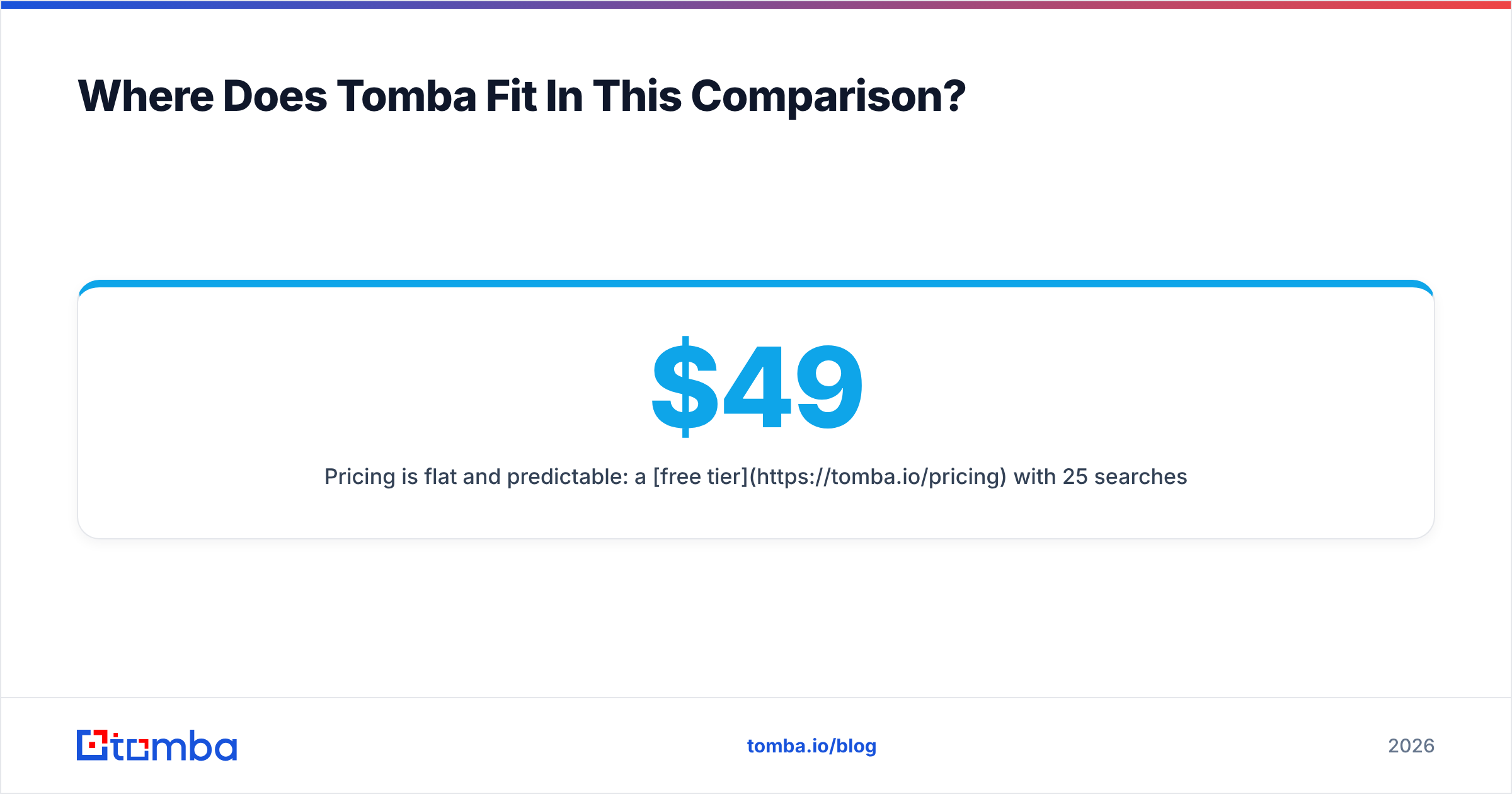
Pricing is flat and predictable: a free tier with 25 searches a month, Starter at $49/mo, Growth at $99/mo, and Pro at $249/mo. That's one bill instead of a Kaspr seat plus Captain Verify credits, with verification baked in rather than bolted on.
To be fair: if you only ever need to verify a list and never source anything, a pure pay-as-you-go verifier can be cheaper at low, sporadic volume. And if you live entirely inside LinkedIn and value Kaspr's specific phone dataset, that focus has merit. Tomba's argument is for teams who do more than one of these jobs and are tired of duct-taping tools together.
Which Should You Pick? A Quick Decision Guide#
| Your situation | Best fit |
|---|---|
| Only need to clean an existing list, low frequency | Captain Verify |
| Sourcing contacts + phones from LinkedIn, calling motion | Kaspr |
| Need to find and verify without two subscriptions | Tomba |
| High-volume outbound that lives or dies on deliverability | Tomba (find + verify in one) |
| Already happy with your finder, just need verification | Captain Verify |
The pattern is simple. If your problem is one narrow job, a specialist is fine. If your problem spans finding and verifying — which describes most outbound teams — a combined platform removes the handoff tax entirely.
Frequently Asked Questions#
Is Captain Verify a competitor to Kaspr? Not really. Captain Verify verifies emails you already have; Kaspr finds new contacts. They're often used together rather than as alternatives to each other.
Does Kaspr verify emails? Lightly. Kaspr returns emails from its database, but the verification is shallow, which is why many users run Kaspr exports through a dedicated verifier before sending.
Can one tool replace both? Yes — a combined finder-and-verifier covers Kaspr's sourcing job and Captain Verify's cleaning job in one workflow. That's the core pitch of platforms like Tomba.
What about deliverability? Verification protects it, sourcing doesn't. Whatever finder you use, verify before you send. You can sanity-check any single address with a free email checker before committing a whole campaign.
The Bottom Line#
Captain Verify and Kaspr aren't rivals — they're two stations on the same line. Captain Verify cleans; Kaspr sources. Run them together and you'll get results, but you'll also pay two bills and babysit CSV handoffs between them.
If you'd rather find verified, deliverable contacts in a single workflow — LinkedIn sourcing, phone numbers, deep email verification, and bulk processing under one flat price — start with the Tomba Email Finder. Spin up the free tier, run your real prospect list through it, and compare the end-to-end output against a two-tool stack. The combined number is the only benchmark that matters.
// get started
Find, verify and enrich your first contacts today
Start on the free plan with 25 searches a month, then scale when your team is ready.
Free plan · No credit card required · GDPR & CCPA
// about the author