Captain Verify vs LeadIQ (2026): Which Tool Do You Need?
Captain Verify cleans your list; LeadIQ builds it. We break down what each tool actually does, pricing, accuracy, and where a single all-in-one platform beats running both.
You typed "Captain Verify vs LeadIQ" into a search bar, which usually means one of two things: you're trying to pick one, or you suspect you might be paying for two tools that only half-overlap. Here's the short version before we dig in.
TL;DR#
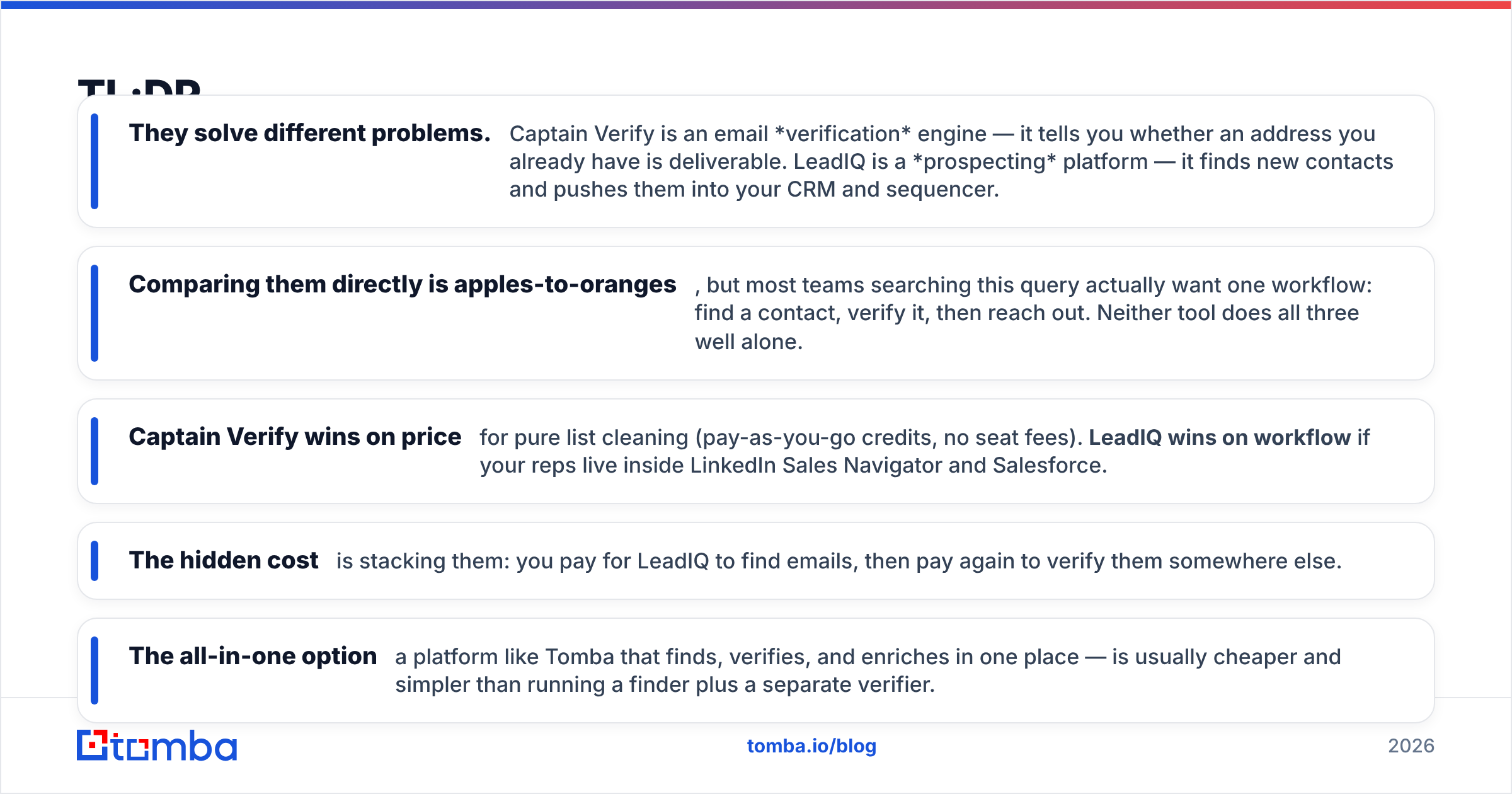
- They solve different problems. Captain Verify is an email verification engine — it tells you whether an address you already have is deliverable. LeadIQ is a prospecting platform — it finds new contacts and pushes them into your CRM and sequencer.
- Comparing them directly is apples-to-oranges, but most teams searching this query actually want one workflow: find a contact, verify it, then reach out. Neither tool does all three well alone.
- Captain Verify wins on price for pure list cleaning (pay-as-you-go credits, no seat fees). LeadIQ wins on workflow if your reps live inside LinkedIn Sales Navigator and Salesforce.
- The hidden cost is stacking them: you pay for LeadIQ to find emails, then pay again to verify them somewhere else.
- The all-in-one option — a platform like Tomba that finds, verifies, and enriches in one place — is usually cheaper and simpler than running a finder plus a separate verifier.
What is Captain Verify?#
Captain Verify is a French email-validation service built for one job: scrubbing bad addresses out of your lists before you send. You upload a CSV (or call its API), and it pings each address through syntax checks, MX-record lookups, SMTP handshakes, and catch-all and disposable detection. You get back a status — deliverable, risky, or invalid — so you can drop the junk before it tanks your sender reputation.
What it is not: a way to find new contacts. Captain Verify assumes you already have the emails. It's a cleaner, not a hunter. Pricing is credit-based and pay-as-you-go, which is genuinely friendly for occasional list hygiene — you buy a pack of credits and burn them when you need to, with no monthly seat.
If your only pain is bounce rates on a list you already own, that narrow focus is a feature, not a limitation. For a deeper look at how validation works under the hood, our email verifier breakdown covers the same SMTP and catch-all logic.
)
What is LeadIQ?#
LeadIQ is a sales-prospecting platform aimed at SDR and BDR teams. Its core trick is a browser extension that sits on top of LinkedIn Sales Navigator: you find a prospect, click capture, and LeadIQ pulls their work email and phone number, then pushes the record straight into Salesforce, HubSpot, Outreach, or Salesloft. It layers on contact tracking, "Scribe" AI message generation, and data-refresh features for keeping CRM records current.
So LeadIQ is the opposite end of the pipeline from Captain Verify. It creates the list. The trade-off is price and scope: LeadIQ is a seat-based SaaS aimed at teams, and its verification of the emails it surfaces is lighter than a dedicated validation engine. You're buying workflow and CRM integration, not surgical list hygiene.
You can read LeadIQ's own positioning on leadiq.com and cross-check user sentiment on G2 — reviewers consistently praise the Sales Navigator workflow and flag cost and occasional data gaps.
Captain Verify vs LeadIQ: the core difference#
Here's the cleanest way to think about it. Email outreach has three stages: find the contact, verify the contact, reach the contact. These two tools live on opposite sides of that line.
- Captain Verify = stage 2 only. Verification. Deep and cheap, but you bring your own list.
- LeadIQ = stages 1 and 3. Prospecting and CRM push. Broad workflow, but verification is a side feature, not the main event.
- The gap = neither one is a complete loop on its own. Use only Captain Verify and you still need a source of contacts. Use only LeadIQ and you risk sending to addresses its lighter validation passed but a strict verifier would have killed.
That gap is exactly why people search "Captain Verify vs LeadIQ" and walk away confused — they're not really substitutes. The real decision is which gap you can live with, or whether you fold both jobs into one tool.
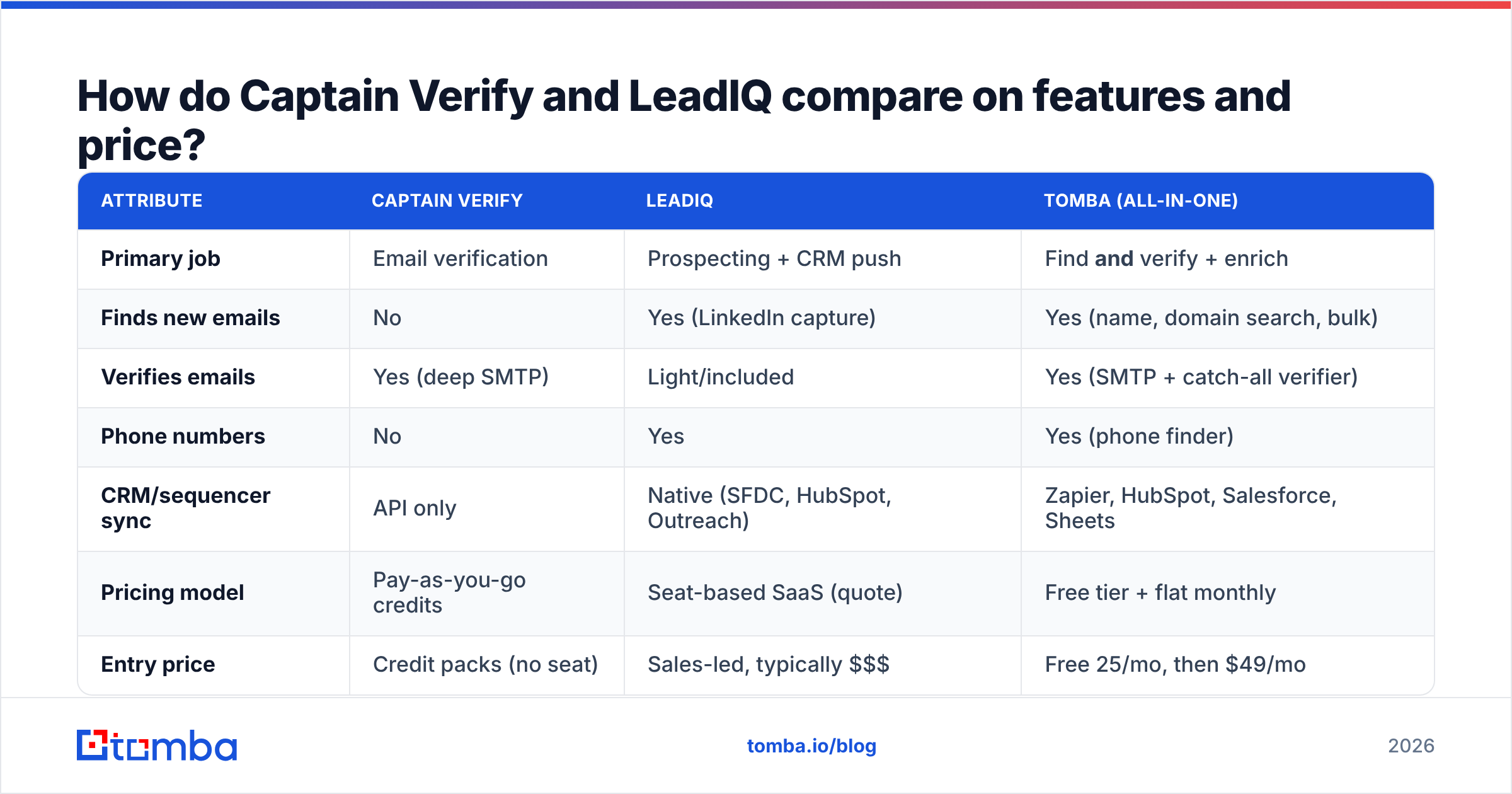
How do Captain Verify and LeadIQ compare on features and price?#
| Attribute | Captain Verify | LeadIQ | Tomba (all-in-one) |
|---|---|---|---|
| Primary job | Email verification | Prospecting + CRM push | Find and verify + enrich |
| Finds new emails | No | Yes (LinkedIn capture) | Yes (name, domain search, bulk) |
| Verifies emails | Yes (deep SMTP) | Light/included | Yes (SMTP + catch-all verifier) |
| Phone numbers | No | Yes | Yes (phone finder) |
| CRM/sequencer sync | API only | Native (SFDC, HubSpot, Outreach) | Zapier, HubSpot, Salesforce, Sheets |
| Pricing model | Pay-as-you-go credits | Seat-based SaaS (quote) | Free tier + flat monthly |
| Entry price | Credit packs (no seat) | Sales-led, typically $$$ | Free 25/mo, then $49/mo |
| Best for | Cleaning lists you own | SDR teams in Sales Nav | Teams wanting one tool for all of it |
Two honest takeaways from that table. First, Captain Verify is the better pure verifier on price — if list cleaning is all you do, its credit model is hard to beat. Second, LeadIQ is the better team prospecting tool if your reps already live in Sales Navigator and you've standardized on Salesforce. Neither observation makes the other tool "bad" — they're just built for different buyers.
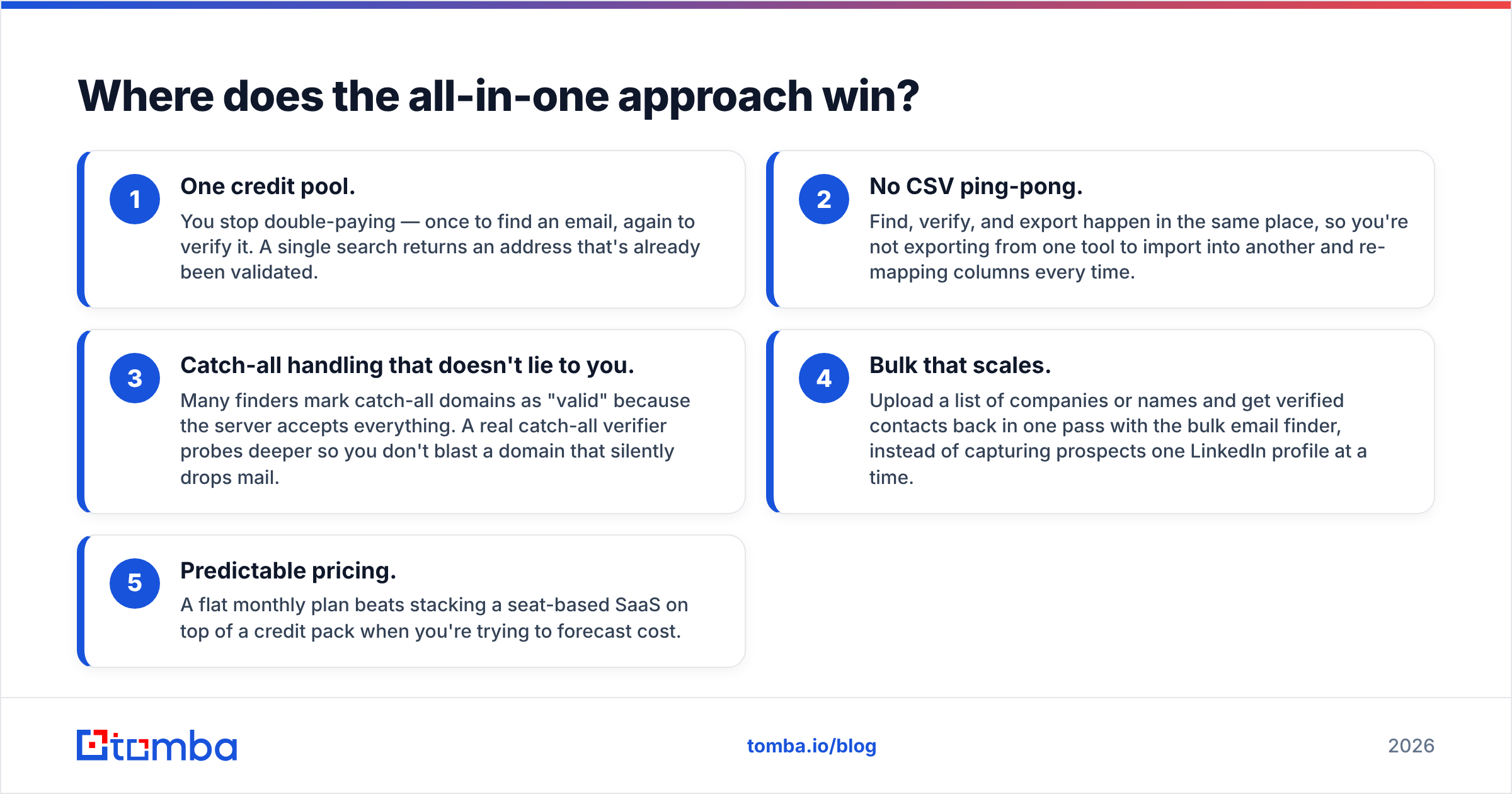
Where does the all-in-one approach win?#
The stack problem is real. A common 2026 setup looks like this: LeadIQ (or a similar finder) to source contacts, then a separate verifier like Captain Verify to scrub them, then a sequencer to send. That's three subscriptions, three credit pools, and data hand-offs between them where records get dropped or duplicated.
An all-in-one platform collapses that. Here's what consolidating actually buys you:
- One credit pool. You stop double-paying — once to find an email, again to verify it. A single search returns an address that's already been validated.
- No CSV ping-pong. Find, verify, and export happen in the same place, so you're not exporting from one tool to import into another and re-mapping columns every time.
- Catch-all handling that doesn't lie to you. Many finders mark catch-all domains as "valid" because the server accepts everything. A real catch-all verifier probes deeper so you don't blast a domain that silently drops mail.
- Bulk that scales. Upload a list of companies or names and get verified contacts back in one pass with the bulk email finder, instead of capturing prospects one LinkedIn profile at a time.
- Predictable pricing. A flat monthly plan beats stacking a seat-based SaaS on top of a credit pack when you're trying to forecast cost.
This is where Tomba fits the "Captain Verify vs LeadIQ" question. It isn't a verifier-only or a finder-only — it does both, plus enrichment and phone lookup, on a single bill. If you were about to buy two tools, that's the comparison worth running.
)
How accurate is each tool, really?#
Accuracy splits along the same find-vs-verify line.
For verification, Captain Verify is strong because that's its entire product — deep SMTP handshakes, catch-all and disposable flags, and a clear deliverable/risky/invalid verdict. A dedicated verifier almost always beats the "verification" bolted onto a prospecting tool, simply because it's the core focus.
For finding, LeadIQ's accuracy depends heavily on whether the prospect has a discoverable work email and how fresh LeadIQ's data is for that company. Data decays fast — people change jobs constantly — so any finder's hit rate is a moving target, and reviewers note LeadIQ data can lag for smaller or non-US companies.
The practical move is to never trust a found email without re-verifying it, regardless of which finder surfaced it. That's the whole argument for a tool that finds and verifies in the same step: the address you get is already checked, so there's no second tool and no second guess. If you're auditing your current finder's hit rate, compare it against Tomba's email finder on the same sample of domains and watch the verified-deliverable percentage, not the raw "found" count.
Which should you choose?#
Match the tool to the job, not to the hype:
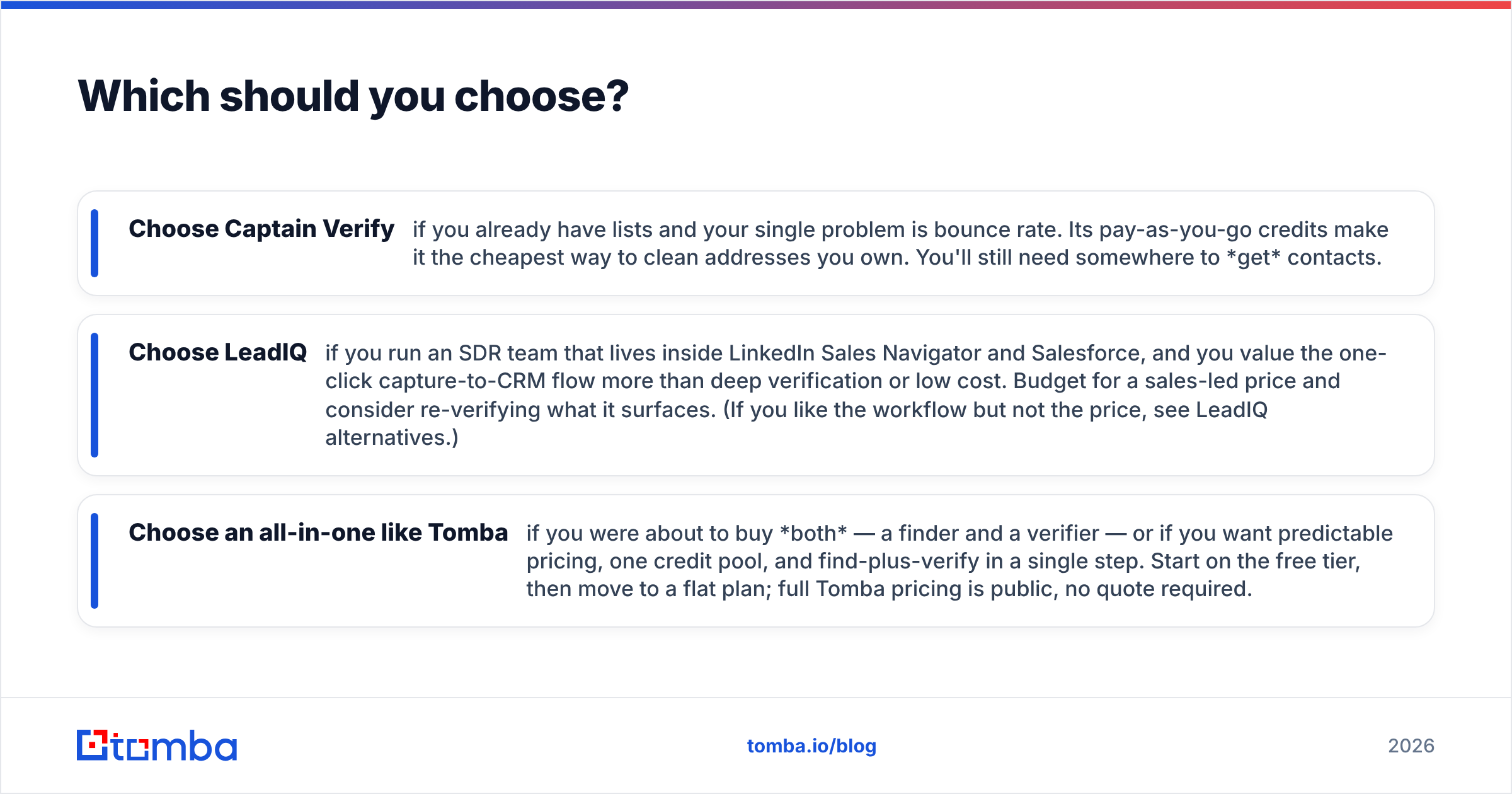
- Choose Captain Verify if you already have lists and your single problem is bounce rate. Its pay-as-you-go credits make it the cheapest way to clean addresses you own. You'll still need somewhere to get contacts.
- Choose LeadIQ if you run an SDR team that lives inside LinkedIn Sales Navigator and Salesforce, and you value the one-click capture-to-CRM flow more than deep verification or low cost. Budget for a sales-led price and consider re-verifying what it surfaces. (If you like the workflow but not the price, see LeadIQ alternatives.)
- Choose an all-in-one like Tomba if you were about to buy both — a finder and a verifier — or if you want predictable pricing, one credit pool, and find-plus-verify in a single step. Start on the free tier, then move to a flat plan; full Tomba pricing is public, no quote required.
The decision rarely comes down to "which is better." It comes down to which stage of the pipeline you're actually trying to fix, and whether it's worth running two subscriptions to cover what one tool can do.
Frequently asked questions#
Is Captain Verify a LeadIQ competitor? Not really. Captain Verify verifies emails you already have; LeadIQ finds new contacts and pushes them to your CRM. They overlap only in that both touch email data. A true head-to-head competitor would need to find and verify.
Does LeadIQ verify the emails it finds? It includes some validation, but it's lighter than a dedicated verifier like Captain Verify. Best practice is to re-verify found emails before a cold send to protect sender reputation.
Can one tool replace both? Yes — a platform that finds and verifies in one workflow (like Tomba) covers what you'd otherwise split between a finder and a verifier, usually on a single, cheaper bill.
What about catch-all domains? Catch-all servers accept every address, which fools lightweight checks into marking junk as valid. Use a dedicated catch-all verifier to probe deeper before sending.
The bottom line#
Captain Verify and LeadIQ aren't rivals — they're two halves of a workflow. If you only own one half of the problem, buy the tool that fixes it. But if you're sourcing contacts and cleaning them, stacking a prospecting SaaS on top of a verifier is the expensive way to do it.
Skip the two-tool tax. The Tomba Email Finder finds professional emails by name, domain, or company and verifies them in the same step — with a free tier (25 searches/month) to test the accuracy on your own list before you commit, then a flat $49/month Starter plan instead of credit packs plus seats. Run your real prospects through it and compare the verified-deliverable rate against your current stack.
// get started
Find, verify and enrich your first contacts today
Start on the free plan with 25 searches a month, then scale when your team is ready.
Free plan · No credit card required · GDPR & CCPA
// about the author