Captain Verify vs Leadsforge: Which Email Tool Wins in 2026
Captain Verify cleans your list; Leadsforge builds it. We break down accuracy, pricing, and use cases so you pick the right email tool in 2026 — and where a third option beats both.
You typed "Captain Verify vs Leadsforge" into a search bar because you want one tool to fix your outbound email problem. The honest answer up front: these two tools solve different halves of that problem, and picking the wrong one means you either build a dirty list or clean a list you never built.
This post breaks down what each tool actually does, where they overlap, what they cost, and which one — or which combination — fits the way you run outbound in 2026.
TL;DR#
- Captain Verify is an email verification and cleaning tool. You feed it a list, it tells you which addresses are safe to send to.
- Leadsforge is an AI lead-generation tool. It builds prospect lists and finds contact data from a natural-language brief.
- They are not direct competitors — one fills the top of the funnel, the other protects the bottom. Comparing them like-for-like is comparing a faucet to a water filter.
- If you need both finding and verifying in one platform with a single credit pool, a consolidated tool like Tomba is usually cheaper and simpler than stitching two point solutions together.
- Read on for the pricing math, accuracy expectations, and a decision table.
What is Captain Verify?#
Captain Verify is a French email validation service focused on one job: telling you whether an email address is deliverable before you send to it. You upload a CSV (or hit the API), and it runs syntax checks, MX record lookups, SMTP handshakes, and disposable/role-account detection to sort addresses into valid, invalid, risky, and unknown buckets.
It's a defensive tool. It doesn't create leads — it protects the leads and sender reputation you already have. If your bounce rate is creeping toward the 2% danger zone that inbox providers punish, a verifier is what pulls it back down.

Where Captain Verify is strong:
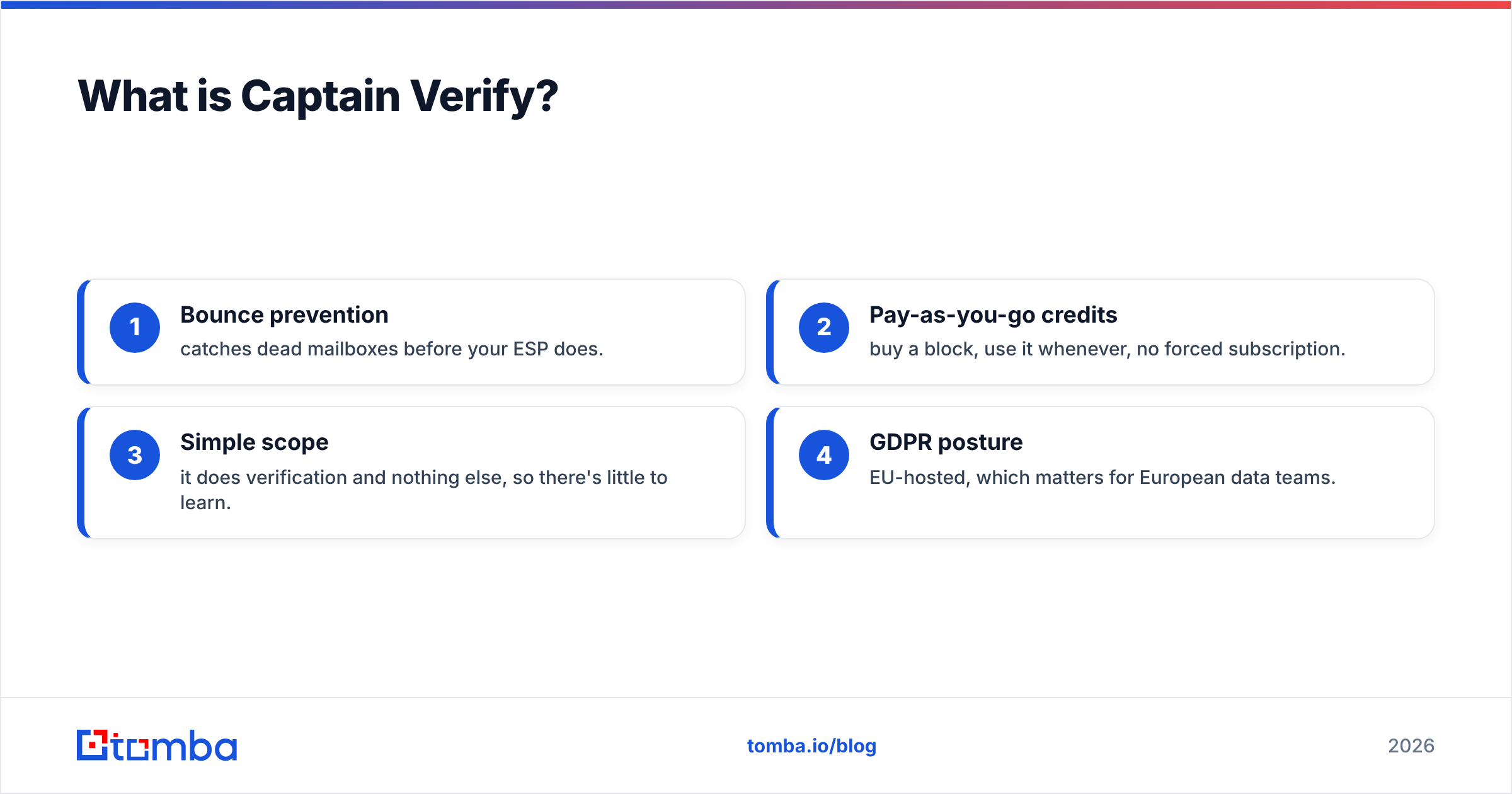
- Bounce prevention — catches dead mailboxes before your ESP does.
- Pay-as-you-go credits — buy a block, use it whenever, no forced subscription.
- Simple scope — it does verification and nothing else, so there's little to learn.
- GDPR posture — EU-hosted, which matters for European data teams.
What it does not do: find new email addresses, enrich contacts with job titles or phone numbers, or build a prospect list from scratch. For that, you need a different category of tool — which is exactly where Leadsforge enters.
What is Leadsforge?#
Leadsforge is an AI-driven lead-generation platform. Instead of uploading a list, you describe your ideal customer in plain language — "marketing directors at Series B SaaS companies in the US" — and it returns a list of matching contacts with email addresses pulled from its data sources.
It's an offensive tool. The whole value proposition is creating pipeline-ready contacts you didn't have before, with a conversational interface that lowers the barrier compared to traditional filter-heavy databases.
Where Leadsforge is strong:
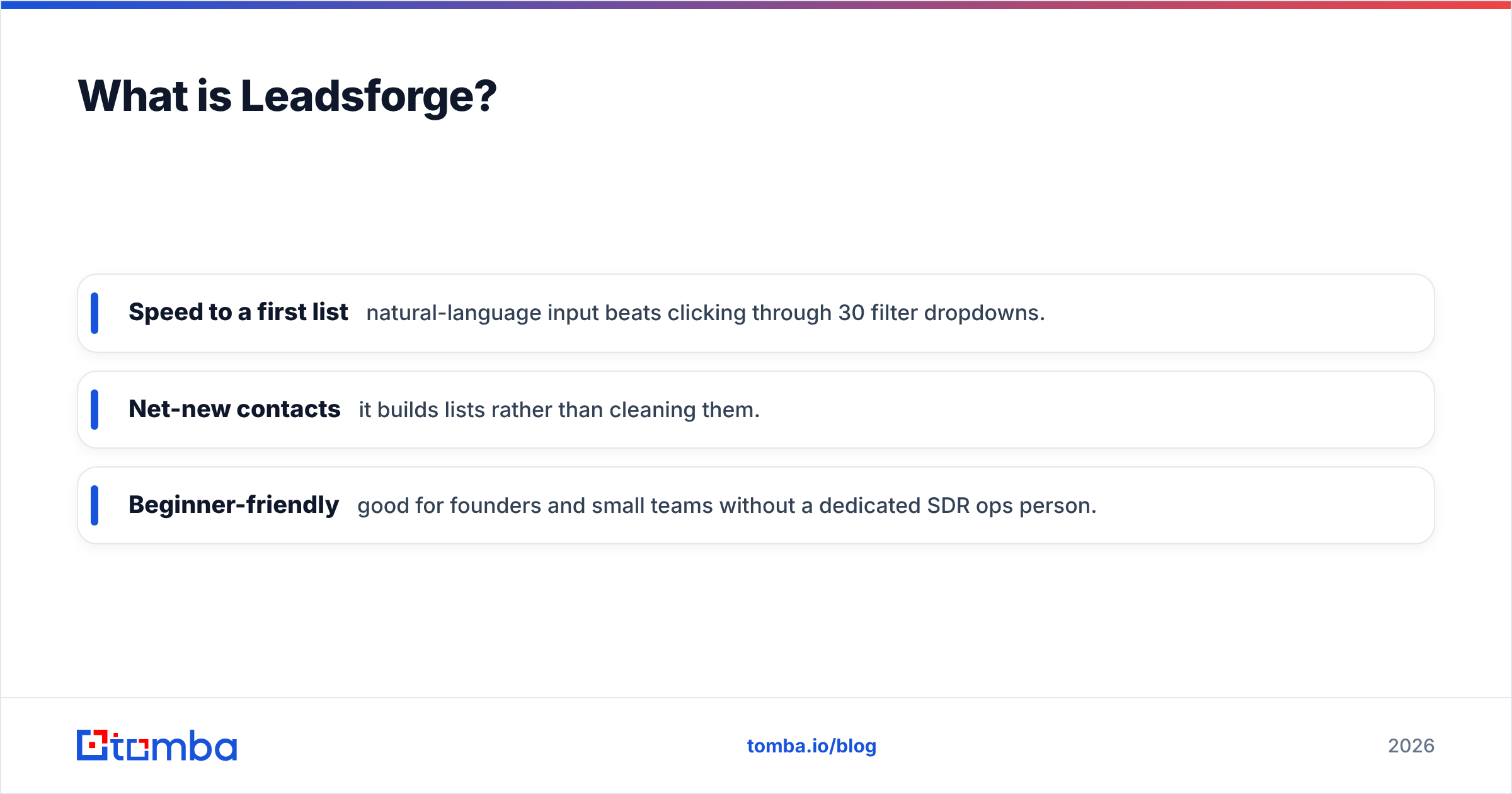
- Speed to a first list — natural-language input beats clicking through 30 filter dropdowns.
- Net-new contacts — it builds lists rather than cleaning them.
- Beginner-friendly — good for founders and small teams without a dedicated SDR ops person.
The catch: lead-gen tools generate emails from patterns and data partnerships, and the freshness of any contact database varies. That means a slice of the addresses Leadsforge hands you still need email verification before you send — which is the exact gap Captain Verify fills. See how the two halves connect?
Captain Verify vs Leadsforge: what's the real difference?#
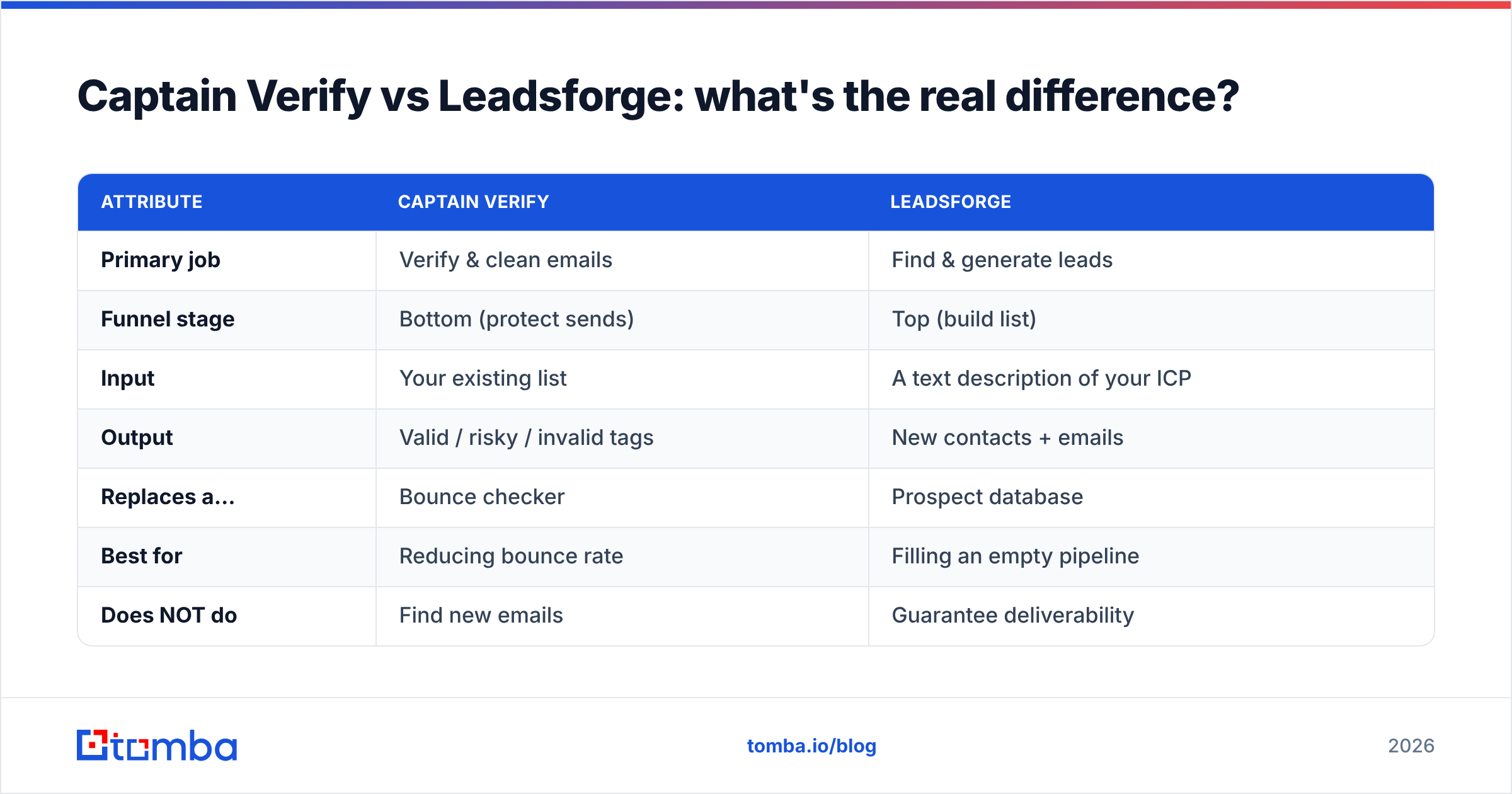
The cleanest way to see it: one tool sits at the start of your workflow, the other at the end.
| Attribute | Captain Verify | Leadsforge |
|---|---|---|
| Primary job | Verify & clean emails | Find & generate leads |
| Funnel stage | Bottom (protect sends) | Top (build list) |
| Input | Your existing list | A text description of your ICP |
| Output | Valid / risky / invalid tags | New contacts + emails |
| Replaces a... | Bounce checker | Prospect database |
| Best for | Reducing bounce rate | Filling an empty pipeline |
| Does NOT do | Find new emails | Guarantee deliverability |
So "which is better" is the wrong question. The right questions are: Do I have a list that needs cleaning, or no list at all? And once I have a list, who verifies it?
If you only have one of those two needs, pick the matching tool. If you have both — and most outbound teams do — you're looking at running two subscriptions, two credit systems, and two integrations. That's where a lot of teams quietly overspend.
How accurate is each tool?#
Accuracy means different things for each category, so judge them on their own terms.
For Captain Verify, accuracy is verification precision: does a "valid" result actually deliver, and does it correctly flag catch-all domains? Most reputable verifiers, including Captain Verify, land in the 95–98% range on deliverable detection, with catch-all domains being the universal weak spot — no SMTP-based verifier can fully confirm a mailbox on a domain that accepts everything. If catch-alls are a big share of your list, you specifically want a catch-all verifier that scores them rather than dumping them all into "unknown."
For Leadsforge, accuracy is data quality: what percentage of the emails it generates are real and reachable? This is harder to pin down because lead-gen data freshness decays — people change jobs, companies fold, domains migrate. Any list-building tool will hand you some stale rows, which is precisely why you should never send to a freshly generated list without verifying it first.
The practical takeaway: a found email is a hypothesis; a verified email is a fact. You need both steps regardless of which vendors you use. Tools that do finding and verification under one roof close that loop automatically instead of making you bolt two products together.
What does each one cost?#
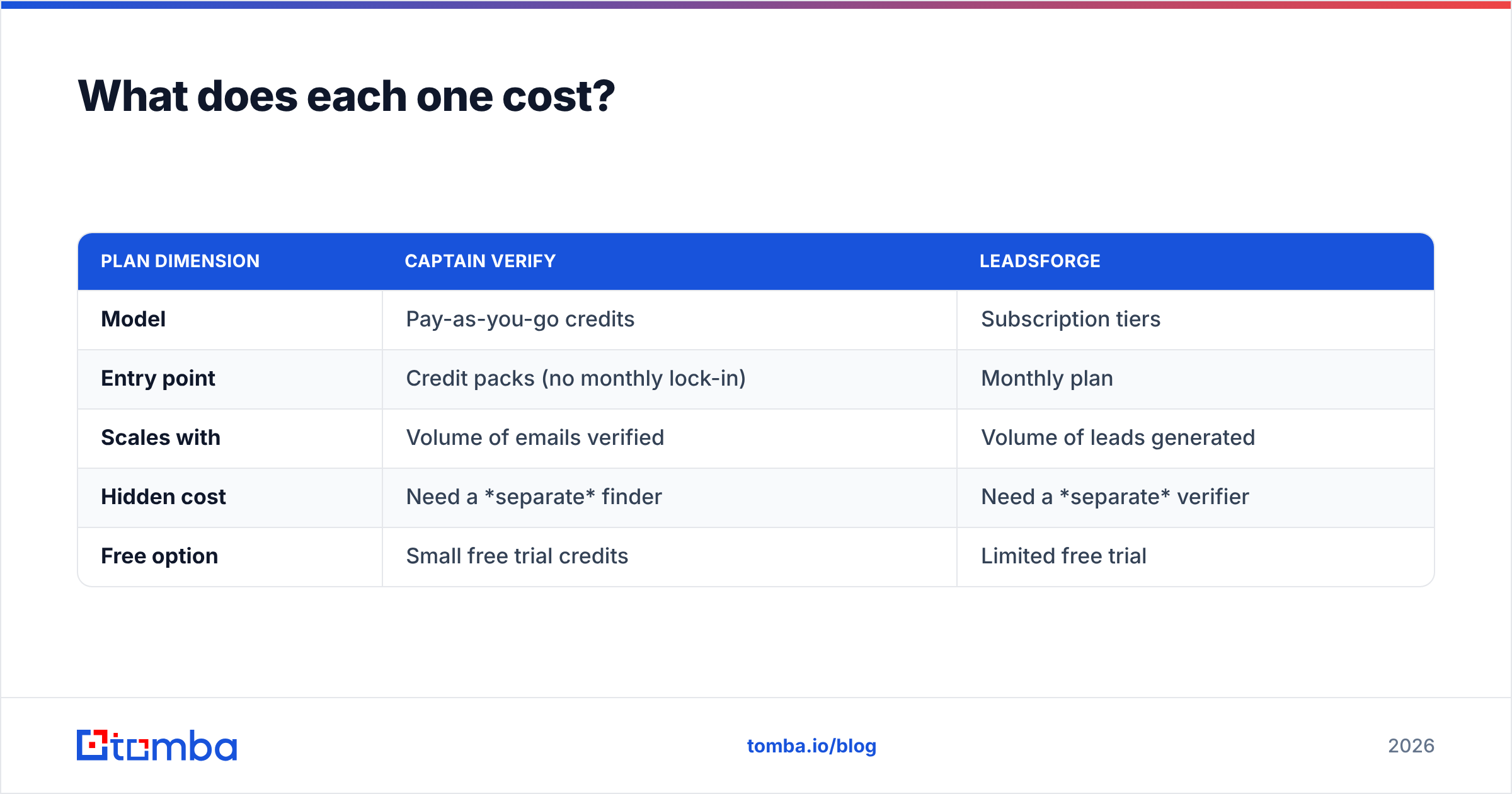
Pricing models differ, which makes a flat comparison tricky — but here's the shape of it.
| Plan dimension | Captain Verify | Leadsforge |
|---|---|---|
| Model | Pay-as-you-go credits | Subscription tiers |
| Entry point | Credit packs (no monthly lock-in) | Monthly plan |
| Scales with | Volume of emails verified | Volume of leads generated |
| Hidden cost | Need a separate finder | Need a separate verifier |
| Free option | Small free trial credits | Limited free trial |
The line that matters most is the "hidden cost" row. Buy Captain Verify and you still need a way to find contacts. Buy Leadsforge and you still need a way to verify them. Either path leaves you paying for a second tool to complete the workflow.
That's the strongest argument for consolidation. When finding and verifying share one credit pool, you stop paying twice and you stop reconciling two dashboards. For reference on what an all-in-one price looks like, Tomba pricing runs a free tier at 25 searches/month, Starter at $49/mo, Growth at $99/mo, and Pro at $249/mo — covering both finding email addresses and verification in the same plan.
Which should you choose?#
Match the tool to the gap you actually have. Use this as a quick decision guide:
- You have a big list and rising bounce rates → a verifier like Captain Verify is the right shape. Clean first, ask questions later.
- You have no list and need prospects fast → a lead-gen tool like Leadsforge gets you to a first list quickly.
- You need both, and want one bill → a consolidated finder-plus-verifier is almost always cheaper and less brittle than two point tools.
- You run high-volume outbound → look hard at how each tool handles bulk operations, because per-credit costs and batch limits decide your real monthly spend.
Be honest about your stage. Early teams usually over-index on finding and ignore verifying until a domain gets throttled. Mature teams have the opposite problem — plenty of data, but it's stale and nobody owns cleaning it. The tool you "should" buy depends entirely on which mistake you're currently making.
Is there a single tool that does both?#
Yes — and that's the practical resolution to the whole "Captain Verify vs Leadsforge" debate. Instead of choosing between finding and verifying, you can run them in one workflow.
Tomba combines the lead-building side (find emails by name, company domain, or in bulk) with the cleaning side (verification, catch-all scoring, and reputation checks) on a shared credit system. You find a contact and verify it in the same step, so a "found" email never reaches your sequence without being checked first. There's also an email finder API if you want to wire that loop directly into your CRM or outreach platform.
This isn't a knock on either Captain Verify or Leadsforge — both are competent at their specialty. It's a workflow argument: most teams don't want a best-in-class verifier and a best-in-class finder as two separate line items. They want the lead to go from "discovered" to "safe to send" without leaving one screen.
For an outside read on how these categories stack up, browse verified user reviews on G2 and compare against the official feature lists on the Captain Verify site before you commit. And if your outbound also lives in HubSpot, check vendor-native deliverability guidance from HubSpot so your verification step and your sending settings actually agree.
The bottom line#
Captain Verify and Leadsforge aren't rivals — they're two stops on the same assembly line. Captain Verify keeps your list clean; Leadsforge fills it. If you only have one of those needs, buy the matching tool and move on. If you have both — which is the normal case for any team running real outbound — running two subscriptions is the expensive way to solve a problem one tool can handle.
If you'd rather find and verify contacts in one place without juggling two credit systems, start with the Tomba Email Finder. Find the address, confirm it's deliverable, and push it straight into your sequence — one workflow, one bill, no bounced sends. The free tier gives you 25 searches a month to test it against your own list before you pay a cent.
// get started
Find, verify and enrich your first contacts today
Start on the free plan with 25 searches a month, then scale when your team is ready.
Free plan · No credit card required · GDPR & CCPA
// about the author