Casual Meeting Request Email: Templates That Get a Yes (2026)
A casual meeting request email gets more replies than stiff corporate-speak. Steal the 2026 templates, structure, and timing that actually book meetings.
Casual Meeting Request Email: Templates That Get a Yes
You don't need a tuxedo to ask for fifteen minutes. A casual meeting request email outperforms the stiff "I am writing to kindly request" approach because it reads like a human wrote it to another human — and humans reply to humans.
This guide breaks down exactly how to write one in 2026: the structure, the subject lines, real templates you can paste and edit, and the follow-up cadence that turns a "maybe later" into a calendar invite.
TL;DR#
- A casual meeting request email is short, specific, and respectful of time — usually under 90 words with one clear ask.
- The winning formula is: relevant hook → one-sentence reason → a low-friction ask (15 min, two time options) → easy out.
- Casual ≠ sloppy. You still verify the address, personalize the first line, and proofread.
- Subject lines that sound like a colleague wrote them ("quick question, {{FirstName}}?") beat formal ones in most reply-rate tests.
- Wrong email = zero replies. Confirm the address with an email verifier before you hit send.
What Is a Casual Meeting Request Email?#
A casual meeting request email is a short, conversational message asking someone to meet — a call, coffee, or video chat — without the rigid formality of traditional business correspondence. Think of it like texting a coworker versus filing a formal memo. Both communicate, but one gets answered before lunch.
The technical point: casual tone lowers the perceived cost of replying. When an email feels heavy and formal, the reader subconsciously files it under "deal with later." When it feels light and specific, replying feels like a 20-second favor, not a task.
This works in plenty of contexts — selling, networking, internal alignment, reconnecting with a dormant contact. It does not mean unprofessional. You're trading corporate stiffness for warmth, not standards.
Why Does a Casual Tone Get More Replies?#
Three reasons casual beats formal in 2026:
- It signals a real person. Inboxes are flooded with templated, AI-padded outreach. A genuine, slightly informal note stands out precisely because it isn't trying so hard.
- It lowers commitment. "Got 15 minutes Thursday?" feels smaller than "I would like to schedule a one-hour strategic alignment session." Smaller asks get more yeses.
- It matches how people actually work. Most professionals communicate in Slack, DMs, and quick replies all day. A casual email fits that rhythm; a formal one feels like a relic.
A note on deliverability: tone only matters if the message lands. Casual phrasing can actually help you dodge spam filters that flag salesy, hyped-up language — but you still need clean sending infrastructure. If your sender reputation is shaky, even the friendliest email rots in spam. According to HubSpot's research on email, personalization and relevance consistently outperform volume.
What Are the Key Parts of a Casual Meeting Request Email?#
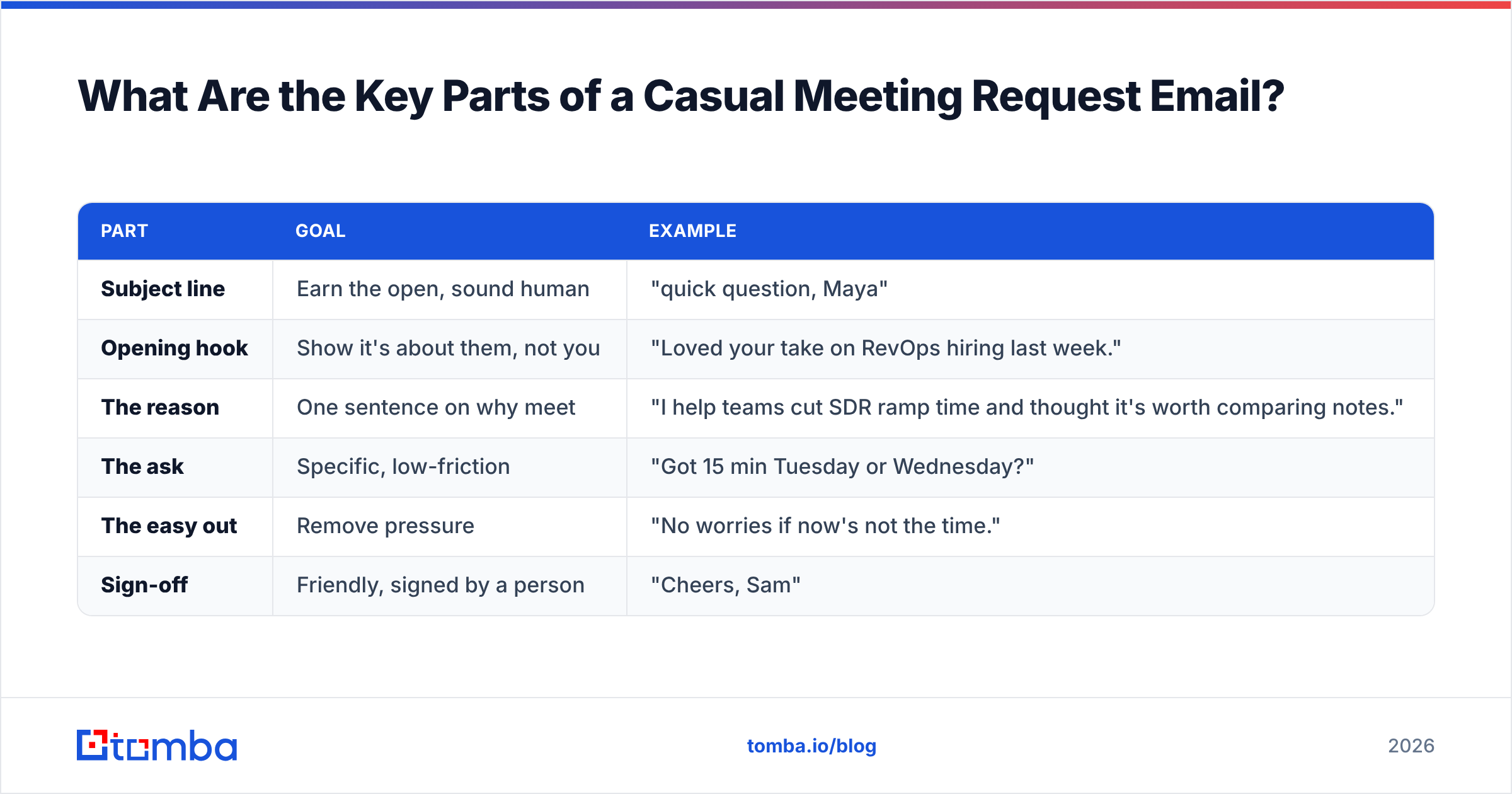
Every high-reply casual request has the same skeleton. Keep each piece short.
| Part | Goal | Example |
|---|---|---|
| Subject line | Earn the open, sound human | "quick question, Maya" |
| Opening hook | Show it's about them, not you | "Loved your take on RevOps hiring last week." |
| The reason | One sentence on why meet | "I help teams cut SDR ramp time and thought it's worth comparing notes." |
| The ask | Specific, low-friction | "Got 15 min Tuesday or Wednesday?" |
| The easy out | Remove pressure | "No worries if now's not the time." |
| Sign-off | Friendly, signed by a person | "Cheers, Sam" |
The biggest mistake is burying the ask. The reader should know what you want within the first two sentences. The second biggest mistake is a wall of text — if it scrolls on mobile, it's too long.
A simple before-and-after#
Too formal:
Dear Mr. Johnson, I am writing to formally request the opportunity to schedule a meeting at your earliest convenience to discuss potential synergies between our respective organizations.
Casual and better:
Hi Marcus — saw your team just expanded into the EU. We helped two similar companies sort out localized outreach fast. Worth a quick 15-min chat next week? Totally fine if not.
Same intent. One sounds like a contract; the other sounds like a person worth replying to.
What Are the Best Casual Meeting Request Email Templates?#
Here are five templates for the most common situations. Swap the brackets, keep the brevity.
1. The cold-but-warm sales ask
Subject: quick idea for {{Company}}
Hi {{FirstName}} — noticed {{Company}} is hiring three new AEs. Onboarding usually means a scramble for clean contact data. We fixed that for {{SimilarCompany}} in a week. Worth 15 min Thursday to see if it fits? No pressure either way.
— {{YourName}}
2. The networking / mutual-connection ask
Subject: {{MutualName}} said we should talk
Hey {{FirstName}}, {{MutualName}} mentioned you're deep in product-led growth right now — that's my world too. Would love to swap notes over a 20-min call. Free early next week?
3. The reconnect (dormant contact)
Subject: long time, {{FirstName}}
Hi {{FirstName}} — it's been a minute since {{LastContext}}. I'm working on something I think overlaps with what you're building. Coffee or a quick call this month?
4. The internal alignment ask
Subject: 15 min on the Q3 plan?
Hey {{FirstName}}, want to make sure we're aligned before the Q3 numbers go out. Got 15 min tomorrow or Friday? I'll keep it tight.
5. The follow-up after no reply
Subject: re: quick idea for {{Company}}
Hi {{FirstName}} — floating this back up in case it slipped. Still happy to grab 15 min if useful. If the timing's off, just say the word and I'll stop bugging you. :)
Notice every template names a specific time window and offers an easy exit. That combination is what separates a request from a demand.
How Do You Personalize Without Spending an Hour?#
Personalization is the difference between "casual" and "casually ignored." But you don't need to write each email from scratch.
The trick is a personalized first line plus a templated body. One genuine, researched opening sentence carries the whole message. The rest can be reused.
To do that at scale, you need accurate contact data — the right person, the right address, the right context. That's where prospecting tooling earns its keep:
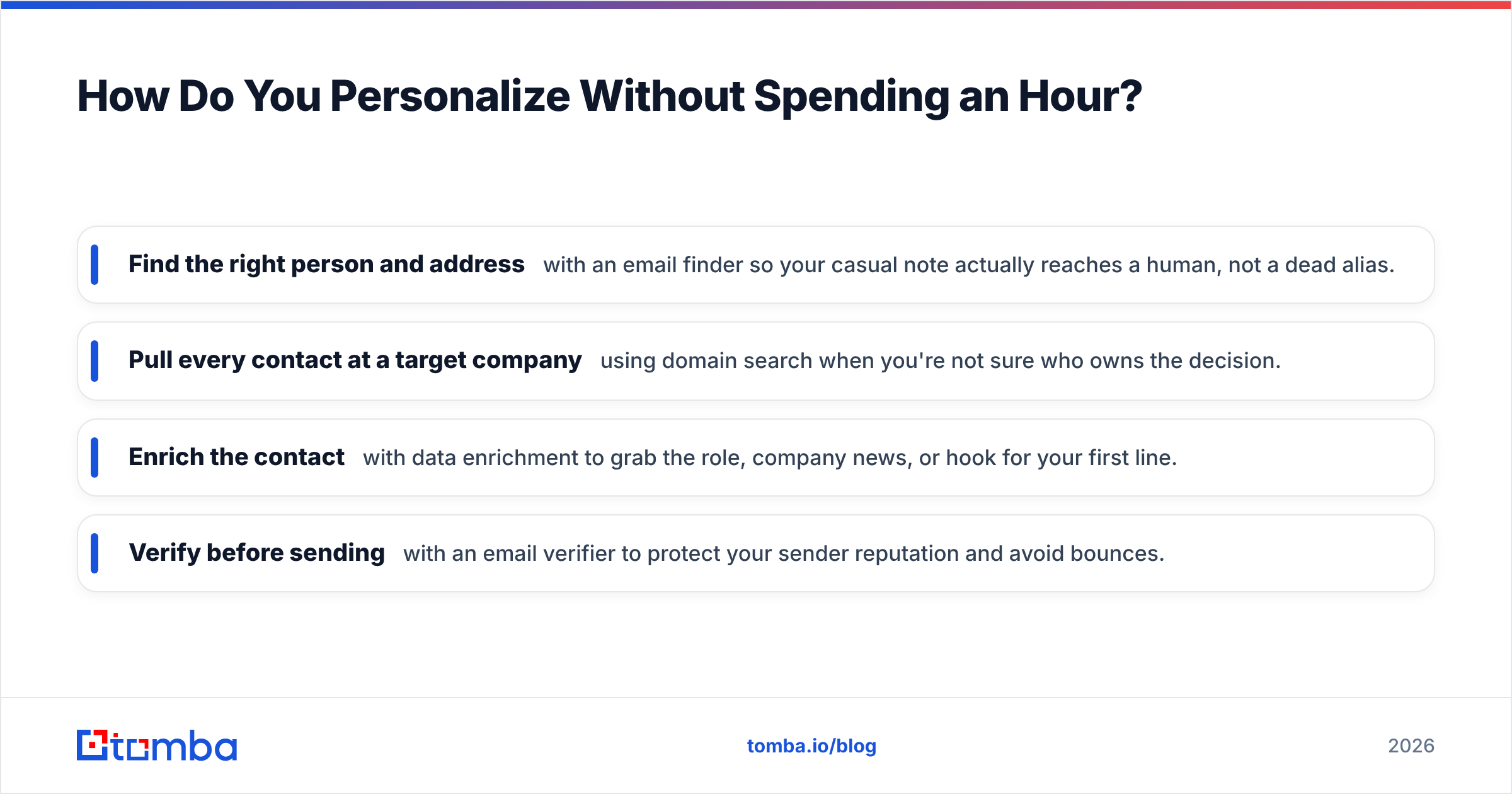
- Find the right person and address with an email finder so your casual note actually reaches a human, not a dead alias.
- Pull every contact at a target company using domain search when you're not sure who owns the decision.
- Enrich the contact with data enrichment to grab the role, company news, or hook for your first line.
- Verify before sending with an email verifier to protect your sender reputation and avoid bounces.
Skipping verification is the silent killer. Send to enough invalid addresses and mailbox providers throttle you — meaning even your perfect casual email never reaches the inbox. Tools like G2's reviewed email platforms exist for exactly this reason.
When Should You Send a Casual Meeting Request Email?#
Timing won't fix a bad email, but it sharpens a good one.
- Best days: Tuesday through Thursday. Mondays are catch-up; Fridays are checked-out.
- Best windows: Early morning (7–9 a.m. local) or just after lunch (1–2 p.m.). You land near the top of the inbox.
- Follow-up cadence: Wait 3 business days, then send one short bump. A second bump after another 4–5 days is fine. After that, move on — persistence past three touches reads as pestering.
- Time zones matter: "Send at 9 a.m." means their 9 a.m., not yours. Always localize.
Keep the whole sequence to two or three messages. The goal is a friendly nudge, not a siege.
Casual vs. Formal Meeting Requests: Which Wins?#
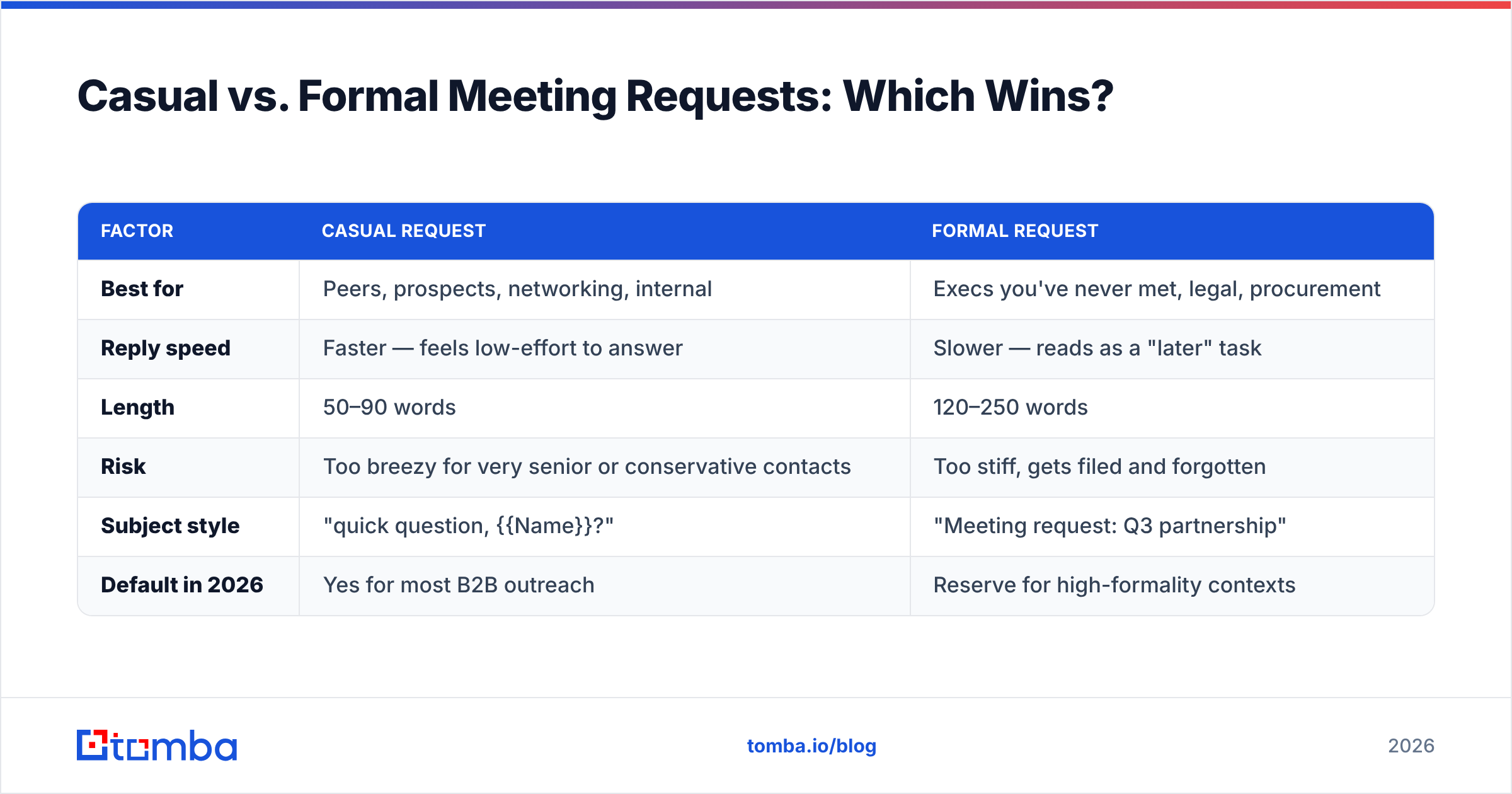
It depends on the relationship and the stakes. Here's a clear comparison.
| Factor | Casual Request | Formal Request |
|---|---|---|
| Best for | Peers, prospects, networking, internal | Execs you've never met, legal, procurement |
| Reply speed | Faster — feels low-effort to answer | Slower — reads as a "later" task |
| Length | 50–90 words | 120–250 words |
| Risk | Too breezy for very senior or conservative contacts | Too stiff, gets filed and forgotten |
| Subject style | "quick question, {{Name}}?" | "Meeting request: Q3 partnership" |
| Default in 2026 | Yes for most B2B outreach | Reserve for high-formality contexts |
For the vast majority of B2B outreach — sales, partnerships, networking, internal syncs — casual wins on reply rate. Save the formal register for genuinely high-stakes, high-formality audiences (think enterprise legal, government, or a first message to a Fortune 100 CEO).
When in doubt, mirror the recipient. If their LinkedIn posts are loose and conversational, go casual. If everything they publish reads like a press release, dial up the polish.
What Mistakes Kill a Casual Meeting Request Email?#
Avoid these and you'll already beat most senders:
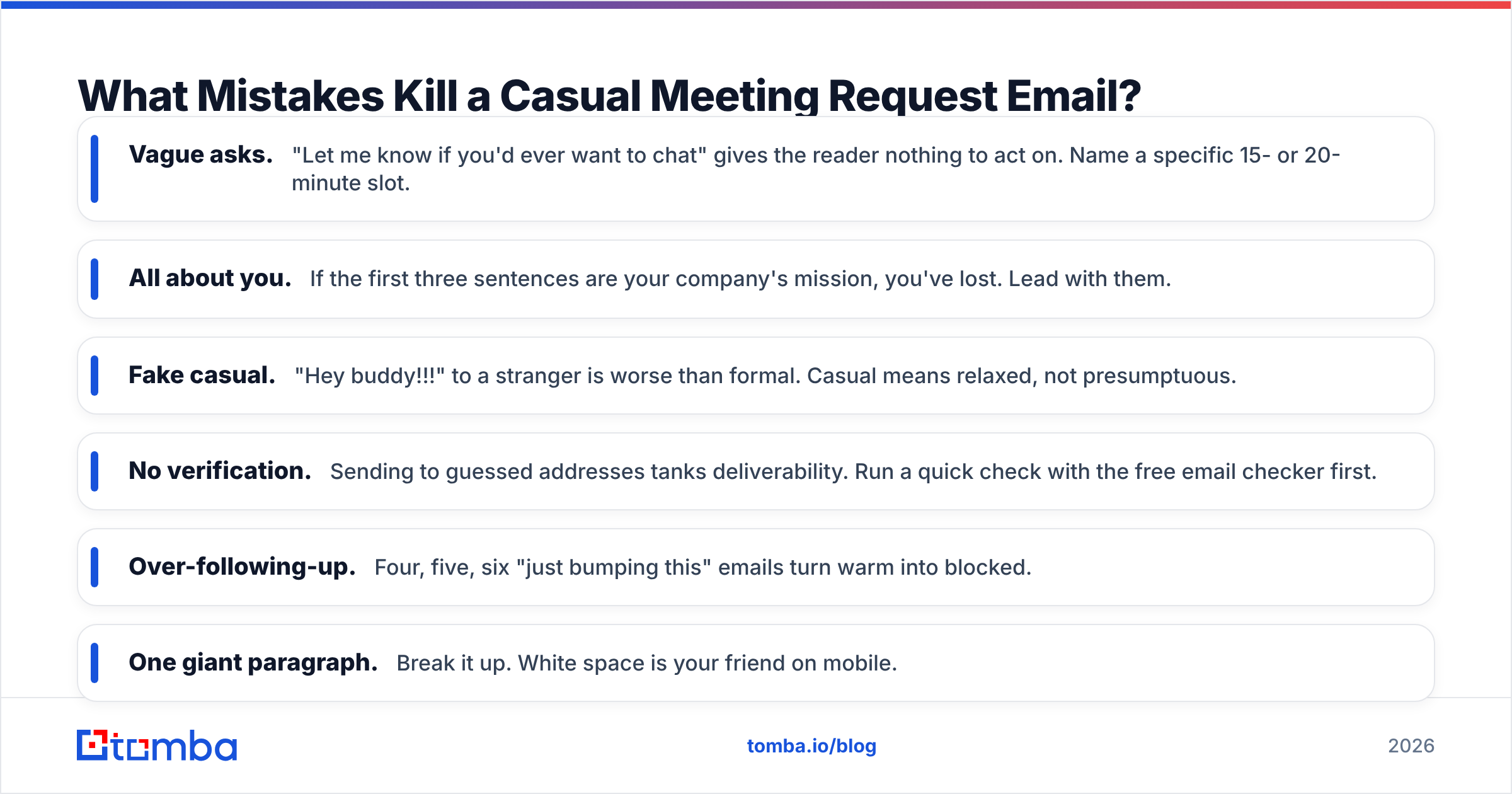
- Vague asks. "Let me know if you'd ever want to chat" gives the reader nothing to act on. Name a specific 15- or 20-minute slot.
- All about you. If the first three sentences are your company's mission, you've lost. Lead with them.
- Fake casual. "Hey buddy!!!" to a stranger is worse than formal. Casual means relaxed, not presumptuous.
- No verification. Sending to guessed addresses tanks deliverability. Run a quick check with the free email checker first.
- Over-following-up. Four, five, six "just bumping this" emails turn warm into blocked.
- One giant paragraph. Break it up. White space is your friend on mobile.
For the broader picture on landing in the inbox, Google's Postmaster guidance on email deliverability is the authoritative reference on what sending behavior gets you throttled.
Quick Checklist Before You Hit Send#
Run through this every time:
- Right person? Confirmed the name and role, not a generic info@ alias.
- Verified address? Checked for typos and dead mailboxes.
- Personalized first line? One genuine, specific opener.
- One clear ask? A specific time window with two options.
- Easy out included? "No worries if not" or similar.
- Under 90 words? If it scrolls on a phone, trim it.
- Signed by a human? Real name, not "The Sales Team."
Final Word: Make It Easy to Say Yes#
The whole job of a casual meeting request email is to make replying feel effortless. Short, specific, friendly, and aimed at the right inbox. Get the tone right and the data right, and "got 15 minutes?" turns into a booked call far more often than any formal template ever will.
The data part is non-negotiable. The best-written casual email in the world bounces if the address is wrong. Start by finding and confirming the right contact with the Tomba Email Finder — it pulls verified professional addresses by name, company, or domain, so every friendly note you send actually reaches a person who can say yes. Pair it with the free tier (25 searches a month) to test it on your next list, and check the full Tomba pricing when you're ready to scale your outreach.
// get started
Find, verify and enrich your first contacts today
Start on the free plan with 25 searches a month, then scale when your team is ready.
Free plan · No credit card required · GDPR & CCPA
// about the author