CEO Finder: How to Find Any CEO's Email in 2026 (Tools & Tips)
Need to reach a CEO directly? Learn how a CEO finder works, the fastest ways to find verified CEO emails, and which tools actually deliver accurate results in 2026.
CEO Finder: How to Find Any CEO's Email in 2026
Closing a six-figure deal often comes down to one thing: getting your message in front of the person who can actually say yes. That person is usually the CEO. The problem is that chief executives don't publish their direct email, screen aggressively, and sit behind layers of gatekeepers. A CEO finder solves that — it locates and verifies the decision-maker's real contact details so your outreach lands in the right inbox.
TL;DR#
- A CEO finder is a tool that locates a chief executive's professional email (and often phone and LinkedIn) using domain search, pattern matching, and verification.
- Accuracy matters more than volume. A guessed email that bounces hurts your sender reputation; a verified one protects it.
- The best workflow combines a domain search to find the company's email pattern, a name-based lookup for the CEO specifically, and a verification step before you ever hit send.
- Tomba's free tier (25 searches/month) lets you test CEO lookups before paying, with paid plans starting at $49/mo.
- Don't stop at the email — enrich the record with title, LinkedIn, and phone so your first touch is personalized, not generic.
What is a CEO finder?#
A CEO finder is a specialized email-finding tool that returns the verified contact details of a company's chief executive when you give it a name, a company, or a domain. Think of it like a switchboard operator who already knows every extension in the building: instead of dialing random numbers, you ask for the CEO and get connected directly.
Technically, a CEO finder combines three capabilities most sales teams otherwise stitch together by hand:
- Domain search — pull every known email on a company domain and detect the dominant pattern (e.g.,
first.last@company.com). - Name-to-email matching — apply that pattern to the CEO's name and cross-check it against indexed sources.
- Verification — ping the mail server to confirm the address accepts mail before you trust it.
The output is a single, deliverable address instead of a spreadsheet of guesses. If you've ever burned an afternoon permutating john@, j.smith@, and jsmith@ and praying one sticks, you already understand the value.

Why is finding a CEO's email so hard?#
Three reasons, and a good CEO finder addresses all of them.
Gatekeeping by design. Executives route generic inbound to info@ or press@ mailboxes that an assistant triages. Those addresses are easy to find and almost useless for direct outreach.
Inconsistent formats. A 12-person startup might use firstname@, while the enterprise it competes with uses f.lastname@. Without detecting the actual pattern, you're guessing.
Catch-all domains. Many companies accept mail to any address at their domain, so a standard verification returns "valid" even for an address that goes nowhere. You need a catch-all verifier to separate real mailboxes from black holes.
This is why "I found an email format online" rarely works for C-suite outreach. The format may be right for rank-and-file staff and wrong for the founder, who often kept a vanity address from the early days.
How does a CEO finder work, step by step?#
Here is the workflow a reliable CEO finder runs — and the one you should replicate manually if you're doing it without a tool.
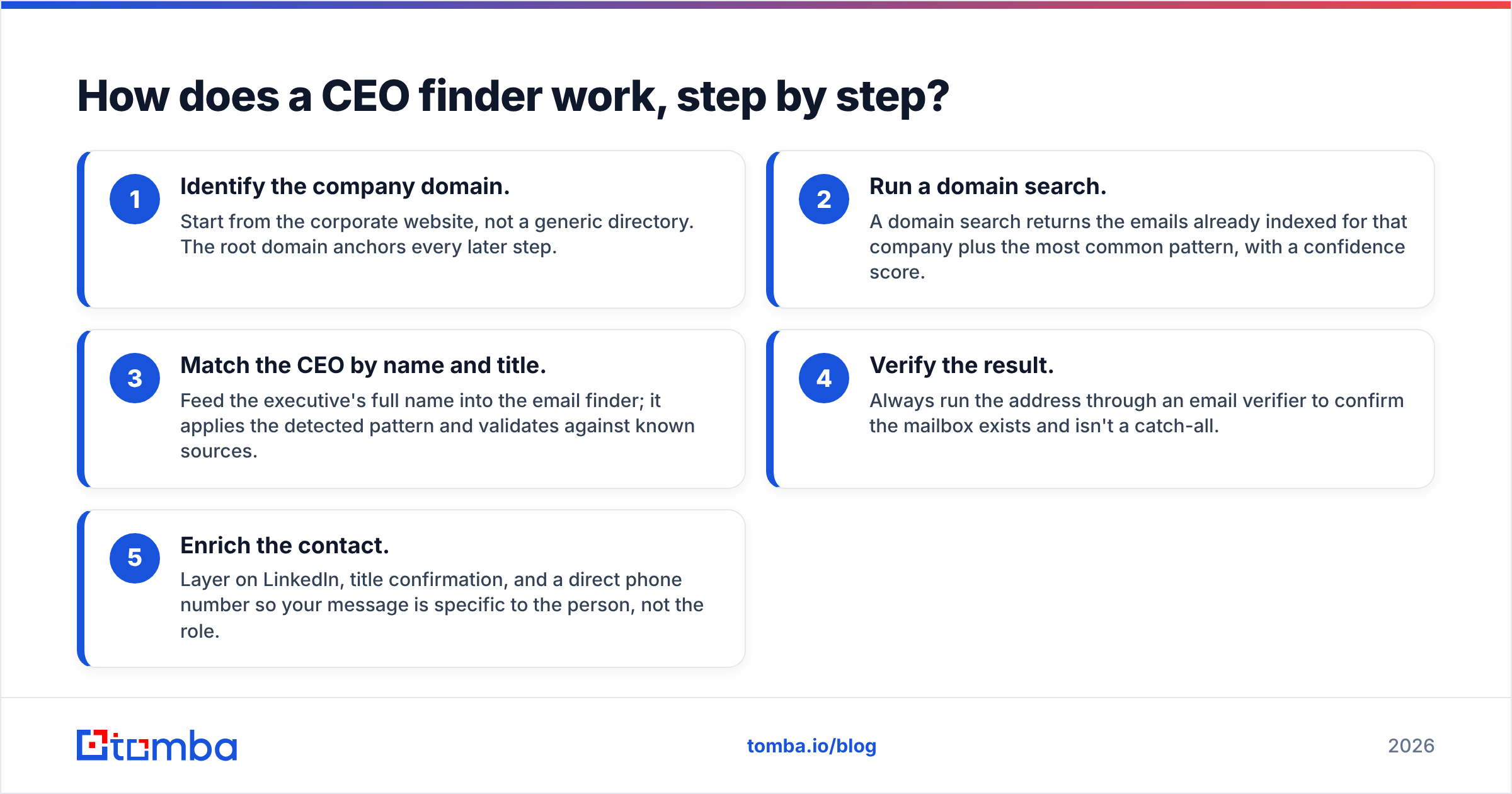
- Identify the company domain. Start from the corporate website, not a generic directory. The root domain anchors every later step.
- Run a domain search. A domain search returns the emails already indexed for that company plus the most common pattern, with a confidence score.
- Match the CEO by name and title. Feed the executive's full name into the email finder; it applies the detected pattern and validates against known sources.
- Verify the result. Always run the address through an email verifier to confirm the mailbox exists and isn't a catch-all.
- Enrich the contact. Layer on LinkedIn, title confirmation, and a direct phone number so your message is specific to the person, not the role.
The whole sequence takes seconds with the right stack and protects your email deliverability by keeping bounce rates low.
Which CEO finder tools are best in 2026?#
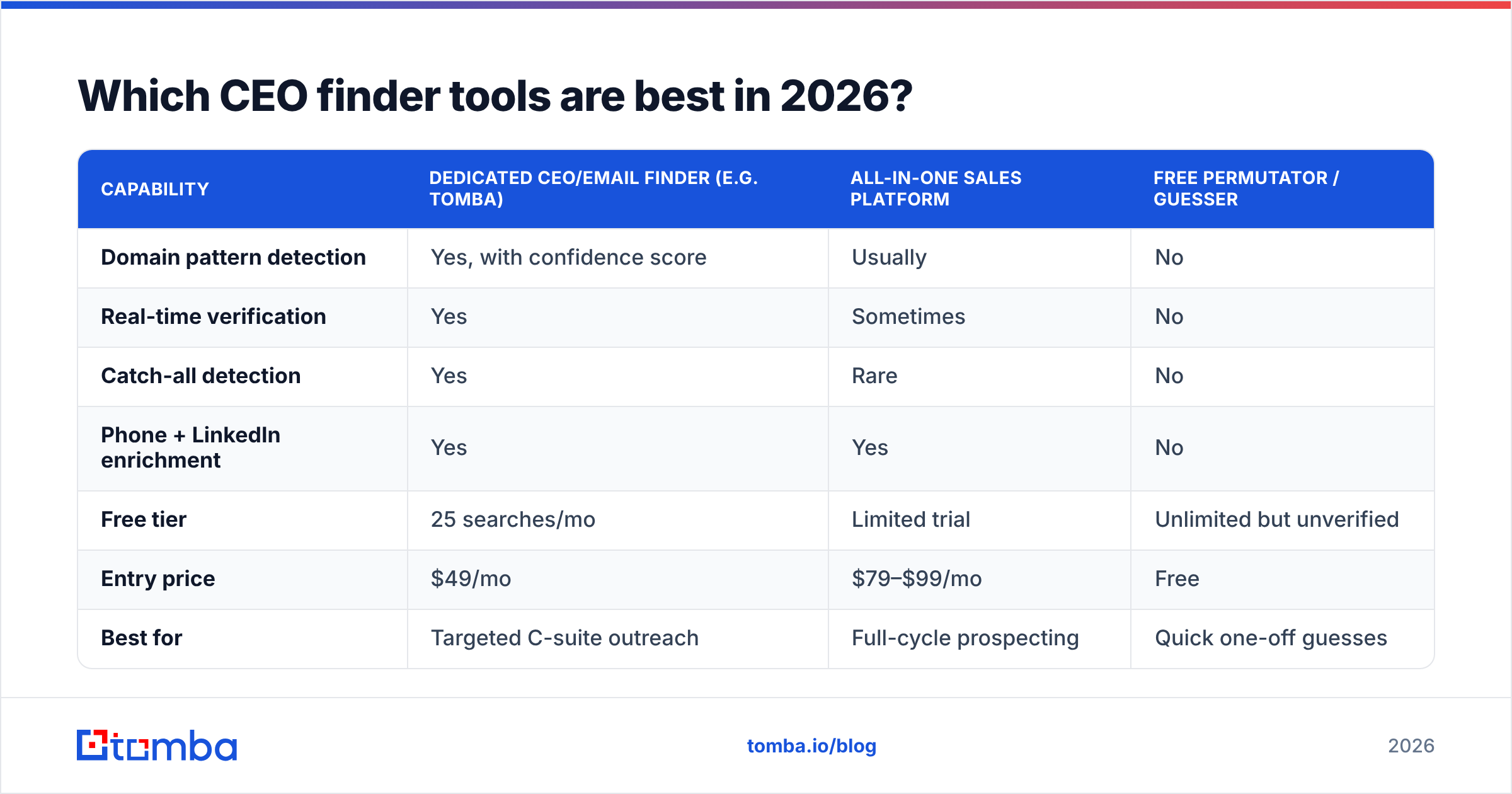
Most "email finder" platforms can technically surface a CEO email, but they differ sharply on accuracy, verification depth, and price. The table below compares the categories you'll actually choose between.

Accuracy is the metric that separates a CEO finder you can trust from one that quietly poisons your domain. A tool reporting "found" without real-time verification is worse than no tool at all, because it gives you false confidence right before you email a high-value prospect.
| Capability | Dedicated CEO/email finder (e.g. Tomba) | All-in-one sales platform | Free permutator / guesser |
|---|---|---|---|
| Domain pattern detection | Yes, with confidence score | Usually | No |
| Real-time verification | Yes | Sometimes | No |
| Catch-all detection | Yes | Rare | No |
| Phone + LinkedIn enrichment | Yes | Yes | No |
| Free tier | 25 searches/mo | Limited trial | Unlimited but unverified |
| Entry price | $49/mo | $79–$99/mo | Free |
| Best for | Targeted C-suite outreach | Full-cycle prospecting | Quick one-off guesses |
Here's how the practical trade-offs break down:
- Dedicated email finders win on accuracy and cost for focused decision-maker outreach. You pay for verification quality, not seat-based bloat.
- All-in-one platforms bundle sequencing and CRM features, which is convenient if you're buying a whole stack — but you often pay more for data that's no more accurate.
- Free permutators are fine for a single guess you'll verify elsewhere, but never for at-scale prospecting; unverified sends are how new domains land on blacklists.
For a deeper look at how the field stacks up, the comparison below maps accuracy against pricing across the leading tools.

If you're weighing specific vendors, it's worth reading independent reviews on G2 alongside any tool's own claims — buyer feedback exposes accuracy gaps that marketing pages won't.
Is a CEO finder better than buying a contact list?#
Yes, for almost every use case — and the gap is widening. Purchased lists are stale the moment they're compiled. Executives change companies, domains get acquired, and titles shift. Studies of B2B data routinely show contact records decaying at well over 20% per year, which means a list you bought in January is materially wrong by summer.
A CEO finder pulls live data on demand, so the address reflects today's reality, not last year's. You also avoid the compliance and reputation risks of a list whose provenance you can't verify.

That said, the two aren't mutually exclusive. The smart play is to use a B2B database for top-of-funnel discovery — finding which companies fit your profile — then a CEO finder to get the verified, send-ready contact for each one. Discovery at scale, accuracy at the point of contact.
How do you verify a CEO email before sending?#
Verification is the step most people skip and later regret. A single hard bounce on a cold campaign tells mailbox providers your list is dirty, and your inbox-placement rate drops for everyone you email after.
Run every CEO address through these checks:
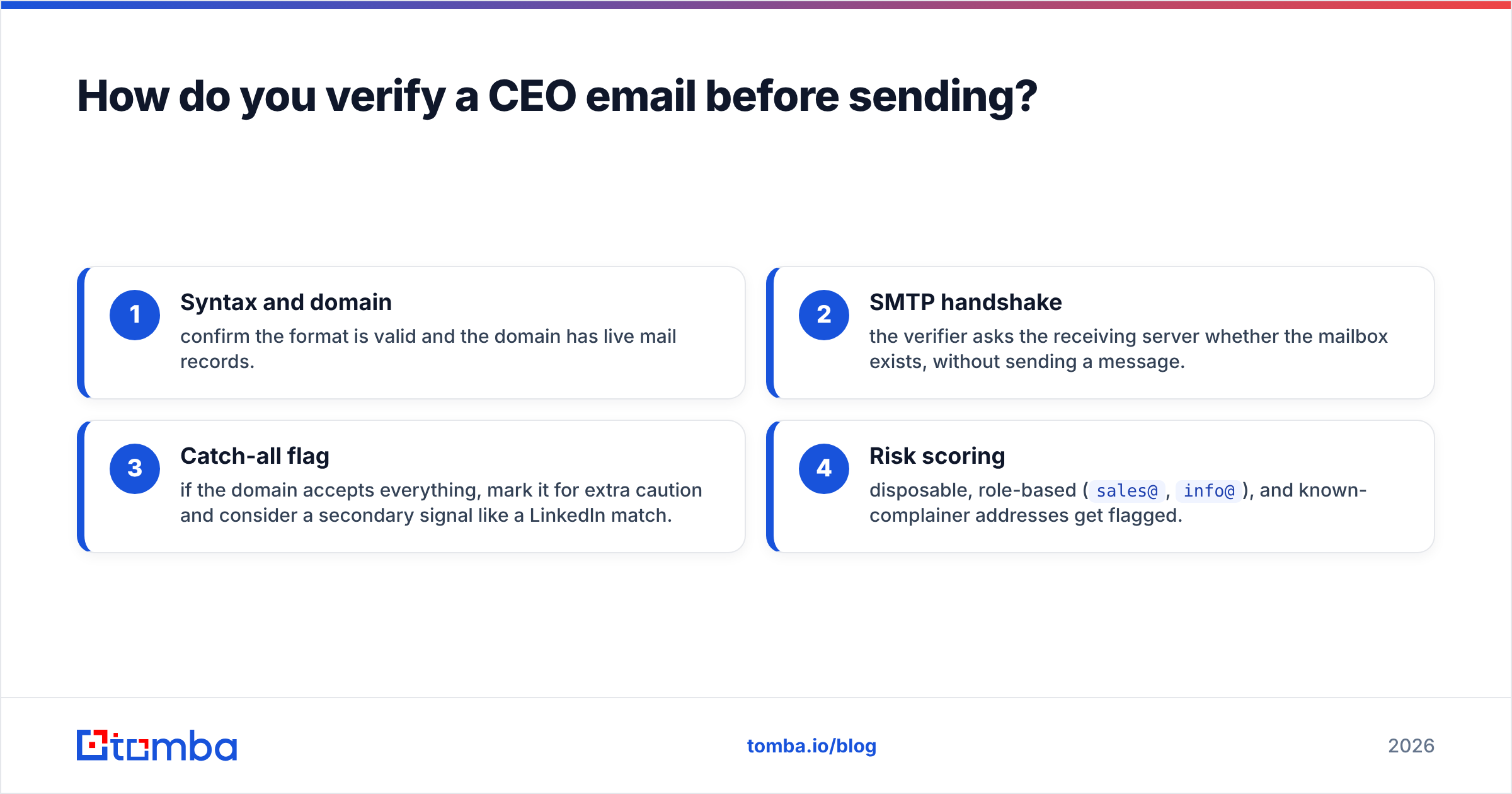
- Syntax and domain — confirm the format is valid and the domain has live mail records.
- SMTP handshake — the verifier asks the receiving server whether the mailbox exists, without sending a message.
- Catch-all flag — if the domain accepts everything, mark it for extra caution and consider a secondary signal like a LinkedIn match.
- Risk scoring — disposable, role-based (
sales@,info@), and known-complainer addresses get flagged.
You can spot-check a single address with a free email checker, or run a whole list through bulk verification before a campaign. Either way, protect your sender reputation — it's the asset that determines whether any of this outreach reaches the inbox at all. For the underlying mechanics, Google's own Postmaster guidelines are the authoritative reference.
What should you do after you find the CEO's email?#
Finding the address is the start, not the finish. A verified email used badly still gets ignored.
- Lead with relevance, not your pitch. Reference something specific to their company — a funding round, a product launch, a hiring spree. Generic flattery reads as automated.
- Keep it short. A CEO scans on mobile between meetings. Three sentences and one clear ask beat a five-paragraph essay.
- Enrich before you write. Pull the CEO's LinkedIn and recent activity with a data enrichment step so personalization is real, not templated.
- Have a phone fallback. When email goes quiet, a direct number from a phone finder reopens the channel — many founders answer an unknown number faster than they reply to cold mail.
- Respect the channel. One thoughtful follow-up is persistence; five is harassment. Decision-makers have long memories for both.
The combination of a verified email, a relevant message, and a phone backup is what turns a found contact into a booked meeting.
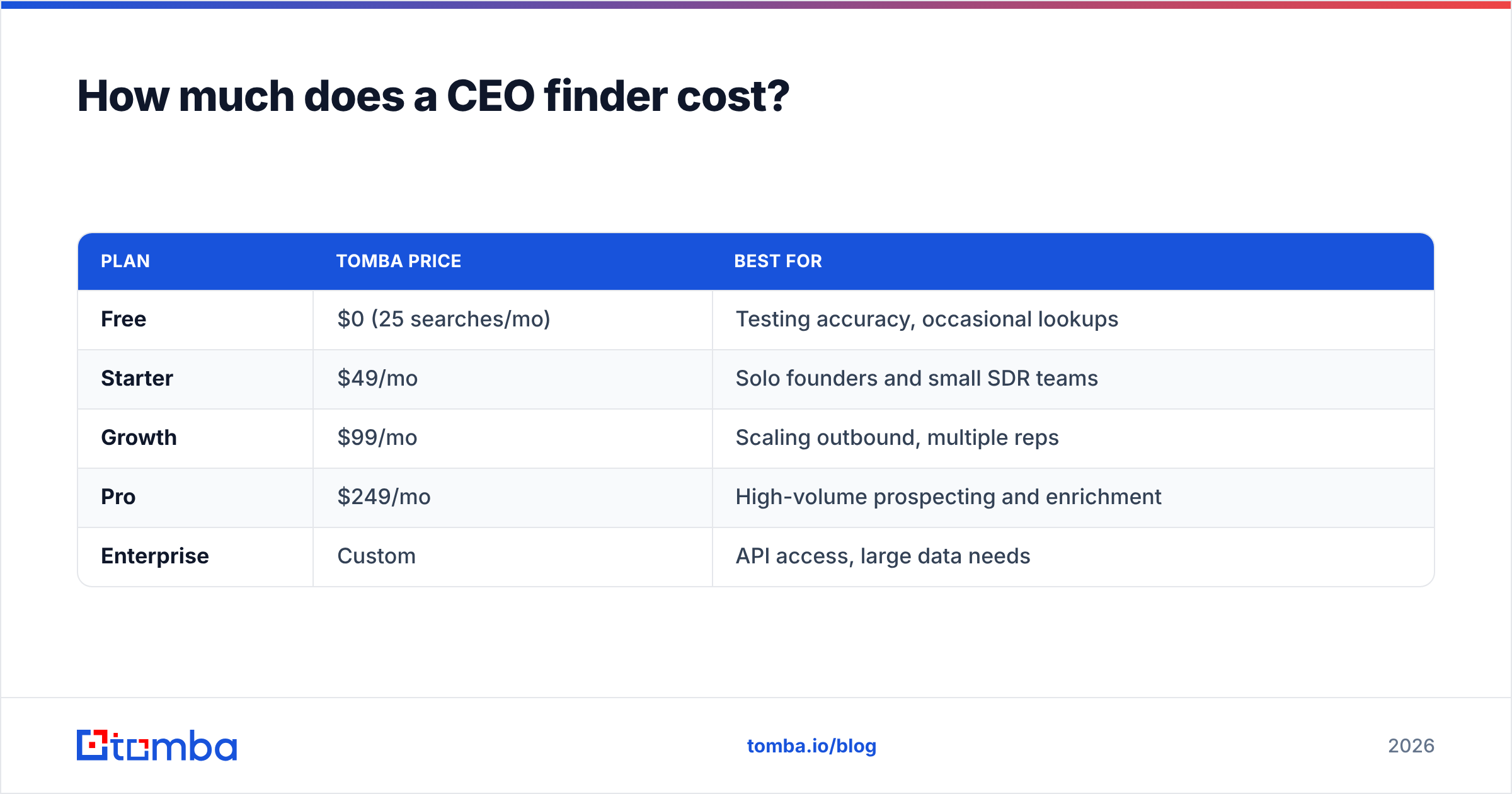
How much does a CEO finder cost?#
Pricing scales with how many lookups and verifications you run per month. Most tools offer a free tier so you can validate quality before committing.
| Plan | Tomba price | Best for |
|---|---|---|
| Free | $0 (25 searches/mo) | Testing accuracy, occasional lookups |
| Starter | $49/mo | Solo founders and small SDR teams |
| Growth | $99/mo | Scaling outbound, multiple reps |
| Pro | $249/mo | High-volume prospecting and enrichment |
| Enterprise | Custom | API access, large data needs |
Compared with all-in-one platforms that often start at $79–$99/mo per seat, a dedicated finder gives you the accuracy that matters for C-suite outreach without paying for features you won't use. You can review the full breakdown on the Tomba pricing page.
A practical tip: start on the free tier and run ten known CEO lookups where you can confirm the answer. If verification holds up on names you can check, it'll hold up on the ones you can't.
Can you find CEOs at scale with an API?#
Yes — and this is where a CEO finder graduates from a manual tool into a growth engine. If you're enriching a CRM, building a lead list inside your own app, or syncing verified contacts into a sequencer, the Tomba API lets you run domain search, finding, and verification programmatically.
A common pattern: a webhook fires when a new account is created in your CRM, the API resolves the company's CEO email, verifies it, and writes the enriched record back — all before a rep ever opens the account. Pair it with a native HubSpot integration or Salesforce integration and the data lands where your team already works, with no copy-paste.
For non-developers, the same accuracy is available through a Google Sheets add-on or a Chrome extension that surfaces the CEO's email while you browse a company's site or LinkedIn page.
Start finding CEO emails the accurate way#
Reaching the decision-maker is the difference between a deal that stalls in the gatekeeper queue and one that gets a real answer. A CEO finder gets you there — but only if the address is verified, the record is enriched, and your first message earns the reply.
Skip the guessing and the stale lists. Use the Tomba Email Finder to locate any CEO's professional email by name or domain, verify it in the same workflow, and start your outreach with confidence. The free tier gives you 25 searches a month to prove the accuracy yourself before you ever pay — so test it on a CEO you already know how to reach, and watch it get the answer right.
// get started
Find, verify and enrich your first contacts today
Start on the free plan with 25 searches a month, then scale when your team is ready.
Free plan · No credit card required · GDPR & CCPA
// about the author