ChatGPT for Lead Generation: The 2026 Sales Playbook
ChatGPT can draft your outreach, score your leads, and structure your research in seconds. But it won't find or verify a single email. Here's the 2026 playbook that pairs it with the right data tools.
TL;DR
- ChatGPT is excellent at thinking tasks in lead generation — research synthesis, list structuring, personalization, qualification logic — but it cannot find or verify real contact data on its own.
- The winning 2026 setup is a pipeline: ChatGPT for reasoning and copy, a dedicated email finder for contact data, and a verifier before you send.
- Treat every email ChatGPT "produces" as a guess. It hallucinates addresses that look right and bounce, which quietly wrecks your sender reputation.
- The prompts and workflows below cover ICP building, research, segmentation, personalization at scale, and lead scoring.
- Pair ChatGPT with Tomba Email Finder so the reasoning layer and the data layer each do what they're actually good at.
Can ChatGPT actually generate leads?#
Short answer: ChatGPT generates the work around leads, not the leads themselves. Think of it like a brilliant research assistant who has read everything but never picks up the phone. It can tell you who to target, what to say, and how to prioritize — but it has no live connection to a verified contact database, so it cannot reliably hand you a real person's email or phone number.
That distinction matters because the most common ChatGPT lead-gen mistake is asking it to "find the email for Jane Doe at Acme." It will happily return jane.doe@acme.com with total confidence. Sometimes that's correct by luck. Often it's a hallucination built from a common pattern, and when you send to it, you get a hard bounce. Stack up enough bounces and your email deliverability collapses.
So the right mental model is a division of labor: ChatGPT owns reasoning and language; a purpose-built data tool owns finding and verifying contacts. Get that split right and ChatGPT becomes one of the highest-leverage tools in your stack.

What can ChatGPT do well in a lead-gen workflow?#
Here are the tasks where ChatGPT genuinely earns its seat, each mapped to where it sits in your funnel:
- Build and refine your ICP. Feed it your best 10 customers and it will reverse-engineer firmographic and pain-point patterns into a usable ideal-customer profile.
- Synthesize research. Paste a prospect's job posting, 10-K excerpt, or recent press and ask for buying signals, likely priorities, and conversation hooks.
- Segment messy lists. Give it raw rows and it will cluster contacts by industry, seniority, or use case so you can tailor messaging.
- Personalize at scale. With a verified data row as input, it writes a custom first line or full opener per prospect.
- Draft qualification logic. It can turn your scoring rubric into consistent, repeatable lead-scoring prompts.
- Repurpose content into magnets. Turn one webinar transcript into a lead-gen checklist, email course, or LinkedIn series.
Notice the pattern: every one of these starts with you providing real data, or ends with ChatGPT producing language. The data sourcing itself lives outside the model.
What can ChatGPT NOT do (and where it burns you)?#
Be honest about the failure modes before you build a workflow on top of them:
- It invents contact data. Email addresses, direct dials, and LinkedIn URLs are frequently fabricated. There is no live lookup behind the base model.
- Its knowledge is stale. Standard ChatGPT doesn't know that your prospect changed jobs last month unless you tell it.
- It can't verify anything. It has no SMTP layer, no catch-all detection, no bounce checking. Verification is a separate job for an email verifier.
- It's confidently wrong. The tone never signals uncertainty, so unreviewed output sneaks into your CRM as if it were fact.
The fix is not to abandon ChatGPT. It's to stop asking it to do jobs it structurally cannot do, and route those jobs to tools that can.
What's the right 2026 stack: ChatGPT vs. a dedicated lead tool?#
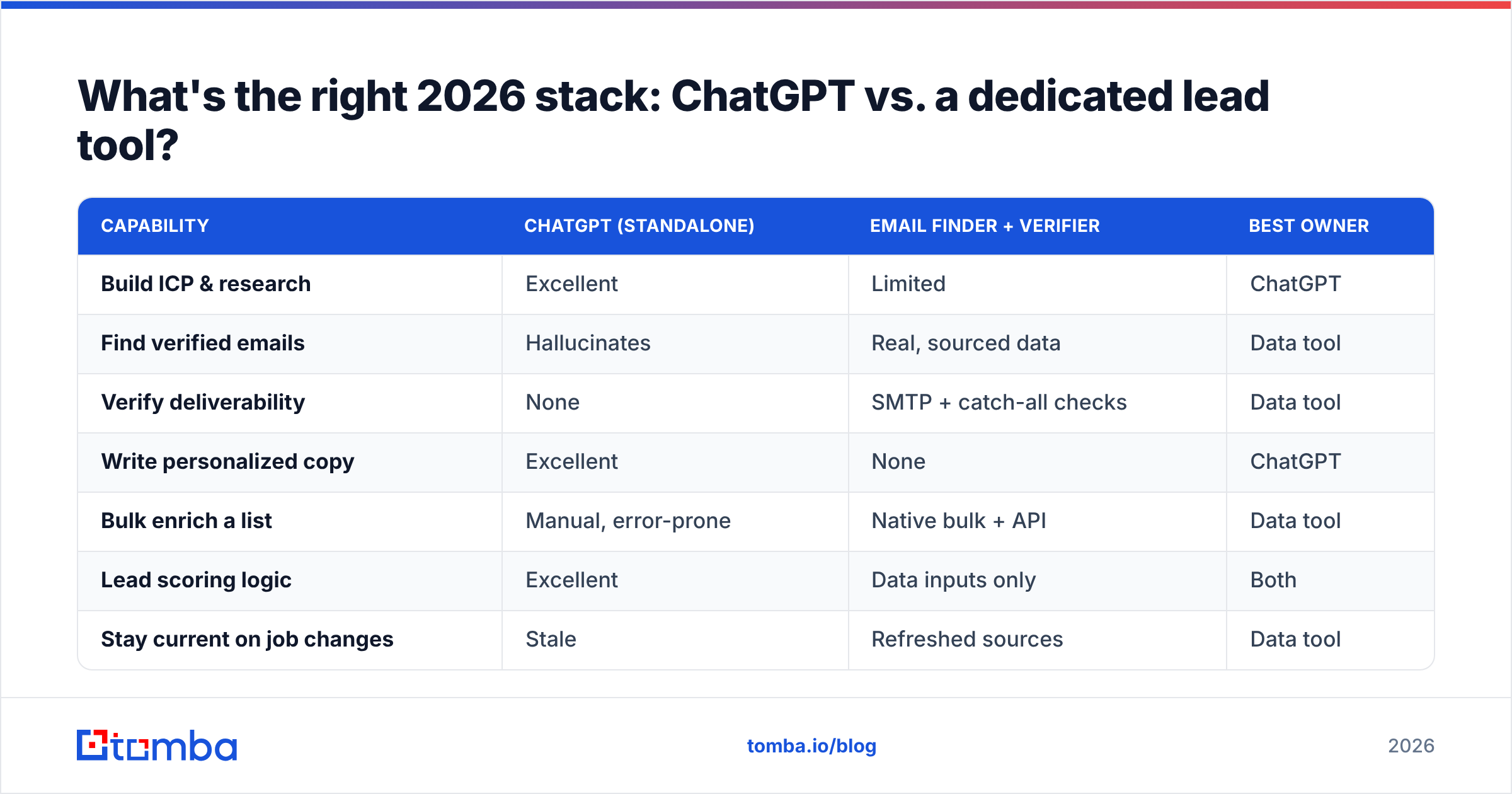
You don't choose between ChatGPT and a data platform — you sequence them. Still, it helps to see exactly where each one wins so you stop overloading the wrong tool.
| Capability | ChatGPT (standalone) | Email finder + verifier | Best owner |
|---|---|---|---|
| Build ICP & research | Excellent | Limited | ChatGPT |
| Find verified emails | Hallucinates | Real, sourced data | Data tool |
| Verify deliverability | None | SMTP + catch-all checks | Data tool |
| Write personalized copy | Excellent | None | ChatGPT |
| Bulk enrich a list | Manual, error-prone | Native bulk + API | Data tool |
| Lead scoring logic | Excellent | Data inputs only | Both |
| Stay current on job changes | Stale | Refreshed sources | Data tool |
The takeaway: ChatGPT is your strategist and copywriter. A tool like the Tomba Email Finder is your researcher and fact-checker. Run them in that order and the weaknesses cancel out.

How do you build the ChatGPT lead-gen pipeline step by step?#
Here's a concrete five-stage workflow you can run this week.
Stage 1 — Define the target with ChatGPT. Start by sharpening who you're chasing. Prompt:
"Here are five of our best customers: [paste names, industries, size, the problem we solved]. Identify the three firmographic traits and two trigger events they share. Output a one-paragraph ICP and a list of 8 job titles to target."
Stage 2 — Find the real contacts with a data tool. ChatGPT gave you titles and companies. Now get actual people. Run a domain search on each target company to pull the verified email pattern and the people who match your titles. For large batches, use a bulk email finder or the Tomba API so you're not doing it one row at a time.
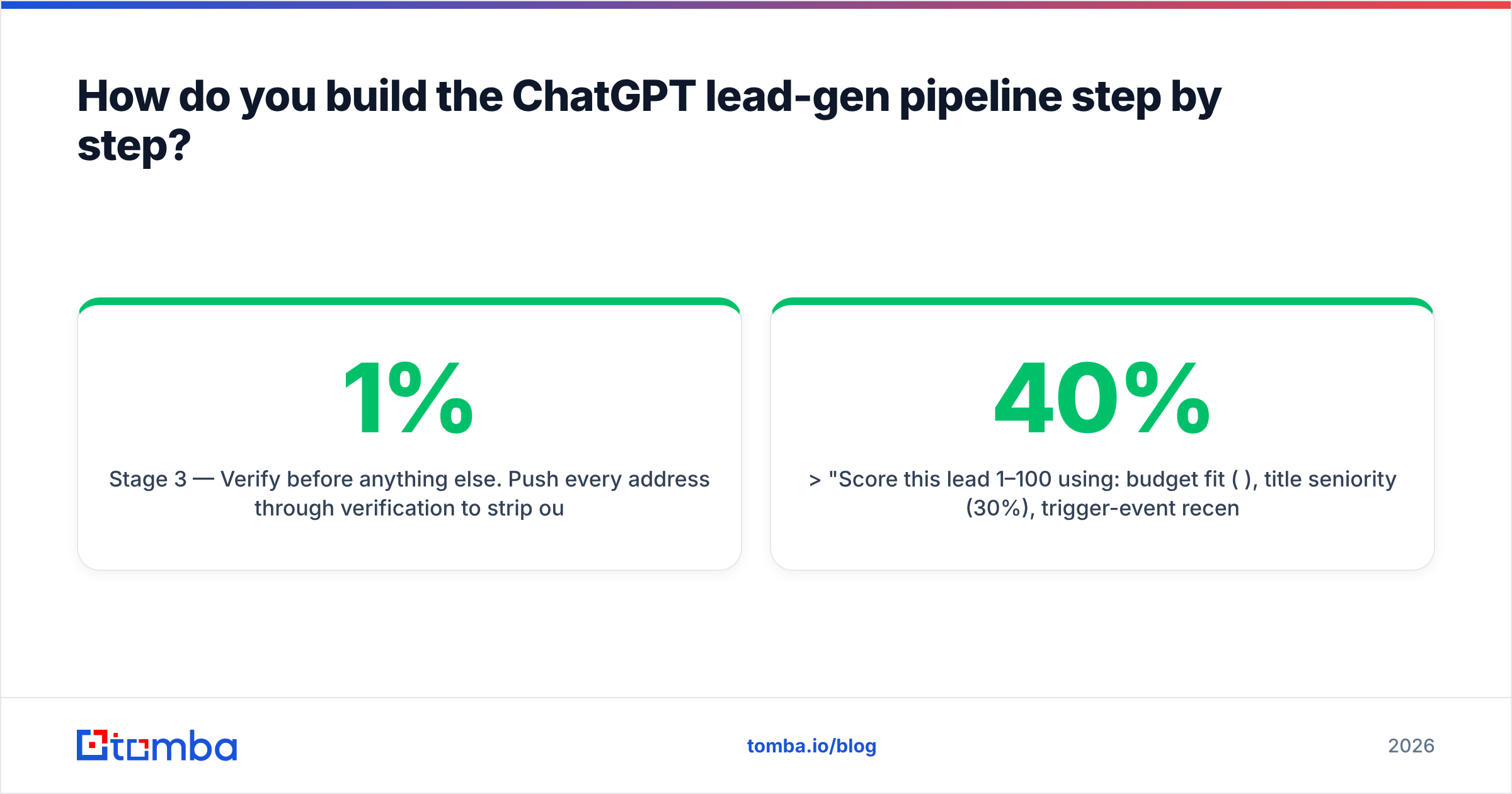
Stage 3 — Verify before anything else. Push every address through verification to strip out invalids and risky catch-alls. This single step is the difference between a 1% bounce rate and a 12% one. Cold senders who skip it are the ones asking why their domain landed on a blocklist.
Stage 4 — Personalize with ChatGPT. Now feed verified rows back in:
"Write a 2-sentence cold email opener for [name], [title] at [company]. Reference this signal: [recent funding/hire/launch]. No flattery, no buzzwords, lead with their problem."
Stage 5 — Score and route. Use ChatGPT to apply your rubric consistently:
"Score this lead 1–100 using: budget fit (40%), title seniority (30%), trigger-event recency (30%). Return the score and a one-line reason."
The output of this pipeline is a list of real, verified, scored, personalized prospects — not a spreadsheet of plausible-looking guesses.
What prompts actually work for lead generation?#
A few field-tested patterns worth saving:
- The reverse-ICP prompt: "Given these closed-won deals and these closed-lost deals, what disqualifies a lead early?" This surfaces negative signals most reps ignore.
- The signal-scanner prompt: Paste a company's recent news and ask, "Which of these events suggests they need [your category] in the next 90 days, and why?"
- The objection pre-empt prompt: "List the three objections a [title] would raise to this opener, then rewrite the opener to defuse the strongest one."
- The segmentation prompt: "Cluster these 200 rows into at most 5 messaging segments and name each segment by the pain it feels."
For copy specifically, ChatGPT works even better when paired with a structured starting point. If you keep reinventing openers, a library of cold email templates gives the model a proven skeleton to personalize instead of inventing structure from scratch.
How do you keep ChatGPT-driven outreach from killing deliverability?#
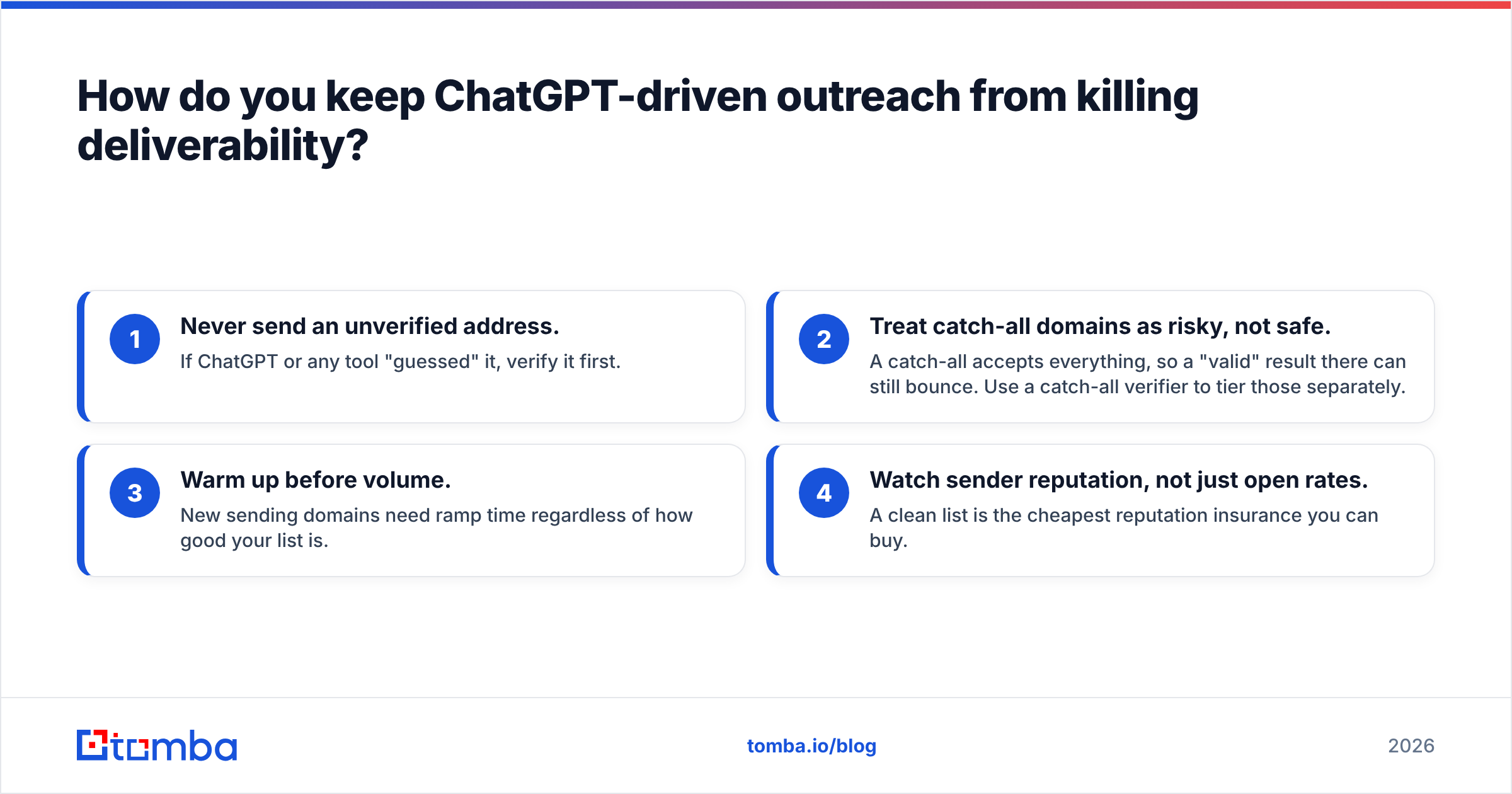
This is where most AI lead-gen experiments quietly fail. The list looks great, the copy reads great, and then half of it bounces because nobody checked the data. Protect yourself with a short discipline:
- Never send an unverified address. If ChatGPT or any tool "guessed" it, verify it first.
- Treat catch-all domains as risky, not safe. A catch-all accepts everything, so a "valid" result there can still bounce. Use a catch-all verifier to tier those separately.
- Warm up before volume. New sending domains need ramp time regardless of how good your list is.
- Watch sender reputation, not just open rates. A clean list is the cheapest reputation insurance you can buy.
ChatGPT can even help here — ask it to audit your sending cadence or draft a warmup schedule — but the verification itself is a data operation, not a language one. Industry guidance from sources like HubSpot consistently ties low bounce rates to list hygiene, and the broader cold-email community on G2 ranks verification among the highest-impact deliverability levers. None of that is something a text model can do for you.
Is ChatGPT enough on its own, or do you need more?#
ChatGPT alone is a force multiplier for thinking, and a liability for data. The model itself, per OpenAI, is built to generate and reason over language — not to maintain a live, verified contact graph. So the answer to "is it enough?" is: enough for strategy and copy, never enough for sourcing.
If you only adopt one habit from this post, make it this: let ChatGPT decide who and what to say, and let a dedicated tool determine which email is real. Teams that blur those two roles end up with beautiful messaging sent to addresses that don't exist.
When you're comparing tools to sit alongside ChatGPT, check the data sources and Tomba pricing so you know exactly where contacts come from and what scale costs. Transparency on sourcing is what separates a real data layer from another tool that's just guessing in a nicer interface.
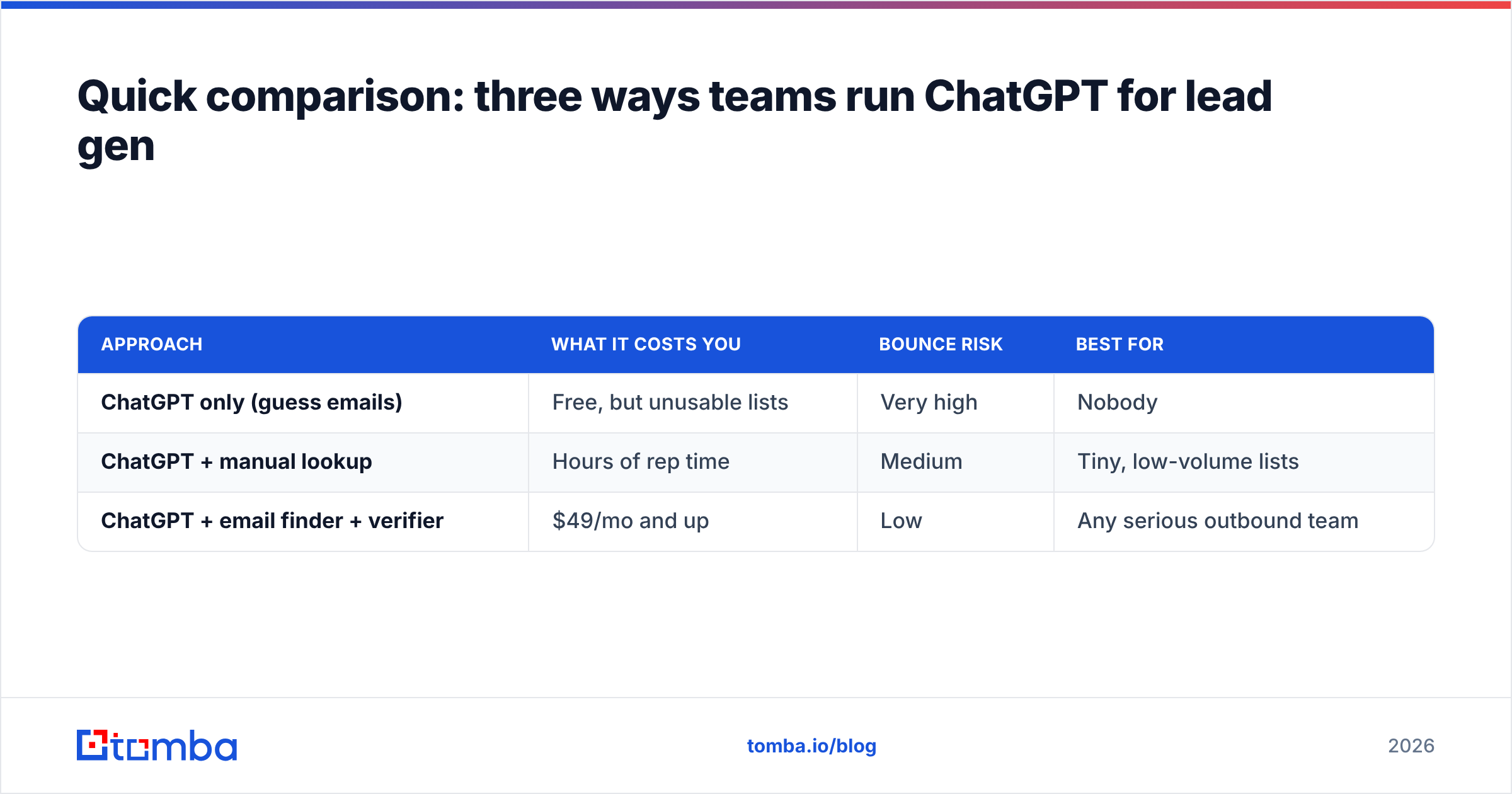
Quick comparison: three ways teams run ChatGPT for lead gen#
| Approach | What it costs you | Bounce risk | Best for |
|---|---|---|---|
| ChatGPT only (guess emails) | Free, but unusable lists | Very high | Nobody |
| ChatGPT + manual lookup | Hours of rep time | Medium | Tiny, low-volume lists |
| ChatGPT + email finder + verifier | $49/mo and up | Low | Any serious outbound team |
The third row is the only one that scales. ChatGPT removes the thinking bottleneck; a finder and verifier remove the data bottleneck. Together they let one rep do the prospecting work that used to take a small team.
The bottom line#
ChatGPT is one of the best lead-generation assistants ever built — for the half of the job that's research, reasoning, and writing. The other half, finding and verifying real contacts, belongs to a tool built for exactly that. Stop asking the language model to be a database, and your pipeline gets cleaner, faster, and far more accurate overnight.
Ready to give ChatGPT real data to work with? Start free with Tomba Email Finder — search by domain, name, or company, get verified addresses with confidence scores, and feed clean rows straight into your ChatGPT prompts. The free tier includes 25 searches a month, so you can test the full pipeline before you commit a dollar. Let ChatGPT do the thinking; let Tomba handle the truth.
// get started
Find, verify and enrich your first contacts today
Start on the free plan with 25 searches a month, then scale when your team is ready.
Free plan · No credit card required · GDPR & CCPA
// about the author