ChatGPT for Sales in 2026: Prompts, Workflows & Limits
ChatGPT can draft outreach, research accounts, and clean data in seconds — but it cannot find or verify a single email. Here is what it actually does for sales teams in 2026.
ChatGPT writes a passable cold email in nine seconds. It cannot tell you who to send it to, whether the address bounces, or if the prospect left the company in 2024. That gap — between fluent text and trustworthy data — is the whole story of ChatGPT in sales.
This guide covers what ChatGPT genuinely does well for revenue teams in 2026, the prompts that earn their keep, the failure modes that quietly tank your numbers, and how to wire it into a stack that actually moves pipeline.
TL;DR#
- ChatGPT is a drafting and reasoning engine, not a data source. It excels at personalization, summarization, and research synthesis; it hallucinates emails, titles, and stats.
- The biggest ROI is time saved per rep — call summaries, follow-up drafts, and account research that used to eat 6–8 hours a week.
- Never trust ChatGPT for contact data. Pair it with a real email finder and email verifier before anything hits the send button.
- Prompts beat plugins. A reusable prompt library with your ICP, tone, and objection map outperforms most bolt-on AI features.
- Governance matters in 2026 — paste a customer list into a public model and you may have a compliance problem, not a productivity win.
What does ChatGPT actually do for a sales team?#
Think of ChatGPT as a very fast, very literal junior SDR who has read the entire internet but has never met your customers and cannot pick up a phone. It produces language and reasoning on demand. It does not produce facts you can bank on.
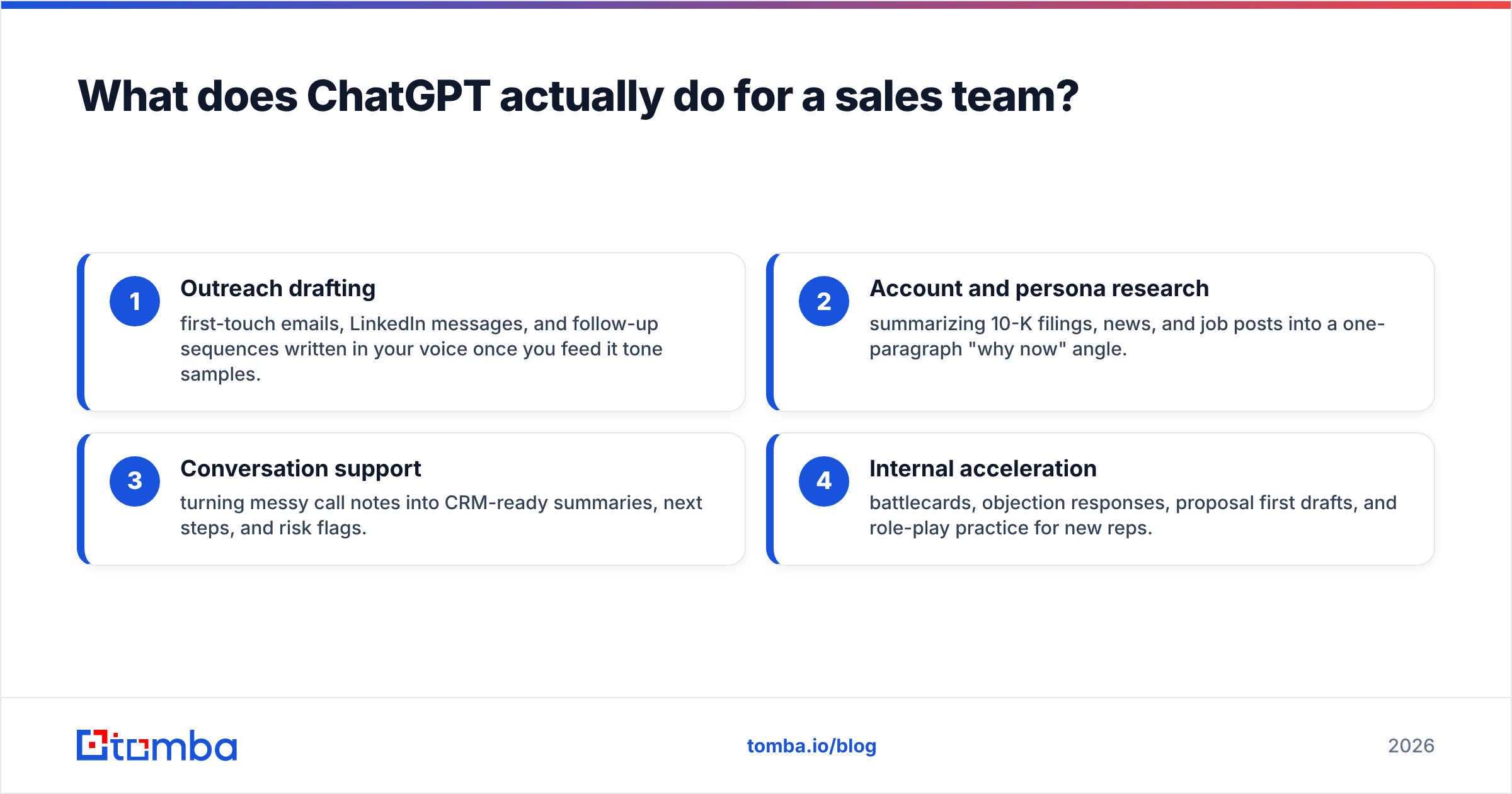
In practice, sales teams get value in four buckets:
- Outreach drafting — first-touch emails, LinkedIn messages, and follow-up sequences written in your voice once you feed it tone samples.
- Account and persona research — summarizing 10-K filings, news, and job posts into a one-paragraph "why now" angle.
- Conversation support — turning messy call notes into CRM-ready summaries, next steps, and risk flags.
- Internal acceleration — battlecards, objection responses, proposal first drafts, and role-play practice for new reps.
Notice what is missing from that list: finding the prospect, confirming the email is real, and pulling an accurate job title. Those are data problems, and language models are structurally bad at them.
/blog/generated/memes/2026-06-23/chatgpt-sales-meme-1.png
Where does ChatGPT fail in sales — and why?#
ChatGPT fails the moment you ask it to be a system of record. The model predicts plausible text, so when you ask "What is the CFO's email at Acme Corp?" it will confidently invent something like j.smith@acme.com because that looks right. It has no live directory, no SMTP check, and no idea whether that person still works there.
Three failure modes cost sales teams the most:
- Fabricated contact data. Emails, direct dials, and titles that look legitimate and bounce on send. Every bounce dents your sender reputation and pushes future campaigns toward spam.
- Stale or wrong facts. Funding rounds, headcount, tech stack, and leadership all drift. A model trained months ago narrates the past as the present.
- Generic "personalization." Without real inputs, ChatGPT defaults to flattery ("I loved your company's mission") that prospects pattern-match to spam instantly.
The fix is not a better prompt. It is feeding the model verified inputs and never letting it originate data that touches a CRM or an inbox.
How should you structure ChatGPT sales prompts?#
Treat prompts like reusable assets, not one-off questions. A good sales prompt has four parts: role, context, constraints, and output format.
Here is a follow-up email prompt that performs because it constrains the model instead of trusting it:
You are an SDR at [your company], which sells [one-line value prop] to [ICP]. Write a 90-word follow-up to {{first_name}}, a {{verified_title}} at {{company}}. Reference this real trigger: {{trigger_from_research}}. Tone: direct, peer-to-peer, no flattery, one clear CTA to a 15-minute call. Do not invent statistics or company facts.
The variables in double braces are non-negotiable inputs you supply from a real data source. The "do not invent" guardrail matters more than it looks — it measurably cuts hallucinated claims.
For research, flip the pattern: give ChatGPT the raw material (a pasted earnings summary, a job description) and ask it to synthesize, not retrieve. Synthesis is what it is good at.
What's the difference between ChatGPT and a sales data tool?#
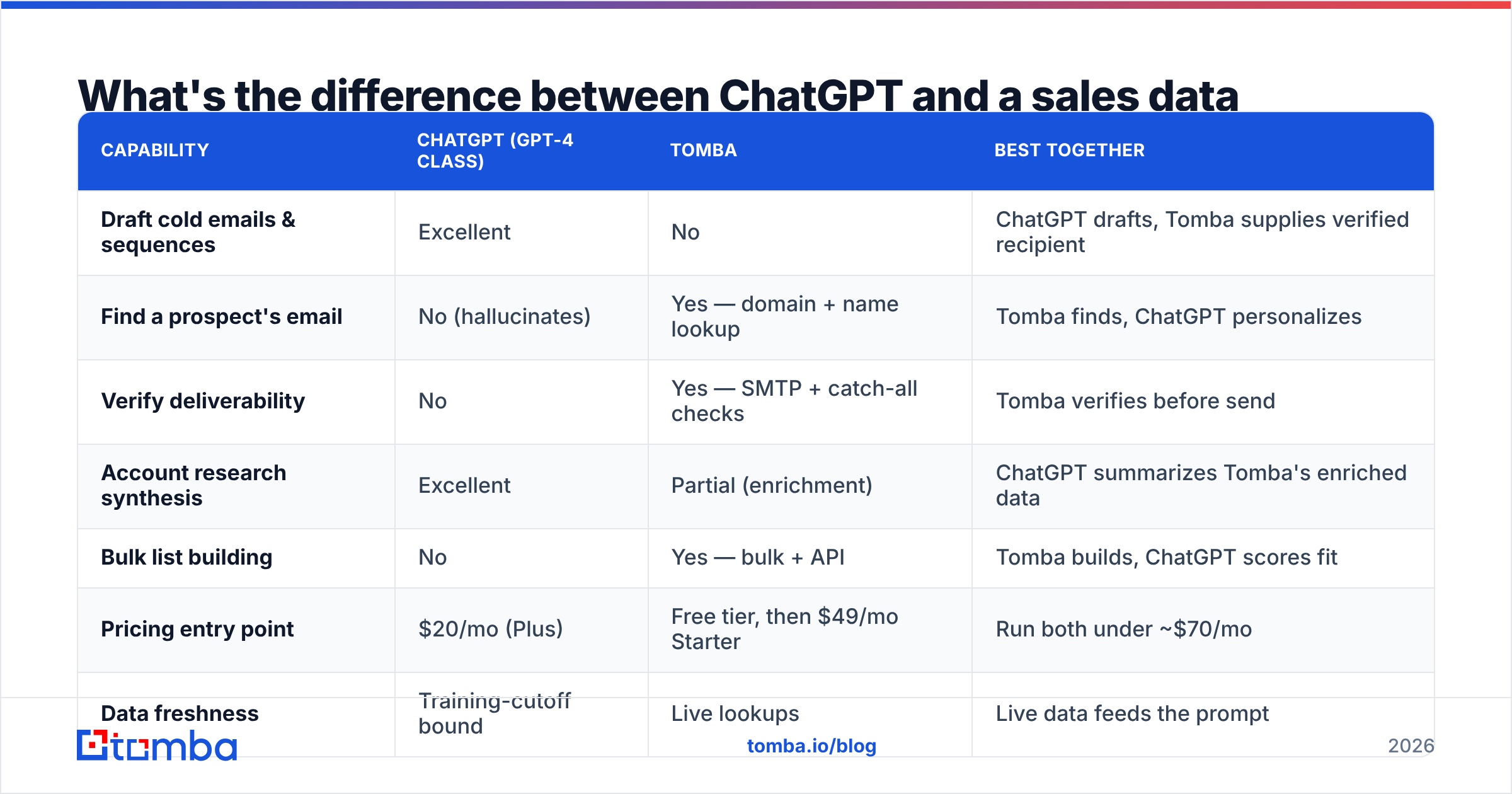
This is the comparison that trips up most teams. ChatGPT and a contact-data platform like Tomba are not competitors — they solve different halves of the same job. ChatGPT generates the message; the data tool makes sure there is a real human on the other end.
| Capability | ChatGPT (GPT-4 class) | Tomba | Best together |
|---|---|---|---|
| Draft cold emails & sequences | Excellent | No | ChatGPT drafts, Tomba supplies verified recipient |
| Find a prospect's email | No (hallucinates) | Yes — domain + name lookup | Tomba finds, ChatGPT personalizes |
| Verify deliverability | No | Yes — SMTP + catch-all checks | Tomba verifies before send |
| Account research synthesis | Excellent | Partial (enrichment) | ChatGPT summarizes Tomba's enriched data |
| Bulk list building | No | Yes — bulk + API | Tomba builds, ChatGPT scores fit |
| Pricing entry point | $20/mo (Plus) | Free tier, then $49/mo Starter | Run both under ~$70/mo |
| Data freshness | Training-cutoff bound | Live lookups | Live data feeds the prompt |
The pattern is consistent: ChatGPT is the writer and analyst; the data layer is the source of truth. You can see where Tomba gets its data if you want to understand why one side of this table is trustworthy for outreach and the other is not.
For teams that want the drafting inside the same workflow, Tomba's own cold email AI writes from verified contact records, which removes the copy-paste shuffle between a chat window and your data.
What does a real ChatGPT sales workflow look like?#
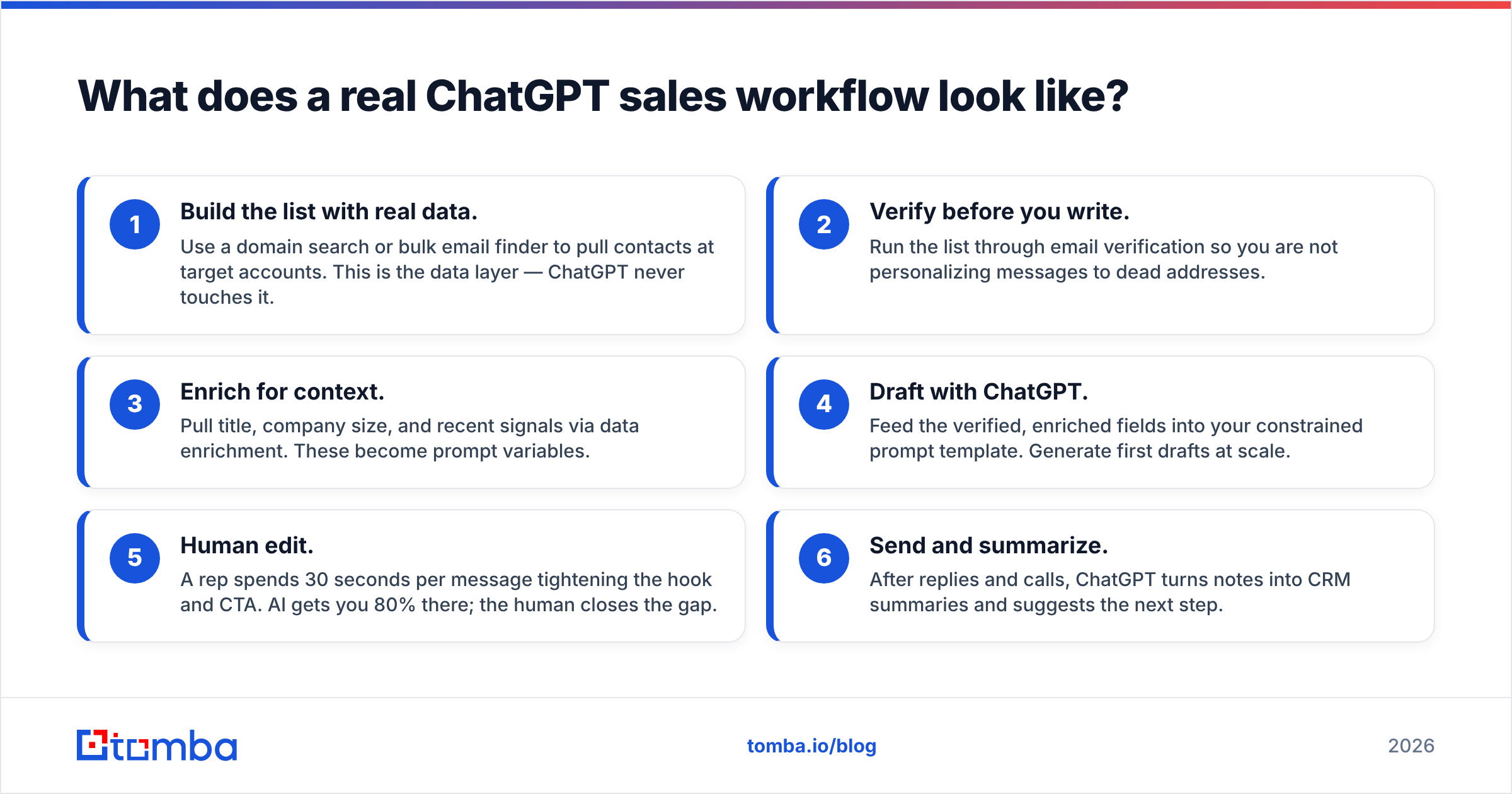
Here is an end-to-end flow that respects the division of labor. Each step hands the model only what it is qualified to handle.
- Build the list with real data. Use a domain search or bulk email finder to pull contacts at target accounts. This is the data layer — ChatGPT never touches it.
- Verify before you write. Run the list through email verification so you are not personalizing messages to dead addresses.
- Enrich for context. Pull title, company size, and recent signals via data enrichment. These become prompt variables.
- Draft with ChatGPT. Feed the verified, enriched fields into your constrained prompt template. Generate first drafts at scale.
- Human edit. A rep spends 30 seconds per message tightening the hook and CTA. AI gets you 80% there; the human closes the gap.
- Send and summarize. After replies and calls, ChatGPT turns notes into CRM summaries and suggests the next step.
The order is the point. Data first, language second, human last. Reverse it and you get fluent spam to fake addresses.
/blog/generated/memes/2026-06-23/chatgpt-sales-meme-2.png
Is ChatGPT safe to use with customer and prospect data?#
Short answer: not by default, and this is a 2026 compliance issue, not a hypothetical. When you paste a customer list or call transcript into a consumer chat product, you may be sending regulated data to a third party in ways your DPA never covered.
Three rules keep teams out of trouble:
- Use enterprise or API tiers with data-retention controls. OpenAI's enterprise offering does not train on your inputs by default — the free and Plus tiers have different terms. Read them.
- Strip or tokenize PII before it goes into any prompt when you are unsure of the tier's guarantees.
- Keep a system of record outside the model. Your CRM and your data tool hold the truth; ChatGPT holds a working copy of text only.
This is also a buying-committee question. Many enterprise prospects now ask vendors how they handle AI and customer data — and a clean answer is becoming a competitive edge. Industry trackers like G2 show how fast the AI sales-assistant category is consolidating around tools with real governance.
How do you measure ROI from ChatGPT in sales?#
Measure time and quality, not vibes. Pick two or three metrics and baseline them before you roll ChatGPT out.
- Hours saved per rep per week on admin (call notes, follow-up drafting, research). This is usually the headline number — often 4–6 hours.
- Reply rate on AI-assisted vs. fully manual sequences. Run it as an A/B test, not a guess.
- Bounce rate — and here is the tell: if bounce rate climbs after adopting AI outreach, your data layer is broken, not your copy. ChatGPT can't bounce an email; bad addresses do.
- Ramp time for new reps. Role-play and battlecard generation measurably shorten onboarding.
A guide from a CRM leader like HubSpot is a reasonable benchmark for which sales activities are worth automating versus keeping human. The recurring lesson: automate the drafting and the admin, keep the relationship and the judgment.
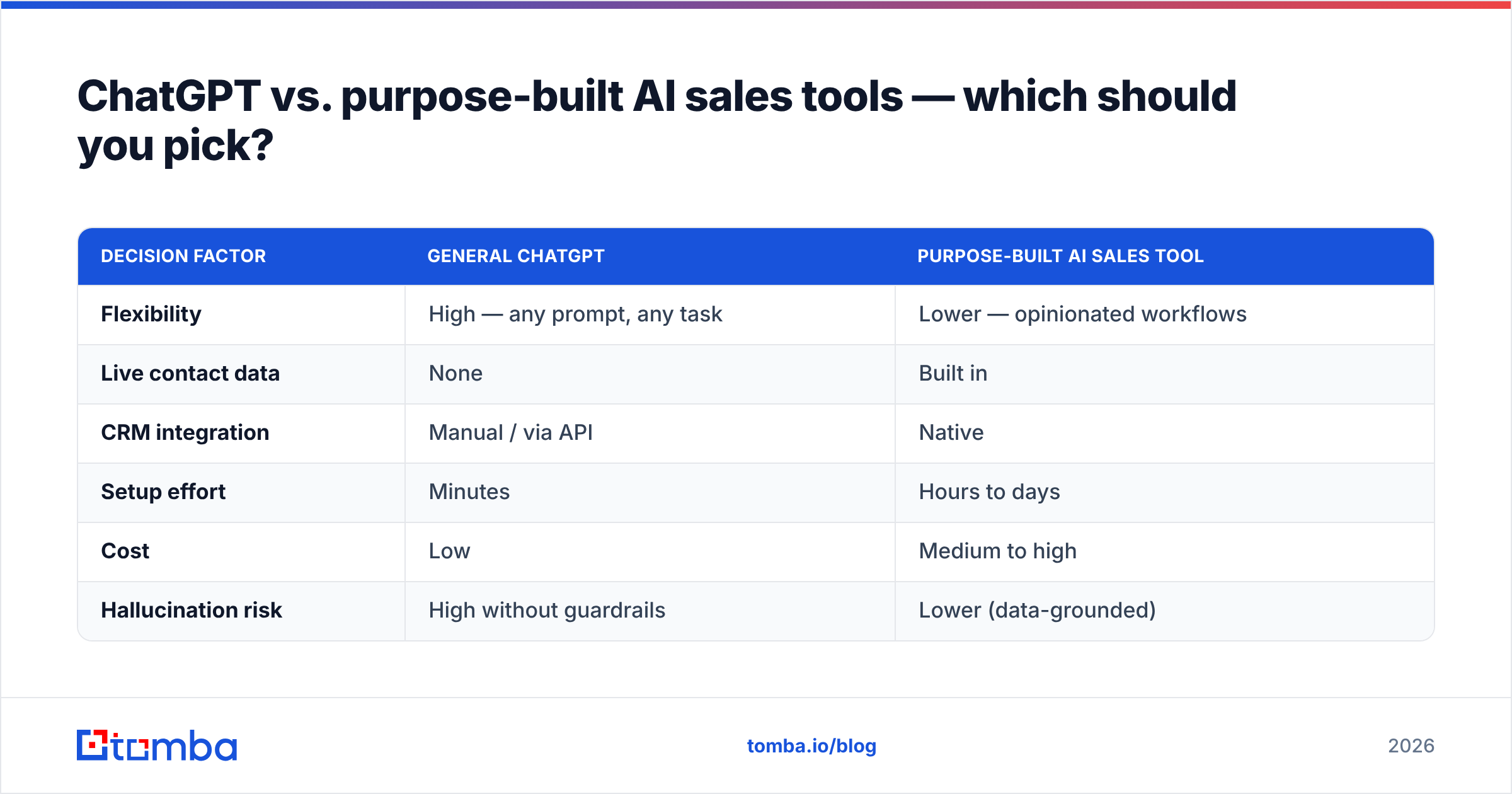
ChatGPT vs. purpose-built AI sales tools — which should you pick?#
You do not have to choose, and most strong stacks use both. General ChatGPT gives you flexibility and a thinking partner. Purpose-built tools give you live data, native CRM writes, and guardrails ChatGPT lacks.
| Decision factor | General ChatGPT | Purpose-built AI sales tool |
|---|---|---|
| Flexibility | High — any prompt, any task | Lower — opinionated workflows |
| Live contact data | None | Built in |
| CRM integration | Manual / via API | Native |
| Setup effort | Minutes | Hours to days |
| Cost | Low | Medium to high |
| Hallucination risk | High without guardrails | Lower (data-grounded) |
The smart move in 2026 is a thin stack: ChatGPT for reasoning and drafting, a contact-data platform for finding and verifying humans, and your CRM as the system of record. If budget is tight, start with the free tiers of each — including Tomba's free 25 searches a month — and scale only the layer that becomes your bottleneck. Full Tomba pricing runs from a free tier to a $49/mo Starter and $99/mo Growth plan, so the data layer stays cheap while you prove the workflow.
Frequently asked questions#
Can ChatGPT find someone's email address? No. It will generate an address that looks plausible and is frequently wrong. Use a dedicated email finder with live verification for any address you intend to contact.
Will ChatGPT write emails that land in the primary inbox? The copy quality helps, but deliverability is driven by your sender reputation, authentication, and list hygiene — not the words. Verify recipients and warm your domain first.
Is ChatGPT enough to replace an SDR? No. It removes drafting and admin load so SDRs spend more time on live conversations and judgment calls. It augments reps; it does not replace the human relationship.
The bottom line#
ChatGPT is the best junior writer your sales team has ever hired — and a terrible source of contact data. Use it for what it is great at: drafting, summarizing, researching, and role-playing. Then feed it real, verified inputs so its fluent output actually reaches real people.
That second half is where Tomba fits. Start with the Tomba Email Finder to build lists of real, verified contacts by name, company, or domain — then let ChatGPT personalize at scale. The free tier gives you 25 searches a month to test the workflow end to end, no card required. Pair the writer with the source of truth, and your AI sales motion stops bouncing and starts booking.
// get started
Find, verify and enrich your first contacts today
Start on the free plan with 25 searches a month, then scale when your team is ready.
Free plan · No credit card required · GDPR & CCPA
// about the author