Cheapest Email Verifier in 2026: 9 Tools Ranked by Price
Looking for the cheapest email verifier in 2026? We ranked 9 tools by real per-email cost, accuracy, and free credits so you stop overpaying to clean lists.
(rendered separately)
Cheap and accurate usually pull in opposite directions when you verify email lists. The trick is finding the tool that gives you a low per-email price without letting dead addresses slip through to your sending domain. This guide ranks the cheapest email verifier options in 2026 on the only metric that matters: cost per verified email against real accuracy.
TL;DR — Which is the cheapest email verifier in 2026?#
- Lowest effective price comes from credit-based tools where verification credits double as finder credits — you don't pay twice for the same lead.
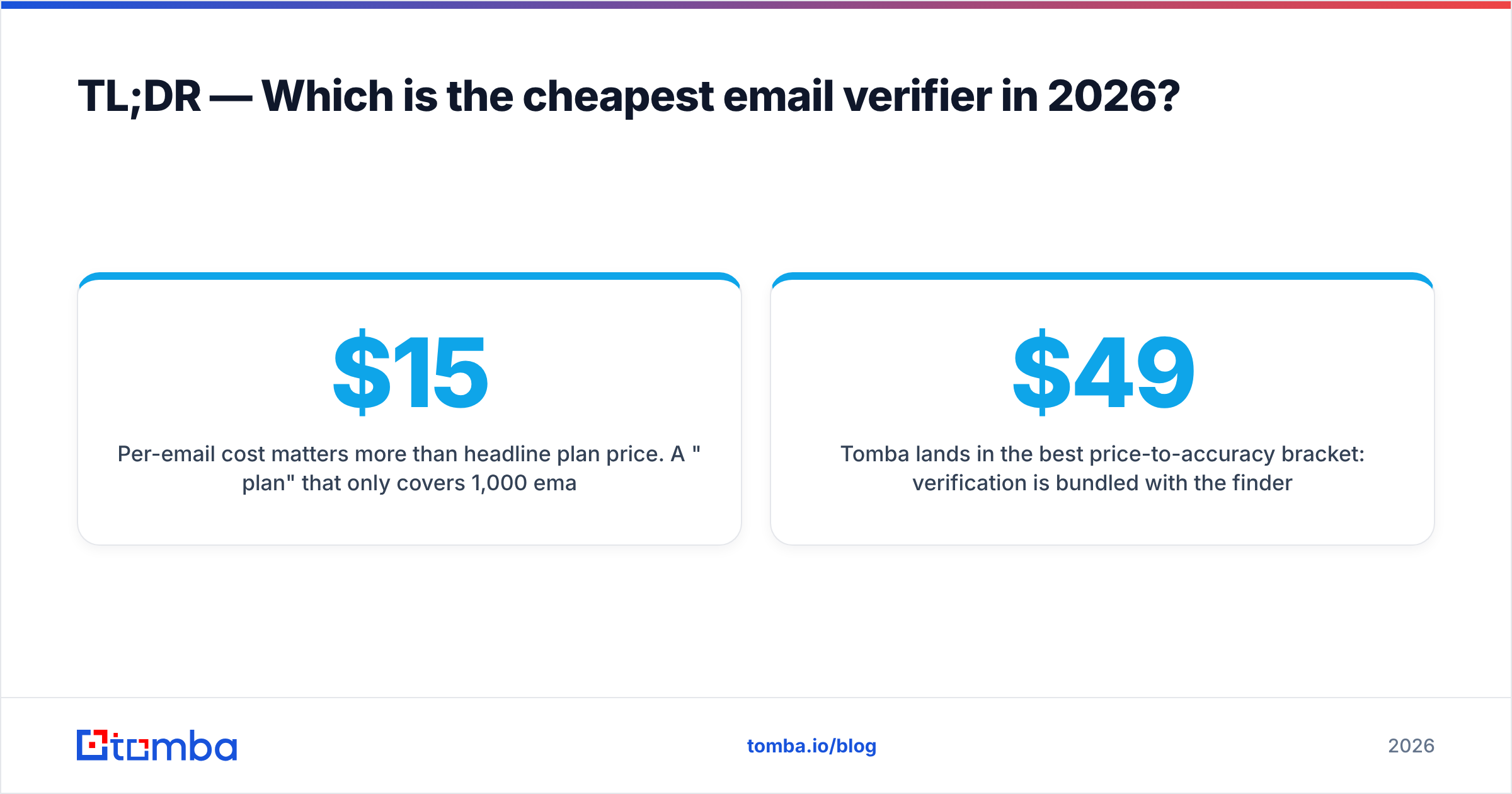
- Per-email cost matters more than headline plan price. A "$15 plan" that only covers 1,000 emails is more expensive than a $49 plan covering 5,000.
- Tomba lands in the best price-to-accuracy bracket: verification is bundled with the finder, the Starter plan is $49/mo, and there's a free tier to test first.
- Free tiers (25–100 credits) are fine for spot checks, but pay-as-you-go or monthly credits win for real list cleaning.
- Skip the cheapest tool if it can't handle catch-all domains — false "valid" results cost you more in bounces than you saved.
What is an email verifier and why does price vary so much?#
An email verifier checks whether an address can actually receive mail before you hit send. Think of it like a bouncer at a club checking IDs: it confirms the syntax is right, the domain has live mail servers (MX records), and the specific mailbox exists — without sending an email that would tip off the recipient.
Prices swing wildly because vendors bundle different things into a "verification." Some only do a syntax-and-MX check (cheap, but weak). Others run full SMTP handshakes, catch-all detection, and spam-trap screening (pricier, but they catch the addresses that wreck your sender reputation). When you compare a cheapest email verifier shortlist, you're really comparing what each credit buys you, not just the dollar figure.
The other reason for the spread: business model. Dedicated verifiers sell verification only. Platforms like Tomba bundle verification into a wider toolkit — email finder, domain search, and enrichment — so a single credit pool stretches across more jobs.

How do you calculate the true cost per verified email?#
Headline pricing lies. Here's the math that doesn't:
- Find the credit count. How many verifications does the plan actually include per month?
- Divide the plan price by credits. $49 for 5,000 verifications = $0.0098 per email.
- Add the rollover penalty. Do unused credits expire monthly? If yes, your real usage rarely hits the cap, so divide by what you actually verify, not the ceiling.
- Factor accuracy. A $0.004 tool with 92% accuracy passes more bad emails than a $0.009 tool at 99%. Those bounces cost deliverability — and rebuilding sender reputation is far more expensive than the credits you saved.
- Check double-duty credits. If verification credits also power your finder, you're paying once for two jobs — the cheapest setup of all.
That fifth point is where bundled platforms quietly beat single-purpose verifiers on total cost.
Cheapest email verifier comparison (2026)#
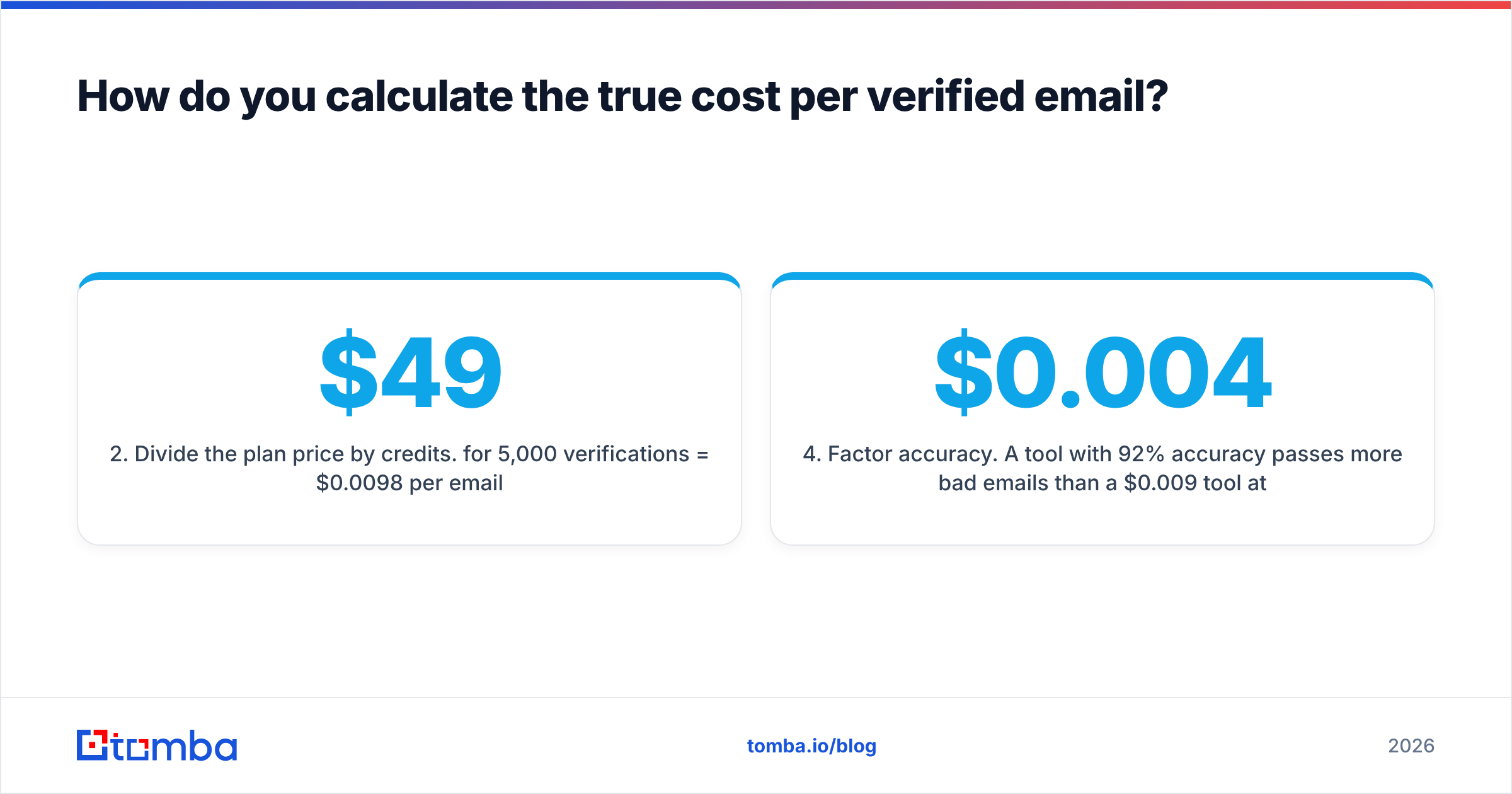
Here's how the main contenders stack up on entry price, included volume, free credits, and catch-all handling. Per-email cost is calculated from each tool's lowest paid monthly tier.
| Tool | Entry plan | Included verifications | Approx. cost / email | Free tier | Catch-all handling |
|---|---|---|---|---|---|
| Tomba | $49/mo (Starter) | 5,000 (shared finder+verify) | ~$0.0098 | 25 searches/mo | Yes (dedicated checker) |
| ZeroBounce | $18/mo | 2,000 | ~$0.009 | 100 credits | Yes |
| Bouncer | $20/mo | ~1,000 | ~$0.02 | 100 credits | Yes |
| DeBounce | $10 (pay-go) | 5,000 | ~$0.002 | 100 credits | Limited |
| EmailListVerify | $24 (pay-go) | 5,000 | ~$0.0048 | 100 credits | Yes |
| Clearout | $21 (pay-go) | 3,000 | ~$0.007 | 100 credits | Yes |
| Hunter | $34/mo | 1,000 | ~$0.034 | 25/mo | Partial |
| NeverBounce | $10 (pay-go) | 1,000 | ~$0.01 | 1,000 (one-time) | Yes |
| MailerCheck | $10/mo | 1,000 | ~$0.01 | 200 credits | Yes |
A few honest caveats: pay-as-you-go tools like DeBounce and EmailListVerify show the lowest raw per-email price, but credits there are verification-only — you still need a separate finder. Tomba's per-email number looks middle-of-pack until you remember the same credits also find addresses, which collapses your combined prospecting + cleaning cost.

Is the cheapest email verifier always the best choice?#
No — and this is the trap most teams fall into. The cheapest per-email price is worthless if the tool waves through addresses it shouldn't.
The biggest accuracy killer is catch-all domains — servers configured to accept mail for any address, so a basic SMTP check returns "valid" even when the mailbox is fake. Budget verifiers either mark every catch-all as "unknown" (useless) or, worse, as "valid" (dangerous). A proper catch-all verifier uses pattern analysis and historical data to give you a real risk score instead of a coin flip.
Run the decision through these checks before you pick on price alone:
- Accuracy floor. Aim for 97%+ verified accuracy. Below that, bounce savings evaporate.
- Catch-all intelligence. Does it score catch-alls, or dump them in "unknown"?
- Bulk throughput. Can it process a 50k-row CSV without timing out? See bulk email verification for batch jobs.
- API access. If you verify at signup or form-submit, you need an email verification API, not just a dashboard upload.
- Data freshness. Stale data re-confirms emails that died months ago.
According to deliverability guidance from vendors like ZeroBounce and broader best-practice writeups on HubSpot, keeping hard-bounce rates under ~2% is the line between landing in the inbox and getting throttled. That's the real budget you're protecting.
Which cheapest email verifier fits each use case?#
Price-shopping only works once you know your job. Match the tool to the work:
- One-time list clean (under 5k): A pay-as-you-go option like DeBounce or EmailListVerify wins on raw price. You're not committing to a subscription, and one-time credits don't expire on you.
- Ongoing prospecting + verification: A bundled platform is cheapest overall because one credit pool covers both finding and cleaning. This is where Tomba's shared model pays off — you're not buying two subscriptions.
- Real-time signup validation: You need an API with low latency and predictable per-call pricing. Check rate limits and the per-1,000-call cost, not the dashboard plan.
- Agencies cleaning client lists: Look for high-volume tiers and per-seat or sub-account support. Headline plan price matters less than the cost at 100k+ verifications.
- Catch-all-heavy B2B lists: Don't go cheapest. Pay for genuine catch-all scoring or you'll ship a "clean" list that's 30% guesswork.
How does Tomba compare on price and value?#
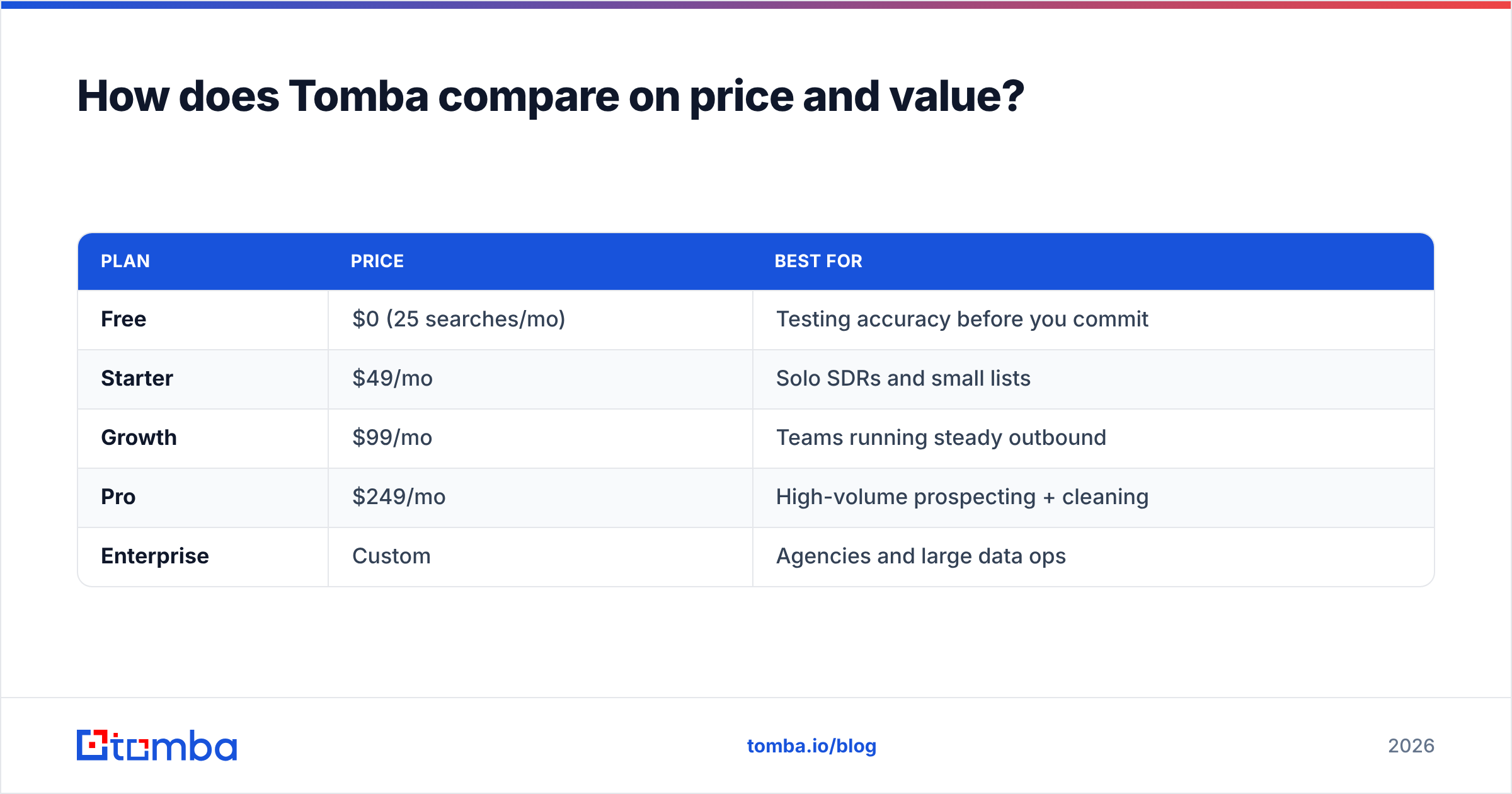
Tomba's pitch on cost is simple: stop paying two vendors. Your verification credits and your find email addresses credits come from the same pool, so a team that both prospects and cleans lists runs one subscription instead of two.
| Plan | Price | Best for |
|---|---|---|
| Free | $0 (25 searches/mo) | Testing accuracy before you commit |
| Starter | $49/mo | Solo SDRs and small lists |
| Growth | $99/mo | Teams running steady outbound |
| Pro | $249/mo | High-volume prospecting + cleaning |
| Enterprise | Custom | Agencies and large data ops |
The free tier matters more than it looks. Most "cheapest" verifiers give you 100 credits to test — enough to verify a tiny sample but not enough to trust the accuracy claim at scale. Starting on Tomba's free tier lets you benchmark verification and finder output on your own data before spending a cent. When you're ready to scale, the full Tomba pricing page lays out exactly what each tier includes — no per-email surprises.
If you're specifically migrating off a single-purpose verifier, it's worth reading how Tomba stacks up as a ZeroBounce alternative before you renew. The math usually favors consolidation.
What should you check before you buy the cheapest option?#
Run this final gate before you enter a card number:
- Test on your real list, not their demo. Upload 100 of your own addresses and eyeball the results against known-good and known-dead emails.
- Confirm credit rollover. Expiring credits inflate your true per-email cost.
- Read the refund/accuracy policy. Some vendors credit you back for emails that bounce despite a "valid" verdict. That's a sign they trust their own accuracy.
- Check integrations. If it doesn't connect to your CRM or sending tool, you'll waste time on CSV shuffling. Look at the integrations list before committing.
- Verify support response. When a bulk job stalls at 80%, you want a human, not a ticket queue.
Cross-referencing user reviews on G2 against the vendor's own accuracy claims is the fastest way to spot a tool that's cheap because it's cutting corners.
The bottom line#
The cheapest email verifier on paper is rarely the cheapest in practice. Once you account for catch-all accuracy, expiring credits, and the hidden cost of running a separate finder, bundled tools usually win the total-cost math — and they protect the email deliverability that makes the whole exercise worthwhile.
Want to clean lists and find new contacts on a single, budget-friendly credit pool? Start free with the Tomba Email Finder — verify your current list, find the addresses you're missing, and only upgrade to the $49 Starter plan once you've seen the accuracy on your own data. No two subscriptions, no per-email surprises, no bounces eating your sender reputation.
// get started
Find, verify and enrich your first contacts today
Start on the free plan with 25 searches a month, then scale when your team is ready.
Free plan · No credit card required · GDPR & CCPA
// about the author