How to Check Email Bounce Free: 2026 Verification Guide
Hard bounces wreck your sender reputation fast. Here's how to check email bounce free in 2026 — the methods, free tools, and limits you need to know before you hit send.
You built a list, scheduled the campaign, and hit send. Then 14% of it bounced — and your domain reputation took the hit. That's the problem a quick bounce check solves before it ever reaches your sending tool.
This guide shows you how to check email bounce free, what "free" actually buys you, and when a paid verifier earns its keep.
TL;DR#
- A bounce check predicts whether an address will reject mail before you send, so you avoid hard bounces that damage sender reputation.
- You can check single emails free with browser tools, SMTP lookups, and MX checks — Tomba's free email checker is a fast starting point.
- Free tiers cap volume and rarely resolve catch-all domains; that's where accuracy gaps appear.
- Keep your hard bounce rate under 2% to stay out of spam folders and off blocklists.
- For lists over a few hundred contacts, a dedicated email verifier with bulk processing saves hours and protects deliverability.
What does it mean to check an email bounce?#
A bounce is an email that can't be delivered and gets returned to the sender. Checking for a bounce in advance means testing whether an address is valid, active, and able to receive mail — without actually sending a message that could bounce.
Think of it like calling a restaurant to confirm a reservation before driving across town. The verification happens quietly in the background; the recipient never sees a thing. Technically, a verifier runs a sequence of checks — syntax, domain, MX records, and an SMTP handshake — and returns a verdict: deliverable, risky, or undeliverable.
There are two bounce types you're trying to avoid:
- Hard bounce — a permanent failure. The mailbox doesn't exist, the domain is dead, or the server has blocked you outright. These are the dangerous ones.
- Soft bounce — a temporary failure. The inbox is full, the server is down, or the message is too large. These often clear up on their own.
Pre-send verification mostly targets hard bounces, because those are the ones mailbox providers like Gmail and Outlook count against you. A few hard bounces in a campaign signal that you're emailing a stale or scraped list — exactly the behavior spam filters are built to punish. You can read more on how this feeds into email deliverability and why providers weigh it so heavily.
How can you check email bounce free?#
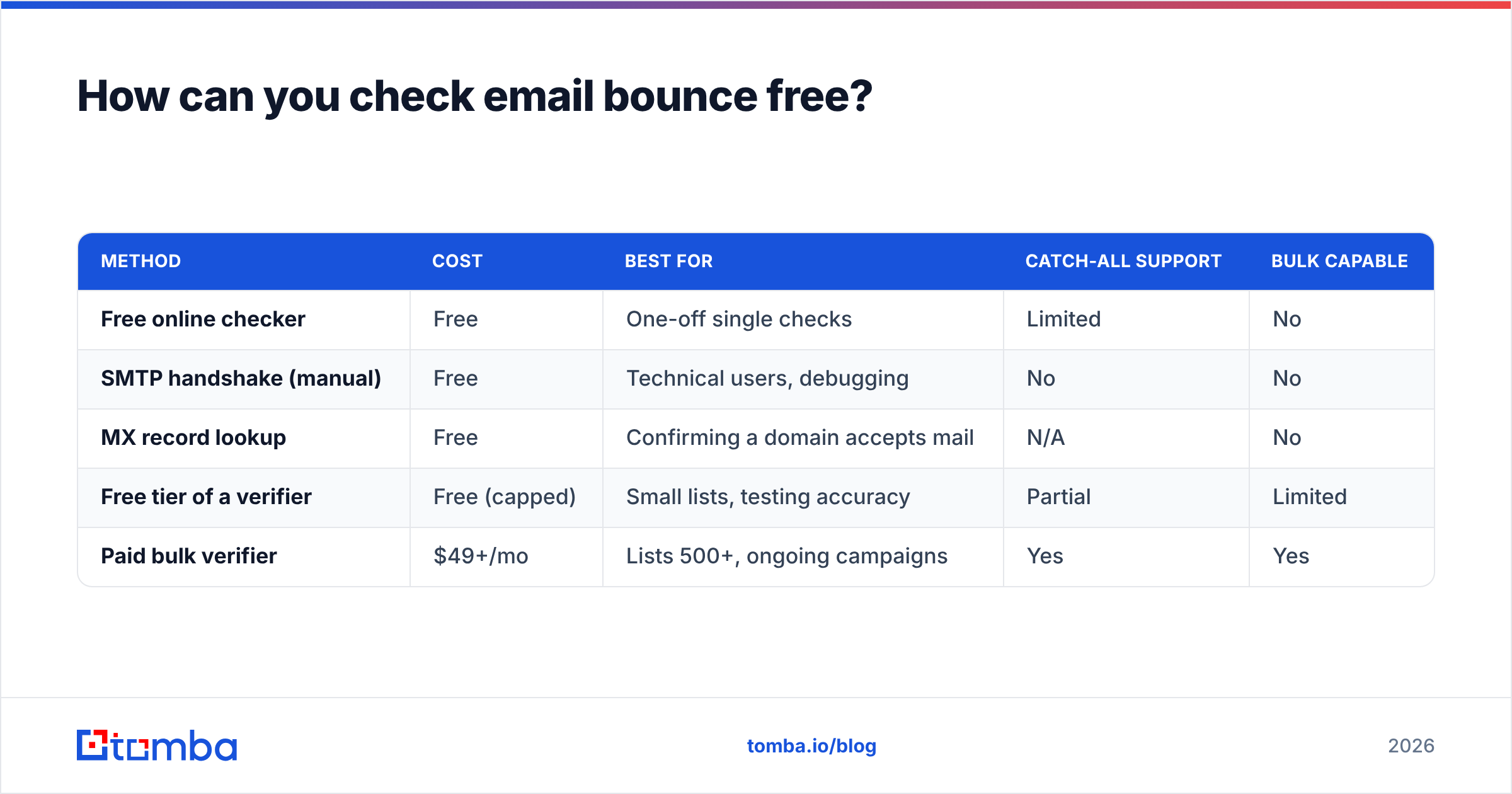
You have several no-cost methods. Each trades convenience for depth. Here's how they stack up.
| Method | Cost | Best for | Catch-all support | Bulk capable |
|---|---|---|---|---|
| Free online checker | Free | One-off single checks | Limited | No |
| SMTP handshake (manual) | Free | Technical users, debugging | No | No |
| MX record lookup | Free | Confirming a domain accepts mail | N/A | No |
| Free tier of a verifier | Free (capped) | Small lists, testing accuracy | Partial | Limited |
| Paid bulk verifier | $49+/mo | Lists 500+, ongoing campaigns | Yes | Yes |
The four free methods, explained#
- Free online checkers. Paste an address into a web tool and get an instant verdict. Tomba's free email checker validates syntax, domain, and mailbox in one click — no signup for a quick test. Ideal when you have a handful of addresses to confirm.
- Manual SMTP check. Connect to the recipient's mail server over port 25 and issue
RCPT TOto see if it accepts the address. It's accurate when it works, but most ISPs block port 25 and many servers refuse the probe, so it's brittle for non-technical users. If you want to test a server directly, the SMTP tester automates the handshake. - MX record lookup. A DNS query that confirms the domain has mail servers configured. It tells you the domain can receive email — not that a specific mailbox exists. Useful as a first filter to drop obviously dead domains.
- Free verifier tiers. Most reputable verifiers, Tomba included, offer a free plan. Tomba's free tier gives you 25 searches per month, enough to spot-check a small list or evaluate accuracy before committing. See Tomba pricing for the full breakdown.
For a single address, any of these works. The moment your list grows past a few dozen contacts, manual methods collapse and you'll want a tool that batches the work.
Why do emails bounce in the first place?#
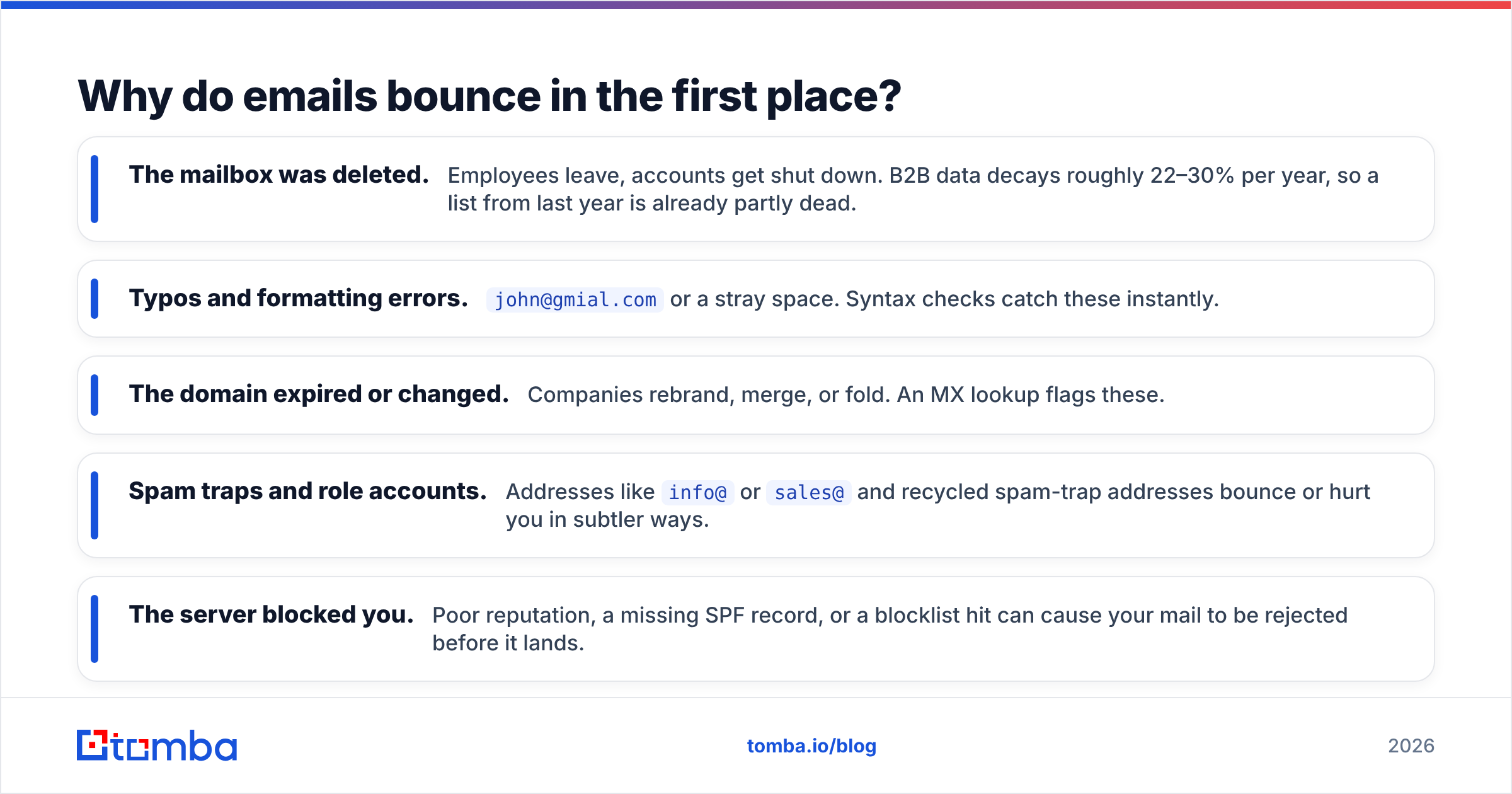
Knowing the causes helps you prevent bounces, not just detect them. The common culprits:
- The mailbox was deleted. Employees leave, accounts get shut down. B2B data decays roughly 22–30% per year, so a list from last year is already partly dead.
- Typos and formatting errors.
john@gmial.comor a stray space. Syntax checks catch these instantly. - The domain expired or changed. Companies rebrand, merge, or fold. An MX lookup flags these.
- Spam traps and role accounts. Addresses like
info@orsales@and recycled spam-trap addresses bounce or hurt you in subtler ways. - The server blocked you. Poor reputation, a missing SPF record, or a blocklist hit can cause your mail to be rejected before it lands.
A verifier addresses the first three directly. The last two are deliverability problems you fix on the sending side with authentication and warmup, not list hygiene alone. According to HubSpot's research on email marketing, list quality is one of the strongest predictors of inbox placement — which is why pre-send checking pays off.
Is a free bounce check accurate enough?#
Conclusion first: free checks are accurate for clear-cut cases and unreliable for the gray zone. The gray zone is mostly catch-all domains.
A catch-all (or accept-all) domain is configured to accept mail for any address at that domain, valid or not. So when a verifier probes random.name@company.com and the server says "sure, I'll take it," there's no way to know from the SMTP response alone whether that specific mailbox truly exists. Many free tools simply mark these "unknown" and move on — leaving you guessing.
This is where free and paid verifiers diverge. A serious verifier layers additional signals — historical send data, pattern matching, and proprietary intelligence — to resolve a chunk of those catch-alls. Tomba's catch-all verifier is built for exactly this gap, and a meaningful share of B2B domains (think Google Workspace and Microsoft 365 setups) are catch-alls.
So the honest answer: a free single-address check is plenty for confirming one prospect's email. For a campaign list — where even a 5% bounce rate can trigger throttling — the resolution rate on catch-alls is the difference-maker, and that's a paid-tier strength. Independent reviews on G2 are a good place to compare verifier accuracy claims against real user data.

What bounce rate is acceptable?#
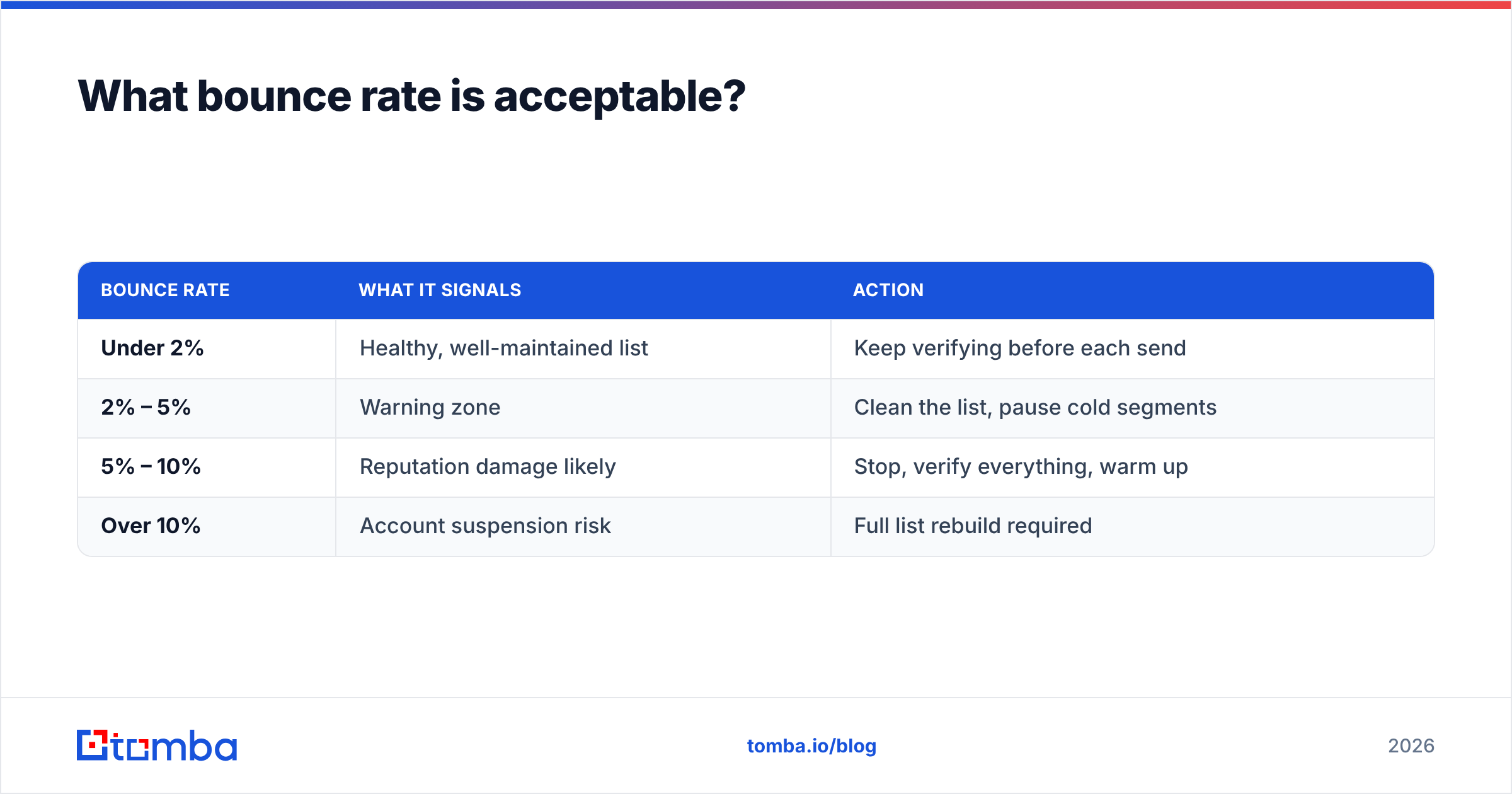
Keep it low. Mailbox providers and email platforms watch your bounce rate closely, and the thresholds are stricter than most people assume.
| Bounce rate | What it signals | Action |
|---|---|---|
| Under 2% | Healthy, well-maintained list | Keep verifying before each send |
| 2% – 5% | Warning zone | Clean the list, pause cold segments |
| 5% – 10% | Reputation damage likely | Stop, verify everything, warm up |
| Over 10% | Account suspension risk | Full list rebuild required |
Most email service providers will throttle or suspend accounts that consistently bounce above 5%. The fix is upstream: verify before you import, not after the damage shows up in your reports. A clean list also lifts your open and response rate, because you're not wasting sends on dead addresses that drag down every metric.
How do paid and free bounce checks compare?#
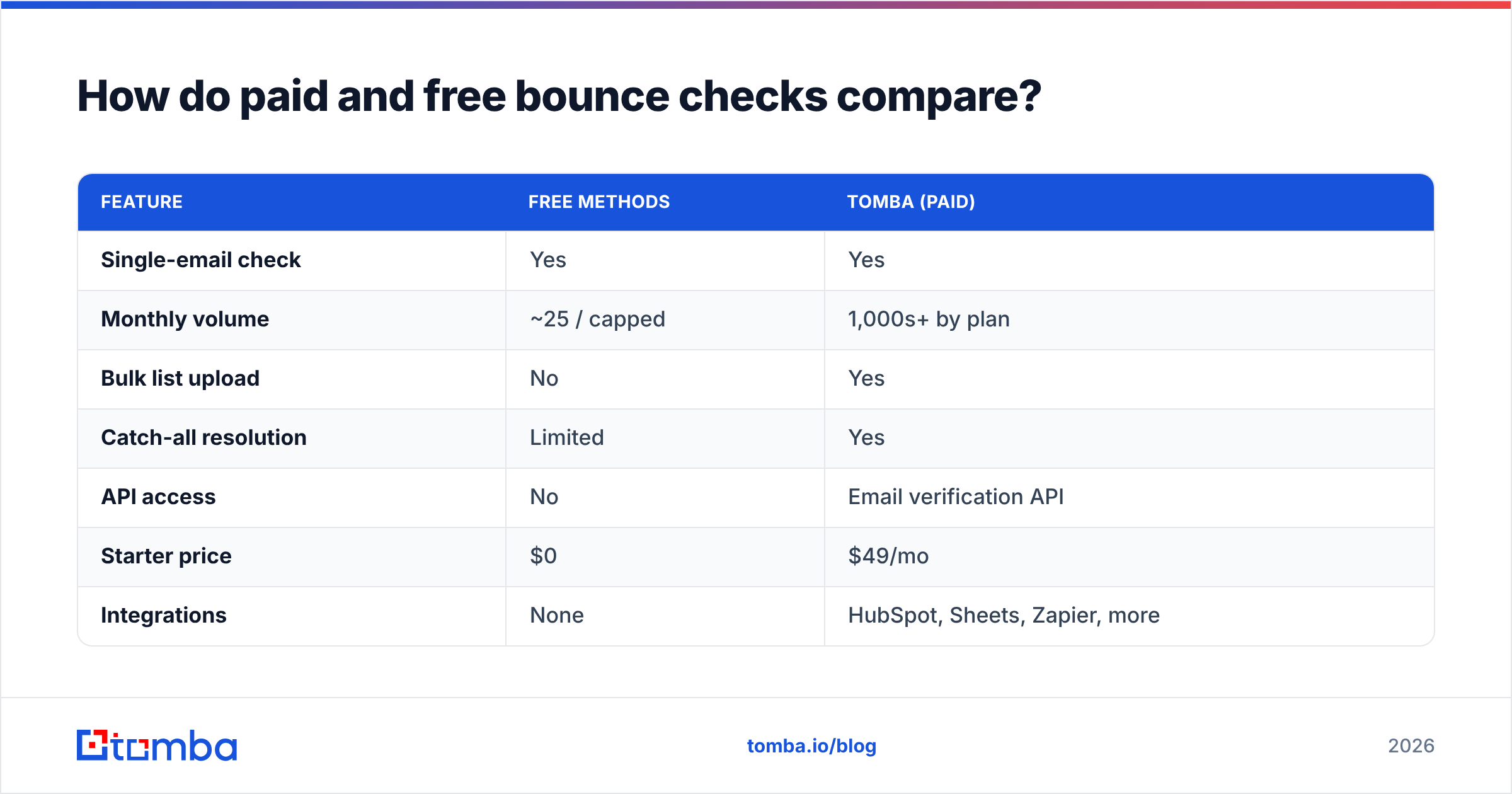
Here's a direct comparison so you can decide where you fall.
| Feature | Free methods | Tomba (paid) |
|---|---|---|
| Single-email check | Yes | Yes |
| Monthly volume | ~25 / capped | 1,000s+ by plan |
| Bulk list upload | No | Yes |
| Catch-all resolution | Limited | Yes |
| API access | No | Email verification API |
| Starter price | $0 | $49/mo |
| Integrations | None | HubSpot, Sheets, Zapier, more |
Tomba's plans run from a free tier (25 searches/mo) up through Starter at $49/mo, Growth at $99/mo, and Pro at $249/mo, with Enterprise priced on request. The jump to a paid plan makes sense the moment you're sending to lists instead of individuals — the bulk email finder and verifier lets you upload a CSV and get a cleaned file back, which no free single-checker can match.
A simple workflow that keeps bounces low#
- Find verified addresses at the source. When you build a list with an email finder that verifies on discovery, you start clean instead of cleaning later.
- Bulk-verify before import. Run the full list through a verifier and drop everything marked undeliverable.
- Segment the risky ones. Catch-alls and "risky" verdicts go into a separate, slower-warmed segment.
- Re-verify periodically. Data decays. Re-check long-held lists every quarter.
- Monitor after sending. Watch your bounce reports and prune anything that slips through.
This sequence keeps you under that 2% line without manual guesswork. Steps 1 and 2 do most of the work; the rest is maintenance.
Can you check email bounce free in bulk?#
Mostly no — and that's the honest limit. Free tools are built for single checks. The handful that offer "free bulk" usually cap you at a few dozen rows, watermark the export, or hold results behind a paywall once you try to download. You can stitch together free methods for a small list, but the labor cost climbs fast.
If your list is under roughly 25 addresses, work through Tomba's free checker one at a time and you'll spend nothing. Past that, the math flips: an hour of manual checking is worth more than a Starter plan that processes the whole list in minutes. The free tier exists precisely so you can test accuracy on your own data before deciding.
Frequently asked questions#
Does checking an email send anything to the recipient? No. Verification uses a server handshake that's abandoned before any message is delivered. The recipient sees nothing.
Will a free check catch every bad address? No. It reliably catches syntax errors, dead domains, and clearly invalid mailboxes. Catch-all domains and recycled spam traps are where free tools lose accuracy.
How often should I verify my list? Before every campaign for cold lists, and at least quarterly for warm ones. B2B data goes stale fast.
Is a high bounce rate really that damaging? Yes. Sustained bounce rates above 5% can get your sending account throttled or suspended, and they erode the sender reputation that governs whether you reach the inbox at all.
Start checking bounces the right way#
You can check email bounce free for single addresses today with Tomba's free email checker — no card, no commitment. When your lists outgrow one-at-a-time checks, the Tomba Email Finder builds verified lists from the start, and the paired email verifier bulk-cleans what you already have, catch-alls included. Start on the free tier, test it against your own data, and upgrade only when the volume earns it. Your bounce rate — and your sender reputation — will thank you.
// get started
Find, verify and enrich your first contacts today
Start on the free plan with 25 searches a month, then scale when your team is ready.
Free plan · No credit card required · GDPR & CCPA
// about the author