Check Email Validity Online: Free & Accurate Guide (2026)
Learn how to check email validity online in 2026 — syntax, MX, SMTP, and catch-all checks compared, plus how to avoid bounces and protect sender reputation.
Sending to an address you never verified is like mailing a letter to a street number you guessed — most of the time it vanishes, and the post office starts ignoring you. Checking email validity online before you hit send is the cheapest insurance your outbound campaigns will ever buy.
TL;DR#
- Check email validity online in four layers: syntax, domain/MX, SMTP mailbox, and catch-all detection. Skipping any layer leaves bounce risk on the table.
- A free single-email checker is fine for one-off lookups; API or bulk verification is what you need for lists over a few hundred contacts.
- Bounce rates above 2-3% hurt your sender reputation and can land your domain on a blacklist, so verification is a deliverability issue, not a nice-to-have.
- Catch-all domains can't be confirmed by SMTP alone — you need a verifier that scores risk instead of guessing.
- Tomba's email verifier and free email checker cover syntax-to-SMTP in one pass, with bulk and API options when your volume grows.
What does it mean to check email validity online?#
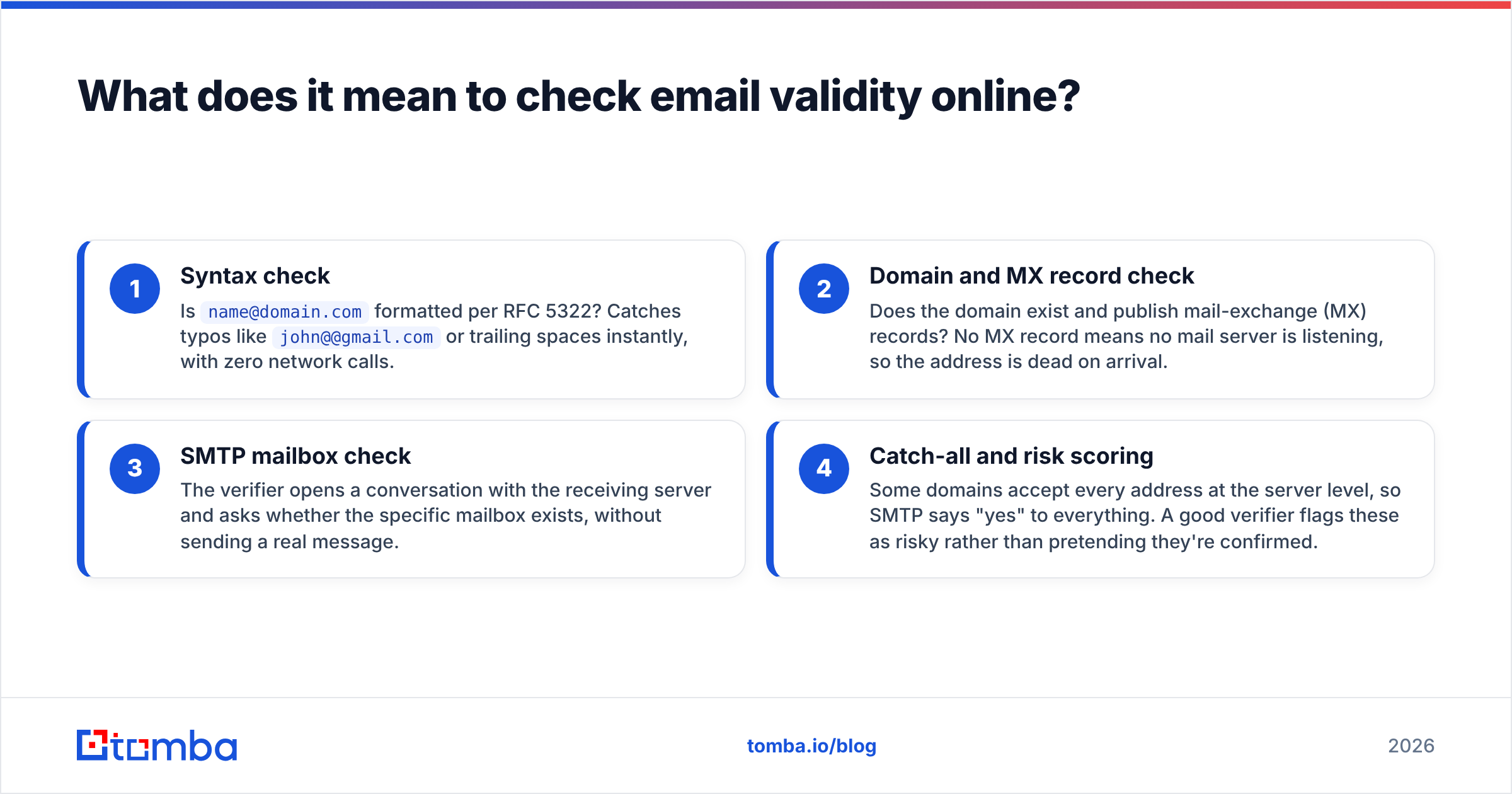
Checking email validity means confirming an address can actually receive mail — before you send anything to it. It is a stack of checks, not a single yes/no.
Think of it like screening a phone number: you first confirm the digits are formatted correctly, then that the area code exists, then that the line actually rings. Email works the same way, in four layers:
- Syntax check — Is
name@domain.comformatted per RFC 5322? Catches typos likejohn@@gmail.comor trailing spaces instantly, with zero network calls. - Domain and MX record check — Does the domain exist and publish mail-exchange (MX) records? No MX record means no mail server is listening, so the address is dead on arrival.
- SMTP mailbox check — The verifier opens a conversation with the receiving server and asks whether the specific mailbox exists, without sending a real message.
- Catch-all and risk scoring — Some domains accept every address at the server level, so SMTP says "yes" to everything. A good verifier flags these as risky rather than pretending they're confirmed.
Each layer filters out a different class of bad address. Run only the first one and you'll still bounce on dead mailboxes; run all four and you're left with a list you can trust. If you want the deeper definitions, Tomba's B2B glossary breaks the terms down, and you can run a quick one-off test with the free email checker.
How do the validity checks actually work?#
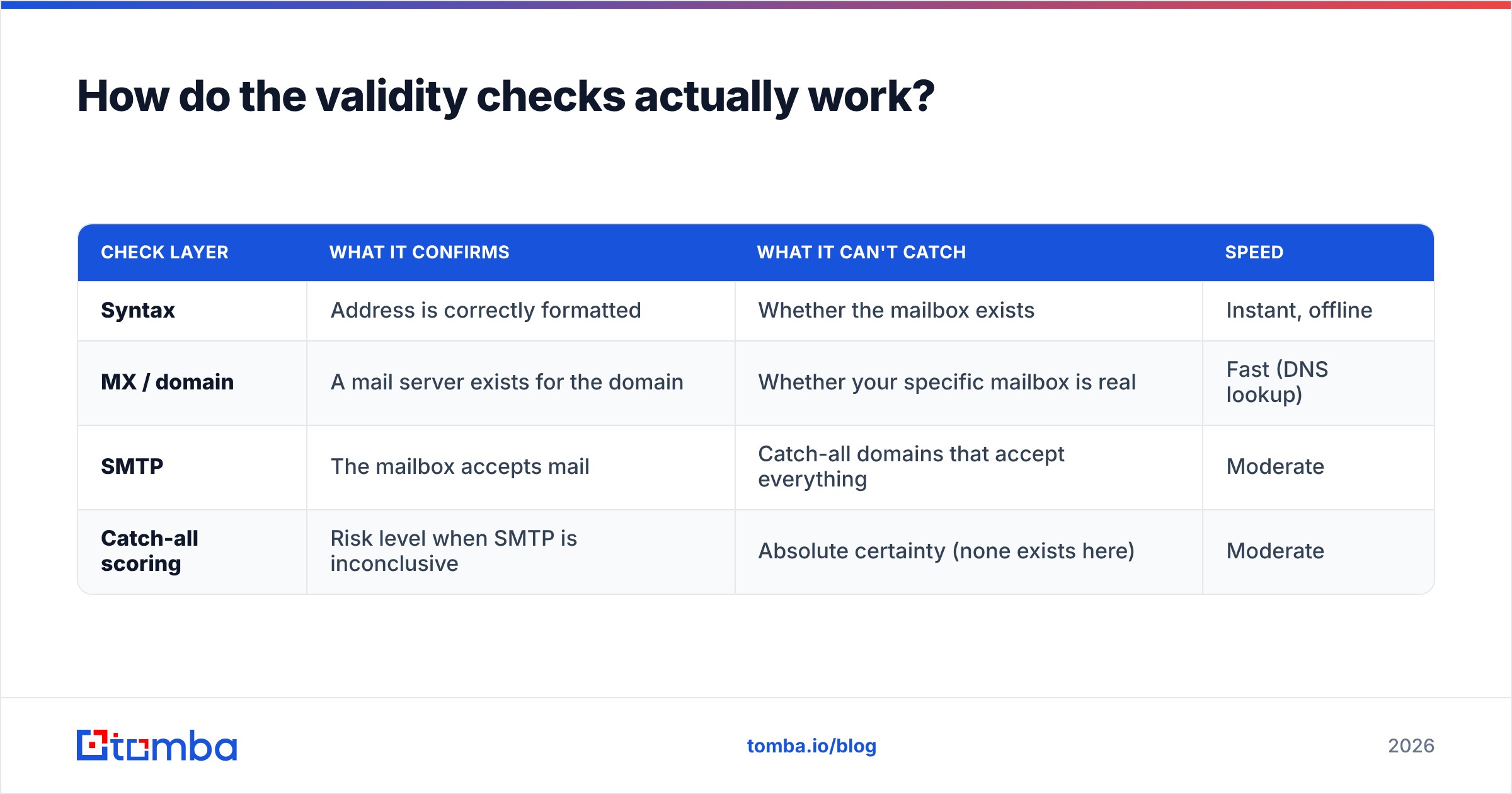
Each check answers a narrower question than the last. Here's what each one proves and what it misses.
| Check layer | What it confirms | What it can't catch | Speed |
|---|---|---|---|
| Syntax | Address is correctly formatted | Whether the mailbox exists | Instant, offline |
| MX / domain | A mail server exists for the domain | Whether your specific mailbox is real | Fast (DNS lookup) |
| SMTP | The mailbox accepts mail | Catch-all domains that accept everything | Moderate |
| Catch-all scoring | Risk level when SMTP is inconclusive | Absolute certainty (none exists here) | Moderate |
The important takeaway: no single layer is enough. Syntax validation alone passes ceo@microsoft.com even if that exact mailbox doesn't exist. SMTP alone gets fooled by catch-all domains. Stacking the checks is what gets your real-world accuracy up.
This is also why "free regex validator" pages you find on the first SERP are misleading — they only do layer one. They'll happily tell you a typo-free-but-nonexistent address is "valid." Real verification needs to touch the receiving mail server, which means it needs infrastructure, not just a JavaScript snippet.
Why does checking email validity online matter for deliverability?#
Bad addresses don't just bounce — they quietly destroy your sender reputation. That's the real cost.
Mailbox providers like Gmail and Outlook watch your bounce rate as a spam signal. When you repeatedly hit dead mailboxes, the providers read it as "this sender doesn't know who they're emailing," which is a classic spammer pattern. Push your hard-bounce rate past roughly 2-3% and your email deliverability starts to slide for every recipient, including the valid ones.
Here's the chain reaction a dirty list sets off:
- Higher bounces signal carelessness to inbox providers.
- Lower sender reputation means more of your mail lands in spam.
- Spam placement tanks open and reply rates even on good addresses.
- Blacklisting risk rises — once your IP or domain is listed, recovery takes weeks.
According to Google's Postmaster guidance, consistently low spam complaint and bounce signals are what keep you in the inbox. Validating before you send is the single highest-leverage habit for protecting that signal. It's far cheaper to verify a list than to warm a domain back to health after a blacklist hit.
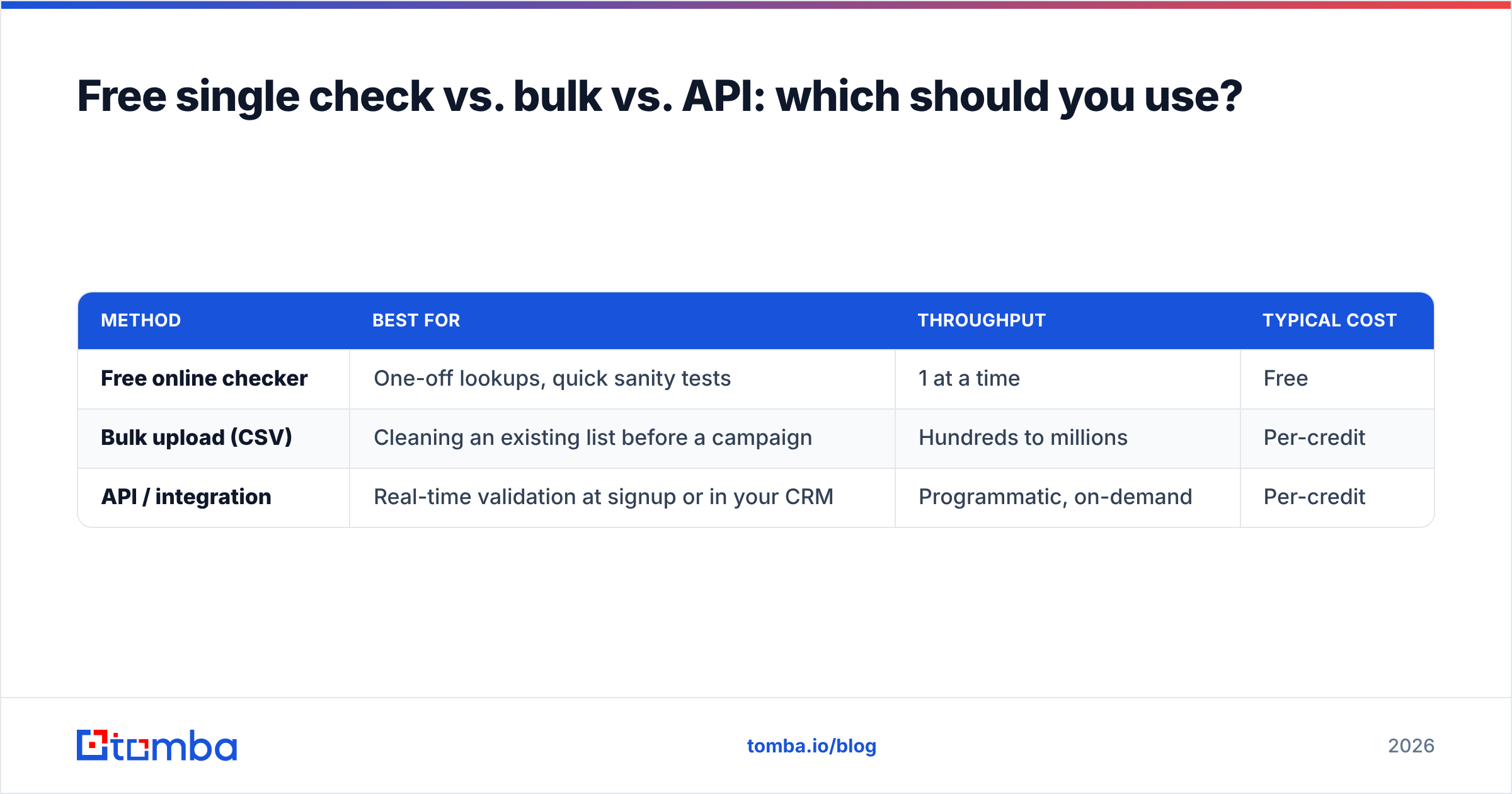
Free single check vs. bulk vs. API: which should you use?#
Match the method to your volume. One address is a copy-paste job; ten thousand is an API job.
| Method | Best for | Throughput | Typical cost |
|---|---|---|---|
| Free online checker | One-off lookups, quick sanity tests | 1 at a time | Free |
| Bulk upload (CSV) | Cleaning an existing list before a campaign | Hundreds to millions | Per-credit |
| API / integration | Real-time validation at signup or in your CRM | Programmatic, on-demand | Per-credit |
- Use a free checker when you've got a handful of addresses — a single prospect, a form submission you want to confirm. Tomba's free email checker handles this without an account.
- Use bulk verification when you're about to email an imported or aging list. Upload the CSV, let it run, download the cleaned file. Tomba's bulk verify is built for exactly this.
- Use the API when validity needs to be checked the moment data enters your system — gating signups, scrubbing leads as they land in your CRM, or enriching records. The email verification API plugs into that flow.

A practical rule: if you're checking the same kind of address more than a few times a week, stop doing it manually and wire up the API. Manual checks don't scale and they don't enforce themselves.
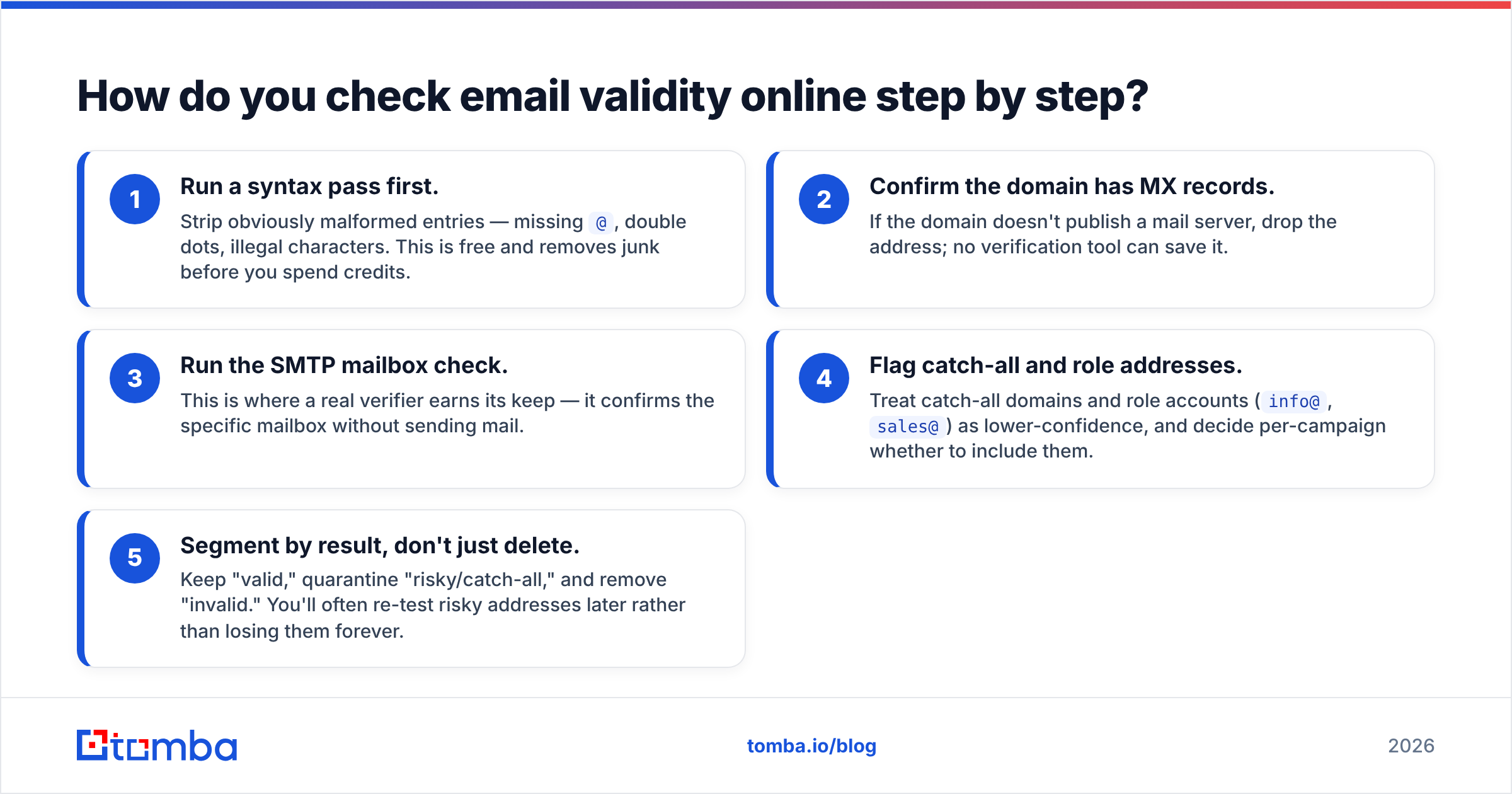
How do you check email validity online step by step?#
Here's the workflow that catches the most bad addresses with the least effort.
- Run a syntax pass first. Strip obviously malformed entries — missing
@, double dots, illegal characters. This is free and removes junk before you spend credits. - Confirm the domain has MX records. If the domain doesn't publish a mail server, drop the address; no verification tool can save it.
- Run the SMTP mailbox check. This is where a real verifier earns its keep — it confirms the specific mailbox without sending mail.
- Flag catch-all and role addresses. Treat catch-all domains and role accounts (
info@,sales@) as lower-confidence, and decide per-campaign whether to include them. - Segment by result, don't just delete. Keep "valid," quarantine "risky/catch-all," and remove "invalid." You'll often re-test risky addresses later rather than losing them forever.
For B2B work, you'll frequently want to find the right address first and then validate it. That's where pairing the email finder with the email verifier pays off — find the likely address by name and domain, then confirm it's live before it ever enters a sequence. If you're working from a company rather than a person, domain search surfaces the published addresses for that organization.
What accuracy can you realistically expect?#
No verifier hits 100%, and any vendor claiming it is overselling. Honest accuracy depends on the domain.
For standard mailbox providers (Gmail, Outlook, corporate Google Workspace), a good SMTP-based check lands in the high 90s. The hard cases are:
- Catch-all domains — the server accepts everything, so the best any tool can do is score risk. Expect "accept-all" results you'll have to judge per campaign.
- Greylisting — some servers temporarily defer unknown senders, which can produce "unknown" results that need a re-check.
- Disposable/temporary domains — valid today, gone next week. Worth flagging and usually worth dropping.
Where a verifier sources and refreshes its data drives real-world accuracy, so it's worth understanding where the data comes from before you trust a score. Cross-checking vendors on a neutral marketplace like G2 helps you separate marketing claims from measured performance. The right mental model: verification reduces risk dramatically, it doesn't eliminate it. Treat "valid" as "very likely deliverable," and keep your bounce monitoring on regardless.
How does this fit into a real outbound workflow?#
Validation isn't a one-time event — it's a checkpoint you hit repeatedly. The cleanest setup verifies at three moments:
- At capture — validate addresses the instant they enter your system (form, import, scrape) using the API, so bad data never settles into your CRM.
- Before each send — re-verify the segment you're about to email, especially if the list is more than 90 days old. Email addresses decay roughly 2-3% per month as people change jobs.
- After bounces — feed hard bounces back into your suppression list immediately so you never re-hit them.
Layer in data enrichment and you're not just confirming an address is live — you're confirming it belongs to the right person at the right company. That combination is what separates a clean, high-deliverability program from a spray-and-pray list that slowly poisons your domain. For teams running this at scale, connecting validation directly to your stack through the integrations keeps the checkpoint automatic instead of a step someone forgets.
Frequently asked questions#
Is checking email validity online safe and legal? Yes. Verification only queries mail servers about whether an address exists — it doesn't send mail to the recipient or expose their data. It's standard practice for any sender that cares about deliverability.
Can I check email validity for free? For single addresses, yes — a free checker like Tomba's handles one-off lookups at no cost. For lists, you'll want credit-based bulk or API verification, which is still far cheaper than the deliverability damage a dirty list causes.
Why does an address show as "catch-all" or "risky"? The receiving domain is configured to accept mail for every possible address, so the server can't confirm your specific mailbox exists. The verifier is being honest by scoring it as risk rather than falsely marking it valid.
How often should I re-verify my list? Re-verify any segment older than 90 days before a send. B2B addresses decay as people change roles, so even a list that was clean last quarter needs a fresh pass.
Start checking email validity the right way#
If you're tired of guessing which addresses are live, stop guessing. Run your next list through the Tomba Email Finder to surface the correct addresses by name and domain, then confirm each one with the built-in verifier before it ever touches a sequence. Start free with 25 searches a month, and when your volume grows, the Starter plan at $49/mo and bulk/API options scale with you — see full Tomba pricing for the breakdown. Clean data in, inbox placement out. That's the whole game.
// get started
Find, verify and enrich your first contacts today
Start on the free plan with 25 searches a month, then scale when your team is ready.
Free plan · No credit card required · GDPR & CCPA
// about the author