How to Check If an Email Address Is in Use (2026 Guide)
Wondering whether an email is real and active before you hit send? Here are the reliable, ToS-safe ways to check if an email address is in use — and the risky methods to avoid in 2026.
TL;DR
- You can't reliably confirm an email is "in use" by sending a test message — that wrecks your sender reputation and tips off the recipient.
- The safe, accurate path is a layered check: syntax → domain/MX → SMTP mailbox ping → catch-all and risk scoring.
- Free tricks (password-reset probing, single SMTP telnet) are unreliable in 2026 because most providers hide mailbox existence to fight spam.
- For one-off lookups, a free checker is fine. For lists, use a dedicated verifier or API so you don't burn your domain.
- Tomba's email verifier runs the full stack and flags catch-all domains, so you know whether a "valid" result is real or just optimistic.
What does "an email address is in use" actually mean?#
"In use" means a real mailbox exists at that address and can accept mail. That's different from three things people confuse it with:
- Syntactically valid —
jane@company.comis well-formed, butxyzzy@company.comis too. Format says nothing about existence. - Deliverable — the mail server will accept a message for that address right now.
- Actively monitored — a human reads it. No external tool can prove this; you can only infer it from engagement.
When you want to check if an email address is in use, you almost always mean #2: is there a live mailbox that won't hard-bounce? That's the realistic, measurable target, and it's what good verification tools report.

Can you just send a test email to check?#
No — and this is the single most common mistake. Sending a "are you there?" email has three problems:
- It alerts the person. Cold prospects who get a blank or test message often mark you as spam, which hurts email deliverability for everyone on your domain.
- Bounces damage your reputation. If the address is dead, the hard bounce is logged against your sending domain. A few percent of bounces and mailbox providers start throttling you.
- It doesn't scale. You can't test 5,000 addresses by emailing them without torching the domain.
The whole point of verification is to learn whether a mailbox exists without delivering a real message. That's done at the SMTP handshake level, before any content is sent.
How do email verification checks actually work?#
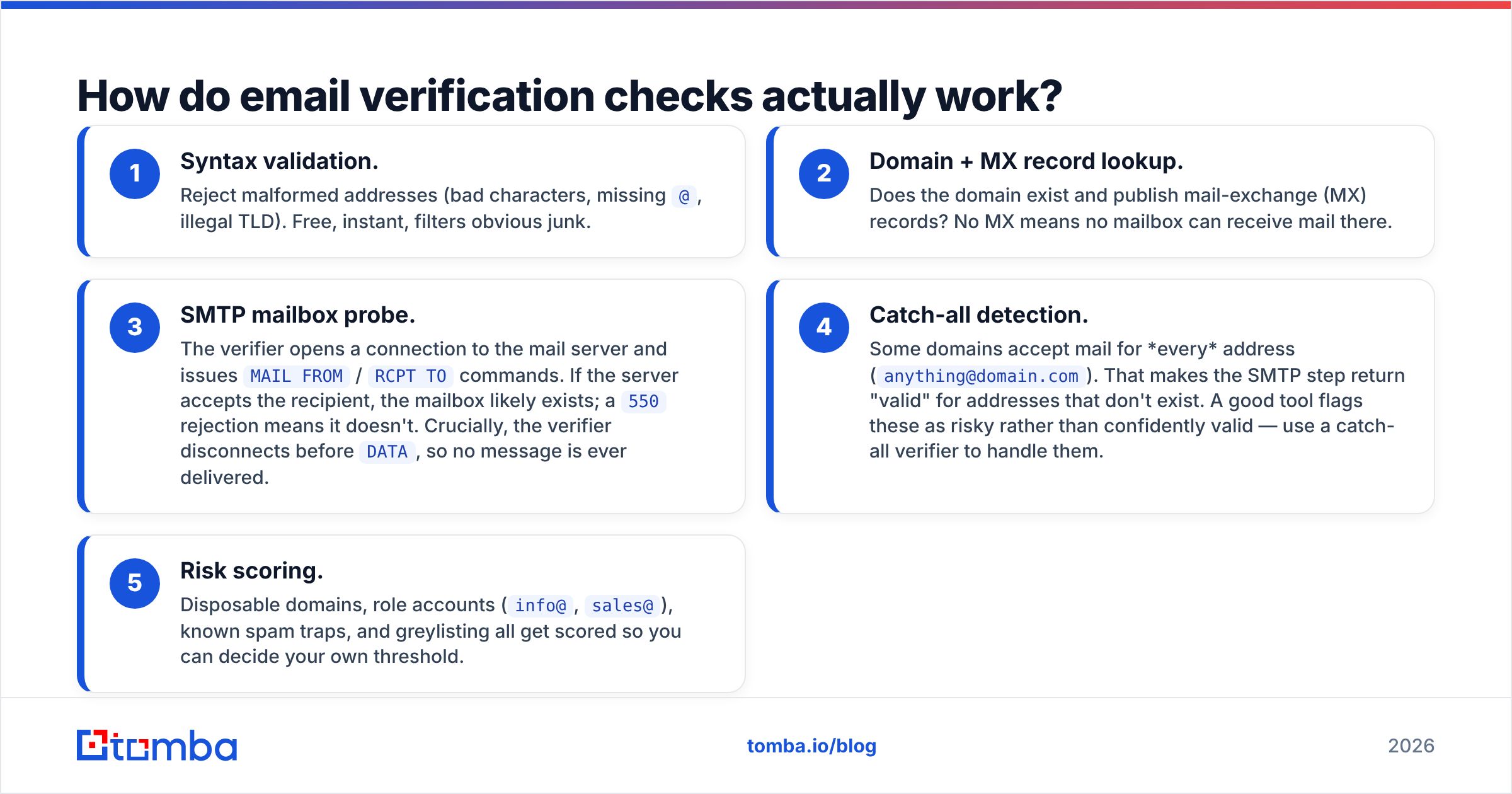
A proper check runs in layers, cheapest and fastest first, stopping early when a layer fails. Here's the pipeline most verifiers — including Tomba's email verifier — follow:
- Syntax validation. Reject malformed addresses (bad characters, missing
@, illegal TLD). Free, instant, filters obvious junk. - Domain + MX record lookup. Does the domain exist and publish mail-exchange (MX) records? No MX means no mailbox can receive mail there.
- SMTP mailbox probe. The verifier opens a connection to the mail server and issues
MAIL FROM/RCPT TOcommands. If the server accepts the recipient, the mailbox likely exists; a550rejection means it doesn't. Crucially, the verifier disconnects beforeDATA, so no message is ever delivered. - Catch-all detection. Some domains accept mail for every address (
anything@domain.com). That makes the SMTP step return "valid" for addresses that don't exist. A good tool flags these as risky rather than confidently valid — use a catch-all verifier to handle them. - Risk scoring. Disposable domains, role accounts (
info@,sales@), known spam traps, and greylisting all get scored so you can decide your own threshold.
The reason you want a tool rather than a manual telnet session is steps 4 and 5. Raw SMTP gives you a yes/no that's frequently wrong; the scoring layer is what turns it into a decision you can trust.
What are the methods to check if an email address is in use?#
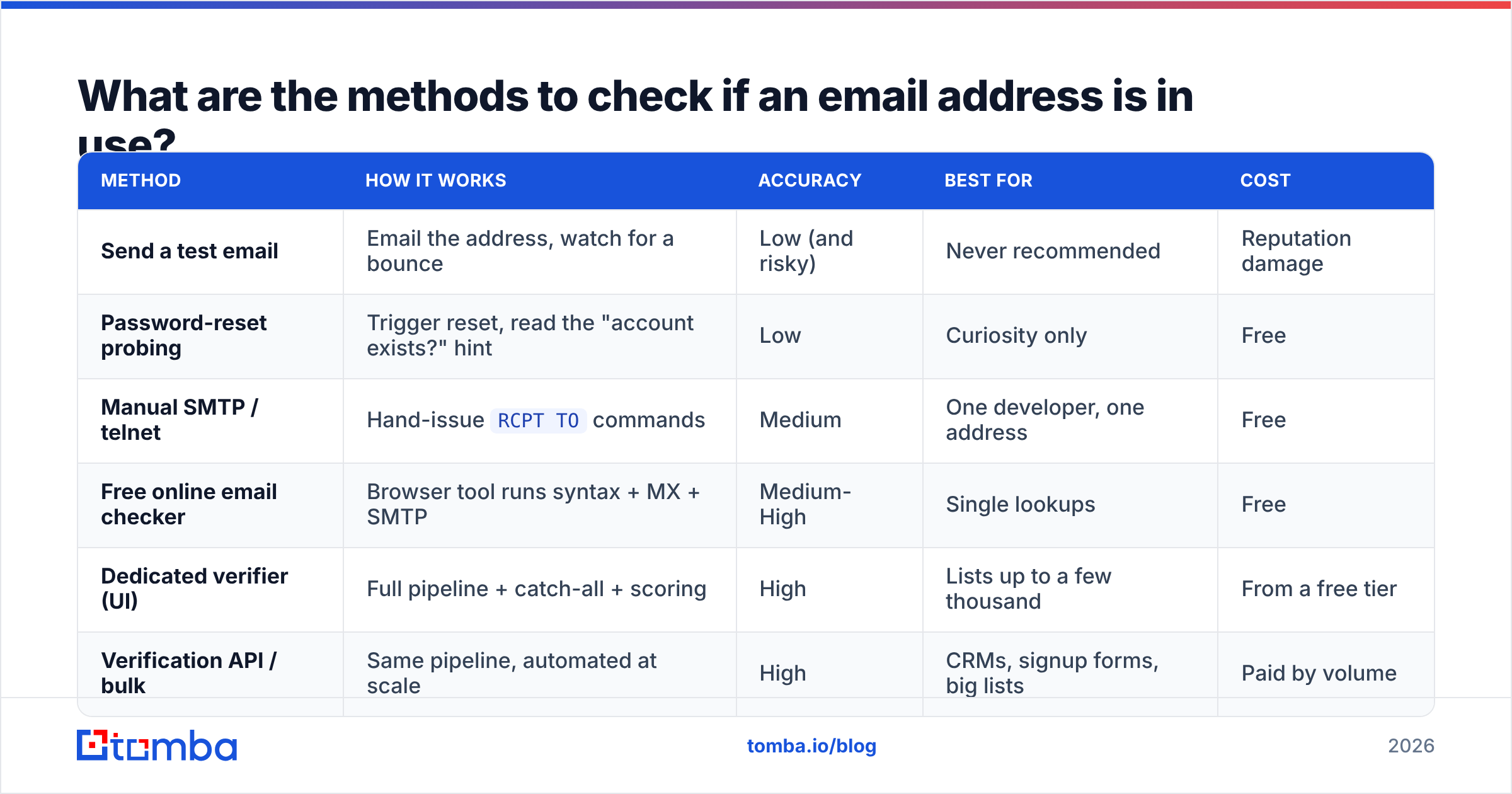
There's a spectrum from free-and-fiddly to automated-and-accurate. Here's how they stack up.
| Method | How it works | Accuracy | Best for | Cost |
|---|---|---|---|---|
| Send a test email | Email the address, watch for a bounce | Low (and risky) | Never recommended | Reputation damage |
| Password-reset probing | Trigger reset, read the "account exists?" hint | Low | Curiosity only | Free |
| Manual SMTP / telnet | Hand-issue RCPT TO commands |
Medium | One developer, one address | Free |
| Free online email checker | Browser tool runs syntax + MX + SMTP | Medium-High | Single lookups | Free |
| Dedicated verifier (UI) | Full pipeline + catch-all + scoring | High | Lists up to a few thousand | From a free tier |
| Verification API / bulk | Same pipeline, automated at scale | High | CRMs, signup forms, big lists | Paid by volume |
A couple of notes on the "free" rows:
- Password-reset probing worked years ago, but Gmail, Outlook, and most SaaS apps now return the same message whether or not the account exists, precisely to stop this. Treat it as unreliable.
- Manual SMTP still works against some servers, but major providers either block probing IPs, greylist them, or always answer "accepted." You'll get false positives and your home/office IP can land on a blocklist.
If you only ever check one address now and then, a free email checker gets you a fast, ToS-safe answer without installing anything. The moment you have a list, move up to a verifier or API.
How do you check a single email address for free?#
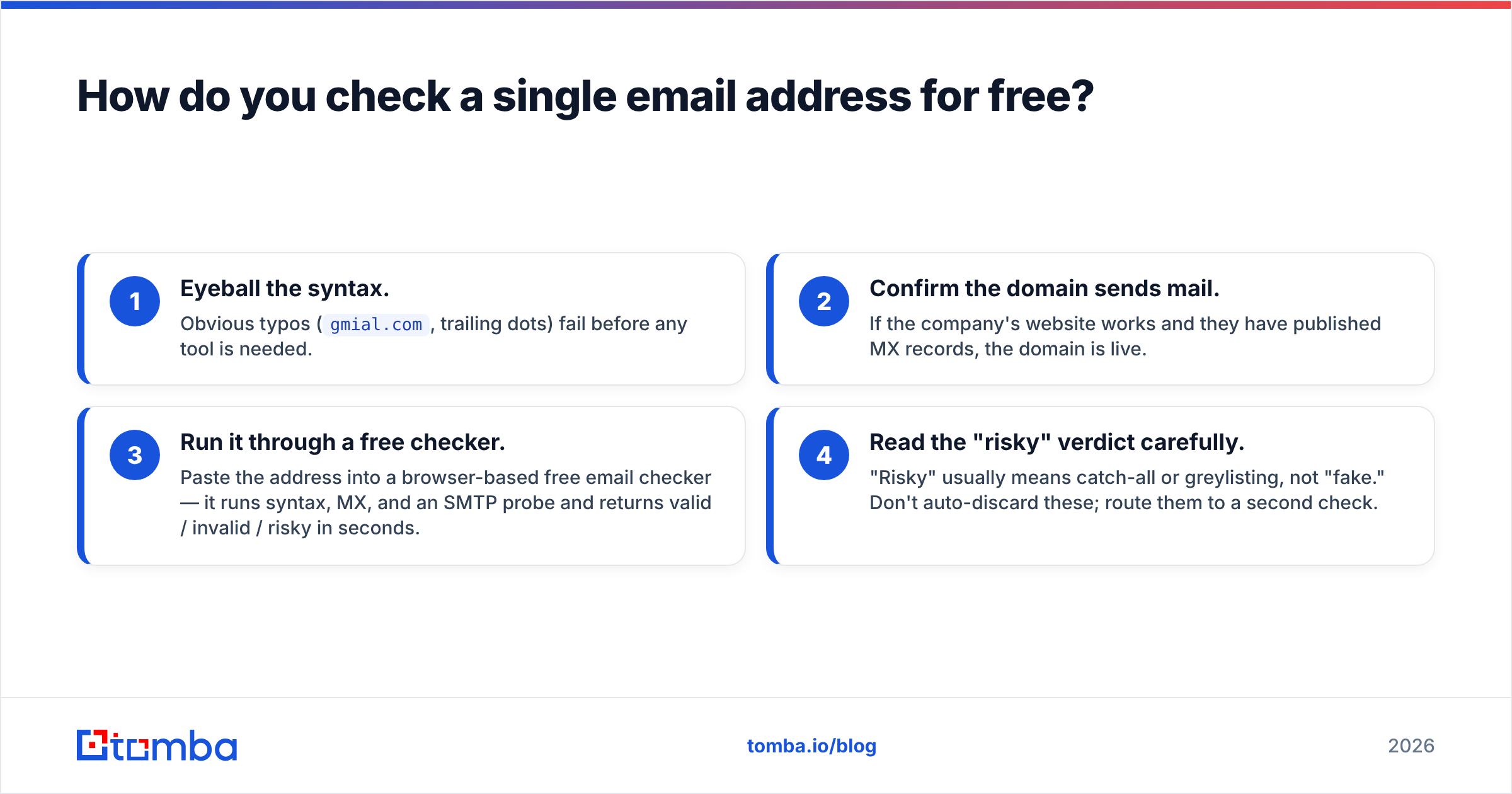
For a one-off, do this:
- Eyeball the syntax. Obvious typos (
gmial.com, trailing dots) fail before any tool is needed. - Confirm the domain sends mail. If the company's website works and they have published MX records, the domain is live.
- Run it through a free checker. Paste the address into a browser-based free email checker — it runs syntax, MX, and an SMTP probe and returns valid / invalid / risky in seconds.
- Read the "risky" verdict carefully. "Risky" usually means catch-all or greylisting, not "fake." Don't auto-discard these; route them to a second check.
That's enough confidence to decide whether to add the address to a sequence. What it won't tell you is whether a human actually reads the inbox — only replies and opens reveal that over time.
How do you check a whole list of email addresses?#
Conclusion first: don't do lists by hand, and don't do them by sending. Use bulk verification.
When you've got hundreds or thousands of addresses — an imported list, a CRM export, a scraped set — the workflow is:
- Upload the list to a bulk verify tool (CSV in, scored CSV out), or
- Call a verification API so the check happens automatically — on signup forms, on CRM import, or as a nightly cleanup job.
Bulk verification matters for two reasons. First, it protects your domain: you remove dead addresses before they bounce. Second, it's a cost lever — most cold-email platforms charge by volume, so scrubbing 20% dead weight saves money and lifts your reply rate at the same time.

If you're building this into an app, the email verification API returns the same layered result (valid / invalid / catch-all / disposable / score) as a JSON response, so you can gate a signup form or enrich a record in real time. Pair it with data enrichment when you also need the name, role, or company behind a verified address.
What about catch-all domains — why do they break verification?#
Catch-all (also called "accept-all") domains are the single biggest source of false positives. The mail server is configured to accept every recipient, then sort or discard internally. So an SMTP probe for does-not-exist@catchall.com returns "accepted" even though no mailbox exists.
Here's how to handle them:
- Detect, don't ignore. A verifier should flag catch-all domains explicitly. If your tool reports everything on a domain as "valid," be suspicious.
- Score by signal. Even on a catch-all, other signals (pattern match against known company formats, presence in a B2B database, prior engagement) raise or lower confidence.
- Decide your risk tolerance. For a high-value prospect, a catch-all "risky" is often worth a careful send. For a cold blast, you may exclude them.
Tomba's catch-all verifier is built specifically for this case, so a "valid" on a catch-all domain comes with the context you need rather than false confidence.
Is it legal and ToS-compliant to check email addresses?#
Verification itself — syntax, MX, and a non-delivering SMTP probe — is standard industry practice and is what reputable providers like HubSpot recommend before sending. You're not delivering a message, accessing an account, or storing private content; you're asking a public mail server whether it will accept mail.
What you should still respect:
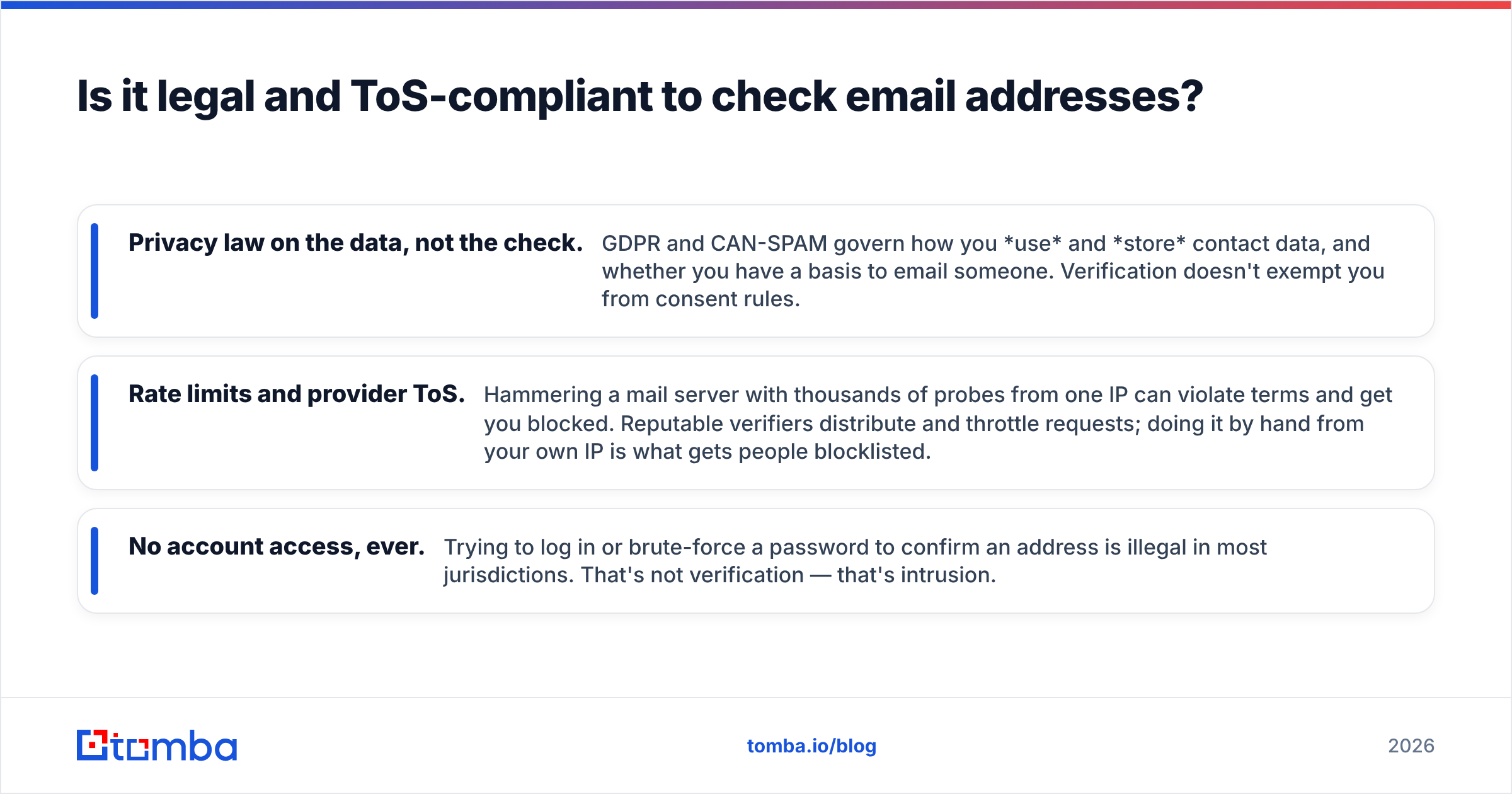
- Privacy law on the data, not the check. GDPR and CAN-SPAM govern how you use and store contact data, and whether you have a basis to email someone. Verification doesn't exempt you from consent rules.
- Rate limits and provider ToS. Hammering a mail server with thousands of probes from one IP can violate terms and get you blocked. Reputable verifiers distribute and throttle requests; doing it by hand from your own IP is what gets people blocklisted.
- No account access, ever. Trying to log in or brute-force a password to confirm an address is illegal in most jurisdictions. That's not verification — that's intrusion.
For background on the underlying protocol, the SMTP entry on Wikipedia explains the RCPT TO handshake that every mailbox check relies on.
How accurate are email checkers in 2026?#
Accuracy depends almost entirely on how the tool handles the hard cases, not the easy ones. Everyone catches typo@@gmail. The differentiators are:
- Catch-all handling — does it flag, or does it lie?
- Greylisting patience — does it retry when a server defers the first probe, or give up and mark "unknown"?
- Provider-specific logic — Gmail, Microsoft 365, and Yahoo each behave differently at the SMTP layer; generic probes misread them.
- Fresh data sources — pattern matching and known-good records improve confidence on ambiguous addresses. See where Tomba gets its data for how this layer works.
A realistic expectation: a strong verifier confidently sorts the large majority of any list into valid/invalid, and is honest about the remainder (catch-all, greylisted, role accounts) instead of guessing. Beware any tool claiming "99.9% on every address" — the honest number is "very high on resolvable addresses, flagged on the rest."
Quick decision guide#
- One address, right now → free email checker, read the risky verdict.
- A list before a campaign → bulk verify, exclude invalid, second-pass the catch-alls.
- Real-time, inside an app → email verification API on the form or CRM import.
- You also need to find the address first → start with the email finder, which verifies as it discovers.
- Budget check → compare tiers on the Tomba pricing page; the free tier covers 25 searches a month to test the flow.
Final word: verify before you send#
The reliable way to check if an email address is in use is the layered approach — syntax, MX, a non-delivering SMTP probe, and catch-all scoring — not a test email and not a manual telnet session that gets your IP blocklisted. Free checkers are perfect for one-offs; lists and apps belong in a verifier or API.
If you want one tool that finds the address and confirms it's live in the same step, start with the Tomba Email Finder. It runs discovery and verification together, flags catch-all domains instead of guessing, and scales from a single lookup on the free tier ($0, 25 searches/mo) up to Starter at $49/mo and beyond — so the emails you send actually land in a real inbox.
// get started
Find, verify and enrich your first contacts today
Start on the free plan with 25 searches a month, then scale when your team is ready.
Free plan · No credit card required · GDPR & CCPA
// about the author