How to Check If an Email Will Bounce Before You Send (2026)
Learn how to check if an email will bounce before you hit send, why bounces wreck sender reputation, and which verification checks actually predict failure.
You wrote a clean email, picked a good list, hit send — and 14% of it bounced. Now your domain reputation is bruised, your next campaign lands in spam, and your boss is asking why open rates cratered. Bounces are not a cosmetic metric. They are the single fastest way to teach inbox providers that you are a careless sender.
The good news: most bounces are predictable. You can check if an email will bounce before you send it, and you can do it at scale. This guide explains exactly how.
TL;DR#
- A bounce is a delivery failure, and most of them are predictable from the address itself — invalid syntax, dead domain, or a mailbox that no longer exists.
- Hard bounces hurt the most. Keep your hard bounce rate under ~2% or providers start throttling and spam-foldering you.
- You can check if an email will bounce with a layered process: syntax check, domain/MX check, and an SMTP mailbox probe — no actual email gets sent.
- Catch-all domains are the hard case. They accept everything at the SMTP layer, so they need a dedicated catch-all verifier and a confidence score, not a yes/no.
- Verify in bulk before every campaign. A one-time clean list rots about 2–3% per month as people change jobs.
What does it mean for an email to "bounce"?#
A bounce is the mail server's way of saying "I could not deliver this." When your message can't reach the recipient's mailbox, the receiving server returns a bounce message — a non-delivery report — back to your sending server. That report carries a status code explaining what went wrong.
Think of it like physical mail. A hard bounce is a letter stamped "no such address — returned to sender." There is no point trying again; the destination doesn't exist. A soft bounce is more like "recipient's mailbox is full, try later" — a temporary problem that might clear up on its own.
Why does the difference matter so much? Because mailbox providers watch your hard bounce rate as a proxy for list hygiene. A sender who repeatedly hammers dead addresses looks either careless or like a spammer working a scraped list. Either way, your sender reputation takes the hit, and poor reputation is the root cause of most email deliverability problems.
What are the main types of email bounces?#
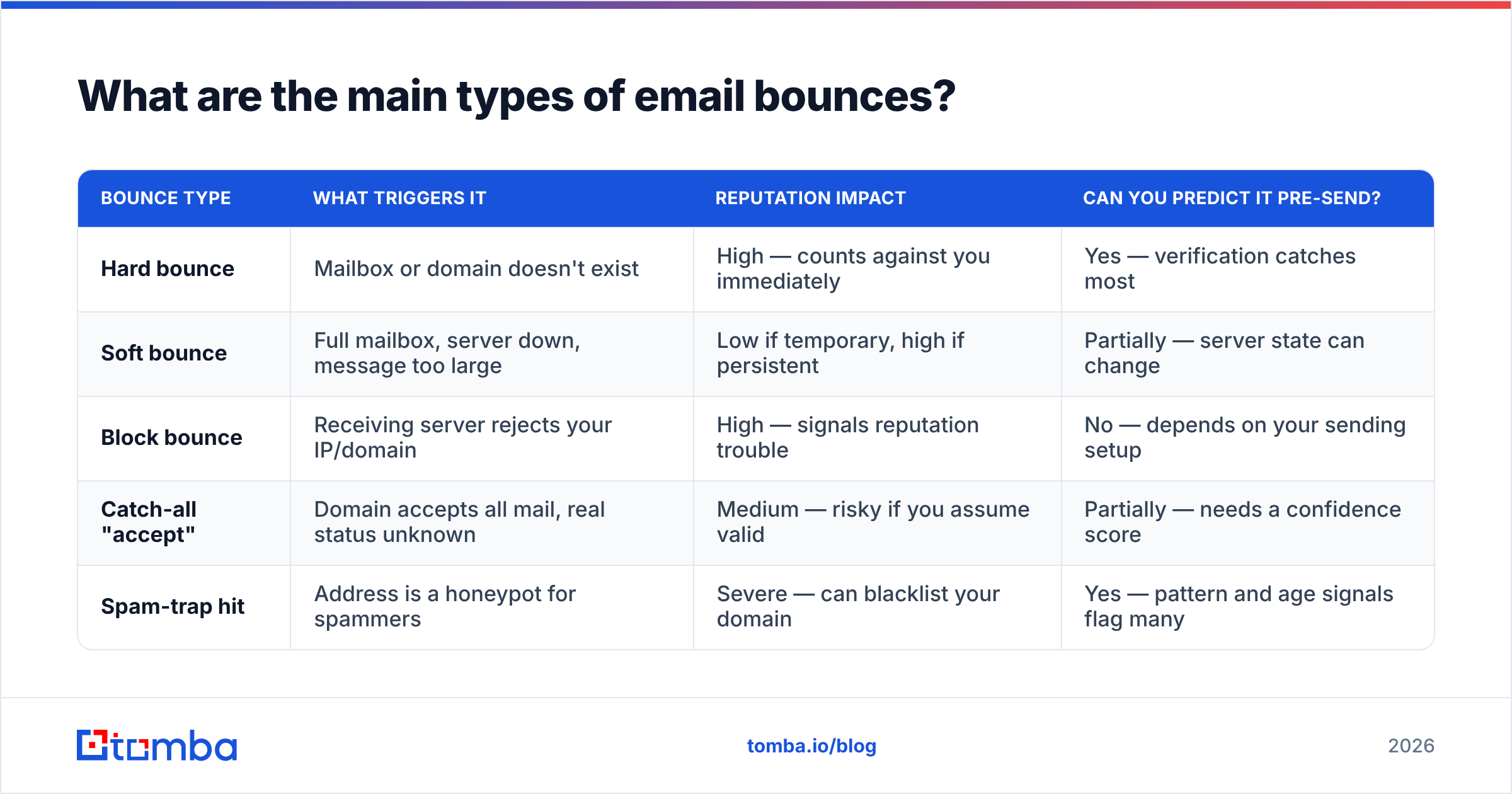
Before you can predict a bounce, you need to know what you're predicting. Here is how the categories break down and how preventable each one is.
| Bounce type | What triggers it | Reputation impact | Can you predict it pre-send? |
|---|---|---|---|
| Hard bounce | Mailbox or domain doesn't exist | High — counts against you immediately | Yes — verification catches most |
| Soft bounce | Full mailbox, server down, message too large | Low if temporary, high if persistent | Partially — server state can change |
| Block bounce | Receiving server rejects your IP/domain | High — signals reputation trouble | No — depends on your sending setup |
| Catch-all "accept" | Domain accepts all mail, real status unknown | Medium — risky if you assume valid | Partially — needs a confidence score |
| Spam-trap hit | Address is a honeypot for spammers | Severe — can blacklist your domain | Yes — pattern and age signals flag many |
The takeaway: hard bounces and spam traps are the ones you can and must catch up front, because they do the most damage and they are the most predictable.
How do you actually check if an email will bounce?#
You check it in layers, cheapest and fastest first, expensive and slowest last. A good email verifier runs these stages automatically, but understanding them tells you why a result is trustworthy.
- Syntax validation. Does the address even follow RFC rules?
john.doe@@companyor a trailing space fails instantly. This catches typos and malformed entries before you waste a network call. - Domain and MX record check. Does the domain exist, and does it have mail exchange (MX) records that say "I can receive email"? A domain with no MX records will bounce 100% of the time. This is a DNS lookup — milliseconds, no email sent.
- SMTP mailbox probe. The verifier opens a connection to the recipient's mail server and begins the delivery handshake —
HELO,MAIL FROM,RCPT TO— then stops before sending the body. The server's response toRCPT TOreveals whether the specific mailbox exists. A550means "no such user"; a250means "I'll accept it." - Catch-all and role detection. Some domains answer
250to every address. Others route to shared inboxes likeinfo@orsales@. These need extra scoring, covered below. - Risk scoring. Disposable domains, recent spam-trap patterns, and known complainers get flagged so you can suppress them.
Crucially, none of this sends a real message to the recipient. The mailbox owner sees nothing. You get a verdict — valid, invalid, catch-all, or risky — without touching their inbox.
Why are catch-all domains the hard part?#
Catch-all domains are where naive bounce checking falls apart. A catch-all (or "accept-all") server is configured to say yes to every address at the SMTP layer — ceo@company.com and asdkjfh@company.com get the identical 250 OK. The server defers the real does-this-mailbox-exist decision until after it accepts the message.
So a basic verifier sees 250 and reports "valid," when in reality the address might bounce the moment it lands. Roughly 15–20% of business domains are catch-all, so this is not an edge case — it is a meaningful slice of every B2B list.
The fix is a dedicated catch-all finder that doesn't just read the SMTP response. It combines pattern matching (does the address fit the company's known format?), historical engagement data, and confidence scoring to give you a probability rather than a false binary. When you can't get certainty, you want a graded risk score so you can decide whether to send, throttle, or suppress.

What bounce rate is "safe," and what happens if you cross it?#
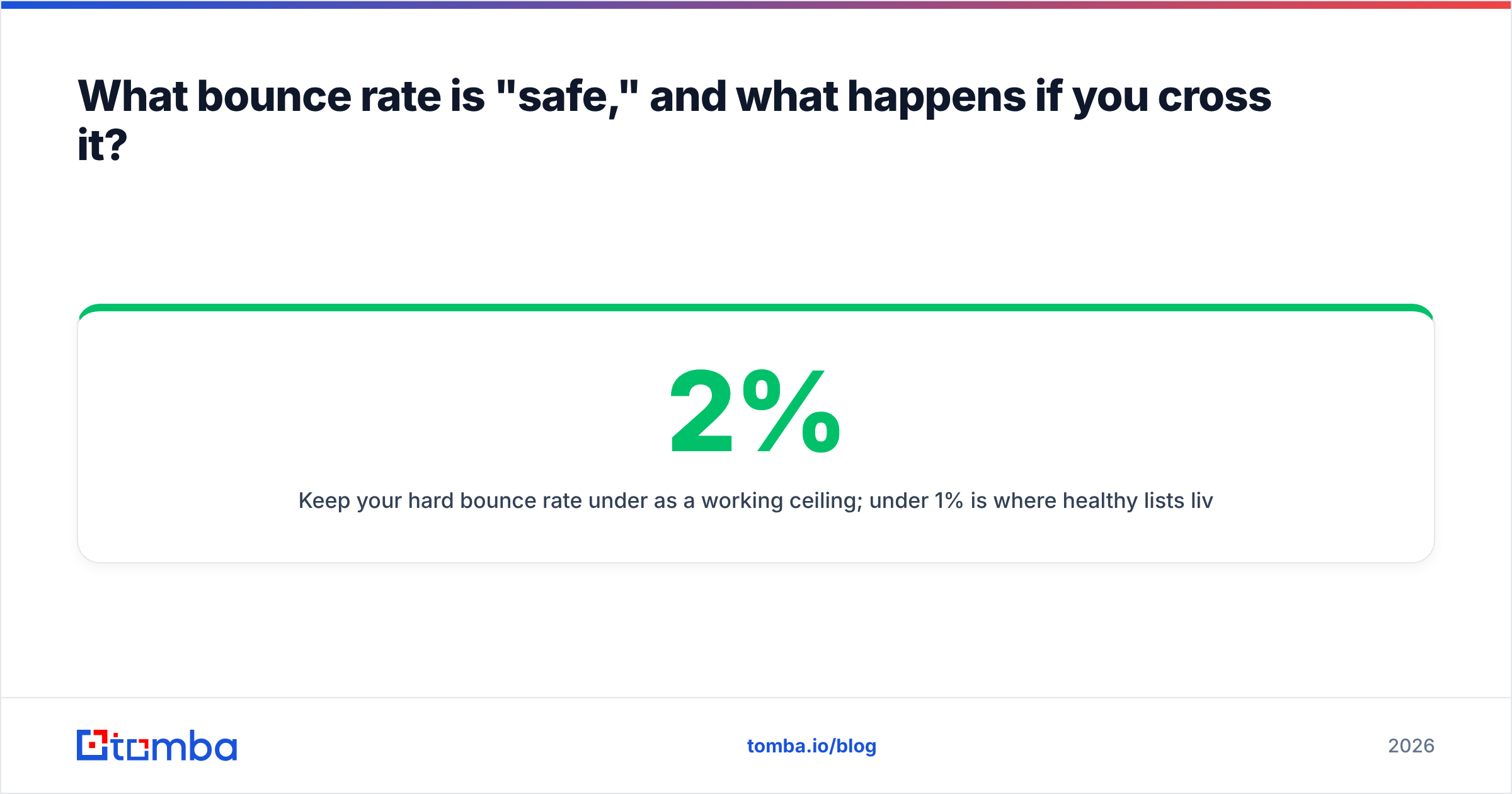
Keep your hard bounce rate under 2% as a working ceiling; under 1% is where healthy lists live. Cross 5% and most mailbox providers will start throttling you, routing mail to spam, or rejecting it outright.
Here is why the threshold is so unforgiving. Providers like Google and Microsoft don't see your intent — they see your behavior. Per Google's own guidance in Postmaster Tools, they watch spam complaints, authentication, and delivery errors to decide where your mail goes. A spike in bounces reads as "this sender doesn't know who they're mailing," which is exactly the signature of a purchased or scraped list.
The damage compounds:
- One bad campaign raises your bounce rate and trips provider filters.
- The next campaign starts from a worse reputation, so even valid addresses land in spam.
- Engagement drops because nobody opens spam-foldered mail, which providers read as further evidence you're unwanted.
You can dig out of this hole, but it takes weeks of careful re-warming. Avoiding it costs you a verification pass that runs in minutes. You can sanity-check a single address right now with a free email checker before committing a whole list.
How should you check a whole list, not just one address?#
Single-address checks are fine for a quick gut check. For real campaigns you verify the entire list in one pass, ideally as the last step before you import into your sending tool.
A practical pre-send workflow:
- Dedupe first. Remove duplicate rows so you don't pay to verify the same address twice and don't double-count bounces.
- Bulk verify. Run the whole file through a bulk verify job. Good tools return a status and a confidence score per row.
- Segment by result. Send to "valid." Suppress "invalid." Route "catch-all" and "risky" into a separate, slower, lower-volume warm-up segment.
- Re-verify on a cadence. B2B data decays as people change jobs — plan to re-check any list older than 60–90 days.
- Monitor after sending. Feed actual bounce data back so you can tighten suppression rules next time.
This is also where verification and finding overlap. If you're building lists from scratch, pairing an email finder with verification at the point of capture means addresses arrive pre-validated instead of needing a cleanup pass later.
How do verification approaches compare?#
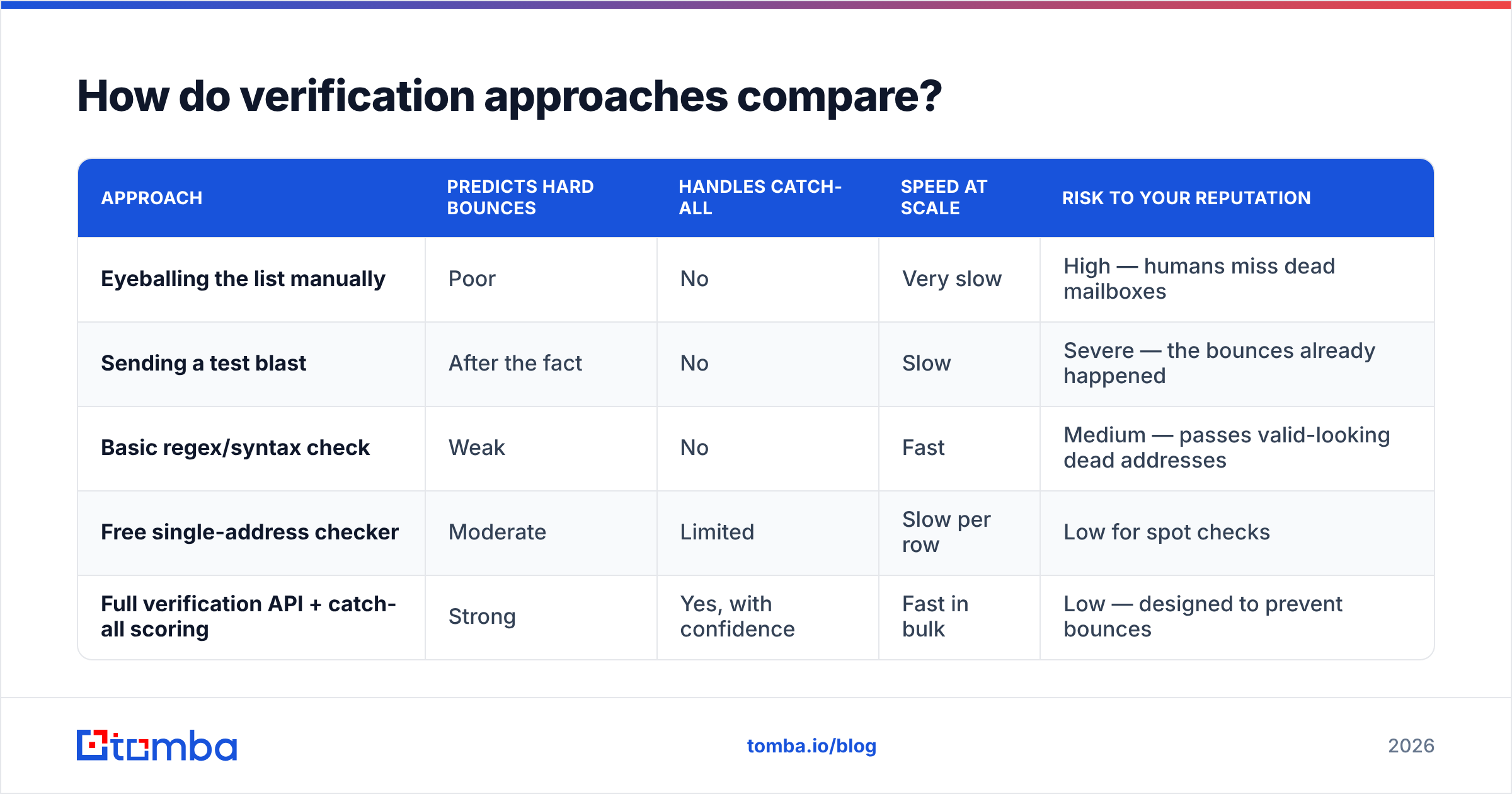
Not all "check if email will bounce" methods are equal. Here's how the common options stack up.
| Approach | Predicts hard bounces | Handles catch-all | Speed at scale | Risk to your reputation |
|---|---|---|---|---|
| Eyeballing the list manually | Poor | No | Very slow | High — humans miss dead mailboxes |
| Sending a test blast | After the fact | No | Slow | Severe — the bounces already happened |
| Basic regex/syntax check | Weak | No | Fast | Medium — passes valid-looking dead addresses |
| Free single-address checker | Moderate | Limited | Slow per row | Low for spot checks |
| Full verification API + catch-all scoring | Strong | Yes, with confidence | Fast in bulk | Low — designed to prevent bounces |
The pattern is clear: anything that relies on sending real mail to "find out" has already cost you the reputation hit you were trying to avoid. The only safe way to check if an email will bounce is to validate it without delivering it — which is exactly what a layered verification pass does.
Can you trust the "valid" verdict completely?#
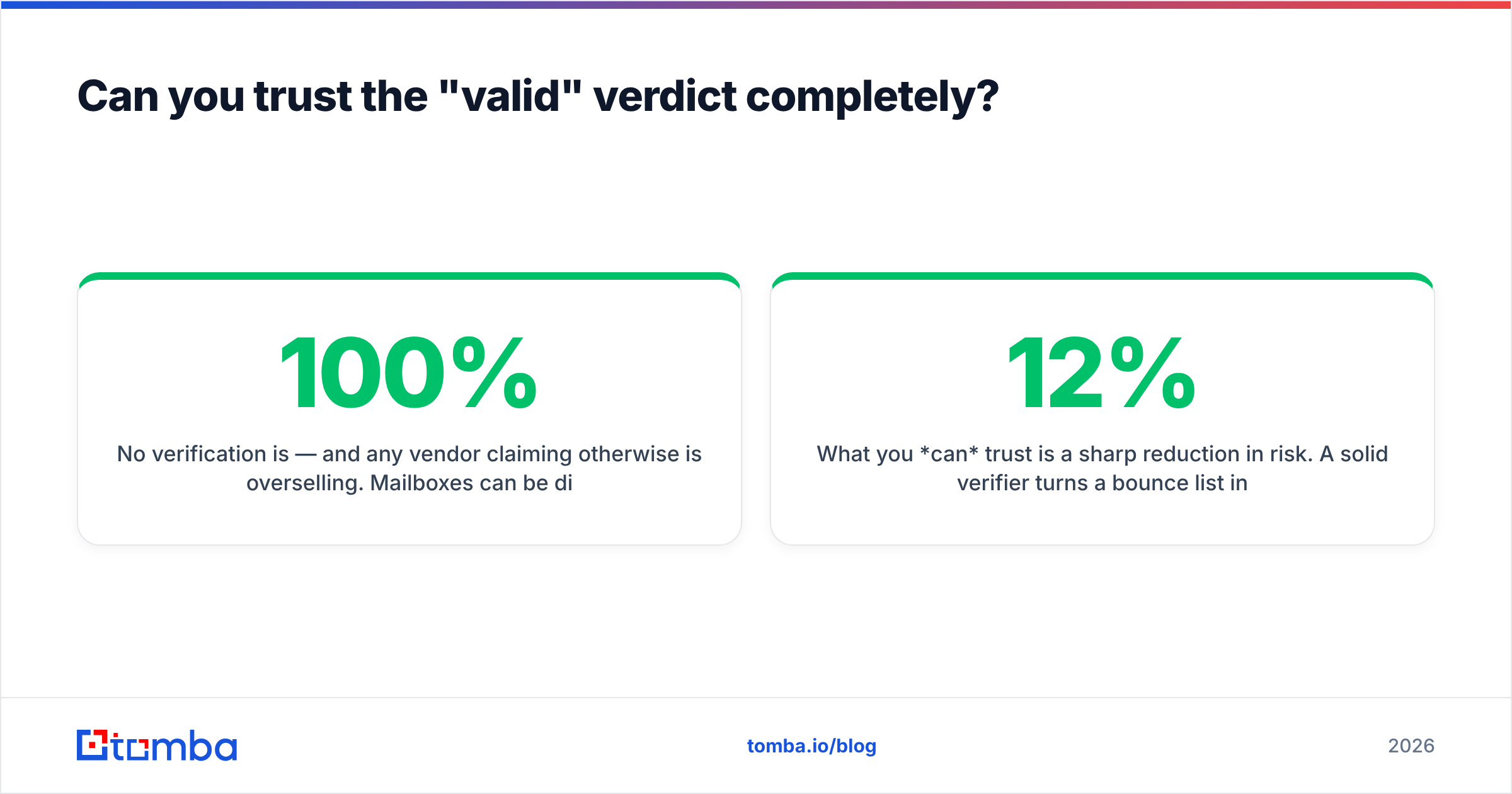
No verification is 100% — and any vendor claiming otherwise is overselling. Mailboxes can be disabled between your check and your send. Servers can be temporarily down during the probe and return ambiguous results. Some corporate servers deliberately obscure mailbox status to defeat scrapers.
What you can trust is a sharp reduction in risk. A solid verifier turns a 12% bounce list into a sub-1% one, which is the difference between landing in the inbox and landing in the spam folder. Treat the output as a confidence-weighted decision, not gospel: send confidently to high-confidence valids, slow-roll the catch-alls, and suppress the invalids outright. You can also track how your domain is perceived over time with a sender reputation checker so you catch trouble before a provider does.
For a deeper definition of the categories and codes referenced here, vendor resources like the HubSpot deliverability guide and peer reviews on G2 are useful cross-references when you're choosing tooling.
What's the fastest way to start checking bounces today?#
Start with the highest-leverage step: verify every list before it goes out, and verify new addresses the moment you collect them.
Tomba runs the full layered process — syntax, MX, SMTP mailbox probe, catch-all scoring, and risk flags — across single lookups, bulk files, and the email verification API if you want it wired into your stack. The Free tier gives you 25 searches a month to test it; paid plans start at $49/mo (Starter), $99/mo (Growth), and $249/mo (Pro), with full Tomba pricing laid out by volume. Whether you're cleaning a 50,000-row export before a quarterly campaign or validating one prospect before a hand-written cold email, checking if an email will bounce before you send is the cheapest reputation insurance you can buy. Run the check first — your future deliverability depends on it.
// get started
Find, verify and enrich your first contacts today
Start on the free plan with 25 searches a month, then scale when your team is ready.
Free plan · No credit card required · GDPR & CCPA
// about the author