Cirrus Insight Alternatives: 7 Best Tools for 2026
Cirrus Insight is solid for Salesforce inbox sync, but it isn't the only option. Here are 7 alternatives compared on price, features, and the data layer that actually feeds them.
Cirrus Insight built its name on one thing: pulling your inbox into Salesforce without copy-paste. It's a capable tool. But if you're shopping for alternatives, it's usually because the pricing crept up, the Salesforce-only focus feels limiting, or you've realized the sync is only as good as the contact data behind it.
This guide compares seven of the best Cirrus Insight alternatives for 2026 — what each does well, where it falls short, and how to pick the one that fits your actual sales motion instead of the one with the loudest homepage.
TL;DR#
- Cirrus Insight is strongest for teams locked into Salesforce who want inbox sync, tracking, and scheduling in one Chrome extension.
- The best alternatives split into three camps: engagement platforms (Salesloft, Outreach), inbox productivity tools (Yesware, Mixmax, HubSpot Sales), and the data layer that feeds all of them.
- No sync tool fixes bad contact data. If your CRM is full of stale or guessed emails, you're syncing garbage faster.
- For most mid-market teams, pairing a lightweight engagement tool with an accurate email finder beats paying premium for an all-in-one suite.
- Pricing ranges from free (HubSpot Sales starter) to $100+/user/month (Outreach) — match the tier to your team size, not the feature list.
What Is Cirrus Insight and Why Look for Alternatives?#
Cirrus Insight is a sales productivity tool that lives inside Gmail and Outlook and connects your inbox directly to Salesforce. You can log emails, track opens and clicks, schedule meetings, and create or update Salesforce records without leaving your mailbox. For Salesforce-heavy orgs, that removes a real chunk of manual admin.
So why do people leave? A few recurring reasons:
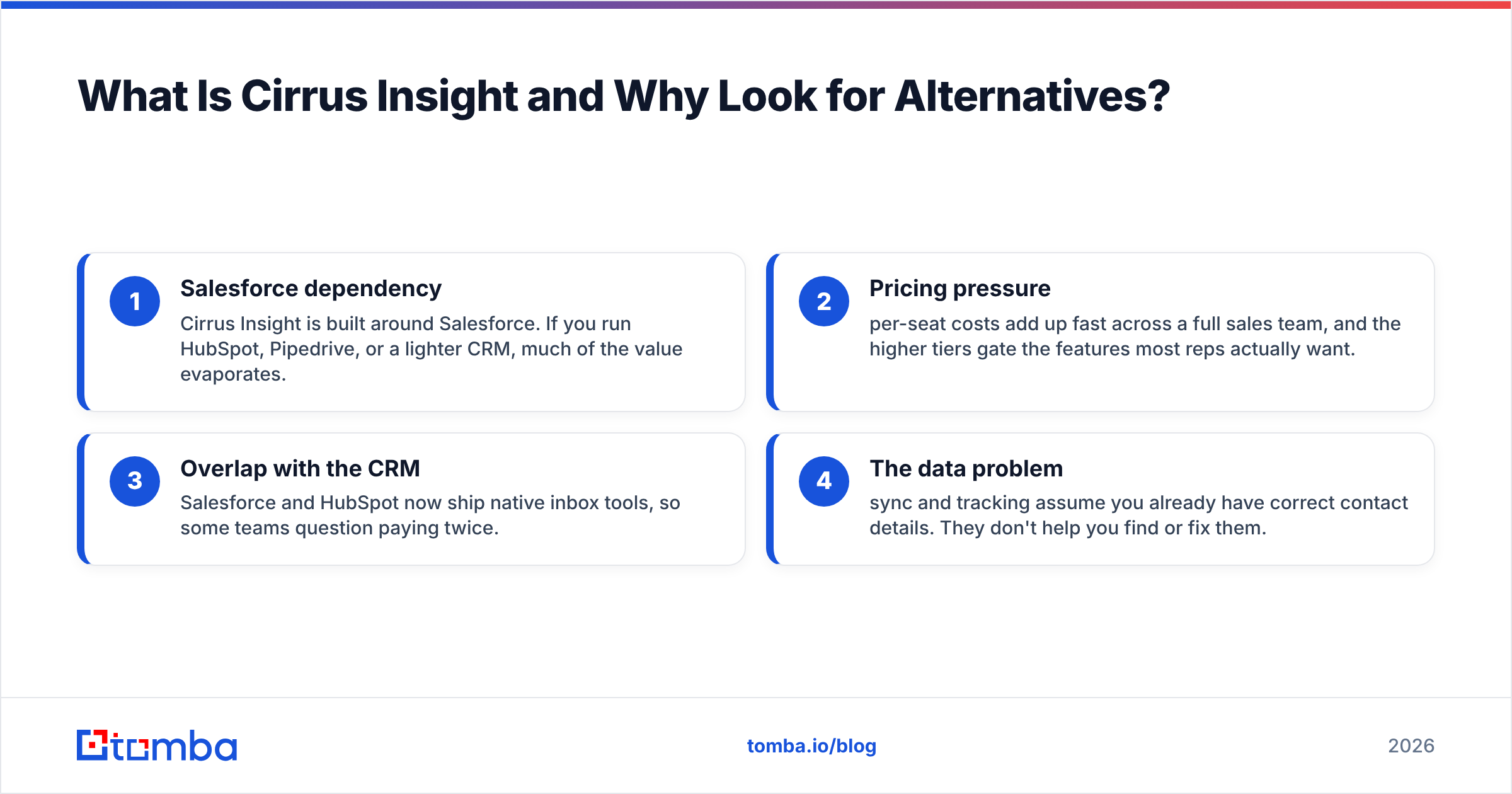
- Salesforce dependency — Cirrus Insight is built around Salesforce. If you run HubSpot, Pipedrive, or a lighter CRM, much of the value evaporates.
- Pricing pressure — per-seat costs add up fast across a full sales team, and the higher tiers gate the features most reps actually want.
- Overlap with the CRM — Salesforce and HubSpot now ship native inbox tools, so some teams question paying twice.
- The data problem — sync and tracking assume you already have correct contact details. They don't help you find or fix them.
That last point is the one most buyers underrate. You can read more about why in where Tomba gets its data, but the short version: a beautiful Salesforce sync is worthless if the email it logs bounces.

What Are the Best Cirrus Insight Alternatives in 2026?#
Here's the shortlist, grouped by what they actually replace.
Engagement / sequence platforms (replace Cirrus Insight + add multichannel cadences):
- Salesloft — full sales engagement platform with cadences, dialer, and analytics. Heavier and pricier, built for structured outbound teams.
- Outreach — the enterprise standard for sequences and forecasting. Powerful, expensive, and a real implementation lift.
Inbox productivity tools (closest like-for-like to Cirrus Insight):
- Yesware — email tracking, templates, and CRM sync with a gentler learning curve and friendlier pricing.
- Mixmax — Gmail-native scheduling, sequences, and tracking with strong calendar features.
- HubSpot Sales Hub — free tier plus deep native integration if you already run HubSpot CRM.
The data layer (feeds every tool above):
- Tomba — finds and verifies the professional emails your engagement tools then send to, with native Salesforce integration and enrichment.
- Apollo — combines a contact database with basic sequencing, useful as a lighter all-in-one for smaller teams.
How Do the Top Cirrus Insight Alternatives Compare?#
The comparison that matters isn't feature-by-feature — it's "what job does this tool actually do for my team." Here's the honest breakdown.
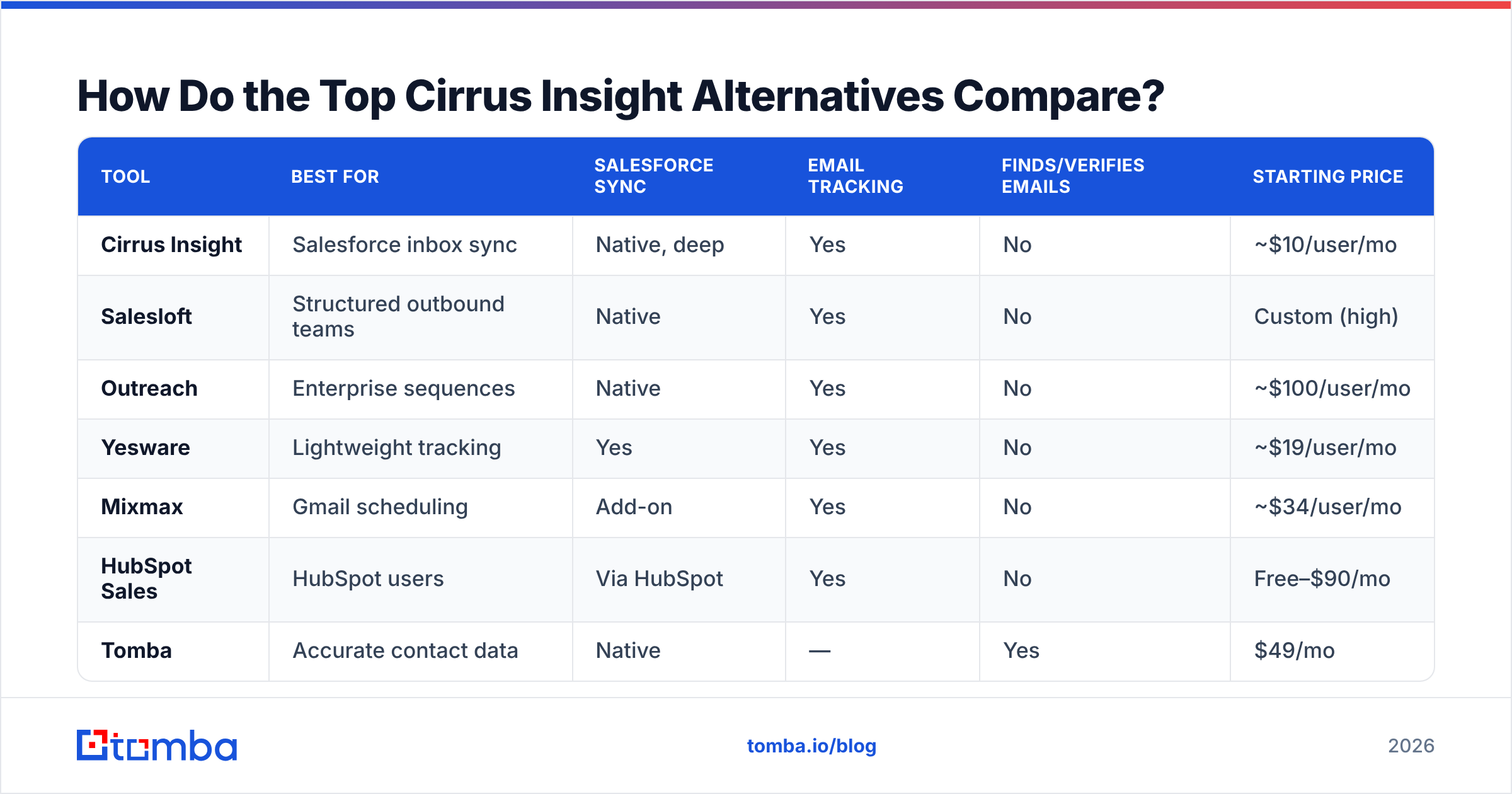
| Tool | Best for | Salesforce sync | Email tracking | Finds/verifies emails | Starting price |
|---|---|---|---|---|---|
| Cirrus Insight | Salesforce inbox sync | Native, deep | Yes | No | ~$10/user/mo |
| Salesloft | Structured outbound teams | Native | Yes | No | Custom (high) |
| Outreach | Enterprise sequences | Native | Yes | No | ~$100/user/mo |
| Yesware | Lightweight tracking | Yes | Yes | No | ~$19/user/mo |
| Mixmax | Gmail scheduling | Add-on | Yes | No | ~$34/user/mo |
| HubSpot Sales | HubSpot users | Via HubSpot | Yes | No | Free–$90/mo |
| Tomba | Accurate contact data | Native | — | Yes | $49/mo |
Two things jump out. First, almost no engagement or inbox tool actually finds or verifies the emails it sends — they assume you bring your own list. Second, prices for the enterprise engagement platforms (Outreach, Salesloft) sit far above a focused data tool. If your real pain is admin and tracking, an inbox tool like Yesware is closer to Cirrus Insight than a full platform is.
For a full breakdown of plans and credits on the data side, the Tomba pricing page lays out exactly what each tier includes.
Is an Engagement Platform Overkill for Your Team?#
Probably, if you're under ~15 reps. Conclusion first: most teams that churn off Cirrus Insight onto Outreach or Salesloft end up paying enterprise prices for features five people use.
Think of it like buying a commercial kitchen because you got tired of a slow microwave. Salesloft and Outreach are genuinely excellent — for organizations with dedicated ops teams, complex multichannel cadences, and forecasting needs that justify the cost and the multi-week onboarding. According to G2 category data, these platforms consistently rank high on capability and lower on ease-of-setup, which tells you who they're built for.
If you just want what Cirrus Insight gave you — inbox sync, open tracking, a few sequences — Yesware or Mixmax deliver that at a fraction of the price and complexity. Save the platform migration for when your motion actually demands it.
Why Does Contact Data Belong in This Conversation?#
Because every tool on this list is a delivery mechanism, and none of them solve who to send to or whether the address is real. This is the gap buyers discover three months after switching.
Here's the workflow that actually moves numbers:
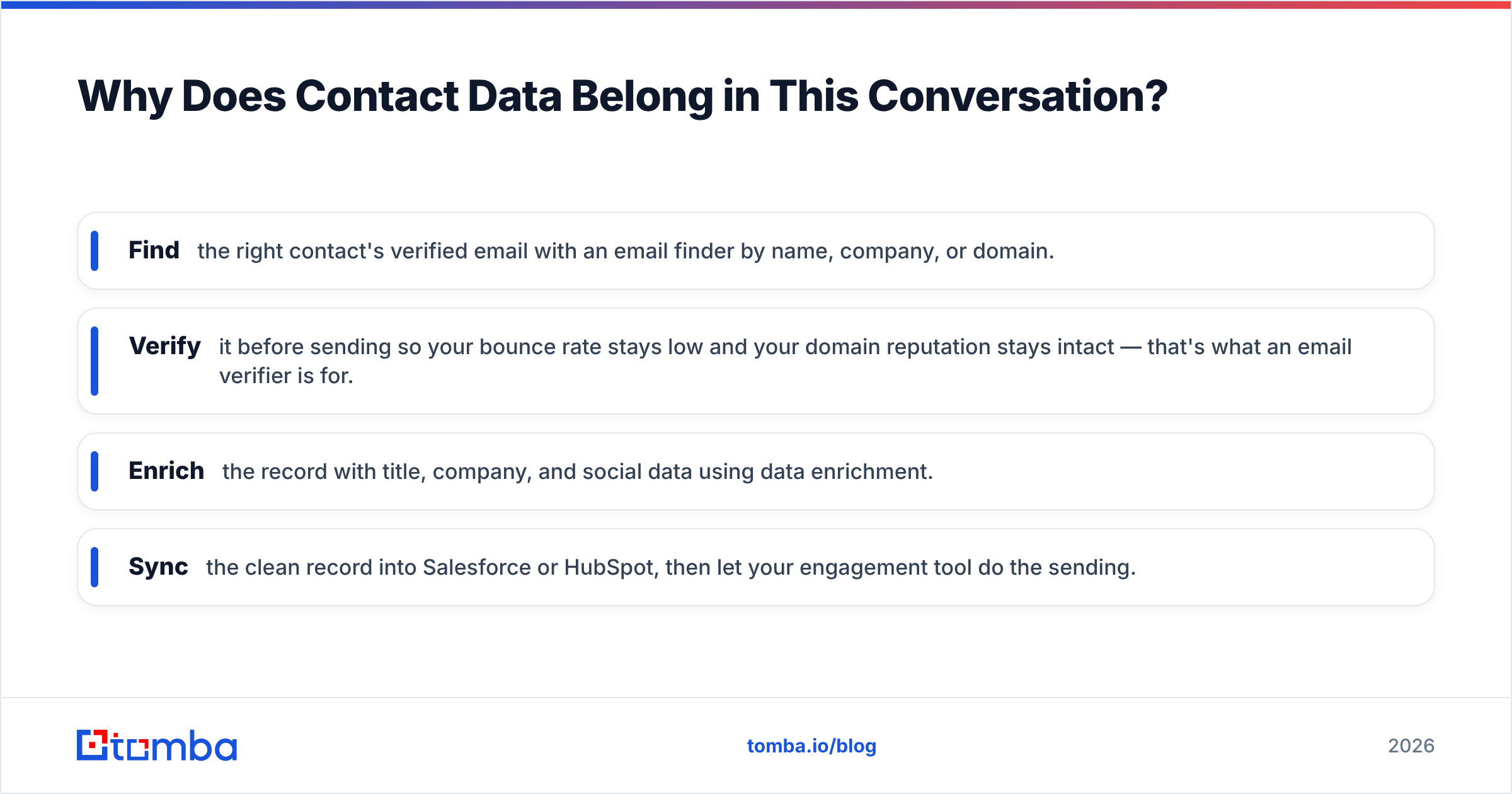
- Find the right contact's verified email with an email finder by name, company, or domain.
- Verify it before sending so your bounce rate stays low and your domain reputation stays intact — that's what an email verifier is for.
- Enrich the record with title, company, and social data using data enrichment.
- Sync the clean record into Salesforce or HubSpot, then let your engagement tool do the sending.
Skip the first three steps and your shiny new sequence tool just sends faster to dead inboxes. Bounce rates climb, deliverability tanks, and reps blame the tool when the problem was the data. You can read what counts as deliverable contact data in Tomba's notes on email deliverability.

Which Cirrus Insight Alternative Should You Choose?#
Match the tool to the bottleneck, not the brochure.
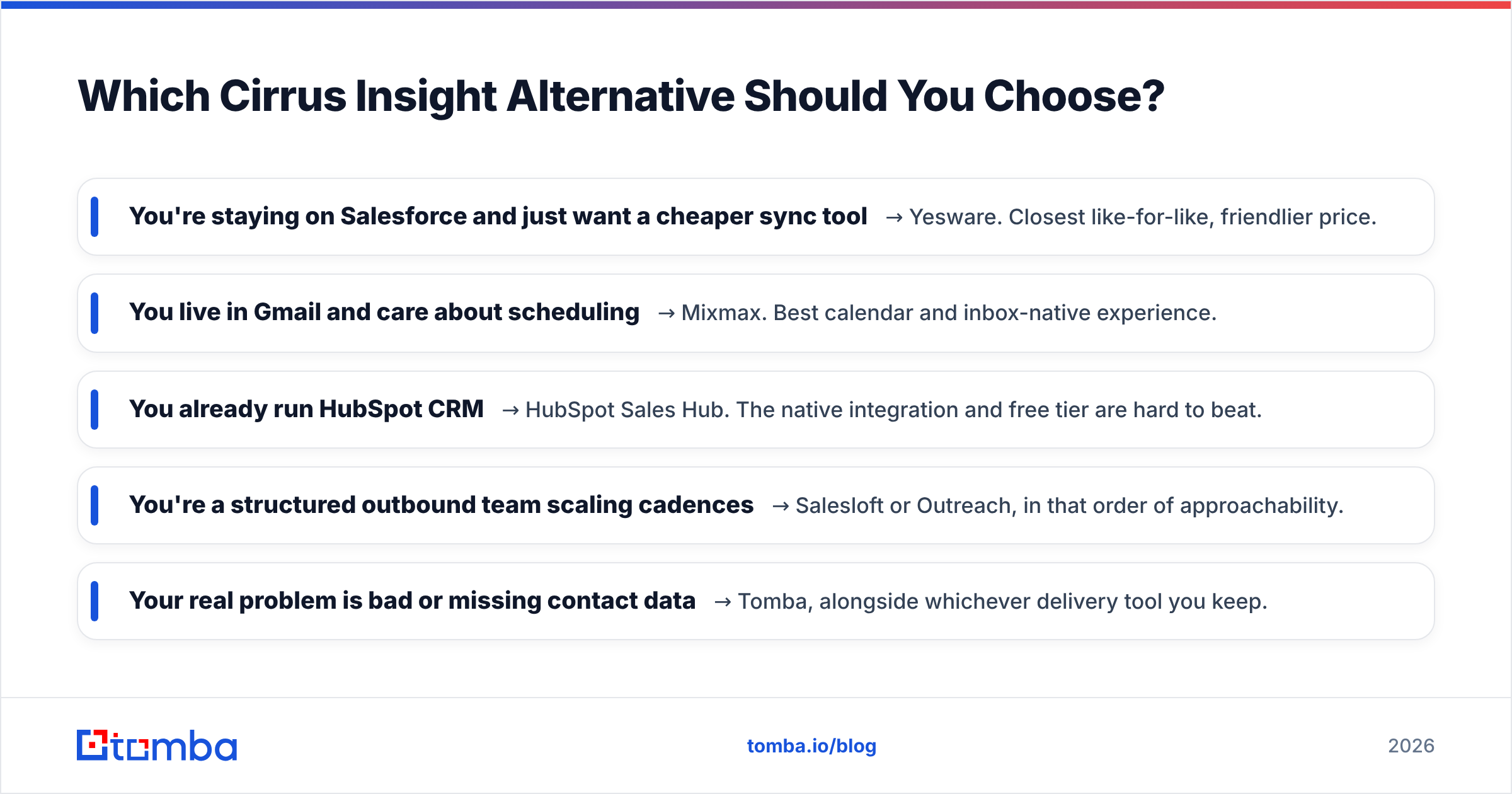
- You're staying on Salesforce and just want a cheaper sync tool → Yesware. Closest like-for-like, friendlier price.
- You live in Gmail and care about scheduling → Mixmax. Best calendar and inbox-native experience.
- You already run HubSpot CRM → HubSpot Sales Hub. The native integration and free tier are hard to beat.
- You're a structured outbound team scaling cadences → Salesloft or Outreach, in that order of approachability.
- Your real problem is bad or missing contact data → Tomba, alongside whichever delivery tool you keep.
Most teams need a combination: one tool to send and track, one to supply accurate contacts. The mistake is assuming a single all-in-one does both jobs well. Cirrus Insight nails sync; it was never built to find emails. The fastest win for many teams isn't replacing Cirrus Insight at all — it's adding a clean data source in front of it.
What About Cirrus Insight's Salesforce Lock-In?#
If Salesforce is the reason you're leaving, decide whether you're leaving Salesforce or just leaving Cirrus Insight. Those are different projects.
If you're staying on Salesforce but want more flexibility, a tool-agnostic data layer helps: Tomba pushes verified contacts into Salesforce, HubSpot, Pipedrive, and others through its integrations, so you're not betting your contact pipeline on a single CRM vendor's roadmap. Salesforce's own AppExchange lists dozens of inbox tools if you want to stay native — but check whether each one actually verifies data or just moves it.
The principle: keep your data portable even when your CRM isn't. That way switching delivery tools later costs you a subscription change, not a data migration.
Cirrus Insight Alternatives: Quick FAQ#
Is Cirrus Insight worth it in 2026? For Salesforce-committed teams that value tight inbox sync and tracking, yes. For everyone else, lighter or cheaper alternatives usually fit better.
What's the cheapest Cirrus Insight alternative? HubSpot Sales Hub has a genuine free tier if you use HubSpot CRM. Yesware is the cheapest paid like-for-like.
Do any of these tools find email addresses? The engagement and inbox tools generally don't. That's the job of a dedicated email finder and verifier, which you run before syncing to your CRM.
Can I use more than one of these together? Yes — and most high-performing teams do. A common stack is a data tool for finding and verifying contacts plus one engagement or inbox tool for sending and tracking.
The Bottom Line#
Cirrus Insight is a good tool with a narrow job: connecting your inbox to Salesforce. The right alternative depends entirely on which part of that job you actually need — cheaper sync, multichannel cadences, or the accurate contact data that makes any of it work.
If your bounce rates are climbing, your reps are guessing email formats, or your CRM is full of dead records, the fix isn't another sync tool. Start with the data. Try the Tomba Email Finder free with 25 searches a month, verify every address before it hits your sequence, and watch your deliverability — and your numbers — recover. Find the right people first; let your engagement tool handle the rest.
// get started
Find, verify and enrich your first contacts today
Start on the free plan with 25 searches a month, then scale when your team is ready.
Free plan · No credit card required · GDPR & CCPA
// about the author