Cirrus Insight Pricing, Reviews, Pros and Cons (2026 Guide)
A no-spin look at Cirrus Insight pricing, real user reviews, and the honest pros and cons of its Salesforce email sync in 2026 — plus where it falls short on data.
Cirrus Insight sells one core promise: stop tabbing between Gmail (or Outlook) and Salesforce, and let your inbox become the CRM cockpit. It's a mature, well-known tool — but "well-known" and "right for your team in 2026" are different questions. This guide breaks down the real pricing, what reviewers actually say, and the pros and cons that matter before you commit a card.
TL;DR — Is Cirrus Insight Worth It in 2026?#
- What it is: an email-to-Salesforce sync and sales-productivity layer that lives inside Gmail and Outlook (scheduling, tracking, templates, sync).
- Pricing: roughly $10–$27+ per user/month on the lower tiers, climbing on higher "Sync" and "Pro" plans billed annually; no permanently free plan.
- Best for: Salesforce-heavy teams that want inbox-side activity capture and meeting scheduling without manual logging.
- Weak spots: reviewers flag cost-for-value, occasional sync glitches, and a UI that feels dated; it is not a data or email-finding tool.
- The gap: Cirrus moves data you already have — it does not find verified contact data. Pair it with a finder like Tomba Email Finder to fill the top of funnel.
What Is Cirrus Insight and Who Is It For?#
Think of Cirrus Insight as a translator that sits between your inbox and Salesforce. Without it, every meaningful email, meeting, and reply is a manual copy-paste into the CRM — the digital equivalent of writing down every phone call on a sticky note and hoping you transfer it later. Cirrus automates that hand-off so reps spend time selling instead of logging.
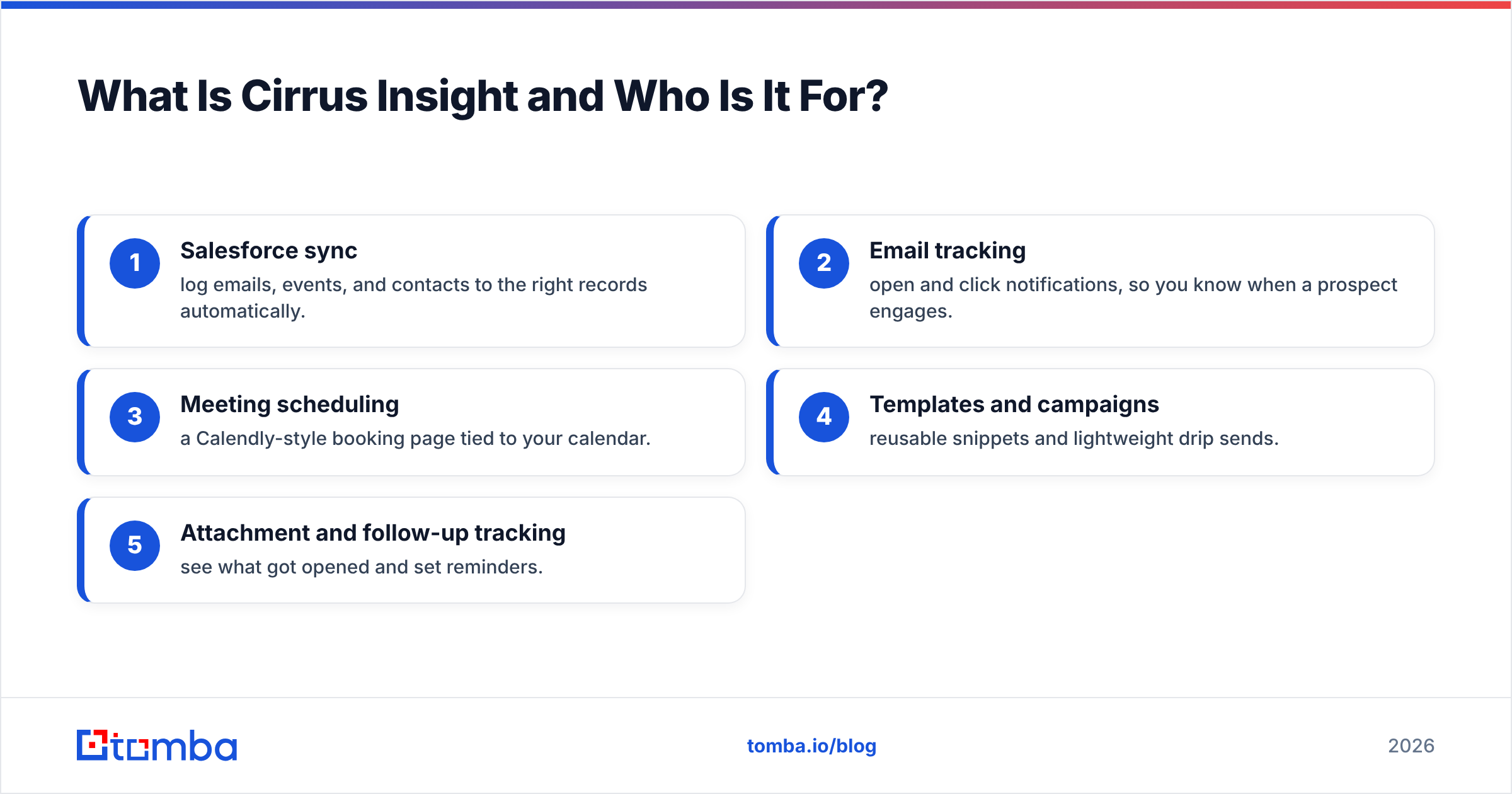
Technically, it's a browser extension and add-in for Gmail and Outlook that surfaces Salesforce records next to your messages and pushes activity back into the CRM. Its headline features cluster into a few buckets:
- Salesforce sync — log emails, events, and contacts to the right records automatically.
- Email tracking — open and click notifications, so you know when a prospect engages.
- Meeting scheduling — a Calendly-style booking page tied to your calendar.
- Templates and campaigns — reusable snippets and lightweight drip sends.
- Attachment and follow-up tracking — see what got opened and set reminders.
The ideal customer is a Salesforce shop where account executives and customer-success reps live in their inbox. If your team is not on Salesforce, much of the core value evaporates — there are cheaper, more focused tools for tracking and scheduling alone.
How Much Does Cirrus Insight Cost? (2026 Pricing Breakdown)#
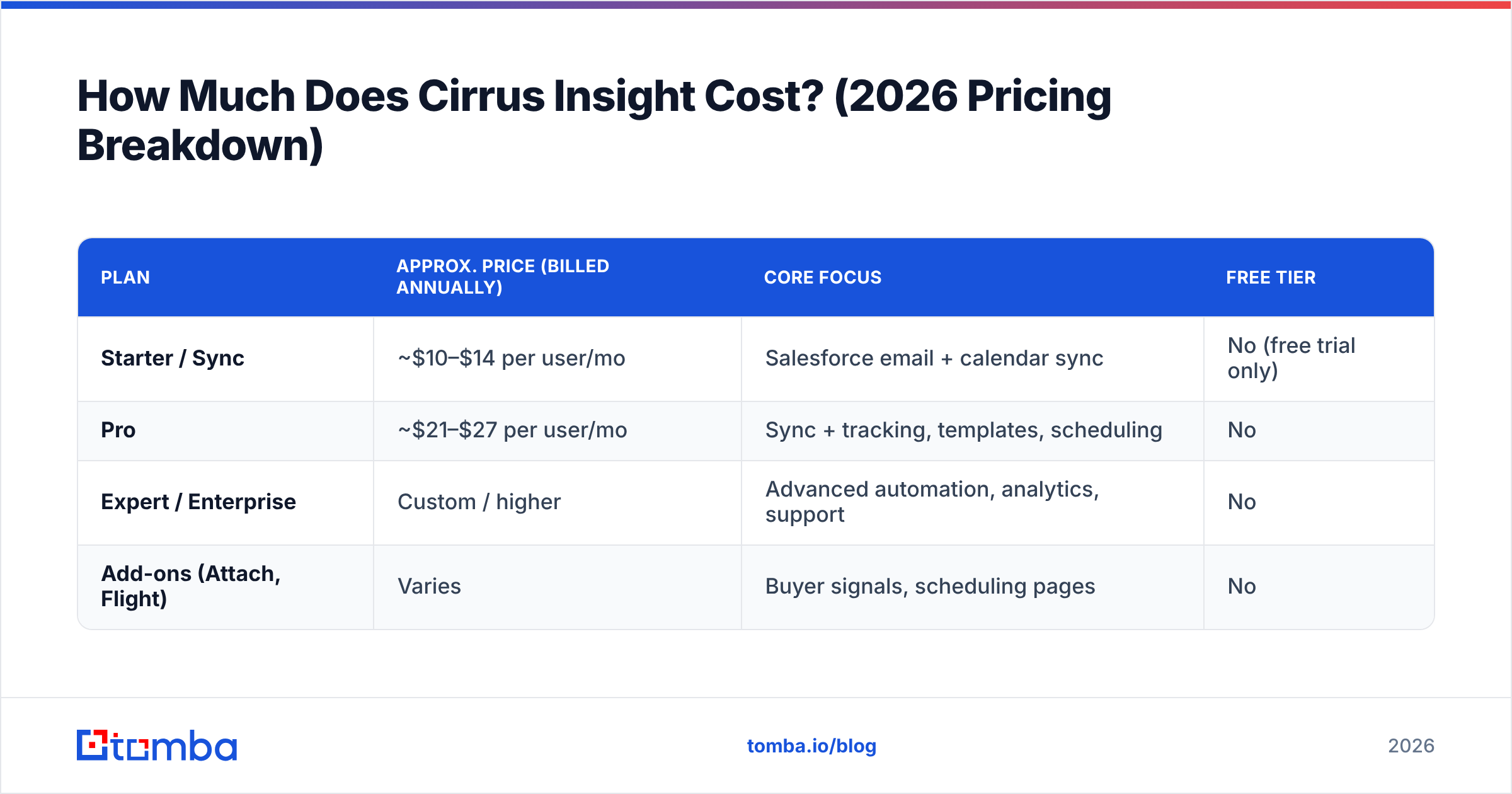
Cirrus Insight uses tiered, per-user pricing that is cheaper when billed annually. Plans have shifted names over the years (Salesforce Sync, Pro, Enterprise), so always confirm current numbers on the official Cirrus Insight site before you buy. As a 2026 snapshot, the structure looks like this:
| Plan | Approx. price (billed annually) | Core focus | Free tier |
|---|---|---|---|
| Starter / Sync | ~$10–$14 per user/mo | Salesforce email + calendar sync | No (free trial only) |
| Pro | ~$21–$27 per user/mo | Sync + tracking, templates, scheduling | No |
| Expert / Enterprise | Custom / higher | Advanced automation, analytics, support | No |
| Add-ons (Attach, Flight) | Varies | Buyer signals, scheduling pages | No |
A few things reviewers consistently call out about the pricing model:
- No permanent free plan. You get a trial, then it's paid — unlike several inbox tools that offer a free tier.
- Annual billing for the best rate. Monthly billing costs noticeably more per seat.
- Feature gating. The genuinely useful tracking, scheduling, and automation features tend to sit on the higher tiers, so the entry price is rarely the price you actually pay.
For a team of 10 reps on the Pro tier, you're realistically looking at $2,500–$3,200+ per year. That's reasonable for tight Salesforce integration — but it buys zero new contact data, which is the catch we'll return to.
What Do Cirrus Insight Reviews Say?#
Aggregate review sites paint a consistent picture: solid, sticky, but not without friction. On G2, Cirrus Insight typically lands in the 4.1–4.3 out of 5 range across hundreds of reviews, with similar marks on Capterra.
What reviewers praise:
- Time saved on logging. The single most repeated compliment — auto-sync removes the most hated admin task in sales.
- Email tracking that just works. Open and click alerts inside Gmail are called out as genuinely useful for timing follow-ups.
- Scheduling. The booking pages reduce back-and-forth and integrate with Salesforce campaigns.
What reviewers criticize:
- Price-to-value. Several reviews say the cost creeps up once you need the features that matter, and that competitors bundle more.
- Sync hiccups. Occasional duplicate logging, fields not mapping, or the extension needing a reconnect after Salesforce or Chrome updates.
- Dated interface. The UI is described as functional but not modern, especially next to newer inbox tools.
- Support variability. A recurring theme — fast and helpful for some, slow for others on lower tiers.
The honest read: Cirrus Insight is a dependable utility, not a love-it product. People keep it because ripping out CRM sync is painful, not because it delights them daily.
What Are the Pros and Cons of Cirrus Insight?#
Here's the balanced ledger, distilled from documentation and user reviews.
Pros:
- Deep Salesforce integration — best-in-class for inbox-to-CRM activity capture.
- Works in both Gmail and Outlook — rare flexibility for mixed-stack teams.
- All-in-one inbox layer — tracking, scheduling, templates, and sync in one place.
- Reduces manual data entry — measurable time savings for busy reps.
- Mature and stable — long track record, large install base.
Cons:
- No free plan — trial only, and useful features are gated to higher tiers.
- Per-seat cost adds up — expensive at scale relative to point tools.
- Occasional sync reliability issues — flagged across review platforms.
- Dated UX — functional but not modern.
- No data discovery — it organizes contacts you already have; it can't find new, verified ones.
That last point is the strategic one. Cirrus Insight is a bottom-of-the-workflow tool: it assumes the contact is already in your CRM. It does nothing for the hardest part of outbound — sourcing accurate, verified email addresses and phone numbers in the first place. For that you need a dedicated finder and verifier, and you can wire it straight into the same CRM via the Salesforce integration.
How Does Cirrus Insight Compare to Alternatives?#
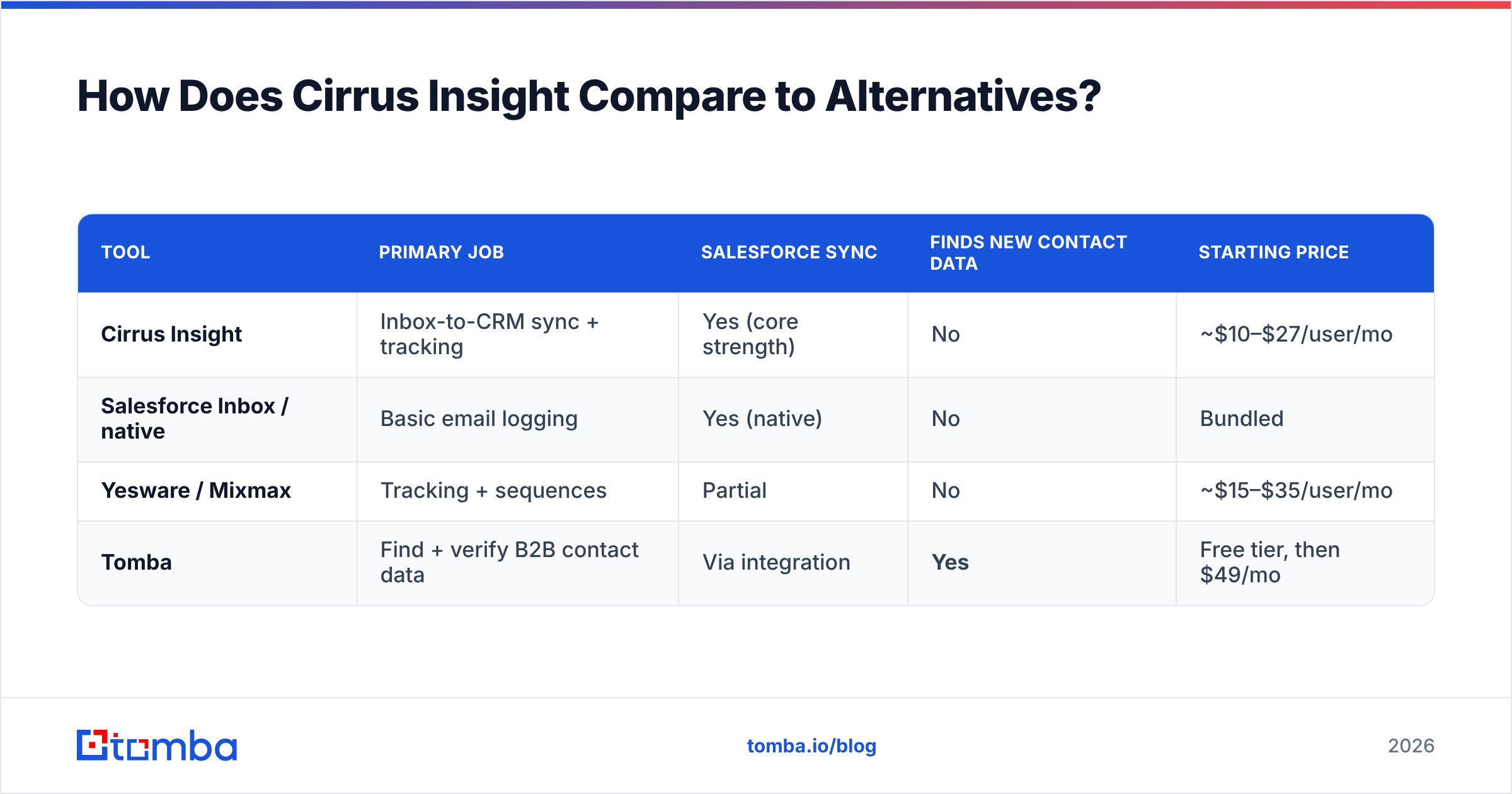
Cirrus Insight competes in a crowded inbox-productivity category. The right comparison depends on what job you're hiring the tool to do — sync, tracking, or data.
| Tool | Primary job | Salesforce sync | Finds new contact data | Starting price |
|---|---|---|---|---|
| Cirrus Insight | Inbox-to-CRM sync + tracking | Yes (core strength) | No | ~$10–$27/user/mo |
| Salesforce Inbox / native | Basic email logging | Yes (native) | No | Bundled |
| Yesware / Mixmax | Tracking + sequences | Partial | No | ~$15–$35/user/mo |
| Tomba | Find + verify B2B contact data | Via integration | Yes | Free tier, then $49/mo |
The key insight: tools like Cirrus, Yesware, and Mixmax all fight over the same layer — what happens to contacts already in your pipeline. None of them solve the supply problem. That's a different category, and it's where comparing pricing models gets interesting. If you're auditing spend, line up the workflow tool against a data tool rather than against each other; see Tomba's pricing for how usage-based finding and verification is costed versus flat per-seat sync.

Is Cirrus Insight Enough on Its Own?#
No — and this isn't a knock on Cirrus, it's a category boundary. A CRM sync tool is like a world-class kitchen with no grocery delivery. Your reps can plate beautifully, but only with ingredients someone else has to source. Cirrus Insight organizes, logs, and tracks the contacts in your CRM. It cannot tell you the verified email of a VP of Engineering you've never spoken to.
A complete outbound stack in 2026 needs three layers:
- Discovery — find and verify contact emails and phone numbers (a finder + verifier).
- Engagement — send, track, and schedule (where Cirrus Insight lives).
- System of record — log and report (Salesforce, plus Cirrus's sync).
Cirrus owns layer two and bridges to layer three. For layer one, you want a tool that returns accurate, deliverable addresses at scale. Tomba's email finder sources professional emails by name, company, or domain, and the built-in email verifier checks deliverability before you ever load a contact into Salesforce. Add data enrichment and you populate the records Cirrus then keeps in sync — clean inputs, clean logging.
Frequently Asked Questions#
Does Cirrus Insight have a free plan? No. Cirrus Insight offers a free trial but no permanently free tier. After the trial you choose a paid per-user plan, billed monthly or (cheaper) annually.
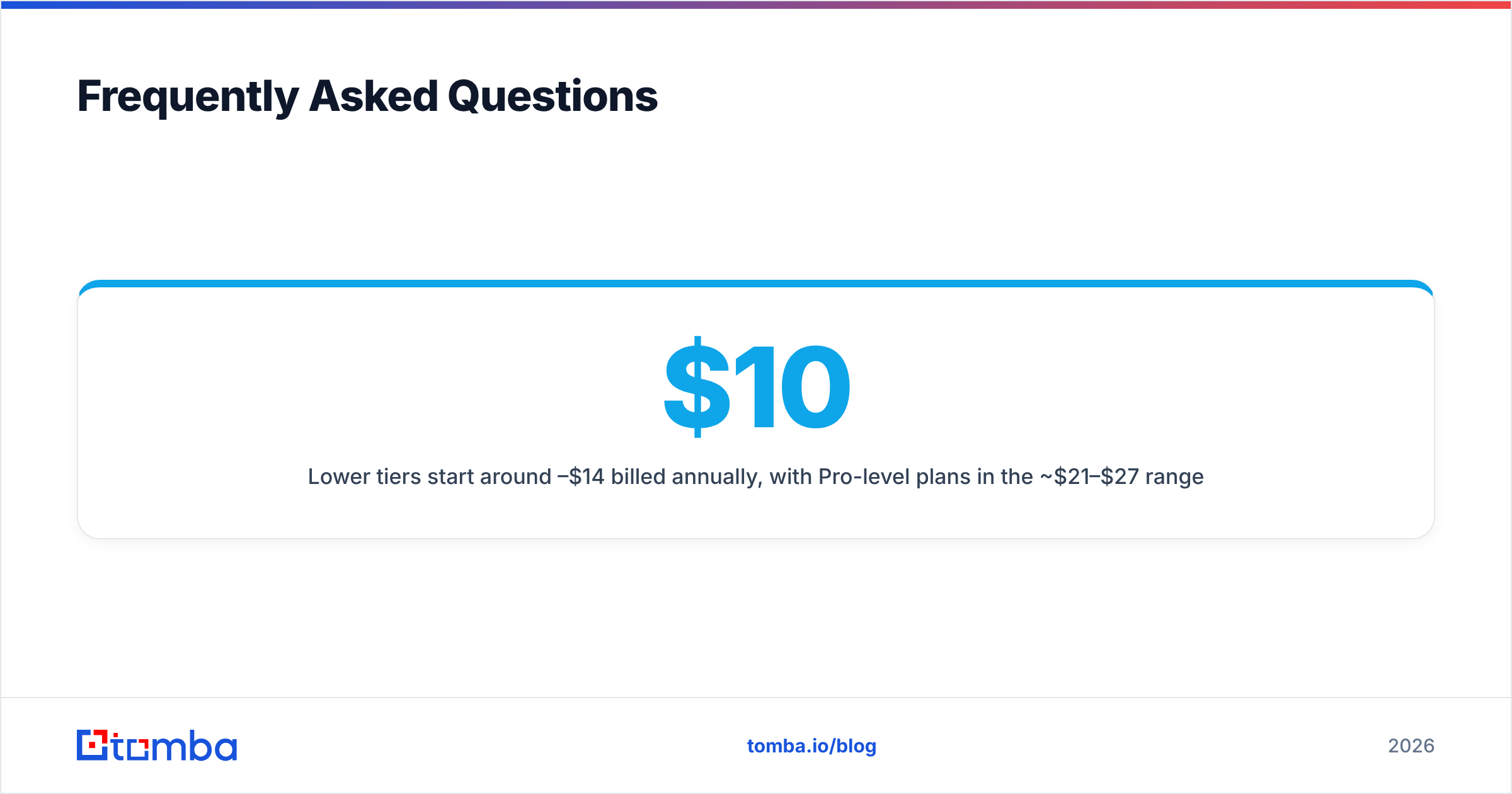
How much does Cirrus Insight cost per user? Lower tiers start around $10–$14 per user/month billed annually, with Pro-level plans in the ~$21–$27 range and custom enterprise pricing above that. Confirm current numbers on the vendor site, since plan names and prices change.
Is Cirrus Insight good for Outlook users? Yes. Unlike some Gmail-first competitors, Cirrus Insight supports both Gmail and Outlook, which makes it a fit for Microsoft-stack and mixed-stack teams.
What's the main complaint in Cirrus Insight reviews? Two themes dominate: price-to-value at scale, and occasional Salesforce sync reliability issues (duplicate logging, field mapping, or reconnects after browser updates).
Can Cirrus Insight find email addresses? No. Cirrus Insight syncs and tracks contacts you already have. To find and verify new B2B emails, pair it with a dedicated finder such as Tomba.
The Bottom Line#
Cirrus Insight earns its 4.1–4.3 ratings honestly: if you run on Salesforce and want your inbox to feed the CRM without manual logging, it's a dependable, mature choice — just budget for the higher tiers where the real features live, and expect the occasional sync hiccup. What it will never do is fill your pipeline with new, verified contacts.
That's the half of the workflow Cirrus can't touch — and the half that decides whether your reps have anyone to email at all. Start free with the Tomba Email Finder: find professional emails by name, company, or domain, verify them before they hit Salesforce, and let Cirrus do what it's good at — keeping the records you sourced perfectly in sync. Tomba's free tier gives you 25 searches a month to test it, with paid plans from $49/mo when you're ready to scale.
// get started
Find, verify and enrich your first contacts today
Start on the free plan with 25 searches a month, then scale when your team is ready.
Free plan · No credit card required · GDPR & CCPA
// about the author