Claude for Sales in 2026: The AI Playbook for Reps
Claude can research accounts, draft outreach, and clean CRM data in minutes. Here's the practical 2026 playbook for using Claude across your sales workflow.
TL;DR
- Claude is Anthropic's AI assistant, and in 2026 it's one of the strongest general-purpose copilots for sales research, writing, and data cleanup — not a CRM replacement, but a force multiplier on top of one.
- The highest-ROI sales use cases are account research, personalized first-touch drafting, call-note summarization, and turning messy spreadsheets into clean, structured data.
- Claude shines on long-context reasoning and tone control, which makes it better than most rivals for nuanced B2B outreach and account briefs.
- Claude is only as good as the data you feed it — pair it with a verified contact source (like an email finder) so personalization lands in real inboxes.
- Via the Model Context Protocol, Claude can now pull live enrichment data directly through tools like Tomba MCP, closing the gap between "draft an email" and "send to the right person."
What is Claude, and why are sales teams using it?#
Claude is the family of large language models built by Anthropic. Think of it less like a search engine and more like a sharp junior analyst who reads fast, writes well, and never gets tired of formatting spreadsheets. You give it context — an account's website, a prospect's LinkedIn summary, last quarter's call notes — and it reasons over all of it at once.
For sales teams, that matters because most selling time isn't spent selling. It's spent researching, writing, logging, and reformatting. Industry surveys consistently show reps spend under a third of their week actually talking to buyers. Claude attacks the other two-thirds.
The reason "Claude for sales" became a real category in 2026 — rather than a novelty — is three shifts:
- Long context windows. Claude can hold an entire discovery-call transcript, a 20-page RFP, and your product one-pager in working memory simultaneously, then write a follow-up that references all of it accurately.
- Tone and judgment. Claude is noticeably better at not sounding like a robot. For cold outreach where one whiff of "AI-generated" kills the reply, that's decisive.
- Tool connectivity. With the Model Context Protocol (MCP), Claude can call external data tools mid-conversation — pulling verified emails, firmographics, or enrichment without you leaving the chat.
What are the best sales use cases for Claude?#
Not every task deserves an AI assist. Claude earns its keep on work that is high-volume, language-heavy, and tolerant of a human final check. Here are the use cases where teams see real time savings:
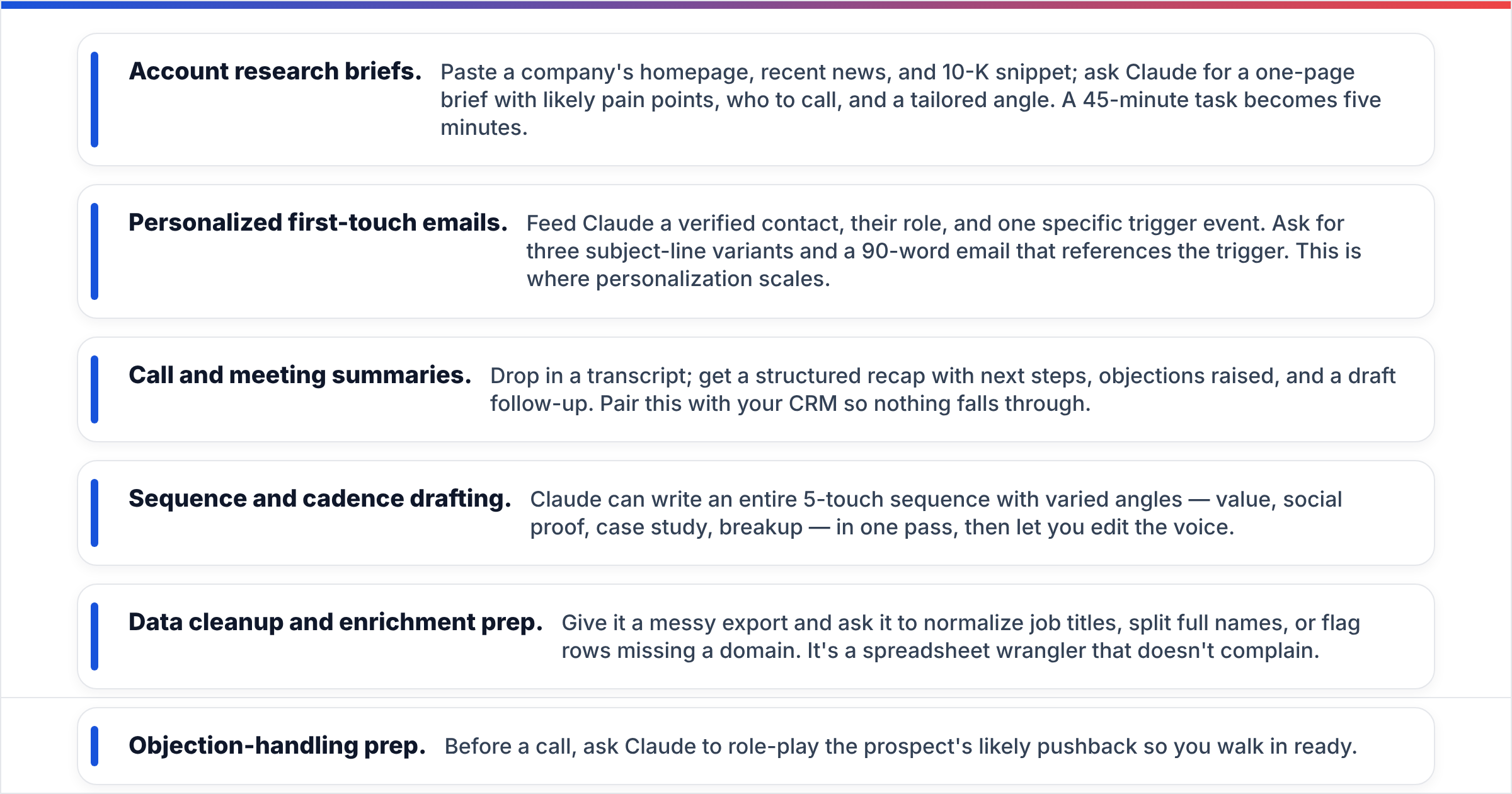
- Account research briefs. Paste a company's homepage, recent news, and 10-K snippet; ask Claude for a one-page brief with likely pain points, who to call, and a tailored angle. A 45-minute task becomes five minutes.
- Personalized first-touch emails. Feed Claude a verified contact, their role, and one specific trigger event. Ask for three subject-line variants and a 90-word email that references the trigger. This is where personalization scales.
- Call and meeting summaries. Drop in a transcript; get a structured recap with next steps, objections raised, and a draft follow-up. Pair this with your CRM so nothing falls through.
- Sequence and cadence drafting. Claude can write an entire 5-touch sequence with varied angles — value, social proof, case study, breakup — in one pass, then let you edit the voice.
- Data cleanup and enrichment prep. Give it a messy export and ask it to normalize job titles, split full names, or flag rows missing a domain. It's a spreadsheet wrangler that doesn't complain.
- Objection-handling prep. Before a call, ask Claude to role-play the prospect's likely pushback so you walk in ready.
The pattern across all of these: Claude turns unstructured input into structured, ready-to-act output. What it does not do is know which emails are real, which contacts still work at the company, or whether a domain is a catch-all. That gap is where your data stack comes in.
Is Claude better than ChatGPT or Gemini for sales?#
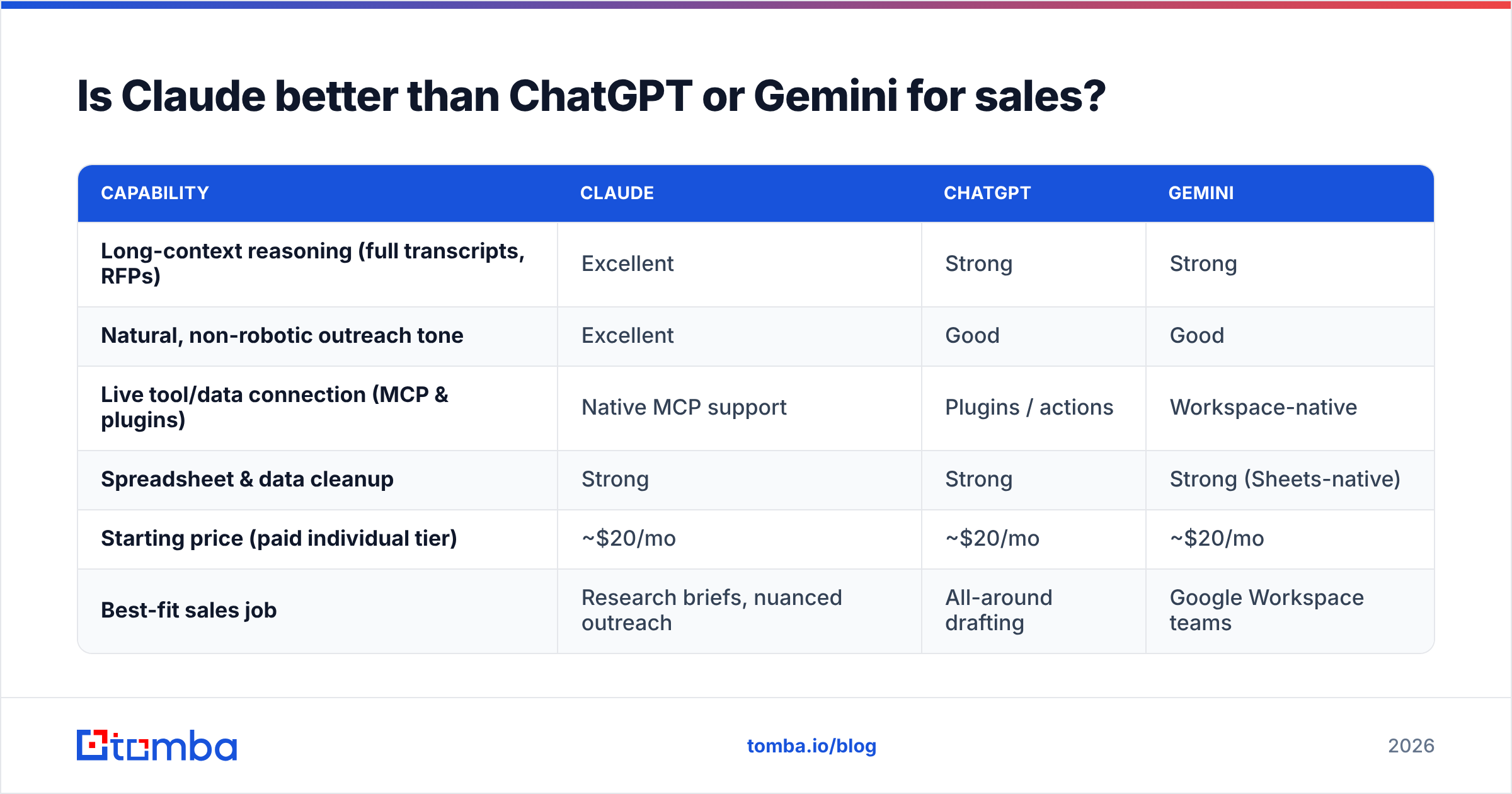
Short answer: for B2B writing and long-document reasoning, Claude is usually the strongest pick, but the gap is narrow and use-case dependent. Here's an honest side-by-side of the major assistants for sales work in 2026.
| Capability | Claude | ChatGPT | Gemini |
|---|---|---|---|
| Long-context reasoning (full transcripts, RFPs) | Excellent | Strong | Strong |
| Natural, non-robotic outreach tone | Excellent | Good | Good |
| Live tool/data connection (MCP & plugins) | Native MCP support | Plugins / actions | Workspace-native |
| Spreadsheet & data cleanup | Strong | Strong | Strong (Sheets-native) |
| Starting price (paid individual tier) | ~$20/mo | ~$20/mo | ~$20/mo |
| Best-fit sales job | Research briefs, nuanced outreach | All-around drafting | Google Workspace teams |
The practical takeaway: pick based on where your data lives and what you write most. If your day is heavy on reading long documents and crafting careful, human-sounding messages, Claude is the safe bet. If your team runs entirely inside Google Workspace, Gemini's native Sheets and Docs integration may win on convenience. None of them, on their own, knows a prospect's verified email — they reason over the data you provide.
For a neutral feature-by-feature read across categories, vendor-review sites like G2 track up-to-date user ratings on each assistant.
How do you actually set up Claude for a sales workflow?#
The mistake most teams make is treating Claude like a chatbot — asking one-off questions and copy-pasting answers. The teams getting 10x value treat it like a configured workspace. Here's a setup that works.
1. Build a reusable context block. Write a short "company brief" — what you sell, your ICP, your tone rules, your top three differentiators, and what you never say. Reuse it at the top of every prompt (or store it in a Claude Project). This is the single biggest quality lever.
2. Standardize your prompts as templates. Create saved prompts for your recurring jobs: "account brief," "first-touch email," "call recap," "objection prep." Consistent inputs produce consistent outputs your reps can trust.
3. Connect live data through MCP. This is the 2026 upgrade. Instead of pasting contact data manually, connect a data tool so Claude can fetch it. Tomba's Claude integration and MCP server let Claude request a verified email or company contacts mid-conversation — so the email it drafts is addressed to a real, deliverable inbox.
4. Keep a human in the loop. Claude drafts; a human approves. Set a rule: no AI-written message goes out without a 20-second read. This catches the rare hallucinated detail and keeps your sender reputation clean.
5. Measure the lift. Track reply rate and time-per-task before and after. If Claude isn't moving a number, change the workflow, not just the prompt.

Where does Claude fall short — and how do you cover the gap?#
Claude is a reasoning and language engine, not a data provider. That distinction explains every one of its limitations in a sales context.
It doesn't know current contact data. Claude can guess an email format (first.last@company.com), but guessing isn't verifying. Send to a guessed address and you risk bounces that hurt your sender reputation. You need a real source that checks deliverability — that's what an email verifier does.
It can hallucinate specifics. Ask for a prospect's exact funding round or headcount and Claude may produce a confident, wrong number. Always pull hard facts from a real database, not the model's memory.
It has no native CRM connection out of the box. Claude won't update your pipeline unless you wire it up through automation. Until then, treat its output as a draft you log.
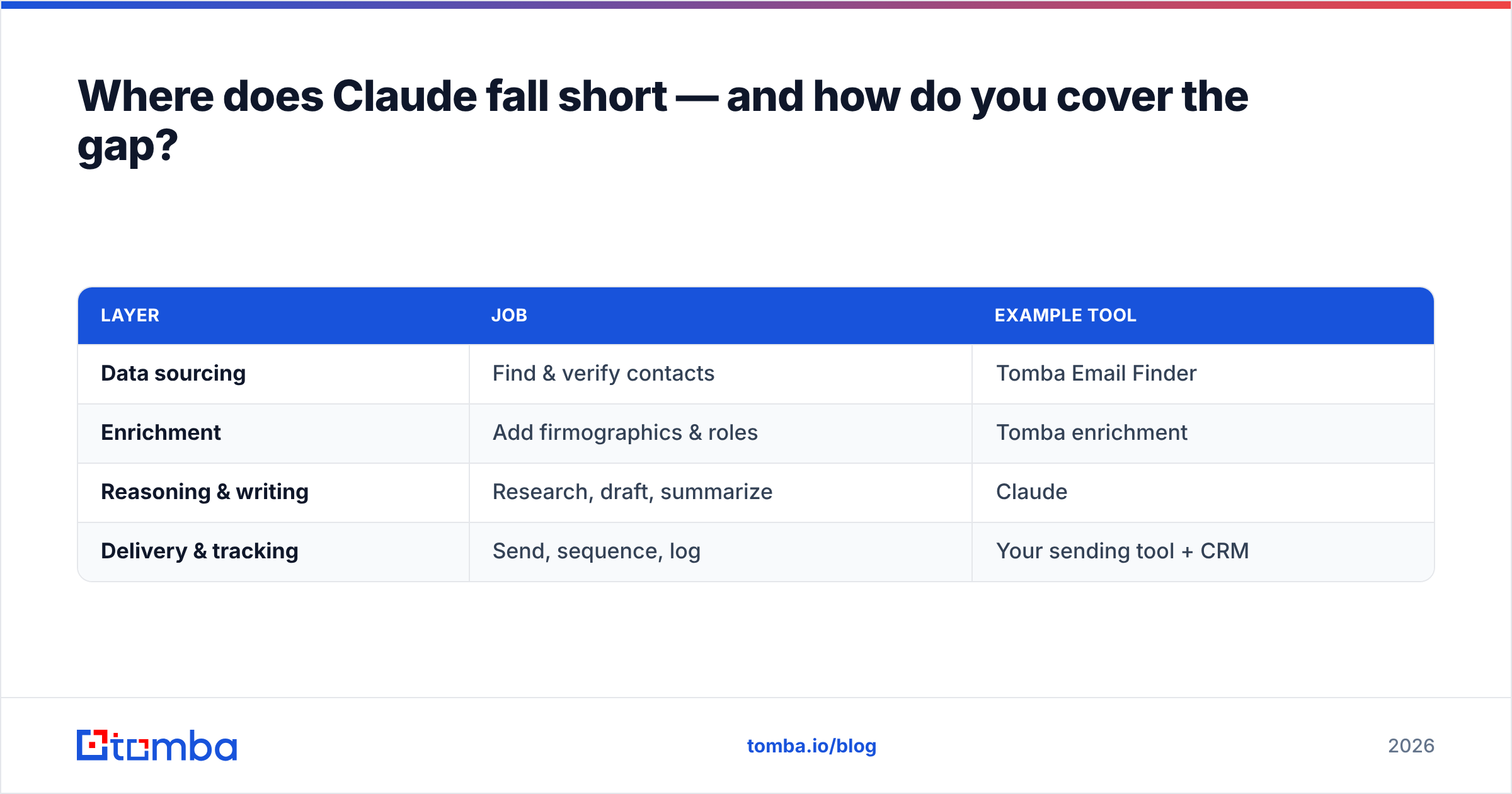
The fix for all three is the same: feed Claude verified, structured data and let it do what it's genuinely great at — reasoning and writing. A typical 2026 stack looks like this:
| Layer | Job | Example tool |
|---|---|---|
| Data sourcing | Find & verify contacts | Tomba Email Finder |
| Enrichment | Add firmographics & roles | Tomba enrichment |
| Reasoning & writing | Research, draft, summarize | Claude |
| Delivery & tracking | Send, sequence, log | Your sending tool + CRM |
When those layers connect — sourcing feeds reasoning, reasoning feeds delivery — you get a workflow where Claude personalizes at scale and every message lands in a verified inbox. That's the combination that actually moves reply rates, not Claude alone.
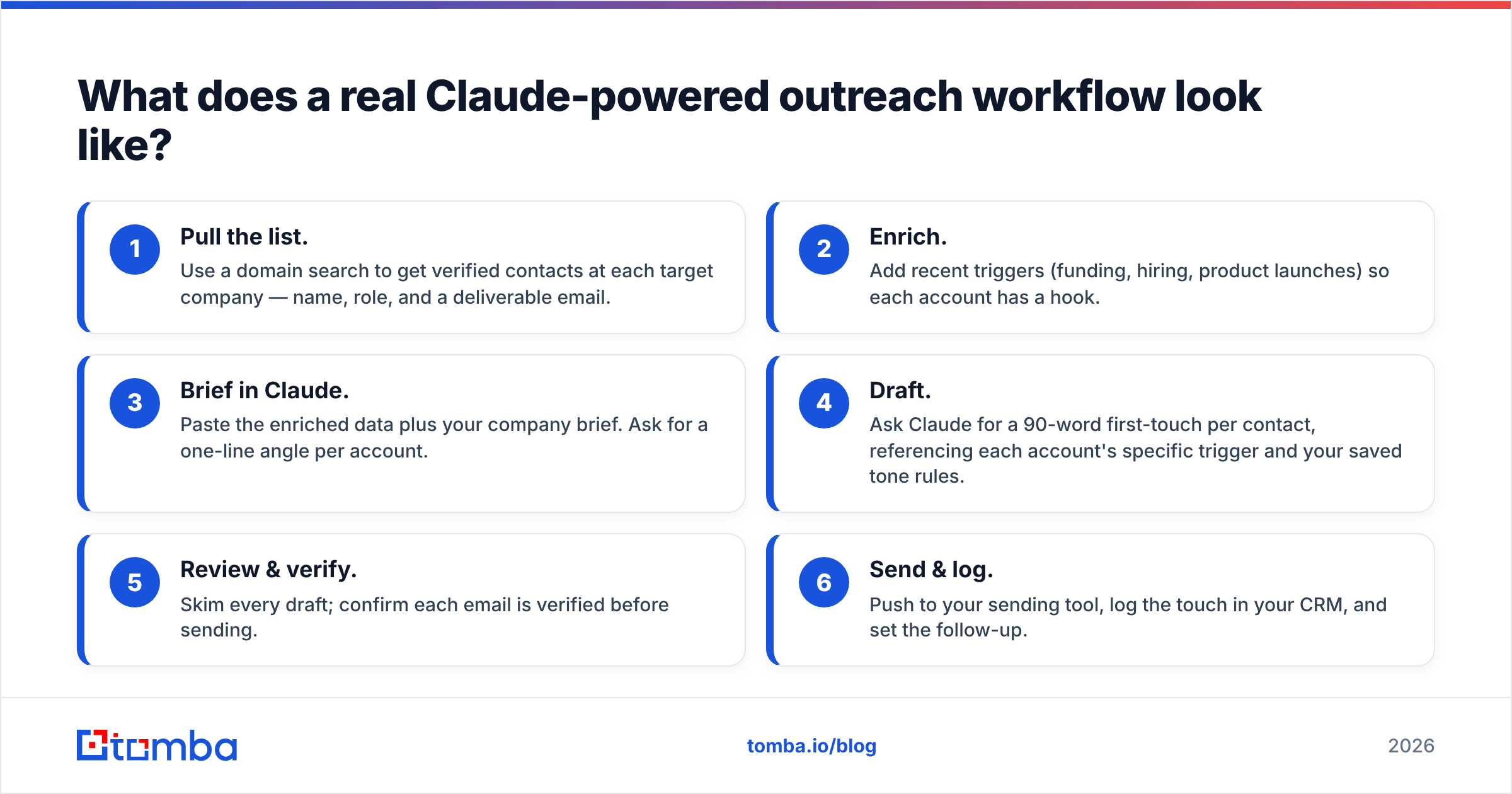
What does a real Claude-powered outreach workflow look like?#
Here's an end-to-end example you can copy today, for a rep targeting 50 new accounts this week.
- Pull the list. Use a domain search to get verified contacts at each target company — name, role, and a deliverable email.
- Enrich. Add recent triggers (funding, hiring, product launches) so each account has a hook.
- Brief in Claude. Paste the enriched data plus your company brief. Ask for a one-line angle per account.
- Draft. Ask Claude for a 90-word first-touch per contact, referencing each account's specific trigger and your saved tone rules.
- Review & verify. Skim every draft; confirm each email is verified before sending.
- Send & log. Push to your sending tool, log the touch in your CRM, and set the follow-up.
The whole flow takes a fraction of the time manual research and writing would — and because the data underneath is verified, your bounce rate stays low and your domain reputation stays healthy. For the deeper mechanics of inbox placement, see HubSpot's guidance on email deliverability best practices, which pairs well with keeping your lists clean.
Frequently asked questions#
Is Claude safe to use with prospect data? Treat any AI tool the way you'd treat a third-party vendor: review the provider's data and privacy terms, avoid pasting regulated or sensitive personal data, and prefer enterprise plans with stronger data controls when handling customer information at scale.
Can Claude replace my SDRs? No. Claude removes the busywork — research, first drafts, summaries — so reps spend more time in live conversations. The judgment, relationship-building, and closing stay human.
Does Claude integrate with my CRM? Not natively, but you can connect it through automation or MCP so it reads and writes structured data. Start with one workflow (call summaries into the CRM) before automating everything.
How accurate are the emails Claude suggests? Claude infers likely email formats; it does not verify them. Always run suggested addresses through an email verifier before sending.
The bottom line on Claude for sales#
Claude is the best general-purpose reasoning and writing assistant most sales teams can put to work in 2026 — but it's a copilot, not the whole cockpit. Its output is only as good as the data you give it, and guessed contact data quietly destroys deliverability.
Close that gap by pairing Claude with a verified data source. Start free with the Tomba Email Finder to source and verify the contacts Claude writes to, then connect it through Tomba's MCP server so Claude can pull real, deliverable emails right inside your workflow. Tomba's free tier covers 25 searches a month, with paid plans starting at $49/mo — check the full Tomba pricing to match a plan to your volume. Give Claude clean data, and it'll give you outreach that actually reaches the inbox.
// get started
Find, verify and enrich your first contacts today
Start on the free plan with 25 searches a month, then scale when your team is ready.
Free plan · No credit card required · GDPR & CCPA
// about the author