Clay Data Enrichment in 2026: How It Works & Alternatives
Clay turned waterfall enrichment into a spreadsheet. Here's how Clay data enrichment actually works in 2026, what it costs, and where it falls short.
Clay is the tool that made "waterfall enrichment" a phrase RevOps teams say out loud. Instead of paying one data vendor and accepting whatever coverage they have, Clay lets you chain dozens of providers together in a spreadsheet-style grid and only pay when a provider actually returns a match. That single idea changed how a lot of go-to-market teams think about buying B2B data.
But Clay is also widely misunderstood. People expect it to be a database. It isn't. They expect it to magically produce accurate emails. It doesn't, on its own. And they're often shocked by how fast credits disappear. This guide walks through what Clay data enrichment really is, how the mechanics work, what it costs in 2026, and where you still need a dedicated email and contact source to make it pay off.
TL;DR#
- Clay is an orchestration layer, not a database. It routes each row through multiple enrichment providers in sequence (a "waterfall") and stops at the first match.
- You pay in credits, and credits burn fast when you stack providers or run large lists — budgeting is the hard part.
- Email and phone accuracy depend on the providers you plug in, not on Clay itself. Garbage providers in, garbage data out.
- Clay shines at workflow automation (scraping, AI columns, CRM sync) but is overkill if you just need verified emails by domain.
- A focused email finder plus verification is faster and cheaper for the core "find a real email" job, and pairs well with Clay as a high-quality input.
What is Clay data enrichment?#
Clay data enrichment is a process where you load a list of people or companies into a Clay table, then add enrichment "columns" that call external data providers to fill in missing fields — job titles, company size, LinkedIn URLs, work emails, phone numbers, funding data, tech stack, and more.
The mental model is a spreadsheet that can make API calls. Each row is a record (a person or a company). Each column can be static data you imported, a provider lookup, a scraping action, or an AI prompt that reasons over the other columns. When you run the table, Clay executes those columns left to right and writes the results back into the grid.
What makes it different from a plain data vendor is the waterfall. Most vendors sell you their coverage and that's the ceiling. Clay instead lets you say: "Try Provider A for the work email. If A returns nothing, try B. If B fails, try C." You're assembling coverage from many sources and paying per success, which is why teams with picky ICPs gravitate to it.
If the concept of filling gaps in contact records is new to you, it's worth reading a plain-language primer on data enrichment before you wire up a complex Clay table — the fundamentals matter more than the tooling.
How does waterfall enrichment actually work?#
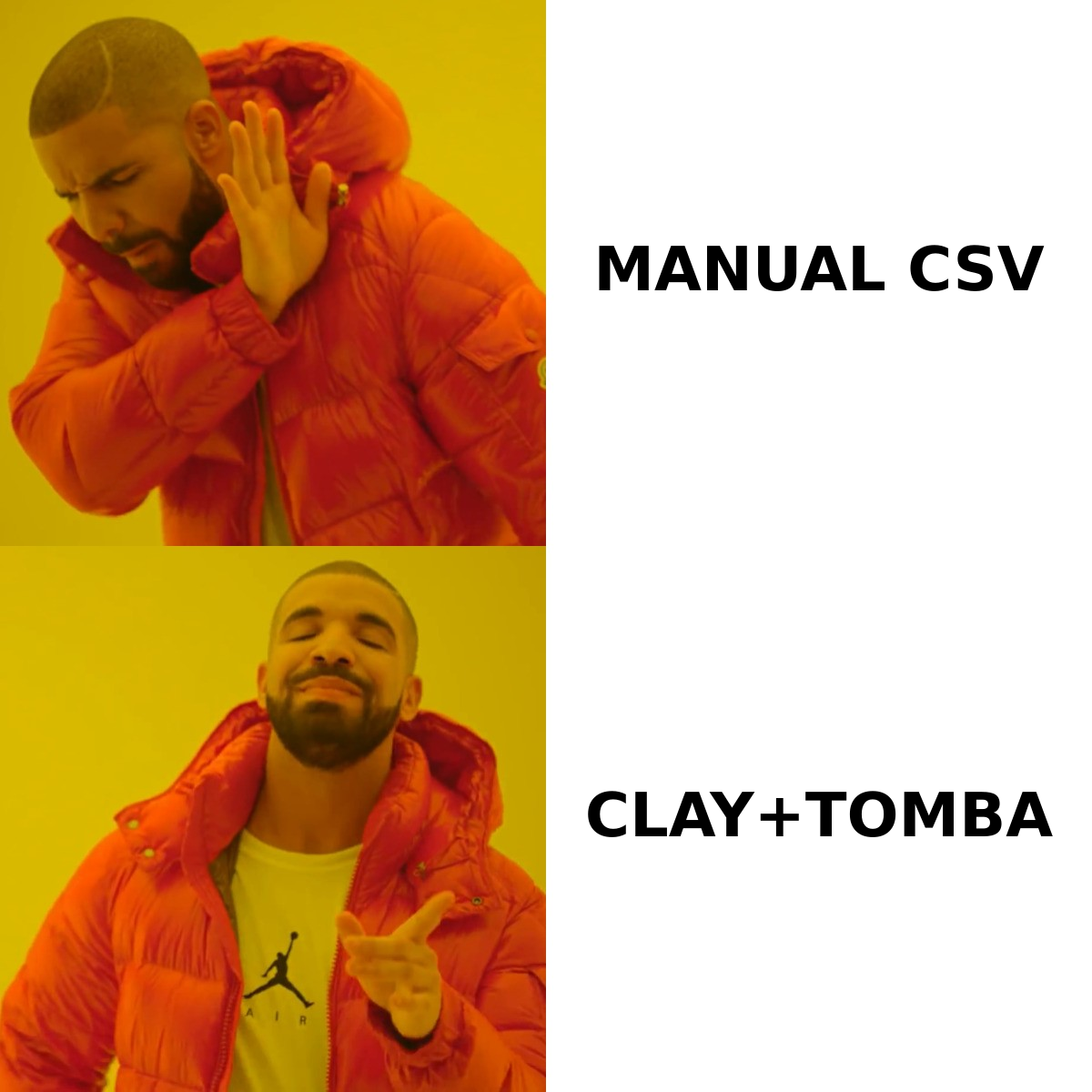
Waterfall enrichment is a fallback chain. You order providers by some priority — usually accuracy first, then cost, then coverage — and Clay walks the chain until one returns a usable value.
Here's the logic in plain steps:
- Define the target field. Say you want a verified work email for each contact.
- Stack providers in order. Provider 1 is your most accurate source, Provider 2 is the cheaper backup, Provider 3 is the wide-coverage catch-all.
- Run the row. Clay calls Provider 1. If it returns an email, the waterfall stops and you're charged for that one call.
- Fall through on misses. If Provider 1 returns nothing, Clay calls Provider 2, and so on.
- Optionally verify. Add a final verification column so you don't push invalid addresses into your sequencer.
The payoff is higher net coverage at controlled cost: you're not paying every vendor for every row, only the one that wins each row. The catch is that the order you choose determines both your accuracy and your bill. Put a cheap, low-accuracy provider first and you'll "win" rows with bad data that never fall through to the better source.
This is also where a lot of teams quietly bleed money. A waterfall that calls five providers per row across a 50,000-row list is a very different invoice than the demo suggested.
What does Clay cost in 2026?#
Clay prices on a subscription tier plus a monthly credit allotment, and credits are consumed by enrichment and scraping actions. The plan names and exact numbers shift over time, so treat any figure here as directional and confirm on Clay's own pricing page before you commit.
The structure matters more than the sticker price. Two things drive real spend:
- Credits per action. Every provider call, scrape, and some AI columns cost credits. Waterfalls multiply this because a single "find email" outcome may have cost three failed lookups before the win.
- "Provider credits" vs. Clay credits. Some premium providers bill on top of your Clay credits, so your effective cost per enriched row can be higher than the headline credit math implies.
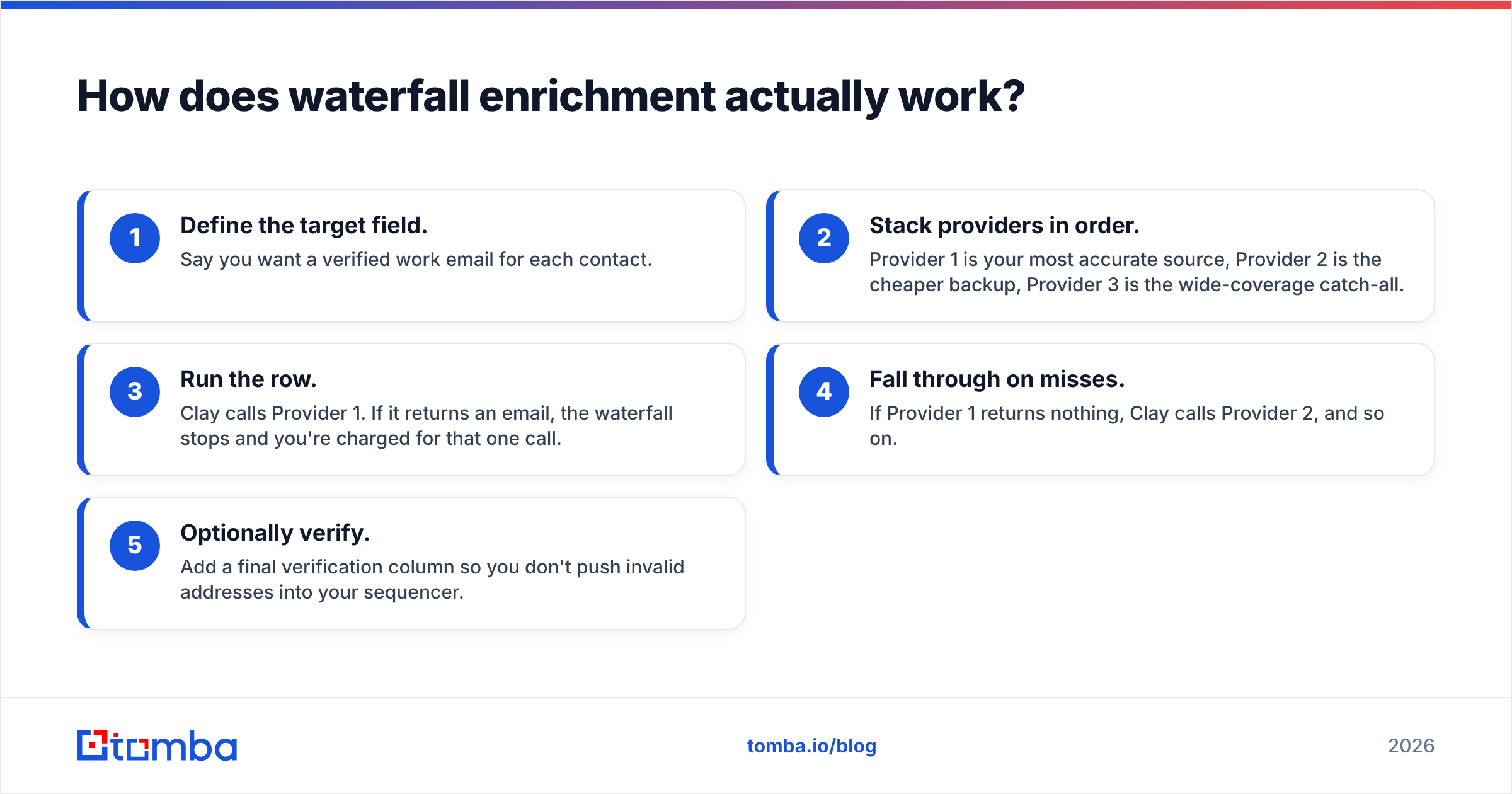
Here's how Clay compares to a focused email-finding stack on the dimensions that usually decide the purchase:
| Dimension | Clay | Dedicated email finder (e.g. Tomba) |
|---|---|---|
| Primary job | Workflow + multi-source orchestration | Find & verify work emails by name/domain |
| Pricing model | Subscription + credits (per action) | Predictable search/verify quotas |
| Entry price | Higher; scales with credit burn | Free tier (25 searches/mo), Starter $49/mo |
| Email accuracy source | Whatever providers you plug in | Native finder + verifier |
| Learning curve | Steep (tables, columns, formulas) | Minutes to first result |
| Best for | RevOps building complex GTM systems | Teams that need reliable emails fast |
| Bulk handling | Strong, but credit-heavy | Bulk email finder with flat quotas |
The honest read: Clay is excellent when the workflow is the product — multi-step research, conditional logic, AI scoring. It's poor value when all you actually need is "give me the verified email for these 2,000 contacts." For that job, predictable per-search pricing wins.
You can see how flat-quota pricing looks in practice on the Tomba pricing page, where Starter is $49/mo and the free tier covers 25 searches a month — useful as a baseline to compare credit burn against.
Is Clay accurate enough for cold outreach?#
Clay is exactly as accurate as the providers you feed it — no more, no less. This is the single most important thing to understand. Clay doesn't generate emails from its own database; it brokers requests to sources that do.
That means two teams using "Clay" can get wildly different results:
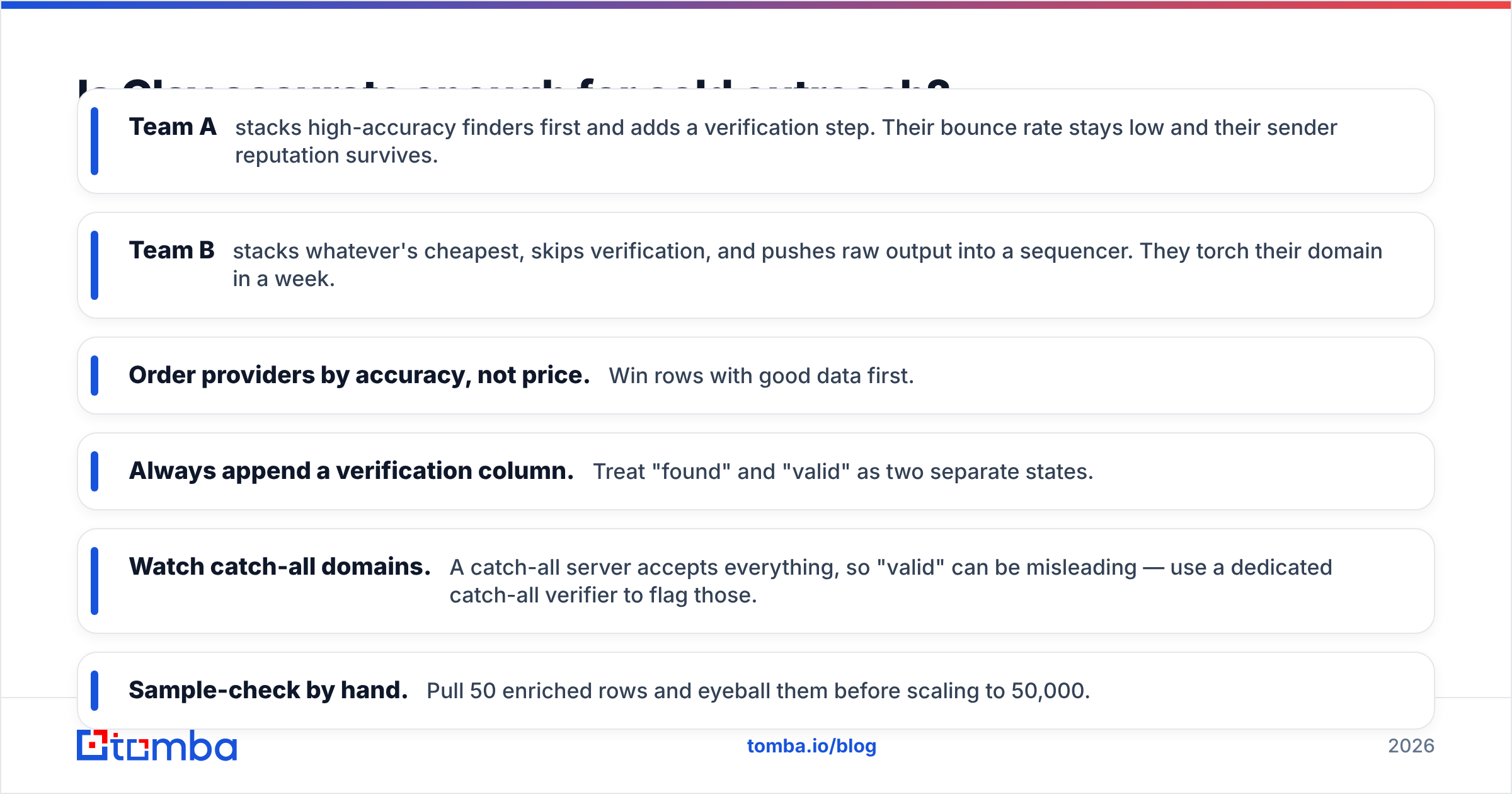
- Team A stacks high-accuracy finders first and adds a verification step. Their bounce rate stays low and their sender reputation survives.
- Team B stacks whatever's cheapest, skips verification, and pushes raw output into a sequencer. They torch their domain in a week.
If you're sending cold email, the verification step is non-negotiable. An unverified work email guessed from a name-and-domain pattern is a coin flip, and bounces above ~3% start dragging down deliverability fast. Run every address through an email verifier before it touches your sending tool, whether the address came from Clay, a CSV, or anywhere else.
A practical accuracy checklist before you trust Clay output:
- Order providers by accuracy, not price. Win rows with good data first.
- Always append a verification column. Treat "found" and "valid" as two separate states.
- Watch catch-all domains. A catch-all server accepts everything, so "valid" can be misleading — use a dedicated catch-all verifier to flag those.
- Sample-check by hand. Pull 50 enriched rows and eyeball them before scaling to 50,000.
When should you use Clay vs. a dedicated email finder?#
Use the job, not the hype, to decide. The two tools solve overlapping but distinct problems.
Reach for Clay when:
- You're building a repeatable GTM system with branching logic (e.g. score a lead, route by segment, draft a personalized line with AI, then sync to CRM).
- You need to combine many data types per record — firmographics, tech stack, funding, intent signals.
- You have someone on the team who enjoys spreadsheets-as-software and will maintain the tables.
Reach for a dedicated finder when:
- The core need is "find a real, verified email for this person or domain."
- You want predictable costs instead of credit roulette.
- You need results in minutes without building a pipeline.
- You're enriching at scale and want a flat quota rather than per-action billing.
These aren't mutually exclusive. The strongest setups use a focused finder as a high-accuracy first provider inside Clay, then let Clay handle the orchestration and AI work around it. You get clean inputs and powerful workflows. Many teams wire this together through the Tomba API so the finder runs as a column in their existing Clay tables, or sync results through their broader integrations stack into HubSpot or Salesforce.
For a sense of how other practitioners weigh these tools against each other, the Clay reviews on G2 are candid about both the power and the credit-cost frustration — worth reading before you sign an annual deal.
What are the main limitations of Clay?#
Clay is powerful, but it has real rough edges you should plan around rather than discover mid-campaign.
- Credit anxiety is constant. Because almost everything costs credits, teams hesitate to experiment, which undercuts the whole "build and iterate" promise. Budget a buffer and monitor burn weekly.
- It's not a database. If a person isn't already in your list and the providers can't find them, Clay returns nothing. It enriches what you bring; it doesn't discover net-new contacts from scratch the way a B2B database does.
- The learning curve is steep. Columns, lookups, formulas, conditional runs, and AI prompts add up to a tool that rewards a power user and frustrates a casual one.
- Accuracy is outsourced. As covered above, your data quality is your provider quality. Clay won't save you from a bad source list.
- Cost unpredictability at scale. A workflow that's cheap on 500 rows can be alarming on 500,000, especially with deep waterfalls and premium providers stacked.
None of these are dealbreakers — they're just the trade-offs of an orchestration layer. The teams that win with Clay treat it as infrastructure: they instrument it, budget for it, and feed it clean inputs.
How do you get the most out of Clay data enrichment?#
Treat Clay as the conductor and your data sources as the orchestra. A few principles separate the teams who love Clay from the ones who churn:
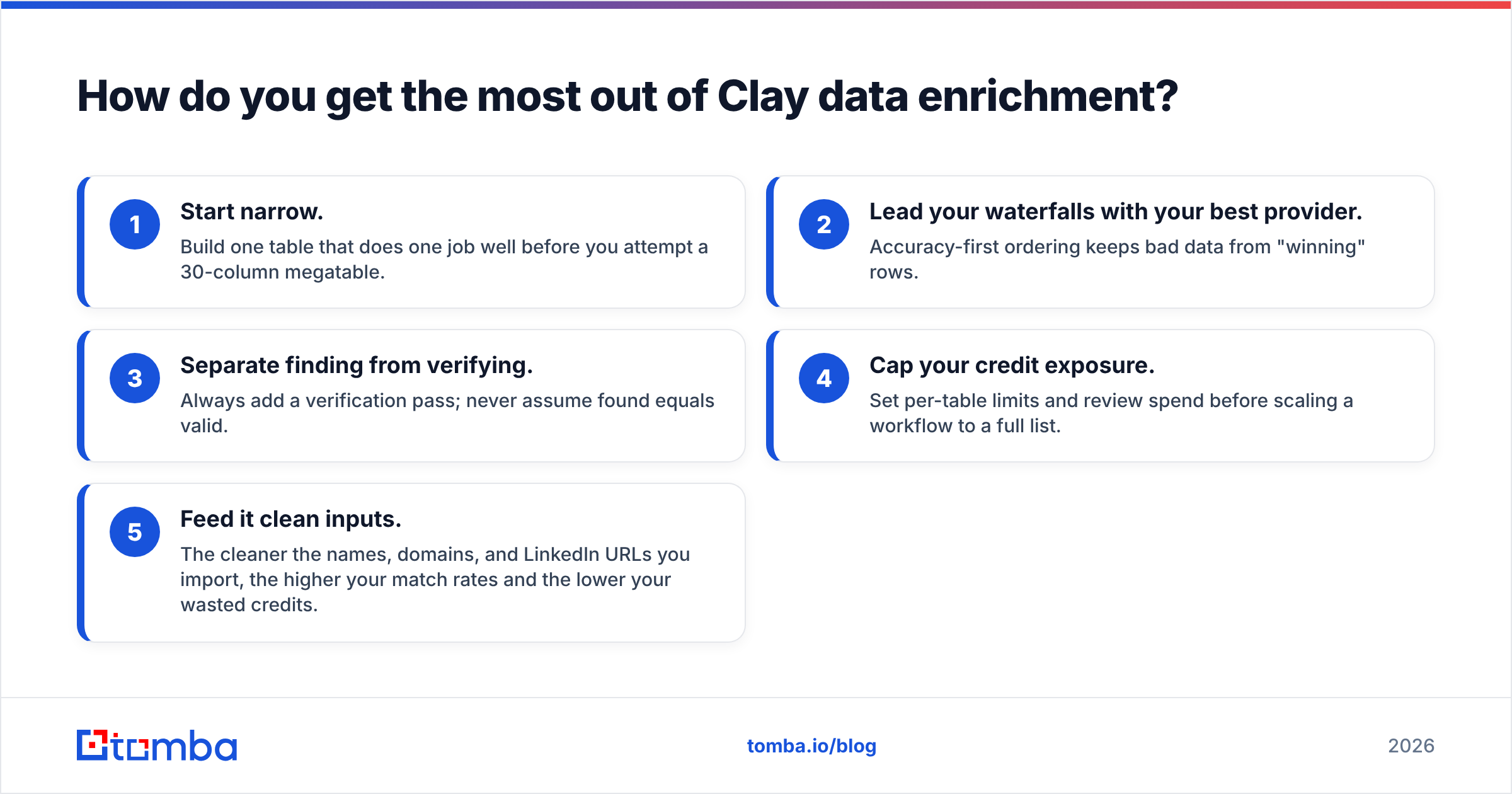
- Start narrow. Build one table that does one job well before you attempt a 30-column megatable.
- Lead your waterfalls with your best provider. Accuracy-first ordering keeps bad data from "winning" rows.
- Separate finding from verifying. Always add a verification pass; never assume found equals valid.
- Cap your credit exposure. Set per-table limits and review spend before scaling a workflow to a full list.
- Feed it clean inputs. The cleaner the names, domains, and LinkedIn URLs you import, the higher your match rates and the lower your wasted credits.
That last point is where a dedicated finder earns its keep. If you start with verified emails and correct company domains, every downstream Clay column performs better and cheaper. Tools like a domain search for company-wide contact discovery, or a LinkedIn finder for converting profiles into work emails, give Clay a strong foundation to build on instead of asking it to guess.
The bottom line#
Clay is the best workflow-orchestration tool in B2B data, and it's not close. If you're building a sophisticated, multi-source GTM engine and you have the person-hours to maintain it, it's worth every credit. But Clay is only as good as the data you pour into it, and for the everyday job of finding a real, verified work email, a focused finder is faster, cheaper, and more predictable.
If your core need is accurate emails — whether to use them directly or to feed them into Clay as your top-priority provider — start with the Tomba Email Finder. It finds professional email addresses by name, domain, or company, verifies them before you send, and bills on a simple quota instead of a credit meter you have to babysit. Try it on the free tier (25 searches a month), and once your match rates and bounce rates prove out, layer it into Clay or run it on its own. Clean inputs are the cheapest performance upgrade you'll ever make.
Ready to find emails that actually work?
Join 150,000+ professionals who stopped guessing and started sending. Free credits on signup — no credit card required.
Get the Tomba newsletter
Practical outbound tactics and product updates — once every two weeks.
About the author