Clay List Building in 2026: The Complete Workflow Guide
A practical, no-fluff guide to Clay list building in 2026: how to source, enrich, waterfall, and verify B2B lists that actually convert — plus where to plug in cheaper data.
Clay has become the default canvas for B2B list building because it turns a spreadsheet into a programmable enrichment engine. But the tool is only as good as the workflow you build inside it — and the data sources you pipe in. This guide shows you how to build accurate, ready-to-send lists in Clay without burning credits or shipping garbage to your inbox.
TL;DR#
- Clay list building is a four-stage loop: source rows, enrich them, waterfall across providers, then verify before export.
- The biggest cost lever is the enrichment waterfall — calling expensive providers first wastes credits on data a cheaper source already had.
- Email verification is non-negotiable. An unverified Clay list will torch your sender reputation faster than any subject line.
- Plugging a dedicated email finder and email verifier into your waterfall cuts both bounce rate and per-row cost.
- Treat Clay as the orchestrator, not the single source of truth — the best lists blend multiple providers.
What is Clay list building?#
Clay list building is the process of assembling a targeted B2B contact list inside Clay, a spreadsheet-style platform that connects to dozens of data providers and runs enrichment automatically on every row. Think of it like a kitchen pass in a busy restaurant: raw ingredients (company domains, LinkedIn URLs, names) come in one side, each station adds something (job title, email, phone, firmographics), and a finished plate (a sales-ready contact) comes out the other.
The reason Clay exploded in 2026 is that it collapses a stack of single-purpose tools into one tab. Instead of exporting a CSV from one tool, uploading it to a verifier, then re-importing to a finder, you chain those steps as columns. Each column is an "enrichment" that fires an API call and writes the result back to the row.
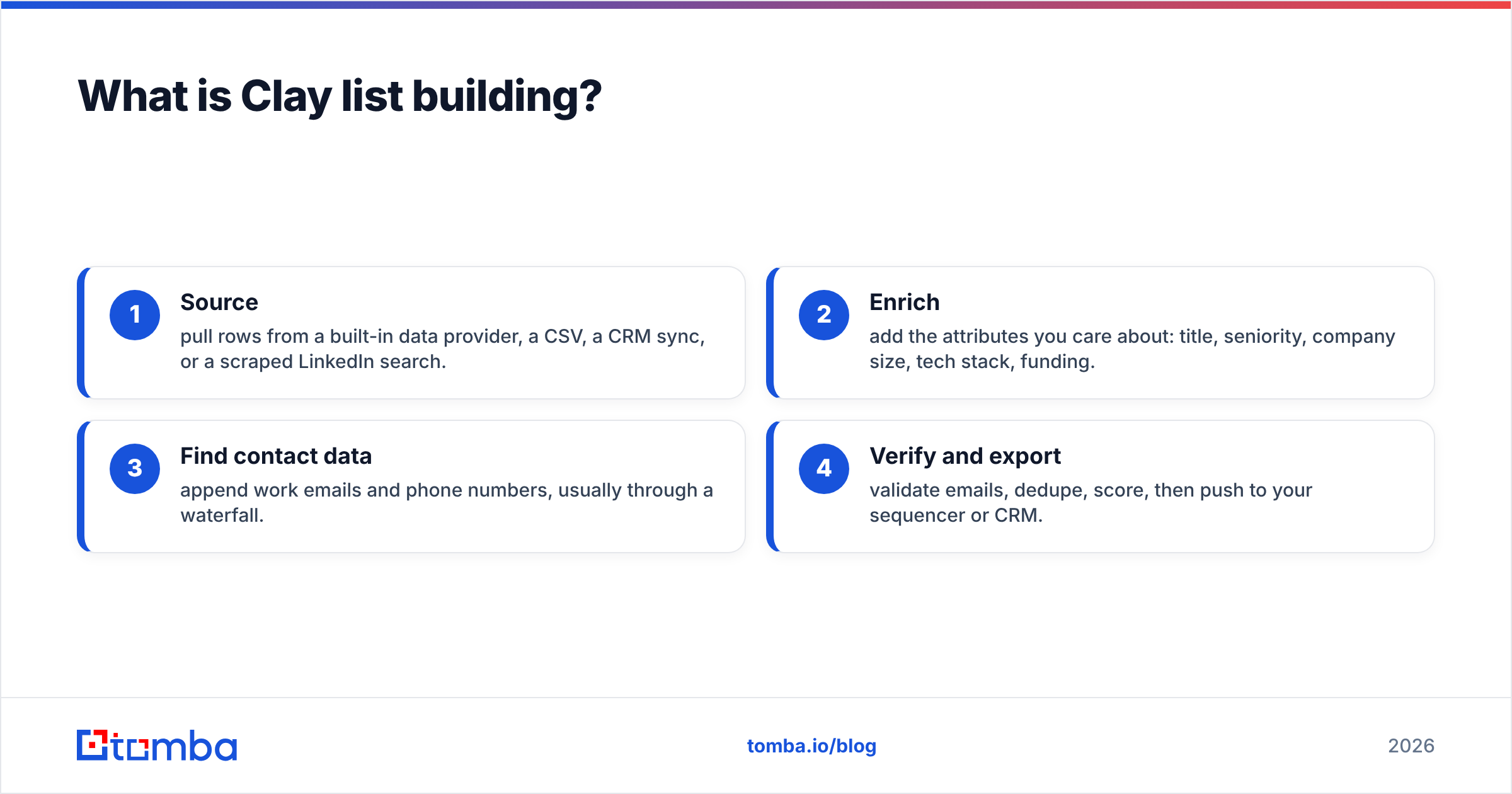
A typical Clay list goes through four stages:
- Source — pull rows from a built-in data provider, a CSV, a CRM sync, or a scraped LinkedIn search.
- Enrich — add the attributes you care about: title, seniority, company size, tech stack, funding.
- Find contact data — append work emails and phone numbers, usually through a waterfall.
- Verify and export — validate emails, dedupe, score, then push to your sequencer or CRM.
Skip any stage and the list degrades. Skip verification and you don't just lose the bad rows — you damage the deliverability of the good ones.
How does a Clay enrichment waterfall actually work?#
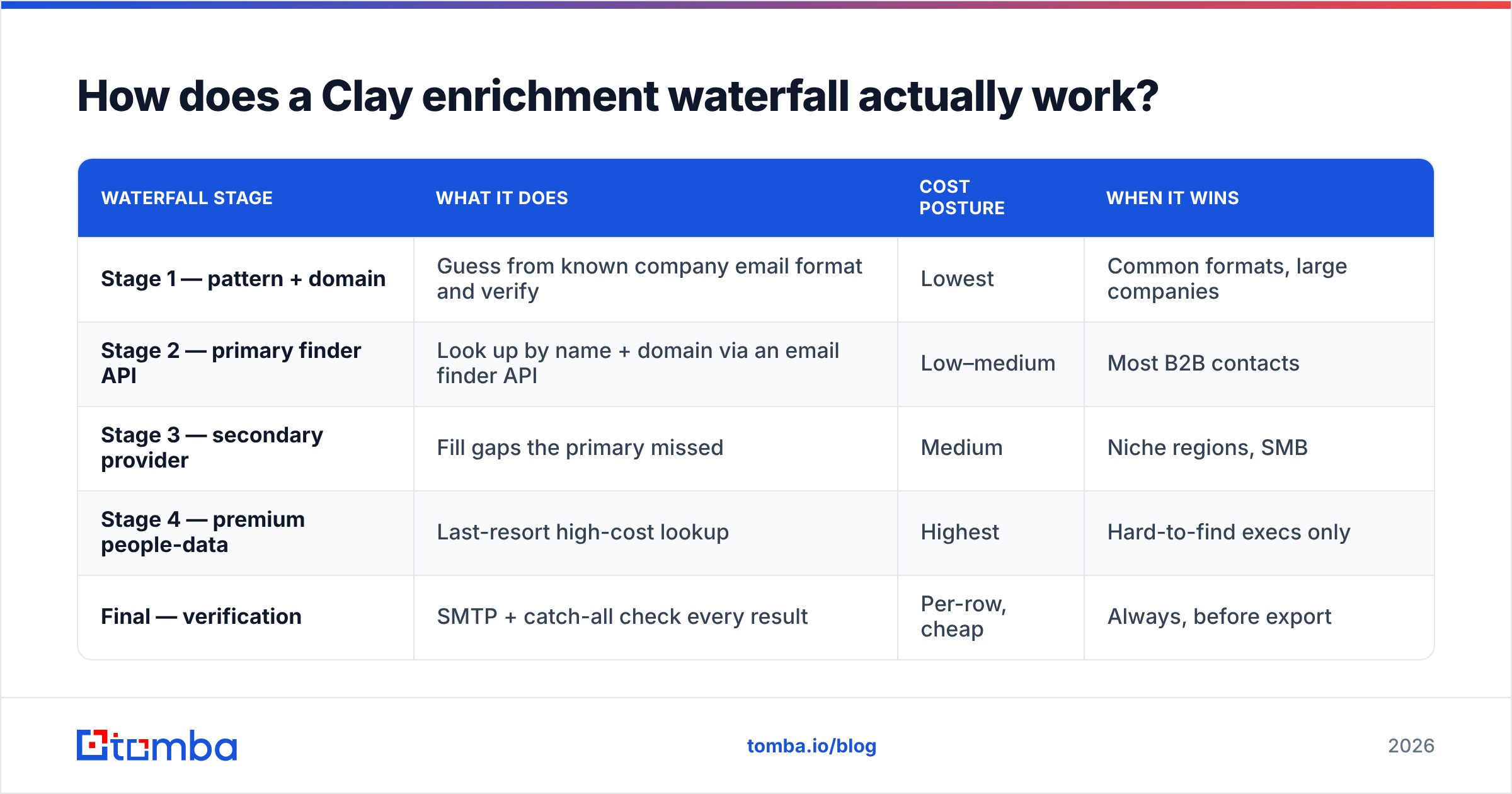
A waterfall runs the same lookup through several providers in priority order and stops at the first one that returns a hit. It exists for one reason: no single data vendor has complete coverage. Provider A might nail SaaS founders in the US; Provider B might own European mid-market. Run them in sequence and you capture both.
Here's the catch that costs teams real money: the order matters more than the list of providers. If you put your most expensive enrichment first, you pay top dollar even when a cheaper source two steps down would have had the same email. The correct pattern is cheapest-and-broadest first, premium-and-niche last.
| Waterfall stage | What it does | Cost posture | When it wins |
|---|---|---|---|
| Stage 1 — pattern + domain | Guess from known company email format and verify | Lowest | Common formats, large companies |
| Stage 2 — primary finder API | Look up by name + domain via an email finder API | Low–medium | Most B2B contacts |
| Stage 3 — secondary provider | Fill gaps the primary missed | Medium | Niche regions, SMB |
| Stage 4 — premium people-data | Last-resort high-cost lookup | Highest | Hard-to-find execs only |
| Final — verification | SMTP + catch-all check every result | Per-row, cheap | Always, before export |
The structured rule of thumb for ordering a waterfall:
- Free or near-free first. Domain pattern matching and your own CRM data cost almost nothing.
- Reliable workhorse second. A high-accuracy finder handles the bulk of rows at a sane price.
- Specialist providers third. Only the rows that failed reach the pricier vendors.
- Verify last, always. Verification is cheap relative to a bounce, so it runs on every surviving row.
- Log the hit source. Add a column recording which provider answered so you can prune dead weight next month.
Why does email verification matter so much in Clay?#
Because Clay will happily write a confident-looking email into every row whether or not it's deliverable — and a list full of invalid addresses is a deliverability bomb. Mailbox providers measure your bounce rate. Cross roughly 2–3% and Gmail and Outlook start routing you to spam, including the messages to valid recipients. One dirty campaign can suppress an entire domain's email deliverability for weeks.
Catch-all domains are the specific trap. A catch-all server accepts every address you throw at it, so a naive SMTP check returns "valid" for asdf@company.com just as readily as for a real person. You need a catch-all verifier that does more than a single handshake — it weighs signals to estimate whether the mailbox truly exists.
Practical verification rules for any Clay list:
- Verify after the waterfall, not during. You only want to spend verification credits on emails that survived enrichment.
- Drop "unknown" by default for cold outreach. If you can't confirm it, don't send to it on a fresh domain.
- Re-verify lists older than 30 days. People change jobs constantly; B2B data decays around 2–3% per month.
- Keep catch-all results in a separate bucket and warm into them slowly rather than blasting day one.
For high-volume jobs, run verification through a bulk email finder flow so you're not metering one row at a time.
Where do Clay credits actually go?#
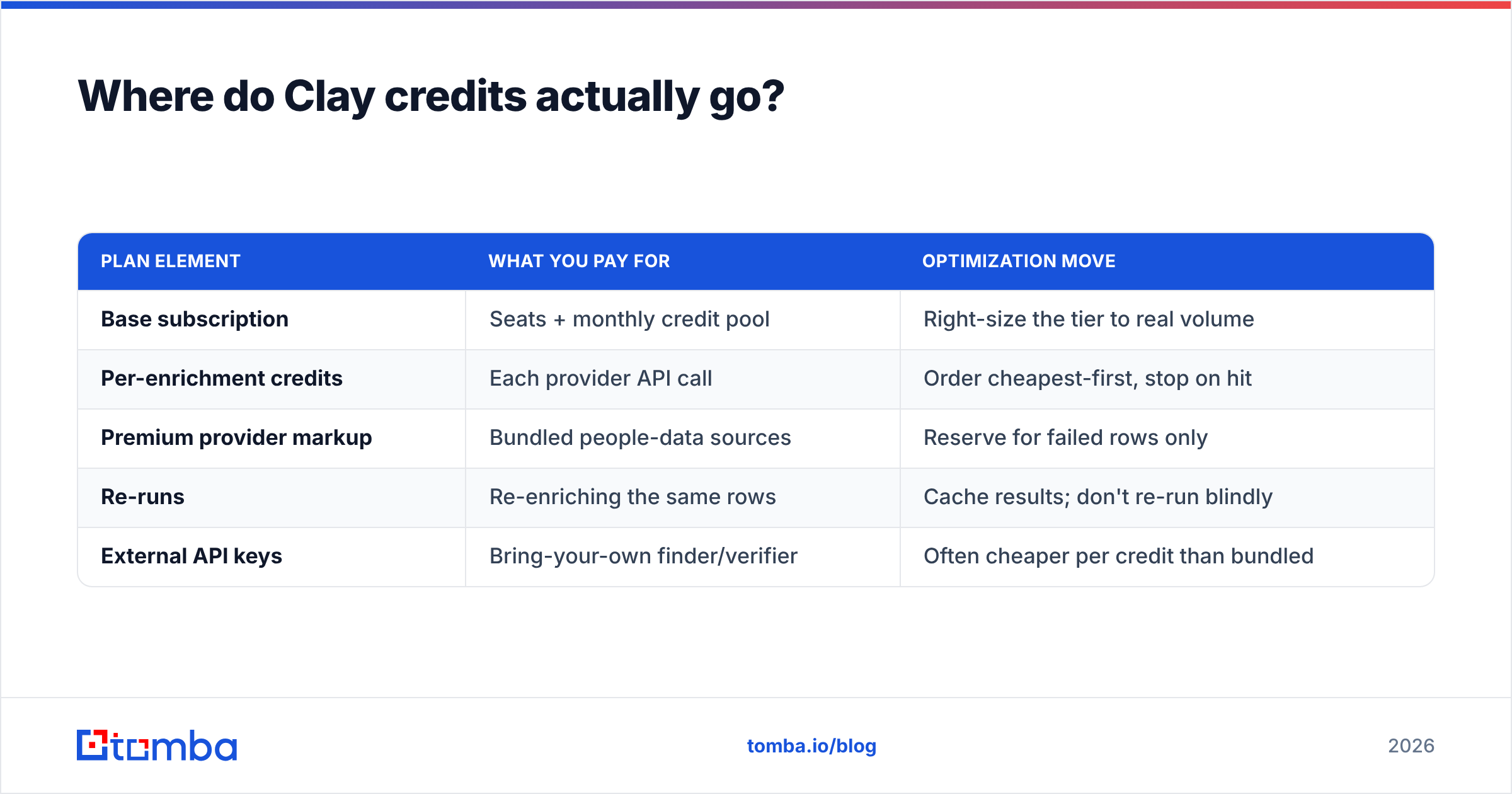
Clay's pricing is credit-based, and enrichment is where credits evaporate. Every provider call inside a waterfall consumes credits — including the calls that miss. Run a five-provider waterfall on 10,000 rows and you can burn through a month's allowance before lunch if you haven't tuned the order.
| Plan element | What you pay for | Optimization move |
|---|---|---|
| Base subscription | Seats + monthly credit pool | Right-size the tier to real volume |
| Per-enrichment credits | Each provider API call | Order cheapest-first, stop on hit |
| Premium provider markup | Bundled people-data sources | Reserve for failed rows only |
| Re-runs | Re-enriching the same rows | Cache results; don't re-run blindly |
| External API keys | Bring-your-own finder/verifier | Often cheaper per credit than bundled |
The single most effective cost cut is bringing your own keys. Clay lets you wire in external APIs as HTTP enrichments. Routing email lookups through your own email finder API account is frequently cheaper per successful row than the bundled provider credits, and you get to control accuracy thresholds yourself. You can compare published rates on the Tomba pricing page against what a bundled credit actually costs you per hit.

How do I build a Clay list step by step?#
Here is a repeatable workflow that produces a clean, sequencer-ready list. Treat it as a template you clone per campaign.
Step 1 — Define the ICP filter before you touch Clay. Write down the exact firmographic and persona criteria: company size, industry, region, job titles, seniority. A vague target produces a vague list no enrichment can fix.
Step 2 — Source rows. Import from a saved LinkedIn Sales Navigator search, a CSV of target accounts, or a Clay-native company search. Start narrow; you can always widen.
Step 3 — Enrich firmographics first. Add company size, industry, and tech stack columns. Use these to filter rows out before you spend a single email credit. There is no reason to find emails for companies that fail your ICP.
Step 4 — Find decision-makers. For account-based lists, use a people-search enrichment to surface the right titles at each company, then a domain search to confirm the company's email pattern.
Step 5 — Run the email waterfall. Order it cheapest-to-premium as described above. Add a "found by" column to track source.
Step 6 — Verify every email. Pipe results through verification and flag catch-alls separately.
Step 7 — Dedupe and score. Remove duplicate contacts and add a simple fit score so reps work the best rows first.
Step 8 — Export. Push valid rows to your sequencer or CRM. Hold "risky" and catch-all rows for a separate, slower track.
This structure keeps your credit spend proportional to list quality: cheap filters run on everything, expensive lookups run only on rows that already passed the filters.
Is Clay enough on its own, or do I need other tools?#
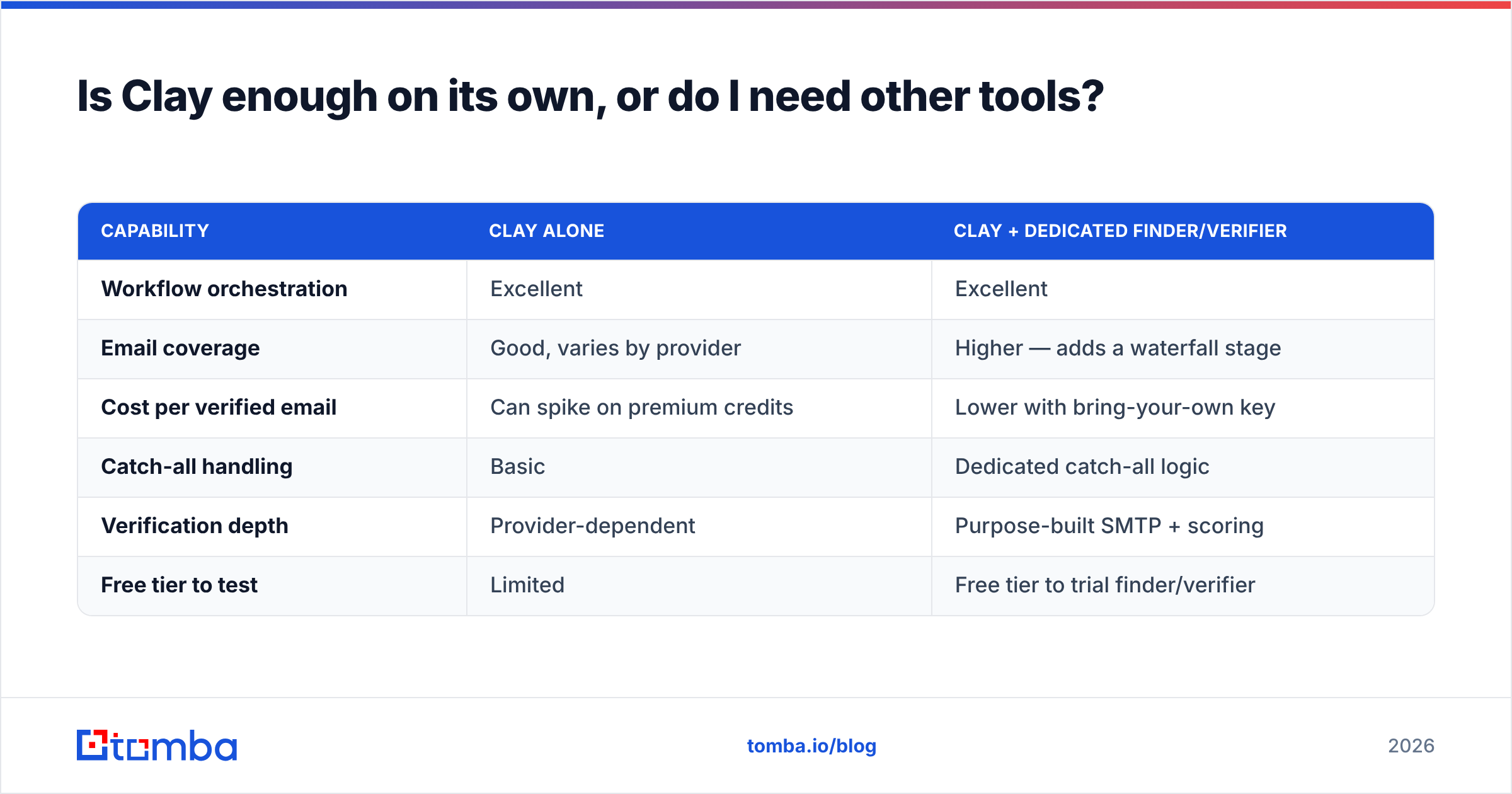
Clay is an orchestrator, not a data monopoly — and the teams getting the best results treat it that way. Clay's strength is the canvas and the automation; its weakness is that bundled provider coverage and per-row economics vary wildly by region and persona. Pairing it with a dedicated finder and verifier covers both gaps.
| Capability | Clay alone | Clay + dedicated finder/verifier |
|---|---|---|
| Workflow orchestration | Excellent | Excellent |
| Email coverage | Good, varies by provider | Higher — adds a waterfall stage |
| Cost per verified email | Can spike on premium credits | Lower with bring-your-own key |
| Catch-all handling | Basic | Dedicated catch-all logic |
| Verification depth | Provider-dependent | Purpose-built SMTP + scoring |
| Free tier to test | Limited | Free tier to trial finder/verifier |
If you want to vet a finder before wiring it into Clay, most reputable vendors publish accuracy and feature comparisons on review sites like G2, and many — including Tomba — offer a free tier (25 searches/month) so you can benchmark hit rate on your own ICP before committing credits.
The same logic applies to your CRM. Clay can sync directly to HubSpot and other platforms, so a clean list flows straight into your pipeline without a manual CSV round-trip. Wire the verification step before the sync so dirty rows never reach the CRM in the first place.
What are the most common Clay list-building mistakes?#
- Premium-first waterfalls. The most expensive credit drain there is. Always order cheapest-to-priciest.
- No verification step. Confident-looking emails are not deliverable emails. Verify before export, every time.
- Enriching before filtering. Finding emails for out-of-ICP companies is pure waste. Filter on firmographics first.
- Ignoring catch-alls. Treating catch-all results as fully valid inflates your bounce rate. Bucket and warm them.
- Never pruning providers. If a waterfall stage answers 2% of rows at 5x the cost, cut it. Your "found by" column tells you which to drop.
- Stale lists. A list built in January and sent in April is a different list. Re-verify anything older than a month.
Fix these six and your Clay lists go from "looks impressive in the sheet" to "actually books meetings."
Build cleaner Clay lists with a finder built for accuracy#
Clay gives you the canvas; the data you paint with decides whether the campaign lands in the inbox or the spam folder. The fastest upgrade you can make to any Clay list-building workflow is to add a high-accuracy finder and verifier as dedicated waterfall stages — bringing your own key, controlling your own thresholds, and verifying every row before it leaves the sheet.
Start with the Tomba Email Finder: find professional emails by name, company, or domain, wire it into Clay as an HTTP enrichment via the Tomba API, and verify the results before they ever reach your sequencer. The free tier (25 searches/month) is enough to benchmark hit rate on your own ICP, and paid plans start at $49/mo when you're ready to scale. Build the list once, build it clean, and let your reps spend their time selling instead of scrubbing spreadsheets.
Ready to find emails that actually work?
Join 150,000+ professionals who stopped guessing and started sending. Free credits on signup — no credit card required.
Get the Tomba newsletter
Practical outbound tactics and product updates — once every two weeks.
About the author