Clay vs Common Room (2026): Which GTM Platform Wins?
Clay automates data enrichment and outbound. Common Room unifies community and buying signals. Here's how the two GTM platforms actually differ in 2026 — and where each one earns its price.
Clay and Common Room get lumped together as "modern GTM tools," but they solve opposite halves of the same problem. Clay is a spreadsheet-shaped automation engine that finds, enriches, and acts on contact data. Common Room is a signal platform that listens to where your buyers already are — community, product, social, and web — and tells you who to talk to. Picking between them without understanding that split wastes budget.
This breakdown compares Clay vs Common Room on what they do, who they're for, how they price, and where each one leaves a gap you'll need to fill.
TL;DR#
- Clay is a data orchestration and enrichment platform: chain 100+ data providers, run waterfall enrichment, and automate outbound prep at scale.
- Common Room is a signal intelligence platform: it unifies first-party and intent signals (community, product usage, GitHub, social, web visits) into person and account profiles.
- They are complementary, not interchangeable — many teams run Common Room for "who's in-market" and Clay for "now enrich and action them."
- Pricing: Clay starts free and scales by credits ($149/mo Starter and up); Common Room has a free tier but quotes mid-market/enterprise pricing for its full signal engine.
- If your core need is accurate contact data to feed either tool, a focused provider like data enrichment from Tomba often beats paying premium credits for the same lookup.
What is Clay?#
Clay is a GTM workflow platform built around a familiar table interface. Each row is a person or company, each column is an action — and those actions can call dozens of data vendors, scrapers, and AI prompts in sequence.
The signature feature is waterfall enrichment: instead of trusting one provider for an email or phone, Clay queries provider A, and only if it returns nothing does it fall to provider B, then C. You pay per successful hit, which pushes match rates up without paying full price to every vendor.
Clay is most loved by:
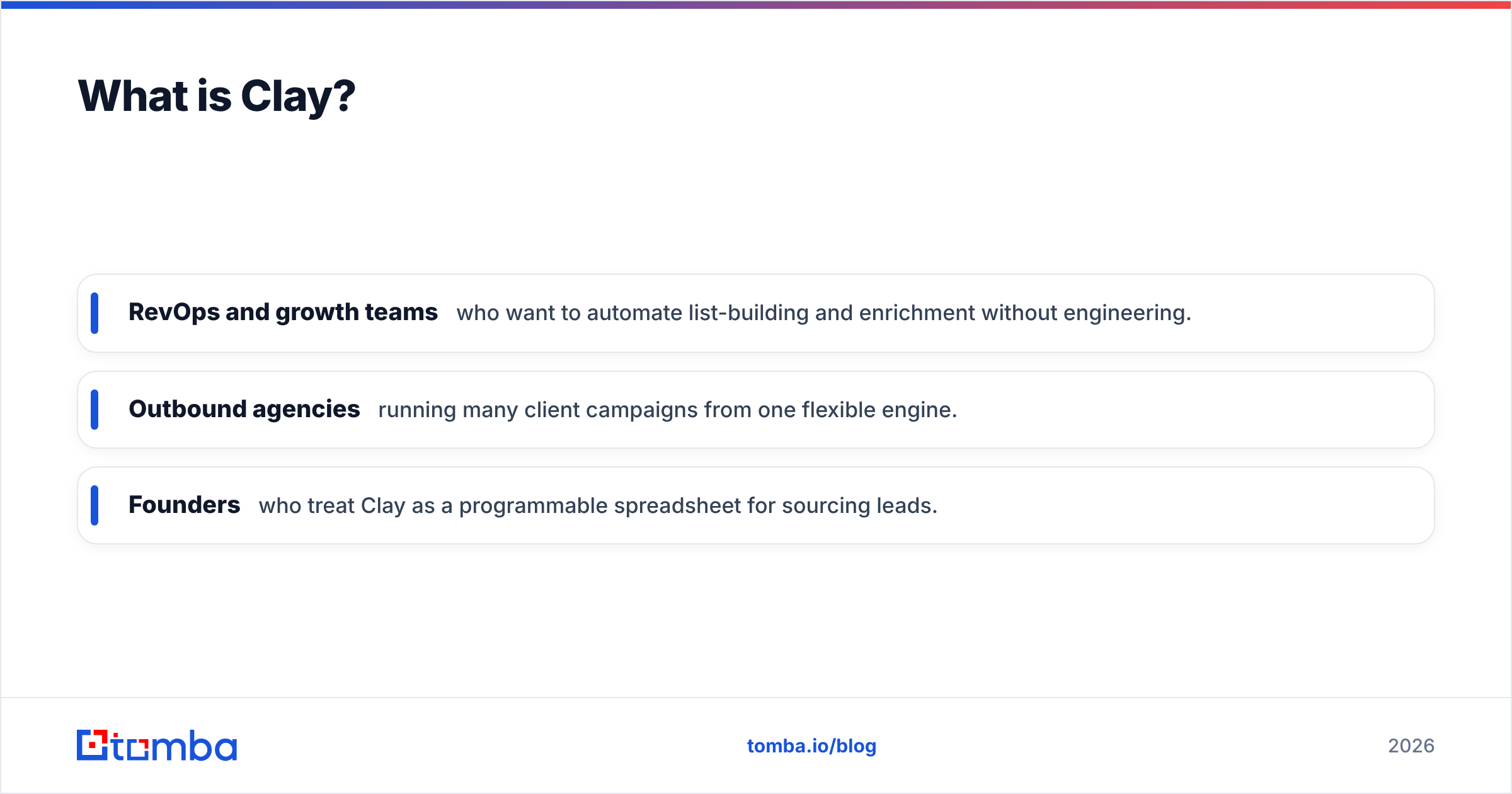
- RevOps and growth teams who want to automate list-building and enrichment without engineering.
- Outbound agencies running many client campaigns from one flexible engine.
- Founders who treat Clay as a programmable spreadsheet for sourcing leads.
The trade-off is that Clay is powerful but unopinionated. It does almost nothing until you design the workflow — and credit costs can spiral if you enrich sloppily.

What is Common Room?#
Common Room is a customer and signal intelligence platform. It connects to the places your market shows intent — Slack and Discord communities, GitHub, product analytics, LinkedIn, Twitter/X, website visits, and your CRM — and stitches that activity into unified person and account timelines.
The payoff is timing. Instead of cold-blasting a static list, your reps see that a champion just joined your community, a target account starred your repo, or a former user landed at a new company. Common Room calls this "signal-based selling," and it's aimed squarely at:
- PLG and community-led companies with lots of free-tier or open-source activity to mine.
- SDR and sales teams who want a prioritized "who's hot right now" queue.
- Marketing/RevOps stitching first-party signals into routing and scoring.
The trade-off: Common Room is only as good as the signals you feed it. If you have little community or product-led motion, much of its surface area goes unused.
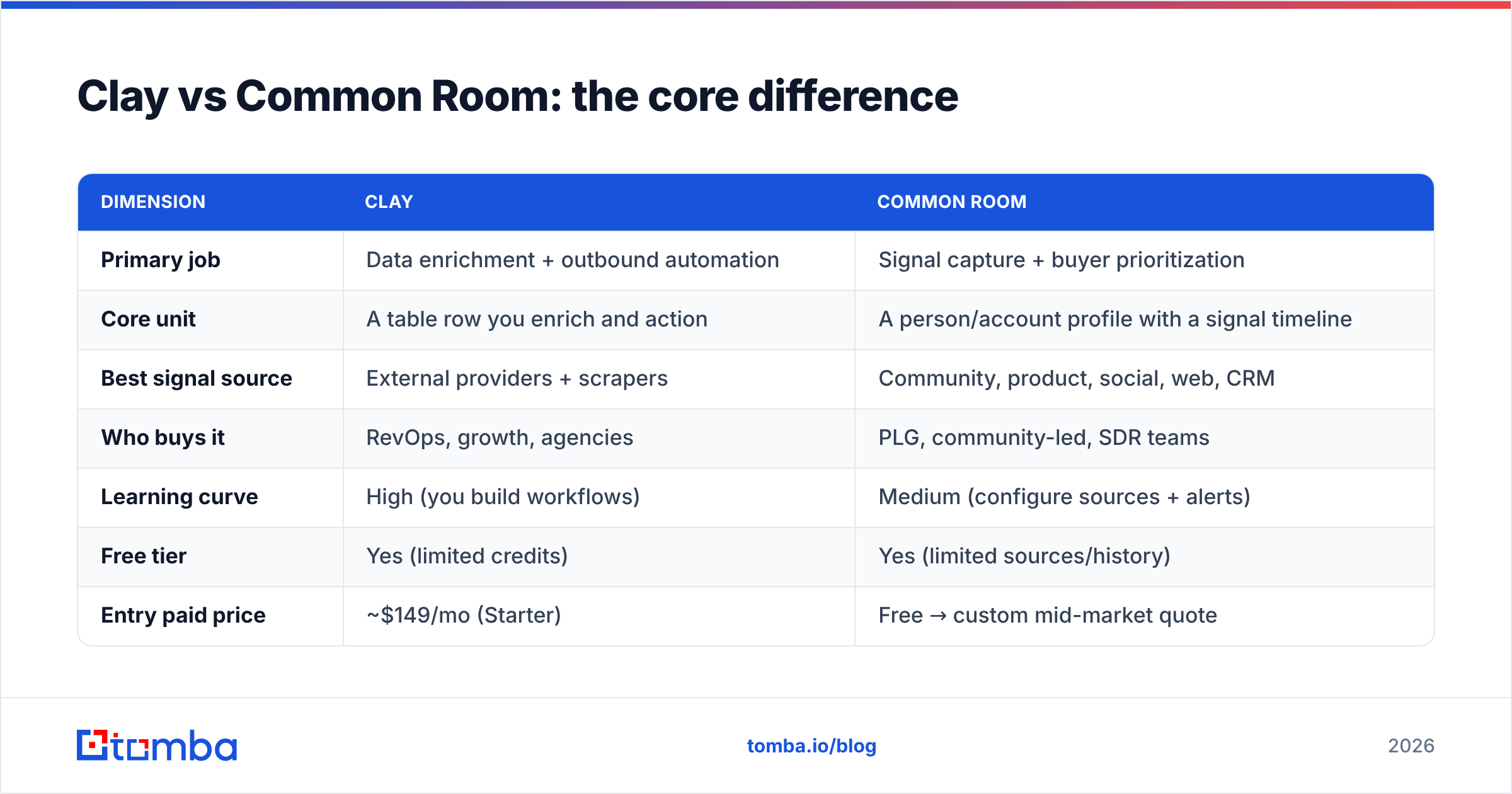
Clay vs Common Room: the core difference#
The cleanest way to hold this in your head: Common Room tells you WHO and WHEN. Clay handles WHAT data and HOW to action it. One is a listening layer; the other is a doing layer.
| Dimension | Clay | Common Room |
|---|---|---|
| Primary job | Data enrichment + outbound automation | Signal capture + buyer prioritization |
| Core unit | A table row you enrich and action | A person/account profile with a signal timeline |
| Best signal source | External providers + scrapers | Community, product, social, web, CRM |
| Who buys it | RevOps, growth, agencies | PLG, community-led, SDR teams |
| Learning curve | High (you build workflows) | Medium (configure sources + alerts) |
| Free tier | Yes (limited credits) | Yes (limited sources/history) |
| Entry paid price | ~$149/mo (Starter) | Free → custom mid-market quote |
| Biggest risk | Credit costs balloon | Underused without strong first-party signals |
Notice the rows don't really compete — they slot together. That's why "Clay vs Common Room" is often the wrong frame. The better question is which one you need first.
Which problem are you actually solving?#
Be honest about your current bottleneck before you buy either.
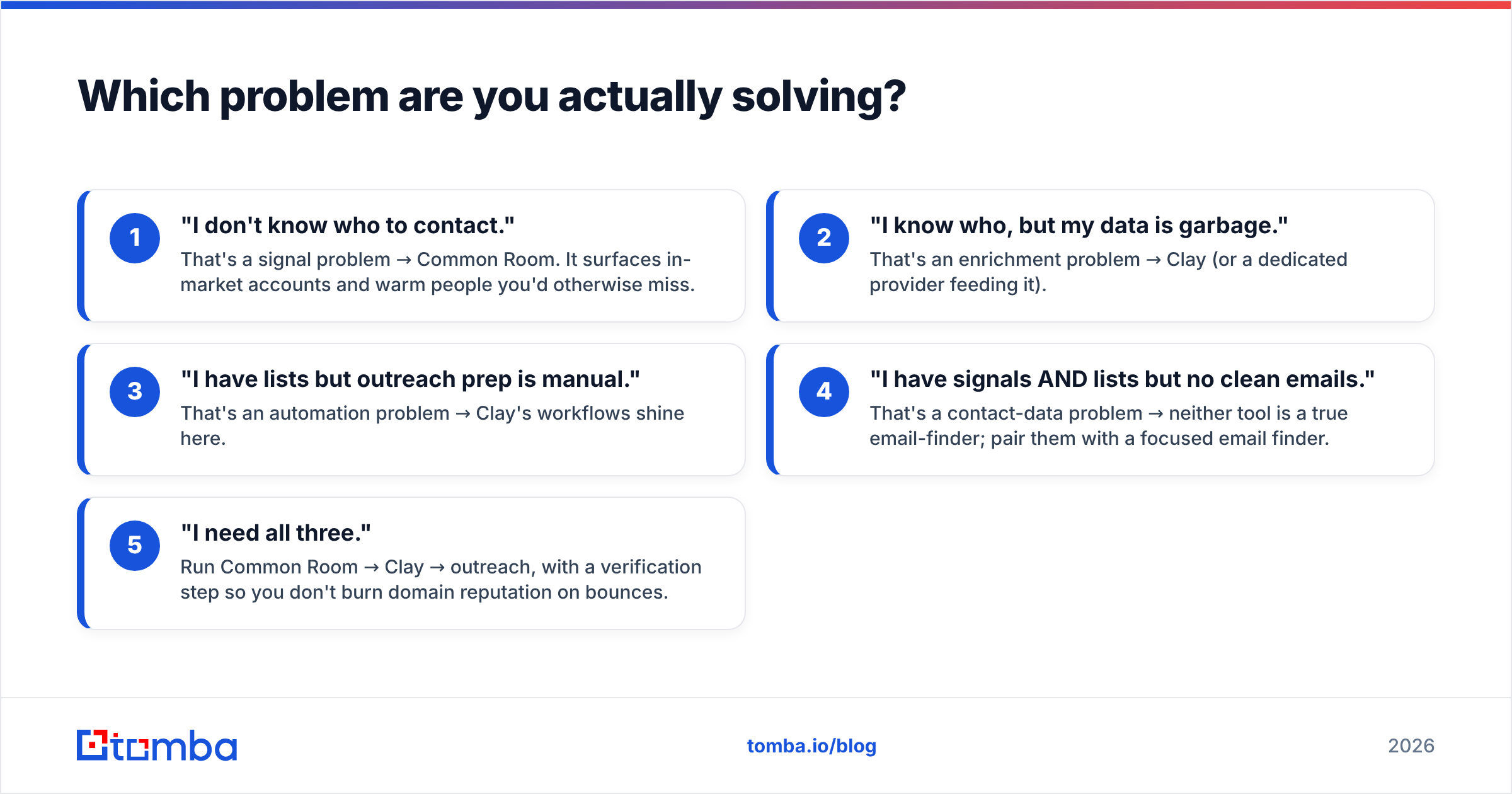
- "I don't know who to contact." That's a signal problem → Common Room. It surfaces in-market accounts and warm people you'd otherwise miss.
- "I know who, but my data is garbage." That's an enrichment problem → Clay (or a dedicated provider feeding it).
- "I have lists but outreach prep is manual." That's an automation problem → Clay's workflows shine here.
- "I have signals AND lists but no clean emails." That's a contact-data problem → neither tool is a true email-finder; pair them with a focused email finder.
- "I need all three." Run Common Room → Clay → outreach, with a verification step so you don't burn domain reputation on bounces.
Most teams discover their real gap is #4: both platforms can reference contact data, but the freshest, most accurate emails and phones usually come from a specialized source you plug in.
How do Clay and Common Room price?#
Pricing philosophy differs as much as the products.
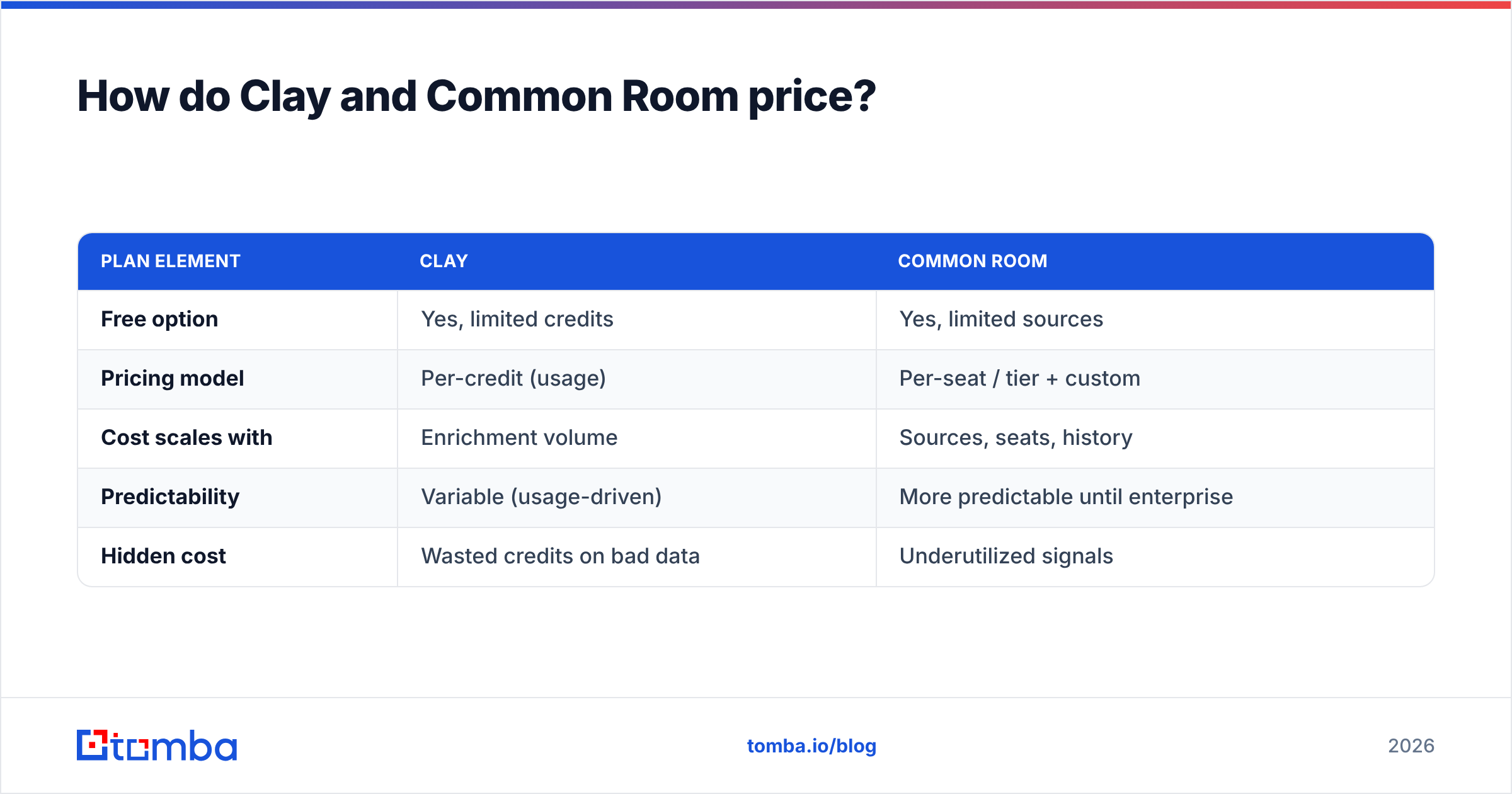
Clay is credit-based. The free plan gets you a taste; paid tiers (Starter, Explorer, Pro, Enterprise) raise credit allotments and unlock features like integrations and higher provider limits. Because every enrichment action spends credits, your true cost depends on volume and how many providers you stack in a waterfall. Lean workflows are cheap; "enrich everything with every provider" gets expensive fast.
Common Room offers a genuine free tier for smaller teams and a "Team" plan, then moves to custom enterprise quotes once you need more sources, history, automations, and seats. You're paying for breadth of signal coverage and the unification engine, not per-lookup.
| Plan element | Clay | Common Room |
|---|---|---|
| Free option | Yes, limited credits | Yes, limited sources |
| Pricing model | Per-credit (usage) | Per-seat / tier + custom |
| Cost scales with | Enrichment volume | Sources, seats, history |
| Predictability | Variable (usage-driven) | More predictable until enterprise |
| Hidden cost | Wasted credits on bad data | Underutilized signals |
A practical tip: whichever you choose, control the cost of the data layer itself. Routing your core email and phone lookups through transparent Tomba pricing — Free, $49/mo Starter, $99/mo Growth, $249/mo Pro — keeps the most-repeated action in your pipeline at a flat, known rate instead of a metered credit gamble.
Can you use Clay and Common Room together?#
Yes — and the strongest GTM stacks do. A common pattern:
- Common Room detects intent: a target-account contact joins your Slack, a repo gets starred, a churned user resurfaces at a new company.
- That signal routes into Clay, which enriches the person with firmographics, role, and verified contact details.
- Clay then triggers outreach prep — personalized lines, sequence enrollment, CRM updates.
- A verification pass with an email verifier confirms deliverability before anything sends.
The risk in stacking two premium platforms is paying twice for the same enrichment. Common Room enriches profiles; Clay enriches rows; both can call overlapping providers. Centralizing your contact-data lookups through one accurate source — via the Tomba API feeding both — avoids double-charging for the same email.
Where do both tools fall short?#
Neither Clay nor Common Room is a purpose-built contact-data provider, and that shows in three places:
- Email accuracy and freshness. Both lean on third-party data. For B2B email, a specialist that maintains its own data sources and verification typically returns higher match rates with fewer catch-all guesses.
- Verification depth. Signals and enrichment get you a candidate email; they don't always confirm it's safe to send. SMTP-level checks and catch-all handling are a separate discipline.
- Cost transparency. Usage-based credits (Clay) and custom enterprise quotes (Common Room) both make per-contact cost hard to forecast. A flat-rate finder/verifier stabilizes the single most repeated action in outbound.
This is why so many teams keep a dedicated email-finding-and-verification layer underneath whichever GTM platform they run.
Clay vs Common Room: quick verdict by use case#
- Open-source / PLG / community-led: Start with Common Room — your signal goldmine is exactly what it's built to read.
- Outbound agency or high-volume list building: Start with Clay — its workflow flexibility and waterfall enrichment scale across clients.
- Lean startup, tight budget: Use either free tier, but invest first in clean contact data; a $49/mo finder beats premium credits spent on bad lookups.
- Enterprise RevOps: Run both, with a single source of truth for contact data so you're not paying two vendors to find the same email.
According to peer reviews on G2, both score well but for different reasons — Clay for flexibility and automation, Common Room for signal coverage and timing. Check current capabilities directly at clay.com and commonroom.io, since both ship features fast.
What should you actually buy?#
Decide by your bottleneck, not the hype. If you can't see who is in-market, Common Room earns its seat. If you can't act on your lists efficiently, Clay does. If your emails bounce and your data is stale, no orchestration layer fixes that — you need an accurate finder and verifier underneath.
That foundation is where Tomba fits. Use the Tomba Email Finder to source verified professional emails by name, domain, or company, then push them into Clay's tables or Common Room's profiles through the API. You get the freshness and flat-rate predictability both platforms lack at the data layer — so every signal you act on and every row you enrich ends in an inbox that actually exists. Start free with 25 searches a month, and only scale spend once your pipeline proves it out.
// get started
Find, verify and enrich your first contacts today
Start on the free plan with 25 searches a month, then scale when your team is ready.
Free plan · No credit card required · GDPR & CCPA
// about the author