Clearalist Alternatives: 7 Better Email Finders for 2026
Outgrowing Clearalist? Here are 7 email finder and verifier alternatives compared on accuracy, pricing, and bulk features so you can pick the right fit for 2026.
Clearalist works fine until your lead volume, accuracy needs, or budget outgrow it. Maybe the verifier is letting too many bounces through, maybe bulk jobs stall, or maybe you just want an API your engineers can build on. Whatever pushed you here, this guide compares the strongest Clearalist alternatives for 2026 on the things that actually move pipeline: match rate, verification depth, pricing, and how well they scale past a few hundred lookups.
TL;DR — Clearalist alternatives at a glance#
- Best all-around alternative: Tomba — strong domain search, a built-in verifier, and an API/CLI that scales from 25 free searches to bulk enrichment.
- Best for verification-first teams: ZeroBounce or Bouncer if your problem is bounce rate, not discovery.
- Best for sales-engagement bundles: Apollo or RocketReach if you want a database plus sequencing in one seat.
- Watch the cost curve: per-credit pricing looks cheap at low volume and gets expensive fast — model your real monthly lookups before committing.
- Accuracy beats catalog size: a 50M-contact database means nothing if 30% of the emails bounce. Test match rate and bounce rate on your own list first.
What is Clearalist and why look for alternatives?#
Clearalist is an email-finding and list-cleaning tool aimed at sales and marketing teams who need contact emails and want to scrub them before sending. It covers the basics — find an email, verify it, export a list — and that is enough for a lot of small outbound motions.
Teams usually start shopping for Clearalist alternatives for one of four reasons:
- Accuracy plateaus. Your bounce rate creeps up and you suspect the verifier is passing risky addresses.
- Bulk gets painful. Uploading a list of a few thousand rows is slow, rate-limited, or credit-hungry.
- No real API. You want to wire email lookup into your CRM, product, or scraping pipeline and the integration story is thin.
- Pricing mismatch. You either pay for volume you never use, or you blow through credits mid-month.
If none of those hurt yet, you may not need to switch. If two or more do, the tools below are worth a free-tier test.

How should you evaluate an email finder alternative?#
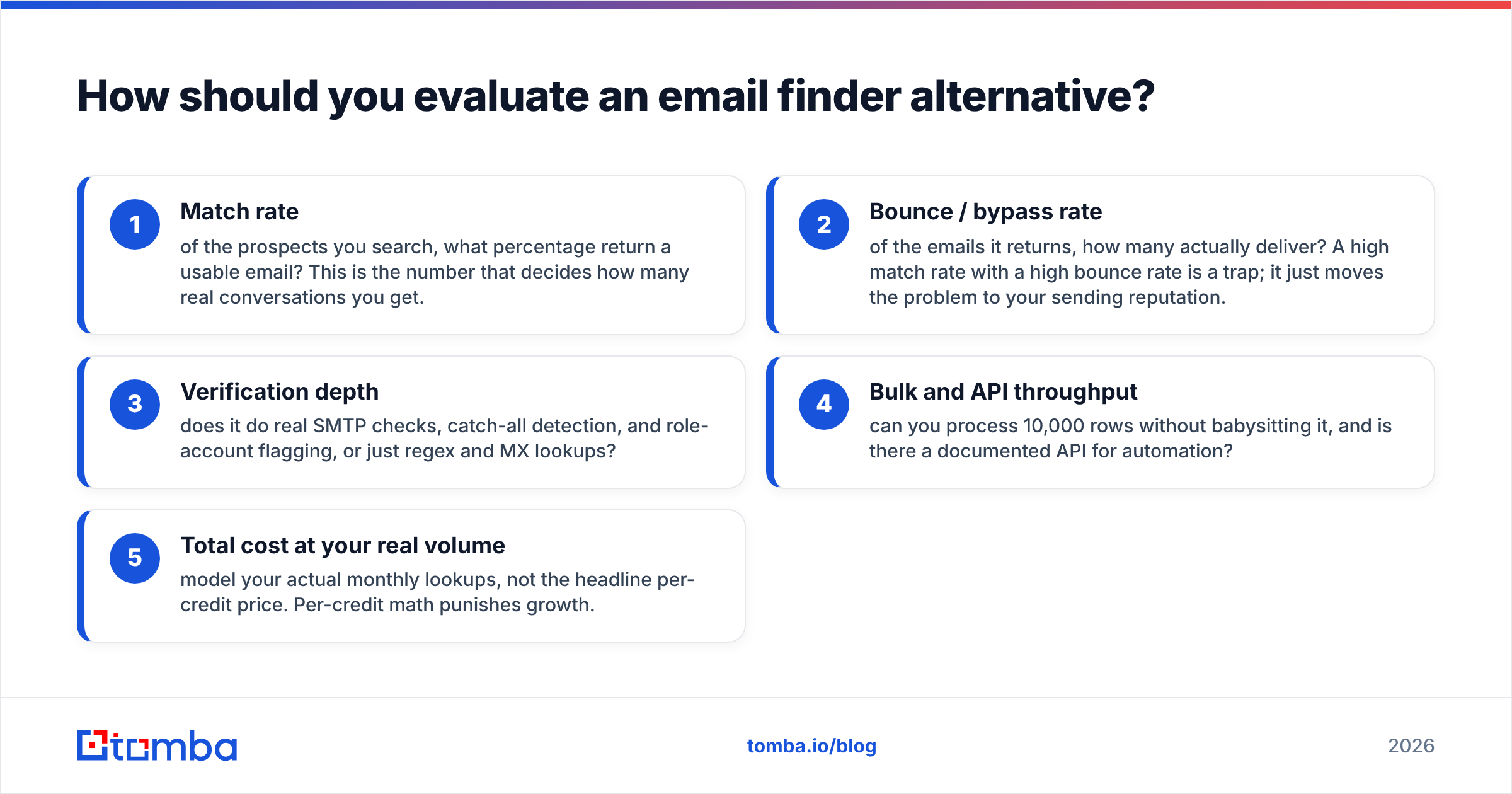
Before you compare logos, get clear on the five attributes that separate a tool you'll keep from one you'll churn in a month. Score each candidate on these:
- Match rate — of the prospects you search, what percentage return a usable email? This is the number that decides how many real conversations you get.
- Bounce / bypass rate — of the emails it returns, how many actually deliver? A high match rate with a high bounce rate is a trap; it just moves the problem to your sending reputation.
- Verification depth — does it do real SMTP checks, catch-all detection, and role-account flagging, or just regex and MX lookups?
- Bulk and API throughput — can you process 10,000 rows without babysitting it, and is there a documented API for automation?
- Total cost at your real volume — model your actual monthly lookups, not the headline per-credit price. Per-credit math punishes growth.
Keep that scorecard open while you read. The tools differ less on features than on where they land on accuracy-versus-price.
Which are the best Clearalist alternatives in 2026?#
Here is the short list, grouped by what they're actually best at. None of these are a strict superset of Clearalist — pick by your dominant use case.
1. Tomba — best all-around email finder + verifier#
Tomba is the closest like-for-like upgrade if your core need is finding and verifying professional emails at a fair price. The email finder works by name, domain, or company; the built-in email verifier runs SMTP-level checks; and domain search returns every public address on a company domain in one call.
What tends to win switchers over:
- Built-in verification so you're not paying a second vendor to scrub results.
- A real email finder API, plus a CLI, Chrome extension, and Sheets/Excel add-ons for non-engineers.
- Catch-all and bulk handling that doesn't choke on multi-thousand-row jobs.
- Transparent Tomba pricing: a free tier of 25 searches/month, then Starter at $49/mo, Growth at $99/mo, and Pro at $249/mo.
2. ZeroBounce — verification-first#
If your real problem is bounce rate rather than discovery, a dedicated verifier like ZeroBounce is worth a look. It's heavier on validation, scoring, and deliverability data than on finding net-new emails, so it pairs well with a finder rather than replacing one.
3. Apollo — database + sequencing bundle#
Apollo bundles a large B2B contact database with sequencing and a CRM-lite layer. It's a fit if you want one seat that does prospecting and outreach, and you accept that bundled email accuracy varies by region and seniority.
4. RocketReach — broad contact coverage#
RocketReach leans on wide coverage across emails and phone numbers, which makes it useful for recruiters and partnerships teams chasing harder-to-find contacts. Verification is lighter, so plan to scrub exports.
5. Bouncer — clean, simple verification#
Bouncer is a focused verifier with a clean UI and reliable SMTP checks. Like ZeroBounce, it complements a finder instead of replacing one.
6. Hunter — domain search staple#
Hunter is the well-known domain-search tool. Solid for finding patterns on a company domain; lighter on bulk enrichment and phone data than the all-in-one options.
7. Findymail — sales-list cleaning#
Findymail targets cold-email senders who want validated lists with low bounce rates. Good niche fit; smaller surrounding toolset.
How do the top Clearalist alternatives compare on price and features?#
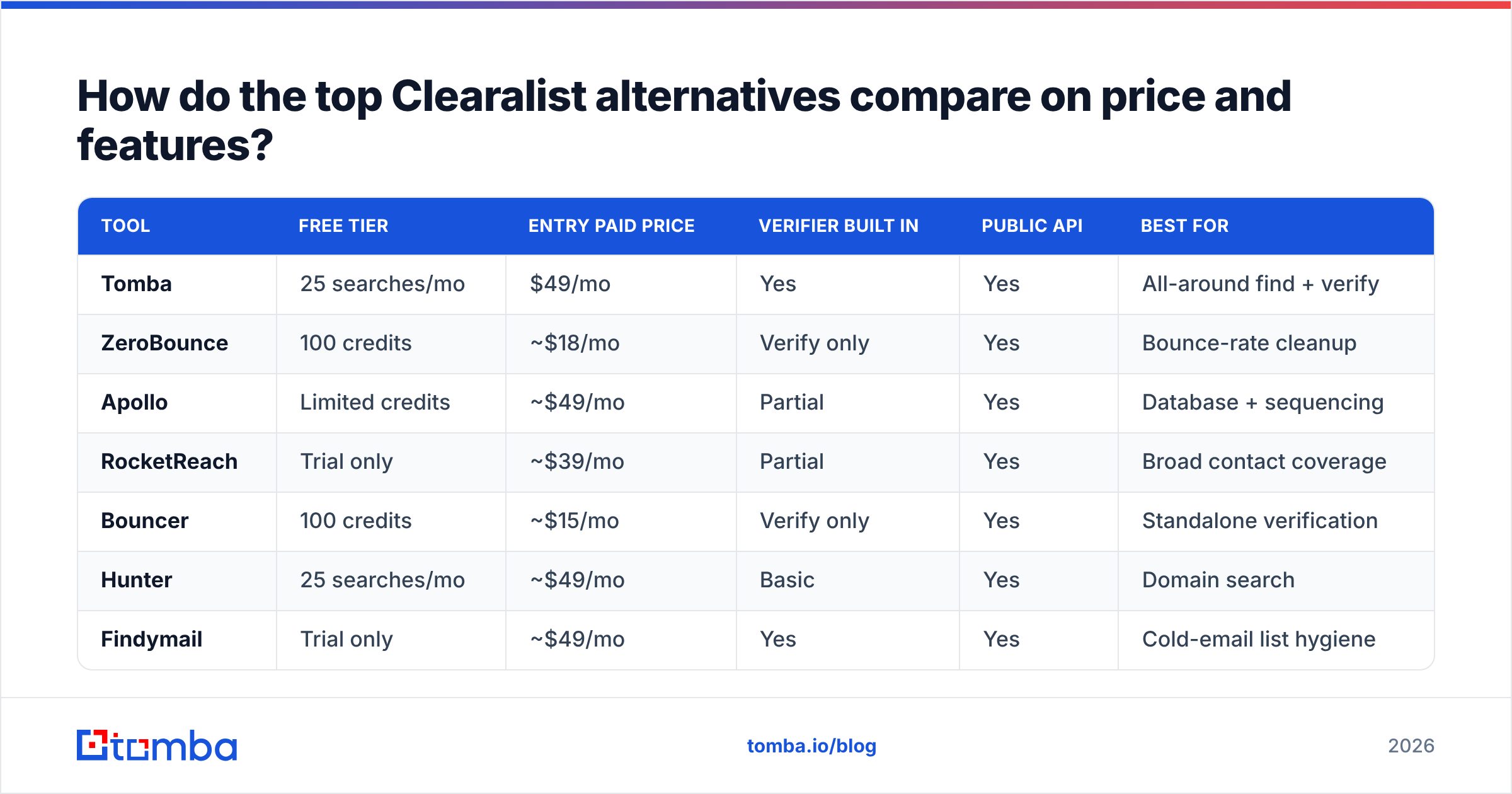
Here's the head-to-head. Prices are entry paid tiers; "verifier built in" means you don't need a separate validation vendor for basic scrubbing.
| Tool | Free tier | Entry paid price | Verifier built in | Public API | Best for |
|---|---|---|---|---|---|
| Tomba | 25 searches/mo | $49/mo | Yes | Yes | All-around find + verify |
| ZeroBounce | 100 credits | ~$18/mo | Verify only | Yes | Bounce-rate cleanup |
| Apollo | Limited credits | ~$49/mo | Partial | Yes | Database + sequencing |
| RocketReach | Trial only | ~$39/mo | Partial | Yes | Broad contact coverage |
| Bouncer | 100 credits | ~$15/mo | Verify only | Yes | Standalone verification |
| Hunter | 25 searches/mo | ~$49/mo | Basic | Yes | Domain search |
| Findymail | Trial only | ~$49/mo | Yes | Yes | Cold-email list hygiene |
A few honest reads on this table:
- The verify-only tools (ZeroBounce, Bouncer) are not finders. If you need both jobs, pairing them with a finder costs more than one tool that does both.
- Headline prices hide volume math. A $15 verifier and a $49 finder run together cost more than a single $49 all-in-one once you account for credits on both.
- "Partial" verification means you should still scrub exports before a real cold campaign, especially with bundled-database tools.

Is Tomba better than Clearalist for accuracy and scale?#
For most teams switching off Clearalist for accuracy or volume reasons, yes — and the reason is the combination, not any single feature. You get discovery and verification in one place, which removes the gap where unverified emails slip into a campaign and tank your sender reputation.
The practical difference shows up in three places:
- Bulk jobs. The bulk email finder is built to chew through large lists without manual retries, so enriching a few thousand rows is a job you start and walk away from.
- Automation. Between the API, CLI, and native integrations, you can put email lookup inside your existing workflow instead of exporting CSVs by hand.
- Cost predictability. Tiered plans from free to $249/mo mean you can match spend to real usage instead of guessing at credit packs.
That said, be fair to your own situation: if you only need to verify an existing list and never discover new contacts, a dedicated verifier may be cheaper. Match the tool to the dominant job.
How do you migrate from Clearalist without losing data?#
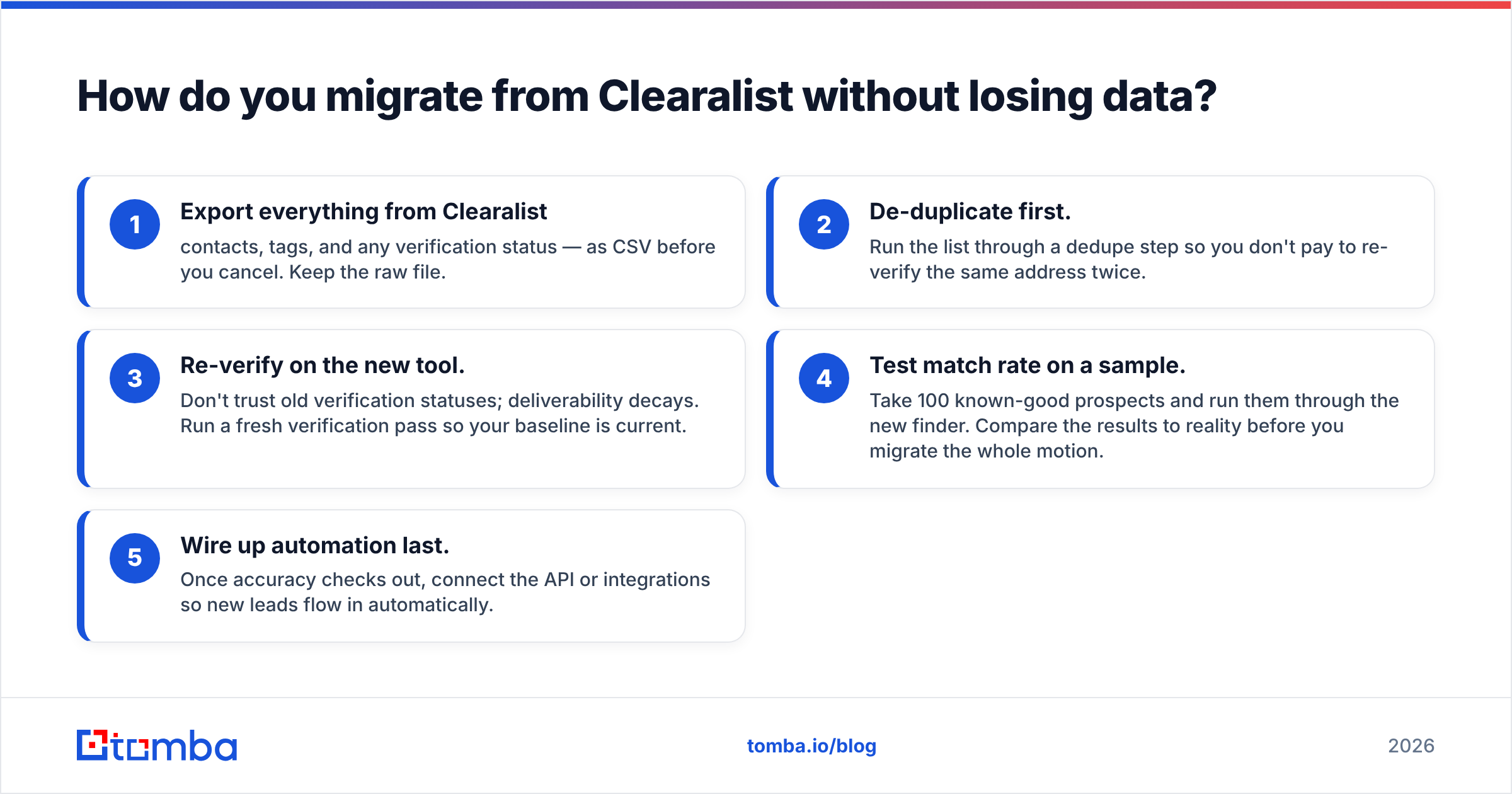
Switching is mostly a data-hygiene exercise. Do it in this order and you won't lose anything:
- Export everything from Clearalist — contacts, tags, and any verification status — as CSV before you cancel. Keep the raw file.
- De-duplicate first. Run the list through a dedupe step so you don't pay to re-verify the same address twice.
- Re-verify on the new tool. Don't trust old verification statuses; deliverability decays. Run a fresh verification pass so your baseline is current.
- Test match rate on a sample. Take 100 known-good prospects and run them through the new finder. Compare the results to reality before you migrate the whole motion.
- Wire up automation last. Once accuracy checks out, connect the API or integrations so new leads flow in automatically.
This sample-test step is the one teams skip and regret. Catalog size and marketing claims are not evidence — your own 100-row test is. Vendor-comparison sites like G2 and Capterra are useful for sentiment, but they don't predict how a tool performs on your niche.
What about deliverability after you switch?#
Finding accurate emails is half the job; protecting your sending reputation is the other half. Even a perfect email finder won't save a domain that's sending unauthenticated mail to stale lists. Before you scale outreach on a new tool:
- Confirm SPF, DKIM, and DMARC are set up — HubSpot's deliverability guidance is a solid primer.
- Keep bounce rate under 2–3% by verifying before every send, not once a quarter.
- Warm up new sending domains gradually rather than blasting a fresh list day one.
A built-in verifier helps here because it closes the loop: you find the email and confirm deliverability in the same step, instead of letting unverified addresses leak into your sequencer.
Frequently asked questions#
Is there a free Clearalist alternative? Yes. Tomba and Hunter both offer 25 free searches per month, and ZeroBounce and Bouncer give 100 verification credits. That's enough to test accuracy on a small sample before paying.
What's the most accurate Clearalist alternative? Accuracy is list-dependent, so test on your own data. As a rule, all-in-one tools that find and verify (like Tomba) give lower bounce rates than database-only or finder-only tools, because nothing gets exported without a deliverability check.
Do I need a separate verifier if I switch? Not if your new finder has verification built in. If you pick a finder without it, budget for a standalone verifier — and remember that two tools usually cost more than one all-in-one at the same volume.
Which alternative has the best API? Tomba, Apollo, and RocketReach all expose documented APIs. If your use case is embedding lookup into a product or pipeline, prioritize rate limits and bulk endpoints over UI polish.
The bottom line#
Pick by your dominant job. If you mainly need to clean an existing list, a dedicated verifier is the cheapest path. If you want a database plus sequencing in one seat, Apollo or RocketReach fit. But if your real need is what Clearalist did — find professional emails and trust they'll deliver — at better accuracy, cleaner bulk handling, and predictable pricing, start with Tomba.
Spin up the free tier (25 searches, no card), run your 100-prospect accuracy test, and let the bounce rate decide. Try the Tomba Email Finder today and see whether the match rate on your list beats what you're getting now — then scale into bulk and the API once the numbers check out.
// get started
Find, verify and enrich your first contacts today
Start on the free plan with 25 searches a month, then scale when your team is ready.
Free plan · No credit card required · GDPR & CCPA
// about the author