Clearalist vs Finalscout: Which Email Tool Wins in 2026?
A neutral, hands-on breakdown of Clearalist vs Finalscout — accuracy, pricing, LinkedIn coverage, and verification — plus where a third option fits.
Clearalist vs Finalscout: Which Email Tool Wins in 2026?
Choosing between Clearalist and Finalscout comes down to one question: do you need to find new contacts or clean the list you already have? They look similar on a feature page, but they solve opposite ends of the same problem. This guide breaks down what each tool actually does well, where the cracks show, and how the pricing math plays out for a real outreach team in 2026.
TL;DR — Clearalist vs Finalscout in 30 seconds#
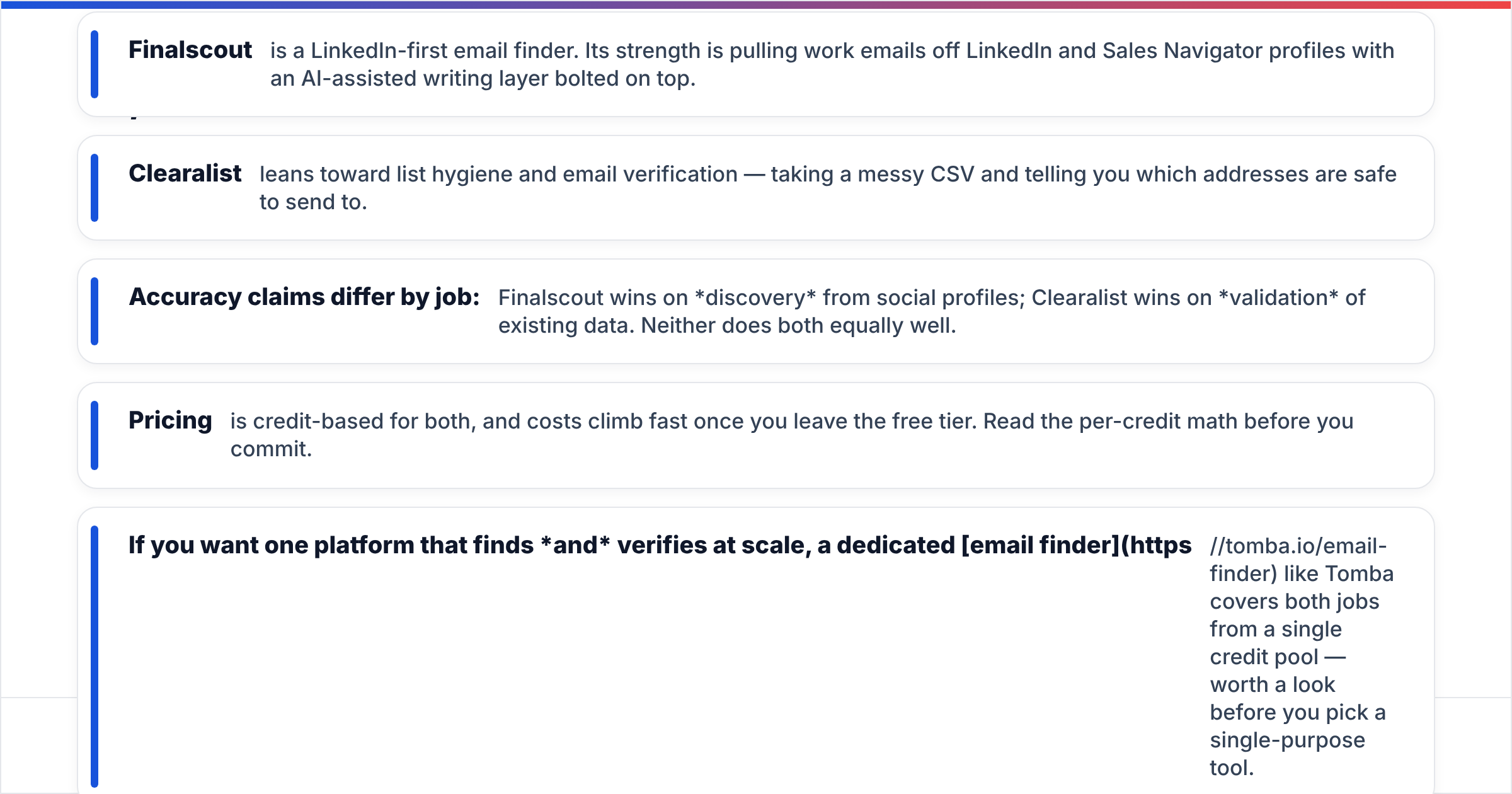
- Finalscout is a LinkedIn-first email finder. Its strength is pulling work emails off LinkedIn and Sales Navigator profiles with an AI-assisted writing layer bolted on top.
- Clearalist leans toward list hygiene and email verification — taking a messy CSV and telling you which addresses are safe to send to.
- Accuracy claims differ by job: Finalscout wins on discovery from social profiles; Clearalist wins on validation of existing data. Neither does both equally well.
- Pricing is credit-based for both, and costs climb fast once you leave the free tier. Read the per-credit math before you commit.
- If you want one platform that finds and verifies at scale, a dedicated email finder like Tomba covers both jobs from a single credit pool — worth a look before you pick a single-purpose tool.
)
What is Finalscout and who is it for?#
Finalscout is built around LinkedIn. You install a Chrome extension, browse profiles or run a Sales Navigator search, and the tool surfaces a likely work email for each person. It then layers an AI email writer on top so you can draft outreach without leaving the tab.
That tight LinkedIn coupling is the whole pitch. If your prospecting motion already lives inside LinkedIn — you scroll, you filter, you connect — Finalscout slots into that habit cleanly. The AI writing assist is genuinely useful for reps who freeze at a blank compose box.
The trade-offs are just as clear. Finalscout is weaker when your source data isn't a LinkedIn profile. Feed it a list of company domains or a spreadsheet of names without LinkedIn URLs and the coverage drops. It's a discovery tool with a narrow front door, and its verification is lighter than a dedicated validator — you'll still want to scrub results before a cold send to protect email deliverability.
What is Clearalist and who is it for?#
Clearalist sits on the other side of the workflow. Its core job is email verification and list cleaning: you upload addresses you already have, and it checks syntax, MX records, mailbox existence, and risk signals like spam traps or disposable domains. The output is a sorted list — valid, invalid, risky, catch-all — so you don't torch your sender reputation on dead addresses.
This matters because bounce rate is a deliverability killer. Mailbox providers read a high bounce rate as a spammer signal, and a single dirty import can drag down an otherwise healthy domain. Tools in this category exist to keep your bounce rate under the threshold inboxes care about.
Where Clearalist gets thinner is origination. It's designed to validate data, not generate it at scale from scratch. If your pipeline problem is "I have no contacts yet," a verifier is the wrong first tool — you need a finder feeding it. That's the central tension in any Clearalist vs Finalscout decision: they're complementary, not interchangeable.
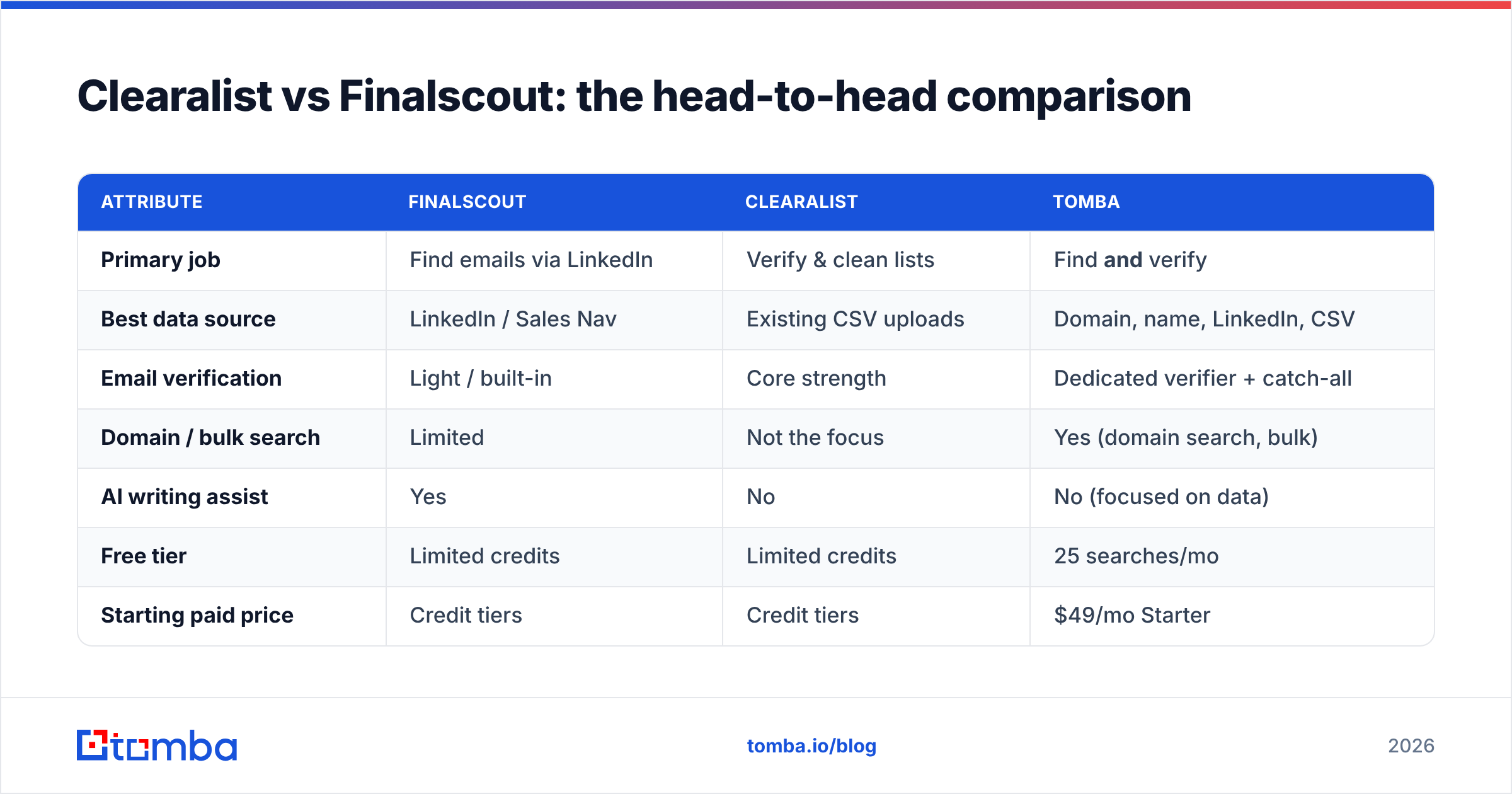
Clearalist vs Finalscout: the head-to-head comparison#
Here's the practical breakdown across the attributes that actually change your day-to-day results.
| Attribute | Finalscout | Clearalist | Tomba |
|---|---|---|---|
| Primary job | Find emails via LinkedIn | Verify & clean lists | Find and verify |
| Best data source | LinkedIn / Sales Nav | Existing CSV uploads | Domain, name, LinkedIn, CSV |
| Email verification | Light / built-in | Core strength | Dedicated verifier + catch-all |
| Domain / bulk search | Limited | Not the focus | Yes (domain search, bulk) |
| AI writing assist | Yes | No | No (focused on data) |
| Free tier | Limited credits | Limited credits | 25 searches/mo |
| Starting paid price | Credit tiers | Credit tiers | $49/mo Starter |
| API access | Limited | Verification API | Full email finder API |
| Chrome extension | Yes | Limited | Yes (extension) |
The pattern is consistent. Finalscout and Clearalist each own one column of the workflow and concede the other. If you only ever do one job — pure LinkedIn discovery, or pure list scrubbing — picking the specialist is reasonable. The moment your process spans both, you're either buying two subscriptions or accepting a weak half.
Is Finalscout more accurate than Clearalist?#
It depends entirely on what you mean by "accurate," and that's not a dodge — the two tools measure different things.
Finalscout's accuracy is discovery accuracy: of the profiles you browse, how often does it return a correct, deliverable work email? That's a function of pattern matching, data partnerships, and how fresh the underlying source is.
Clearalist's accuracy is verification accuracy: of the addresses you feed it, how reliably does it flag the dead ones without false positives? A verifier that calls a good address "invalid" costs you real pipeline; one that passes a dead address costs you a bounce.
You can't rank them on a single number because they're graded on different tests. What you can do is benchmark each against the job you'll actually ask it to perform.

The deeper issue is the catch-all problem. Many B2B domains accept every address at the SMTP layer, so a basic verifier returns "catch-all / unknown" and leaves you guessing. Handling those reliably needs a catch-all verifier with deeper signals — an area where lightweight tools on either side of this comparison tend to fall short. If your target accounts are mid-market and enterprise, ask hard questions about catch-all handling before you trust any tool's "valid" label.
How do Clearalist and Finalscout price out for a real team?#
Both run on credits, and credit-based pricing is where the sticker price and the real cost diverge.
The trap is double-spending. If you use Finalscout to find emails and then push the results through Clearalist to verify them, you're paying for the same contact twice — once to discover, once to validate. For a team running thousands of contacts a month, that stacks up quickly and is the single biggest hidden cost in a two-tool stack.
Consider a simple monthly scenario of 5,000 new contacts:
- Find the emails — credits spent in your discovery tool.
- Verify the emails — credits spent again in your verification tool.
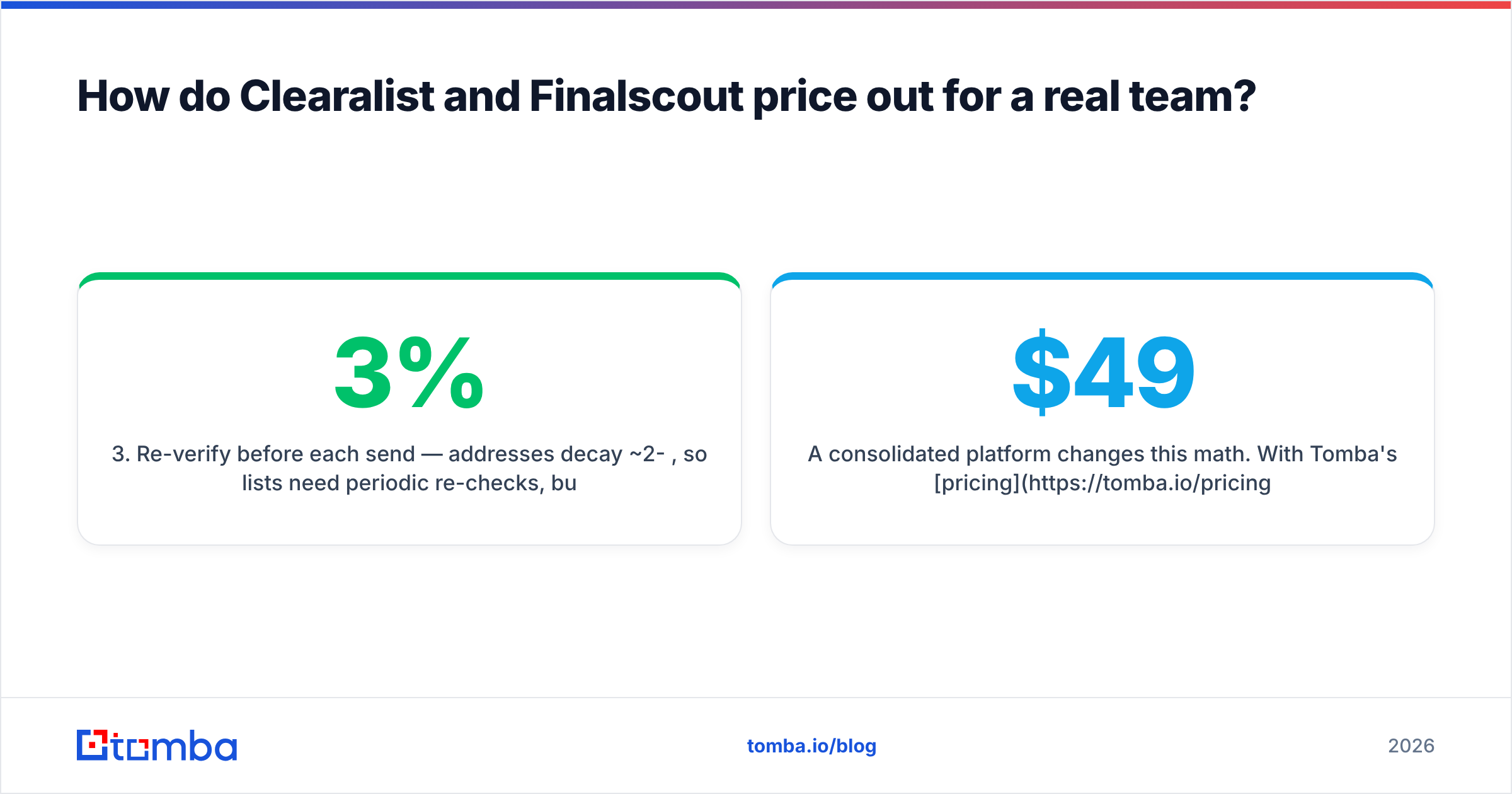
- Re-verify before each send — addresses decay ~2-3% per month, so lists need periodic re-checks, burning more credits.
- Bulk enrichment — if you also want titles, company size, or phone numbers, that's a third line item.
A consolidated platform changes this math. With Tomba's pricing — Free (25 searches/mo), Starter $49/mo, Growth $99/mo, Pro $249/mo — find and verify draw from one credit pool, so you're not paying two vendors to touch the same contact. That doesn't automatically make it cheaper for every use case, but it removes the double-spend that quietly inflates a Clearalist-plus-Finalscout setup.
)
For independent context on how buyers rate these categories, G2 and Capterra both maintain current review pages for email finder and verification software — useful sanity checks against any vendor's own claims.
When should you pick Finalscout?#
Pick Finalscout if your prospecting genuinely lives inside LinkedIn and you want the AI writing layer.
- Your reps source from Sales Navigator daily. The extension matches an existing habit instead of fighting it.
- You value the write-assist. Drafting outreach in the same tab reduces friction for reps who stall on copy.
- Your volume is moderate. Profile-by-profile discovery suits targeted lists more than 50,000-row bulk jobs.
Just plan for a verification step downstream. Finalscout's built-in checking is lighter than a dedicated validator, and skipping verification on cold sends is how good domains end up on blacklists. Pair it with an email verifier before you hit send.
When should you pick Clearalist?#
Pick Clearalist if your problem is data quality, not data quantity.
- You inherited a messy database. A CRM full of years-old addresses needs scrubbing before any campaign.
- Your bounce rate is creeping up. Cleaning the list directly protects sender reputation and inbox placement.
- You buy or scrape lists. Third-party data is the highest-risk input and the strongest case for a dedicated verifier.
The limitation is the same one in reverse: Clearalist won't fill an empty pipeline. If you have no contacts to clean, a verifier is the wrong starting point — you need a finder first.
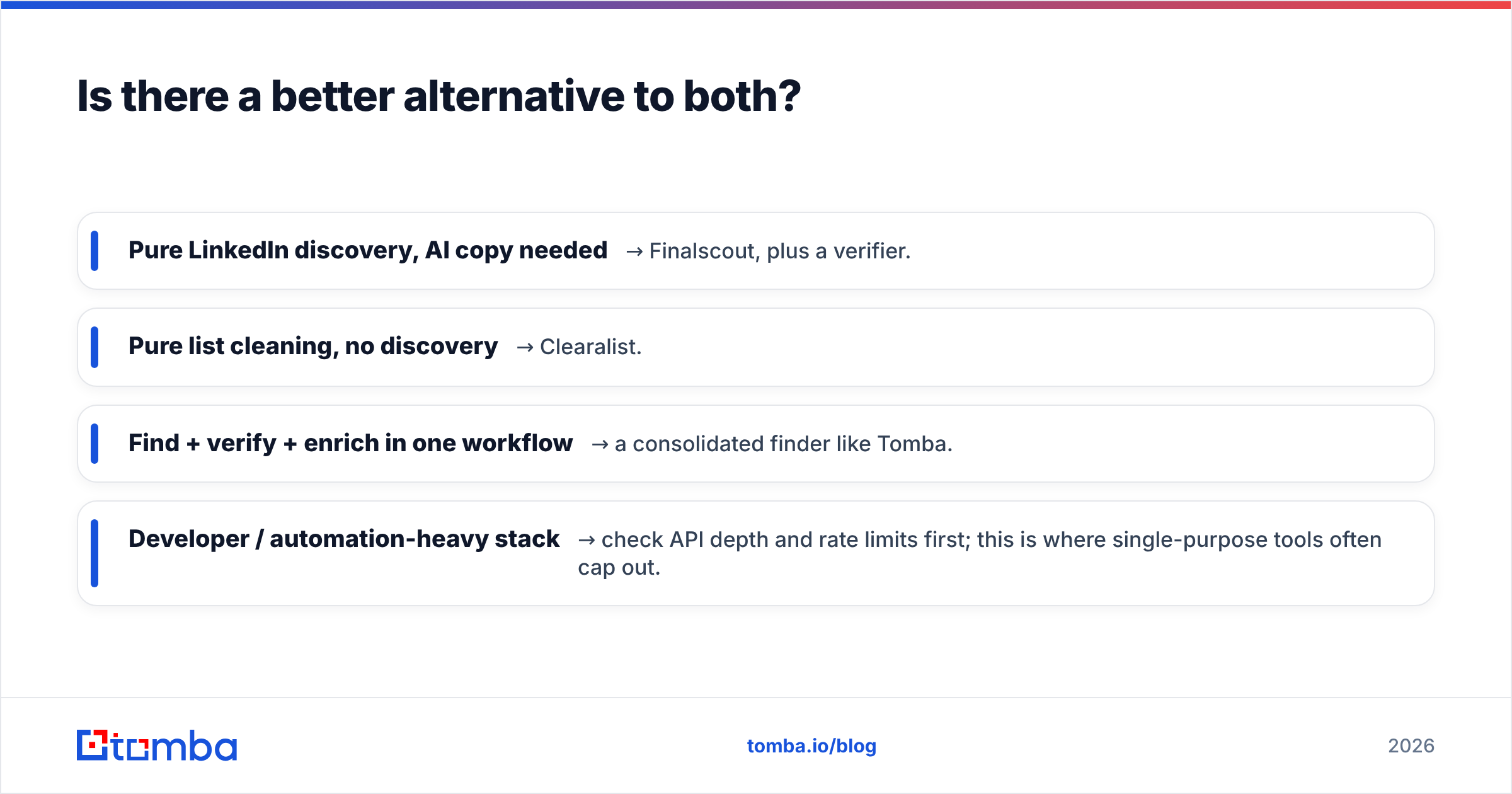
Is there a better alternative to both?#
For teams that span both jobs, a combined platform usually beats stitching two specialists together. This is where evaluating a single tool against the pair makes sense.
Tomba covers the full path: the email finder discovers addresses by domain, name, company, or LinkedIn; the verifier and catch-all finder validate them; and data enrichment adds the firmographic context you'd otherwise buy separately. One credit pool, one API, one place to manage it.

Where each approach fits:
- Pure LinkedIn discovery, AI copy needed → Finalscout, plus a verifier.
- Pure list cleaning, no discovery → Clearalist.
- Find + verify + enrich in one workflow → a consolidated finder like Tomba.
- Developer / automation-heavy stack → check API depth and rate limits first; this is where single-purpose tools often cap out.
None of these is universally "best." The honest answer is that Clearalist vs Finalscout is the wrong framing for most teams — the real choice is between two specialists and one platform that does both. If your workflow only ever touches one half, buy the specialist. If it touches both, do the credit math before you commit to a two-vendor stack.
What about phone numbers and deeper data?#
One factor that rarely makes the feature-grid comparison: multi-channel data. Cold email response rates have been sliding industry-wide, and teams increasingly pair email with phone outreach. Neither Finalscout nor Clearalist is built primarily for phone discovery.
If your motion is moving toward calls or multi-touch sequences, factor in whether your data vendor can supply verified B2B phone numbers and run a full reverse email lookup — not just the email column. Buying a fourth tool for phone data erodes the savings of any "cheap" email-finder choice. Scope the whole data need, not just today's email problem.
Final verdict#
Finalscout is the better finder for LinkedIn-native teams who want AI writing baked in. Clearalist is the better verifier for teams drowning in dirty data. Both are competent at their one job and noticeably weaker at the other — which means most teams end up wanting both, paying twice, and double-spending credits on the same contacts.
Before you sign up for either, price out a consolidated alternative honestly against your real monthly volume. If you mostly find, mostly verify, or do both, the cheapest correct answer changes — and it's often the platform that doesn't make you choose.
Ready to find and verify from one place? Start free with the Tomba Email Finder — 25 searches a month at no cost, then $49/mo when you scale — and skip the two-tool double-spend entirely.
// get started
Find, verify and enrich your first contacts today
Start on the free plan with 25 searches a month, then scale when your team is ready.
Free plan · No credit card required · GDPR & CCPA
// about the author