Clearalist vs Wiza: Which Email Finder Wins in 2026?
Clearalist vs Wiza, compared on accuracy, pricing, LinkedIn workflows, and verification. See which email finder fits your outbound stack in 2026 — and where a third option beats both.
Choosing between Clearalist and Wiza comes down to one question: do you prospect mostly from LinkedIn, or do you build lists from domains and company data? Both tools find B2B email addresses, but they pull from different angles, price differently, and verify with different rigor. This guide breaks down accuracy, pricing, workflows, and the trade-offs that actually matter when you're trying to book meetings — not just export rows.
TL;DR#
- Wiza is LinkedIn-first: it shines when your prospecting starts inside Sales Navigator and you want to export lists straight from a search.
- Clearalist leans on bulk list cleaning and email finding from existing data, positioning itself as a lighter, lower-cost option for smaller teams.
- Accuracy and verification depth are the real differentiators — a cheap finder that returns guessed addresses costs you more in bounces than it saves in subscription fees.
- Pricing favors Wiza for credit-heavy LinkedIn exporters and Clearalist for occasional, budget-conscious users.
- If you want both domain-level coverage and real-time SMTP verification in one place, a data-first platform like Tomba often beats either on cost-per-valid-email.
What are Clearalist and Wiza?#
Both are B2B email finder tools, but they solve the prospecting problem from opposite ends.
Wiza is built around LinkedIn. You run a search in Sales Navigator or LinkedIn, and Wiza scrapes the matching profiles, then finds and verifies work emails (and sometimes phone numbers) for each contact. Its whole reason to exist is turning a LinkedIn list into a clean, exportable contact file. If your reps live in Sales Navigator, that workflow feels natural.
Clearalist approaches it from the list side. You bring names, domains, or an existing CSV, and it tries to find and clean the associated email addresses. It markets itself as an affordable email finder and verifier for teams that already have raw data and need to fill in or validate the contact column.
The distinction matters because it changes where your data comes from. Wiza's quality is tied to LinkedIn profile freshness. Clearalist's quality is tied to whatever source data you feed it plus its own lookup database.

How do Clearalist and Wiza compare at a glance?#
Here's the head-to-head on the attributes buyers ask about most.
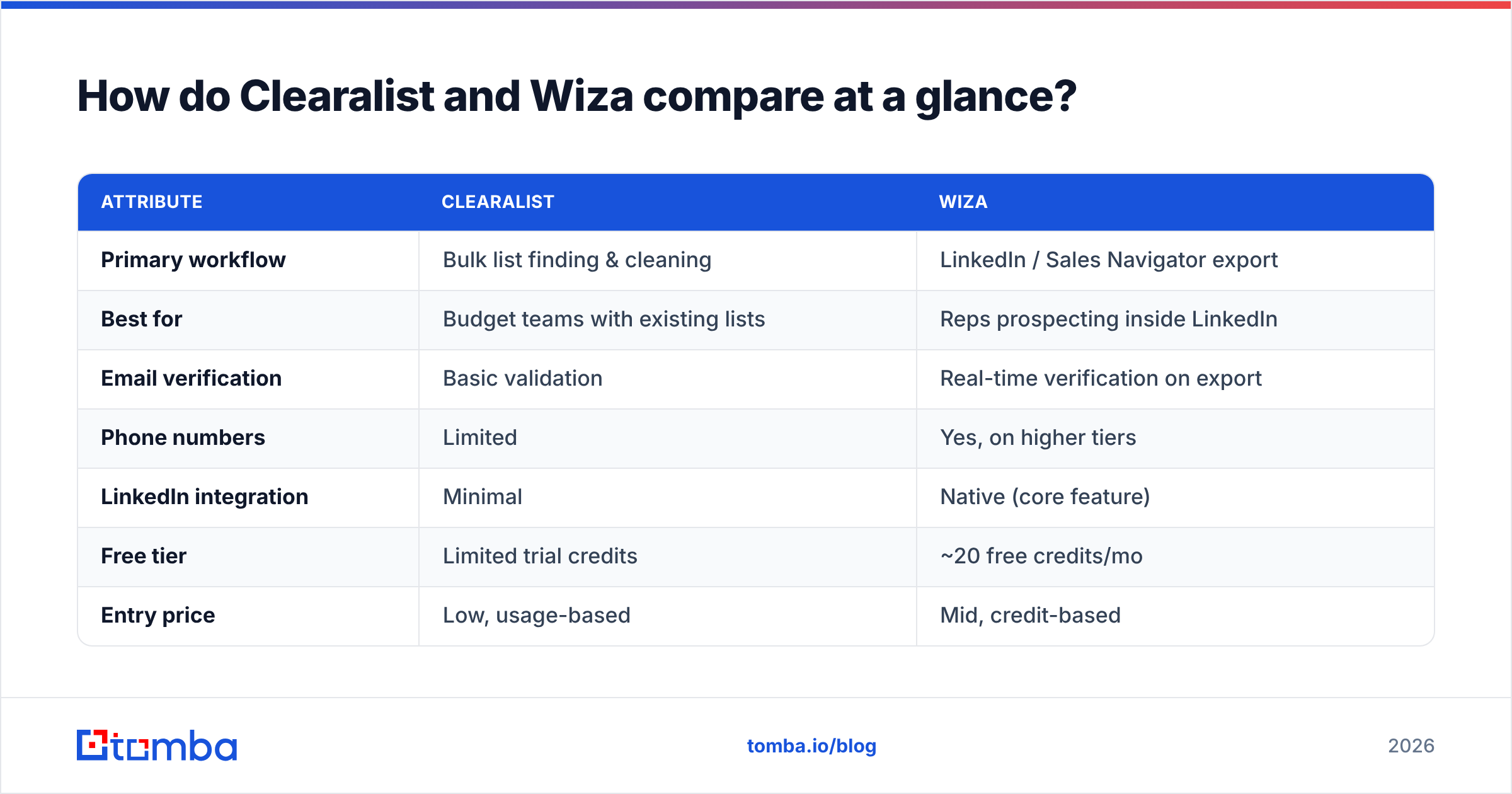
| Attribute | Clearalist | Wiza |
|---|---|---|
| Primary workflow | Bulk list finding & cleaning | LinkedIn / Sales Navigator export |
| Best for | Budget teams with existing lists | Reps prospecting inside LinkedIn |
| Email verification | Basic validation | Real-time verification on export |
| Phone numbers | Limited | Yes, on higher tiers |
| LinkedIn integration | Minimal | Native (core feature) |
| Free tier | Limited trial credits | ~20 free credits/mo |
| Entry price | Low, usage-based | Mid, credit-based |
| API access | Limited | Yes |
| Ideal team size | 1–5 | 1–50 |
The pattern is clear: Wiza is the heavier, more feature-complete platform aimed at active outbound teams, while Clearalist competes on price and simplicity. Neither is "wrong" — they're tuned for different buyers.
Which one finds more accurate emails?#
Accuracy is where comparisons get real, because a finder that returns a plausible-but-wrong address quietly destroys your sender reputation.
Wiza generally posts strong accuracy on LinkedIn-sourced contacts because it ties each lookup to a real, current profile and runs verification at export time. The weakness: if a profile is stale or the person changed jobs, you inherit that staleness. LinkedIn data is only as fresh as the user's last update.
Clearalist's accuracy depends heavily on input quality. Feed it clean domains and full names and it performs reasonably; feed it messy data and results degrade. Its verification layer is lighter than dedicated validators, so you'll want to run found addresses through a separate email verifier before launching a campaign.
The honest takeaway: no email finder hits 100%. The ones that win publish their methodology and verify in real time. When you're evaluating any tool, test it on a known list — say 100 contacts where you already have confirmed emails — and measure the match rate and bounce rate yourself. Vendor-quoted accuracy numbers are marketing until you reproduce them.
Wait — that's the core issue. Guessing isn't finding. A tool that returns a syntactically valid address with no SMTP confirmation is handing you a coin flip. Look for catch-all verification and SMTP checks, not just pattern matching.
How do Clearalist and Wiza pricing compare?#
Pricing is the second deciding factor, and the two tools use different models.
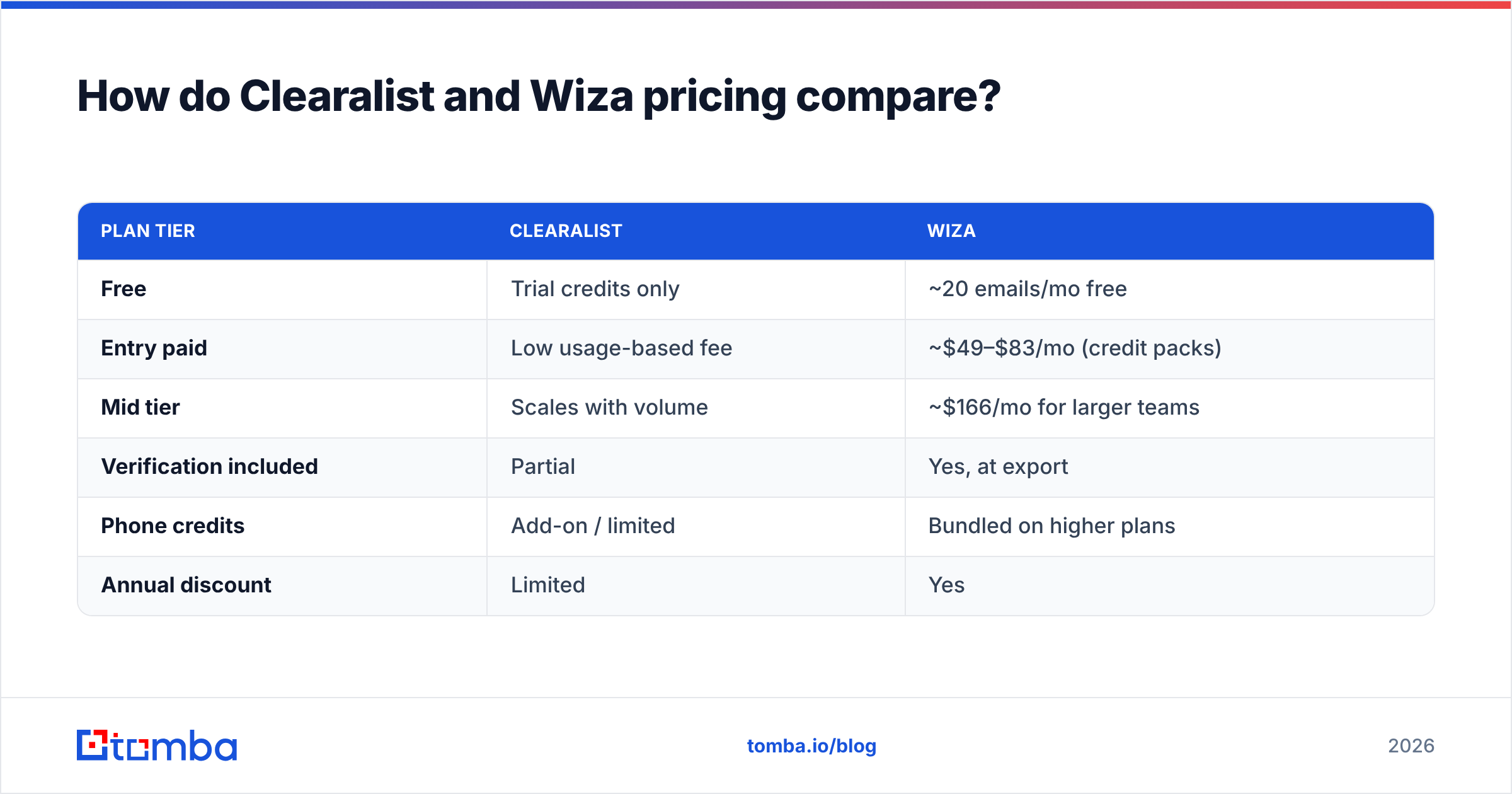
| Plan tier | Clearalist | Wiza |
|---|---|---|
| Free | Trial credits only | ~20 emails/mo free |
| Entry paid | Low usage-based fee | ~$49–$83/mo (credit packs) |
| Mid tier | Scales with volume | ~$166/mo for larger teams |
| Verification included | Partial | Yes, at export |
| Phone credits | Add-on / limited | Bundled on higher plans |
| Annual discount | Limited | Yes |
Wiza's credit model is straightforward but adds up fast for high-volume exporters — every email and every phone number burns credits. Clearalist undercuts on headline price, which makes it attractive for solo founders or small teams running occasional campaigns.
But "cheapest per credit" isn't the same as "cheapest per valid email." If 25% of a cheaper tool's results bounce, your effective cost per usable contact can exceed the pricier, more accurate option. Always model cost on verified deliverable emails, not raw lookups.
For reference, compare both against transparent, published rates like Tomba pricing, where a Free tier gives 25 searches/month, Starter runs $49/mo, Growth $99/mo, and Pro $249/mo — with verification built into the same credits rather than billed separately.
Is Wiza better than Clearalist for LinkedIn prospecting?#
Yes — if LinkedIn is your primary source, Wiza is the stronger pick, and it isn't close.
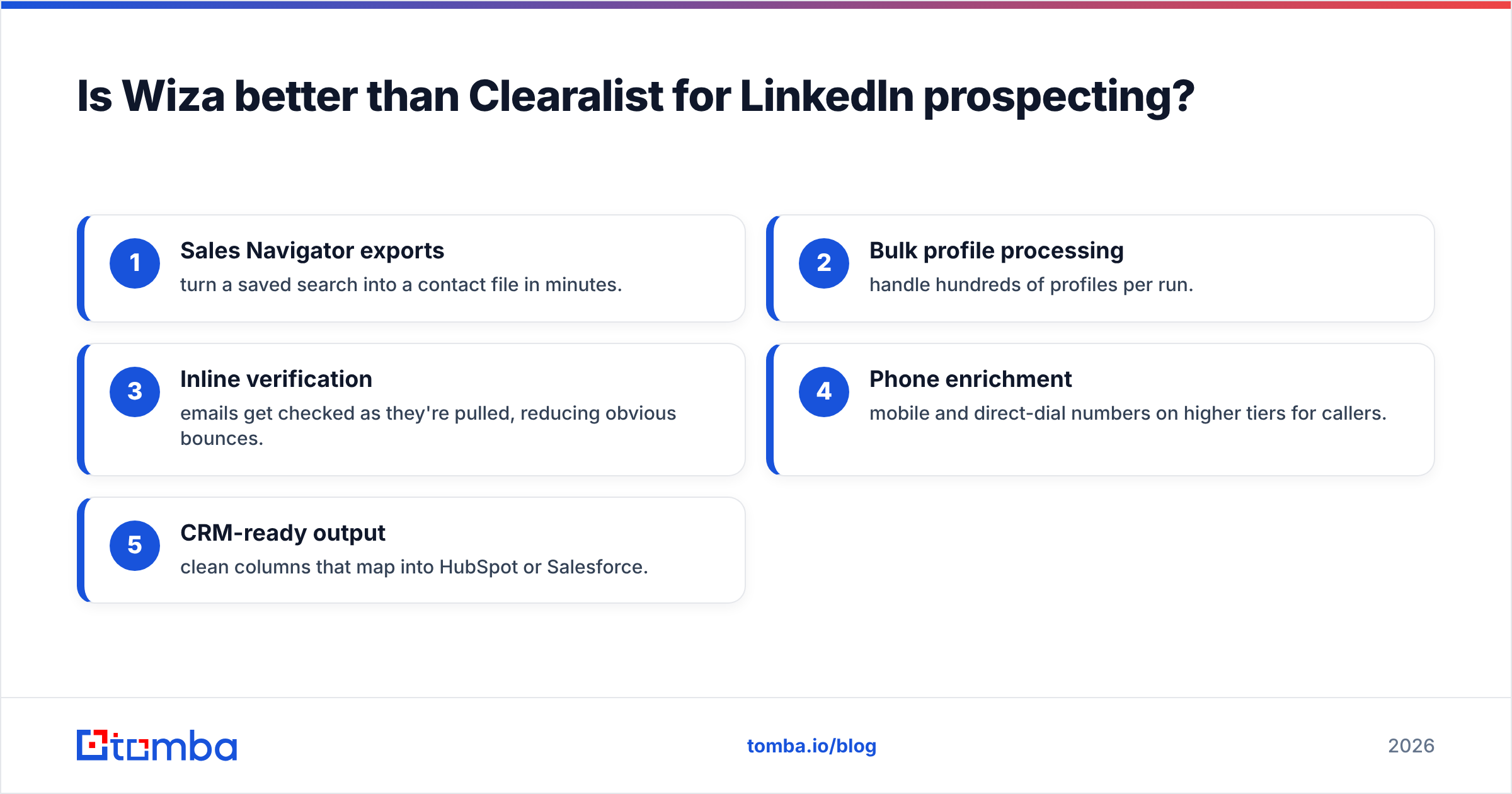
Wiza's native Sales Navigator integration means you can run a filtered search, push the results into Wiza, and get a verified contact list without copy-pasting profile URLs. That end-to-end flow is its biggest advantage. Here's where it earns its keep:
- Sales Navigator exports — turn a saved search into a contact file in minutes.
- Bulk profile processing — handle hundreds of profiles per run.
- Inline verification — emails get checked as they're pulled, reducing obvious bounces.
- Phone enrichment — mobile and direct-dial numbers on higher tiers for callers.
- CRM-ready output — clean columns that map into HubSpot or Salesforce.
Clearalist isn't built for this. It can find emails for names you already have, but it doesn't replicate the LinkedIn-search-to-list pipeline. If you tried to force Clearalist into a LinkedIn workflow, you'd spend more time prepping input than you'd save on price.
That said, LinkedIn-only sourcing has a ceiling. Not every buyer is active on LinkedIn, and platform scraping sits in a gray zone that LinkedIn periodically clamps down on. A resilient prospecting stack also pulls from domains and company data — which is where the LinkedIn-first model leaves gaps.
Where do both tools fall short?#
Three weaknesses show up across LinkedIn-first and list-cleaning finders alike.
Coverage gaps. LinkedIn-sourced tools miss prospects who aren't on LinkedIn or who keep bare profiles. List-cleaning tools miss anyone not already in your input. Neither gives you true discovery — finding everyone at a target company you didn't already know about. For that you need domain search, which returns the people and patterns behind a company domain regardless of LinkedIn presence.
Verification depth. Lighter tools flag obvious syntax errors but stumble on catch-all domains, role accounts, and temporarily-down mail servers. Catch-all domains in particular fool many verifiers into marking risky addresses as valid.
Enrichment beyond email. Modern outbound needs more than an address — title, company size, location, social handles. Single-purpose finders leave you stitching that together from other sources, which is where dedicated data enrichment earns its place in the stack.
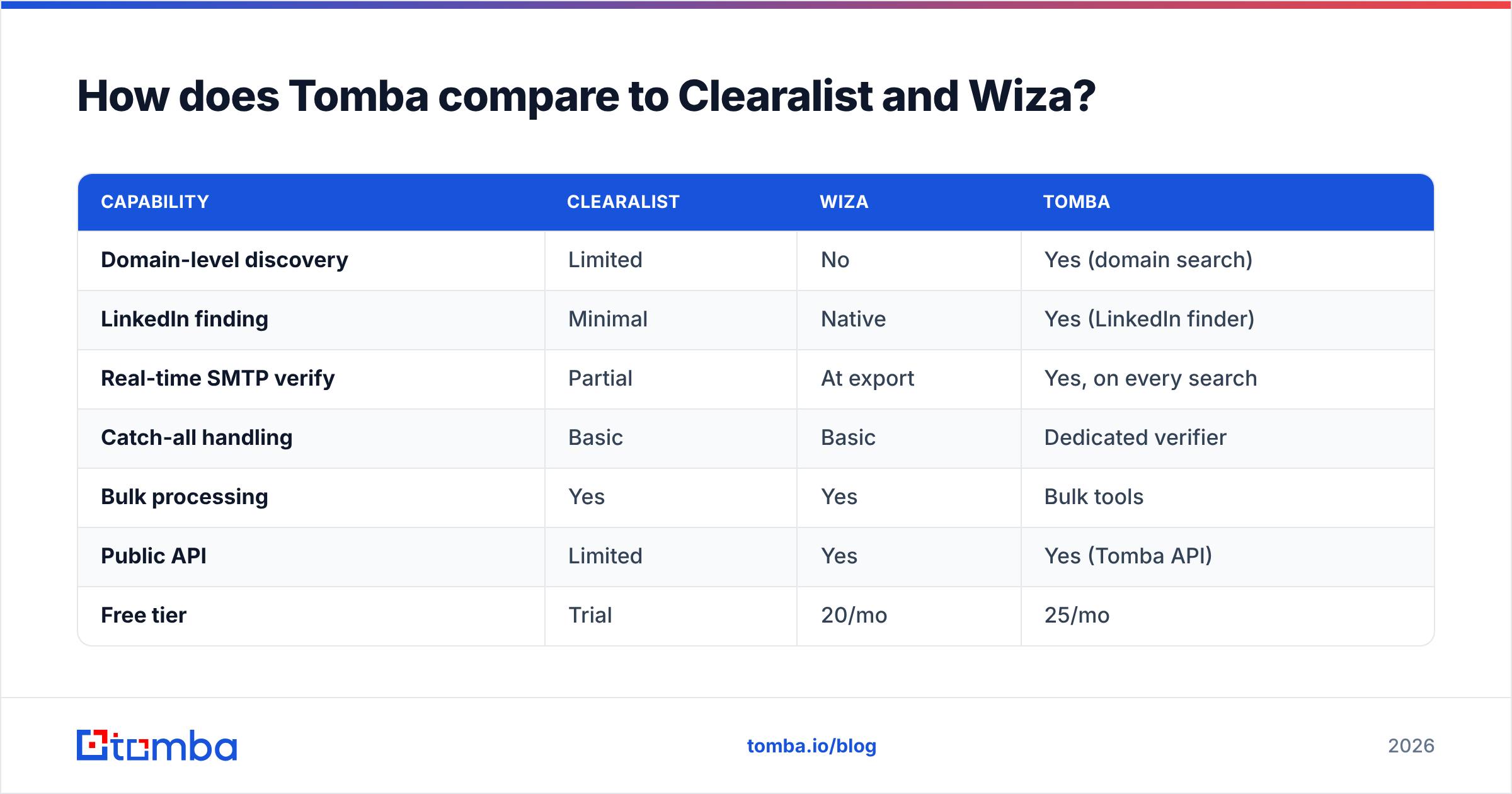
How does Tomba compare to Clearalist and Wiza?#
Tomba sits in a different lane: a data-first platform that combines finding, verifying, and enriching in one credit pool — so you're not paying three vendors or babysitting three bounce rates.
| Capability | Clearalist | Wiza | Tomba |
|---|---|---|---|
| Domain-level discovery | Limited | No | Yes (domain search) |
| LinkedIn finding | Minimal | Native | Yes (LinkedIn finder) |
| Real-time SMTP verify | Partial | At export | Yes, on every search |
| Catch-all handling | Basic | Basic | Dedicated verifier |
| Bulk processing | Yes | Yes | Bulk tools |
| Public API | Limited | Yes | Yes (Tomba API) |
| Free tier | Trial | 20/mo | 25/mo |
| Starter price | Low | ~$49+/mo | $49/mo |
The argument for a platform like Tomba isn't that Wiza or Clearalist are bad — it's consolidation. When finding, verifying emails, catch-all checks, and enrichment run on one set of credits with published data sources, your cost-per-valid-email is easier to control and your bounce rate is easier to defend. You also get domain discovery that pure-LinkedIn tools can't match, which widens your addressable list beyond who happens to be active on a social platform.
If you live in Sales Navigator and want the smoothest LinkedIn export, Wiza is genuinely good at that one job. If you want budget list-cleaning and already own your data, Clearalist does the trick. If you want coverage and verification depth and one bill, that's the gap a data-first finder fills.
Which should you choose?#
Match the tool to where your prospecting actually starts.
- Choose Wiza if 80%+ of your sourcing happens inside LinkedIn/Sales Navigator and you'll use the export pipeline daily. The credit cost is justified by the time saved.
- Choose Clearalist if you're a solo operator or tiny team with existing lists, a tight budget, and modest volume — and you're willing to run a separate verification pass.
- Choose a data-first platform like Tomba if you prospect from multiple angles (domains, LinkedIn, company lists), care about bounce rates, and want finding plus verification in one place.
Whatever you pick, run the same 100-contact test on each finalist before committing. Measure match rate, bounce rate, and true cost per deliverable email. The winner on your own data — not the vendor's slide — is the one to buy.
For deeper buying research, cross-check user reviews on G2 and Capterra, and read each vendor's own documentation before you trust a quoted accuracy figure. Independent review volume and recency tell you more than a marketing page.

Ready to test a data-first finder?#
Stop paying for guessed addresses. The Tomba Email Finder pulls verified professional emails by name, domain, or company — with real-time SMTP and catch-all verification baked into the same credits, plus domain discovery that LinkedIn-only tools can't reach. Start free with 25 searches a month, run it against your own contact list beside Clearalist and Wiza, and compare the one number that matters: cost per valid email. If the data wins, the switch pays for itself in fewer bounces and more replies.
// get started
Find, verify and enrich your first contacts today
Start on the free plan with 25 searches a month, then scale when your team is ready.
Free plan · No credit card required · GDPR & CCPA
// about the author