Clearbit Pros and Cons 2026: An Honest B2B Data Review
A straight look at Clearbit's pros and cons in 2026 — data quality, the HubSpot Breeze rebrand, pricing, and where leaner tools beat it.
Clearbit Pros and Cons 2026: An Honest B2B Data Review
Clearbit built its reputation as the firmographic data layer behind thousands of go-to-market stacks. Then HubSpot bought it, folded it into "Breeze Intelligence," and changed how a lot of teams budget for enrichment. If you're evaluating it in 2026, the question isn't "is Clearbit good?" — it's "is Clearbit still the right shape for how I buy data now?"
This is a neutral breakdown of the real Clearbit pros and cons, who it fits, who it doesn't, and what to use when the answer is "not Clearbit."
TL;DR#
- Clearbit (now Breeze Intelligence) is strong on firmographic and technographic data — company size, industry, tech stack, funding — and weaker as a standalone email-finding tool.
- The HubSpot acquisition is the biggest 2026 story. Deep HubSpot integration is a pro if you live in HubSpot, a con if you don't.
- Pricing is opaque and quote-based, which makes it hard for small teams to forecast cost versus credit-based competitors.
- International and SMB coverage has gaps. Clearbit shines on US mid-market and enterprise, thins out elsewhere.
- If your core need is finding and verifying contact emails at scale, a focused tool like Tomba is cheaper and more transparent — pair it with Clearbit-style enrichment only where you need the firmographic depth.
What is Clearbit (and what is Breeze Intelligence)?#
Clearbit is a B2B data enrichment platform that takes a thin input — an email, a domain, an IP address — and returns a fuller picture: company name, size, revenue band, industry, location, technologies used, and associated people. Think of it as a reverse dictionary for business contacts: you hand it one word and it gives you the full entry.
In late 2023, HubSpot acquired Clearbit. Through 2024–2025 the product was rebranded as Breeze Intelligence, HubSpot's native data layer. The classic Clearbit modules still map to recognizable jobs:
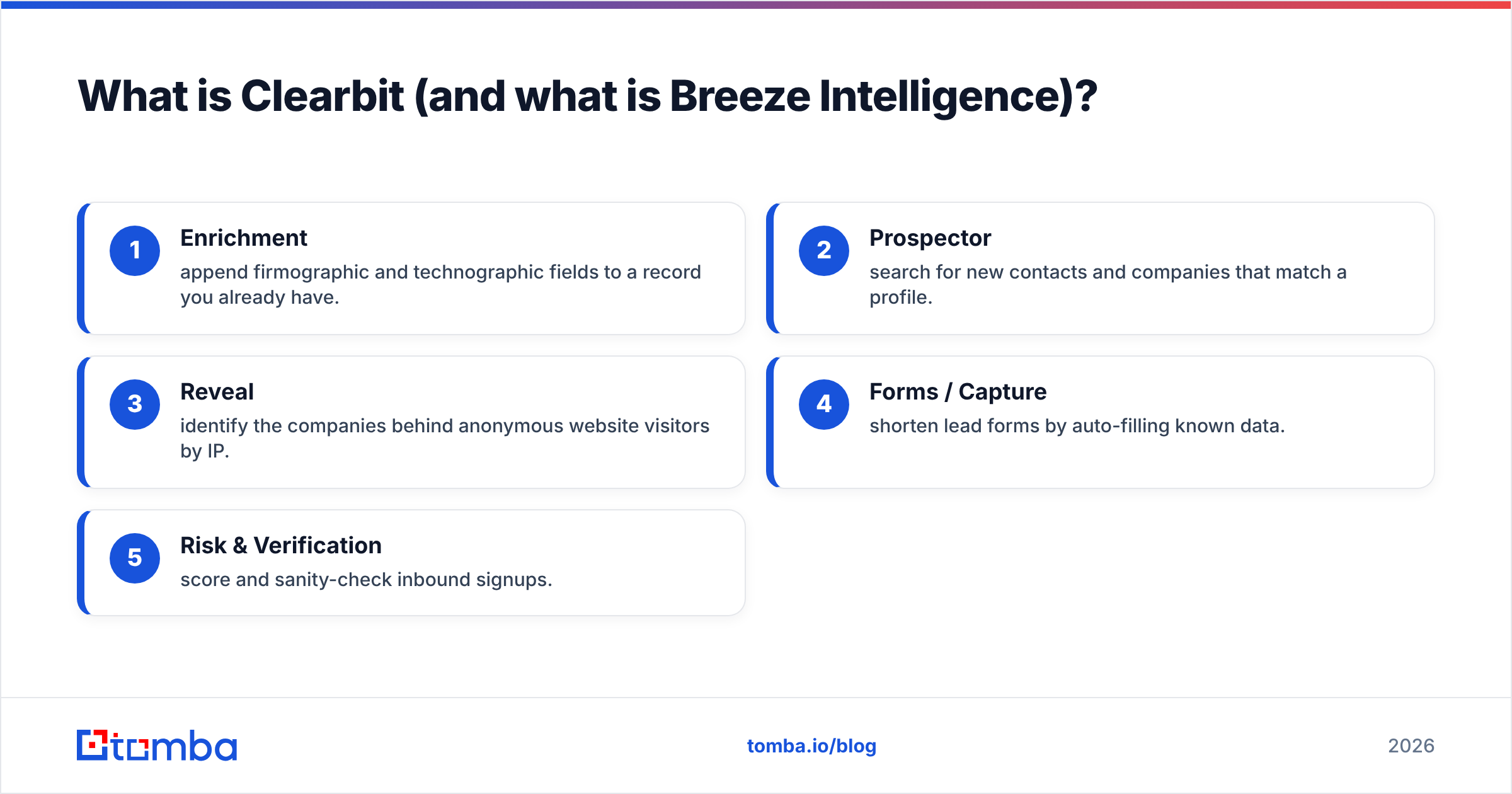
- Enrichment — append firmographic and technographic fields to a record you already have.
- Prospector — search for new contacts and companies that match a profile.
- Reveal — identify the companies behind anonymous website visitors by IP.
- Forms / Capture — shorten lead forms by auto-filling known data.
- Risk & Verification — score and sanity-check inbound signups.
That bundle is the source of both Clearbit's strengths and its frustrations. You're rarely buying one thing — you're buying a platform, and platforms reward consolidation and punish dabbling.

What are the main pros of Clearbit?#
The case for Clearbit in 2026 is real, and it's mostly about data depth and ecosystem fit.
Firmographic and technographic depth. This is the core strength. For a known company, Clearbit returns a wide, well-structured field set — employee count, revenue estimate, sector, sub-industry, funding, and a credible technology stack. If your scoring model or routing logic depends on company attributes, this is high-signal data.
Native HubSpot integration. Post-acquisition, Breeze Intelligence is wired directly into HubSpot CRM. Enrichment happens on the record without a connector, forms shorten automatically, and the data flows into HubSpot workflows. If HubSpot is your system of record, this is the smoothest enrichment experience on the market.
Reveal for visitor de-anonymization. Clearbit Reveal remains one of the better-known tools for turning anonymous web traffic into named accounts. For account-based teams running website visitor reveal plays, it's a genuine signal source.
Real-time API. Clearbit's API is mature, documented, and fast enough for in-form and in-app enrichment. Developers generally rate the API experience well.
Data hygiene at the company level. Because Clearbit standardizes fields (consistent industry taxonomy, normalized company names), it's good for keeping a CRM tidy rather than letting reps type "Mfg" and "Manufacturing" into the same field.

What are the main cons of Clearbit?#
The cons are where most evaluators get surprised, so spend more time here.
Opaque, quote-based pricing. Clearbit does not publish straightforward per-credit pricing the way many competitors do. Cost is negotiated, often annual, and tied to your data volume and HubSpot relationship. For a startup that just wants to forecast "X enrichments per month at Y dollars," this is a real barrier. Transparent, credit-based plans are easier to model.
The HubSpot dependency cuts both ways. If you're not on HubSpot, you lose the single biggest 2026 advantage — and there's ongoing uncertainty about how much of the best functionality stays first-class outside the HubSpot ecosystem. Teams on Salesforce or Pipedrive should evaluate carefully rather than assume parity.
Email finding is not the core competency. Clearbit enriches what you have; it's not built as a high-yield prospecting email finder the way dedicated tools are. If your bottleneck is "I have a name and a company but no email," you'll often get better hit rates from a specialized email finder with built-in verification.
International and SMB coverage thins out. Clearbit is strongest on US-based mid-market and enterprise. For European SMBs, APAC companies, or very small businesses, you'll hit more null fields and stale records.
Cost-to-value at low volume. Because it's platform-priced and enterprise-oriented, Clearbit rarely makes sense for a two-person team sending a few hundred emails a month. The floor is high.
Credit and match-rate accounting. Like most enrichment vendors, you can burn budget on lookups that return partial or no data. Always ask how unmatched lookups are billed before signing.
Clearbit pros and cons at a glance#
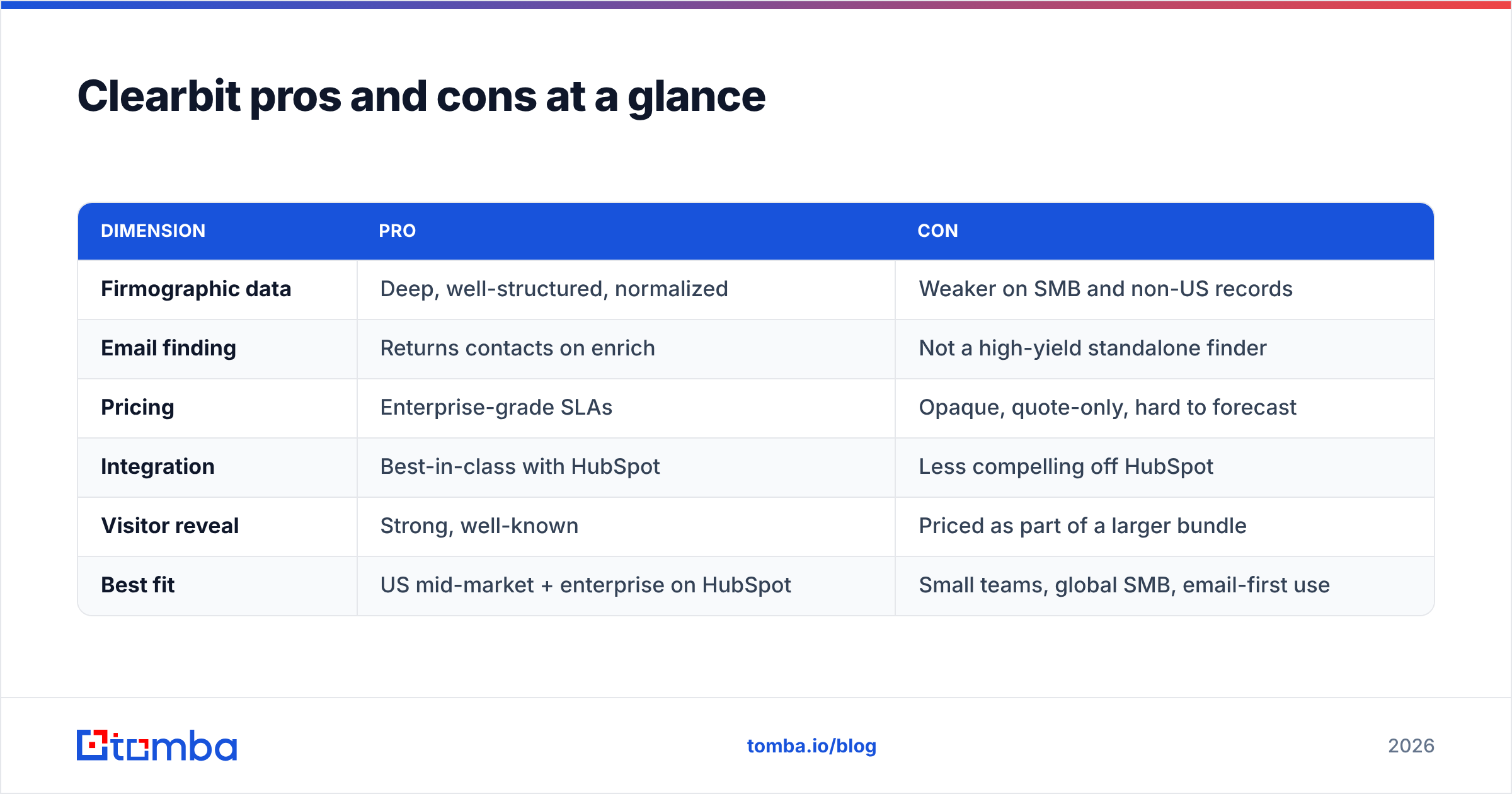
| Dimension | Pro | Con |
|---|---|---|
| Firmographic data | Deep, well-structured, normalized | Weaker on SMB and non-US records |
| Email finding | Returns contacts on enrich | Not a high-yield standalone finder |
| Pricing | Enterprise-grade SLAs | Opaque, quote-only, hard to forecast |
| Integration | Best-in-class with HubSpot | Less compelling off HubSpot |
| Visitor reveal | Strong, well-known | Priced as part of a larger bundle |
| Best fit | US mid-market + enterprise on HubSpot | Small teams, global SMB, email-first use |
How does Clearbit compare to focused alternatives?#
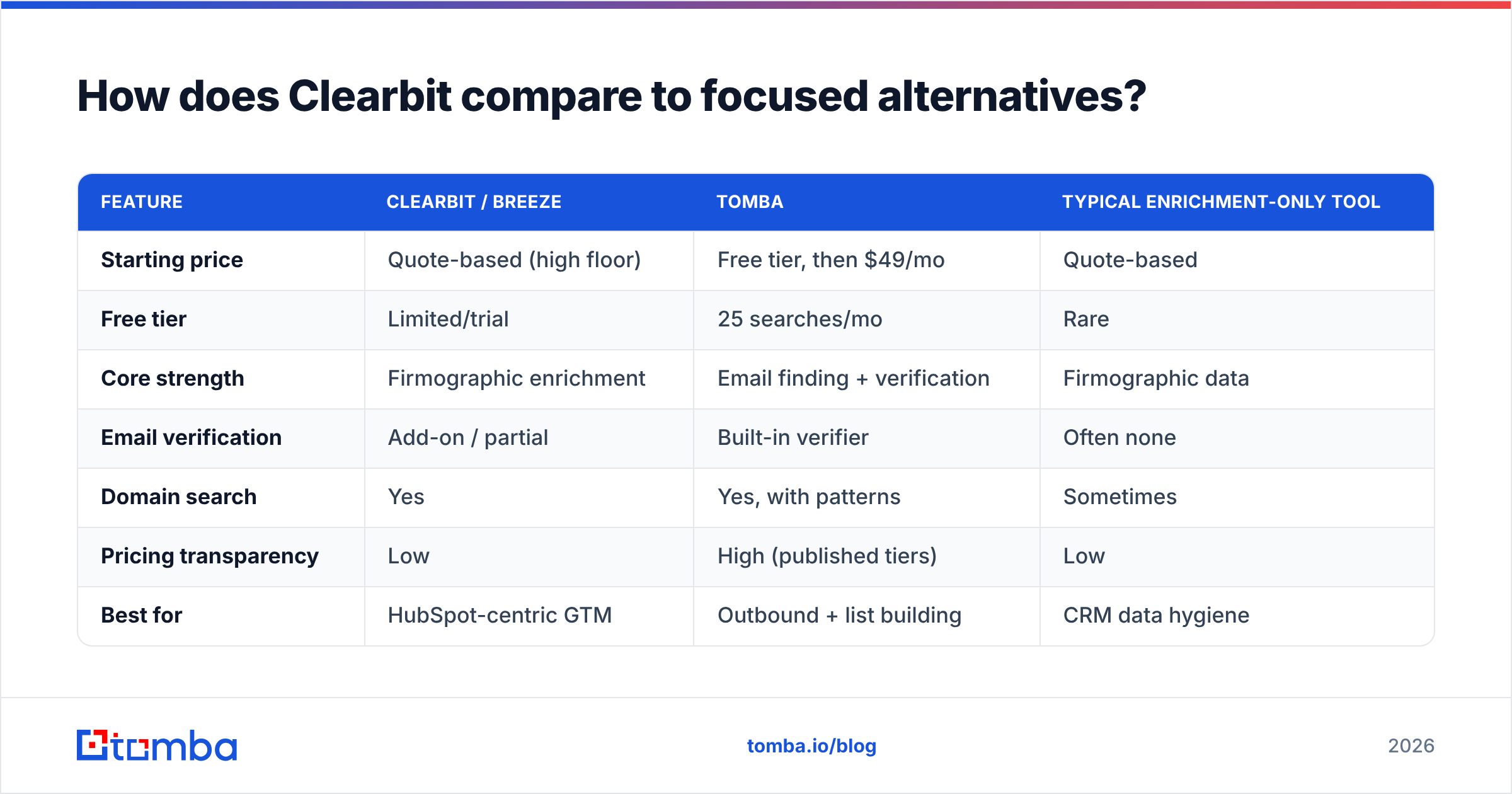
Here's the honest framing: Clearbit and a tool like Tomba aren't always direct competitors — they often solve different halves of the same problem. Clearbit answers "tell me everything about this company." A focused email platform answers "get me a verified inbox for this person, cheaply, at scale."
| Feature | Clearbit / Breeze | Tomba | Typical enrichment-only tool |
|---|---|---|---|
| Starting price | Quote-based (high floor) | Free tier, then $49/mo | Quote-based |
| Free tier | Limited/trial | 25 searches/mo | Rare |
| Core strength | Firmographic enrichment | Email finding + verification | Firmographic data |
| Email verification | Add-on / partial | Built-in verifier | Often none |
| Domain search | Yes | Yes, with patterns | Sometimes |
| Pricing transparency | Low | High (published tiers) | Low |
| Best for | HubSpot-centric GTM | Outbound + list building | CRM data hygiene |
If you want the firmographic depth and affordable, transparent email finding, the practical move in 2026 is a stack: use a dedicated finder/verifier for contact discovery and reserve enrichment spend for the accounts that actually warrant it. Tomba covers the contact side with an email verifier, domain search, and bulk tools, at pricing you can read off a page. For teams specifically shopping the category, Tomba also maintains a Clearbit alternative breakdown.

Who should actually use Clearbit in 2026?#
Use Clearbit / Breeze Intelligence if:
- You run HubSpot as your CRM. The native integration is the single best reason to choose it now.
- Your GTM motion is account-based and US-centric. Firmographic depth on US mid-market and enterprise is where Clearbit earns its price.
- You need form shortening and real-time enrichment at the point of capture, and you have developer support for the API.
- Visitor de-anonymization is a core play and you want a recognized vendor.
Look elsewhere if:
- Email discovery is your real bottleneck. You want hit rate and verification, not firmographic fields.
- You're a small or mid-size team that needs predictable cost. Quote-based pricing is friction you don't need.
- Your market is global SMB. Coverage gaps will frustrate you.
- You're not on HubSpot and don't plan to be.
This is the same logic that drives most B2B data and intelligence buying decisions: match the tool's center of gravity to your actual bottleneck, not to its marketing.
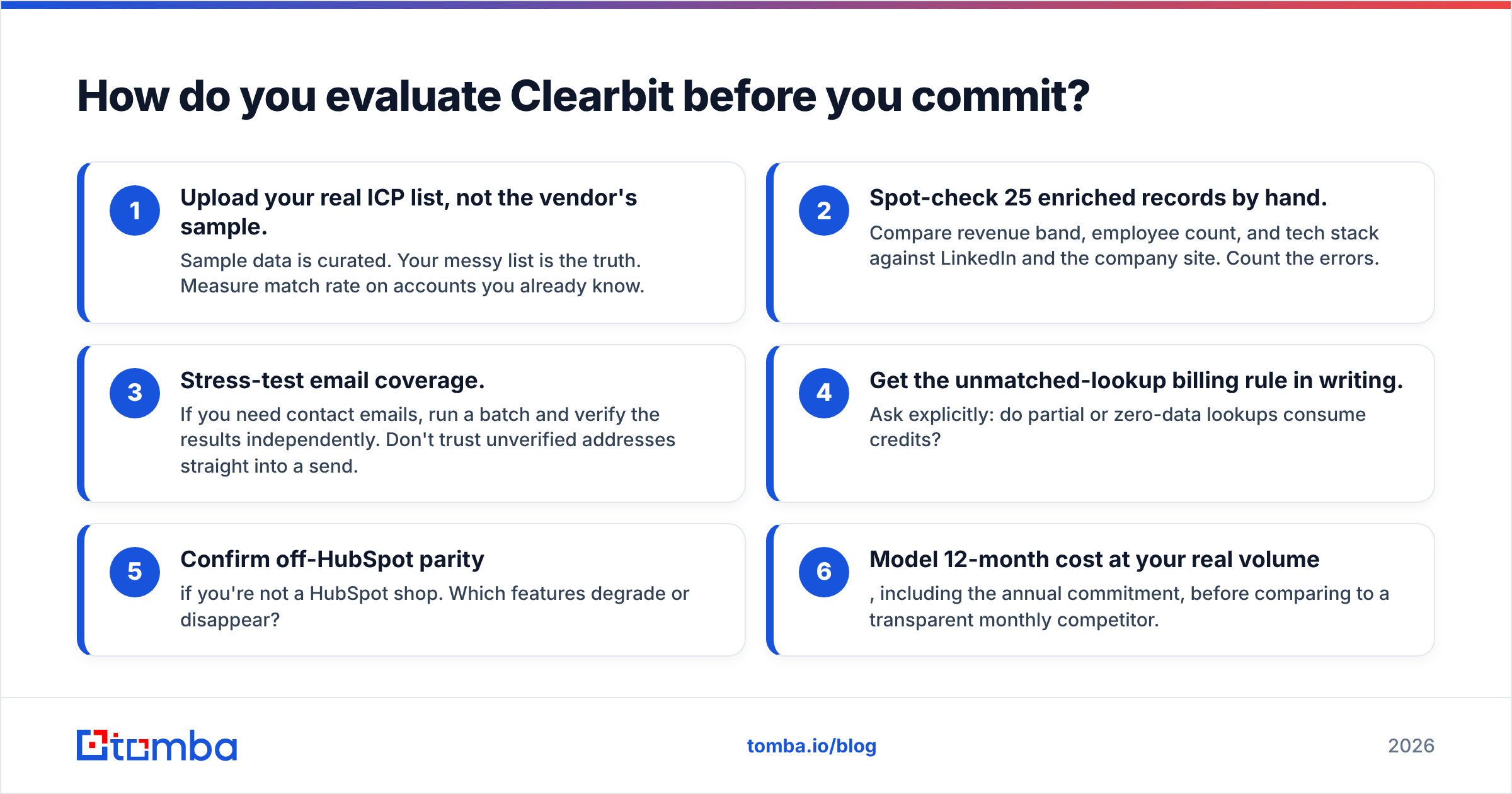
How do you evaluate Clearbit before you commit?#
Treat the trial like a procurement audit, not a demo. Run these checks:
- Upload your real ICP list, not the vendor's sample. Sample data is curated. Your messy list is the truth. Measure match rate on accounts you already know.
- Spot-check 25 enriched records by hand. Compare revenue band, employee count, and tech stack against LinkedIn and the company site. Count the errors.
- Stress-test email coverage. If you need contact emails, run a batch and verify the results independently. Don't trust unverified addresses straight into a send.
- Get the unmatched-lookup billing rule in writing. Ask explicitly: do partial or zero-data lookups consume credits?
- Confirm off-HubSpot parity if you're not a HubSpot shop. Which features degrade or disappear?
- Model 12-month cost at your real volume, including the annual commitment, before comparing to a transparent monthly competitor.
If accuracy is your top concern, remember that enrichment data and contact data decay differently — companies change slowly, people change jobs constantly. A verified email today is worth more than a firmographic field that won't move for a year. That's why a dedicated email verification step belongs in the pipeline regardless of which enrichment vendor you pick.
Is Clearbit worth it compared to building a leaner stack?#
Conclusion first: Clearbit is worth it for HubSpot-native, US-focused, account-based teams that value firmographic depth and will use the platform fully — and it's overkill for teams whose real job is finding and verifying emails affordably.
The trap is paying enterprise platform prices to solve a contact-discovery problem that a focused tool solves for a fraction of the cost. Many teams in 2026 are unbundling: a transparent finder/verifier for the high-volume contact work, plus targeted enrichment only on the accounts that clear a scoring bar. That keeps spend tied to value instead of to a flat annual platform fee.
For benchmarking the broader category, third-party review sites like G2 are useful for seeing where real users praise and complain, and Clearbit's own product site (now routing through HubSpot) is the place to confirm current Breeze Intelligence packaging before you sign anything.
The bottom line#
Clearbit's pros — firmographic depth, HubSpot-native enrichment, mature API, visitor reveal — are real and best-in-class for the right buyer. Its cons — opaque pricing, HubSpot gravity, weaker standalone email finding, and coverage gaps outside US mid-market — are exactly the reasons leaner teams route around it.
If your actual need is finding and verifying business emails at predictable cost, start with a focused tool and add enrichment only where it pays for itself. The Tomba Email Finder gives you verified professional emails by name, domain, or company, with a free tier to test before you spend and published Tomba pricing starting at $49/mo — no quote calls required. Try the Tomba Email Finder on your real prospect list and compare the hit rate yourself.
// get started
Find, verify and enrich your first contacts today
Start on the free plan with 25 searches a month, then scale when your team is ready.
Free plan · No credit card required · GDPR & CCPA
// about the author