Clearout Pricing, Reviews, Pros and Cons (2026 Guide)
An honest 2026 breakdown of Clearout pricing, real user reviews, and the pros and cons that matter before you commit credits to email verification.

Clearout is a solid, credit-based email verification tool — but whether it fits your stack depends on volume, how much email finding you need, and how you feel about credits that expire. This guide breaks down Clearout pricing, reviews, and the real pros and cons so you can decide before you spend.
TL;DR#
- Clearout is primarily an email verifier with a bolt-on email finder; pricing is credit-based, starting around a free 100-credit trial and scaling into pay-as-you-go and monthly subscriptions.
- Strengths: strong single and bulk verification accuracy, a usable real-time API, and granular result statuses (deliverable, catch-all, role, disposable).
- Weak spots: credits that can expire on some plans, a finder database that lags dedicated tools, and a UI that reviewers call dated.
- Pricing reality check: pay-as-you-go credits look cheap per unit but get expensive at scale versus flat monthly plans from competitors.
- Best fit: teams that mostly clean lists rather than build them. If you need finding + verifying + enrichment in one place, weigh alternatives like Tomba.
What is Clearout and who is it for?#
Clearout is an email verification and (secondarily) email-finding platform aimed at marketers, sales teams, and developers who need to scrub lists before sending. Think of it like a bouncer at the door of your email list: it checks every address against SMTP, syntax, domain, and disposable-provider rules, then waves through only the ones likely to land in an inbox.
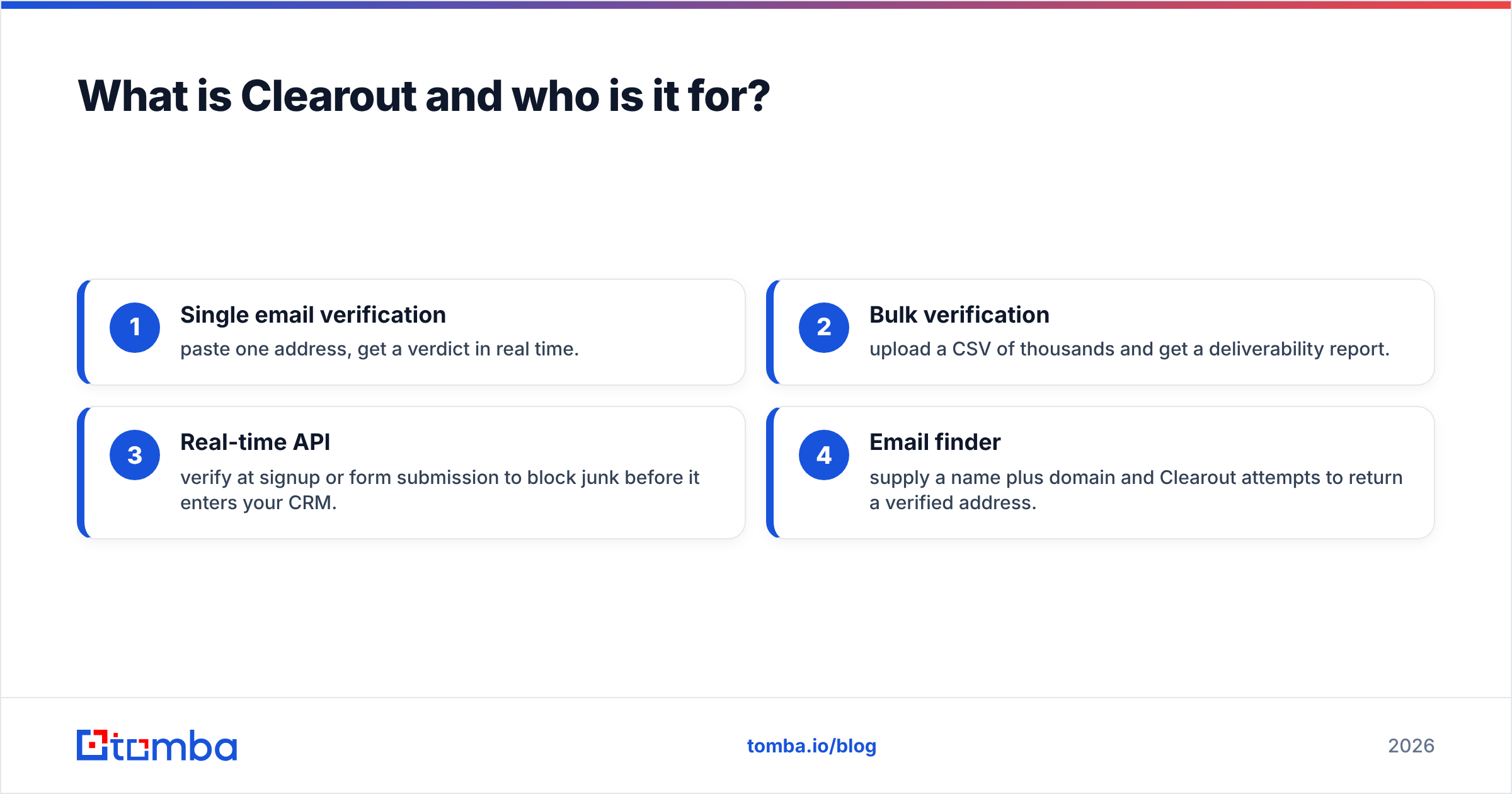
The core jobs Clearout does well:
- Single email verification — paste one address, get a verdict in real time.
- Bulk verification — upload a CSV of thousands and get a deliverability report.
- Real-time API — verify at signup or form submission to block junk before it enters your CRM.
- Email finder — supply a name plus domain and Clearout attempts to return a verified address.
If your day-to-day is cleaning lists you already own, Clearout is squarely in its lane. If your day-to-day is building new prospect lists from scratch, the finder side is where you'll feel the limits — and where a dedicated email finder tends to pull ahead.
Heads up: "verification accuracy" and "finder coverage" are two different scores. A tool can be excellent at one and average at the other. Clearout leans verification.
How much does Clearout cost? (Clearout pricing 2026)#
Clearout uses a credit model: one credit roughly equals one verification or one find attempt. You buy credits two ways — pay-as-you-go (credits that don't expire on the top PAYG tiers, but can on smaller bundles) or monthly subscriptions with a fixed allotment that resets.
The headline detail most reviews bury: per-credit price drops sharply as volume rises, so the sticker shock at small volumes is real, while bulk buyers get a much better effective rate. Always confirm current numbers on the official Clearout pricing page before you budget — credit tiers shift.
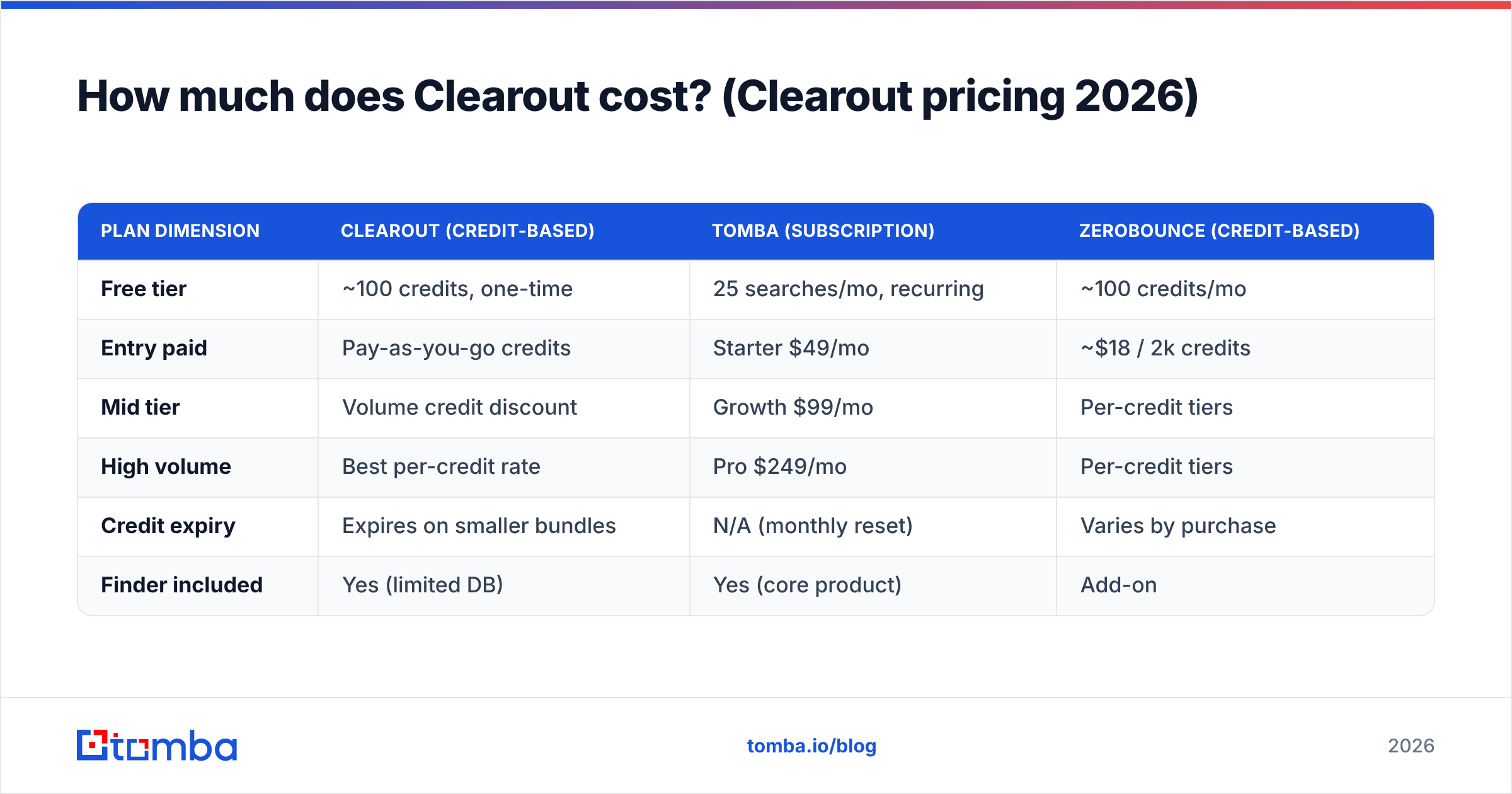
Here's the shape of how credit-based pricing compares to flat-rate competitors. Numbers are illustrative of the model, not a live quote:
| Plan dimension | Clearout (credit-based) | Tomba (subscription) | ZeroBounce (credit-based) |
|---|---|---|---|
| Free tier | ~100 credits, one-time | 25 searches/mo, recurring | ~100 credits/mo |
| Entry paid | Pay-as-you-go credits | Starter $49/mo | ~$18 / 2k credits |
| Mid tier | Volume credit discount | Growth $99/mo | Per-credit tiers |
| High volume | Best per-credit rate | Pro $249/mo | Per-credit tiers |
| Credit expiry | Expires on smaller bundles | N/A (monthly reset) | Varies by purchase |
| Finder included | Yes (limited DB) | Yes (core product) | Add-on |
Two takeaways. First, if your volume is spiky — big quarterly list cleans, then quiet months — a credit model like Clearout's can beat a subscription you'd pay for during dead months. Second, if your volume is steady and high, a flat plan such as the Tomba pricing tiers gives predictable cost and no expiry anxiety.
The hidden cost: expiring credits#
The most common complaint in Clearout reviews isn't accuracy — it's credit expiry on the smaller bundles. If you buy 5,000 credits for a one-time project and use 3,200, the remaining 1,800 can evaporate before your next campaign. Budget for what you'll actually consume in the window, not what looks like a bargain block.
How accurate is Clearout? (What reviews say)#
Accuracy is Clearout's strongest pillar — most reviewers report verification accuracy in the high-90s percent range on standard lists, with a low false-deliverable rate. That matters because a false "deliverable" is the expensive kind of error: it lets you send to a bad address, risking your sender reputation and bounce rate.
Where Clearout earns trust:
- Granular statuses. Beyond valid/invalid, you get catch-all, role-based, disposable, and unknown — so you can make a judgment call on the gray-zone addresses instead of a blind binary.
- Catch-all handling. Catch-all domains accept everything at the server, so no verifier can be 100% certain. Clearout flags them honestly rather than guessing "valid." For deep work here, a dedicated catch-all verifier gives you more confidence on those specific domains.
- Bulk consistency. Large CSV jobs return stable results without timing out, which is where cheaper tools fall over.
Where reviewers push back:
- Finder accuracy ≠ verifier accuracy. The finder returns fewer hits per search than database-first tools, and some returned addresses are guesses that still need verifying.
- Unknown rate. On obscure or strict-SMTP domains, the "unknown" bucket grows — normal for the category, but you're paying credits for an inconclusive answer.
According to aggregated user reviews on G2, the verification engine consistently rates higher than the finder and the interface. That split — strong engine, weaker surrounding product — is the recurring theme.
What are the pros and cons of Clearout?#
Here's the honest ledger.
Pros#
- High verification accuracy with a low false-positive rate on standard lists.
- Detailed result categories (catch-all, role, disposable, gibberish) that let you segment rather than just delete.
- Solid real-time API for verifying at the point of capture — block junk at signup.
- Flexible credit model that suits irregular, project-based usage.
- Bulk uploads scale without choking on large files.
- No-expiry credits on the highest pay-as-you-go tiers (confirm the threshold before buying).
Cons#
- Credits expire on smaller bundles — easy to overbuy and lose value.
- Finder database is thinner than tools built finder-first, so list-building is weaker.
- Dated UI is a frequent review note; functional but not modern.
- Per-credit cost is high at low volume, only competitive once you buy big.
- Enrichment is limited — if you want firmographics, phone numbers, or social data alongside email, you'll bolt on another tool.
- Support response times vary by plan tier in user reports.

Is Clearout better than the alternatives?#
It depends on the job. For pure verification, Clearout is genuinely competitive. For an all-in-one find-verify-enrich workflow, single-purpose tools start to cost you in tab-switching and stitched-together data.
The category splits into three buckets:
- Verification-first (Clearout, ZeroBounce, Bouncer) — clean lists you already have.
- Finder-first (Tomba, Hunter, RocketReach) — build new lists, with verification attached.
- All-in-one GTM (Apollo, Seamless) — finding, sequencing, and CRM in one heavier suite.
If you live in bucket one, Clearout is a fine pick. If you straddle one and two — you need to find prospects and verify them in the same motion — a finder-first platform with built-in verification is usually less friction. That's the case Tomba makes: the email finder, email verifier, domain search, and data enrichment sit under one account and one billing model.
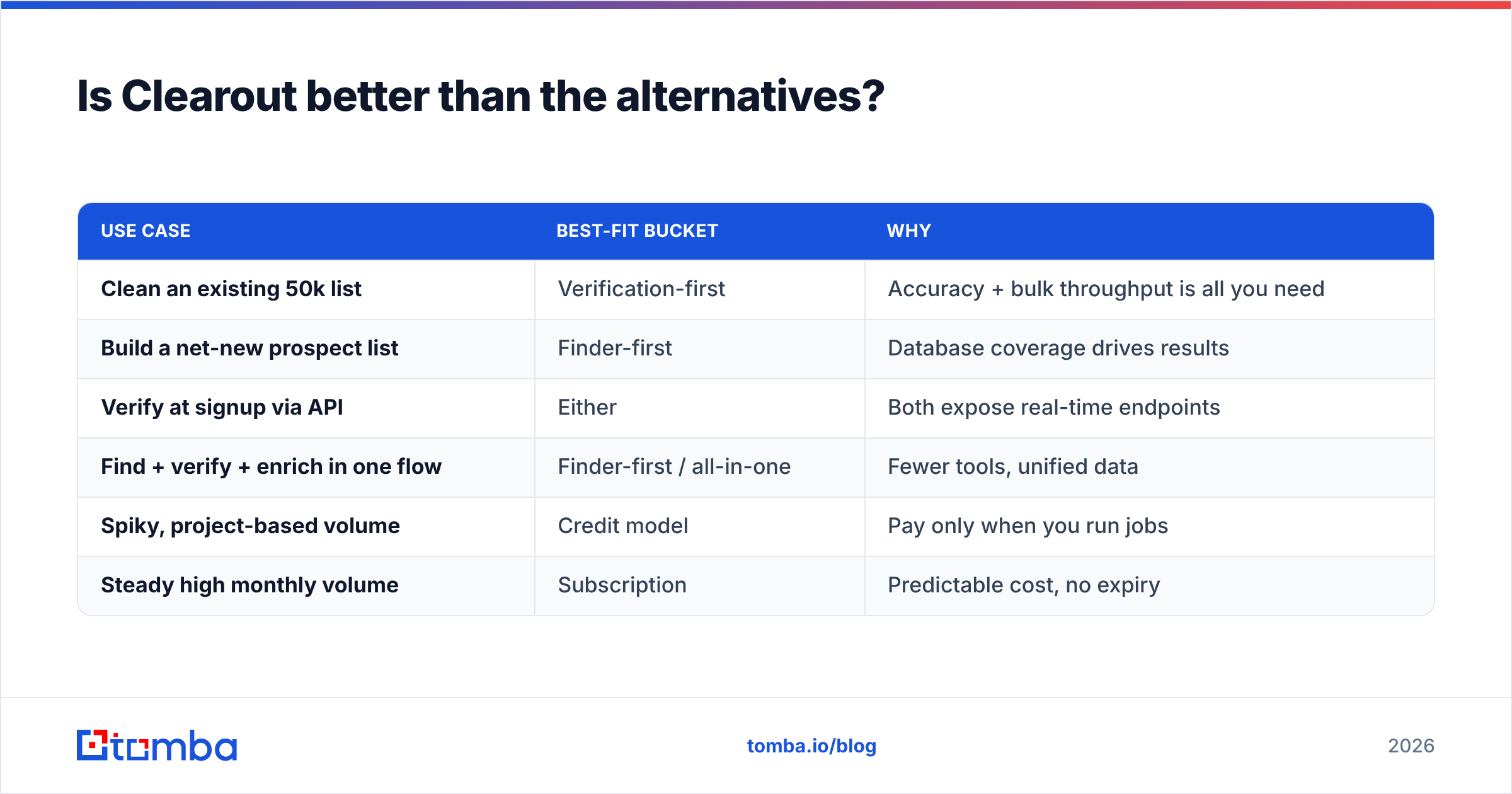
| Use case | Best-fit bucket | Why |
|---|---|---|
| Clean an existing 50k list | Verification-first | Accuracy + bulk throughput is all you need |
| Build a net-new prospect list | Finder-first | Database coverage drives results |
| Verify at signup via API | Either | Both expose real-time endpoints |
| Find + verify + enrich in one flow | Finder-first / all-in-one | Fewer tools, unified data |
| Spiky, project-based volume | Credit model | Pay only when you run jobs |
| Steady high monthly volume | Subscription | Predictable cost, no expiry |
For teams specifically shopping verification vendors, it's also worth reading a ZeroBounce alternative or Clearout alternative breakdown to see how per-credit economics and finder coverage stack up against your real volume.
How should you test Clearout before committing?#
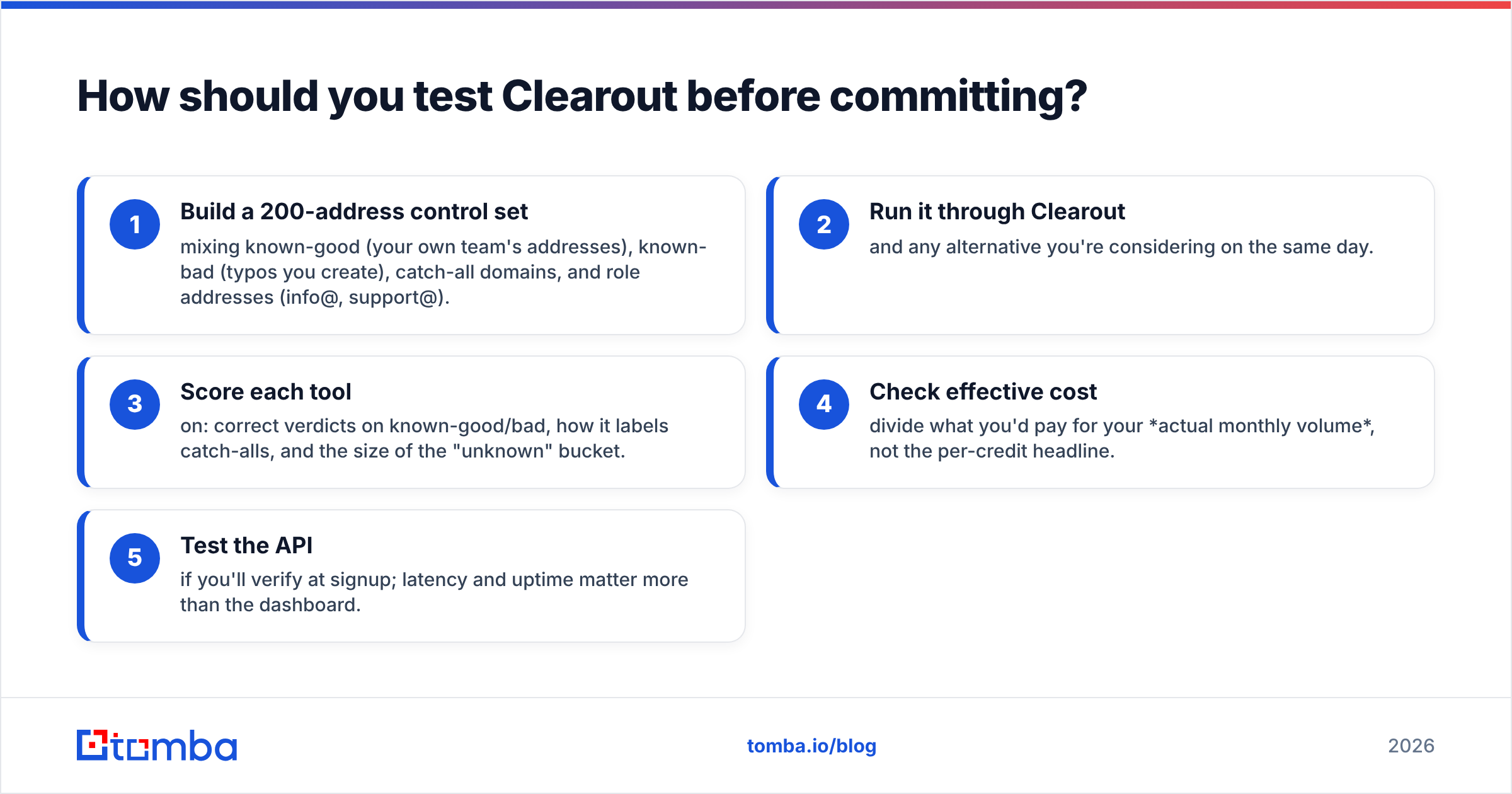
Don't trust any vendor's marketing accuracy number — including this one. Run your own controlled test:
- Build a 200-address control set mixing known-good (your own team's addresses), known-bad (typos you create), catch-all domains, and role addresses (info@, support@).
- Run it through Clearout and any alternative you're considering on the same day.
- Score each tool on: correct verdicts on known-good/bad, how it labels catch-alls, and the size of the "unknown" bucket.
- Check effective cost — divide what you'd pay for your actual monthly volume, not the per-credit headline.
- Test the API if you'll verify at signup; latency and uptime matter more than the dashboard.
This 30-minute exercise tells you more than a month of reviews. A tool that nails your control set and prices well at your volume wins, regardless of brand. If you want to fold finding into the same test, point a bulk email finder at the same target domains and compare hit rates head-to-head.
Frequently asked questions#
Does Clearout have a free trial? Yes — Clearout typically offers around 100 free credits to test verification before you buy. It's enough to validate accuracy on a small control set, not a full campaign.
Do Clearout credits expire? On smaller bundles and subscriptions, yes. The highest pay-as-you-go tiers advertise non-expiring credits. Confirm the exact threshold on the pricing page before buying in bulk.
Is Clearout's email finder as good as its verifier? No. Reviews consistently rate the verification engine higher than the finder. If finding new contacts is your priority, a finder-first tool will return more usable addresses per search.
Is Clearout worth it in 2026? For list cleaning at irregular volume, yes. For an integrated find-verify-enrich workflow, the math often favors a single platform that does all three — fewer tools, one bill, unified data.
The bottom line#
Clearout is a credible email verifier with honest result labeling and strong accuracy — its main drawbacks are credit expiry, a thinner finder, and pricing that only gets attractive at volume. If verification is your single job, it earns a spot on your shortlist.
But if your real workflow is find the prospect, verify the address, enrich the record, then send — you'll feel the seams of a verification-only tool. Tomba puts the email finder, verifier, domain search, and enrichment in one place, with subscription pricing that doesn't punish you with expiring credits. Start on the free tier (25 searches a month), test it against your own control set alongside Clearout, and let the accuracy numbers — not the marketing — decide. See how Tomba's plans compare and run the same 200-address test on both today.
// get started
Find, verify and enrich your first contacts today
Start on the free plan with 25 searches a month, then scale when your team is ready.
Free plan · No credit card required · GDPR & CCPA
// about the author