Clearout vs Kaspr 2026: Which Lead Data Tool Is Best?
Clearout leans on email verification; Kaspr pulls phone and email straight from LinkedIn. Here's an honest 2026 breakdown of accuracy, pricing, and the use cases where each one actually earns its seat in your outbound stack.
Clearout vs Kaspr: Which B2B Data Tool Should You Trust in 2026?
Picking between Clearout and Kaspr feels harder than it should, because the two tools barely overlap. One is built around cleaning and verifying email lists. The other is built around scraping contact details — including direct dials — off LinkedIn. They both end up in the same sales-ops Slack thread, but they solve different halves of the same problem.
This breakdown cuts through the marketing copy on both sides and tells you which tool fits which job — and where a dedicated email finder like Tomba slots in when neither quite covers your workflow.
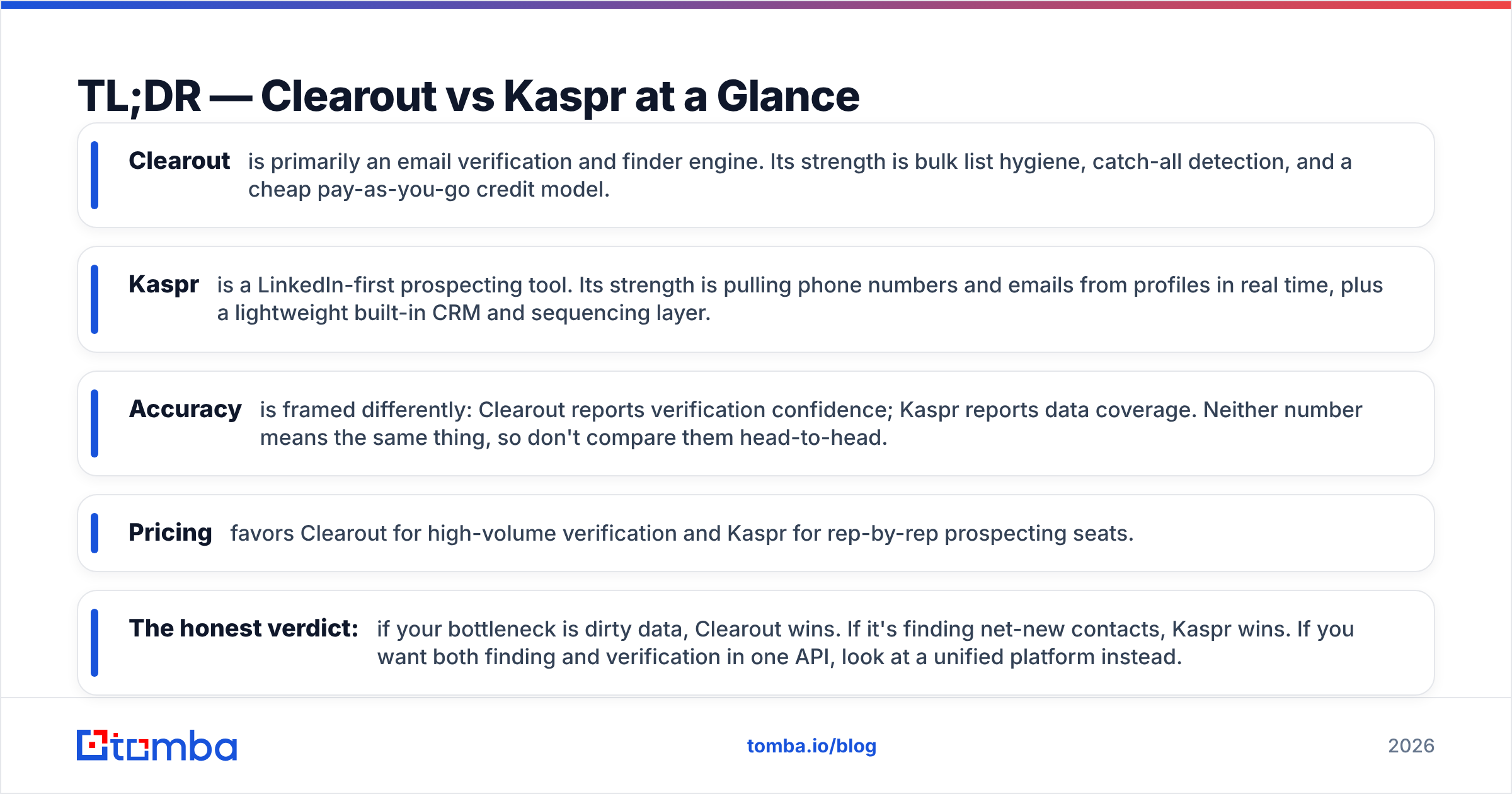
TL;DR — Clearout vs Kaspr at a Glance#
- Clearout is primarily an email verification and finder engine. Its strength is bulk list hygiene, catch-all detection, and a cheap pay-as-you-go credit model.
- Kaspr is a LinkedIn-first prospecting tool. Its strength is pulling phone numbers and emails from profiles in real time, plus a lightweight built-in CRM and sequencing layer.
- Accuracy is framed differently: Clearout reports verification confidence; Kaspr reports data coverage. Neither number means the same thing, so don't compare them head-to-head.
- Pricing favors Clearout for high-volume verification and Kaspr for rep-by-rep prospecting seats.
- The honest verdict: if your bottleneck is dirty data, Clearout wins. If it's finding net-new contacts, Kaspr wins. If you want both finding and verification in one API, look at a unified platform instead.

What Is Clearout and What Is It Actually Good At?#
Clearout is an email verification and email-finding platform aimed at marketers and sales teams who already have a list and need it cleaned before they hit send. Its core loop is simple: upload a CSV, run real-time SMTP checks, and get back a deliverability verdict for each address — valid, invalid, catch-all, role-based, or disposable.
Where Clearout earns its reputation is list hygiene at scale. It handles syntax checks, MX record validation, greylisting retries, and catch-all detection, and it does this with a pay-as-you-go credit system that doesn't force you into a monthly seat. For a team running large one-off campaigns, that pricing model is genuinely appealing.
Clearout also offers an email-finder feature that guesses and verifies addresses from a name plus domain. It works, but it's a secondary capability bolted onto a verification core — not the other way around. If finding net-new contacts is your main job, you'll feel that ceiling fast.
You can read Clearout's own positioning on clearout.io, and cross-check user sentiment on G2 before committing.
What Is Kaspr and Who Is It For?#
Kaspr is a LinkedIn-centric prospecting tool. Install the Chrome extension, open a profile or a Sales Navigator list, and Kaspr surfaces the person's email and — its headline feature — their phone number. That direct-dial coverage is the reason most teams try it.
Kaspr wraps that data layer in a lightweight workflow: lead lists, basic enrichment, tasks, and simple email sequences, plus integrations into CRMs like HubSpot and Pipedrive. For an SDR who lives inside LinkedIn all day, it's a tidy package — find the contact, drop it into a list, and push it downstream without leaving the browser.
The tradeoff is scope. Kaspr is strongest one profile at a time, or in modest bulk pulls. It's not built to verify a 200,000-row legacy database, and its email accuracy is a coverage-and-extraction story rather than a deep SMTP-verification story. You can see its feature set on kaspr.io.
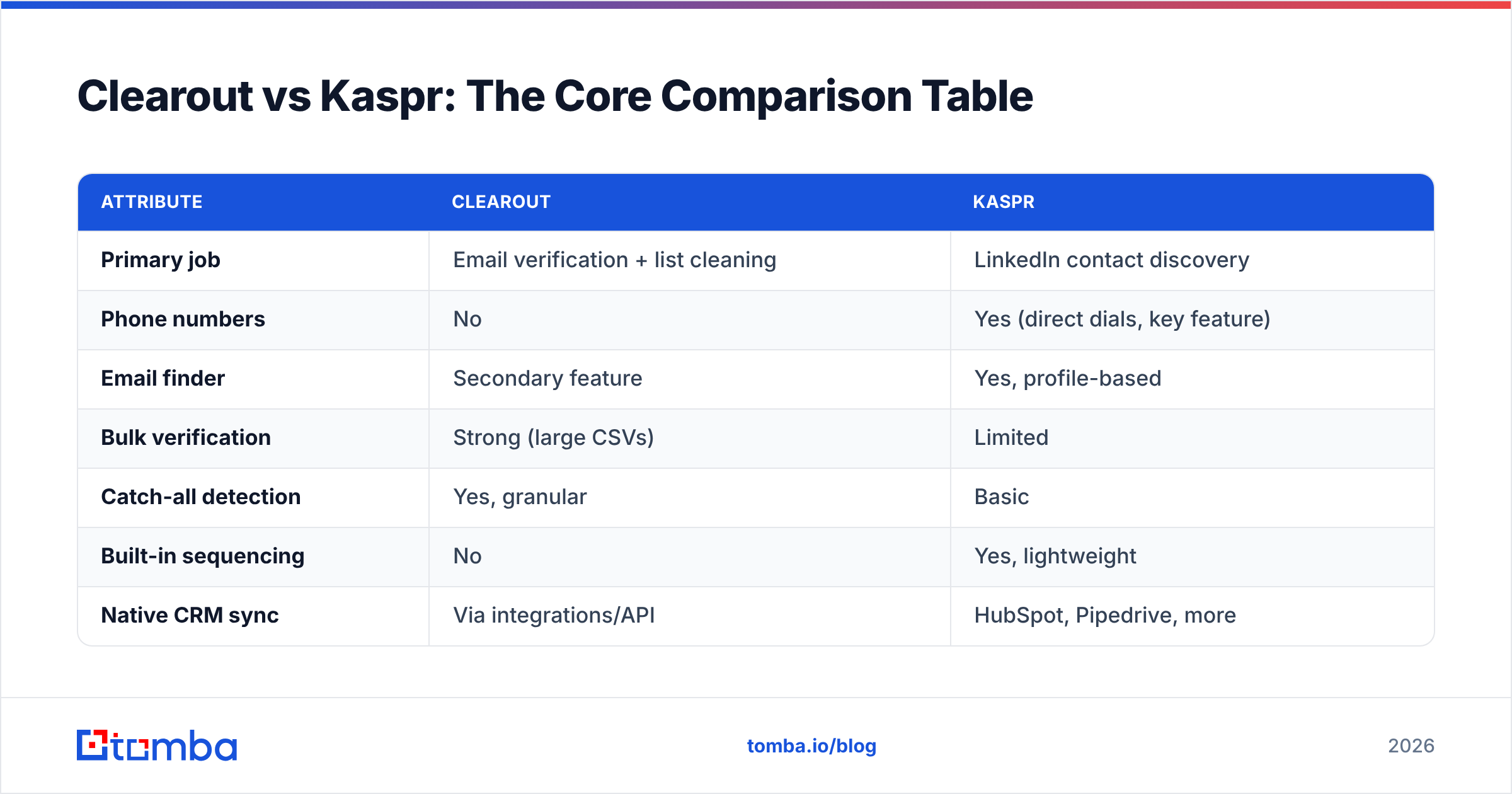
Clearout vs Kaspr: The Core Comparison Table#
Here's the side-by-side that matters when the trial clock is running.
| Attribute | Clearout | Kaspr |
|---|---|---|
| Primary job | Email verification + list cleaning | LinkedIn contact discovery |
| Phone numbers | No | Yes (direct dials, key feature) |
| Email finder | Secondary feature | Yes, profile-based |
| Bulk verification | Strong (large CSVs) | Limited |
| Catch-all detection | Yes, granular | Basic |
| Built-in sequencing | No | Yes, lightweight |
| Native CRM sync | Via integrations/API | HubSpot, Pipedrive, more |
| Pricing model | Pay-as-you-go credits | Per-seat subscription + credits |
| Best for | Deliverability teams, agencies | SDRs working inside LinkedIn |
| Free option | Free credits to start | Free plan with limited credits |
The pattern is clear: these tools are complements as often as they are competitors. Plenty of teams run Kaspr to source contacts and Clearout to scrub them before launch.
How Do Clearout and Kaspr Compare on Data Accuracy?#
Accuracy is where buyers get misled most, because the two vendors measure different things.
Clearout measures verification confidence. When it tags an address "valid," it's telling you the mailbox is likely to accept mail right now. That's a deliverability claim, and it's the number you want before a cold campaign. Its weak spot is catch-all domains, where SMTP simply can't give a definitive answer — though Clearout's catch-all handling is better than most budget verifiers.
Kaspr measures coverage. When Kaspr "finds" an email or phone, it's pulling from a contributed and aggregated database. The relevant question isn't "is this verified?" but "did it return anything, and is it current?" Coverage on European phone data is a genuine Kaspr strength; coverage on verified emails is more uneven.
This is exactly why a dedicated email-finder benchmark is useful — it isolates find-then-verify accuracy from raw coverage claims.

If your campaigns live and die by bounce rate, run any tool's output through a dedicated email verifier before sending. Treat both Clearout's and Kaspr's confidence labels as a starting point, not gospel — and always sample-test against your own send results.
Clearout vs Kaspr Pricing: Which Is Cheaper in 2026?#
The pricing models are different enough that "cheaper" depends entirely on your motion.
- Clearout sells verification credits you buy in blocks and never expire on most tiers. If you verify a million addresses once a quarter, you pay for a million addresses — no seat tax. That's the most economical structure for agencies and high-volume senders.
- Kaspr sells per-seat subscriptions with monthly credit allowances for phone and email reveals. If you have five SDRs each pulling a few hundred contacts a month, the per-seat math is reasonable. If you need occasional bulk, the credit ceilings get expensive fast.
Here's how the spend logic breaks down by use case:
- Bulk one-off cleaning — Clearout's pay-as-you-go wins outright. No subscription to babysit.
- Daily LinkedIn prospecting per rep — Kaspr's seat model fits the behavior.
- Mixed find-and-verify at scale — neither is ideal alone; you'll pay twice.
- Occasional small jobs — both have free tiers; start there before paying.
- API-driven enrichment in a product — compare per-call costs carefully, because seat pricing punishes programmatic use.
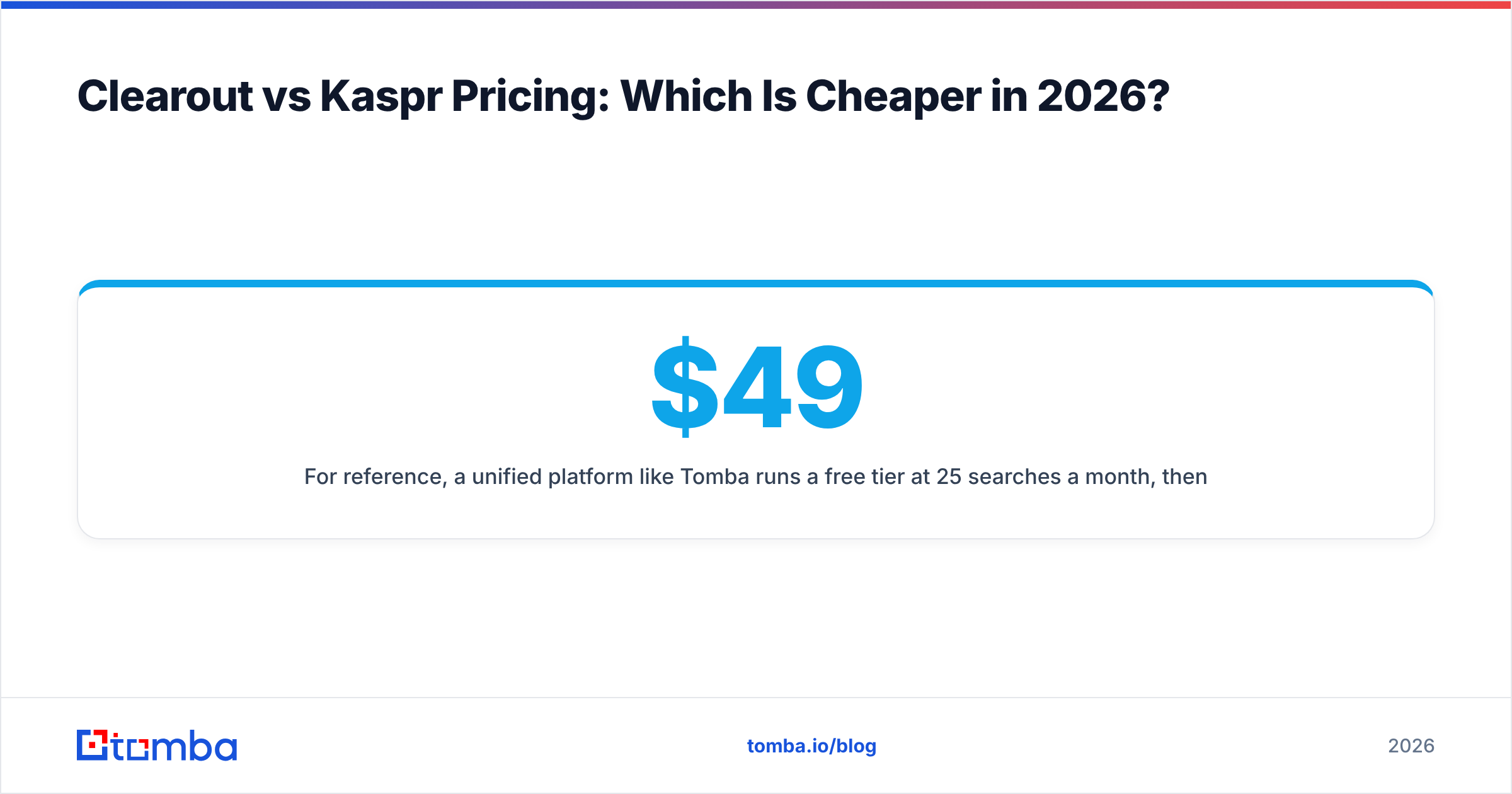
For reference, a unified platform like Tomba runs a free tier at 25 searches a month, then Starter at $49/mo, Growth at $99/mo, and Pro at $249/mo — finder and verifier under one pricing roof, which removes the "pay twice" problem entirely.

When Should You Pick Clearout Over Kaspr?#
Choose Clearout when your problem is data quality, not data discovery:
- You have lists already and your bounce rate is hurting your sender reputation.
- You run large, infrequent campaigns and hate monthly seat fees.
- You need granular catch-all and role-based detection before a big send.
- You're an agency cleaning client lists where volume spikes are unpredictable.
Clearout is the better deliverability insurance policy. It is not the tool that fills an empty pipeline.
When Should You Pick Kaspr Over Clearout?#
Choose Kaspr when your reps need contacts they don't have yet:
- Your SDRs prospect inside LinkedIn and Sales Navigator every day.
- Direct-dial phone numbers are central to your outreach, especially in Europe.
- You want a lightweight find-list-sequence loop without buying a full sales-engagement suite.
- You value in-browser speed over bulk-processing power.
Kaspr is a prospecting accelerant. It is not a list-hygiene engine, and pushing it into that role will frustrate you.
What Are the Limitations of Both Tools?#
No tool ships without tradeoffs, and pretending otherwise helps nobody.
Clearout's limits: the email finder is shallow, there's no phone data at all, and catch-all domains will always return ambiguous results no matter how good the engine is. If "find me this person's contact info from scratch" is a frequent ask, Clearout will leave you wanting.
Kaspr's limits: it's LinkedIn-dependent by design, bulk verification isn't its game, and email-accuracy varies more than the marketing implies. Heavy programmatic or API-first teams often outgrow the per-seat model quickly.
The deeper issue with running either in isolation is the handoff seam. You find with one tool, export, re-import, verify with another, and reconcile the columns. Every seam is a place where data goes stale and reps lose time. This is the gap a combined finder-plus-verifier closes — and it's why teams increasingly look at a single source for both. If LinkedIn is your channel, a purpose-built LinkedIn finder that also verifies in the same pass removes a step Kaspr leaves to you.
Is There a Better Alternative to Both Clearout and Kaspr?#
For many teams, yes — and the honest reason is consolidation, not feature envy.
Clearout verifies brilliantly but barely finds. Kaspr finds well on LinkedIn but verifies shallowly and skips bulk. If your workflow needs find, verify, and enrich in one place, stitching two point tools together is slower and usually pricier than a unified platform.
Tomba covers that full arc: domain search and email finding to source contacts, real-time verification with catch-all detection to clean them, a phone finder for direct dials, and an API so it all runs inside your own systems instead of a browser tab. It won't replace a dedicated dialer or a full sales-engagement suite — and it shouldn't pretend to — but for the find-and-verify core that Clearout and Kaspr each handle halfway, one platform beats two subscriptions.

Clearout vs Kaspr vs Tomba: Quick Decision Matrix#
| Need | Best pick |
|---|---|
| Clean a huge existing list cheaply | Clearout |
| Pull phone numbers off LinkedIn | Kaspr |
| Find net-new B2B emails by domain | Tomba |
| Verify before a cold send | Clearout or Tomba |
| One API for find + verify + enrich | Tomba |
| In-browser SDR prospecting loop | Kaspr |
Map the row to your actual bottleneck and the choice usually makes itself. If two rows describe you, that's your signal that a single unified tool will save you a migration later.
The Bottom Line on Clearout vs Kaspr#
Clearout and Kaspr aren't really rivals — they're two specialists you might hire for different shifts. Clearout is the deliverability cleaner you call before every big send. Kaspr is the LinkedIn scout your SDRs lean on to fill tomorrow's list. Forcing either into the other's job is where teams waste money.
The real decision is whether you want to run two specialists with a manual seam between them, or one platform that finds and verifies in a single pass. If you're tired of exporting from one tool just to clean the data in another, start with Tomba's Email Finder — find verified, deliverable contacts by name, company, or domain, run them through built-in verification, and skip the second subscription entirely. The free tier gives you 25 searches a month to test it against your own list before you spend a cent.
// get started
Find, verify and enrich your first contacts today
Start on the free plan with 25 searches a month, then scale when your team is ready.
Free plan · No credit card required · GDPR & CCPA
// about the author