Clearout vs Leadsforge 2026: Which Email Tool Wins?
Clearout vs Leadsforge compared on accuracy, pricing, finder vs verifier scope, and bounce rates — plus where a third option quietly beats both in 2026.
Clearout vs Leadsforge: The 2026 Email Tool Showdown
Choosing between Clearout and Leadsforge usually comes down to one question you didn't realize you were asking: do you need a tool that cleans email data, or one that generates it? They get lumped together in "best email tools" roundups, but they sit on opposite ends of the workflow. Pick wrong and you'll either pay for lists you can't trust or verify addresses you never had in the first place.
This is a neutral, hands-on comparison. We'll cover what each tool actually does, how their pricing and accuracy stack up, where each one breaks down, and why a growing number of outbound teams route around both with a single finder-plus-verifier platform.
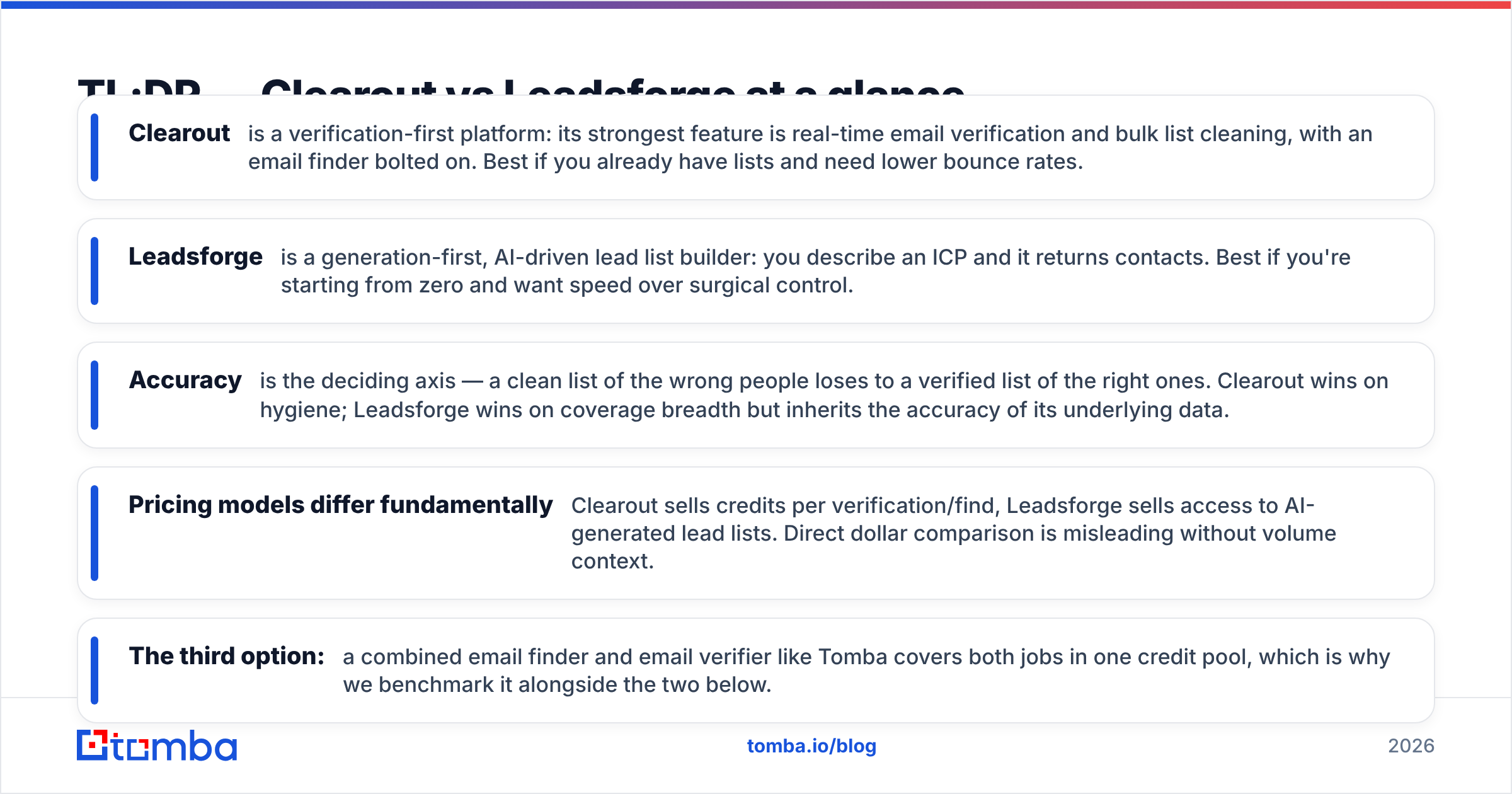
TL;DR — Clearout vs Leadsforge at a glance#
- Clearout is a verification-first platform: its strongest feature is real-time email verification and bulk list cleaning, with an email finder bolted on. Best if you already have lists and need lower bounce rates.
- Leadsforge is a generation-first, AI-driven lead list builder: you describe an ICP and it returns contacts. Best if you're starting from zero and want speed over surgical control.
- Accuracy is the deciding axis — a clean list of the wrong people loses to a verified list of the right ones. Clearout wins on hygiene; Leadsforge wins on coverage breadth but inherits the accuracy of its underlying data.
- Pricing models differ fundamentally: Clearout sells credits per verification/find, Leadsforge sells access to AI-generated lead lists. Direct dollar comparison is misleading without volume context.
- The third option: a combined email finder and email verifier like Tomba covers both jobs in one credit pool, which is why we benchmark it alongside the two below.
What is Clearout and who is it for?#
Clearout is primarily an email verification and validation engine. Its core job is to take an address — or a list of millions — and tell you whether it's deliverable, risky, or dead before you ever hit send. It runs syntax checks, MX record lookups, SMTP handshakes, role-account detection, disposable-domain flags, and a catch-all assessment that most cheaper verifiers skip.
On top of that sits Clearout's email finder, which guesses and confirms an address from a name plus a company domain. It's competent, but it's the secondary act. If you think of Clearout as a tool, the verifier is the headline and the finder is the opening band.
Who it fits:
- List hygiene owners — RevOps or email-marketing teams sitting on a CRM full of decayed contacts who need to scrub before a big send.
- Deliverability-sensitive senders — anyone protecting sender reputation where a 3% bounce spike triggers throttling.
- API-first builders — Clearout exposes verification over an API for in-app signup validation.
Where it's weaker: net-new prospecting. Clearout assumes you already have the contacts. If your funnel starts empty, the finder alone won't fill a quarter's pipeline.

What is Leadsforge and how does it differ?#
Leadsforge flips the model. It's a generation-first lead tool that leans on an AI/chat-style interface: you describe the audience you want — "marketing directors at Series B fintech companies in the UK" — and it assembles a contact list to match. The promise is speed-to-list: you go from intent to a downloadable set of leads without manually building Boolean searches.
That convenience is real, and for early-stage teams it removes a genuine barrier. But it changes where the risk lives. With Leadsforge, the question isn't "is this address deliverable?" — it's "is this the right person, and is the data underneath the AI fresh?" Generated lists are only as good as the database feeding them, and AI matching can over-index on confident-but-wrong matches.
So the honest framing is:
- Clearout reduces deliverability risk on contacts you supply.
- Leadsforge reduces sourcing effort but introduces data-freshness and match-precision risk you have to validate yourself.
That last clause matters. Many Leadsforge users end up running the generated list through a separate verifier anyway — which is exactly the seam a combined platform closes.

Clearout vs Leadsforge vs Tomba: the comparison table#
Here's the head-to-head on the attributes that actually change your outcomes. Figures for third-party tools are representative of their published 2026 models; confirm current rates on each vendor's site before buying.
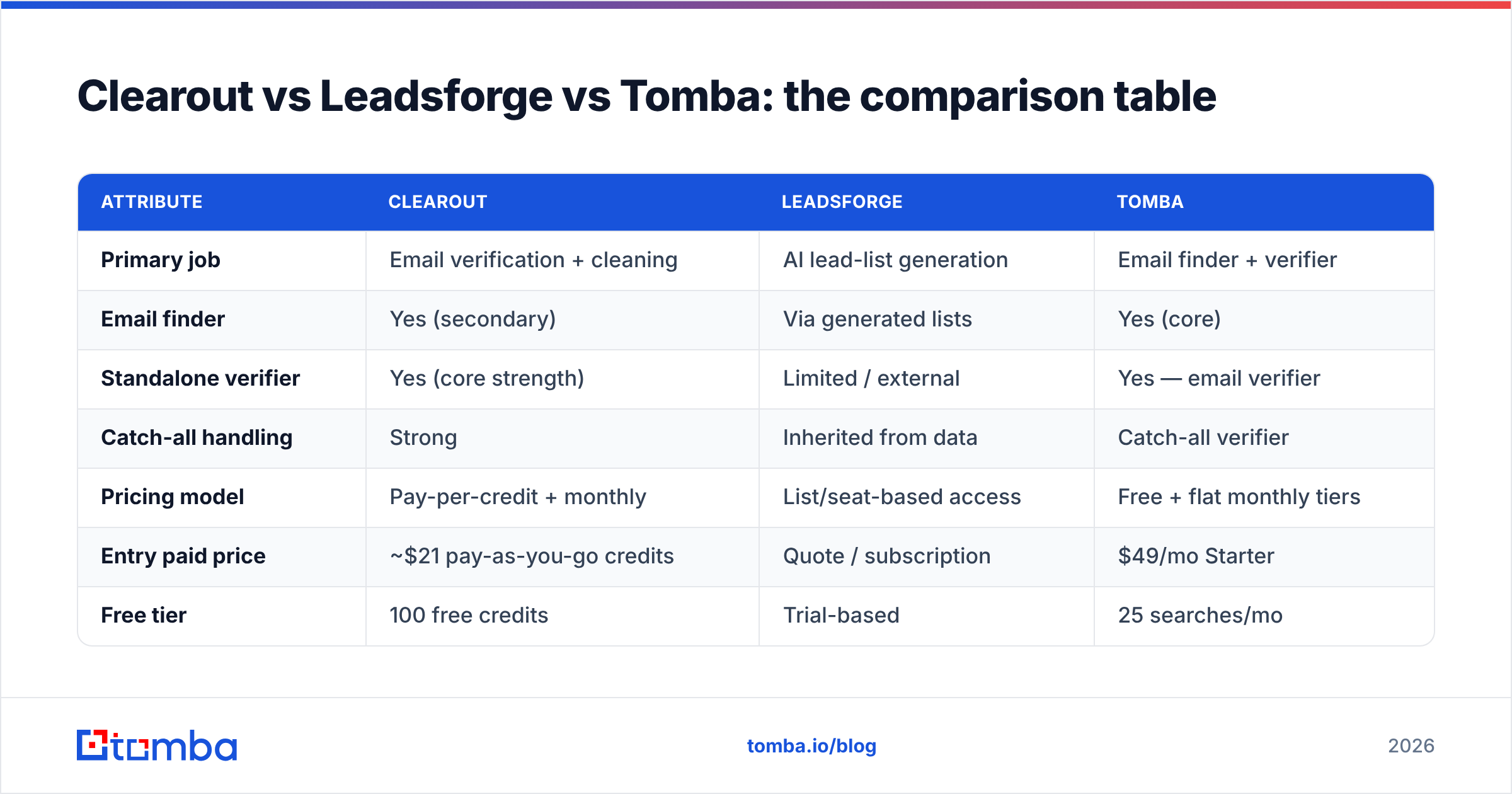
| Attribute | Clearout | Leadsforge | Tomba |
|---|---|---|---|
| Primary job | Email verification + cleaning | AI lead-list generation | Email finder + verifier |
| Email finder | Yes (secondary) | Via generated lists | Yes (core) |
| Standalone verifier | Yes (core strength) | Limited / external | Yes — email verifier |
| Catch-all handling | Strong | Inherited from data | Catch-all verifier |
| Pricing model | Pay-per-credit + monthly | List/seat-based access | Free + flat monthly tiers |
| Entry paid price | ~$21 pay-as-you-go credits | Quote / subscription | $49/mo Starter |
| Free tier | 100 free credits | Trial-based | 25 searches/mo |
| Bulk processing | Yes | Yes (generated) | Bulk email finder |
| API access | Yes | Limited | Full API |
| Best for | Cleaning owned lists | Cold-starting a list | Find + verify in one flow |
Two things jump out. First, Clearout and Leadsforge barely overlap — they're answering different questions, which is why "vs" framing alone is incomplete. Second, the combined-tool column collapses both jobs into one credit pool and one flat price, with transparent Tomba pricing at $49/mo Starter, $99/mo Growth, and $249/mo Pro.
Which tool is more accurate?#
Accuracy splits into two questions, and each tool only owns one of them. Clearout owns deliverability accuracy — does this address actually exist and accept mail? Leadsforge owns targeting accuracy — is this the right contact for your ICP? You cannot infer one from the other.
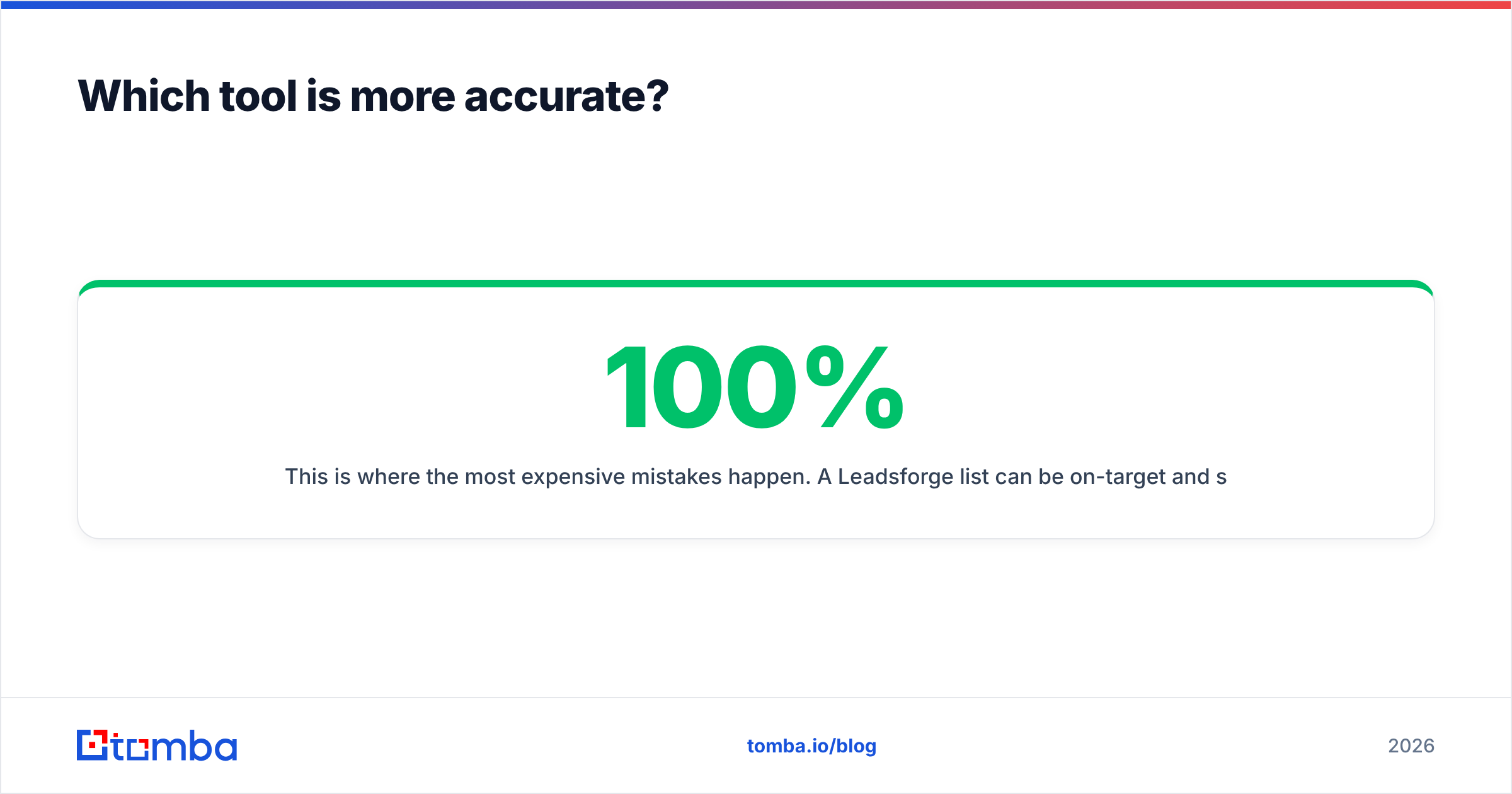
This is where the most expensive mistakes happen. A Leadsforge list can be 100% on-target and still bounce 20% of the time because the addresses are stale or guessed. A Clearout-verified list can be 99% deliverable and still convert at zero because every contact is the wrong persona. Both failure modes feel like "the tool didn't work" when really you only bought half the solution.
The accuracy benchmark that matters for outbound is the combination: verified addresses of correctly-targeted people. When you test email-finder accuracy head-to-head, the spread between tools on confirmed-deliverable rate is wide enough to change campaign economics outright.

The practical takeaway: whichever you choose, verify before you send. If your tool doesn't verify natively, budget for a separate pass. Independent reviews on G2 consistently rank verification-native workflows higher on deliverability satisfaction than generation-only ones for exactly this reason.
How do pricing models compare?#
Don't compare sticker prices — compare cost per usable contact. That's the only number that survives contact with a real campaign.
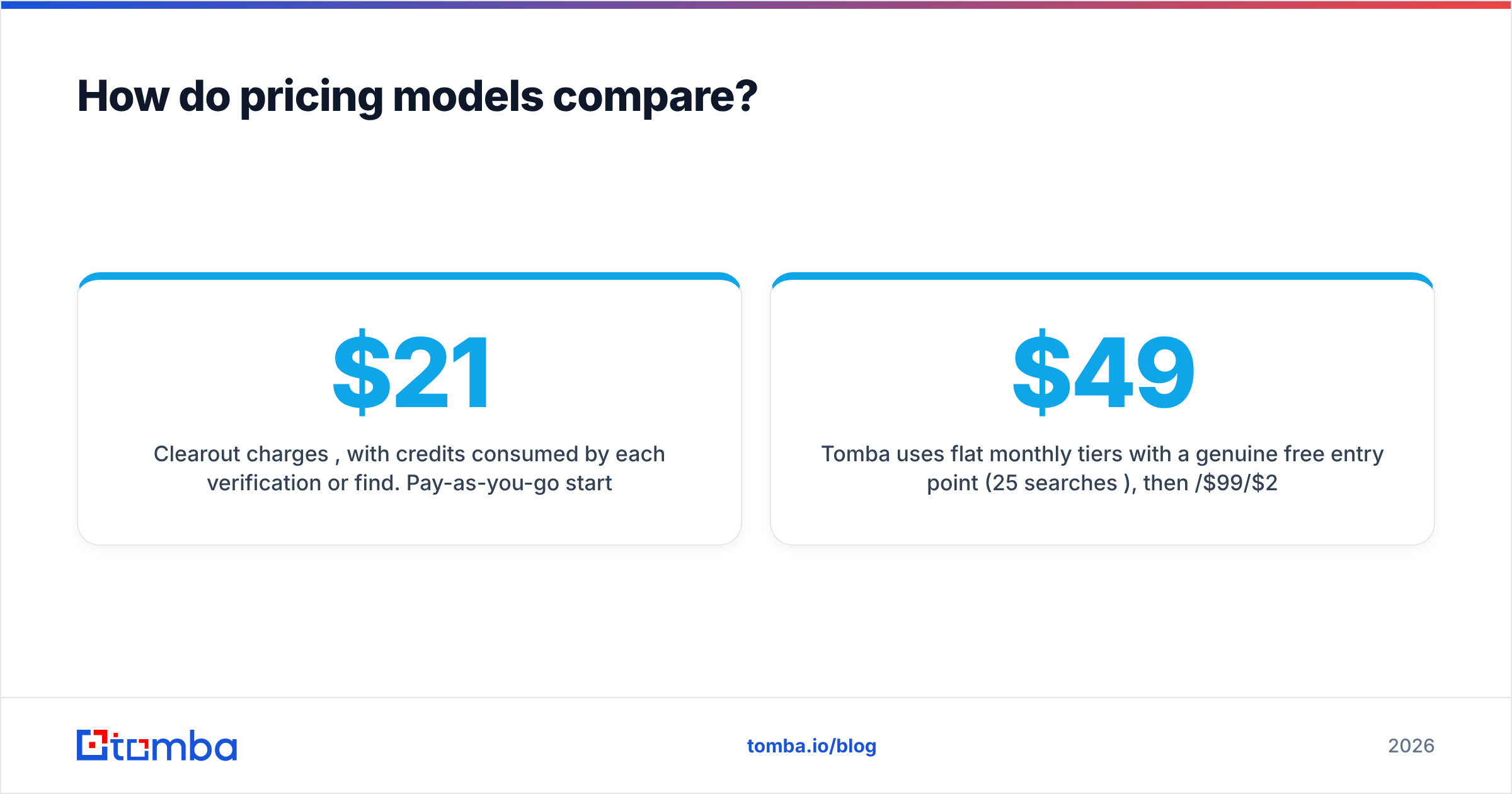
- Clearout charges per credit, with credits consumed by each verification or find. Pay-as-you-go starts around $21 for a credit block, with monthly subscriptions for steady volume. Cost is predictable when your volume is predictable; it spikes when a list needs re-cleaning every quarter.
- Leadsforge sells subscription access to its list-generation capability, often quote- or seat-based. You're paying for output volume, not per-action — great for high-throughput list building, less so if you only need occasional, surgical lookups.
- Tomba uses flat monthly tiers with a genuine free entry point (25 searches/mo), then $49/$99/$249 — and finds and verifies from the same pool, so you're not paying two vendors to complete one job.
A quick worked example. Say you need 5,000 usable contacts a month. With a generation-then-external-verify stack, you pay for generation plus a separate verification vendor plus the waste from contacts that fail verification. With a combined finder-verifier, the failed lookups don't consume your verification budget separately — they're one motion. For most teams under ~50K monthly lookups, the consolidated model wins on total cost, not just convenience.

When should you pick each one?#
Pick Clearout if: your main pain is bounce rate. You have lists — from events, signups, a legacy CRM, or a data provider — and you need them clean before they touch your sending infrastructure. Clearout's catch-all logic and SMTP-level checks are genuinely strong, and the API makes it easy to validate emails at the point of capture. It's a specialist, and specialists are worth it when the specialty is your bottleneck.
Pick Leadsforge if: you're starting from an empty database and value speed of list assembly over surgical control. For a founder-led motion or a brand-new SDR ramping fast, "describe your ICP, get a list" removes a real barrier. Just plan to verify the output and spot-check targeting before you trust it at scale.
Pick a combined finder + verifier (Tomba) if: you do both jobs continuously — finding new contacts and keeping them deliverable — and you'd rather not stitch two tools and two invoices together. The domain search finds every public address at a company, the catch-all verifier resolves the tricky domains both rivals struggle with, and it all draws from one credit pool. Cross-reference current capabilities on a directory like Capterra before committing.
What about catch-all domains and deliverability?#
Catch-all domains are the silent killer in every email-tool comparison, so they deserve their own section. A catch-all server accepts any address at the domain, which means a naive verifier returns "valid" for an address that may not exist. Both Clearout and a combined tool invest here; pure generation tools often don't, because verification isn't their job.
If a meaningful share of your prospects sit at catch-all domains — common in enterprise and education — your effective bounce rate depends almost entirely on how well your tool reasons about these. This is also where email deliverability and sender reputation compound: a few percent of undetected dead addresses, sent repeatedly, drags your whole domain's reputation down and quietly suppresses inbox placement for the good contacts too.
The rule of thumb: never let a "valid" verdict on a catch-all domain go unchallenged. Use a tool that flags the catch-all condition explicitly rather than masking it as a clean pass.
The verdict: Clearout vs Leadsforge in 2026#
There's no universal winner because they're not really competitors — they're two halves of the same workflow. Clearout wins on deliverability hygiene. Leadsforge wins on cold-start convenience. If you only do one of those jobs, buy the specialist for it.
But most outbound teams in 2026 do both — every week. You find new contacts, you verify them, you re-verify the decaying ones, and you do it again next month. Running that across a generation tool and a separate verifier means two learning curves, two budgets, and a handoff seam where data quality leaks. That's the structural reason a consolidated finder-plus-verifier keeps showing up as the pragmatic default: it's not that it beats each specialist at its single best trick, it's that it removes the gap between the tricks.
Whatever you choose, anchor the decision on cost-per-usable-contact and bounce rate — not feature-list length. A tool that produces deliverable emails of the right people is worth more than one that's merely impressive at half the job.
Ready to find and verify in one workflow?#
If you're tired of choosing between a tool that finds contacts and a tool that verifies them, try doing both in one pass. The Tomba Email Finder locates professional addresses by name, company, or domain — then verifies them against the same engine, so what lands in your sequencer is already clean. Start free with 25 searches a month, scale to the $49/mo Starter when you're ready, and stop paying two vendors to finish one job. Find the right people, confirm they're reachable, and send with confidence.
// get started
Find, verify and enrich your first contacts today
Start on the free plan with 25 searches a month, then scale when your team is ready.
Free plan · No credit card required · GDPR & CCPA
// about the author