Clearout vs Saleshandy 2026: Which Sales Tool Wins?
Clearout verifies and finds emails; Saleshandy sends and sequences them. This 2026 breakdown shows which one fits your stack — and where a dedicated email finder beats both.
Clearout vs Saleshandy: The 2026 Comparison That Actually Helps
Most "Clearout vs Saleshandy" articles compare them like they do the same job. They don't. Picking between them based on a feature checklist is how teams end up paying for two tools that overlap on nothing and leave a gap in the middle.
TL;DR#
- Clearout is a data tool — email verification, email finding, and list cleaning. It keeps your bounce rate down.
- Saleshandy is a sending tool — cold email sequences, mailbox rotation, and deliverability features. It gets your messages into inboxes.
- They are complements, not competitors. The real question is which job you're solving first.
- If your problem is bad data (bounces, fake addresses), you need a verifier/finder like Clearout — or a higher-accuracy email finder.
- If your problem is low reply rates at scale, you need a sender like Saleshandy.

What is Clearout and what does it actually do?#
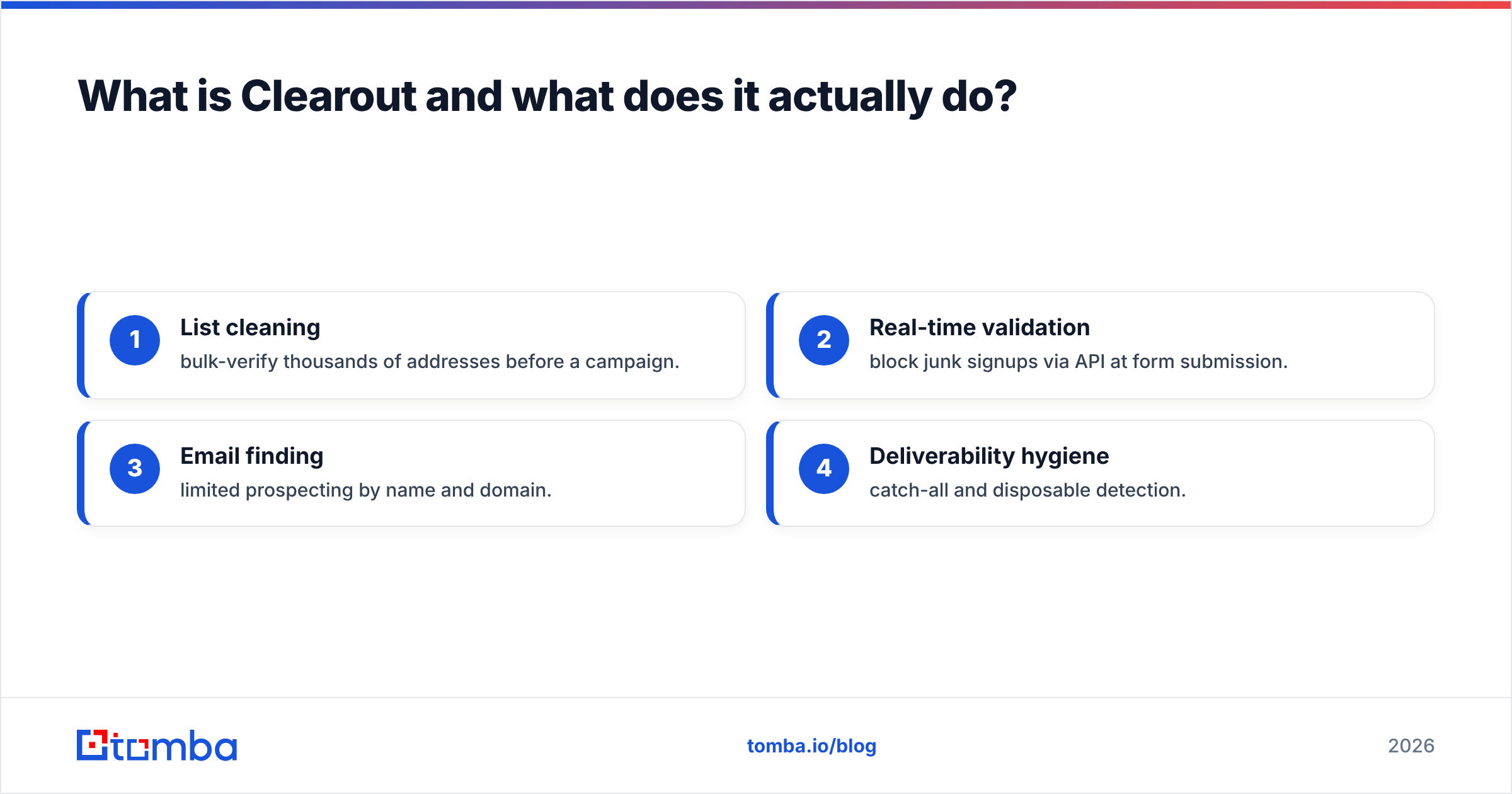
Clearout is an email verification and finding platform. Its core promise is accuracy: run a list through it, and it flags invalid, risky, catch-all, and disposable addresses before you ever hit send. It also offers an email finder that builds addresses from a name plus a domain, plus a real-time API for verifying signups at the point of entry.
Think of Clearout as the quality-control station on a factory line. It doesn't build the product or ship it — it inspects what passes through and rejects the defects. If you're feeding a sending tool with scraped or purchased lists, this station is what stops a 12% bounce rate from torching your sender reputation.
Where Clearout fits:
- List cleaning — bulk-verify thousands of addresses before a campaign.
- Real-time validation — block junk signups via API at form submission.
- Email finding — limited prospecting by name and domain.
- Deliverability hygiene — catch-all and disposable detection.
What is Saleshandy and what does it actually do?#
Saleshandy is a cold email outreach platform. Its job starts after you have a clean list. You load contacts, write multi-step sequences, and Saleshandy sends them across rotating mailboxes with automatic follow-ups, spintax, and reply detection. It also bundles a lead database and basic verification, but sending is the heart of it.
If Clearout is the inspection station, Saleshandy is the loading dock and delivery fleet. It handles volume, scheduling, warmup coordination, and the unglamorous mechanics of not landing in spam. For agencies running outreach for multiple clients, the mailbox rotation and unified inbox are the headline features.
Saleshandy leans on solid email deliverability fundamentals — sender rotation, throttling, and warmup — to protect sender reputation as you scale send volume.
Clearout vs Saleshandy: how do they compare side by side?#
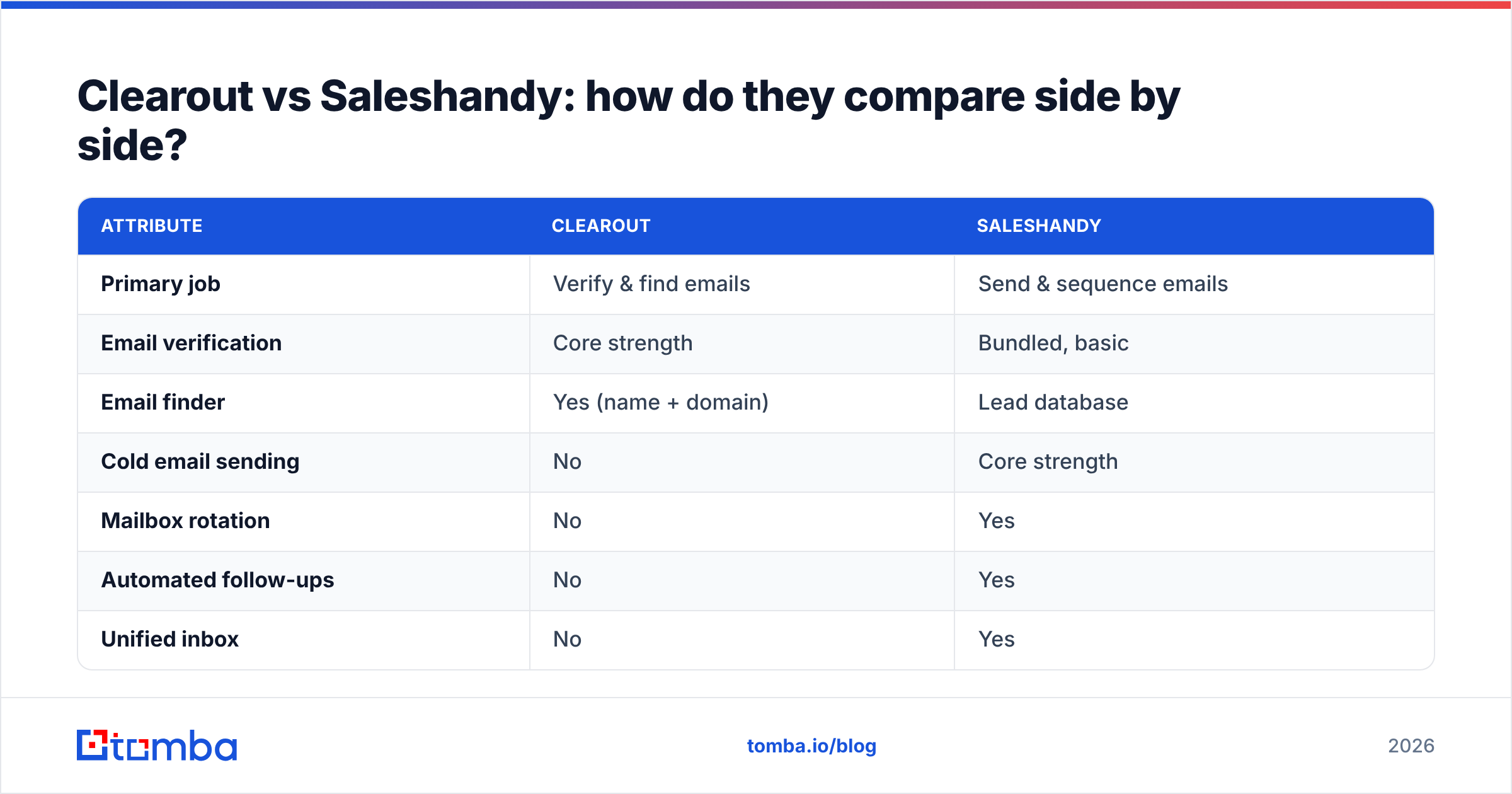
Here's the honest split. These tools share a few checkboxes (both touch verification), but their centers of gravity are in different places.
| Attribute | Clearout | Saleshandy |
|---|---|---|
| Primary job | Verify & find emails | Send & sequence emails |
| Email verification | Core strength | Bundled, basic |
| Email finder | Yes (name + domain) | Lead database |
| Cold email sending | No | Core strength |
| Mailbox rotation | No | Yes |
| Automated follow-ups | No | Yes |
| Unified inbox | No | Yes |
| Real-time API | Yes | Limited |
| Best for | Data hygiene teams | Outbound SDR teams |
| Entry pricing | Pay-as-you-go credits | Per-slot monthly |
The pattern is obvious once you see it laid out: there's almost no row where both tools are equally strong. Each owns a different half of the outbound workflow.
Is Clearout better than Saleshandy?#
Neither is "better" — they answer different questions. Use this decision logic instead of a winner-takes-all verdict:
- Choose Clearout if your bounce rate is the bottleneck. You already send fine, but your lists are dirty and you're getting blocked. You want a verifier and light email finder with a usage-based price.
- Choose Saleshandy if your data is clean but your sending is the bottleneck. You need sequences, follow-ups, and mailbox rotation to run real volume without burning domains.
- Choose both if you're running outbound at scale and want best-in-class at each stage: Clearout (or a stronger finder) cleans, Saleshandy sends.
The mistake is buying Saleshandy to fix a data problem, or buying Clearout expecting it to run your campaigns. Match the tool to the actual symptom.
Where do both tools leave a gap?#
Email finding at high accuracy. Clearout's finder is functional for name-plus-domain lookups, and Saleshandy's lead database covers broad prospecting — but neither is purpose-built to discover and verify professional emails at the accuracy a heavy outbound motion demands.
This is the gap a dedicated finder fills. A specialist tool runs domain search across a company, applies pattern detection, and verifies in the same pass — so the address that lands in your sequence is already confirmed. When discovery and verification happen together, you skip the brittle handoff of exporting a half-checked list into a sender.

How does a dedicated email finder stack up?#
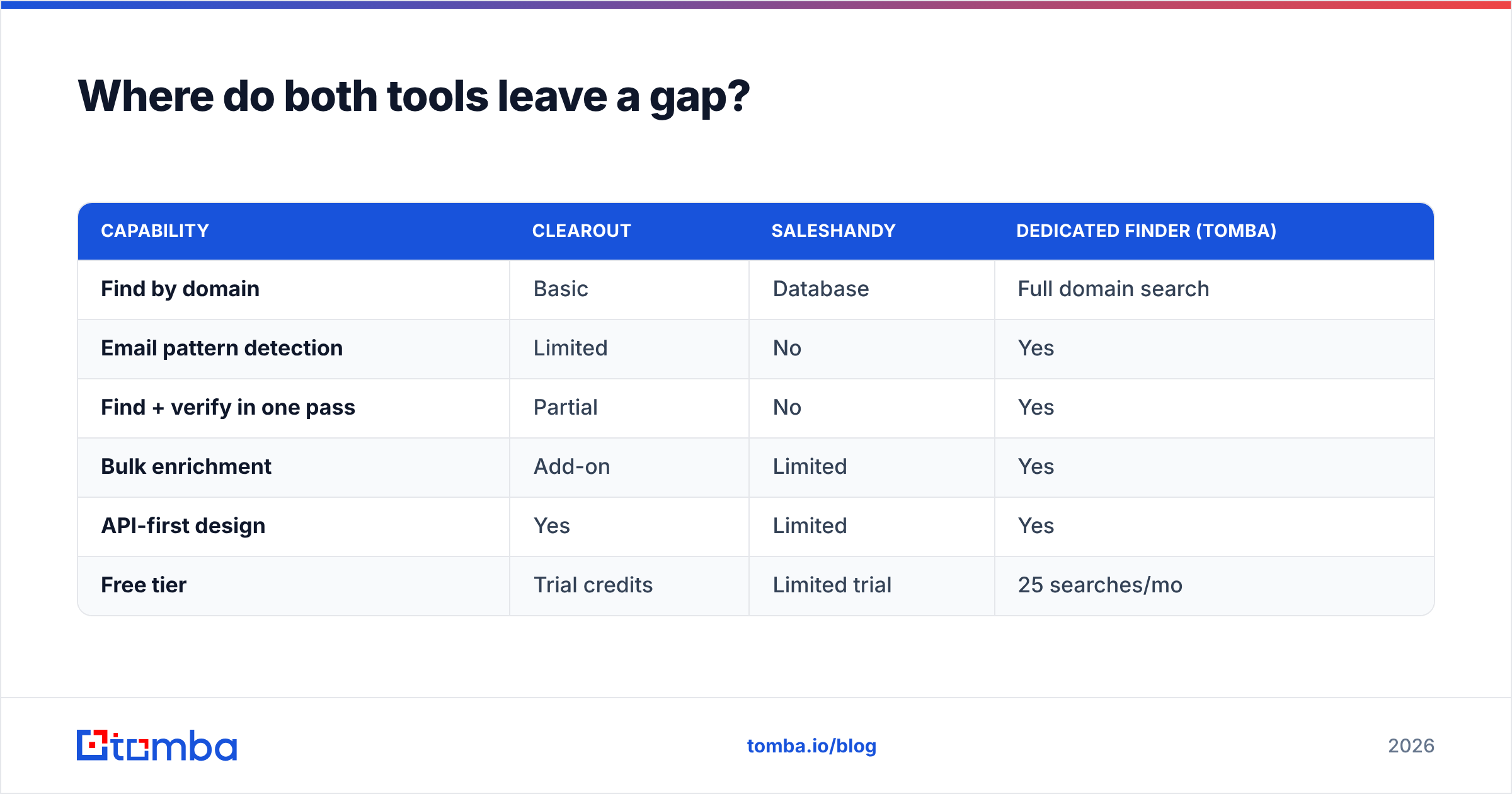
If accuracy is what you're optimizing for, a focused finder beats a verification tool's side feature or a sending tool's bundled database. Here's how the categories line up:
| Capability | Clearout | Saleshandy | Dedicated finder (Tomba) |
|---|---|---|---|
| Find by domain | Basic | Database | Full domain search |
| Email pattern detection | Limited | No | Yes |
| Find + verify in one pass | Partial | No | Yes |
| Bulk enrichment | Add-on | Limited | Yes |
| API-first design | Yes | Limited | Yes |
| Free tier | Trial credits | Limited trial | 25 searches/mo |
Tomba sits in that third column as the finder layer: it discovers addresses with company-wide domain search, confirms them with a built-in email verifier, and exposes everything through an email finder API so your stack can pull verified contacts programmatically. You can pair it with Saleshandy for sending, or use it to backstop Clearout's lighter finding capability.
How much do Clearout and Saleshandy cost in 2026?#
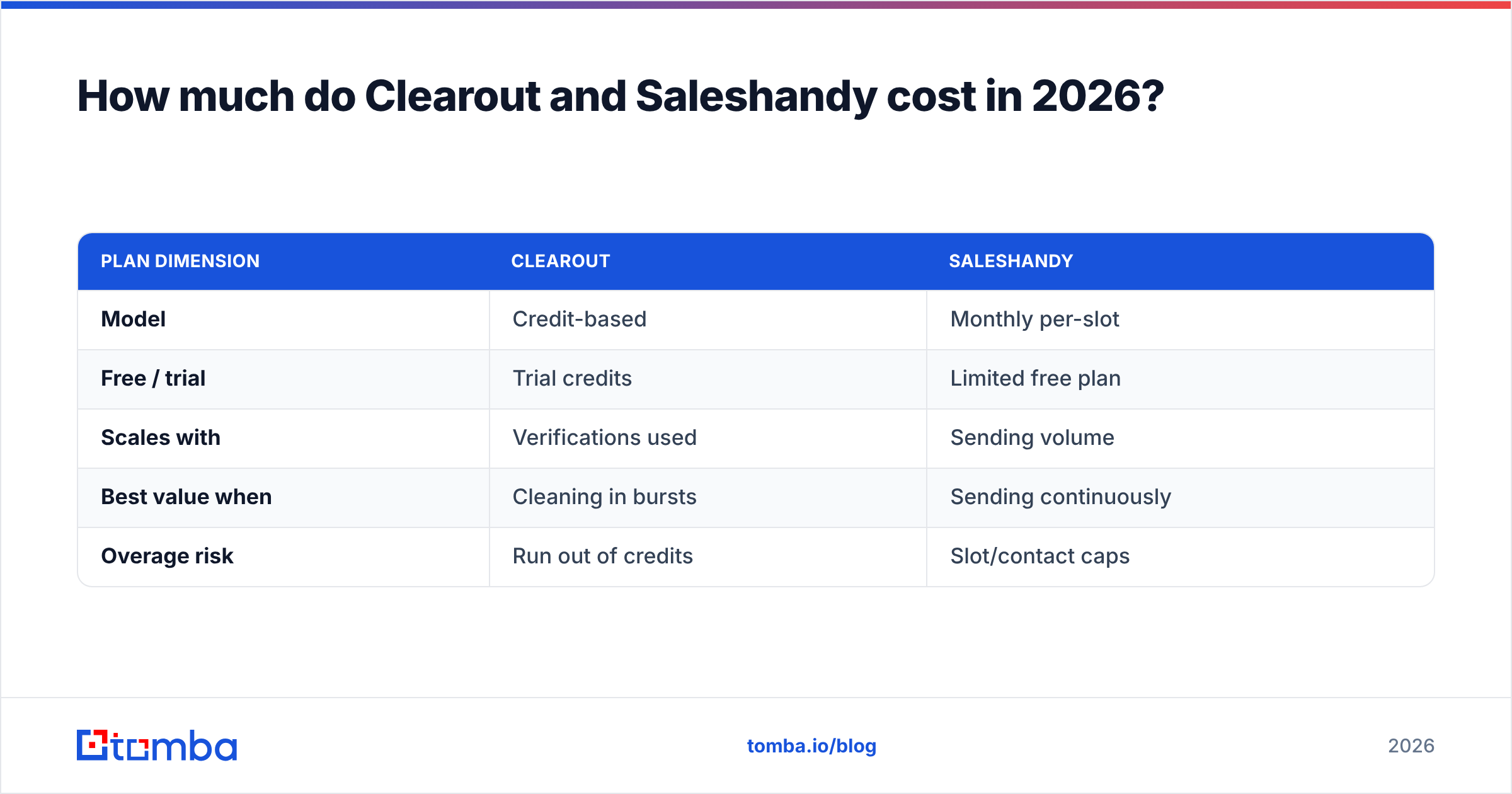
Pricing models differ as much as the products. Clearout sells credits (pay-as-you-go or subscription), so you pay per verification or lookup — good for spiky, list-cleaning workloads. Saleshandy charges per active sending slot or contact tier monthly, which suits steady, ongoing campaigns.
| Plan dimension | Clearout | Saleshandy |
|---|---|---|
| Model | Credit-based | Monthly per-slot |
| Free / trial | Trial credits | Limited free plan |
| Scales with | Verifications used | Sending volume |
| Best value when | Cleaning in bursts | Sending continuously |
| Overage risk | Run out of credits | Slot/contact caps |
For comparison on the finder side, Tomba pricing runs a free tier (25 searches/mo), Starter at $49/mo, Growth at $99/mo, Pro at $249/mo, and custom Enterprise — a search-based model that maps cleanly onto prospecting volume rather than mailbox count.
Always model your actual monthly volume against each pricing axis. A team verifying 200k addresses once a quarter has a very different cost profile under credits versus a team sending 10k emails a week under per-slot pricing.
What does a complete outbound stack look like?#
The cleanest mental model: three layers, three tools, no overlap.
- Find — discover and verify professional emails (a dedicated finder like Tomba, or Clearout's finder for lighter needs).
- Verify — clean any imported or aging lists before they decay (Clearout, or a built-in email verifier).
- Send — sequence, rotate mailboxes, and follow up (Saleshandy).
Trying to collapse all three into one tool is where quality drops. A sending platform's bundled verifier is "good enough" until a 9% bounce rate flags your domain. A verifier's finder is fine until you need company-wide discovery. Specialization at each layer is what keeps your email deliverability high and your reply rates intact.
For independent feature and review data on either platform, check vendor-neutral marketplaces like G2 and Capterra before committing — real user reviews surface the edge cases that marketing pages hide. And if you're new to the category mechanics, HubSpot's resources on cold outreach are a solid grounding.
Frequently asked questions#
Is Clearout a competitor to Saleshandy? Not really. Clearout focuses on verifying and finding emails; Saleshandy focuses on sending them. They're more complementary than competitive — many teams run both.
Can Saleshandy replace an email verifier? For light cleaning, its bundled verification helps. For serious list hygiene at volume, a dedicated verifier like Clearout — or a catch-all verifier for tricky domains — gives you tighter control.
Which is better for finding new emails? Both have limits here. A purpose-built email finder with full domain search and pattern detection will out-find a verifier's side feature or a sender's static database.
Do I need all three tool types? If you run outbound seriously, yes: find, verify, send. If you only have one symptom — dirty data or weak sending — start with the matching tool.
The bottom line#
Stop framing it as Clearout versus Saleshandy. Frame it as: which job is broken right now? Bad data is a Clearout-shaped problem. Weak sending is a Saleshandy-shaped problem. And finding fresh, accurate emails at scale is a problem neither one fully owns.
That last gap is exactly where a focused finder earns its place in the stack. Tomba's Email Finder discovers professional emails by domain, name, or company and verifies them in the same pass — so whatever you feed into Saleshandy is already clean, and whatever Clearout would have flagged never makes the list. Start free with 25 searches a month, then scale on a plan that tracks your prospecting volume, not your mailbox count.
Ready to find emails that actually work?
Join 150,000+ professionals who stopped guessing and started sending. Free credits on signup — no credit card required.
Get the Tomba newsletter
Practical outbound tactics and product updates — once every two weeks.
About the author