Clickback vs DiscoverOrg 2026: B2B Lead Gen Compared
Clickback sends cold email at scale; DiscoverOrg (now ZoomInfo) sells a B2B database. We compare features, pricing, and accuracy so you pick the right stack in 2026.
Clickback vs DiscoverOrg: Which B2B Tool Actually Fits Your Pipeline in 2026?
You found this page because someone in a sales meeting said "let's just buy Clickback" and someone else said "no, we need DiscoverOrg." Both can't be right, because these two products barely overlap. One sends cold email. The other sells a contact database. Understanding the difference will save you a five-figure mistake.
TL;DR
- Clickback is a cold email lead-generation platform built to email cold, purchased lists at scale with compliance guardrails. It is a sending engine, not a data source.
- DiscoverOrg is no longer sold under that name — it merged into ZoomInfo in 2019, so "buying DiscoverOrg" today means buying a ZoomInfo seat. It is a B2B database, not a sending tool.
- They solve different halves of the same problem: DiscoverOrg/ZoomInfo gives you contacts; Clickback emails them. Many teams that "compare" them actually need both — or a leaner stack.
- ZoomInfo's pricing starts in the low five figures per year with seat minimums; Clickback is quote-based per contact volume. Neither has a meaningful free tier.
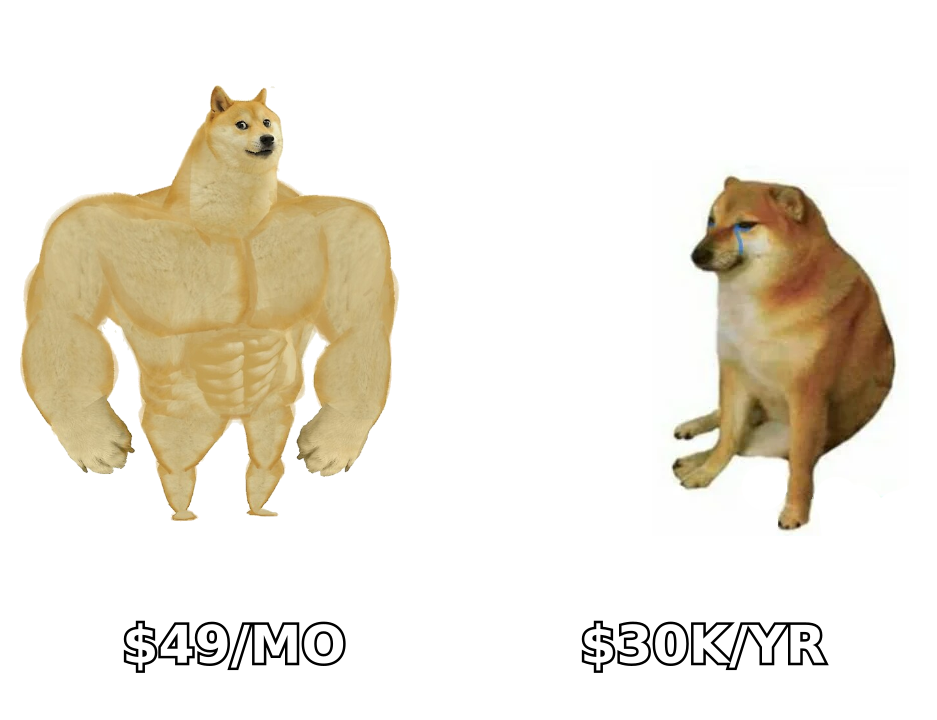
- If your real goal is accurate, on-demand B2B email data without an annual contract, a pay-as-you-go finder like Tomba Email Finder (free tier, then $49/mo) covers the data half for a fraction of the cost.
What Is Clickback and What Does It Actually Do?#
Clickback is a B2B email marketing platform designed for one job most email tools refuse to touch: sending to cold, non-opted-in lists. Standard ESPs like Mailchimp will suspend you for uploading a purchased list. Clickback built its product specifically to email cold contacts with deliverability and CAN-SPAM/CASL compliance features layered on top.
What you get with Clickback:
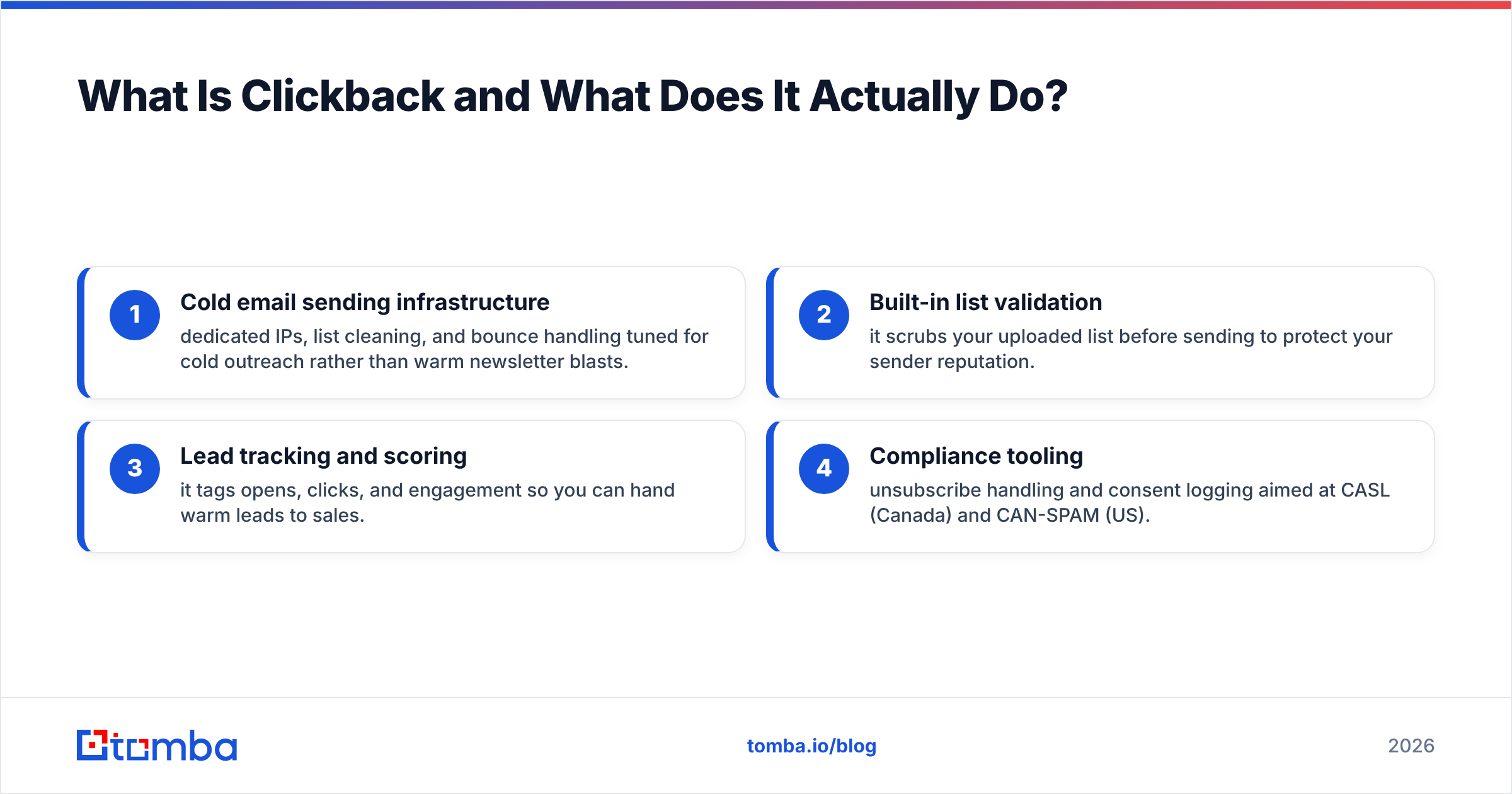
- Cold email sending infrastructure — dedicated IPs, list cleaning, and bounce handling tuned for cold outreach rather than warm newsletter blasts.
- Built-in list validation — it scrubs your uploaded list before sending to protect your sender reputation.
- Lead tracking and scoring — it tags opens, clicks, and engagement so you can hand warm leads to sales.
- Compliance tooling — unsubscribe handling and consent logging aimed at CASL (Canada) and CAN-SPAM (US).
What you don't get: the contacts themselves. Clickback emails the list you bring. If your list is garbage, Clickback will faithfully email garbage. That's the critical distinction buyers miss.
What Is DiscoverOrg (and Why Is It Now ZoomInfo)?#
DiscoverOrg was a premium B2B contact and company database known for human-verified org charts, direct dials, and technographic data. In 2019 it acquired ZoomInfo and rebranded the combined entity under the ZoomInfo name. So in 2026, there is no standalone DiscoverOrg product to buy — the data and platform live inside ZoomInfo SalesOS.
DiscoverOrg/ZoomInfo's strength was always depth of data: verified phone numbers, reporting structures, buying-intent signals, and firmographics on millions of companies. It is the opposite end of the workflow from Clickback. You use ZoomInfo to discover and enrich who to contact, then push those records into a sequencing or sending tool to actually reach them.
If you're shopping in this category, it's worth reading independent reviews on G2 before committing — ZoomInfo contracts are notoriously hard to exit. You can also confirm the rebrand on the ZoomInfo site itself, where DiscoverOrg now redirects.
Clickback vs DiscoverOrg: How Do They Compare Head to Head?#
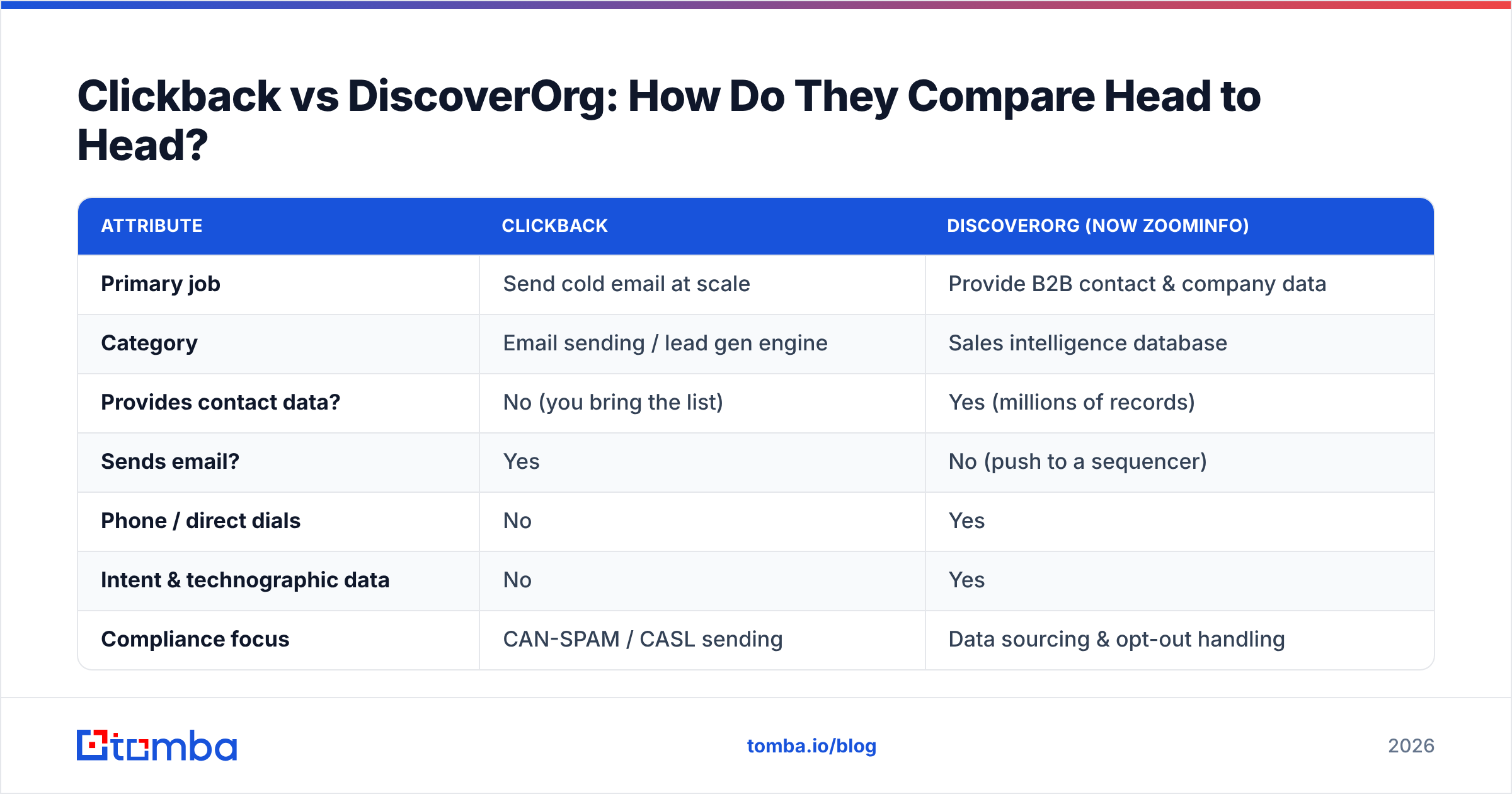
Here's the honest comparison. Note that several rows are "not applicable" precisely because these tools live in different layers of the stack.
| Attribute | Clickback | DiscoverOrg (now ZoomInfo) |
|---|---|---|
| Primary job | Send cold email at scale | Provide B2B contact & company data |
| Category | Email sending / lead gen engine | Sales intelligence database |
| Provides contact data? | No (you bring the list) | Yes (millions of records) |
| Sends email? | Yes | No (push to a sequencer) |
| Phone / direct dials | No | Yes |
| Intent & technographic data | No | Yes |
| Compliance focus | CAN-SPAM / CASL sending | Data sourcing & opt-out handling |
| Pricing model | Quote by contact volume | Annual contract, seat minimums |
| Typical entry cost | Custom quote (mid 4-figures+) | ~$15k+/yr, multi-seat |
| Free tier | No | No |
| Best for | Teams emailing purchased lists | Enterprise data & account research |
The takeaway: this isn't "A vs B." It's "Layer 1 vs Layer 3." DiscoverOrg/ZoomInfo answers who. Clickback answers how do I email them. Choosing between them only makes sense if you already own the other half.
Which One Should You Choose for Your Use Case?#
Match the tool to the gap in your stack, not to the louder sales rep.
- You have a list, need to email it cold, and standard ESPs keep banning you → Clickback is the fit. It exists for exactly this compliance-sensitive sending problem.
- You need verified contacts, direct dials, org charts, and intent data for enterprise ABM → ZoomInfo (the former DiscoverOrg). Budget for an annual commitment.
- You need contact data but not a $15k+ database, and you'll reach people through your own sequencer or Gmail/Outlook → neither. A targeted email finder plus a verifier is the lean path.
- You're running outbound at SMB scale and want to avoid annual lock-in entirely → pay-as-you-go data tooling beats both on cost and flexibility.
That third and fourth scenario is where most growing teams actually land. You don't need a 1.5-million-record database to email 2,000 prospects this quarter. You need those 2,000 emails, verified, on demand.
How Do You Get Clean B2B Contact Data Without a Database Contract?#
Short answer: use a dedicated finder and verifier, pay only for what you pull, and skip the annual seat minimum entirely.
DiscoverOrg/ZoomInfo's value is data, but its cost structure assumes you're a large team running continuous research. If you just need accurate work emails for a defined list of companies or people, an on-demand workflow is far cheaper and more accurate per-record because you're verifying at the moment of use, not relying on a record that was "human-verified" 14 months ago.
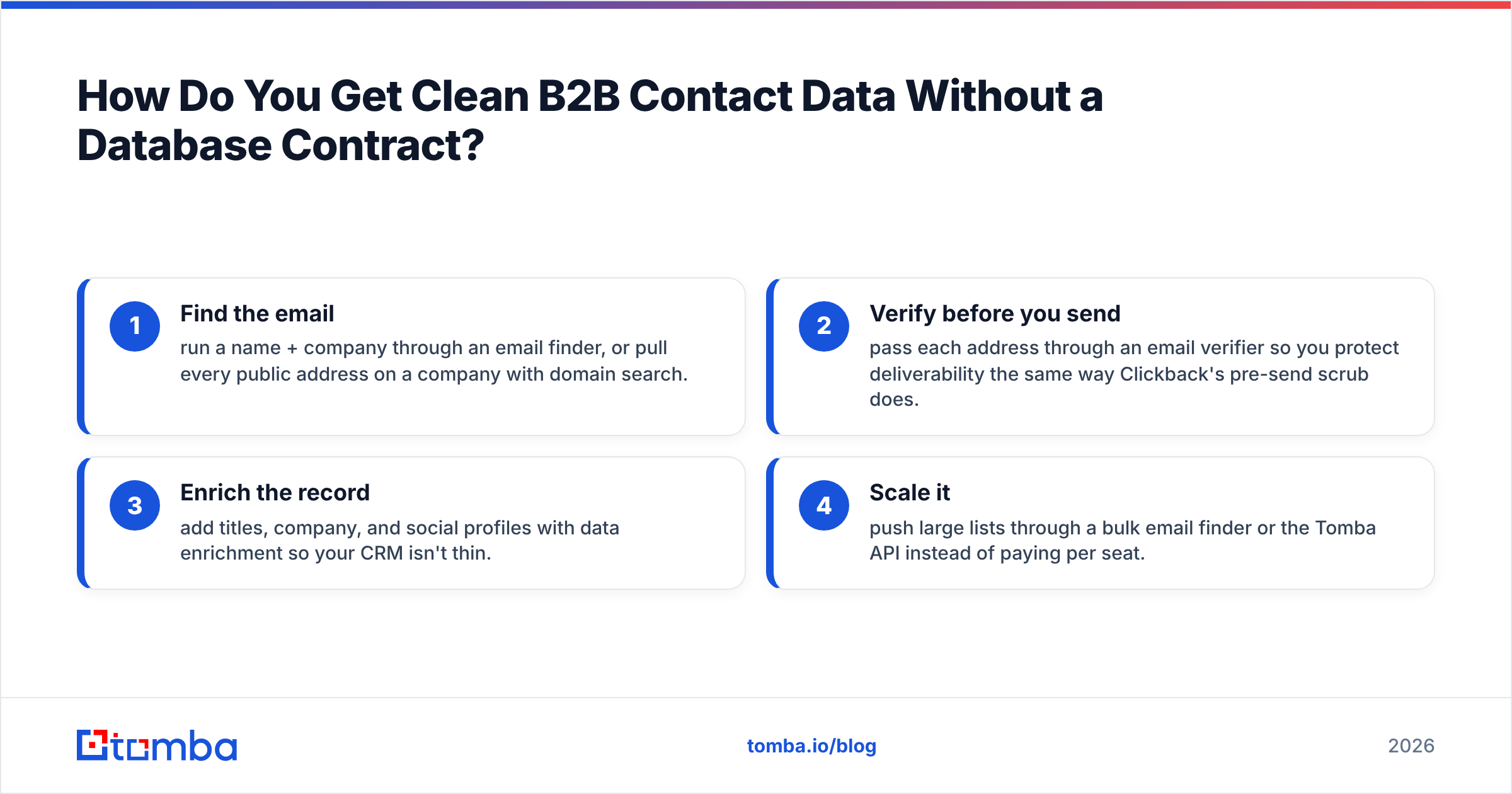
A practical replacement for the data layer looks like this:
- Find the email — run a name + company through an email finder, or pull every public address on a company with domain search.
- Verify before you send — pass each address through an email verifier so you protect deliverability the same way Clickback's pre-send scrub does.
- Enrich the record — add titles, company, and social profiles with data enrichment so your CRM isn't thin.
- Scale it — push large lists through a bulk email finder or the Tomba API instead of paying per seat.
The accuracy question matters here. Database vendors sell on volume, but a stale direct dial or a contact who left the company six months ago is a hard bounce waiting to happen. Verifying at send time — rather than trusting a database snapshot — is what actually keeps your sender reputation intact, which is the whole reason Clickback bolted list-cleaning onto its product in the first place.
What Does the Data Layer Cost Compared to a Full Database?#
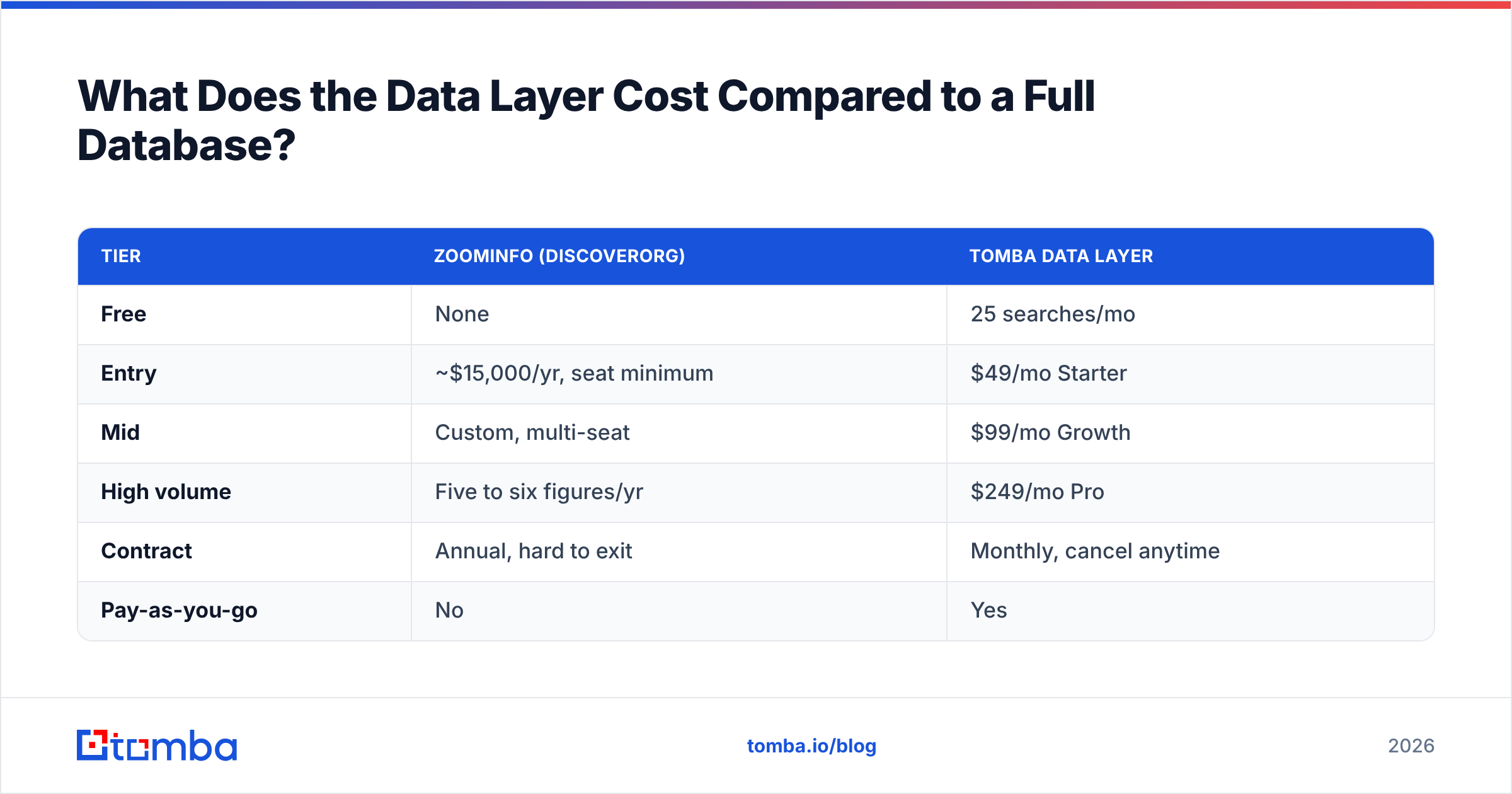
This is where the math gets uncomfortable for the enterprise database model. Below is the data-layer comparison only — sending is a separate line item in every scenario.
| Tier | ZoomInfo (DiscoverOrg) | Tomba data layer |
|---|---|---|
| Free | None | 25 searches/mo |
| Entry | ~$15,000/yr, seat minimum | $49/mo Starter |
| Mid | Custom, multi-seat | $99/mo Growth |
| High volume | Five to six figures/yr | $249/mo Pro |
| Contract | Annual, hard to exit | Monthly, cancel anytime |
| Pay-as-you-go | No | Yes |
You can see full Tomba pricing for the exact credit allocations, but the structural difference is the point: one model is a capital commitment, the other is a monthly utility. For a team that needs data, not a data department, the utility wins.
None of this means ZoomInfo is bad — for a 40-rep enterprise team running account-based plays across intent signals and org charts, the database depth genuinely earns its price. The mistake is buying that depth when your actual need is "give me 2,000 verified emails and let me cancel next quarter."
Do Clickback and DiscoverOrg Replace Each Other? (No — Here's the Real Stack)#
They don't replace each other, and treating them as rivals leads to buying the wrong thing. A complete cold-outreach stack has three layers, and these two products sit in different ones:
- Data layer — find and verify contacts. (ZoomInfo/DiscoverOrg or a finder + verifier.)
- Sequencing layer — schedule, personalize, and automate sends. (Many tools, including your CRM.)
- Sending/compliance layer — deliver cold mail without burning your domain. (Clickback lives here.)
If you bought DiscoverOrg expecting it to send email, you'll be disappointed — you still need a layer-3 tool. If you bought Clickback expecting it to hand you leads, you'll be disappointed — you still need a layer-1 source. The two "compete" only in the minds of buyers who haven't separated the layers.
For most SMB and mid-market teams in 2026, the cost-efficient build is: a pay-as-you-go finder and email verification for the data layer, your existing CRM or a low-cost sequencer for layer 2, and a compliance-aware sender only if you're emailing genuinely cold, purchased lists at high volume.
Frequently Asked Questions#
Is DiscoverOrg still a separate product? No. DiscoverOrg merged with ZoomInfo in 2019 and the combined platform is sold as ZoomInfo. If a vendor pitches you "DiscoverOrg" today, they mean a ZoomInfo seat.
Can Clickback find email addresses for me? No. Clickback sends to lists you provide and cleans them before sending, but it is not a data source. You need a finder or database to build the list first.
Which is cheaper, Clickback or DiscoverOrg? Both are quote- or contract-based with no free tier, so neither is cheap for small teams. For the data half specifically, a monthly finder is dramatically cheaper than a ZoomInfo annual contract.
Do I need both tools? Possibly — if you run high-volume cold email against purchased lists. But many teams only need the data layer plus their existing CRM, which means neither full product is required.
The Bottom Line#
Stop framing this as Clickback versus DiscoverOrg. One is a cold-email sending engine; the other is a B2B database now folded into ZoomInfo. Decide which layer of your outbound stack is actually empty, then buy only for that layer.
If the gap is data — accurate, verified B2B emails you can pull on demand without signing an annual database contract — start with the Tomba Email Finder. The free tier gives you 25 searches a month to test accuracy on your own target accounts, paid plans start at $49/mo with no seat minimums, and the Tomba API scales the same data into your existing tools. Find the contacts, verify them, and feed whatever sender you choose — without paying database prices for data you'll use once.
Ready to find emails that actually work?
Join 150,000+ professionals who stopped guessing and started sending. Free credits on signup — no credit card required.
Get the Tomba newsletter
Practical outbound tactics and product updates — once every two weeks.
About the author