Clickback vs ListKit 2026: Which B2B Lead Tool Wins?
Clickback vs ListKit in 2026 — a neutral breakdown of pricing, data quality, compliance, and which B2B lead-generation platform actually fits your outbound motion.
Clickback vs ListKit 2026: Which B2B Lead Tool Wins?
You are choosing between two very different bets. Clickback wants to email cold, purchased lists at scale through its own sending engine. ListKit wants to hand you verified B2B contact data that you push into a separate cold-email tool like Smartlead or Instantly. Same goal — booked meetings — but two opposite philosophies about where the risk lives.
This is a neutral teardown of Clickback vs ListKit: what each one actually does, how pricing compares, where the data comes from, and which compliance landmines you inherit with each. By the end you will know which tool fits your outbound motion — and where a dedicated data layer beats both.
TL;DR#
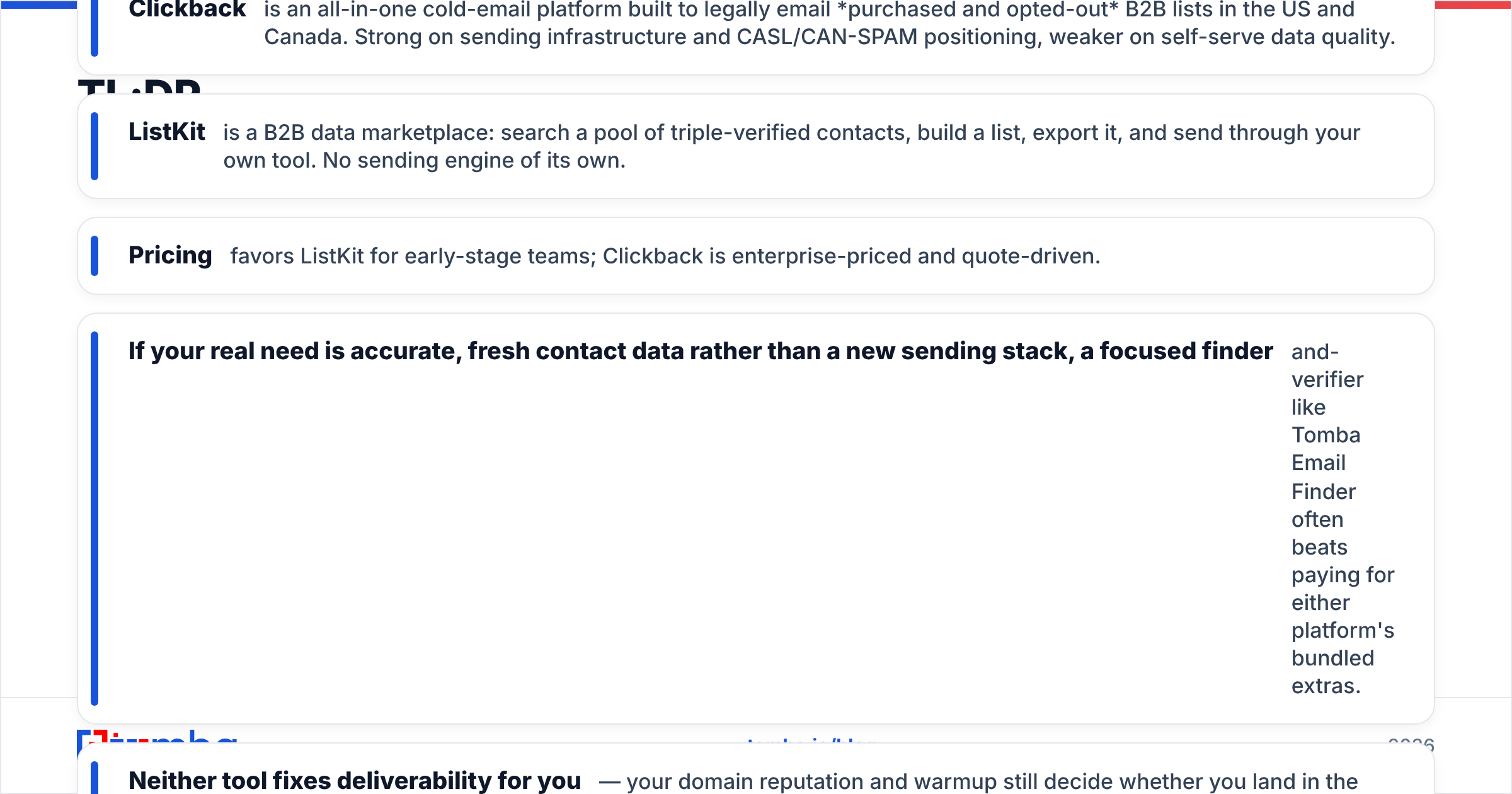
- Clickback is an all-in-one cold-email platform built to legally email purchased and opted-out B2B lists in the US and Canada. Strong on sending infrastructure and CASL/CAN-SPAM positioning, weaker on self-serve data quality.
- ListKit is a B2B data marketplace: search a pool of triple-verified contacts, build a list, export it, and send through your own tool. No sending engine of its own.
- Pricing favors ListKit for early-stage teams; Clickback is enterprise-priced and quote-driven.
- If your real need is accurate, fresh contact data rather than a new sending stack, a focused finder-and-verifier like Tomba Email Finder often beats paying for either platform's bundled extras.
- Neither tool fixes deliverability for you — your domain reputation and warmup still decide whether you land in the inbox.
What is Clickback?#
Clickback (clickback.com) is a Canadian B2B lead-generation company whose flagship product, Clickback MAIL, is purpose-built for one controversial thing: sending cold email to lists you bought or sourced, including contacts who never opted in to your brand. Its pitch is that it does this within the bounds of CAN-SPAM (US) and CASL (Canada) by handling suppression, unsubscribe management, and sender configuration on dedicated infrastructure.
In practice Clickback is a sending platform first and a data tool second. You bring the list; Clickback validates it, scrubs it against suppression rules, and blasts it through IPs tuned for cold volume. There is a companion product, Clickback WEB, that identifies anonymous website visitors — conceptually similar to website visitor reveal tools.
The trade-off is obvious: emailing people who never asked to hear from you is legally tolerated in some jurisdictions and outright banned in others (CASL is strict, GDPR effectively prohibits it for EU individuals). Clickback leans hard into the North American use case and is upfront that this is not a global cold-email solution.
)
What is ListKit?#
ListKit (listkit.io) flips the model. It does not send anything. It is a self-serve B2B data platform where you filter a large contact pool by title, industry, headcount, technology, and intent signals, then build a targeted list of verified emails and phone numbers. You export to CSV or push directly into cold-email sequencers like Smartlead, Instantly, or your CRM.
ListKit's headline claim is "triple-verified" data — emails run through multiple verification passes before they hit your list — plus included phone numbers and intent data on higher tiers. It became popular in the agency and solo-founder outbound crowd because it bundles data discovery with a clean credit model and integrates tightly with the modern cold-email stack.
So the comparison is not strictly apples-to-apples. Clickback is data + sending + compliance wrapper. ListKit is data only, and you supply the sending engine. That single distinction drives almost every other difference below.
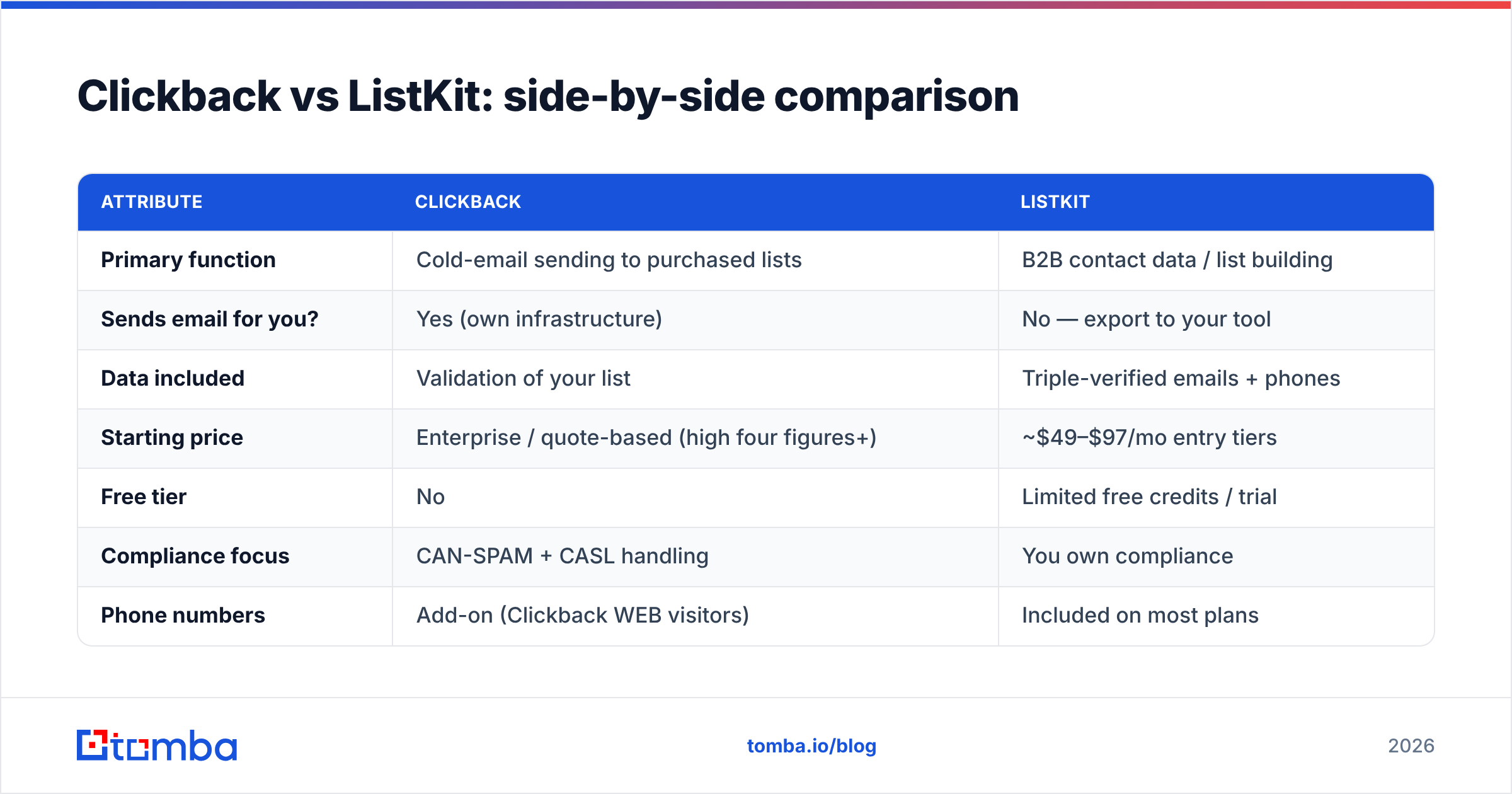
Clickback vs ListKit: side-by-side comparison#
Here is the core breakdown. Treat Clickback's prices as directional — it is quote-driven and does not publish a transparent self-serve table.
| Attribute | Clickback | ListKit |
|---|---|---|
| Primary function | Cold-email sending to purchased lists | B2B contact data / list building |
| Sends email for you? | Yes (own infrastructure) | No — export to your tool |
| Data included | Validation of your list | Triple-verified emails + phones |
| Starting price | Enterprise / quote-based (high four figures+) | ~$49–$97/mo entry tiers |
| Free tier | No | Limited free credits / trial |
| Compliance focus | CAN-SPAM + CASL handling | You own compliance |
| Phone numbers | Add-on (Clickback WEB visitors) | Included on most plans |
| Best for | NA enterprises emailing cold lists | Agencies, founders, SDR teams |
| Learning curve | Higher (managed setup) | Low (self-serve) |
A few things stand out. Clickback is a managed, higher-touch, higher-cost platform — you are buying infrastructure and legal cover, not a $50 SaaS seat. ListKit is genuinely self-serve and priced for individuals and small teams. If budget is the deciding factor and you already have a sending tool, ListKit wins on entry cost almost every time.
Which has better data accuracy?#
Accuracy is where both tools live or die, and where most buyers get burned. ListKit markets triple verification, which materially reduces bounces compared to raw scraped lists — but "verified at scrape time" decays fast. B2B contacts churn roughly 25–30% per year as people change jobs, so any static list is rotting from the day you export it. Clickback validates the list you bring, but it cannot fix data that was bad or stale at the source.
The honest takeaway: neither platform's verification fully protects you if your underlying list is old. That is why disciplined teams re-verify right before send, regardless of vendor promises. A standalone email verifier pass — checking syntax, MX records, and catch-all status — is cheap insurance against torching your sender reputation on dead addresses. For catch-all domains specifically, which both tools struggle to score, a dedicated catch-all verifier gives you a clearer accept/reject signal.
If you want to understand why provenance matters, both ListKit and any finder ultimately depend on how the data was collected and how often it is refreshed. Tomba documents where its data comes from for exactly this reason — opaque sourcing is the single biggest predictor of high bounce rates.
Rule of thumb: trust the verification timestamp, not the marketing adjective. "Triple-verified" six months ago is just "stale" today.
How do Clickback and ListKit handle compliance?#
This is the part people skip and then regret. Conclusion first: Clickback sells compliance as a feature; ListKit makes compliance your problem.
Clickback's entire value proposition assumes you want to email cold, non-opted-in North American B2B contacts and stay inside CAN-SPAM and CASL. It manages unsubscribes, honors suppression lists, and configures sending to reduce legal and deliverability risk. That is real value if your market is the US and Canada.
ListKit gives you data and steps back. You decide whether your outreach is legal in the recipient's jurisdiction. For EU contacts under GDPR, cold B2B email to a named individual without a lawful basis is a genuine risk — and no data vendor absorbs that liability for you. Before you send a single message, read the actual rules; the US FTC's CAN-SPAM compliance guide is the baseline, and CASL is stricter still.
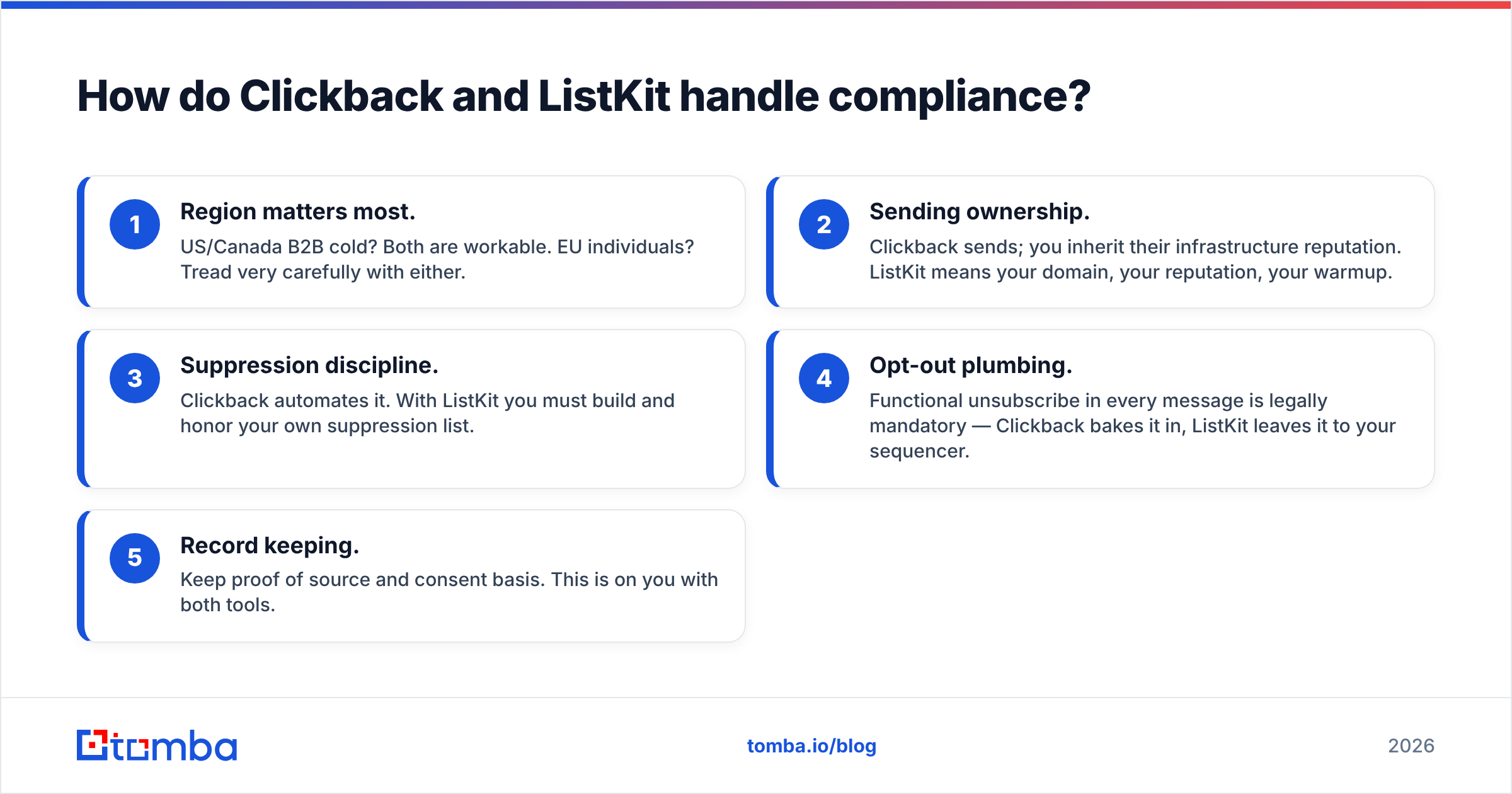
Here is the decision framework as a checklist:
- Region matters most. US/Canada B2B cold? Both are workable. EU individuals? Tread very carefully with either.
- Sending ownership. Clickback sends; you inherit their infrastructure reputation. ListKit means your domain, your reputation, your warmup.
- Suppression discipline. Clickback automates it. With ListKit you must build and honor your own suppression list.
- Opt-out plumbing. Functional unsubscribe in every message is legally mandatory — Clickback bakes it in, ListKit leaves it to your sequencer.
- Record keeping. Keep proof of source and consent basis. This is on you with both tools.
What about deliverability and the sending stack?#
)
A tool can have perfect data and still land you in spam if your domain reputation is poor. Clickback mitigates this with managed, warmed infrastructure — useful if you do not want to babysit your own domains. ListKit offloads it entirely to whatever sequencer you connect, so your Smartlead or Instantly warmup settings, SPF, DKIM, and DMARC records do the heavy lifting.
If you go the ListKit route (or any data-only route), get the fundamentals right before volume:
- Authenticate every sending domain — verify your SPF record and DKIM, and publish DMARC.
- Warm up new domains for 3–4 weeks before real sends.
- Keep individual domain volume modest and use multiple inboxes rather than one firehose.
- Monitor your sender reputation and pull dead addresses out before they bounce.
Google's own sender guidelines are the canonical source here, and they apply no matter which platform you picked. Deliverability is earned by behavior, not bought from a vendor.
When should you pick a dedicated data tool instead?#
Often. Here is the case neither vendor will make for you: a large share of buyers comparing Clickback vs ListKit do not actually need a second sending platform or a sprawling data subscription. They need the right email address for a specific person or company, verified, on demand — and they already own a perfectly good cold-email tool.
That is a finder-and-verifier job, not a platform migration. With a focused tool you can:
- Find emails one at a time, by domain search, or in bulk.
- Verify before you send, including catch-all domains.
- Enrich an existing CRM list with missing fields via data enrichment.
- Wire it all into your stack through the Tomba API, Chrome extension, or Google Sheets — no rip-and-replace.
Cost-wise this is usually the cheapest of the three paths. Compare transparent Tomba pricing — Free (25 searches/mo), Starter $49/mo, Growth $99/mo, Pro $249/mo — against a quote-driven enterprise contract or a recurring data subscription you only partly use, and the math often favors paying for exactly the lookups you make.
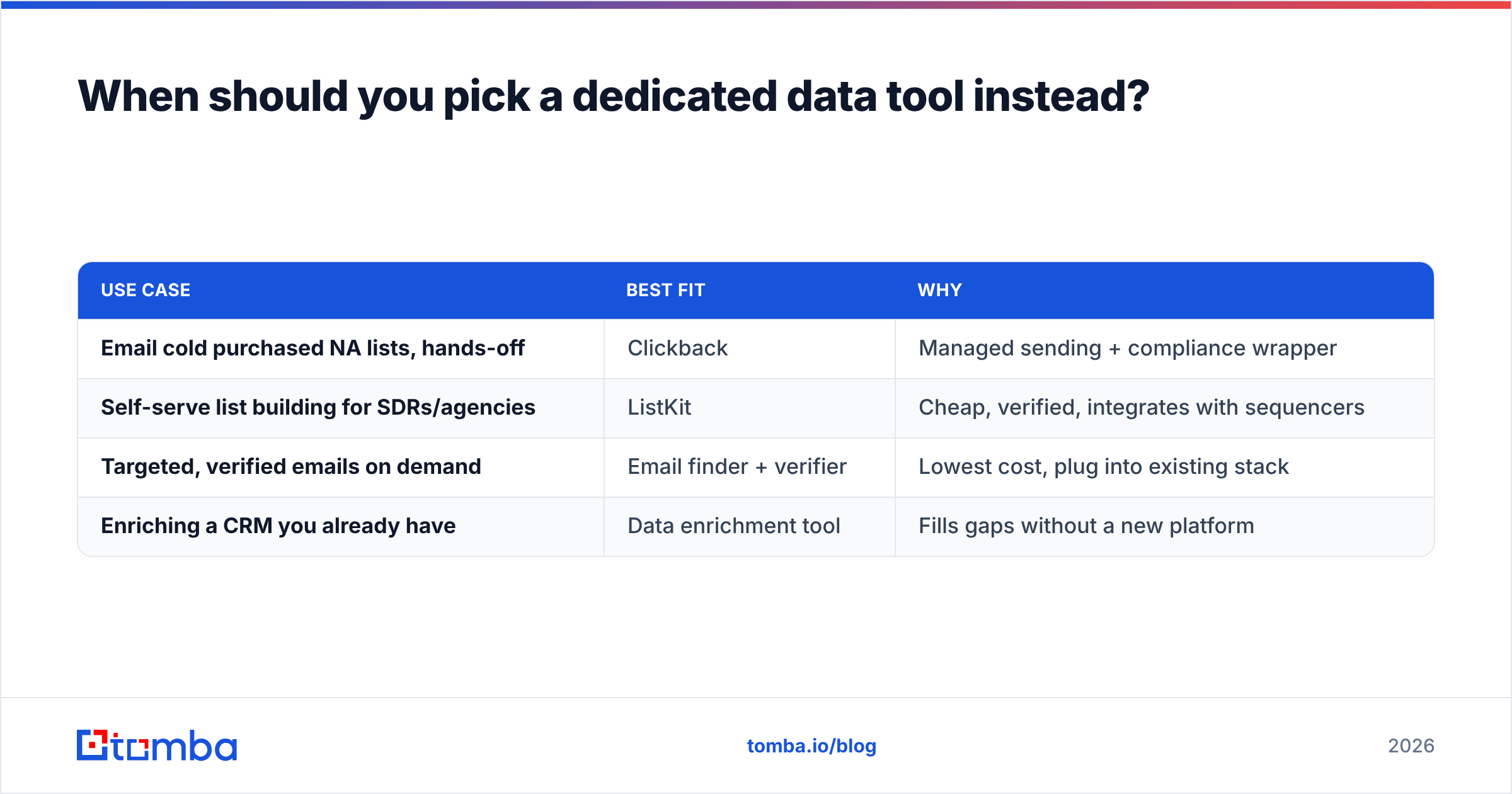
| Use case | Best fit | Why |
|---|---|---|
| Email cold purchased NA lists, hands-off | Clickback | Managed sending + compliance wrapper |
| Self-serve list building for SDRs/agencies | ListKit | Cheap, verified, integrates with sequencers |
| Targeted, verified emails on demand | Email finder + verifier | Lowest cost, plug into existing stack |
| Enriching a CRM you already have | Data enrichment tool | Fills gaps without a new platform |
Frequently asked questions#
Is Clickback or ListKit cheaper? ListKit, for most teams. It has transparent self-serve tiers in the double-digit-to-low-triple-digit monthly range, while Clickback is enterprise-priced and quote-based.
Can I use ListKit data inside Clickback? Technically you could export ListKit contacts and load them into Clickback to send, but you would be paying for two platforms to do what one finder plus your existing sequencer already covers.
Do either of them work for GDPR/EU outreach? Cautiously. Clickback is North-America-focused; ListKit leaves EU compliance entirely to you. Cold-emailing EU individuals without a lawful basis carries real GDPR risk regardless of vendor.
What if I just need accurate emails, not a new platform? Use a dedicated email finder and verifier and keep your current sending tool. It is cheaper and avoids migration.
The verdict: Clickback vs ListKit#
Pick Clickback if you are a North American team that wants to email cold, purchased B2B lists with the sending and compliance handled for you — and you can stomach enterprise pricing. Pick ListKit if you are an agency, founder, or SDR team that wants cheap, self-serve, verified data to feed your existing cold-email tool, and you are comfortable owning your own deliverability and compliance.
But before you commit to either, be honest about the job to be done. If the real need is the correct, verified email for the right person — not a new sending stack or a sprawling data subscription — start with a focused tool. The Tomba Email Finder finds professional emails by domain, name, or company, verifies them before you send, and drops straight into your existing workflow through the API, browser extension, or Google Sheets. Try Tomba's email finder free with 25 searches a month and see how far accurate data alone gets you before you pay for anything bigger.
// get started
Find, verify and enrich your first contacts today
Start on the free plan with 25 searches a month, then scale when your team is ready.
Free plan · No credit card required · GDPR & CCPA
// about the author