Clodura.ai vs Datanyze 2026: B2B Sales Data Compared
Clodura.ai vs Datanyze: a hands-on 2026 breakdown of data accuracy, pricing, email and phone coverage, and which B2B sales intelligence tool actually fits your pipeline.
Choosing between Clodura.ai and Datanyze comes down to one question: do you want an all-in-one outbound platform or a lightweight contact-grabber that lives in your browser? Both promise B2B contact data, but they are built for very different workflows — and priced accordingly.
This guide breaks down accuracy, pricing, coverage, and fit so you can pick without a two-week trial spiral.
TL;DR#
- Clodura.ai is a full sales-intelligence and engagement platform: database, sequences, email verification, and intent signals in one login. Better for teams that want everything bundled.
- Datanyze is a focused, Chrome-extension-first contact tool built around grabbing emails and phone numbers off LinkedIn and company sites. Better for individual reps doing manual prospecting.
- Pricing favors Datanyze for solo users (cheap monthly credits); Clodura.ai costs more but replaces several tools at once.
- Data accuracy is the real tiebreaker — both can serve stale records, so verification before you send is non-negotiable regardless of which you choose.
- If your bottleneck is finding and verifying clean emails rather than running sequences, a dedicated email finder like Tomba often beats both on cost-per-valid-contact.
What is Clodura.ai?#
Clodura.ai is an all-in-one B2B sales prospecting and engagement platform. It pairs a large company-and-contact database with built-in tools: email sequencing, an email verifier, buyer-intent signals, org charts, and direct-dial discovery. The pitch is consolidation — instead of stitching together a data vendor, a verifier, and a sequencer, you do the whole top-of-funnel motion in one place.
That makes Clodura.ai attractive to small and mid-size sales teams who don't want a five-tool stack. You search for accounts, build a list, verify the emails, and launch a cadence without exporting a single CSV.
The tradeoff: you pay for the whole bundle even if you only need one slice of it, and consolidated platforms tend to be "good at many things" rather than "best at one."
What is Datanyze?#
Datanyze is a contact-data tool best known for its Chrome extension. You browse to a LinkedIn profile or a company website, click the extension, and it surfaces the person's business email and phone number along with light firmographic data (revenue, headcount, tech stack hints).
After ZoomInfo acquired Datanyze, it was repositioned as an affordable, self-serve option aimed at individual reps, recruiters, and founders doing hands-on prospecting. It uses a credit model: you spend credits to reveal contacts, and lower tiers are genuinely cheap.
Datanyze is not a sequencing platform. It finds contacts; what you do with them happens in your CRM or email tool. That focus is a feature for some and a limitation for others.

Clodura.ai vs Datanyze: how do they compare?#
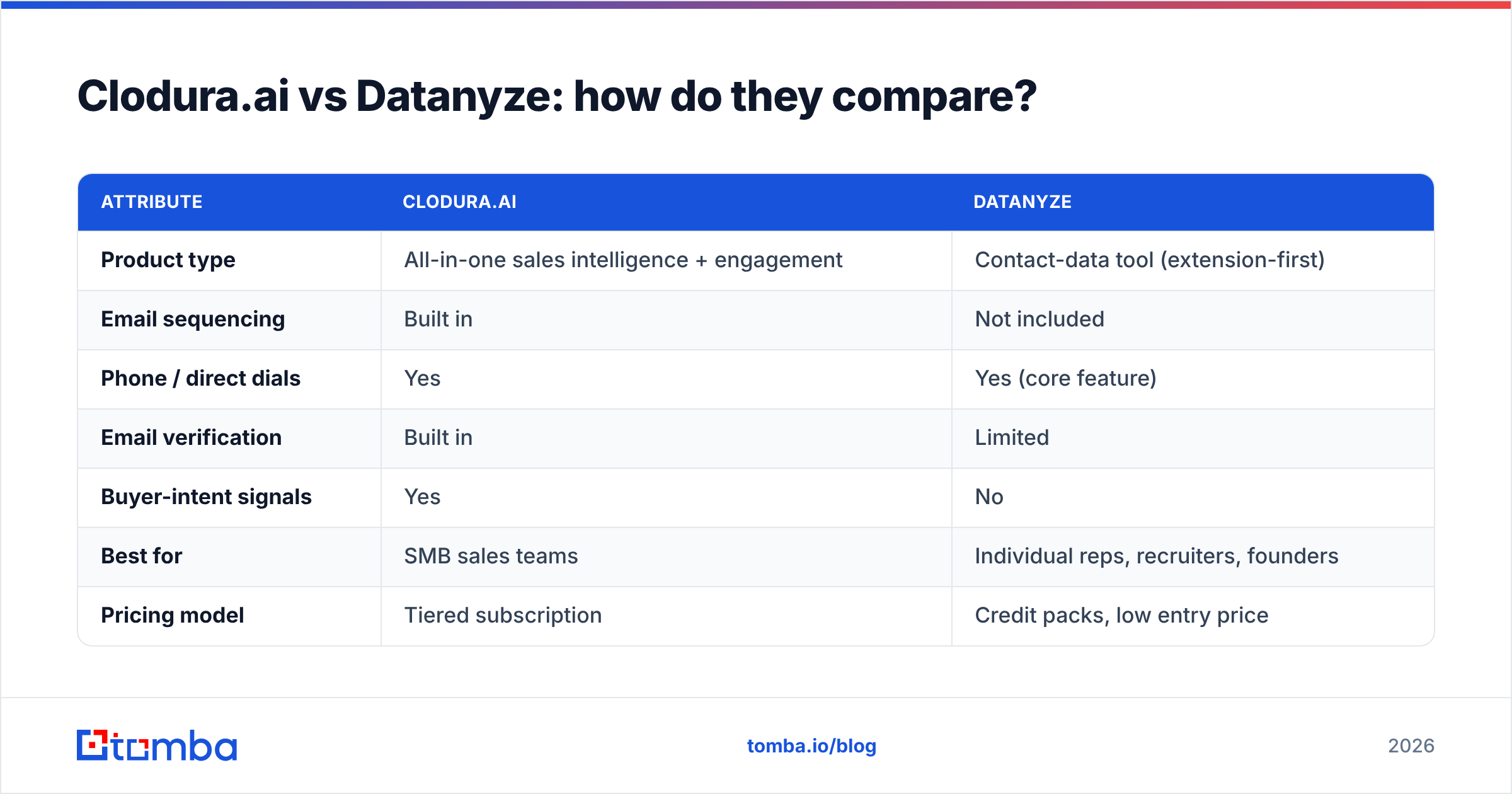
Here is the side-by-side on the attributes that actually change your buying decision.
| Attribute | Clodura.ai | Datanyze |
|---|---|---|
| Product type | All-in-one sales intelligence + engagement | Contact-data tool (extension-first) |
| Email sequencing | Built in | Not included |
| Phone / direct dials | Yes | Yes (core feature) |
| Email verification | Built in | Limited |
| Buyer-intent signals | Yes | No |
| Best for | SMB sales teams | Individual reps, recruiters, founders |
| Pricing model | Tiered subscription | Credit packs, low entry price |
| Entry price | Higher (platform pricing) | Low monthly credit plans |
| Learning curve | Moderate (more features) | Minimal (click and reveal) |
The pattern is clear: Clodura.ai is a platform, Datanyze is a utility. Neither is "wrong" — they answer different questions.
Which has better data accuracy?#
Neither vendor wins accuracy outright, and any blog claiming a single fixed percentage is guessing. B2B data decays fast — roughly 2–3% of contacts churn every month as people change jobs — so a record that was perfect in January can bounce by June.
What matters is how each tool handles that decay:
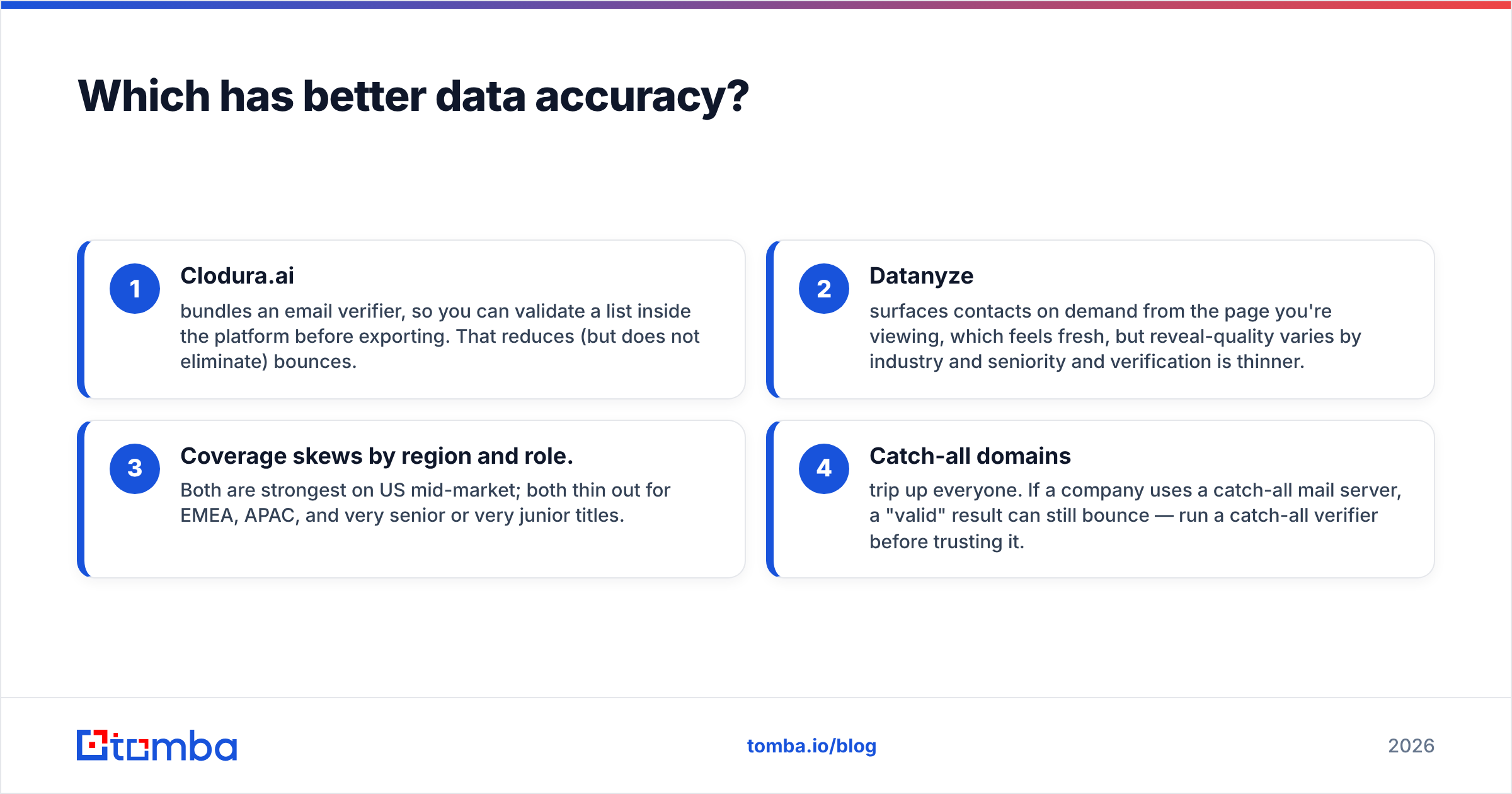
- Clodura.ai bundles an email verifier, so you can validate a list inside the platform before exporting. That reduces (but does not eliminate) bounces.
- Datanyze surfaces contacts on demand from the page you're viewing, which feels fresh, but reveal-quality varies by industry and seniority and verification is thinner.
- Coverage skews by region and role. Both are strongest on US mid-market; both thin out for EMEA, APAC, and very senior or very junior titles.
- Catch-all domains trip up everyone. If a company uses a catch-all mail server, a "valid" result can still bounce — run a catch-all verifier before trusting it.

The practical takeaway: treat every exported list as unverified until you've run it through a real email verifier. Verification is cheap insurance against a trashed sender reputation, and it's the single highest-ROI step in any outbound workflow.
How do Clodura.ai and Datanyze price out?#
Pricing is where the two diverge hardest, and where most buyers actually decide.
- Datanyze wins on raw entry cost. Its credit plans are designed for one person who needs a few hundred contacts a month. If you're a founder or a solo SDR, you can start cheaply and scale credits as needed.
- Clodura.ai costs more per seat because you're paying for the database plus sequencing, verification, and intent. The math works when it replaces two or three separate subscriptions; it doesn't if you only use the lookup feature.
A useful rule: add up what you currently pay for a data vendor, a verifier, and a sequencer. If that total is higher than Clodura.ai's plan, consolidation saves money. If you only need contacts, a focused tool — Datanyze or a dedicated finder — is cheaper.
This is also where a pure email-finder comparison is worth running. Many teams over-buy platform features they never touch. Compare the cost-per-valid-email across the category before committing:

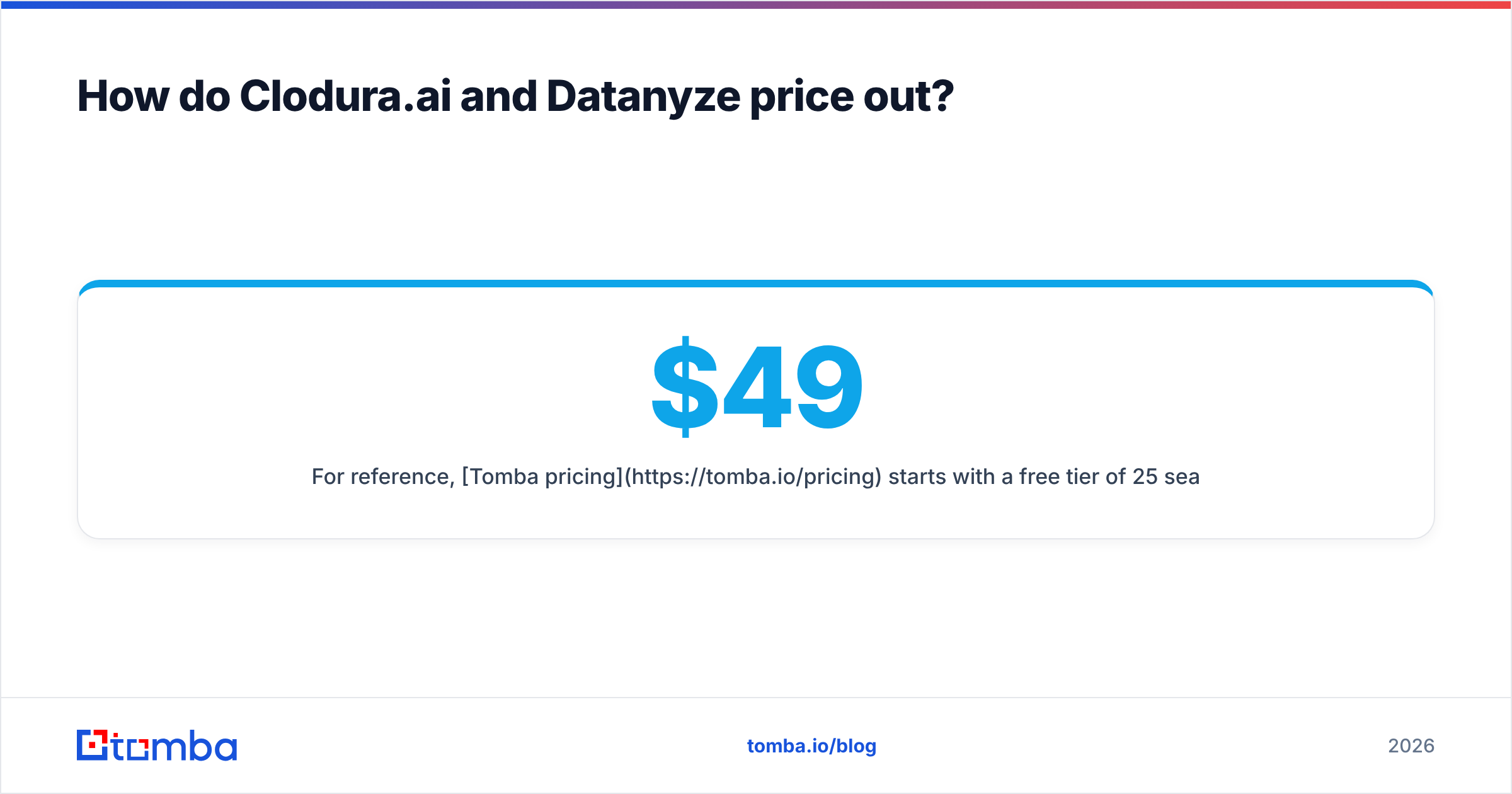
For reference, Tomba pricing starts with a free tier of 25 searches per month, then Starter at $49/mo, Growth at $99/mo, and Pro at $249/mo — built specifically around finding and verifying emails rather than bundling a full engagement suite.
Which integrations and workflows matter?#
Your tool has to fit the stack you already run.
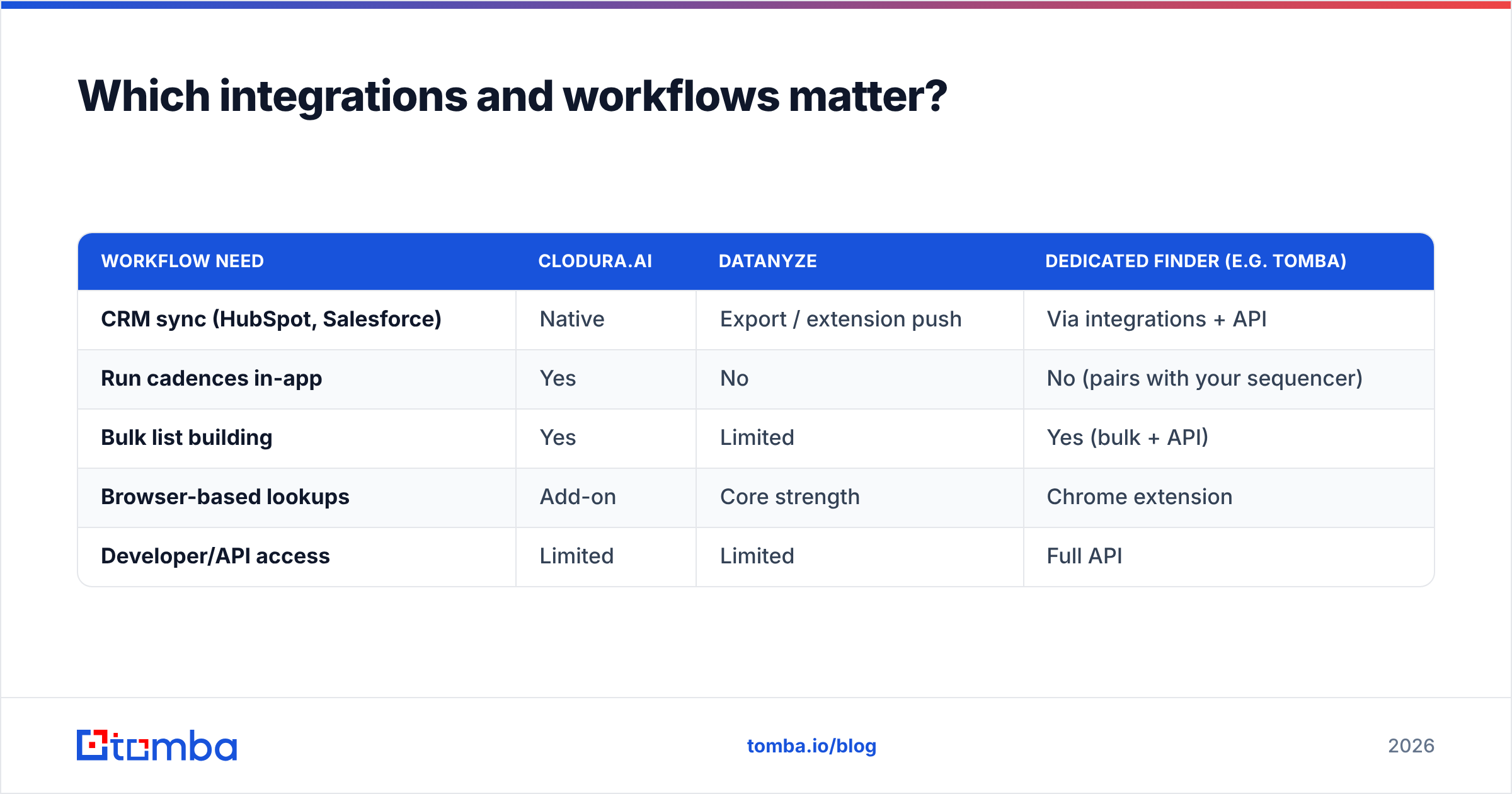
| Workflow need | Clodura.ai | Datanyze | Dedicated finder (e.g. Tomba) |
|---|---|---|---|
| CRM sync (HubSpot, Salesforce) | Native | Export / extension push | Via integrations + API |
| Run cadences in-app | Yes | No | No (pairs with your sequencer) |
| Bulk list building | Yes | Limited | Yes (bulk + API) |
| Browser-based lookups | Add-on | Core strength | Chrome extension |
| Developer/API access | Limited | Limited | Full API |
If your reps live inside Salesforce or HubSpot, confirm the sync is two-way and doesn't create duplicate records. Datanyze's extension is fastest for one-off LinkedIn grabs; Clodura.ai is better when you want list-building and outreach to live together.
For teams that prefer to keep best-of-breed tools, a finder with a real email finder API plus data enrichment slots into any CRM or automation without forcing you onto a single vendor's sequencer.
Clodura.ai vs Datanyze: pros and cons#
Clodura.ai pros
- One login for data, verification, sequencing, and intent
- Good for SMB teams wanting fewer tools
- Org charts and buyer-intent add context
Clodura.ai cons
- Higher entry price; you pay for the full bundle
- Jack-of-all-trades depth versus specialists
- Steeper learning curve than a simple extension
Datanyze pros
- Cheap entry, simple credit model
- Fast Chrome-extension lookups
- Great for solo reps and recruiters
Datanyze cons
- No sequencing; it's a finder, not a platform
- Thinner verification — validate before sending
- Coverage gaps outside US mid-market
When should you pick a dedicated email finder instead?#
Choose a specialist when finding and verifying clean emails is your actual bottleneck — not running cadences. Plenty of teams already have a sequencer they like (Instantly, Salesloft, a CRM workflow) and just need accurate, verified contacts feeding into it.
In that scenario, paying for a full platform like Clodura.ai is overkill, and Datanyze's lighter verification can cost you in bounces. A focused finder gives you:
- Higher cost-efficiency per valid contact
- Dedicated domain search to map every email at a target company
- A bulk email finder for list-scale work
- A real API and extensions so it fits your existing stack instead of replacing it
It's also worth checking independent reviews on G2 and Capterra for current user sentiment on each tool, and the official Datanyze and Clodura.ai sites for the latest feature lists — vendor pages change faster than blog posts.
The bottom line#
Pick Clodura.ai if you're a small sales team that wants data, verification, and outreach bundled into one platform and you'll use most of it. Pick Datanyze if you're an individual rep or founder who needs cheap, fast contact lookups off LinkedIn and company pages and you already have somewhere to put them.
But if your core problem is simply getting accurate, verified emails into the tools you already use, a dedicated finder usually beats both on cost-per-valid-contact — without the platform tax or the verification gaps.
That's exactly where Tomba's Email Finder fits: find professional emails by name, domain, or company, verify them in the same workflow, and push them straight into your CRM or sequencer through the API. Start free with 25 searches a month, then scale to Starter at $49/mo only when you're ready. Spend your budget on contacts that actually land — not features you'll never open.
// get started
Find, verify and enrich your first contacts today
Start on the free plan with 25 searches a month, then scale when your team is ready.
Free plan · No credit card required · GDPR & CCPA
// about the author