Cloduraai vs Findemailscom Toofr: 2026 Email Finder Test
A neutral 2026 breakdown of Clodura.ai vs Findemails.com (Toofr) on accuracy, pricing, data depth, and workflow fit — plus where each one actually wins.
You came here to pick one tool, not read a brochure. So here is the short answer first. This cloduraai vs findemailscom toofr comparison skips the marketing and gets to the point. Clodura.ai and Findemails.com (the platform that absorbed the old Toofr brand) solve similar problems in different ways. Neither one wins for every team.
TL;DR
- Clodura.ai is a full sales-intelligence platform. It bundles a B2B database, intent signals, org charts, and a sequencer. Email finding is just one feature among many.
- Findemails.com (formerly Toofr) is a lean email finder. It guesses and confirms addresses by name and domain. It keeps a long-standing pay-as-you-go approach.
- On raw email-finding accuracy, both land in the "good, but verify everything" tier. Neither publishes audited numbers you should trust at face value.
- Pricing models differ sharply. Clodura sells seats with database access. Findemails leans on credit-style search volume. Your cost depends on how many lookups you run.
- Need fast, accurate, API-friendly email lookups without paying for a whole suite? A focused finder like Tomba Email Finder is worth testing next to both.
What are Clodura.ai and Findemails.com (Toofr)?#
Think of it like a choice between a big supermarket and a specialist deli. Clodura.ai is the supermarket. You walk in for emails and walk out with intent data, tech-stack data, an org chart, and a sequencing cart. Findemails.com is the deli. It does one thing: find and verify a work email, and do it cleanly.
Clodura.ai calls itself an all-in-one sales and engagement platform. The pitch is a large in-house B2B contact database, buying-intent signals, direct dials, and an email sequencer. Reps can prospect and send from one screen. Email finding sits inside that database, not as a standalone tool.
Findemails.com carries the roots of Toofr, one of the older email-finding services. The classic Toofr flow was simple. You typed a name and a company domain. You got the most likely address with a confidence score, then verified it. Findemails.com keeps that style. It adds bulk processing and integrations for outbound teams who just want addresses.
The core difference shapes your decision. You are comparing a platform that includes an email finder against a tool that is an email finder. That gap drives pricing, learning curve, and what you actually pay for.

How accurate are Cloduraai vs Findemailscom Toofr?#
Accuracy is the whole game. It is also where marketing gets slippery. Both vendors will say their data is high quality. What matters is how each tool finds an address. That is what tells you where it fails.
Every email finder blends two methods:
- Pattern inference — guessing the address from a known company format (e.g.
first.last@company.com) and the person's name. - Sourced data — pulling a real, already-collected address from a database or crawl.
Findemails.com (Toofr) has long leaned on pattern inference plus verification. That method is fast and cheap. It works well at companies with predictable formats. It struggles with catch-all domains, role-based inboxes, and firms that randomize their formats. That is why a separate email verifier step is a must on top of any guess-based finder.
Clodura.ai leans more on its sourced database. When the contact is in their data, you get a real address, not a guess. That is strong for well-covered industries and larger companies. The weak spot is coverage. Niche verticals, smaller firms, and non-US regions are where database-first tools thin out. There they return blanks instead of guesses.
The honest takeaway: treat any single-source accuracy claim with care. Run your own 100-contact test against your real target list. Then measure bounce rate after you send. A tool that scores 95% on a vendor slide can drop to 70% on your list. Your prospects rarely look like their sample. For why catch-all domains break confidence scores, our catch-all verifier page explains the SMTP edge cases both tools must handle.
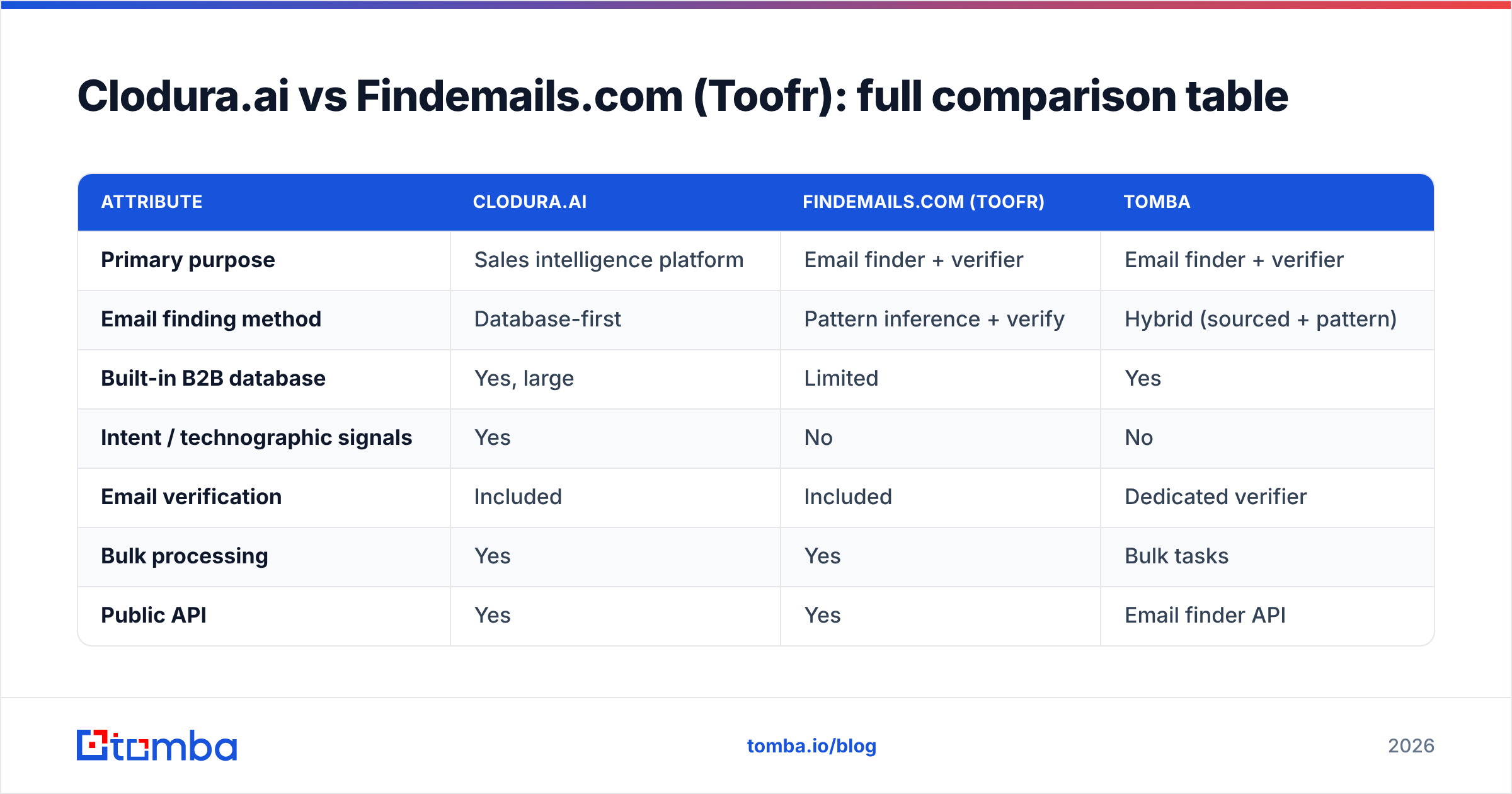
Cloduraai vs Findemailscom Toofr: full comparison table#
Here is the side-by-side on the things that actually change a buying decision. Pricing tiers shift often. Confirm current numbers on each vendor's site before you commit.
| Attribute | Clodura.ai | Findemails.com (Toofr) | Tomba |
|---|---|---|---|
| Primary purpose | Sales intelligence platform | Email finder + verifier | Email finder + verifier |
| Email finding method | Database-first | Pattern inference + verify | Hybrid (sourced + pattern) |
| Built-in B2B database | Yes, large | Limited | Yes |
| Intent / technographic signals | Yes | No | No |
| Email verification | Included | Included | Dedicated verifier |
| Bulk processing | Yes | Yes | Bulk tasks |
| Public API | Yes | Yes | Email finder API |
| Sequencer / sending | Built-in | No (integrations) | No (integrations) |
| Free tier | Limited trial | Limited | 25 searches/mo |
| Best for | Full-funnel outbound teams | Lean list-building | Accuracy-focused lookups |
| Pricing model | Seats + database | Search volume | Tiered, from $49/mo |
Read two things out of that grid. Want one login that prospects, scores, and sends? Clodura's bundle is handy, and Findemails will feel thin. Want a precise, scriptable address tool that drops into your CRM and sequencer? The platform bundle is extra cost you may not use.
Which is better for cold outreach in 2026?#
It comes down to one question. Is your bottleneck finding people or contacting people you already found?
Choose Clodura.ai if your team starts from zero. You have no list of accounts or contacts yet. You want the database to build the list, surface intent, and launch the sequence in one place. The trade-off is a heavier tool with a steeper learning curve. Your per-contact cost sits inside seat pricing whether you use the extras or not.
Choose Findemails.com (Toofr) if you already know your accounts. You just need addresses at predictable companies, fast and cheap. The pay-for-search model rewards focused list-building and punishes spray-and-pray scraping. It fits solo founders, agencies, and lean SDR pods that already live inside another sequencer.

There is a third case worth naming, because most teams land here. You have a strong list and you keep hitting accuracy walls. Your sequencer is fine. Your CRM is fine. But bounce rates creep up and deliverability suffers. Here neither a full platform nor a guess-first finder is ideal. You want a finder built for precision, where verification is a core product, not a checkbox.
How does pricing actually compare?#
Pricing is the part vendors hope you skim. Do not skim it.
Clodura.ai uses a seat-plus-database model. You pay per user. Access to the database, intent data, and sequencer is tiered. This is efficient when every seat is a full-time prospector using every module. It gets expensive when half your users only need the odd email lookup. You pay platform prices for light use.
Findemails.com (Toofr) has long used search-volume pricing. You buy a monthly allowance of finds and verifications. This rewards efficiency. Run 500 targeted lookups a month and you pay for about that. Costs only bite once you scale into high volume, where per-search fees add up.
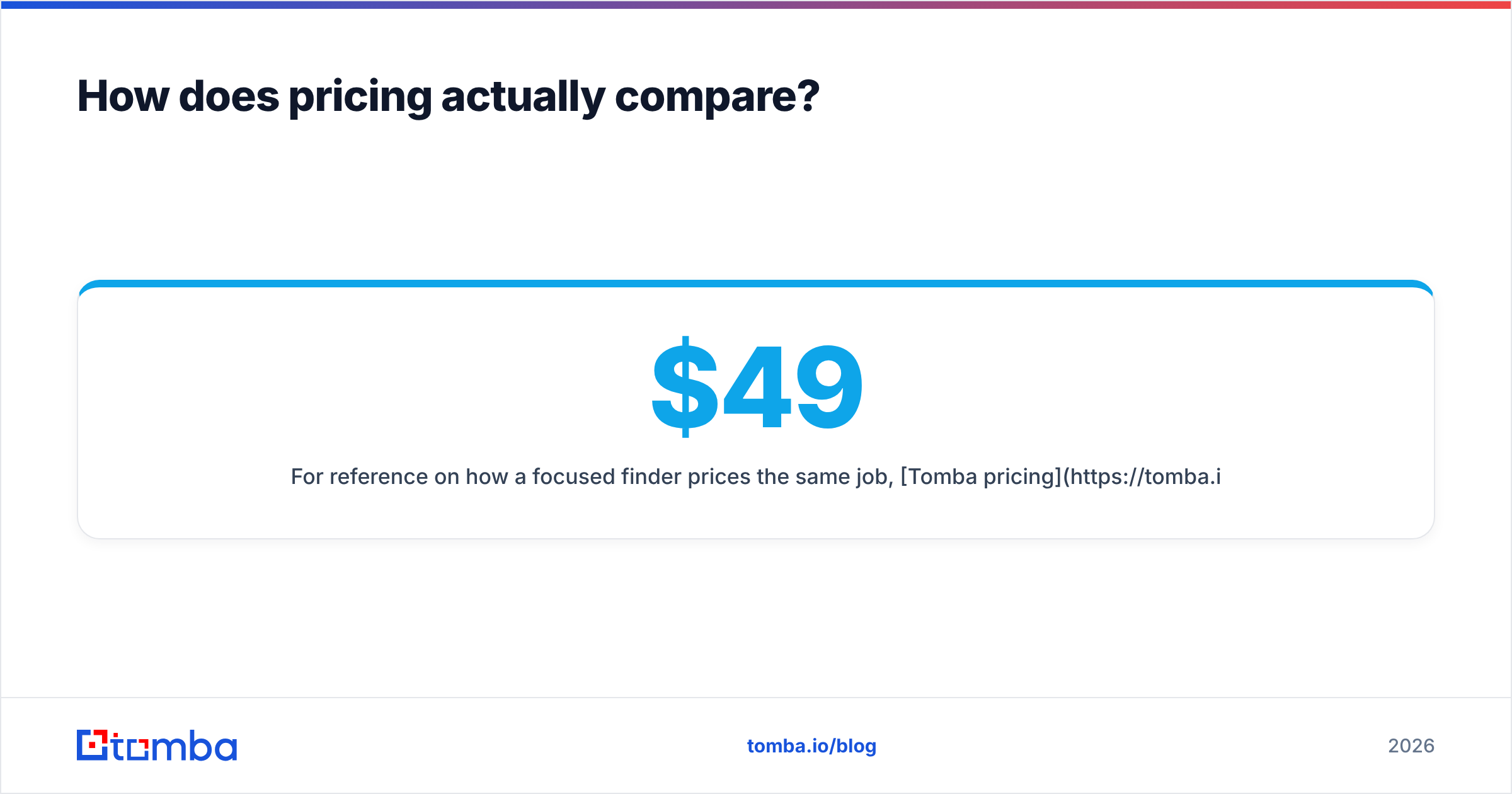
For a reference point, Tomba pricing runs a free tier at 25 searches/mo. Starter is $49/mo, Growth is $99/mo, and Pro is $249/mo. These credit-based tiers map cleanly to lookup volume. They do not bundle a sequencer you may not need.
The practical rule is simple. Map your monthly lookup volume first. Then price each tool against that number. A platform that looks pricey at 200 lookups can be fair at 5,000 if you use its other modules. A search-priced tool that looks cheap at 200 gets pricey at 50,000. There is no universal winner. There is only your volume.

What about API, integrations, and bulk workflows?#
If you automate outbound, the API and integration layer matters more than the UI.
Both Clodura.ai and Findemails.com offer APIs and connect to common CRMs. So the question is fit and friction, not whether they exist. A few decision points:
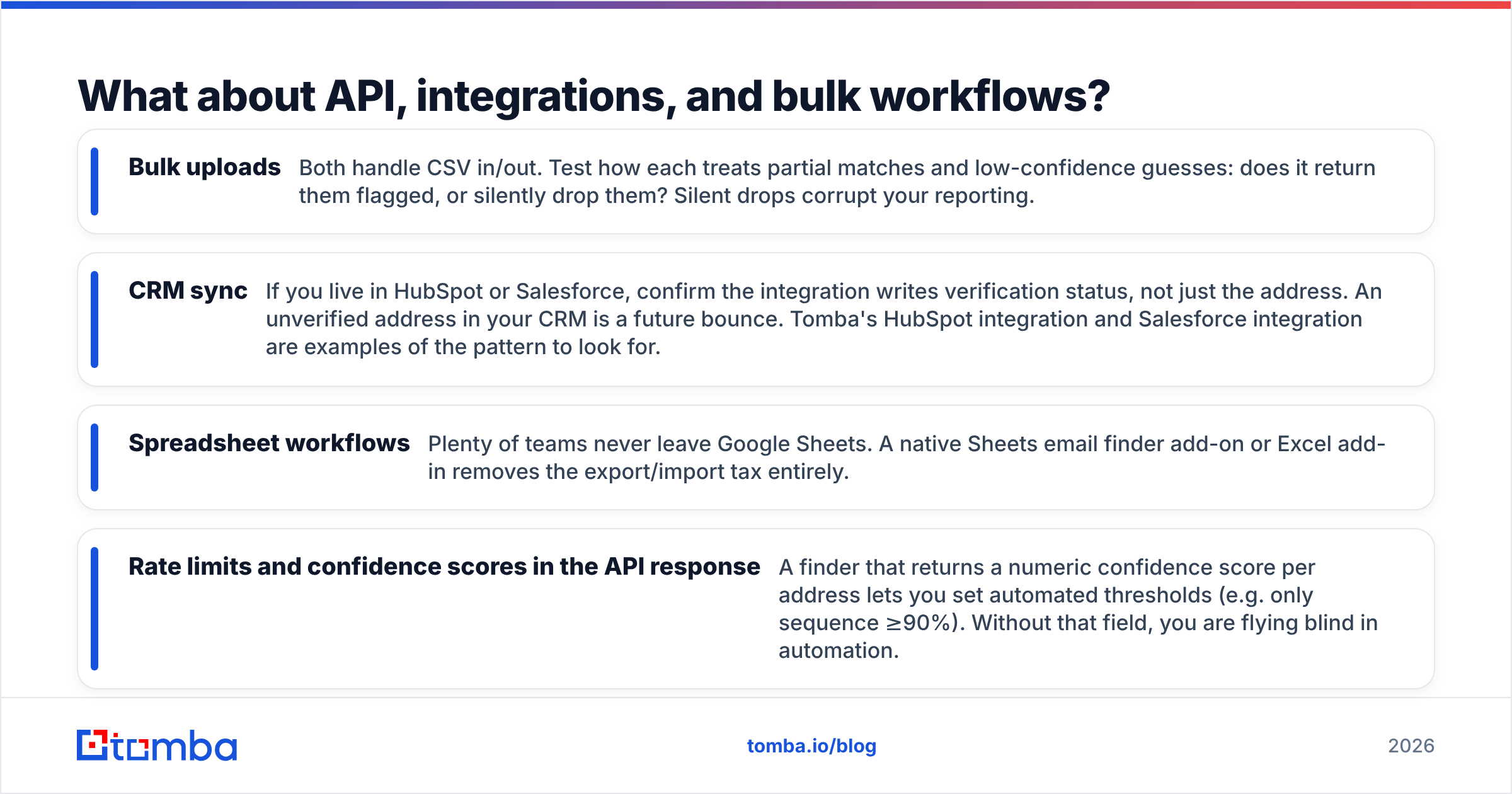
- Bulk uploads — Both handle CSV in and out. Test how each treats partial matches and low-confidence guesses. Does it flag them, or silently drop them? Silent drops break your reporting.
- CRM sync — If you live in HubSpot or Salesforce, check that the integration writes verification status, not just the address. An unverified address in your CRM is a future bounce. Tomba's HubSpot integration and Salesforce integration show the pattern to look for.
- Spreadsheet workflows — Many teams never leave Google Sheets. A native Sheets email finder add-on or Excel add-in removes the export and import tax.
- Confidence scores in the API — A finder that returns a numeric score per address lets you set rules (e.g. only sequence ≥90%). Without that field, you fly blind in automation.
For most engineering-led sales teams, one factor decides it. Does the API return clean, scored, verifiable data you can gate on? That beats the number of logos on the integrations page.
What are the main pros and cons?#
Here is a quick, honest scorecard. No tool is all upside.
Clodura.ai
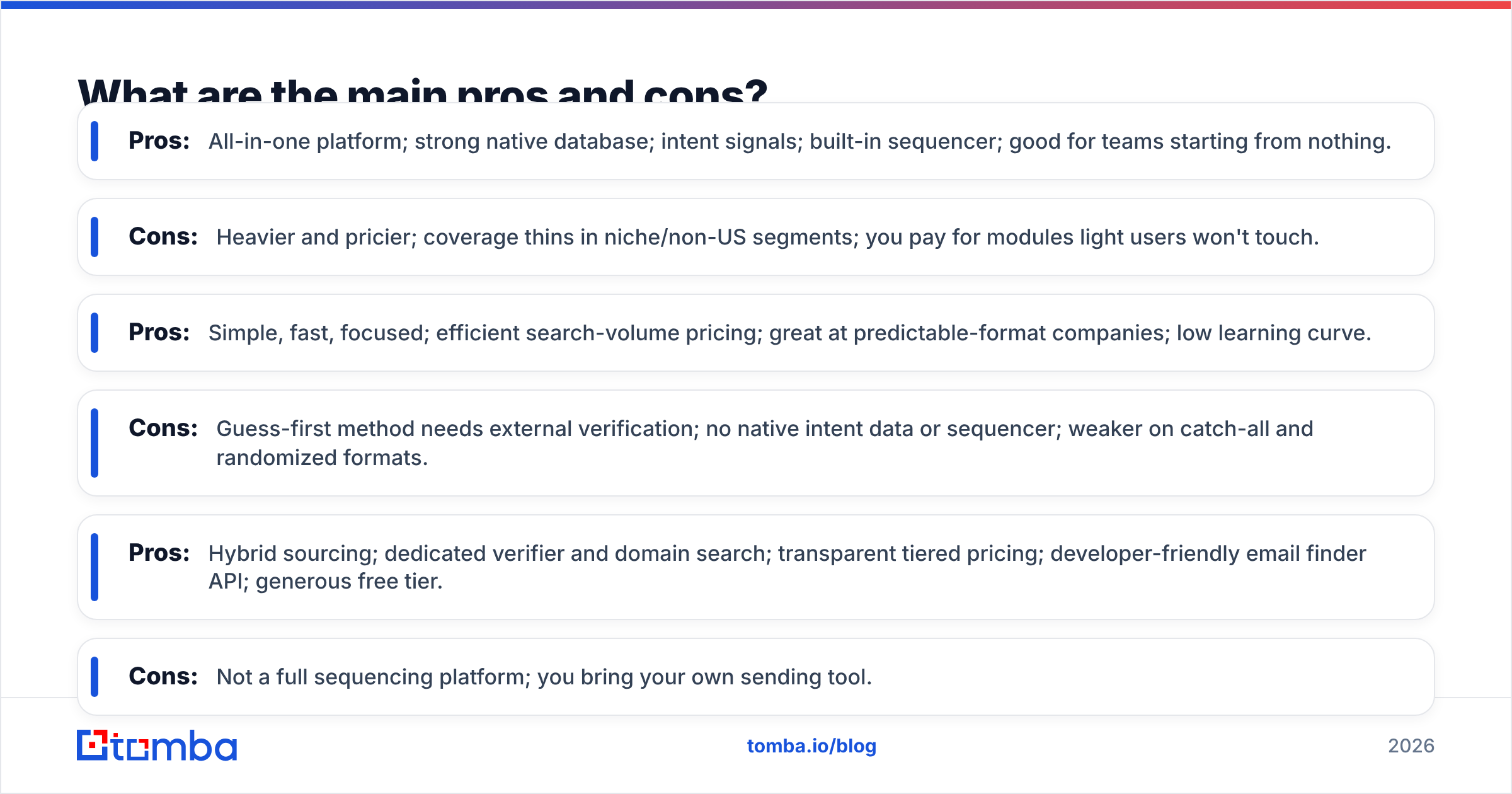
- Pros: All-in-one platform; strong native database; intent signals; built-in sequencer; good for teams starting from nothing.
- Cons: Heavier and pricier; coverage thins in niche and non-US segments; you pay for modules light users skip.
Findemails.com (Toofr)
- Pros: Simple, fast, and focused; efficient search-volume pricing; great at predictable-format companies; low learning curve.
- Cons: Guess-first method needs outside verification; no native intent data or sequencer; weaker on catch-all and random formats.
Tomba (the focused alternative)
- Pros: Hybrid sourcing; dedicated verifier and domain search; clear tiered pricing; developer-friendly email finder API; generous free tier.
- Cons: Not a full sequencing platform; you bring your own sending tool.
Is there a better alternative to both?#
For accuracy-first teams, yes. And it is worth a free test before you sign anything.
Say your real problem is this: "I need correct, verified emails at scale, without buying a whole suite." A specialist finder usually beats both a bloated platform and a guess-heavy tool. That is the lane Tomba sits in. It uses hybrid data sourcing, so you get real addresses where they exist and smart patterns where they do not. A verification layer catches catch-all and role-based traps before they bounce.
It also slots into the stack you already run. Use Tomba's domain search to map every contact at a target company. Use the bulk email finder for list-scale jobs. Use the email verifier to scrub anything imported from another source, including lists you export from Clodura or Findemails. Many teams keep their platform and run a precision finder on top. A high bounce rate hurts domain reputation and deliverability. That cost dwarfs the price of a second tool.
You can check the claims yourself. Review sites like G2 and Capterra carry verified user feedback on all three tool types. HubSpot's sales prospecting research is a solid neutral baseline for good outbound data hygiene.
The bottom line on Cloduraai vs Findemailscom Toofr#
Pick by your bottleneck, not by the longest feature list. Choose Clodura.ai when you need an end-to-end platform and will use the database, intent, and sequencer together. Choose Findemails.com (Toofr) when you want a lean, search-priced finder for predictable-format companies and already own your sending stack. And if accuracy decides your quarter, test a focused finder in parallel before you commit budget.
Start with the free tier. Run the same 50 prospects through each tool, send, and let bounce rate pick the winner. Try Tomba Email Finder free at 25 searches a month. Find verified addresses by name, domain, or company. See how a precision-first finder stacks up against both the platform and the tool on your own list. Real data beats marketing slides every time.
// get started
Find, verify and enrich your first contacts today
Start on the free plan with 25 searches a month, then scale when your team is ready.
Free plan · No credit card required · GDPR & CCPA
// about the author