Clodura.ai vs Kaspr 2026: Which B2B Data Tool Wins?
Clodura.ai vs Kaspr compared on data accuracy, pricing, phone numbers, and workflow fit — plus where a dedicated email finder beats both for cold outreach in 2026.
Clodura.ai vs Kaspr: Which B2B Prospecting Tool Should You Use in 2026?
You are choosing between two very different bets. Clodura.ai sells you a full sales-intelligence platform with its own contact database, sequencing, and buyer-intent signals. Kaspr sells you fast, LinkedIn-native access to phone numbers and emails the moment you land on a profile. Picking the wrong one means paying for features you never touch — or scrambling for data your tool was never built to give you.
This comparison breaks down where each tool actually wins, what the pricing really costs, and where a focused email finder beats both for cold outreach.
TL;DR#
- Clodura.ai is a platform play: a 600M+ contact database, email sequences, and intent data bundled together. Best for teams that want one tool for the whole top-of-funnel.
- Kaspr is a LinkedIn-first extension: it surfaces phone numbers and emails as you browse profiles and Sales Navigator. Best for SDRs who live inside LinkedIn.
- Phone data is Kaspr's strongest card; all-in-one workflow is Clodura's.
- Both lock real value behind mid-tier plans, and both verify less aggressively than a dedicated email verifier.
- If your core need is accurate email discovery for cold outreach, a specialist like Tomba's email finder often delivers better deliverability per dollar than either platform.
What is Clodura.ai?#
Clodura.ai is an all-in-one sales prospecting platform built around a large B2B contact database. The pitch is breadth: you search the database, build lists, pull direct dials and emails, run email sequences, and read buyer-intent and technographic signals without leaving the app.
Think of it as a hardware store that also rents you the truck. You can do nearly every top-of-funnel job in one place — find accounts, identify contacts, enrich them, and start sequencing. That convenience is the whole value proposition, and it appeals to small and mid-size teams that don't want to stitch five tools together.
The trade-off is the usual one for bundles: each module is competent rather than best-in-class. The database is wide but US-heavy, the sequencer is simpler than a dedicated outreach tool, and email accuracy varies by region and seniority.
What is Kaspr?#
Kaspr is a LinkedIn-centric contact-data tool. Its Chrome extension overlays LinkedIn, Sales Navigator, and Recruiter, and reveals a contact's phone numbers and email addresses in a single click. You can enrich profiles one at a time or in bulk from a list, then push the data to your CRM.
If Clodura is the hardware store, Kaspr is the cordless drill you keep in your pocket. It does one job — turn a LinkedIn profile into reachable contact details — and it does it fast. Kaspr is owned by Cognism, which gives it access to a serious phone-data pipeline, and that shows: mobile numbers are where Kaspr consistently outperforms.
The flip side is scope. Kaspr is not where you build long-term nurture sequences or read intent signals across a whole market. It is a data-access layer, and it expects your CRM or sequencer to do the rest.

Clodura.ai vs Kaspr: side-by-side comparison#
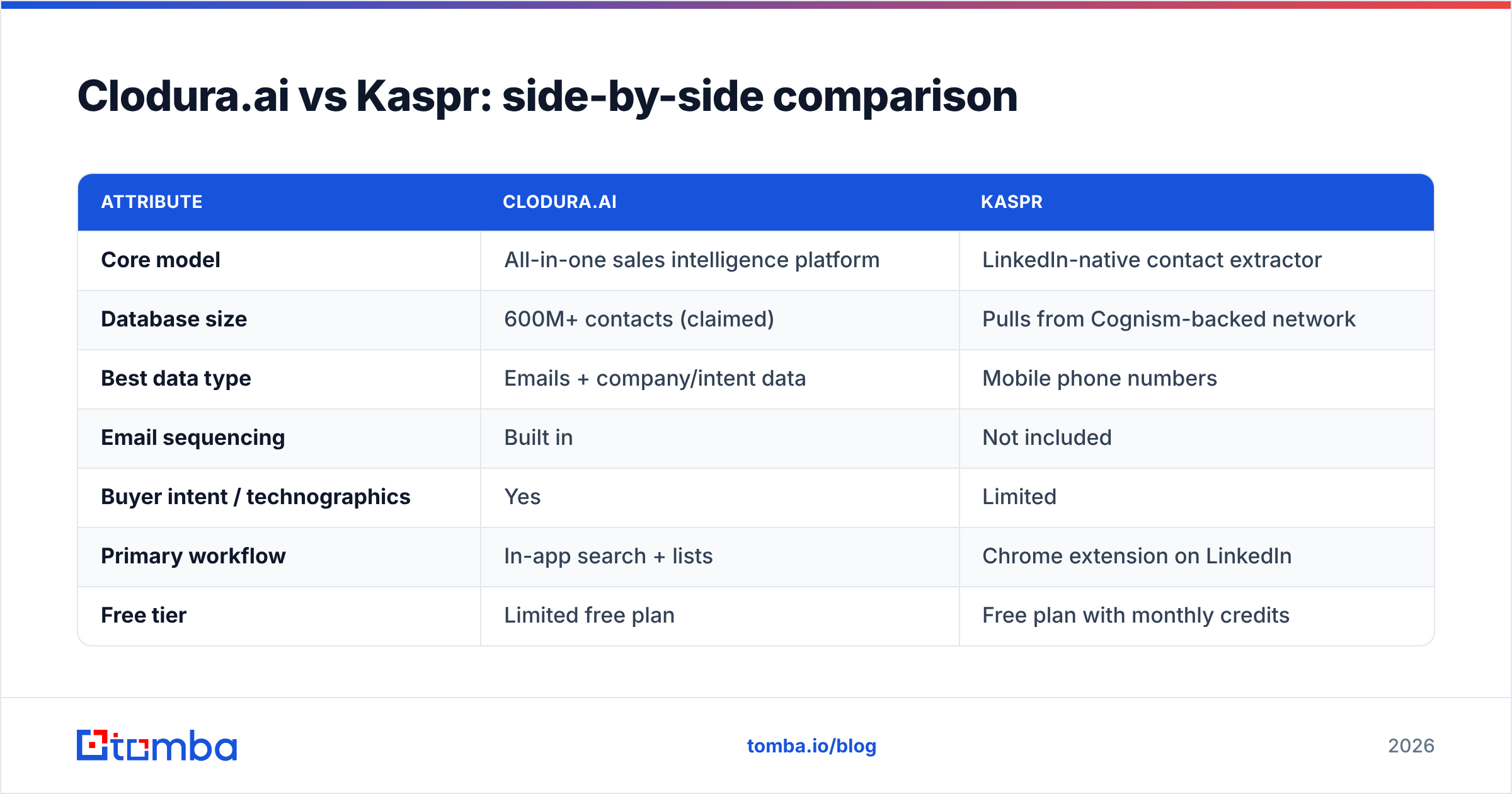
Here is how the two stack up on the attributes that actually change your day-to-day workflow.
| Attribute | Clodura.ai | Kaspr |
|---|---|---|
| Core model | All-in-one sales intelligence platform | LinkedIn-native contact extractor |
| Database size | 600M+ contacts (claimed) | Pulls from Cognism-backed network |
| Best data type | Emails + company/intent data | Mobile phone numbers |
| Email sequencing | Built in | Not included |
| Buyer intent / technographics | Yes | Limited |
| Primary workflow | In-app search + lists | Chrome extension on LinkedIn |
| Free tier | Limited free plan | Free plan with monthly credits |
| Entry paid price | ~$33–39/user/mo (annual) | ~$49–65/user/mo |
| GDPR posture | Compliant | Strong EU focus via Cognism |
| Ideal user | SMB teams wanting one tool | SDRs working inside LinkedIn |
A few things to read between the lines. Clodura's lower entry price looks attractive, but credits and feature gates push real usage into higher tiers. Kaspr's credits are split by data type — phone, email, and export credits draw down separately — so a heavy week burns through an entry plan faster than the headline number suggests.
Is Clodura.ai better than Kaspr for cold email?#
For pure cold email, Clodura.ai has the edge — but with caveats. Because Clodura bundles a sequencer and a bulk email database, you can go from search to send without exporting anything. That single-surface workflow matters when you are running volume.
But "can send from one tool" is not the same as "lands in the inbox." Two factors decide cold-email success, and neither is fully solved by either platform:
- Email accuracy — a wrong or guessed address is a hard bounce, and bounces wreck sender reputation.
- Verification depth — catch-all domains and role addresses need real SMTP checks, not a confidence score.
Kaspr is not designed for sequencing at all, so for the email-send half of the job it loses by default. If you choose Kaspr, you are pairing it with a separate outreach tool. That is fine — many teams prefer best-of-breed — but it means Kaspr is not really a cold-email tool; it is a data source feeding one.
The honest answer: neither tool's verification matches a dedicated checker. Before any cold campaign, run your list through a real email verification pass and a catch-all verifier to strip the addresses that quietly kill deliverability.
Which tool has better phone data?#
Kaspr wins on phone numbers, and it is not particularly close. Kaspr's connection to Cognism's data network gives it a deep pool of verified mobile numbers, especially across EMEA. For an SDR whose day is built on cold calls and connect rates, that is the single most important variable, and it is the clearest reason to pick Kaspr.
Clodura.ai provides direct dials too, and its US coverage is solid, but mobile accuracy outside North America trails Kaspr. If your motion is phone-first or EU-heavy, that gap compounds across hundreds of dials a week.
That said, phone is only half of modern outreach. Most sequences now blend calls with email and LinkedIn touches, so you still need reliable email addresses alongside good dials. If you want to backfill phone coverage independently of either platform, a standalone phone finder lets you enrich numbers without committing to a full-suite contract.
How do the prices compare?#
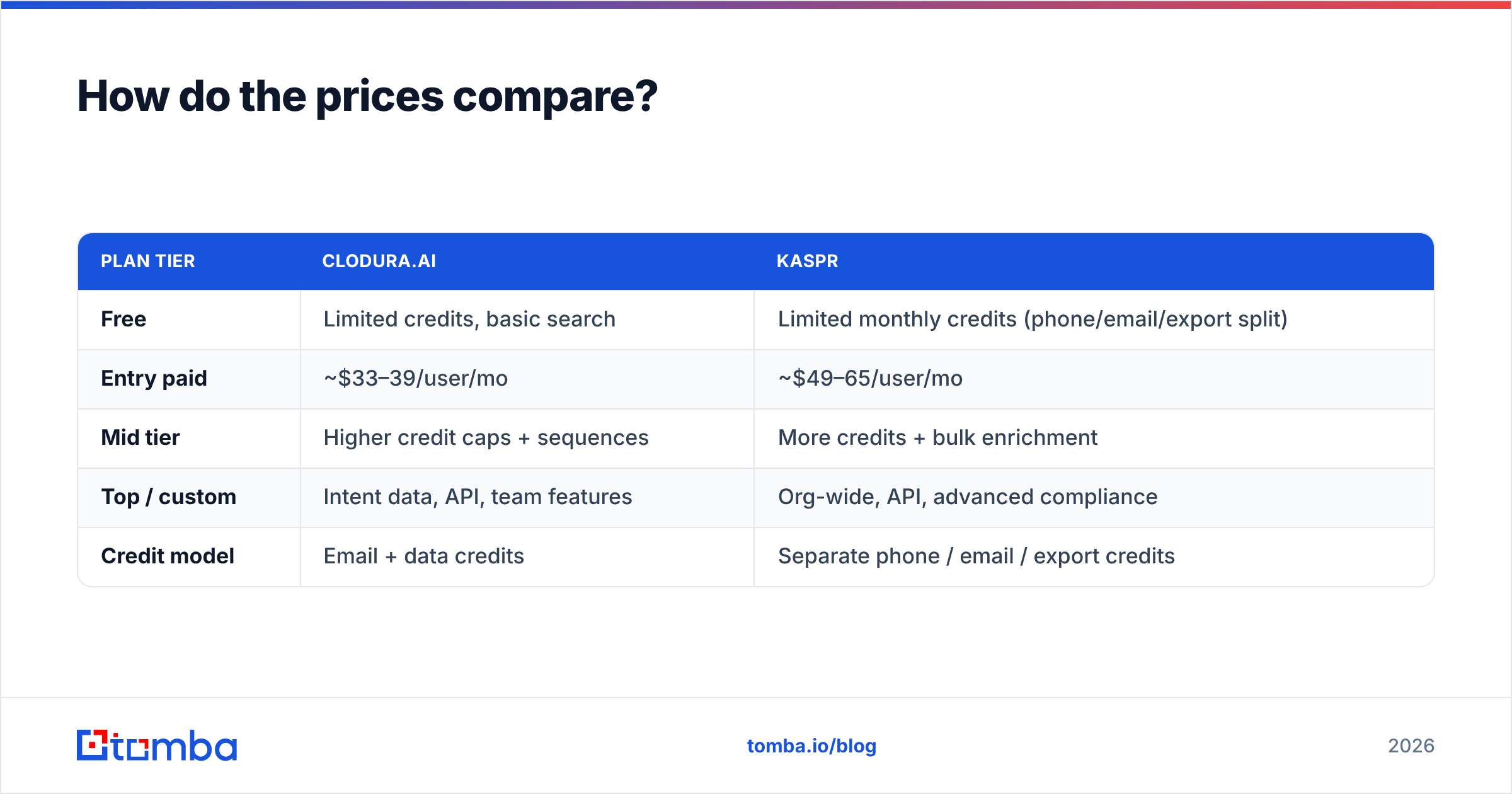
Both tools use credit-gated tiers, so the sticker price rarely matches what you actually spend. Here is a realistic breakdown for a single rep on annual billing.
| Plan tier | Clodura.ai | Kaspr |
|---|---|---|
| Free | Limited credits, basic search | Limited monthly credits (phone/email/export split) |
| Entry paid | ~$33–39/user/mo | ~$49–65/user/mo |
| Mid tier | Higher credit caps + sequences | More credits + bulk enrichment |
| Top / custom | Intent data, API, team features | Org-wide, API, advanced compliance |
| Credit model | Email + data credits | Separate phone / email / export credits |
The pattern is identical to most data tools: the entry plan is a sampler, and the features you came for live one tier up. Watch the credit accounting closely. Kaspr's split-credit system means a phone-heavy week and an email-heavy week cost differently even at the same usage volume. Clodura bundles credits more simply but gates intent data and API access behind its upper plans.
For comparison, a focused email tool prices on searches rather than fractured credit buckets. You can see how Tomba pricing lays it out: a free tier with 25 searches, Starter at $49/mo, Growth at $99/mo, and Pro at $249/mo — one credit type, no guessing which bucket you just drained.
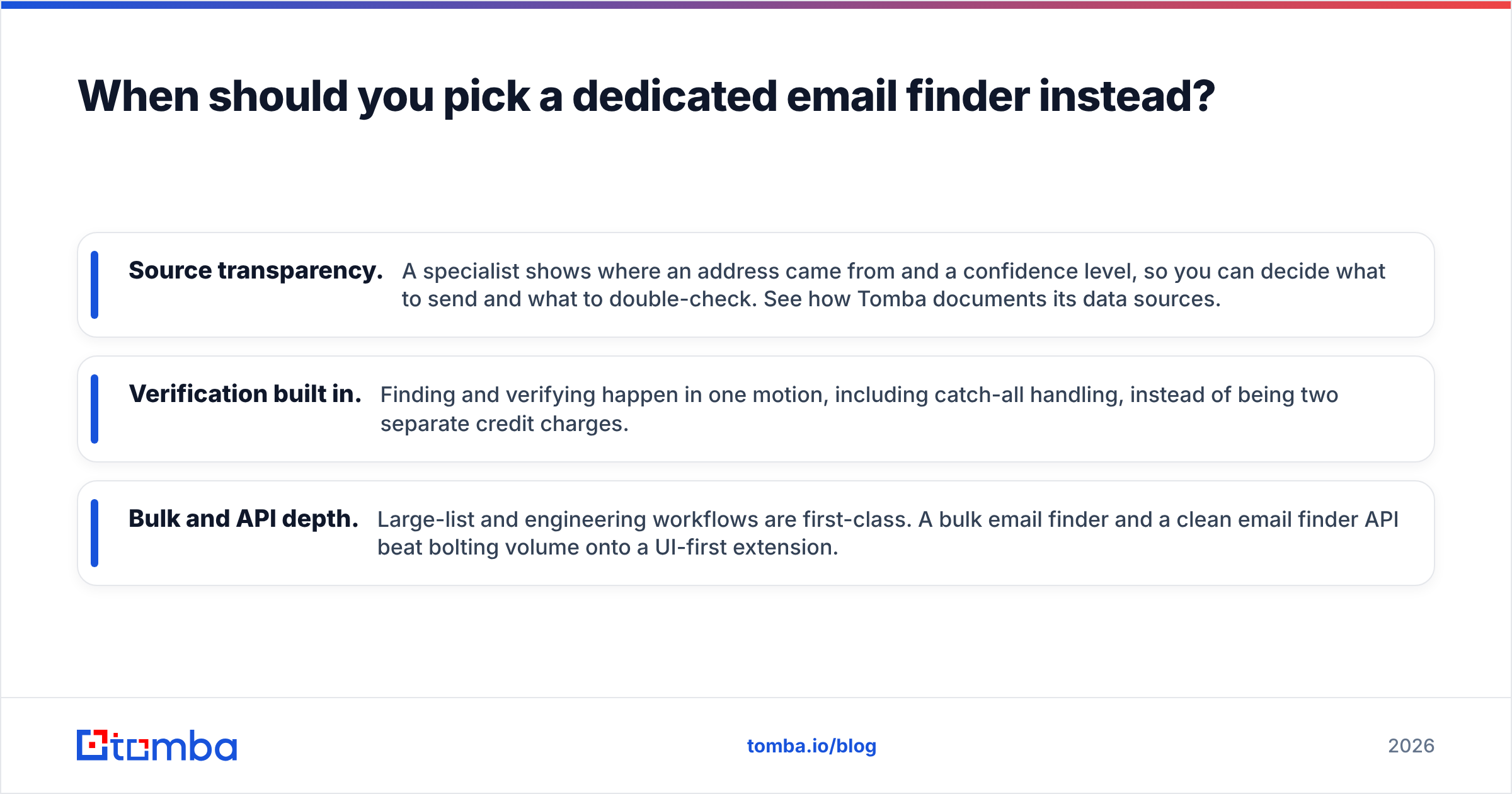
When should you pick a dedicated email finder instead?#
Pick a specialist when email accuracy is the job, not a side feature. Clodura and Kaspr both spread their engineering across many modules — sequencing, intent, phone, CRM sync. A dedicated email finder spends all of it on one outcome: returning a correct, verified address and telling you honestly when it cannot.
That focus shows up in three places that matter for outreach:
- Source transparency. A specialist shows where an address came from and a confidence level, so you can decide what to send and what to double-check. See how Tomba documents its data sources.
- Verification built in. Finding and verifying happen in one motion, including catch-all handling, instead of being two separate credit charges.
- Bulk and API depth. Large-list and engineering workflows are first-class. A bulk email finder and a clean email finder API beat bolting volume onto a UI-first extension.
This is not an argument that platforms are useless. If you genuinely want one tool for search, intent, and sequencing, Clodura earns its keep. If you live in LinkedIn and need phone numbers, Kaspr earns its keep. But if your pipeline rises or falls on whether cold emails reach real inboxes, a tool built only for that will usually out-deliver a bundled feature — and cost less than the suite tier you would need to match it.
You can also work by company instead of by person: a domain search returns every discoverable address at a target account in one pass, which is often faster than enriching profiles one click at a time.
Clodura.ai vs Kaspr: the verdict#
Choose based on your dominant motion, not the longer feature list.
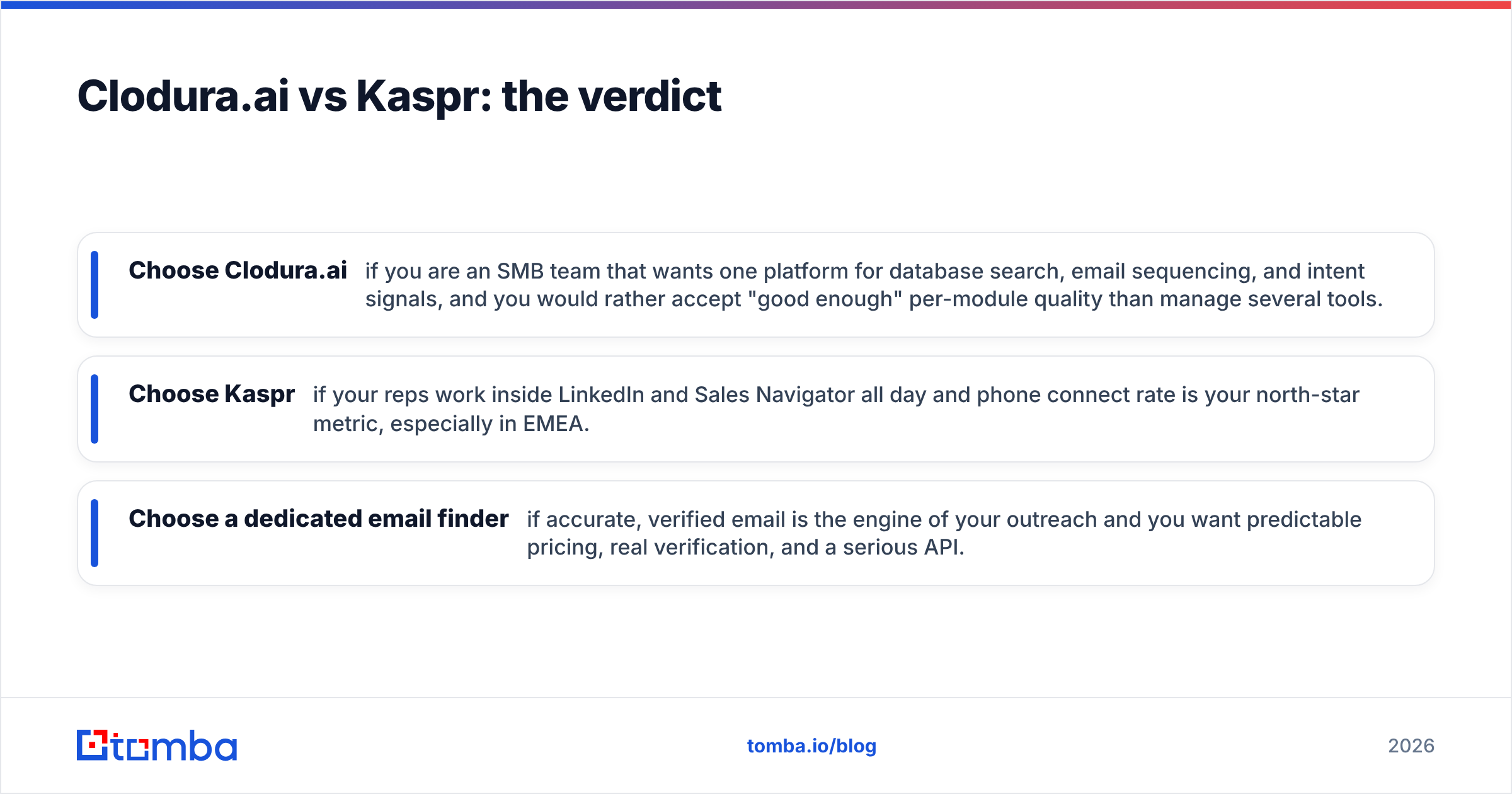
- Choose Clodura.ai if you are an SMB team that wants one platform for database search, email sequencing, and intent signals, and you would rather accept "good enough" per-module quality than manage several tools.
- Choose Kaspr if your reps work inside LinkedIn and Sales Navigator all day and phone connect rate is your north-star metric, especially in EMEA.
- Choose a dedicated email finder if accurate, verified email is the engine of your outreach and you want predictable pricing, real verification, and a serious API.
Most teams end up with a combination: a phone source for dials, a verified email source for inbox-safe outreach, and whatever sequencer they already trust. The mistake is assuming any single bundle does all three at the quality each deserves.
For independent benchmarking on how the major contact-data providers compare on coverage and accuracy, third-party review sites like G2 and Capterra are a useful sanity check against vendor claims — read the volume-user reviews, not just the averages. And for the compliance angle that increasingly decides EU deals, the official GDPR overview is worth a read before you wire any contact tool into your CRM.
Ready to fix the email half of your stack?#
If you have read this far, your real question probably is not "Clodura or Kaspr" — it is "how do I stop wasting sends on bad addresses." That is exactly what a focused tool solves. Start free with the Tomba Email Finder: find professional emails by domain, name, or company, verify them in the same step, and export clean lists your sequencer will actually deliver. The free tier gives you 25 searches to test accuracy against your own target accounts before you pay a cent — and it slots in next to whichever platform you choose for phone and intent. Stop guessing at addresses; find the right ones, verify them, and send with confidence.
// get started
Find, verify and enrich your first contacts today
Start on the free plan with 25 searches a month, then scale when your team is ready.
Free plan · No credit card required · GDPR & CCPA
// about the author