Clodura.ai vs Lead411: Best B2B Sales Data Tool in 2026
Clodura.ai vs Lead411 — which B2B sales intelligence platform gives you cleaner data, better intent signals, and a lower cost per verified contact in 2026? A neutral breakdown.
Choosing between Clodura.ai and Lead411 comes down to one question: do you want an all-in-one prospecting suite with built-in cadences, or a leaner data engine with unlimited exports and aggressive intent triggers? Both promise accurate B2B contacts. They get there differently, and they bill differently.
This is a neutral breakdown — features, data quality, pricing, and the gaps each one leaves open. If your real problem is "I just need verified emails at a fair price," there's a third option worth weighing, and we'll get to it honestly.
TL;DR#
- Clodura.ai is an all-in-one sales prospecting platform: a 600M+ contact database, email/phone discovery, org charts, sales cadences, and a built-in dialer. Best if you want one tool for find-and-engage.
- Lead411 is a focused B2B data and intent provider with unlimited email/phone exports on its flagship plan and strong sales-trigger alerts. Best if your CRM is already your engagement layer.
- Data freshness and verification matter more than raw database size. Both inflate "total records"; what counts is the verified-contact hit rate on your target accounts.
- Pricing favors Lead411 for high-volume exporters and Clodura.ai for teams that want cadences bundled in — but both sit well above pay-as-you-go email tools.
- If you only need accurate emails, a dedicated finder like the Tomba Email Finder covers the same job for a fraction of the cost, with a free tier to test accuracy first.
What is Clodura.ai?#
Clodura.ai is a sales prospecting platform built around a large B2B contact database (the company cites 600M+ contacts and 18M+ companies). It bundles four jobs into one subscription: find contacts, see org hierarchy and technographics, run email/LinkedIn cadences, and dial out — all without leaving the app.
The pitch is consolidation. Instead of paying for a data vendor, a sequencing tool, and a dialer separately, you get a single workflow. Clodura also surfaces "buyer intent" and sales-trigger signals (funding, hiring, leadership changes) to help you time outreach.
The trade-off with any all-in-one is depth. A bundled cadence tool rarely matches a dedicated platform like Outreach or Instantly, and a bundled database rarely matches a pure data specialist on coverage for niche verticals. You're buying convenience, and convenience has a ceiling.

What is Lead411?#
Lead411 is a B2B data and sales-intelligence provider best known for two things: unlimited email and direct-dial exports on its flagship plan, and a strong Bombora-powered intent and growth-trigger feed. It leans into "contact data plus timing" rather than full engagement.
Where Clodura.ai wants to own your whole motion, Lead411 wants to feed your existing one. It pushes verified contacts and triggers into your CRM or sequencer (HubSpot, Salesforce, Salesloft, etc.) and lets your existing stack handle the sending. For teams that already invested in an engagement platform, that's a cleaner fit — you're not paying twice for cadences you won't use.
Lead411's identity is "unlimited" within fair-use limits, which is genuinely attractive for high-volume teams. The catch is the contract: unlimited plans typically run annual, and the per-seat list price is not trivial.
Clodura.ai vs Lead411: how do they compare?#
Here's the side-by-side. Treat pricing as directional — both vendors gate exact numbers behind sales, run promotions, and revise tiers, so confirm on their sites before you buy.
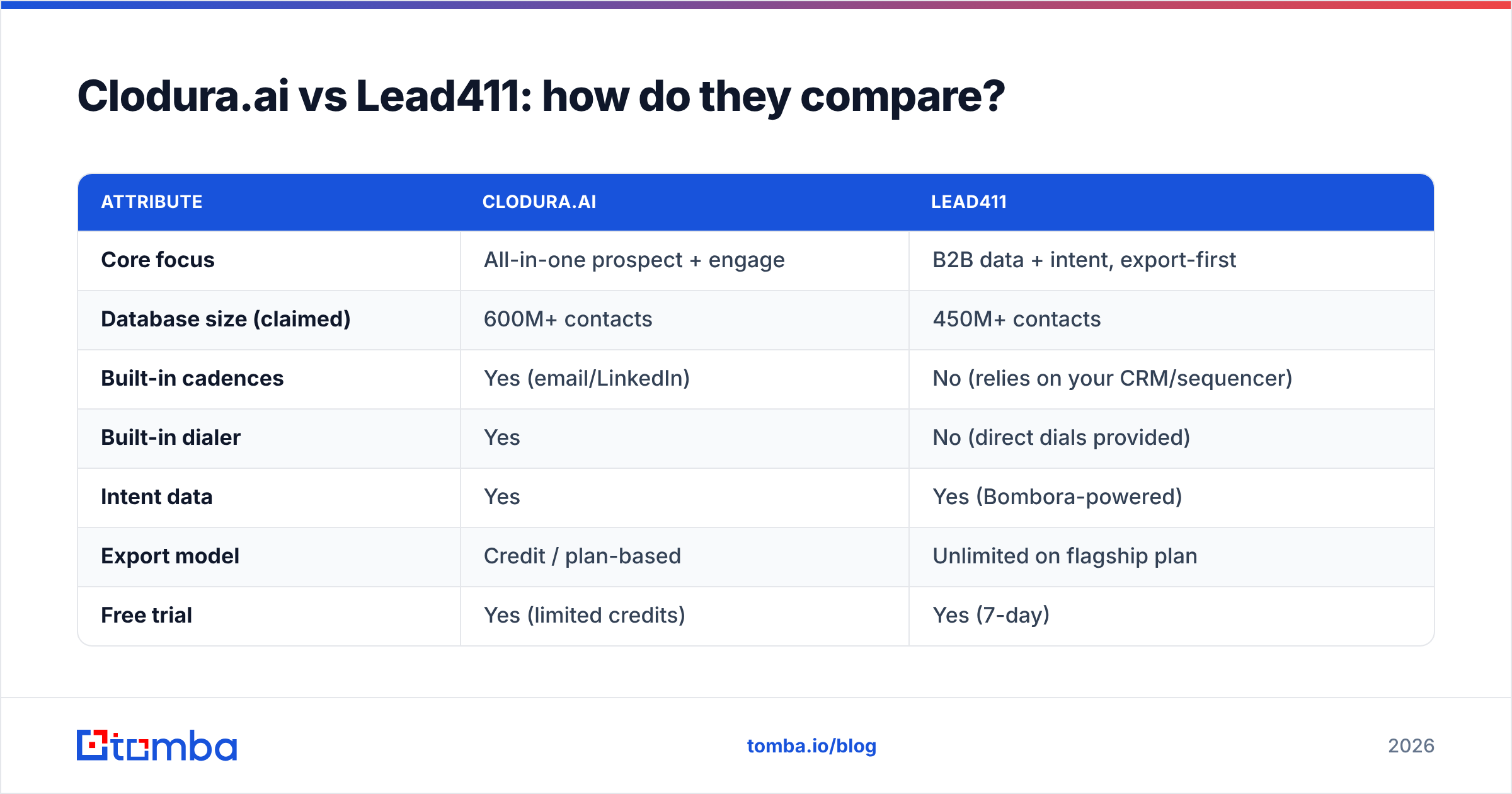
| Attribute | Clodura.ai | Lead411 |
|---|---|---|
| Core focus | All-in-one prospect + engage | B2B data + intent, export-first |
| Database size (claimed) | 600M+ contacts | 450M+ contacts |
| Built-in cadences | Yes (email/LinkedIn) | No (relies on your CRM/sequencer) |
| Built-in dialer | Yes | No (direct dials provided) |
| Intent data | Yes | Yes (Bombora-powered) |
| Export model | Credit / plan-based | Unlimited on flagship plan |
| Free trial | Yes (limited credits) | Yes (7-day) |
| Typical entry price | ~$33–$50/user/mo | ~$99/user/mo (Unlimited, annual) |
| Best for | SMB teams wanting one tool | High-volume exporters with a CRM |
A few honest reads on this table:
- "Database size" is marketing, not a buying criterion. A 600M vs 450M headline tells you nothing about whether either has the CFO at your 200 target accounts, verified, this quarter. Test on your accounts.
- Unlimited isn't free. Lead411's unlimited exports are powerful for SDR teams pulling thousands of records monthly, but the annual commitment changes the math for small teams.
- Bundled cadences only save money if you'd otherwise pay for them. If you already run Salesloft or Instantly, Clodura's cadence layer is redundant cost.
- Both charge per seat. Costs scale with headcount, which is fine for funded teams and painful for two-person founder-led sales.
Which has better data accuracy?#
Accuracy is the only metric that actually moves your reply rate, and it's the hardest to evaluate from a pricing page. Both platforms blend public web data, contributed records, and partner feeds, then run verification. Both will have stale rows — everyone does, because people change jobs roughly every 2–3 years.
The right way to judge accuracy is a controlled bake-off, not a feature list:
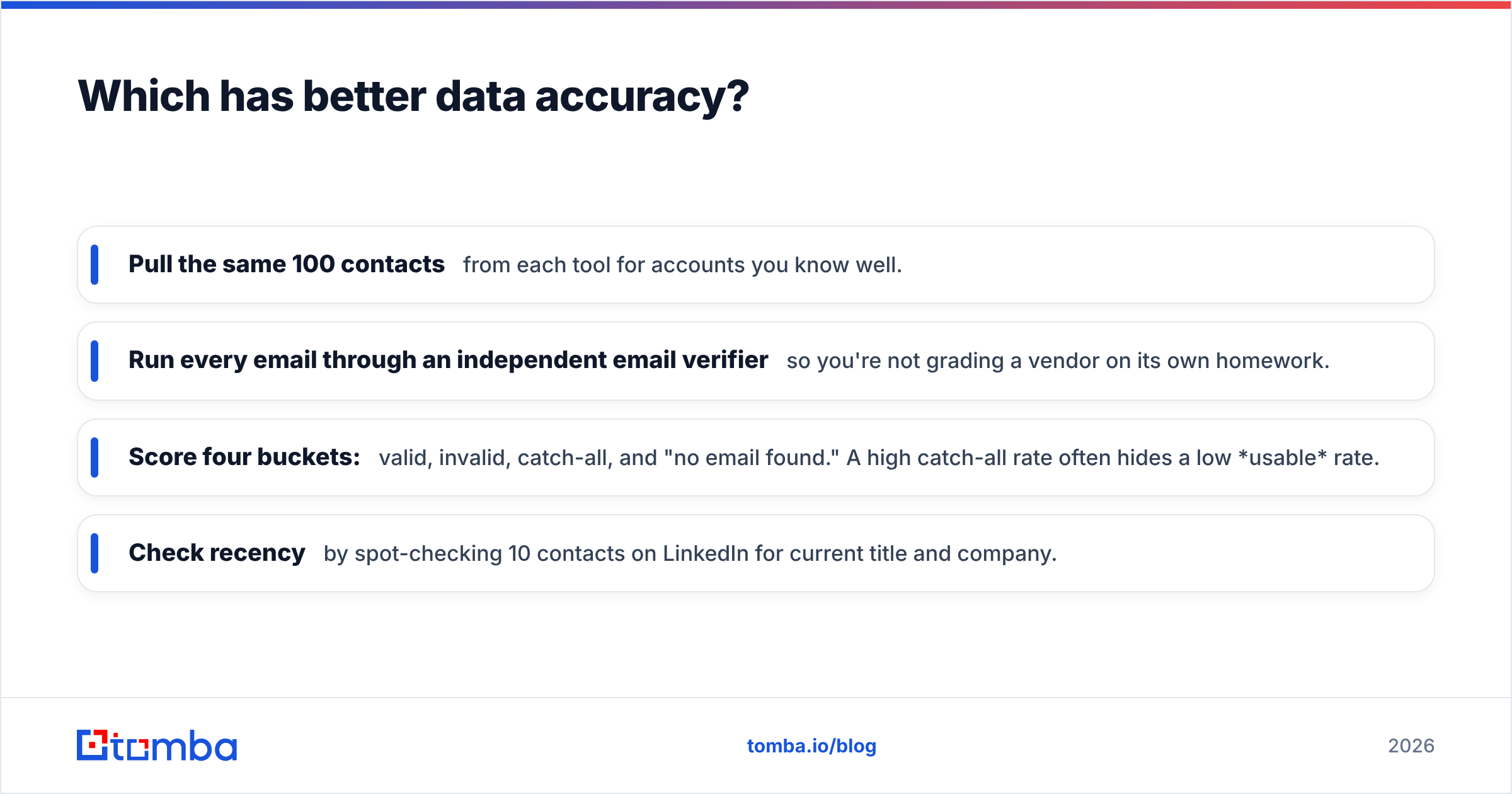
- Pull the same 100 contacts from each tool for accounts you know well.
- Run every email through an independent email verifier so you're not grading a vendor on its own homework.
- Score four buckets: valid, invalid, catch-all, and "no email found." A high catch-all rate often hides a low usable rate.
- Check recency by spot-checking 10 contacts on LinkedIn for current title and company.
)
The reason third-party verification matters: a platform that reports "valid" on a catch-all domain is technically not lying, but those addresses bounce or vanish into a filter more often than clean MX-verified ones. If you skip the independent check, you'll credit whichever tool is most optimistic in its own labeling — which is exactly backwards.
For a deeper look at how providers source and refresh records, both vendors publish methodology pages, and you can compare them against neutral review data on G2 before committing.
Which is better for intent and timing?#
Intent is where these two get interesting, because timing beats targeting. Reaching the right person in the wrong month is a wasted touch.
Lead411 leans on Bombora-powered intent plus a robust growth-trigger system: funding rounds, hiring spikes, new executives, IPO signals. If your motion is "strike when an account shows a buying signal," Lead411's trigger feed is a core strength, and arguably its sharpest differentiator versus generic databases.
Clodura.ai also surfaces intent and triggers, but they live inside the broader suite, so the value depends on whether you're using the cadence and dialer too. As a standalone trigger source, it's competent rather than category-leading.
A practical note: intent data is probabilistic. It tells you an account might be in-market based on content consumption across a publisher network — it does not hand you a raised hand. Treat it as prioritization fuel, not a guarantee, and pair it with a real reason-to-reach-out in your first line. If you want the vocabulary straight, the revenue operations and intent concepts are worth a quick read before you build scoring rules.
What do they cost, really?#
Sticker price is only half the story. The number that matters is cost per verified, usable contact — total spend divided by contacts that pass an independent verifier and are still in-role.
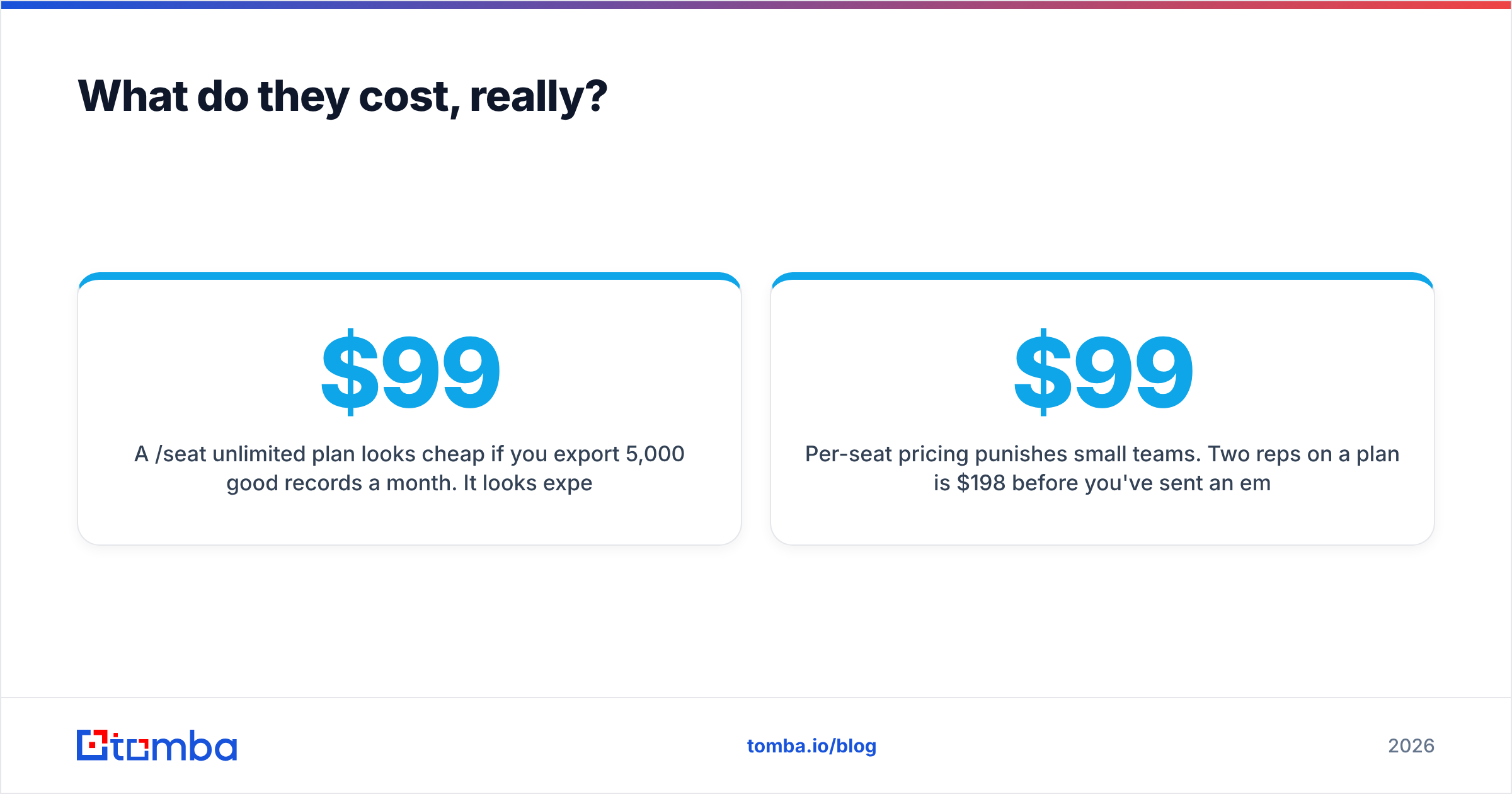
- A $99/seat unlimited plan looks cheap if you export 5,000 good records a month. It looks expensive if you export 300.
- A bundled suite looks cheap if you use every module. It looks expensive if you bought it for the database and ignore the dialer.
- Per-seat pricing punishes small teams. Two reps on a $99 plan is $198/month before you've sent an email.
This is where many teams quietly overspend. They buy a sales-intelligence suite to solve a problem that is, at its core, "find me correct email addresses" — and pay platform prices for a data-lookup job. If that's your actual need, a usage-based bulk email finder or pay-as-you-go email finder often delivers the same usable contacts for less, because you only pay for what you pull.
)
For reference, you can compare published plans directly: Lead411 lists tiers on its site, Clodura.ai lists its own, and you can see transparent usage pricing on Tomba pricing to anchor what a data-only job should cost.
When should you pick each one?#
Pick Clodura.ai if:
- You're an SMB team that wants find-and-engage in one login.
- You don't already own a sequencer or dialer and want to avoid stitching tools together.
- You value workflow simplicity over best-in-class depth in any single module.
Pick Lead411 if:
- You export high volumes and "unlimited" genuinely changes your unit economics.
- Intent and growth triggers drive your prioritization.
- You already run a CRM/sequencer and just want clean data and timing pushed into it.
Pick a dedicated email-and-data tool if:
- Your real bottleneck is accurate contact data, not engagement features.
- You want to pay per use and avoid annual seat commitments.
- You need to plug data into your own stack via API, Google Sheets, or a HubSpot integration without buying a whole suite.
How does Tomba fit between them?#
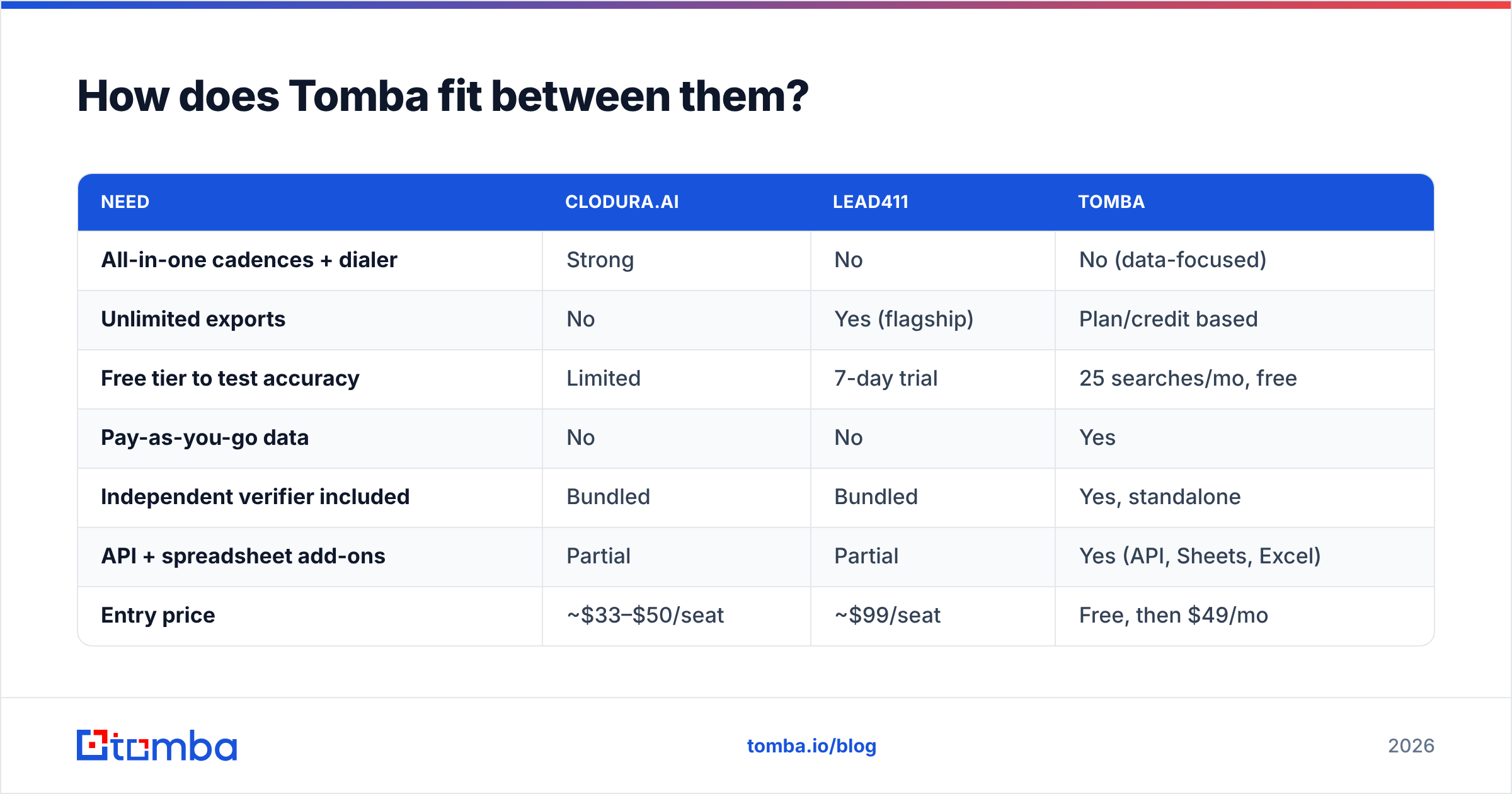
Tomba isn't trying to be Clodura.ai or Lead411 — it's the data layer underneath whatever motion you run. Where the suites bundle engagement you may not need, Tomba focuses on the part both platforms ultimately depend on: turning a name, domain, or company into a verified, deliverable contact.
| Need | Clodura.ai | Lead411 | Tomba |
|---|---|---|---|
| All-in-one cadences + dialer | Strong | No | No (data-focused) |
| Unlimited exports | No | Yes (flagship) | Plan/credit based |
| Free tier to test accuracy | Limited | 7-day trial | 25 searches/mo, free |
| Pay-as-you-go data | No | No | Yes |
| Independent verifier included | Bundled | Bundled | Yes, standalone |
| API + spreadsheet add-ons | Partial | Partial | Yes (API, Sheets, Excel) |
| Entry price | ~$33–$50/seat | ~$99/seat | Free, then $49/mo |
The honest positioning: if you need a full prospect-to-dial workflow in one seat, Clodura.ai earns its place. If unlimited intent-driven exports into your CRM is the job, Lead411 is built for exactly that. But if you keep landing on "I really just need correct emails and phone numbers, verified, without an annual contract," that's the niche Tomba fills — and the free tier lets you prove the accuracy before you spend a dollar.
Tomba's stack covers the same data primitives both suites are built on: domain search to map a company's contacts, an email finder for individuals, a verifier to keep bounces down, and a phone finder for direct dials — composable, usage-priced, and API-first.
The bottom line#
There's no universal winner between Clodura.ai and Lead411 — there's a winner for your motion. Clodura.ai wins on consolidation; Lead411 wins on unlimited export volume and intent timing. Both are legitimate sales-intelligence platforms, and both carry per-seat, suite-level pricing that's worth it only if you use the whole suite.
Before you commit to either annual contract, run the bake-off: pull the same accounts from each, verify with an independent checker, and calculate cost per usable contact. You may find the suite is exactly right. You may also find you were about to pay platform prices for a data-lookup job.
If the second one sounds like you, start with the free, accuracy-first option. Run a batch through the Tomba Email Finder, verify the results, and compare the usable hit rate against whatever Clodura.ai or Lead411 quote you. The free tier gives you 25 searches a month with no card — enough to settle the accuracy question with evidence instead of marketing claims, before you sign anything.
// get started
Find, verify and enrich your first contacts today
Start on the free plan with 25 searches a month, then scale when your team is ready.
Free plan · No credit card required · GDPR & CCPA
// about the author