Clodura.ai vs LimeLeads 2026: Which B2B Lead Tool Wins?
Clodura.ai bundles a sales engine with its database; LimeLeads sells clean exportable lists. Here is an honest 2026 breakdown of accuracy, pricing, and fit.
Clodura.ai vs LimeLeads: The Honest 2026 Comparison
Choosing between Clodura.ai and LimeLeads comes down to one question: do you want a full sales-engagement engine bolted onto a database, or a clean, exportable contact list you can drop into the tools you already use? These two platforms solve the same first problem — "give me prospects to email" — but they solve it in opposite ways, and picking the wrong one wastes both budget and pipeline.
This guide breaks down database size, email accuracy, pricing, exports, and real-world fit so you can decide with evidence instead of marketing copy.
TL;DR — Clodura.ai vs LimeLeads at a glance#
- Clodura.ai is an all-in-one prospecting and sales-engagement platform: a large B2B database plus email sequences, a dialer, and buyer-intent signals. Best if you want one tool to find and contact leads.
- LimeLeads is a focused B2B list-building tool: search, preview, verify, and export contacts. Best if you already own a sequencer or CRM and just need clean records.
- Accuracy is the deciding factor for both. Neither database is "set and forget" — you should re-verify any list before you send.
- Pricing models differ sharply: Clodura sells seats and credits for a workflow suite; LimeLeads sells export volume. Heavy senders often pay less with a credit-metered finder.
- A leaner alternative: if your real need is verified emails at a predictable price, a dedicated email finder like Tomba covers the data layer without the suite tax.

What is Clodura.ai?#
Clodura.ai is a sales-intelligence and engagement platform built around a self-reported database of hundreds of millions of B2B contacts and company records. The pitch is consolidation: instead of stitching together a data vendor, a sequencer, and a dialer, you run the entire top-of-funnel motion inside one login.
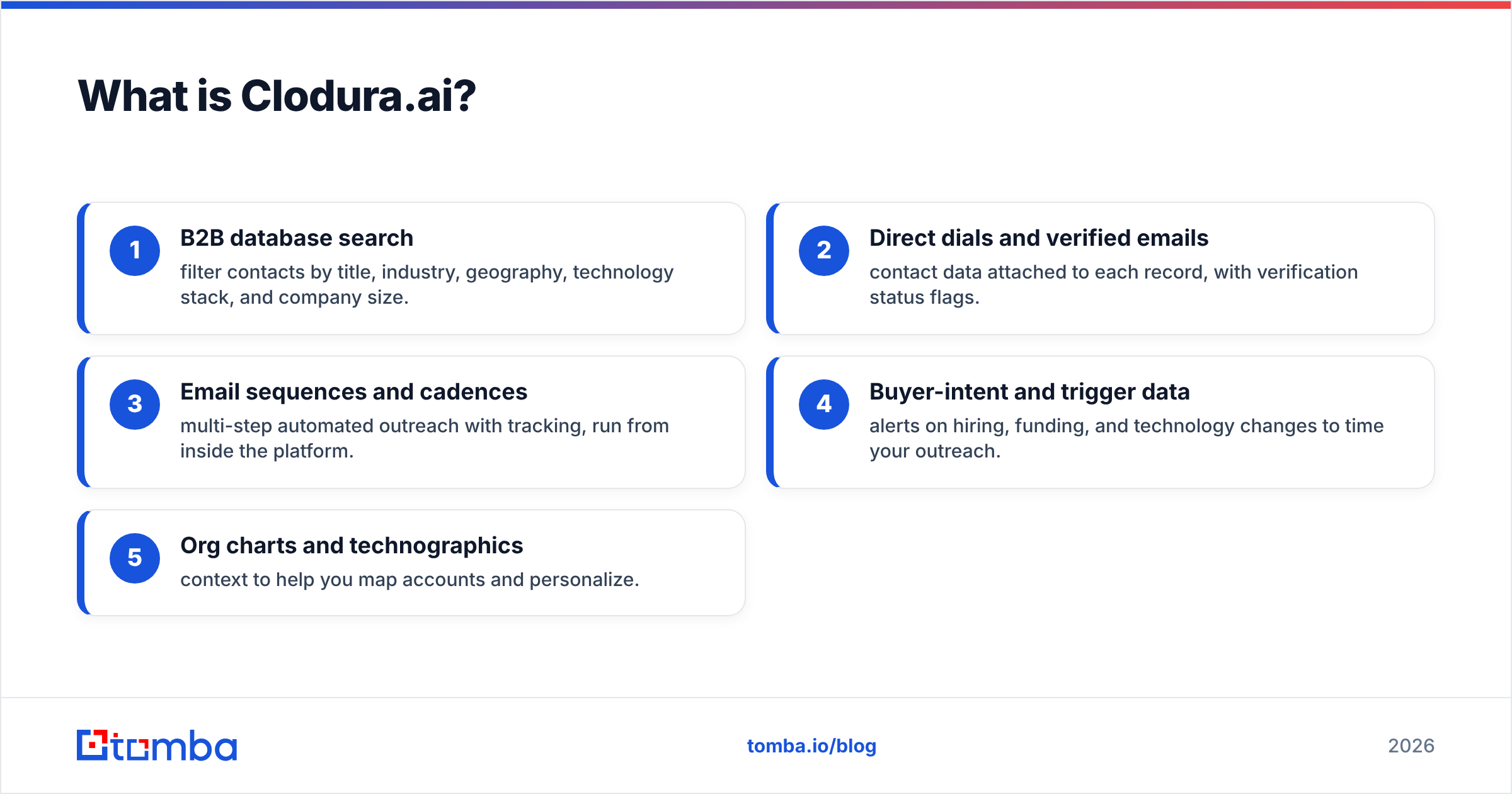
Its core modules include:
- B2B database search — filter contacts by title, industry, geography, technology stack, and company size.
- Direct dials and verified emails — contact data attached to each record, with verification status flags.
- Email sequences and cadences — multi-step automated outreach with tracking, run from inside the platform.
- Buyer-intent and trigger data — alerts on hiring, funding, and technology changes to time your outreach.
- Org charts and technographics — context to help you map accounts and personalize.
The trade-off is scope. You are buying a platform, and you pay for the whole platform even if you only wanted the data. For teams without an existing sales stack, that bundling is a feature. For teams that already run HubSpot or Salesloft, much of it is redundant.
What is LimeLeads?#
LimeLeads is a lightweight B2B lead-generation tool focused on one job: building targeted contact lists you can export. You search by industry, location, company size, revenue, title, and a handful of other firmographic filters, preview matching records, and export the ones you want as CSV — or push them to your CRM.
The product philosophy is the opposite of Clodura's. LimeLeads does not try to be your sequencer, your dialer, or your intent platform. It is a data faucet. You turn it on, fill a list, verify, and pour the results into whatever outreach system you already run.
That focus is its biggest strength and its biggest limitation. There is almost no learning curve, and the exported data is portable. But you get no engagement layer, no intent signals, and a smaller filter set than a full intelligence platform. If your workflow already lives in another tool, that is exactly what you want. If you wanted an all-in-one, it is not.
Clodura.ai vs LimeLeads: full feature comparison#
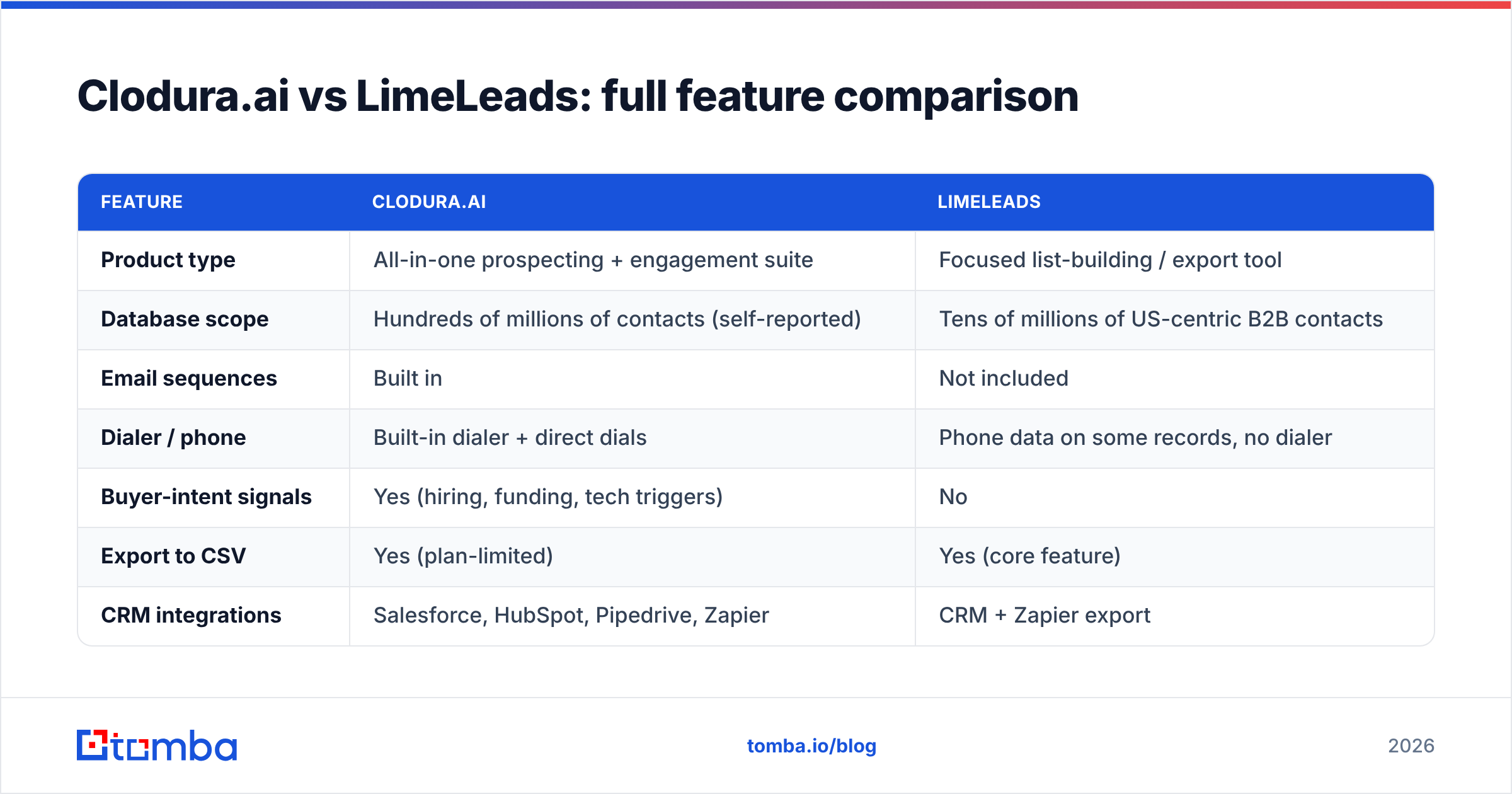
Here is how the two stack up on the attributes that actually affect daily prospecting work. Treat vendor-reported database sizes as directional, not gospel — coverage varies wildly by region and seniority.
| Feature | Clodura.ai | LimeLeads |
|---|---|---|
| Product type | All-in-one prospecting + engagement suite | Focused list-building / export tool |
| Database scope | Hundreds of millions of contacts (self-reported) | Tens of millions of US-centric B2B contacts |
| Email sequences | Built in | Not included |
| Dialer / phone | Built-in dialer + direct dials | Phone data on some records, no dialer |
| Buyer-intent signals | Yes (hiring, funding, tech triggers) | No |
| Export to CSV | Yes (plan-limited) | Yes (core feature) |
| CRM integrations | Salesforce, HubSpot, Pipedrive, Zapier | CRM + Zapier export |
| Free option | Free tier with limited credits | Free trial credits |
| Best for | Teams wanting one tool end to end | Teams needing portable, clean lists |
| Learning curve | Moderate (many modules) | Low (search → export) |
The pattern is clear. Clodura wins on breadth — it does more things under one roof. LimeLeads wins on simplicity and portability. Neither wins on the thing that matters most before you hit send: data freshness.

Which has more accurate email data?#
Accuracy is the only metric that survives contact with a real campaign, and it is where both tools demand caution. A database that is 80% accurate means one in five sends bounces — and bounce rates above 2–3% drag down your sender reputation and can land your domain in spam filters for everyone on it.
Both Clodura and LimeLeads attach verification flags to records, but flags are a snapshot. People change jobs constantly; an email verified four months ago may already be dead. The honest workflow with either platform is the same:
- Build or export your list from the platform.
- Run every address through a dedicated email verifier before importing it to your sequencer.
- Segment out risky catch-all domains and re-check them separately with a catch-all verifier.
- Only then load the survivors into outreach.
This is not a knock on either vendor — it is true of every database product, including the biggest names. The takeaway: do not judge Clodura or LimeLeads only on claimed accuracy. Judge them on how easily their data flows into a verification step, and budget for that step as part of the cost.
If you want to read independent user experiences instead of vendor claims, both products carry detailed reviews on G2 covering data quality and support responsiveness.
How do Clodura.ai and LimeLeads price?#
Pricing is where the two philosophies diverge hardest, and where many buyers overspend.
Clodura.ai prices like a SaaS suite: per-seat plans with monthly credit allotments for revealing contacts, plus tiering for advanced modules like intent data and the dialer. You are paying for the whole engagement engine. If you use the sequencer and dialer daily, the per-seat math works. If you only touch the database, you are subsidizing features you never open.
LimeLeads prices by export volume: you pay for the number of contacts you pull out per month, on monthly or pay-as-you-go plans. There is no seat tax and no bundled sequencer, so the sticker price for pure data is usually lower. The ceiling is that you still need to pay separately for whatever sends the email.
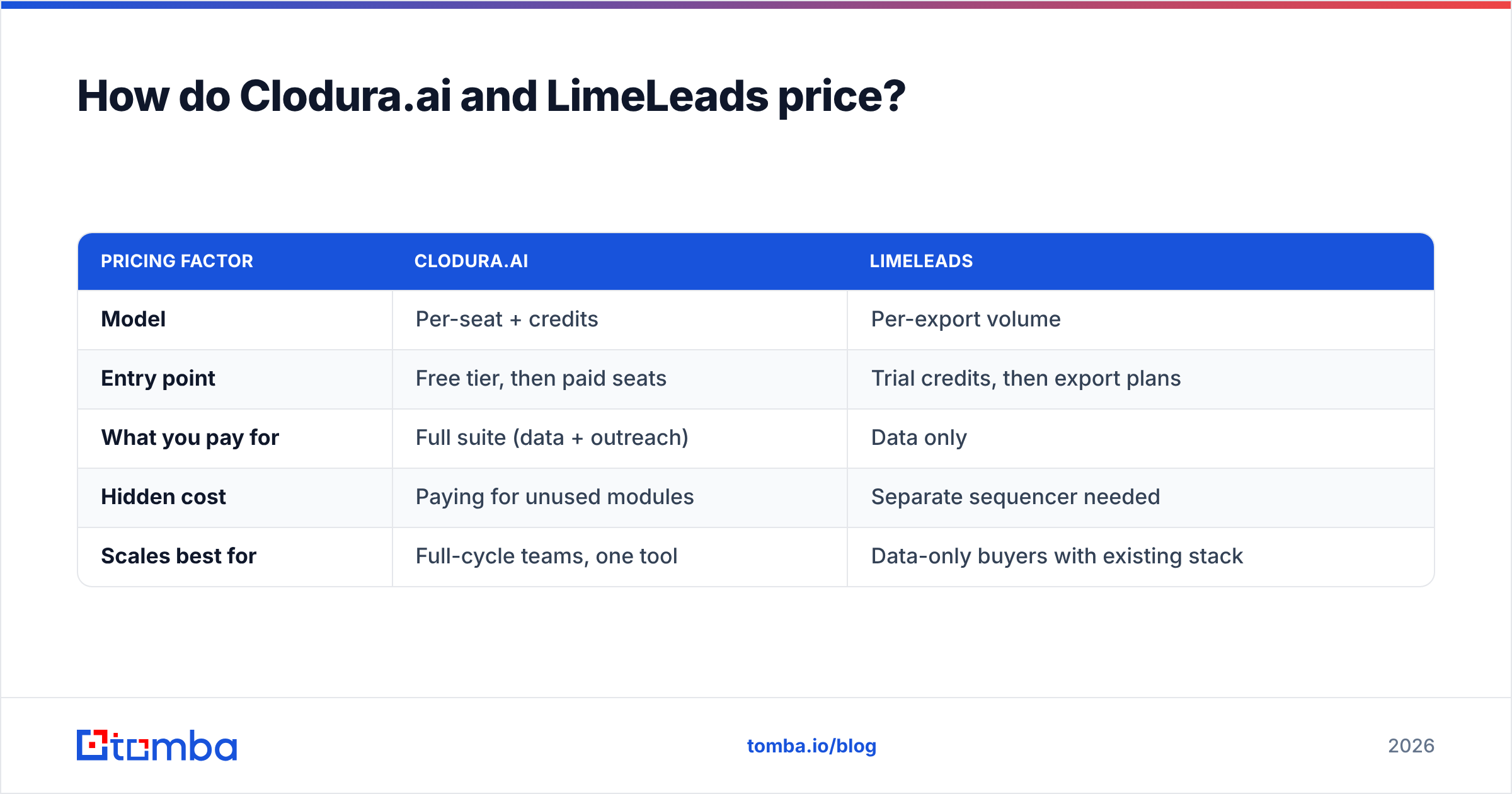
| Pricing factor | Clodura.ai | LimeLeads |
|---|---|---|
| Model | Per-seat + credits | Per-export volume |
| Entry point | Free tier, then paid seats | Trial credits, then export plans |
| What you pay for | Full suite (data + outreach) | Data only |
| Hidden cost | Paying for unused modules | Separate sequencer needed |
| Scales best for | Full-cycle teams, one tool | Data-only buyers with existing stack |
The right choice depends entirely on what else you own. A team with no outreach tooling may genuinely save money by consolidating into Clodura. A team with a sequencer already in place is usually better served by a data-only spend like LimeLeads — or by a credit-metered email finder where you pay only for the contacts you actually find.
What's the leaner alternative for verified emails?#
If you strip the question down to "I need accurate, exportable B2B emails at a predictable price," neither a heavy suite nor a US-centric list tool may be the cleanest fit. A dedicated email-finding stack solves the data layer without the suite tax — and lets you keep the outreach tools you already like.
That is the gap Tomba fills. Instead of bundling a sequencer you may not need, it focuses on the data:
- Find by domain — pull every public address pattern at a company with domain search.
- Find by name — get a specific person's verified work email with the email finder.
- Verify before sending — score deliverability with the built-in email verifier so you protect your domain.
- Scale lists — run thousands of lookups at once with the bulk email finder.
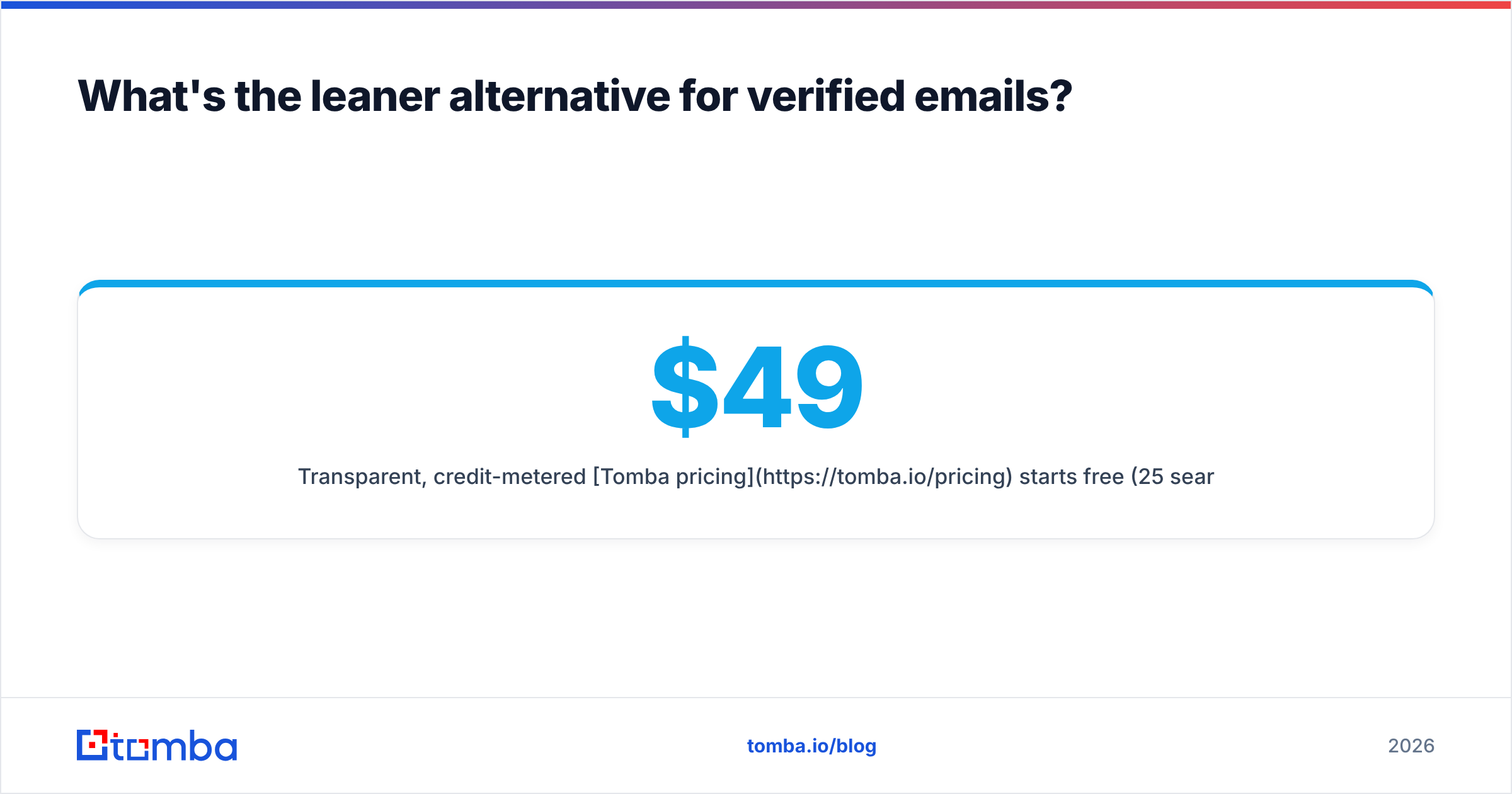
Transparent, credit-metered Tomba pricing starts free (25 searches/month), then $49/mo for Starter, $99/mo for Growth, and $249/mo for Pro — so heavy senders are not paying seat fees on modules they never open.

Clodura.ai vs LimeLeads vs Tomba: which should you choose?#
Use this decision frame instead of a feature-count tie-breaker:
- Choose Clodura.ai if you have no existing outreach stack and genuinely want one platform to find prospects, send sequences, dial, and watch intent signals. You will pay for breadth, but you stop juggling tools.
- Choose LimeLeads if you already run a sequencer or CRM, your market skews US-centric, and you want simple, portable exports without a learning curve or a seat tax.
- Choose a dedicated finder like Tomba if your bottleneck is accurate email data at predictable cost, you want to verify before you send, and you would rather keep your current outreach tooling than rip it out for a bundle.
A practical hybrid many teams land on: use a focused finder for the data layer and verification, then pipe verified contacts into the sequencer you already trust. You get clean data and avoid paying twice for outreach features.
How to test either tool before you commit#
Do not buy on the database-size number on the homepage. Run the same small experiment against any candidate — Clodura, LimeLeads, or Tomba:
- Pick one tight segment you know well (a city, an industry, a title band).
- Pull 50 contacts from the tool.
- Verify all 50 with an independent email verifier.
- Record the real deliverable rate, not the claimed one.
- Note how many records had direct dials, correct titles, and current employers.
Whichever tool gives you the highest verified yield per dollar in your actual segment wins — regardless of which has the bigger marketing number. That single test will tell you more than any comparison table, including this one.
The bottom line#
Clodura.ai and LimeLeads are both legitimate ways to fill a pipeline, but they answer different questions. Clodura is the consolidation play — one suite for find-and-engage. LimeLeads is the focused play — clean lists you export and use anywhere. The deciding variable is what your stack already contains and how much you value portability over an all-in-one.
Whatever you pick, the non-negotiable step is verification before send. If your core need is verified B2B emails without paying for a sequencer you already own, start free with the Tomba Email Finder — find addresses by name, domain, or company, verify them in the same flow, and export clean data into the outreach tools you already run. Test it against your real segment for a week and let the verified-yield number make the decision for you.
// get started
Find, verify and enrich your first contacts today
Start on the free plan with 25 searches a month, then scale when your team is ready.
Free plan · No credit card required · GDPR & CCPA
// about the author