Cloudraai vs Mail Merge For Gmail: 2026 Outreach Showdown
Clodura.ai promises all-in-one sales intelligence; Mail Merge for Gmail is the scrappy DIY route. Here's which one actually fits your 2026 cold outreach stack.
Cloduraai vs Mail Merge For Gmail: Which Cold Outreach Setup Wins in 2026?
You're choosing between two very different ways to run cold email. One is a full sales-intelligence platform that bundles data, sequences, and analytics. The other is a humble Gmail add-on that turns a spreadsheet into a wave of personalized messages. Both can put email in a prospect's inbox. Only one fits your budget, your list size, and your tolerance for manual work.
TL;DR#
- Clodura.ai is an all-in-one platform: B2B contact database, intent signals, email sequencing, and reporting in one login. Best when you need data and sending under one roof.
- Mail Merge for Gmail (Google's official add-on or third-party extensions like YAMM/GMass) is a lightweight, low-cost way to send personalized bulk email from the inbox you already trust. Best for small, warm-ish lists.
- The real divide is data ownership and deliverability, not the send button. Mail merge assumes you already have clean, verified contacts; Clodura tries to supply them.
- Neither tool is a verification engine. Whatever route you pick, you should run an email verifier before you hit send, or your domain pays the price.
- For most teams the smart 2026 stack is "best-in-class data + simple sending," not "one platform that does everything adequately."
What is Clodura.ai?#
Clodura.ai is a B2B sales-intelligence and engagement platform. Think of it like a fully stocked kitchen: the database is your pantry of contacts, the sequencer is the stove, and the analytics dashboard is the recipe book telling you what worked. You log in and, in theory, walk out with a cooked meal — a list of targeted prospects already loaded into an automated email sequence.
Its pitch centers on three things: a large prospect database (company and contact records), buying-intent and technographic signals, and built-in outreach automation. For a team that wants to avoid stitching five tools together, that consolidation is the draw.
The trade-offs are the usual ones for all-in-one suites. Database coverage and accuracy vary by region and industry, the learning curve is steeper than a Gmail add-on, and you pay platform pricing whether or not you use every module. You can compare Clodura against the broader category in any B2B sales tools roundup on G2 before committing.
What is "Mail Merge for Gmail"?#
Mail Merge for Gmail is not a single product — it's a category. It includes Google Workspace's own mail-merge feature in Gmail, plus popular extensions such as YAMM (Yet Another Mail Merge), GMass, and Mailmeteor. The shared idea: you keep contacts in a Google Sheet, write one template with {{merge fields}}, and the tool sends a personalized copy to each row from your own Gmail address.
The analogy here is a food truck. It's small, cheap to run, and parks right where the customers already are — your existing inbox and its sender reputation. There's no separate database, no intent data, and no CRM-grade reporting beyond opens and basic replies. You bring the ingredients (your contact list); the tool just plates and serves.
That simplicity is the point. If you already have a clean list of 200 conference leads, a mail merge sends them today for the price of a coffee. If you need to find those 200 people first, mail merge does nothing for you.

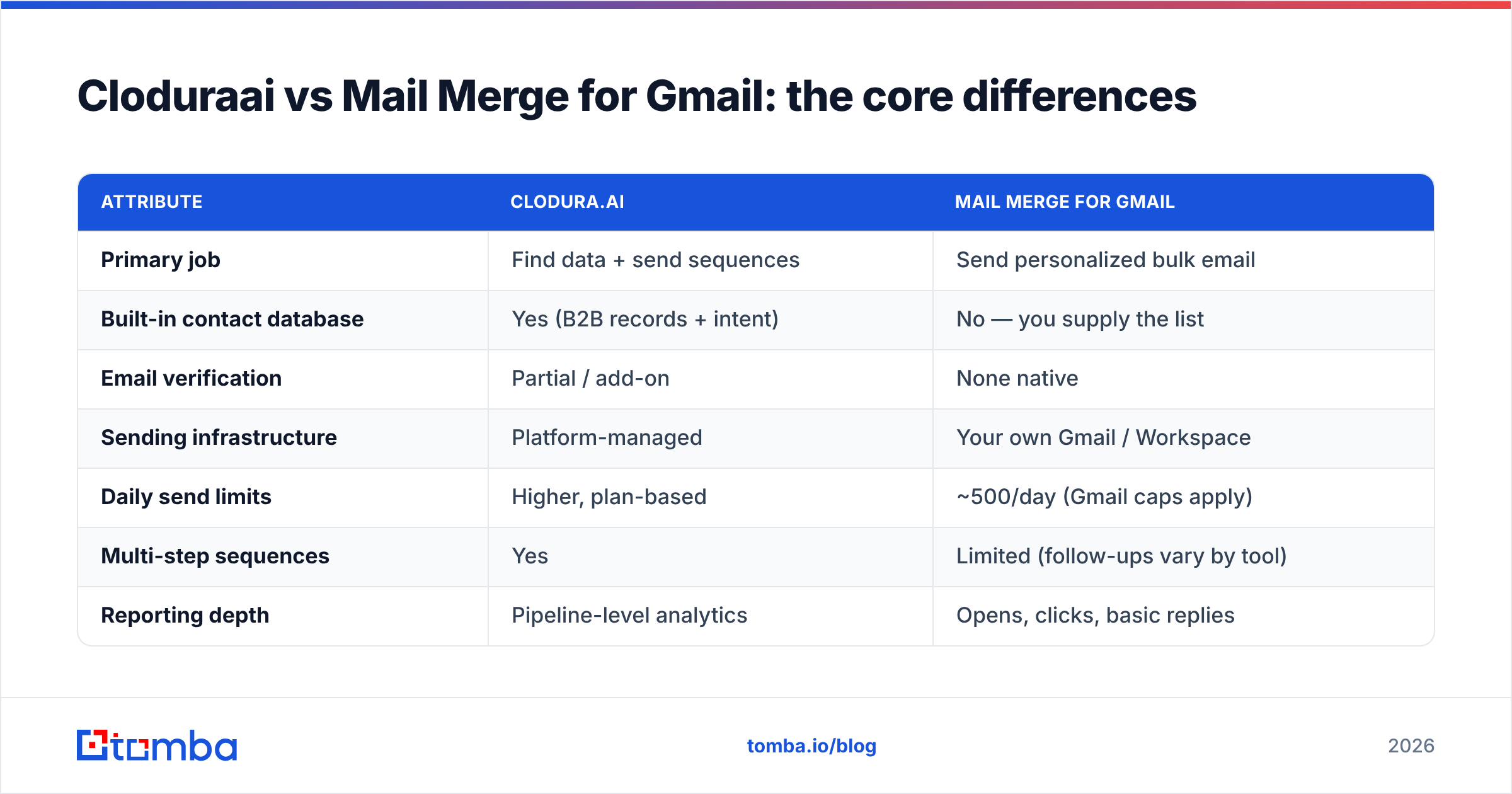
Cloduraai vs Mail Merge for Gmail: the core differences#
The two tools solve different problems, so comparing them feature-for-feature only matters once you know which problem is yours. Here's the honest breakdown.
| Attribute | Clodura.ai | Mail Merge for Gmail |
|---|---|---|
| Primary job | Find data + send sequences | Send personalized bulk email |
| Built-in contact database | Yes (B2B records + intent) | No — you supply the list |
| Email verification | Partial / add-on | None native |
| Sending infrastructure | Platform-managed | Your own Gmail / Workspace |
| Daily send limits | Higher, plan-based | ~500/day (Gmail caps apply) |
| Multi-step sequences | Yes | Limited (follow-ups vary by tool) |
| Reporting depth | Pipeline-level analytics | Opens, clicks, basic replies |
| Learning curve | Moderate to steep | Minutes |
| Typical entry cost | Platform subscription | $0–$50/mo per user |
| Best for | Teams needing data + scale | Solo reps, warm lists, low volume |
A few things stand out. First, Clodura wins on data and scale; mail merge wins on simplicity and cost. Second, neither one is a serious verification tool, which is the single biggest predictor of whether your campaign lands in the inbox or the spam folder.
Is Clodura.ai better than Mail Merge for Gmail?#
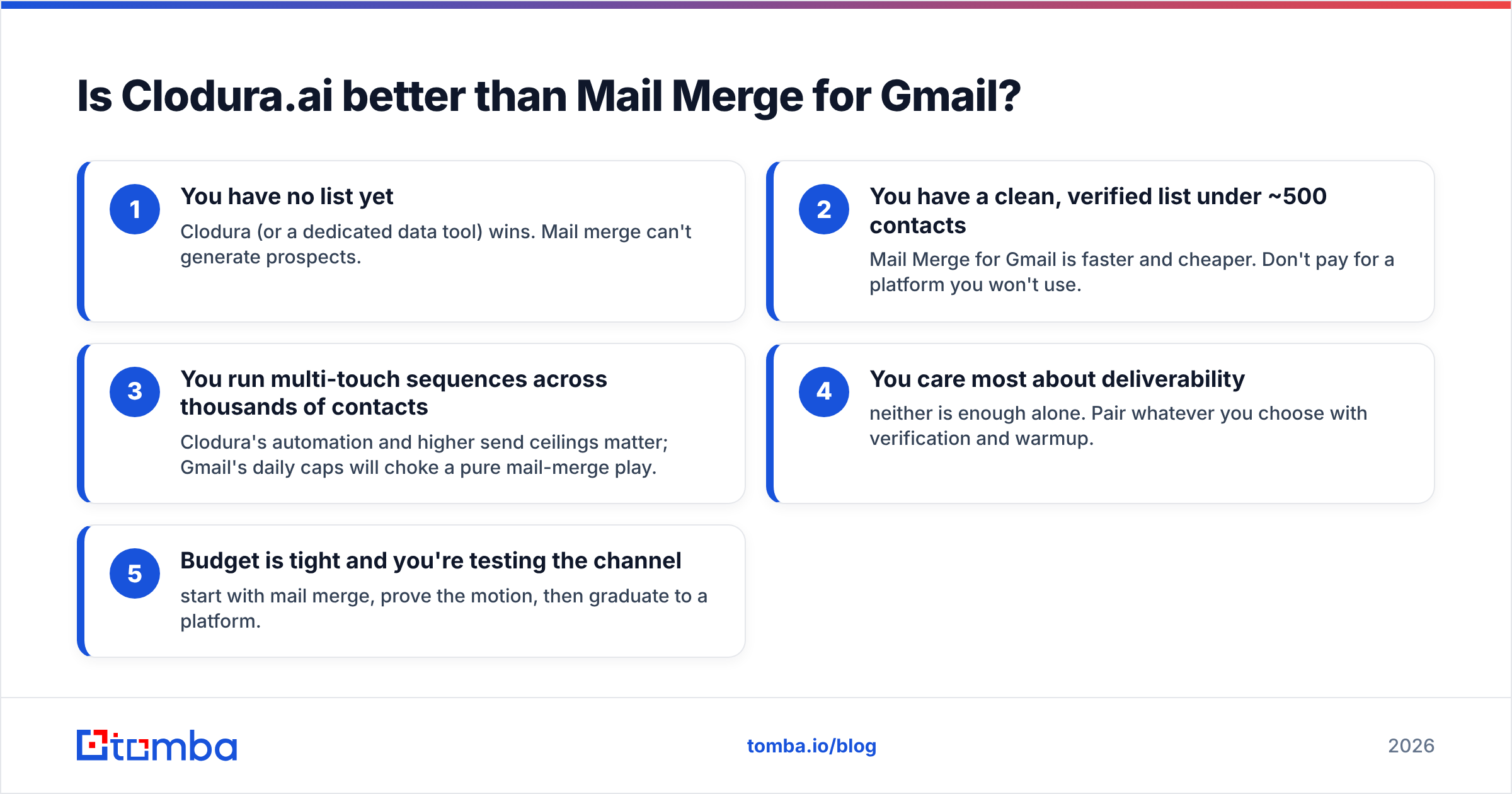
It depends entirely on whether your bottleneck is finding contacts or sending to them.
Use this quick decision list:
- You have no list yet — Clodura (or a dedicated data tool) wins. Mail merge can't generate prospects.
- You have a clean, verified list under ~500 contacts — Mail Merge for Gmail is faster and cheaper. Don't pay for a platform you won't use.
- You run multi-touch sequences across thousands of contacts — Clodura's automation and higher send ceilings matter; Gmail's daily caps will choke a pure mail-merge play.
- You care most about deliverability — neither is enough alone. Pair whatever you choose with verification and warmup.
- Budget is tight and you're testing the channel — start with mail merge, prove the motion, then graduate to a platform.
There's also a hybrid most guides ignore: use a specialized data tool to build and verify the list, then send through a simple mail merge or sequencer. You get accurate contacts without paying all-in-one prices, and you keep your Gmail reputation under your own control. That's where a focused tool like Tomba's email finder slots in — it does one job (clean, sourced emails) extremely well, instead of being the average of ten jobs.
Why does data quality decide the winner?#
Because the send button is the easy part. Both Clodura and any mail-merge tool will happily blast a list — the question is whether the addresses on that list are real.
Cold email lives and dies on email deliverability. Every bounce tells mailbox providers your data is dirty, and dirty data drags down your sender reputation. Once that score drops, even your verified, legitimate emails start landing in spam. According to mailbox providers' own guidance, keeping bounce rates low and authentication clean is the baseline for getting delivered — Google spells this out in its Gmail sender guidelines.
Here's the trap with mail merge specifically: it sends from your primary Gmail. A few hundred bounces on a borrowed or scraped list can poison the same address you use for real customer conversations. Clodura's platform sending insulates your personal inbox a bit more, but it doesn't make a bad list good.
The fix is the same regardless of tool. Run your list through a catch-all verifier and a standard email verification pass before sending. Verification is the seatbelt — cheap, boring, and the thing that saves you when the campaign hits a wall of invalid addresses.

How do they compare on price and scale?#
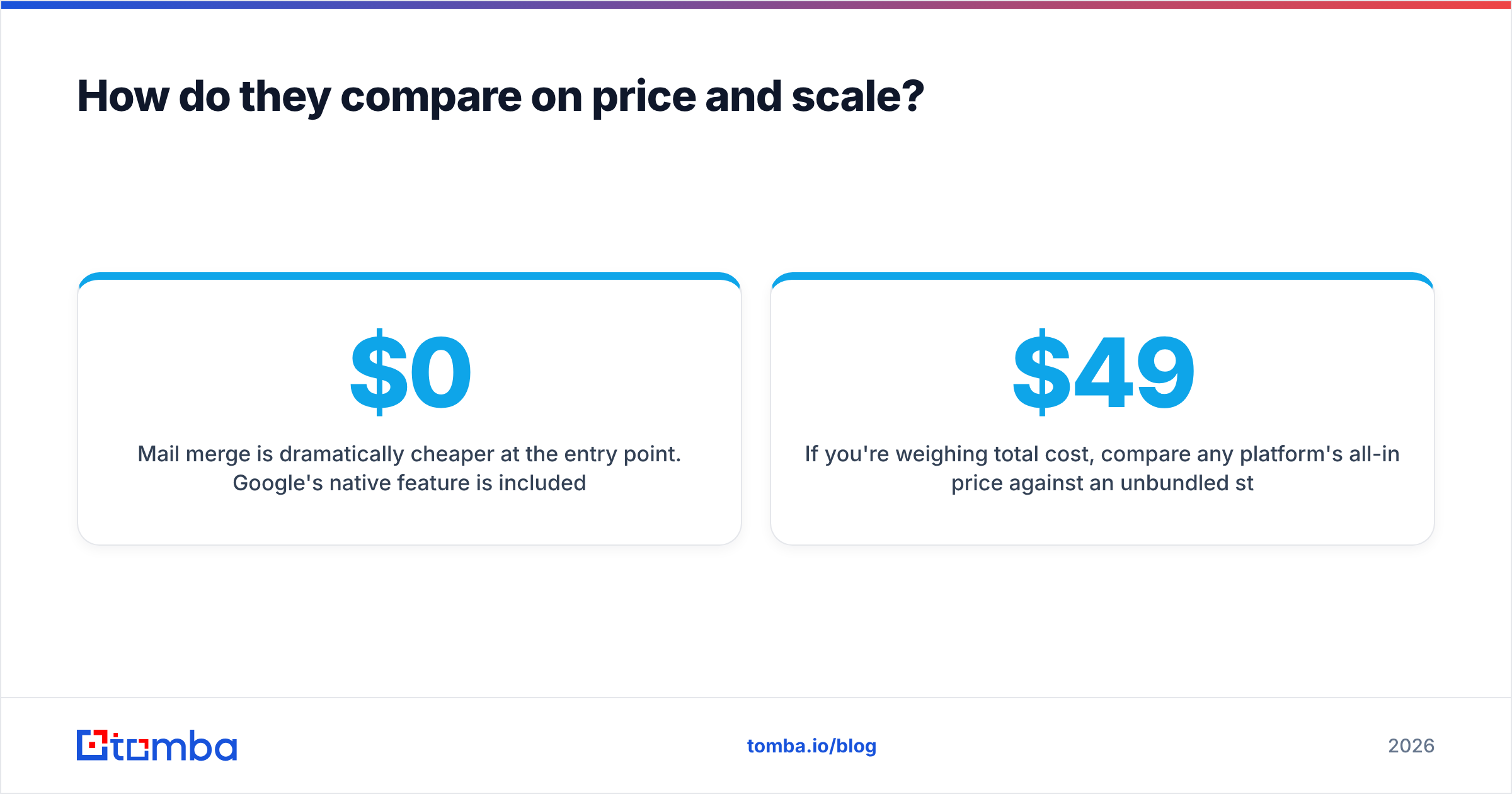
Mail merge is dramatically cheaper at the entry point. Google's native feature is included in many Workspace plans; third-party extensions run roughly $0 to $50 per user per month. There's no data cost because there's no data — you bring your own.
Clodura is priced as a platform, which means you're paying for the database and intent signals even on lighter plans. That's reasonable if you use the data. It's wasteful if you already have your list and just need to send.
Scale flips the math. Gmail caps sending at around 500 recipients per day for Workspace accounts, so a pure mail-merge motion hits a hard wall fast. To send 5,000 emails, you're either splitting across days, buying more inboxes, or moving to a platform with managed infrastructure. At that volume the per-email economics often favor a dedicated outreach platform.
| Scenario | Cheaper / better fit |
|---|---|
| 200 verified event leads, one-off | Mail Merge for Gmail |
| Building a net-new list from scratch | Clodura.ai (or dedicated data tool) |
| 5,000+ contacts, multi-step cadence | Platform (Clodura or specialist sequencer) |
| Tight budget, channel still unproven | Mail Merge for Gmail |
| Need intent signals + technographics | Clodura.ai |
If you're weighing total cost, compare any platform's all-in price against an unbundled stack: a precise data tool plus a lightweight sender. You can sanity-check the data half against transparent Tomba pricing — a free tier with 25 searches a month, Starter at $49/mo, and Growth at $99/mo — and decide whether bundling actually saves you money.
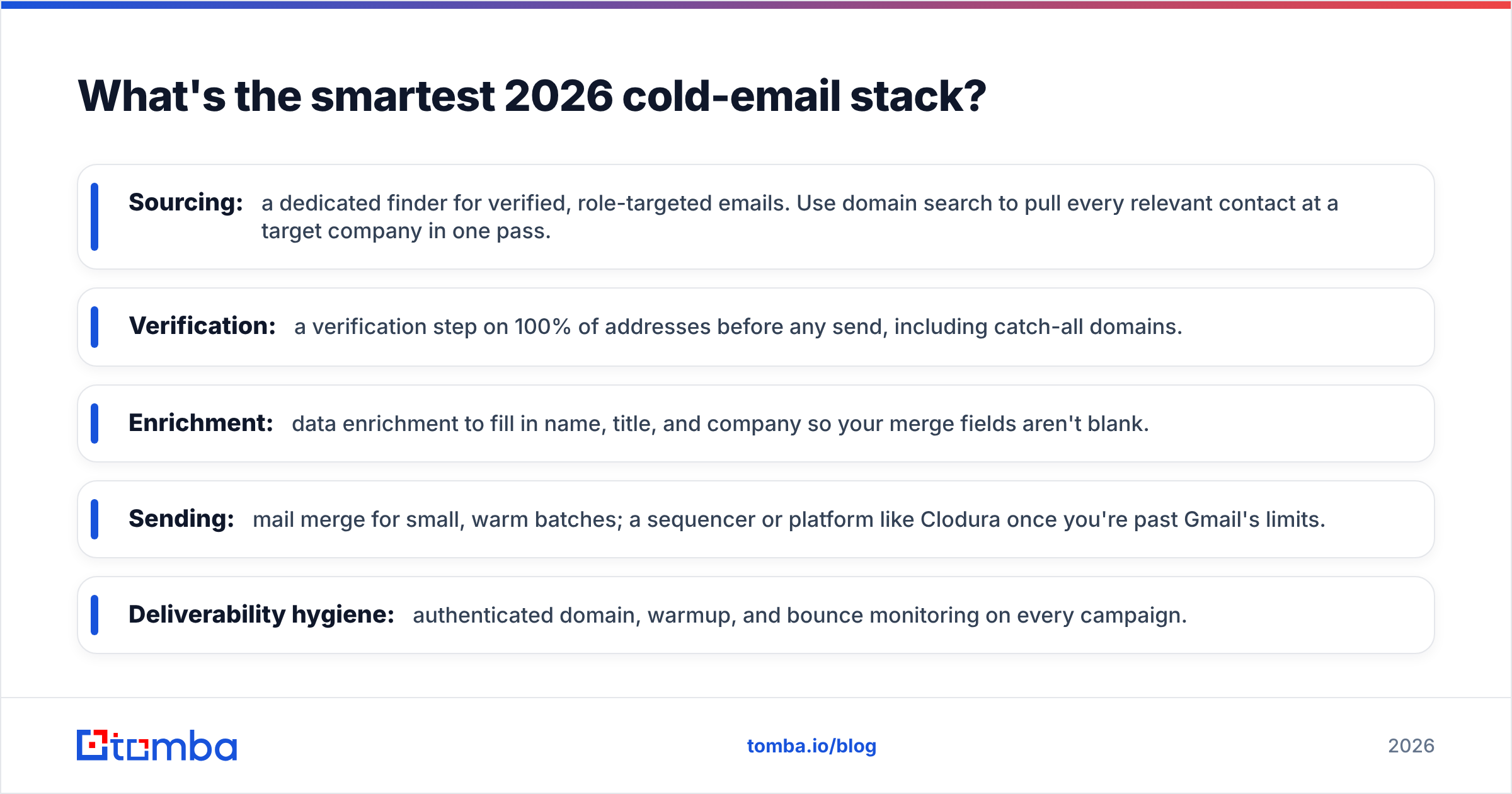
What's the smartest 2026 cold-email stack?#
Buy your data from a specialist and keep your sending simple and under your control. The all-in-one promise is convenient, but it usually means you overpay for modules you don't use and underperform on the one that matters most: accurate contacts.
A clean, modern stack looks like this:
- Sourcing: a dedicated finder for verified, role-targeted emails. Use domain search to pull every relevant contact at a target company in one pass.
- Verification: a verification step on 100% of addresses before any send, including catch-all domains.
- Enrichment: data enrichment to fill in name, title, and company so your merge fields aren't blank.
- Sending: mail merge for small, warm batches; a sequencer or platform like Clodura once you're past Gmail's limits.
- Deliverability hygiene: authenticated domain, warmup, and bounce monitoring on every campaign.
This is the part both Clodura and mail merge tools quietly depend on but don't fully own. Clodura supplies data of variable accuracy; mail merge supplies none. Plugging in a precise finder and verifier is what turns either tool from "sends email" into "gets replies."
Frequently asked questions#
Can Mail Merge for Gmail find email addresses? No. Mail merge tools only send to contacts you already have in a Google Sheet. To find new addresses you need a dedicated email finder, then you import the verified results into your sheet.
Is Clodura.ai's data accurate enough to skip verification? No platform's database is clean enough to skip a verification pass. Records go stale as people change jobs. Always run a fresh email verifier check before sending, regardless of where the data came from.
Will mail merge hurt my Gmail reputation? It can, if you send to a dirty or scraped list, because it sends from your own address. Verify your list first, keep daily volume modest, and authenticate your domain to protect your reputation.
Which is cheaper for a small team? Mail Merge for Gmail, almost always, for small verified lists. Clodura only becomes cost-effective when you genuinely use its database and intent features at scale.
The bottom line#
Clodura.ai and Mail Merge for Gmail aren't really competitors — they answer different questions. Clodura asks "where do I get prospects and how do I sequence them?" Mail merge asks "how do I send to the prospects I already have?" Match the tool to your actual bottleneck and the choice gets obvious.
But both share the same hidden dependency: the quality of the email addresses going in. Garbage data sinks a $0 mail merge and a premium platform equally. Before you commit to either workflow, fix the input. Start with the Tomba Email Finder to source verified, on-target B2B emails by domain, name, or company — then send them through whichever tool fits your scale. Clean data first, sending second. That order is what separates campaigns that book meetings from campaigns that bounce.
// get started
Find, verify and enrich your first contacts today
Start on the free plan with 25 searches a month, then scale when your team is ready.
Free plan · No credit card required · GDPR & CCPA
// about the author